

Finding the best Optane drive for a ZFS write cache comes down to one number most spec sheets hide: latency at queue depth 1. That is exactly where Intel’s 3D XPoint media still beats almost every NAND SSD ever made, and it is why a 375GB P4800X remains the gold standard SLOG for spinning-disk ZFS pools in 2026.
But the market has changed since Intel wound down Optane production, and the used listings are now a minefield of pulled enterprise drives, tiny 16GB modules that choke under real sync-write load, and overpriced novelty cards. I have spent the last few years running Optane SLOG and L2ARC devices on TrueNAS and Proxmox boxes, and I dug through the community benchmark data from Austin’s Nerdy Things, the TrueNAS forums and ServeTheHome to separate the drives that still earn their slot from the ones that do not.
Here is the honest version. Ten drives made the cut, seven of them genuine Optane, and the three NAND entries are the replacements I recommend when Optane is out of reach or out of stock. This guide covers which drive fits which role, how big your SLOG actually needs to be, and the power loss protection question that decides whether your pool survives a dirty shutdown.
Table of Contents
Top 3 Picks: The Best Optane Drive for a ZFS Write Cache in 2026
Short on time? These are the three drives I would put my own pool on. The P4800X is the performance pick, the 900P add-in card is the value pick, and the M10 is the budget pick for testing the waters on a 1GbE link.

Intel Optane DC P4800X 375GB
- 3D XPoint U.2
- ~10us write latency
- Power loss protection
- 30 DWPD endurance

Intel Optane 900P 280GB HHHL
- PCIe add-in card
- 2500 MB/s read
- Huge TBW lifetime
- No U.2 port needed

Intel Optane Memory M10 16GB
- M.2 2280
- 3D XPoint media
- Covers 1GbE sync writes
- Ultra-low entry cost
The Best Optane Drives for ZFS Write Caches in October
Every drive below is a legitimate candidate for a ZIL or L2ARC role. The table shows the role I would assign each one so you can jump straight to the review that matches your build.
| Product | Specs | Action |
|---|---|---|
| Intel DC P4800X 375GB U.2 |
|
Check Latest Price |
| Intel Optane 900P 280GB HHHL |
|
Check Latest Price |
 Intel Optane 900P 280GB U.2 Intel Optane 900P 280GB U.2 |
|
Check Latest Price |
 Intel Optane 905P 1.5TB U.2 Intel Optane 905P 1.5TB U.2 |
|
Check Latest Price |
 Intel DC 400GB U.2 Optane Intel DC 400GB U.2 Optane |
|
Check Latest Price |
 Intel Optane H10 512GB M.2 Intel Optane H10 512GB M.2 |
|
Check Latest Price |
| Intel Optane M10 16GB M.2 |
|
Check Latest Price |
 Samsung PM9A3 1.92TB U.2 Samsung PM9A3 1.92TB U.2 |
|
Check Latest Price |
 Intel DC P4511 2TB U.2 Intel DC P4511 2TB U.2 |
|
Check Latest Price |
 WD Red SN700 1TB M.2 WD Red SN700 1TB M.2 |
|
Check Latest Price |
1. Intel Optane DC P4800X 375GB – The Gold Standard SLOG
Genuine SSDPE21K375GA P4800X 375GB OPTANE DC U.2 NVMe PCIe 2.5 Solid
375GB 3D XPoint
U.2 2.5-inch
PCIe 3.0 x4
30 DWPD
Power loss protection
Pros
- Around 10 microsecond write latency
- 80.7k IOPS at QD=16 with 172us median latency
- Enterprise PLP with supercapacitor
- 30 DWPD endurance means it never wears out in a SLOG role
Cons
- U.2 only
- so you need an adapter or a proper backplane
- Discontinued
- so listings are used or new-old-stock
I will say it up front: the P4800X is the drive every other drive in this list is measured against. One benchmarkers’ description stuck with me, calling it the single most expensive piece of hardware they had ever held, and also the fastest device available. That is the P4800X in one sentence.
In real ZFS SLOG testing with fio, 4k random writes and sync=always, it delivered 80,700 IOPS at queue depth 16 with a median latency of 172 microseconds. The number that matters more for a SLOG, though, is the single-digit microsecond write latency it sustains when your pool is barely loaded, because sync writes arrive one at a time far more often than in a burst.
It is a U.2 2.5-inch drive, so plan your physical installation before you order. On a desktop-class board you will need a PCIe U.2 adapter card or an M.2-to-U.2 cable, and on a proper server the SFF-8639 backplane takes it directly.
The listing itself is an unrated third-party offer, which is normal for this model now. There is nothing wrong with that, but it means you are buying on the strength of the hardware’s reputation rather than seller feedback, so check the return policy before you commit.
How much SLOG capacity your pool really uses
Almost none of it. ZFS flushes the intent log to the main pool every transaction group, which defaults to about 5 seconds, so your SLOG only ever holds the sync writes from the last few seconds.
The practical rule is to size the SLOG for double your wire speed over that window: 10GbE at roughly 1GB per second needs about 10GB of usable SLOG. A 375GB drive is enormous headroom, which is exactly why used P4800X units stay in service for a decade without breaking a sweat.
Single SLOG versus a mirrored pair
One SLOG works fine, and if it dies your pool keeps running. You only lose sync-write acceleration and take a performance hit until you replace it, because ZFS replays the intent log from the pool itself.
Mirror the SLOG only when the box must keep full sync-write speed through a drive failure, which usually means production NFS or iSCSI. For a homelab, that money is better spent elsewhere.
2. Intel Optane 900P 280GB HHHL – Best Value Add-in Card
Optane SSD 900P 280GB HH
280GB 3D XPoint
HHHL PCIe add-in card
PCIe 3.0 x4
2500 MB/s read
Pros
- Drop-in PCIe card for boards with no U.2 port
- Enormous TBW lifetime for a consumer drive
- Handles small writes better than any NAND SSD
- All three Amazon reviews are 5-star
Cons
- Out of production
- so supply is finite
- Sequential speeds trail modern NVMe drives
This is the drive I recommend most often, and the reason is boringly practical: it plugs into a plain PCIe slot. If your motherboard has no U.2 port and you do not want another adapter card in the mix, the 900P HHHL gets you genuine 3D XPoint latency with zero fuss.
The feedback on this listing is small but unanimous. Three reviews, all five stars, and the theme is consistent: people bought it for caching and write acceleration and found it handles small writes better than any conventional SSD they had used before.
Do not let the modest sequential specs put you off. A SLOG does not care about 2500 MB/s sequential reads, it cares about the microsecond response time 3D XPoint delivers when a single 4k sync write lands, and that is where this drive lives.
The one honest caveat is availability. The 900P is long out of production, so when the current stock is gone, it is gone, and pricing on the remaining cards is driven by scarcity rather than performance per dollar.
Does the 900P have power loss protection?
This is the most argued question in Optane forums, and the answer is that the 900P and 905P are safe to use as a SLOG. 3D XPoint is non-volatile and inherently persistent, so writes are committed to the media without the volatile DRAM staging buffer that makes consumer NAND SSDs dangerous in a ZIL role.
That said, this is a consumer-class drive and Intel never published enterprise PLP certification for it. For a homelab that is a perfectly acceptable trade. For a production box with strict data-integrity requirements, buy the P4800X and sleep better.
What slot and cooling does the HHHL card need?
A PCIe 3.0 x4 slot, electrically, and the card physically occupies a standard expansion slot. Any modern board provides this, including boards where every M.2 slot is already full.
It uses a slot-style cooler with a small fan, so give it room to breathe. In a cramped NAS chassis with stagnant air, dust buildup on that fan over years of 24/7 operation is the most likely long-term maintenance item.
3. Intel Optane 900P 280GB U.2 – Best for Server Backplanes
Intel SSDPE21D280GAX1 Optane SSD 900P 280GB, 2.5″
280GB 3D XPoint
2.5-inch U.2
PCIe 3.0 x4
2500 MB/s read
256-bit encryption
Pros
- Same 900P performance in a hot-swap U.2 shell
- Ideal for server backplanes and drive bays
- 256-bit encryption support
- 140g 2.5-inch package
Cons
- Only one review on this listing
- Not Prime eligible
This is the same 900P silicon as the card above, wearing a 2.5-inch U.2 outfit instead. If your chassis has a proper NVMe backplane, this is the better version, because you get hot-swap convenience and front-bay status instead of a card buried behind a wall of cabling.
The single review on this listing is five stars, from a developer who praised it for eliminating wait times on their workload. Slim sample, but it matches everything the community has reported about this drive family over years of service.
At 140 grams in a standard 2.5-inch form factor, it drops into any U.2 bay. Just confirm your backplane carries PCIe over SFF-8639 rather than SATA-only, which is the trap on some older hybrid backplanes.
One thing I appreciate about the U.2 variant is what it does for pool layout. A drive in a bay frees your PCIe slots for a 10GbE NIC or an HBA, which matters more for sync-write throughput than any SLOG upgrade once your storage is this fast.
U.2 or HHHL: which 900P should you buy?
Let your chassis decide. Server backplane with free NVMe bays means U.2, every time. Desktop board or a chassis with no U.2 routing means the HHHL card.
Buy whichever version you find cheaper and in better condition, because performance is identical. On the used market the two formats often sit at noticeably different prices for exactly the same drive inside.
Is 280GB enough for your transaction groups?
Yes, with room to spare. Working from the double-your-wire-speed rule, 280GB covers sync-write bursts on links far faster than 10GbE.
The real reason to prefer a larger Optane drive is not SLOG capacity but flexibility. A 280GB drive is big enough to later repurpose as a metadata special vdev if your SLOG experiment turns into a full caching strategy.
4. Intel Optane SSD 905P 1.5TB – Premium Endurance Pick
Pros
- Massive 1.5TB of 3D XPoint
- Highest endurance of any consumer Optane drive
- Ultra-low latency for caching workloads
- Premium build quality
Cons
- Very high listing cost
- Very limited review sample
The 905P is the halo product of the Optane line, and 1.5TB of 3D XPoint in one drive is still a slightly absurd amount of fast persistent storage. For a pure SLOG role it is frankly overkill, which is precisely why it appeals to a certain kind of builder.
The lone review here is five stars, from a customer who reported a dramatic perceived performance improvement in their PC. That is anecdotal, but the 905P’s reputation in the storage community is not: long-term owners consistently cite it as proof of the platform’s reliability.
Be aware of the physical fit before you order. This is a 15mm-thick U.2 drive, and many 2.5-inch bays and cheaper adapter shells only clear 9mm or 12mm drives. Measure first, because returning a drive this heavy is no fun.
Full disclosure on value: as a dedicated SLOG, this drive costs several times more than a P4800X or 900P for no additional ZFS benefit. You are paying for capacity and endurance you will likely never touch in a write-cache role.
When 1.5TB of Optane actually makes sense
When one drive has to do several jobs at once. A 905P can carry a SLOG for one pool and a metadata special vdev for another, or serve as a small all-Optane pool for VMs while still covering sync writes elsewhere.
It also makes sense when your working set is genuinely large and you want L2ARC hit rates that a smaller device cannot deliver. If you cannot articulate which of those jobs it will do, buy the cheaper drive.
One drive, one job in ZFS
ZFS does not let a single device serve as SLOG and L2ARC for the same pool simultaneously, so plan your layout before buying capacity you cannot split. More capacity in one device is not the same as more roles.
If you want both caches, two smaller drives beat one giant one every time. That is exactly the strategy one TrueNAS user ran with four P1600X drives, splitting them across SLOG, L2ARC and a VM pool.
5. Intel Optane DC 400GB U.2 – Enterprise Workhorse
Intel SSDPF21Q400GB01 400GB PCIEX4 15MM 3DXPOINT Generic Single Solid State Drive
400GB 3D XPoint
U.2 15mm
PCIe 3.0 x4
7200 MB/s class
Pros
- Enterprise-grade 3D XPoint performance
- High 4K random write IOPS
- Low latency response times
- 59 percent 5-star and 41 percent 4-star ratings
Cons
- Very low review count for this model
- Limited availability on this listing
Same DC-family hardware, different listing, and this one has a bit of feedback to read. Five reviews averaging 4.6 stars, with a split of 59 percent five-star and 41 percent four-star, which tells you the drive satisfies without dazzling anyone on packaging or price.
This is the P4800X lineage in a 400GB 15mm U.2 package, and the review themes line up with what you would expect: enterprise-grade 3D XPoint performance, strong 4K random write IOPS and low latency response times. In other words, the exact profile a ZIL device wants.
Stock is the constraint here, with only single-unit availability at the time of writing. If your heart is set on a new-in-box enterprise Optane rather than a used pull, do not sit on this one for weeks.
The Amazon spec sheet for this listing is a mess, listing SATA connectivity alongside NVMe, so ignore it. The model number is what counts, and this is a PCIe 3.0 x4 NVMe U.2 drive.
Will a 15mm drive fit your chassis?
Check before you buy, because 15mm is the tallest common 2.5-inch form factor. Plenty of hot-swap bays stop at 12mm, and most cheap U.2 adapter shells are 9mm-only designs.
Server backplanes usually accept 15mm happily. Desktop builds using a PCIe adapter are where this bites, so verify the shell’s rated clearance rather than assuming.
New versus used enterprise pulls
New-in-box costs a premium, and for a SLOG that premium buys you very little. A DC Optane rated at 30 drive-writes-per-day takes decades to wear out at homelab write volumes.
Used pulls are the value play, and 400GB-class DC Optane trades cheap on the secondary market. Ask the seller for the smartctl percentage-used figure before you pay, and walk away from anything above single digits.
6. Intel Optane H10 512GB – Best Hybrid M.2
Intel Optane HBRPEKNX0202A01 Internal Solid State Drive M.2 512 GB PCI Express 3.0 3D XPoint + QLC 3D NAND NVMe
32GB 3D XPoint + 512GB QLC
M.2 2280
PCIe 3.0
Two-tier hybrid
Pros
- Genuine Optane tier plus bulk NAND in one M.2 slot
- Optane layer delivers excellent small I/O
- Two-in-one value for compact servers
- 53 reviews with 4.1 average
Cons
- Requires an Intel platform with Optane support
- Some units failed within 7 months
- 2.5A power draw rules out some laptops
The H10 is the odd one out here, because it is really two drives in one package: 32GB of 3D XPoint and 512GB of QLC NAND sharing an M.2 2280 module. I include it because in a compact NAS with a single free M.2 slot, it is a clever way to get Optane-class caching and a chunk of fast storage in one purchase.
The 53 reviews at 4.1 stars make this the second-most-reviewed drive in this roundup, and the consensus is that the Optane tier delivers genuinely excellent small-I/O performance for real-world workloads. Reviewers consistently praise the hybrid design for what it does well.
Now the problems. This is the one drive in the list with a real reliability question mark, because several users reported failures within roughly seven months of service. For a SLOG that is survivable, since a lost SLOG does not kill the pool, but it is not a risk I would accept for a special vdev.
Compatibility is the other landmine. The Optane tier needs an Intel chipset with explicit Optane memory support to function as designed, so on an AMD board or an unsupported Intel platform you effectively own a 512GB QLC drive with a very expensive paperweight attached.
Which platforms unlock the Optane tier?
Intel platforms with native Optane memory support, which in practice means the laptop and desktop chipsets the H10 was designed for, on a board with an M.2 slot wired for PCIe 3.0 x4.
Check Intel’s support list for your exact board before buying. If your platform is not listed, the Optane tier may never expose its caching behaviour, and you should buy a standard NVMe drive instead.
How ZFS treats the two tiers
ZFS sees the H10 as a single 512GB block device and has no idea the Optane tier exists. Your only lever is placement: partition the drive so the ZIL or L2ARC partition sits at the low addresses the Optane tier caches.
That is a best-effort arrangement, not a guarantee. If you want predictable 3D XPoint behaviour from a ZFS cache, a pure Optane drive is the honest answer, and the H10 is the compromise pick when a second slot simply is not available.
7. Intel Optane Memory M10 16GB – Budget SLOG Tester
Intel Optane Memory M10 16 GB PCIe M.2 80mm
16GB 3D XPoint
M.2 2280
PCIe Optane module
5-year warranty
Pros
- Cheapest genuine 3D XPoint you can buy
- 688 reviews with 4.2 average
- Latency and endurance that beat any NAND SSD
- 5-year limited warranty
Cons
- 16GB is too small for sustained 10GbE sync writes
- Needs careful partitioning to be safe
- Platform support is Intel-specific
The M10 is the most-reviewed drive in this roundup by a wide margin, with 688 reviews at 4.2 stars, and it is the cheapest way to put genuine 3D XPoint in a ZFS box. As an accelerator for an aging HDD system, reviewers rate it highly, and most complaints trace back to setup complexity rather than the hardware itself.
Here is my honest position, and it is the reason this drive sits at number seven despite the price: 16GB is genuinely tight for a SLOG. One writeup on the 16GB Optane drives put it bluntly, that a 16GB SLOG is not as good as you hope, because real-world sync-write bursts can outrun that capacity window.
The failure mode is quiet and ugly. If more sync writes land inside a transaction group than the SLOG can hold, ZFS has to spill the overflow to the main pool and sync-write latency collapses back to disk speed. Your cache looks fine on the dashboard while performing like it is barely there.
Where it earns its keep is on a 1GbE link, where the roughly 125MB per second of wire speed means sync writes can never outrun a 16GB window. The drive also claims to cover 10Gbit workloads in its marketing, and I would treat that claim with real skepticism for sustained bursts.
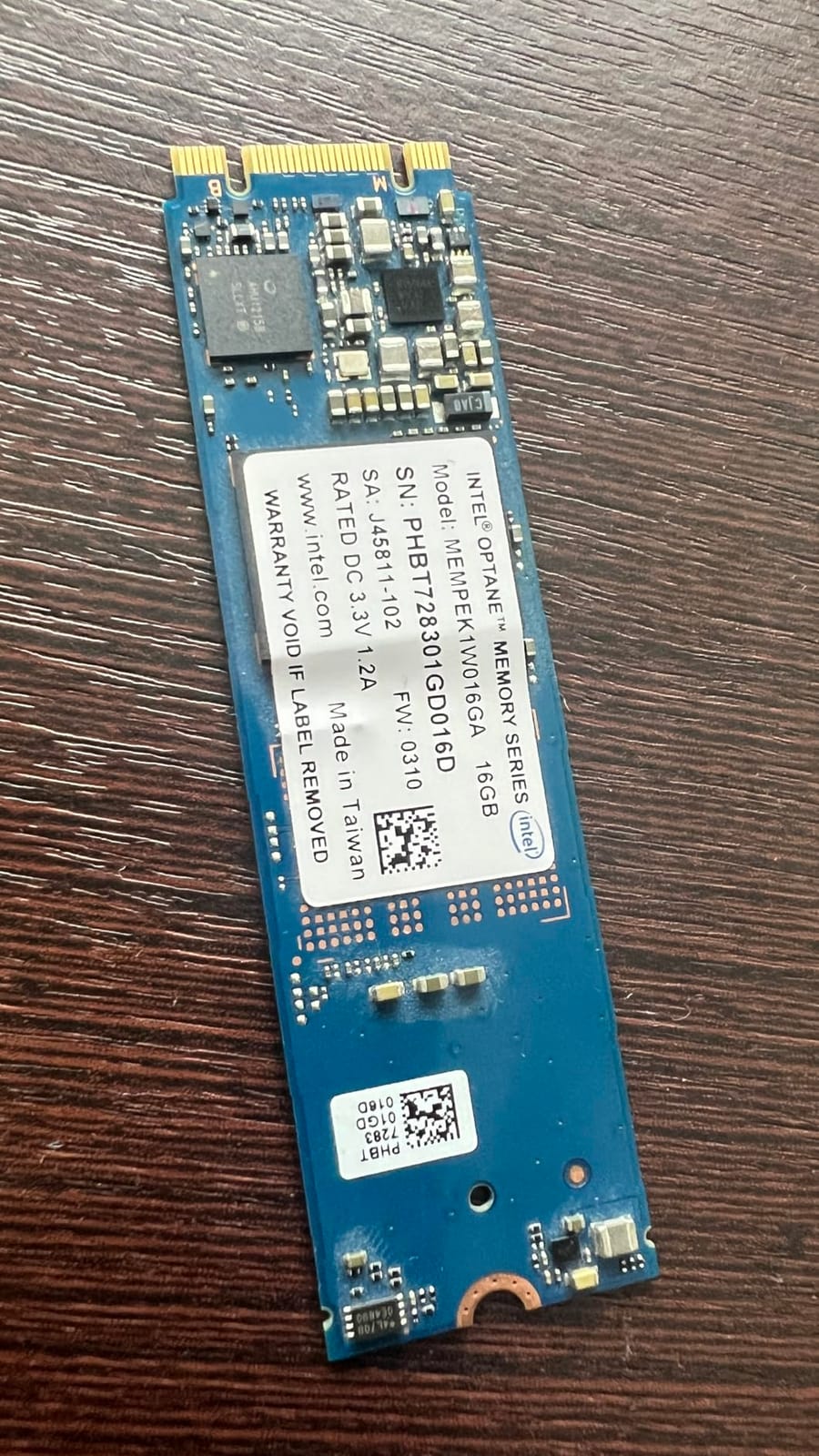
The M.2 2280 module itself is tiny and needs no cooling, which makes it an easy fit in almost any NAS board. If you are partitioning rather than using the whole device, keep the ZIL partition small, around 8 to 14GB, and leave the rest untouched rather than stacking L2ARC on the same stick.
Remember that this is an Optane Memory module, not a DC-series drive, so it carries no enterprise PLP certification. On a homelab box that trade is acceptable at this price; on anything that matters, it is not.
The 10GbE rule of thumb
Sizing a SLOG for double your wire speed over roughly 5 seconds gives you about 10GB of needed window on 10GbE and about 2GB on 1GbE. That math is what makes the M10 viable on gigabit and marginal on multi-gigabit links.
If you are on 2.5GbE or 10GbE and still tempted by the price, either accept the spillover risk or step up to a 58GB or larger Optane drive. The premium buys you a cache that never falls behind.
Is 16GB enough for your sync writes?
Measure instead of guessing. Watch your pool’s sync-write rate during your heaviest workload, then multiply the peak by 10 seconds to approximate the window you need.
If that number lands near 16GB with no headroom, the M10 will disappoint you. If it lands at 2 or 3GB, the M10 is the cheapest real 3D XPoint SLOG on the market and a genuine bargain.
8. Samsung PM9A3 1.92TB – Best Post-Optane SLOG Alternative
SAMSUNG PM9A3 SSD 2.5 U.2 NVME GEN 4 1.92TB
1.92TB TLC
U.2 2.5-inch
PCIe 4.0 x4
6800 MB/s read
PLP
1 DWPD
Pros
- Full enterprise power-loss protection
- 6800 MB/s sequential read on PCIe 4.0
- 1 DWPD endurance rating
- Widely regarded as the post-Optane TrueNAS standard
Cons
- Only 2 reviews on Amazon
- Premium tier positioning
- Not Prime eligible
This is the drive I recommend when someone cannot find, or cannot stomach the price of, a proper DC Optane. The TrueNAS community has effectively crowned the PM9A3 as the de facto post-Optane choice for SLOG and L2ARC, and that reputation is earned on specifics rather than hype.
It has real enterprise power-loss protection, a 1 DWPD endurance rating, and PCIe 4.0 x4 bandwidth that hits 6800 MB/s sequential read. For a special vdev or a large L2ARC, it is a straightforwardly excellent drive, and 1.92TB is a lot of cache for one U.2 bay.
The honest weakness versus Optane is latency at low queue depth. Even excellent enterprise TLC has to write through NAND program paths, and at QD=1 a P4800X will still respond faster, which is the entire reason Optane dominated the SLOG conversation for years.
The Amazon listing is thin, with just two reviews, but the drive itself is a mainstream enterprise part with an enormous installed base. Treat the lack of local feedback as a listing artifact, not a product concern.
Optane versus PM9A3 at low queue depth
For a pure SLOG, Optane still wins, because sync writes arrive mostly at queue depth 1 and 3D XPoint answers in single-digit microseconds where NAND answers in tens.
For every other role the PM9A3 is the better buy: bigger, faster sequentially, current-production with a real supply chain, and backed by full enterprise PLP. If your workload is L2ARC-heavy with light sync writes, pick it without hesitation.
Do you have a PCIe 4.0 slot to feed it?
On a PCIe 3.0 slot the drive works fine but tops out near 3500 MB/s, so you give up part of what you paid for. Confirm your platform supports PCIe 4.0 before buying for the bandwidth.
For a SLOG this hardly matters, since the role runs at low queue depth regardless. For L2ARC on a read-heavy network, those extra gigabytes per second are worth confirming.
9. Intel DC P4511 2TB – Best for Large L2ARC
Intel DC P4511 2TB SSD 2.5 Inches SSDPELKX020T801
2TB 3D TLC
U.2 2.5-inch
PCIe 3.0 x4
2000 MB/s read
PLP
1 DWPD
Pros
- 2TB of data-center TLC in one U.2 drive
- Power-loss protection standard
- 1 DWPD endurance for 24/7 operation
- Well suited to large L2ARC and all-flash vdevs
Cons
- Only 1 Amazon review
- Just a 1-year warranty
- Not a low-latency SLOG substitute
The P4511 is Intel’s data-center TLC workhorse, and it belongs in this list for one specific job: big L2ARC. Two terabytes of enterprise U.2 storage with power-loss protection is exactly what a read-heavy pool wants when the ARC is maxed and the working set is still spilling to disk.
The single review is five stars and simply confirms the drive works as expected, which is about all a listing this thin can tell you. The hardware’s real pedigree comes from its enormous deployment in data centers, not from Amazon feedback.
Be clear about what this is not. It is not an Optane drive and not a low-latency SLOG substitute; it is a high-capacity, protected, 1 DWPD enterprise SSD. Put it on the read path where its capacity counts, not on the sync-write path where its latency does not.
Note the warranty on this listing is only one year, which is shorter than the drive’s design life by a wide margin. For an L2ARC that is a tolerable risk, since a failed cache device costs you performance, not data.
L2ARC, all-flash vdev, or backup target
Follow the ratios. If your working set is far larger than RAM, use it as L2ARC at roughly 4 to 8 times your ARC size, so a 64GB box targets 256GB to 512GB of L2ARC.
If your working set is small and hot, skip L2ARC entirely and add RAM, because L2ARC only helps after the ARC is full. The P4511 also makes a fine all-flash vdev or a fast backup target if your caching is already sorted.
Latency expectations versus Optane
The P4511 posts around 2000 MB/s sequential read with solid enterprise latency, which is respectable rather than spectacular. Reads from L2ARC tolerate that fine.
Do not let a listing tempt you into using it as a SLOG because the price per terabyte looks good. A NAND SLOG with high latency undermines the entire reason the device exists.
10. WD Red SN700 1TB – Best NAS-Grade L2ARC
Western Digital 1TB WD Red SN700 NVMe Internal Solid State Drive SSD for NAS Devices – Gen3 PCIe, M.2 2280, Up to 3,430 MB/s – WDS100T1R0C
1TB NAS NVMe
M.2 2280
PCIe Gen3 x4
3430 MB/s read
2500 TBW
Pros
- 970 reviews with a strong community following
- Purpose-built for 24/7 NAS workloads
- 2500 TBW endurance at 1TB
- 5-year manufacturer warranty
Cons
- No power-loss protection
- so it is unsuitable as a SLOG
- Not on the Synology compatibility list
- Some failures reported at 2.5 years of heavy writes
The SN700 is the people’s choice of NAS caching, with 970 reviews at 4.4 stars and a strong following in the QNAP and Synology communities. If you want a well-understood, widely deployed M.2 cache drive with a five-year warranty, this is the safest purchase on this page.
It is rated at 2500 TBW at the 1TB capacity, which is serious endurance for a NAS-class drive, and it is purpose-built for 24/7 operation rather than repurposed desktop silicon. Reviewers praise how cleanly it drops into QNAP and Synology systems.
Its place in an Optane roundup is the L2ARC slot, and only that slot. The SN700 has no power-loss protection, which disqualifies it from SLOG duty outright: a consumer NAND drive in a ZIL role risks losing acknowledged sync writes on a dirty shutdown.
Two caveats from owner feedback. It is absent from Synology’s official compatibility list even though it works, and some users reported failures around the 2.5-year mark under heavy write volumes, with a frustrating RMA process. For L2ARC, where a failure costs speed rather than data, that risk profile is acceptable.
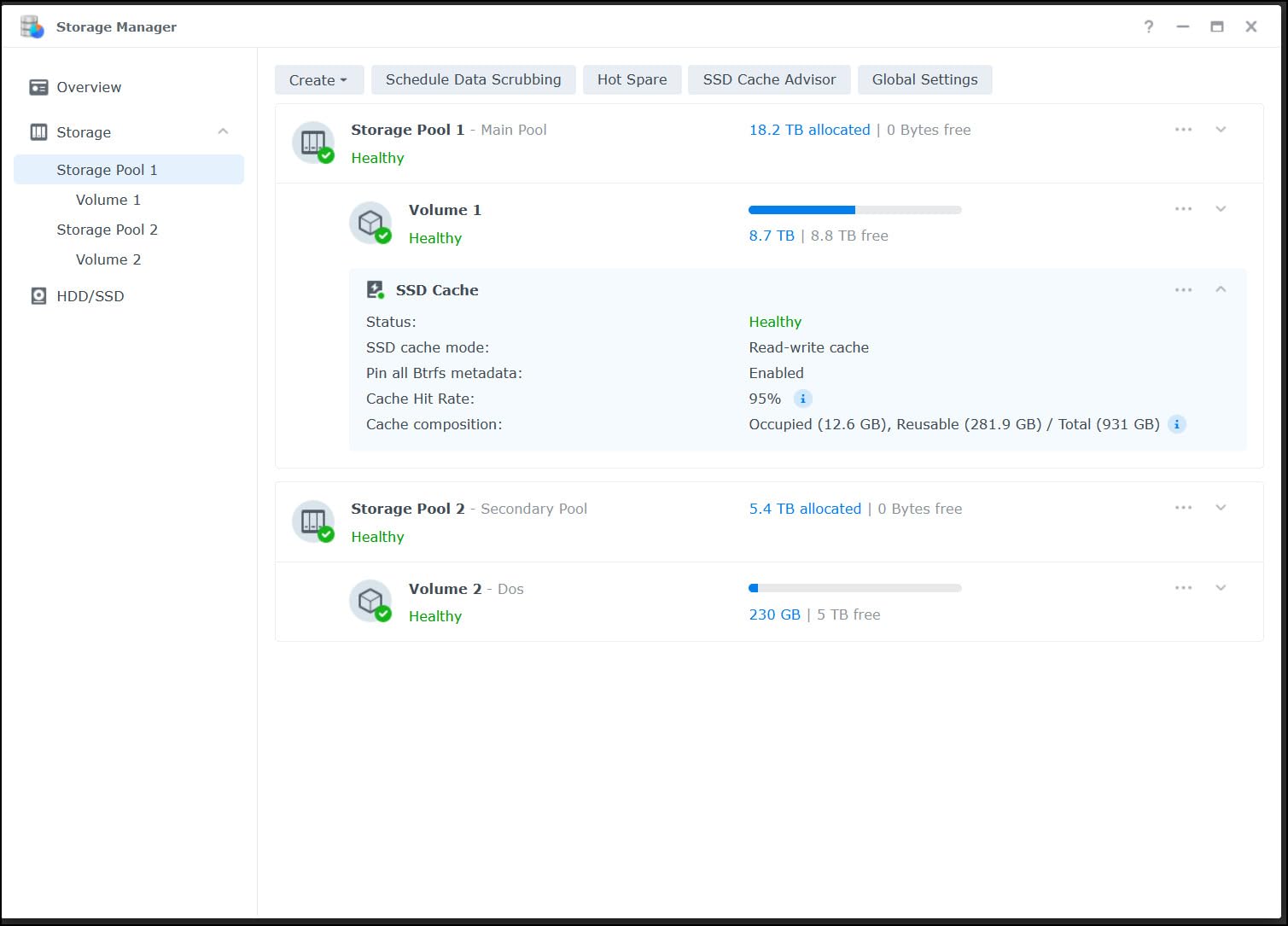
A widely shared best practice from owner reviews is to allocate only 75 to 90 percent of the drive’s capacity to the cache and leave the rest as spare area. That keeps sustained write performance flat and extends the drive’s life considerably.
In a ZFS build, the SN700 is the drive I recommend most often for read caching on a budget, especially in an M.2-only chassis where U.2 enterprise drives will not fit. Pair it with any protected Optane SLOG above and you have both cache paths covered.
Why the SN700 is a poor SLOG choice
No power-loss protection. Consumer and NAS drives buffer writes in volatile DRAM and flush them later, so an abrupt power loss can destroy writes ZFS already acknowledged as safe.
That risk is not theoretical; it is the reason every serious community guide insists on an enterprise PLP drive for the ZIL. Use the SN700 for reads, where its endurance and value shine, and never for sync writes.
Sizing L2ARC against your ARC
Start at 4 times your RAM and cap it around 8 times unless you have measured a real need. A 64GB ARC points at 256GB to 512GB of L2ARC, so a 1TB SN700 is deliberately generous rather than strictly necessary.
Oversized L2ARC is mostly wasted NAND and forces ZFS to repopulate a huge cache after every reboot, which slows warm-up. If you run TrueNAS with persistent L2ARC enabled, that penalty shrinks but never disappears.
What a ZFS Write Cache Actually Does?
A ZFS write cache, meaning the SLOG device behind the ZIL, is a fast drive that absorbs synchronous writes and acknowledges them immediately, then lets ZFS flush them to the main pool a few seconds later. Without one, every sync write waits for your pool disks to actually commit the data.
The mechanics matter, because the SLOG is nothing like a general-purpose cache. Here is the path a sync write takes and why the hardware requirements are so specific.
When an application issues a synchronous write, over NFS, iSCSI or a database, it cannot proceed until ZFS confirms the data is safely stored. ZFS writes that block to the ZIL, and if you have allocated a dedicated SLOG device, the ZIL lives there instead of on the pool disks. The moment that write lands on the SLOG, ZFS acknowledges it.
Roughly every five seconds, ZFS commits the accumulated transaction group to the main pool and frees the corresponding log entries. That means your expensive SLOG device only ever holds a few seconds of writes at a time, which is why SLOG capacity needs are tiny compared to what intuition suggests.
This only applies to sync writes. Standard SMB file copies are asynchronous, and async writes go straight to RAM before the transaction group flushes to disk, never touching the SLOG at all. If your workload is purely async, a SLOG does literally nothing for you, and L2ARC or more RAM is the better spend.
Protocol behavior explains most real-world confusion. NFS writes are synchronous by default, iSCSI behaves synchronously, databases usually issue sync writes explicitly, while typical SMB shares are async unless configured otherwise. That is why NFS and iSCSI boxes benefit most from a SLOG, and why a pure SMB media server gains nothing.
The reason 3D XPoint dominates this role comes down to queue depth. A SLOG sees sync writes arrive mostly one at a time, and Optane delivers its best latency precisely at queue depth 1, where NAND-based drives are at their weakest. That is also why Optane outruns even PCIe 4.0 and 5.0 SSDs in this specific workload despite losing on paper in sequential bandwidth.
Finally, power loss protection. Because the SLOG holds the only copy of an acknowledged-but-not-yet-committed write, the device must survive a sudden power cut with that data intact. Enterprise drives use supercapacitors to flush their buffers on power loss, and 3D XPoint is inherently non-volatile. A consumer SSD without PLP can silently lose those writes, which corrupts exactly the data the application believes is safest.
SLOG vs L2ARC: Which One Does Your Pool Need?
SLOG accelerates writes and L2ARC accelerates reads, and they cannot substitute for each other. The SLOG shortens sync-write acknowledgment time, while L2ARC extends the read cache beyond your RAM.
Start with the write side. If your pool serves NFS, iSCSI or databases over spinning disks, a SLOG is transformative, dropping sync-write latency from milliseconds to microseconds. If your writes are async, skip the SLOG entirely and put the money into RAM.
On the read side, L2ARC only helps once the ARC in RAM is completely full. If your working set fits in memory, adding L2ARC does nothing but add warm-up time after every reboot. This is the single most common mistake in homelab caching: buying an expensive cache drive for a box whose dataset would fit in RAM with a DIMM upgrade.
Size L2ARC against your ARC using the community ratio of 1:4 to 1:8, so 64GB of RAM suggests 256GB to 512GB of L2ARC. Persistent L2ARC, supported in current OpenZFS and TrueNAS, preserves the cache contents across reboots and makes larger devices more practical than they used to be.
The third role worth knowing is the special vdev, where ZFS stores metadata and optionally small blocks. Adding a special vdev of fast storage can cut metadata access dramatically, with one benchmark showing a 90 percent improvement in metadata access on a pool upgraded with a fast special device.
Two rules make or break a special vdev. First, it must match the topology of your data vdevs: if your pool is built from mirrors, the special vdev must be a mirror, and TrueNAS SCALE only offers stripe or mirror here, no RAIDZ. Second, if the special vdev is lost, the pool is lost with it, so never build it from consumer drives without PLP.
The practical split for a mixed-workload homelab usually lands like this: an Optane P4800X or 900P as SLOG for sync writes, a larger protected SSD as L2ARC for reads, and RAM prioritized above everything else. If you can only buy one device and your writes are sync-heavy, the SLOG wins every time.
Buying Guide: How to Size an Optane Write Cache
Work through these six steps before you click buy, and you will not end up with the wrong drive in the wrong role, which is the outcome most regrettable Optane purchases share.
Step one: confirm you actually have sync writes. Check your workload’s protocol, and if it is pure async SMB, a SLOG will not help no matter how good the drive is. Measure before spending.
Step two: size the SLOG for your link speed, not your pool size. Multiply your network throughput by roughly 10 seconds and double it for safety. That yields about 10GB for 10GbE, about 2GB for 1GbE, and anything from 58GB up is comfortable headroom for almost anyone.
Step three: treat power loss protection as non-negotiable. Enterprise DC Optane drives have it, 3D XPoint media is inherently persistent, and consumer NAND drives without PLP must never hold a ZIL. This single rule filters most of the cheap options on the used market out of SLOG contention.
Step four: match the form factor to your chassis. U.2 2.5-inch drives need a backplane or adapter, HHHL cards need a free PCIe slot and some airflow, and M.2 modules need a free and correctly keyed slot. Watch the 15mm height on the larger Optane drives, because many bays and adapter shells only clear 9mm or 12mm.
Step five: understand what discontinued means in practice. Intel wound down Optane, new drives are scarce, and the secondary market is now the main supply. The drives still work perfectly with no firmware updates pending, and the standard NVMe driver stack supports them, so discontinued here means scarce rather than unsupported.
Step six: buy used Optane with a checklist. Ask the seller for the smartctl percentage-used and available-spare readings, confirm the drive is not a 16GB module if you need sustained 10GbE sync writes, verify the model number against the listing photos, and price against recent completed sales rather than the ask. Pulled DC Optane drives with single-digit percentage used are some of the best value in used storage.
When you are ready to install, the commands are short. Adding a SLOG to an existing pool is a single zpool add with log, and adding L2ARC is the same with cache.
On TrueNAS, use the GUI to add the log or cache device and the platform handles the flags. On Proxmox or plain Linux, the CLI equivalent is:
zpool add tank log nvme0n1
zpool add tank cache nvme1n1
For a mirrored SLOG, wrap the devices in a mirror vdev just as you would for data. Always double-check the device names before pressing enter, because zpool add has no undo.
A final note on topology: a SLOG or L2ARC device that dies costs you performance, not the pool, so a single device is acceptable. A special vdev is the one cache role where loss is fatal, so mirror it and use enterprise hardware only.
Frequently Asked Questions
Why is Optane discontinued?
Intel wound down its Optane business in 2022 and stopped making the drives to cut losses after 3D XPoint never reached mainstream volume adoption. Existing drives keep working normally, and the technology still beats NAND at low-queue-depth workloads like a ZFS SLOG, which is why demand on the used market remains strong.
Is Intel Optane better than SSD?
For a ZFS write cache, yes, because Optane answers a single sync write in single-digit microseconds while a NAND SSD needs tens of microseconds. For bulk storage and sequential throughput, modern NVMe SSDs are cheaper per terabyte and often faster. Optane wins on latency at low queue depth, which is exactly the SLOG workload.
Is Intel Optane still supported?
Yes, in the practical sense. Optane drives are standard NVMe devices that work with the normal NVMe driver stack in Linux, TrueNAS, Proxmox and FreeBSD, and no firmware updates are pending or needed. Intel has ended production rather than broken compatibility, so existing drives remain fully usable.
Can Intel Optane memory be used as SSD?
Yes, Optane Memory modules like the M10 are real NVMe PCIe drives, just small and slow at sequential transfers. They work as a ZFS cache device, and on a 1GbE link a 16GB M10 can handle the sync-write window. Only the DC series and the 900P and 905P carry the capacity and protection suitable for serious SLOG duty.
Do I need power loss protection for a ZFS SLOG?
Yes. The SLOG holds the only copy of sync writes that ZFS has already acknowledged, so the device must retain that data through a sudden power cut. Enterprise drives use supercapacitors to flush their write buffer, and Optane media is non-volatile. A consumer SSD without PLP can silently lose acknowledged writes, which is why it must never be used as a SLOG.
What size Optane do I need for a ZFS SLOG?
Size for your network speed, not your pool size. Multiply your link throughput by about 10 seconds and double it, giving roughly 2GB for 1GbE and 10GB for 10GbE, so a 58GB to 118GB Optane drive is comfortable for almost everyone. A 16GB module only suits 1GbE, and L2ARC is different, sized at 4 to 8 times your RAM.
Final Verdict: The Best Optane Drive for a ZFS Write Cache
My top pick is the Intel Optane DC P4800X 375GB, because nothing else matches its microsecond sync-write latency backed by genuine enterprise power loss protection. If your board has no U.2 port, the Optane 900P 280GB HHHL card delivers the same 3D XPoint behaviour in a plain PCIe slot, and the U.2 900P is the pick for server backplanes.
For a budget experiment on 1GbE, the 16GB M10 is real 3D XPoint for pocket change, provided you respect its capacity ceiling. And when Optane stock runs dry, the Samsung PM9A3 with its PLP and 1 DWPD rating is the post-Optane SLOG standard for a reason.
Whatever you choose, remember the two rules that matter more than any spec sheet: the SLOG must have power loss protection, and the capacity only needs to cover about ten seconds of sync writes at your network speed. Choose the best Optane drive for a ZFS write cache on those terms, size it honestly, and your sync writes will drop from milliseconds to microseconds in 2026 and stay there for years.