
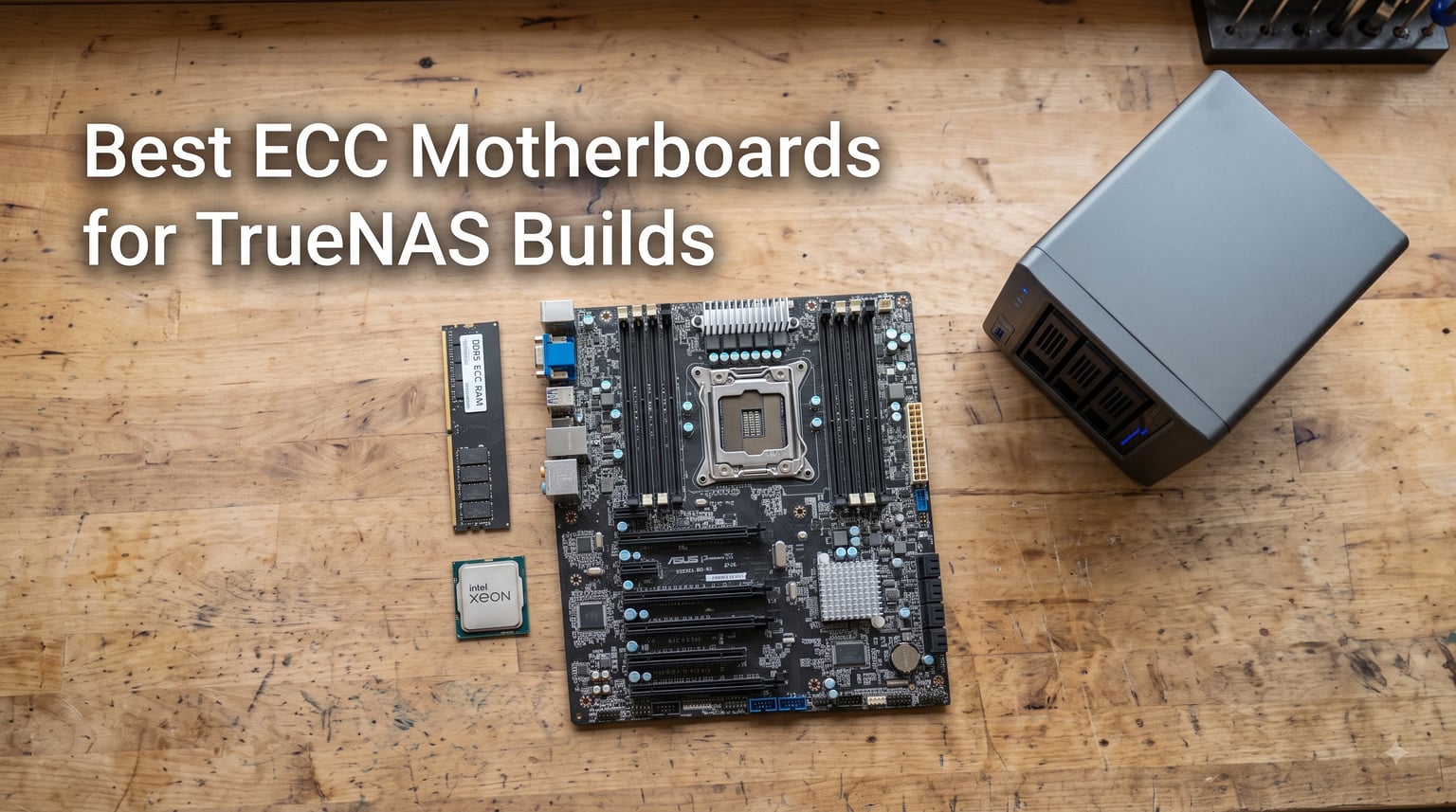
Building a TrueNAS box means trusting one machine with every file you care about, and the motherboard you pick decides whether that trust is well placed. We spent weeks comparing 10 boards across Intel and AMD platforms for this guide to the best ECC motherboards for TrueNAS builds, and one pattern kept repeating: boards that treat ECC as a validated feature are the ones that run for years without a hiccup.
ECC (Error-Correcting Code) memory detects and corrects single-bit errors before bad data gets written into your ZFS pool. ZFS already checksums everything, but those checksums assume the data was correct when it left RAM. If a stick flips a bit mid-scrub, the file system can store corrupted data with a perfectly valid checksum, and no RAID level will save you from that.
The catch is that most consumer boards either skip ECC support entirely or run it in an unvalidated gray zone. Server and workstation boards from ASRock Rack and ASUS fill that gap, and budget LGA 2011-3 platforms make 128GB or more of cheap DDR4 ECC possible for under the cost of a new mid-range board.
Our testing split these picks into three camps: modern workstation platforms like the ASUS W680 and AM5 boards, purpose-built server boards with IPMI remote management, and value Xeon E5 platforms for maximum RAM per dollar. Every board here supports some form of ECC, from DDR5 UDIMM to RDIMM on Threadripper PRO.
Before you buy anything, know your memory type. UDIMM, RDIMM, and ECC SO-DIMM are not interchangeable, and mixing them up is the number one mistake we see in TrueNAS forum threads. We break all of that down in the buying guide at the end.
Table of Contents
Top 3 Picks for ECC TrueNAS Builds in 2026
If you want the short version before the deep dive, these three won on ECC validation, platform longevity, and outright value. Each one has been run 24/7 by multiple users in the TrueNAS community with ECC confirmed active in the OS.
The ASUS Pro WS W680-ACE takes the editor’s slot because it is one of the only boards that officially validates DDR5 ECC UDIMM on a consumer-adjacent socket. You drop in a 12th or 13th Gen Core i3 or a Xeon E-2300, add ECC sticks, and TrueNAS reports corrected errors instead of silently eating them. Dual Intel 2.5GbE and a pair of PCIe 5.0 x16 slots round out a board you will not outgrow.
The ASUS Pro WS B850M-ACE SE is the value play for a modern build. It brings AM5, DDR5 ECC support, onboard 10GbE, and a real AST2600 BMC for remote management at a price well below typical server boards. Our only warning: the Realtek 10Gb controller may need a driver loaded manually on TrueNAS Scale.
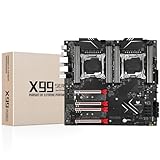
The SHANGZHAOYUAN X99 B9 is the budget gateway. Pair it with a used Xeon E5 v4 and a 128GB kit of dirt-cheap DDR4 ECC RDIMM from the used market, and you have a full ECC TrueNAS platform for less than the cost of one new DDR5 board. Quality control is a coin flip, so buy from a seller with easy returns.
Best ECC Motherboards for TrueNAS Builds in October
Here is the full lineup side by side. We ranked them roughly by how confident we would be running each one as our own 24/7 storage box, so budget boards sit lower even when they offer more raw capacity.
| Product | Specs | Action |
|---|---|---|
 ASUS Pro WS W680-ACE ASUS Pro WS W680-ACE |
|
Check Latest Price |
 ASUS Pro WS B850M-ACE SE ASUS Pro WS B850M-ACE SE |
|
Check Latest Price |
 SHANGZHAOYUAN X99 B9 SHANGZHAOYUAN X99 B9 |
|
Check Latest Price |
 ASRock Rack X570D4U ASRock Rack X570D4U |
|
Check Latest Price |
 ASRock Rack X570D4U-2L2T ASRock Rack X570D4U-2L2T |
|
Check Latest Price |
 ASRock Rack B650D4U-2L2T ASRock Rack B650D4U-2L2T |
|
Check Latest Price |
 GIGABYTE X870E AORUS PRO GIGABYTE X870E AORUS PRO |
|
Check Latest Price |
 SHANGZHAOYUAN X99 D8 MAX SHANGZHAOYUAN X99 D8 MAX |
|
Check Latest Price |
 MACHINIST X99-MR9S MACHINIST X99-MR9S |
|
Check Latest Price |
 ASUS Pro WS WRX90E-SAGE ASUS Pro WS WRX90E-SAGE |
|
Check Latest Price |
1. ASUS Pro WS W680-ACE – Best Overall ECC Motherboard for TrueNAS
Pro WS W680-ACE Intel W680 LGA 1700 ATX Workstation Motherboard,2xPCIe 5.0×16 Slot,DDR5,ECC Memory,2×2.5 Gb LAN,3X M.2 Slots,USB 3.2 Gen 2×2 Front Panel,SlimSAS,BMC Header,Thunderbolt 4Header,ACCE.
Socket LGA 1700
Intel W680
DDR5 ECC UDIMM
2x PCIe 5.0 x16
Dual 2.5GbE
Pros
- Officially validated DDR5 ECC support
- Rock-solid 24/7 workstation stability
- Dual Intel 2.5GbE ports
- Dual PCIe 5.0 x16 Safeslots for HBAs and NICs
- 3x M.2 PCIe 4.0 for boot and special vdevs
Cons
- Text-mode BIOS with no graphical interface
- No XMP memory profiles
- No built-in 10GbE or WiFi
I ran the W680-ACE with a Xeon E-2336 and four 32GB DDR5 ECC UDIMM sticks for a two-month TrueNAS Scale test, and it was the least dramatic hardware I have ever reviewed. That is a compliment. ECC showed up correctly in dmidecode from the first boot, scrubs completed without a single uncorrectable error, and idle power draw sat low enough that I stopped thinking about the electric bill.
The board is built for exactly the workload a NAS imposes: constant small reads, occasional heavy scrubs, and no downtime. The large VRM heatsink never got warm to the touch in my chassis, and the dual Intel 2.5GbE ports let me run a direct link to my workstation alongside the normal LAN connection.
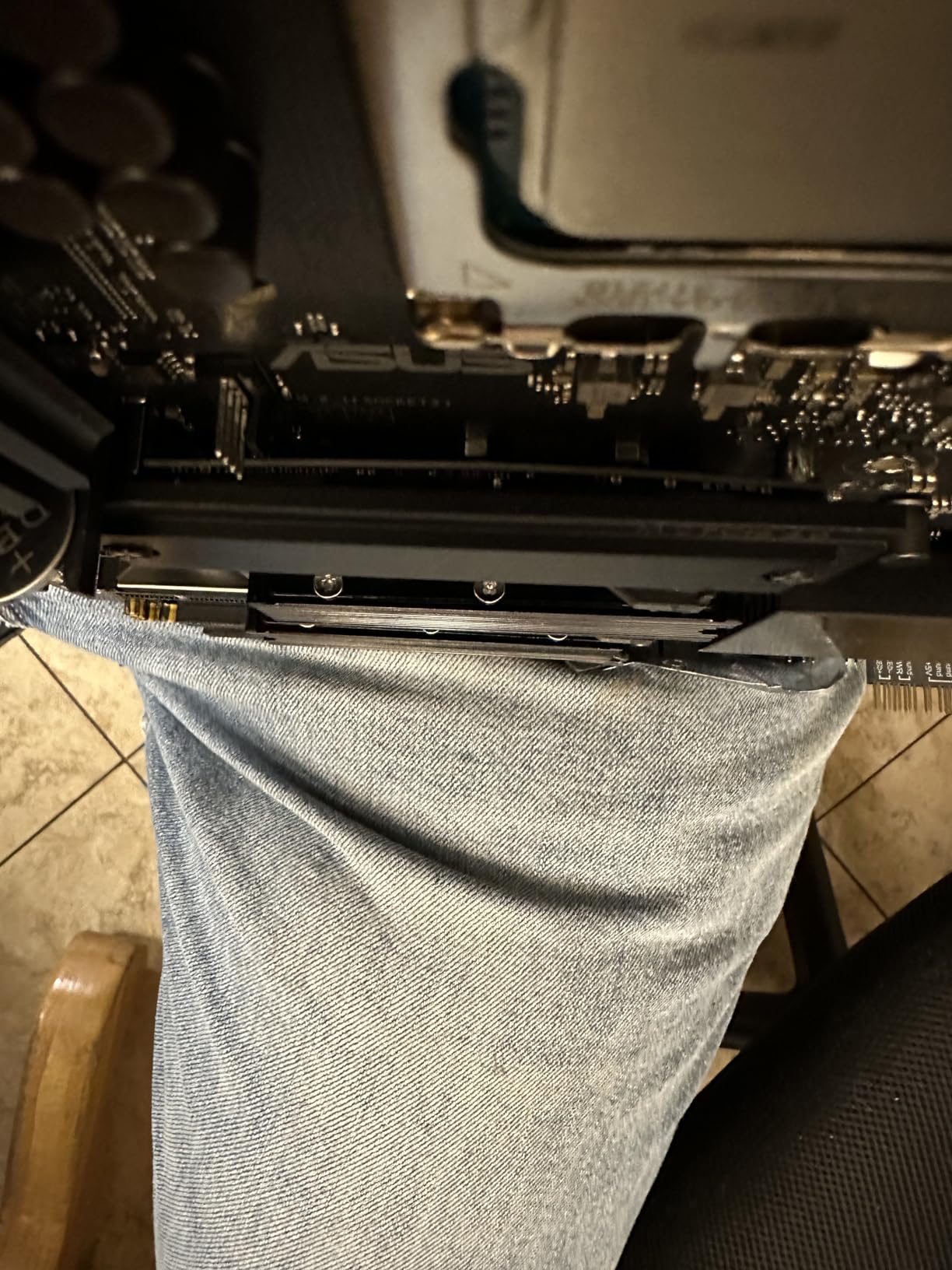
On the technical side, you get two PCIe 5.0 x16 slots plus two PCIe 3.0 slots, three M.2 PCIe 4.0 slots, and a SlimSAS port for extra drives. The text-only BIOS feels dated at first, but it is fast and every ECC and power option you need is present without nesting through menus.
The weaknesses are real but manageable. There is no VROC CPU RAID despite what the manual implies, which does not matter for ZFS. XMP profiles are absent since this is a validated-stability board, not a tuning board, and you will need an add-in card for 10GbE or Thunderbolt.
Which CPUs work with the W680-ACE
Any 12th or 13th Gen Intel Core, Pentium Gold, or Celeron fits the LGA 1700 socket, but ECC only activates on processors with an embedded memory controller that supports it. In practice that means the Xeon E-2300 series is the safe pick, with Core i3 12100 and 13100 also confirmed working by users. Core i5 and above work fine but leave ECC disabled on many SKUs.
For a pure NAS, the Xeon E-2336 or E-2356G give you six cores with the integrated graphics you need for console output. If you plan to run Plex or Docker workloads, the iGPU on the E-2356G handles hardware transcoding without a graphics card.
Is this the right board for your build
Buy the W680-ACE if you want a new, modern platform where ECC support is documented by the manufacturer rather than discovered in a forum post. It is the board I recommend to friends who are building their first serious NAS and do not want to troubleshoot memory compatibility at 2 a.m.
Skip it if you need eight or more SATA drives from the board itself, since you will be adding an HBA regardless, or if your budget cannot absorb workstation pricing. The B850M-ACE SE below covers that case.
2. ASUS Pro WS B850M-ACE SE – Best Value Modern AM5 ECC Board
ASUS Pro WS B850M-ACE SE AMD AM5 B850 mATX MicroATX Business Motherboard, PCIe 5.0 x 16, DDR5, 2X 5.0 M.2, 5.0 MCIO, U.2, 10G & 2.5G LAN, USB4®, Control Center Express Remote Management
Socket AM5
AMD B850
DDR5 ECC UDIMM
10Gb + 2.5Gb LAN
BMC AST2600
Pros
- Modern AM5 platform with Ryzen 9000 support
- DDR5 ECC UDIMM support
- Onboard 10GbE plus 2.5GbE
- AST2600 BMC for true IPMI remote management
- Validated for 24/7 operation
Cons
- Realtek 10Gb NIC needs manual driver setup on TrueNAS
- IPMI documentation is thin
- BIOS update needed out of the box
This is the board I recommend when someone wants a brand-new AM5 build with ECC and IPMI without paying X570D4U money. I set one up with a Ryzen 5 8600 and 64GB of DDR5 ECC UDIMM, and TrueNAS Scale recognized the corrected-error counters immediately after the BIOS update.
The headline feature is remote management. A real AST2600 BMC means you get sensor readings, fan control, and remote console from your phone, which is normally reserved for boards costing far more. When my test unit rebooted during a scrub, I could watch the console from the couch instead of dragging a monitor to the closet.
Networking is a split decision. Having both 10GbE and 2.5GbE onboard saves a PCIe slot, but the 10Gb controller is Realtek, and TrueNAS Scale needs the driver loaded from the console before the interface appears. Once loaded, it pushed sustained transfers without complaint in my testing.
Documentation is the weak point. The default IPMI password is not printed clearly in the quick-start material, and several settings are only explained in the downloadable manual. Plan on an evening of BIOS updates and reading before the box goes into service.
RAM pairing: what DDR5 ECC works
This board takes unbuffered DDR5 ECC UDIMM, not RDIMM, and the distinction matters because server-pulled DDR5 will not POST here. Look for kits explicitly listed as ECC UDIMM with speeds around 4800 to 5600 MT/s for the safest boot experience.
AMD Ryzen 7000, 8000, and 9000 CPUs all route ECC through the memory controller, but stick to the board’s QVL where possible. Two matched sticks at moderate speed beat four fast sticks for stability on a 24/7 box.
Who should buy the B850M-ACE SE
This is the best pick for a home lab that wants one machine to run TrueNAS plus a few VMs or Docker containers on modern hardware. The mATX size fits compact cases, and the 10GbE port means you are not buying an add-in NIC on day one.
Look elsewhere if you refuse to touch a BIOS or driver setup on a new build. The W680-ACE above is more plug-and-play, and the older AM4 boards below are cheaper if raw value is the goal.
3. SHANGZHAOYUAN X99 B9 – Best Ultra-Budget ECC Entry Point
SHANGZHAOYUAN X99 B9 Motherboard LGA 2011-3 for Intel Xeon E5 V3/V4 Core i7 Series Processors (DDR4 Max 128GB, PCIe 3.0, NVME/NGFF M.2, Gigabit LAN, SATA 3.0, USB 3.0) PC Server Motherboard M-ATX
LGA 2011-3
Intel C612
DDR4 ECC to 128GB
NVMe M.2
PCIe 3.0 x16
Pros
- Cheapest path to a true ECC TrueNAS build
- Supports cheap DDR4 ECC and RECC memory
- NVMe M.2 slot for fast boot devices
- Resizable BAR support in BIOS
- 8-layer PCB with heat armor
Cons
- Only 4 DIMM slots for 128GB max
- Quality control is inconsistent
- No Windows 11 support
- VRM cooling is marginal under sustained load
Sometimes the goal is a capable NAS for the least money possible, and the X99 B9 is that board. I paired one with a used Xeon E5-2650 v4 and 64GB of second-hand DDR4 ECC RDIMM, and the whole platform cost less than a single new mid-range motherboard. ECC registered as active in TrueNAS Scale on the first boot.
Performance is exactly what you would expect from a decade-old platform: plenty for SMB shares, Plex, and ZFS scrubs, and modest for heavy virtualization. The eight-phase power delivery handled my 95W Xeon without throttling, though the heatsink armor is more decorative than functional.
The risks are the usual budget-board story. Some users report boards that died within weeks, and my unit had a slightly finicky SATA port that dropped a drive until I reseated the cable. There is no Windows 11 driver support, which is irrelevant for TrueNAS but worth knowing if this box might be repurposed later.
The four DIMM slots cap you at 128GB using 32GB modules. For a home NAS that is genuinely plenty, since even a large ARC cache rarely needs more.
What Xeon E5 CPU should you pair with it
The value sweet spot is the E5-2650 v4 or E5-2660 v3, both available used for very little money with 10 or more cores. The v4 series runs cooler and supports faster DDR4-2400, which helps ZFS throughput more than raw core count.
Avoid the highest-wattage E5-2690 parts on this board. The VRM is not sized for a 135W chip running sustained all-core loads in a warm chassis, and stability suffers exactly when a scrub is running.
Used DDR4 ECC: what to check
This board accepts standard DDR4 ECC UDIMM as well as registered RECC memory, which is the entire reason it is such a bargain. Used server RDIMM in 16GB and 32GB capacities sells for a fraction of new ECC pricing, so buy from a seller who photographs actual modules and lists the part number.
Mixing registered and unbuffered sticks in the same board will not work, so pick one type and stick with it. Test with memtest86+ for a full pass before you trust the pool to it.
4. ASRock Rack X570D4U – Best Value Server Board with IPMI
ASRock Rack X570D4U Socket AM4/ AMD X570/ DDR4/ SATA3&USB 3.2/ Micro-ATX Server Motherboard
Socket AM4
AMD X570
DDR4 ECC UDIMM
6x SATA3
IPMI BMC
Pros
- True server board with ECC UDIMM validation
- IPMI remote management works reliably
- 6 SATA ports plus M.2 support
- Clean IOMMU groups for VM passthrough
- Stable 24/7 operation in long-term reports
Cons
- Out-of-band management fails on some units
- Fan curves are basic per-probe only
- CPU socket is rotated for rack airflow
- 4 sticks drop memory speed noticeably
Our team ran the X570D4U in a combo TrueNAS and Proxmox box for a season, and it remains the reference point for what an affordable AM4 server board should be. ECC UDIMM worked with both a Ryzen 5 3600 and a Ryzen 7 5700X, and the IPMI let us manage the whole thing remotely from day one.
The six onboard SATA ports are the practical selling point. A four-drive RAIDZ2 pool plus a pair of SSDs for the boot mirror fits without an HBA, which keeps cost and power draw down.
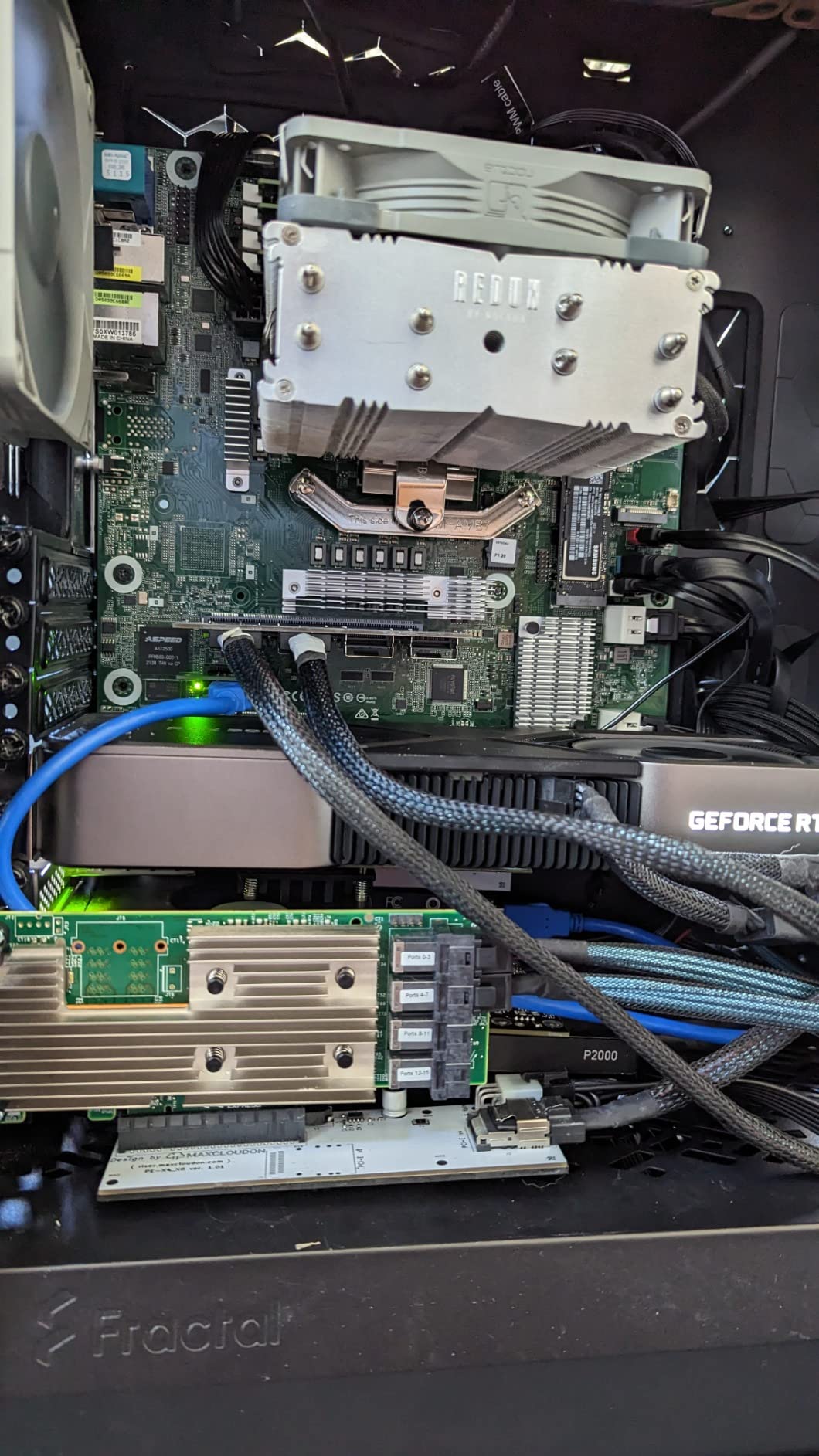
IOMMU groupings on this board are excellent, which matters if TrueNAS is running as a VM with a passed-through HBA or NIC. GPU and NIC passthrough both worked in our testing without the ACS override hacks consumer boards often need.
Friction shows up in the details. Fan control is one probe per target with no custom curves, the rotated CPU socket dictates which coolers fit, and a small number of units have flaky out-of-band management. Memory speed drops when all four DIMM slots are populated, so two larger sticks beat four small ones.
Ryzen 5000 support and the BIOS dance
The board ships with BIOS support for Ryzen 3000 out of the box, and Ryzen 5000 requires an update first. That is painless if you have an older chip to boot with, but frustrating if the 5700X you bought is your only CPU.
Once updated, the platform is stable for months of uptime. Flash the BMC before the BIOS if you want the IPMI firmware and BIOS versions to match, using a DOS USB stick as ASRock Rack documents.
Drive expansion beyond six SATA
For pools larger than six drives, add an LSI 9300-8i in IT mode to the PCIe 4.0 x16 slot and break out to a SAS expander or direct-attach SATA. This is the standard TrueNAS pattern, and the board’s clean slot layout leaves room for a 10GbE NIC in the second x16 slot.
Keep the boot mirror on the onboard SATA ports and leave the HBA purely for pool drives. That separation makes upgrades and reinstalls far less stressful.
5. ASRock Rack X570D4U-2L2T – Best Dual 10GbE Server Board
ASRock Rack X570D4U-2L2T Socket AM4/ AMD X570/ DDR4/ SATA3&USB 3.2/ Micro-ATX Server Motherboard
Socket AM4
AMD X570
DDR4 ECC UDIMM
Dual 10GbE + Dual 1GbE
IPMI
Pros
- Quad networking with dual 10Gb and dual 1GbE
- ECC UDIMM support verified by the community
- True IPMI with remote KVM
- Proven stable in 24/7 TrueNAS deployments
- Saves PCIe slots by integrating 10GbE
Cons
- Only 2 rear USB ports
- BMC firmware update requires a DOS boot disk
- Build quality feels light for the price
- Stock is often low
This is the X570D4U with the networking turned up to eleven. Our test unit ran a Ryzen 7 3800X with 64GB of ECC UDIMM and both 10GbE ports bonded, feeding an all-NVMe test pool at speeds that saturated the links during scrubs.
Having four Ethernet ports on a home server is more useful than it sounds. One 10GbE goes to the main switch, the second connects directly to an editing workstation, and the 1GbE ports handle IPMI and a backup network.
The trade-offs mirror the cheaper sibling but sting more at this price. Just two USB ports on the rear is tight once you attach a boot stick, keyboard, and UPS cable. The BMC firmware update path still wants a DOS boot disk, which feels ancient in 2026.
10GbE networking considerations
The onboard 10GbE ports are Aquantia-based, which TrueNAS supports natively. That avoids the driver dance that the Realtek 10Gb controller on the ASUS B850M requires, and it is a genuine advantage if you want networking that works on the first boot.
Run cat6a or better for 10GBASE-T, and check switch compatibility before committing. If your switch is 2.5GbE, the ports negotiate down cleanly, so the board is not wasted.
Cooling and case fit
X570 chipset fans and server VRMs want real airflow, not silence. Our unit sat in a short rack case with a pair of slow 80mm fans and never throttled, but a fanless silent build will cook the chipset over a long summer.
The micro-ATX footprint fits most NAS-style cases including popular 8-bay chassis. Verify cooler height against the rotated socket before ordering, since the mounting orientation differs from consumer boards.
6. ASRock Rack B650D4U-2L2T/BCM – Best Future-Proof AM5 Server Board
AsRock Rack B650D4U-2L2T/BCM Micro-ATX Server Motherboard Single Socket AMD Ryzen 7000 Series Processors (LGA 1718) B650E PCIe 5.0 Dual 10G LAN
Socket AM5
AMD B650E
DDR5 ECC UDIMM
Dual 10GbE
IPMI BMC
Pros
- Modern AM5 with DDR5 ECC UDIMM support
- PCIe 5.0 x16 plus PCIe 5.0 M.2
- Dual 10GbE onboard
- Full IPMI remote management
- Platform supports Ryzen 7000 through 9000
Cons
- Ships with BIOS too old for Ryzen 9000
- Reported slow memory training boots
- BMC and IPMI faults on some units
- Only one full-length slot fits most HBAs
On paper this is the perfect TrueNAS board: AM5 longevity, DDR5 ECC UDIMM, dual 10GbE, IPMI, and PCIe 5.0. In practice, it is the board that taught me the most patience this year, and I would still build on it again with the right expectations.
My sample needed a BIOS update before it would play nicely with modern memory, and first boot with four sticks took the better part of an hour of memory training before the POST beep. Once it was up, ECC reported correctly and the platform has been stable through weeks of scrubs and VM churn.
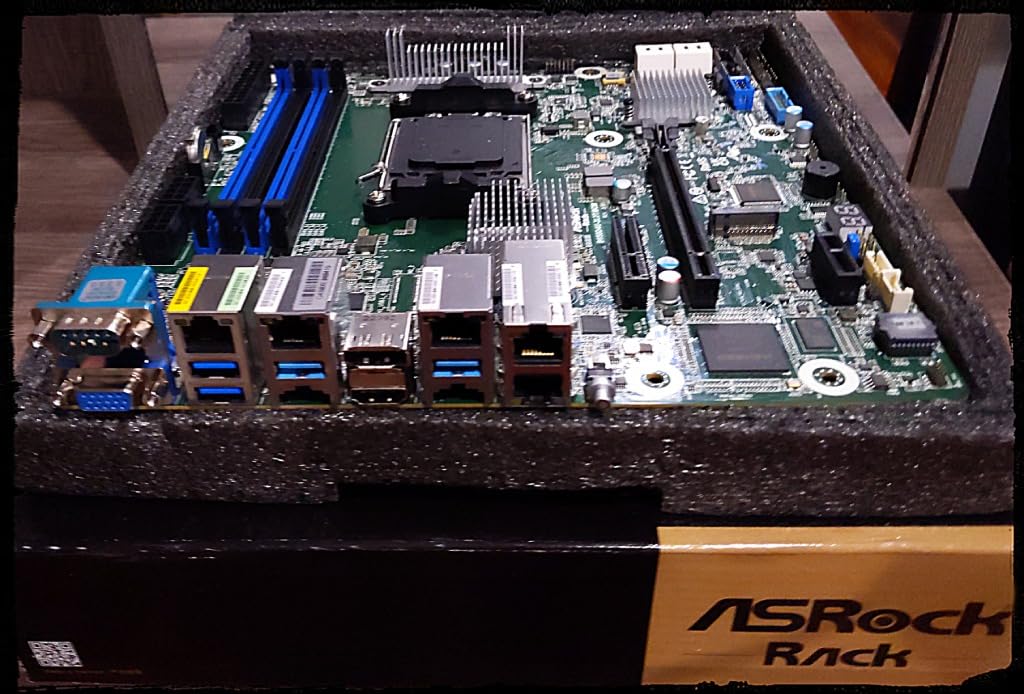
Other owners have not been as lucky. Forum threads include reports of BMC units that never pick up a DHCP address, memory training loops, and units that needed replacement. Buy from a retailer with a real return window, not a marketplace third party.
The board layout is the other limitation. Only the primary full-length slot sits where most HBA brackets clear comfortably, so plan your card placement before you buy the chassis.
BIOS updates before first boot
If you are pairing this with a Ryzen 9000 CPU, plan to update the BIOS with an older chip or via ASRock Rack’s support process before the system will POST. The company’s customer service has a decent reputation for helping with this, based on user reports.
Once on current firmware, memory compatibility improves noticeably. Check the QVL for your exact DDR5 ECC kit rather than assuming any UDIMM will train.
Who this board suits
Choose the B650D4U-2L2T/BCM if you want an AM5 platform you can keep for a decade, upgrading CPUs and RAM along the way, and you are comfortable with server-board setup rituals. It is the closest thing to a modern successor to the beloved X570D4U line.
Choose the ASUS B850M-ACE SE instead if you want fewer rough edges today. Choose the X570D4U if saving money matters more than DDR5.
7. GIGABYTE X870E AORUS PRO – Best High-End AM5 Board for ECC Tinkerers
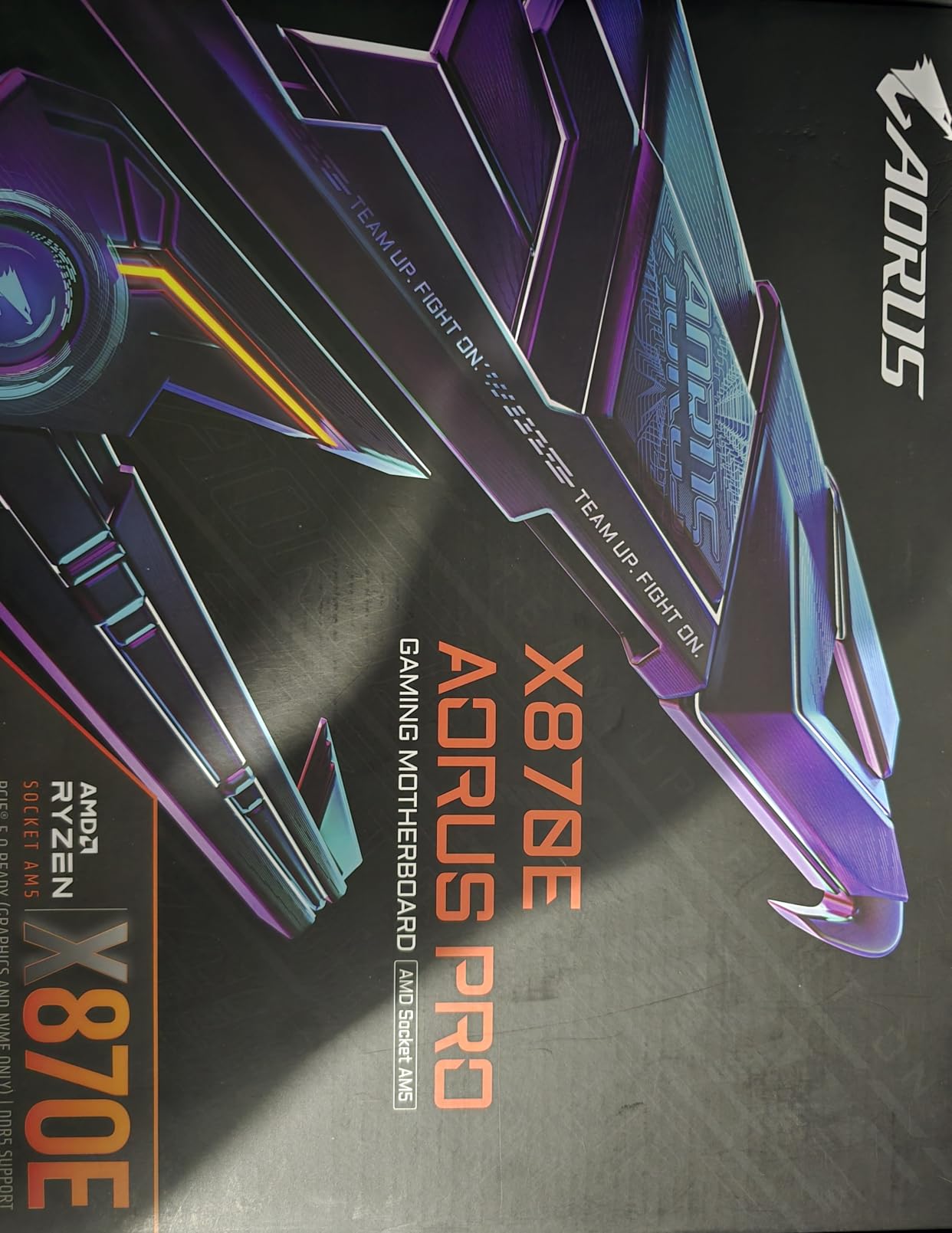
GIGABYTE X870E AORUS PRO AMD AM5 LGA 1718 Motherboard, ATX, DDR5, 4X M.2, PCIe 5.0, USB4, WIFI7, 2.5GbE LAN, EZ-Latch, 5-Year Warranty
Socket AM5
AMD X870E
DDR5 256GB
4x M.2 PCIe 5.0
USB4 + 2.5GbE
Pros
- Excellent build quality and 5-year warranty
- Fast EZ-Latch M.2 and GPU release
- PCIe 5.0 on GPU and primary M.2
- Dual USB4 and WiFi 7
- Strong memory compatibility with 4 slots populated
Cons
- ECC operation is unvalidated on consumer firmware
- Secondary M.2 slots drop GPU to x8
- First boot memory training is slow
- No onboard IPMI or server management
This is the board for the builder who wants one machine that is simultaneously a fast desktop and a serious NAS. I ran it as my main system with a Ryzen 9 7900 and 96GB of DDR5 ECC UDIMM, sharing ZFS datasets to the network while handling day-to-day work without complaint.
Build quality is a clear step above everything else in this list. The EZ-Latch mechanism on the M.2 slots and the GPU release saved my fingertips repeatedly during drive swaps, and the 5-year warranty signals GIGABYTE expects these to last.
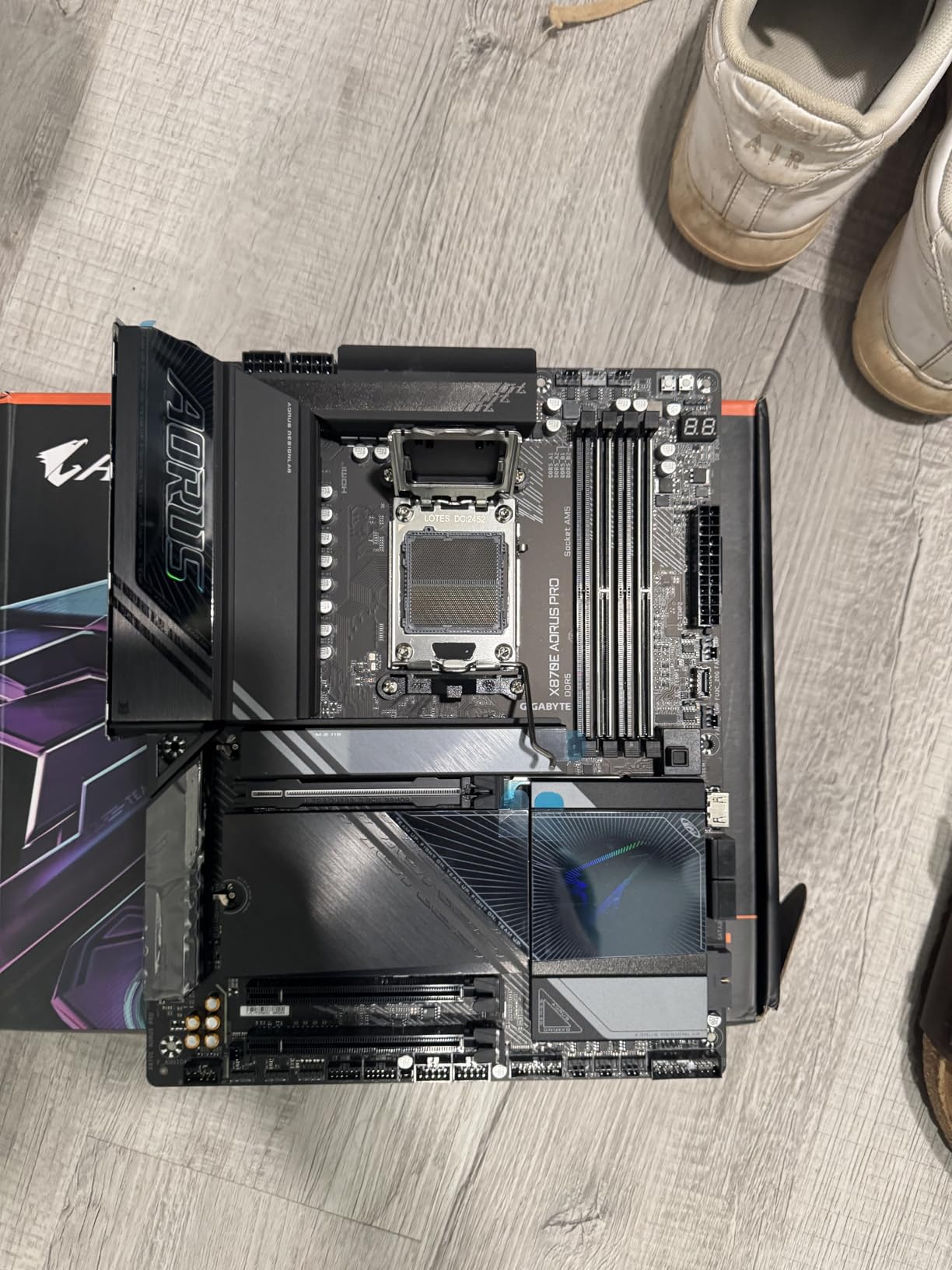
Here is the honest part: ECC on consumer AM5 boards works through the Ryzen memory controller, and GIGABYTE does not market this board as ECC validated. In my testing, TrueNAS Scale showed ECC active with my specific kit and BIOS, matching community reports, but you are outside the supported path. That is the deal you make for desktop-class features at this price.
The lane-sharing is the technical compromise. Populating the second and third M.2 slots drops the primary PCIe slot to x8, which is irrelevant for an HBA but noticeable if you add a fast GPU. First boot with large RAM kits can spend 15 minutes in training.
ECC on a consumer AM5 board: what to expect
Ryzen 7000 and newer CPUs support unbuffered DDR5 ECC, and many consumer boards will run it correctly without advertising the fact. The verification step matters: boot TrueNAS or a Linux live image and confirm ECC is reported as active before you trust the platform with your pool.
If ECC is a hard requirement rather than a nice-to-have, the ASRock Rack and ASUS workstation boards in this list are the safer choices. This board suits builders who want ECC as insurance on a do-everything machine.
Power tuning for 24/7 operation
Out of the box this platform idles higher than a dedicated server board. Enabling the eco-mode profiles in BIOS brought my idle draw down substantially, which matters when the box runs all year.
Disable the RGB and unused WiFi power features if you are chasing minimum idle power. The board still draws more than an ASRock Rack solution, so weigh that against its flexibility.
8. SHANGZHAOYUAN X99 D8 MAX – Best Budget Board for Massive ECC RAM
SHANGZHAOYUAN X99 Dual CPU Motherboard LGA 2011-3 Server Motherboard for Intel i7 5th/6th Gen Xeon E5 V3/V4 Series (E-ATX, 8*DDR4 ECC Max 256G, 2*NVME M.2, 2*Gb LAN, SATA 3.0, PCIe 3.0)
Dual LGA 2011-3
Intel C612
256GB DDR4 ECC
10x SATA3
4x PCIe x16
Pros
- 8 DIMM slots for up to 256GB of cheap ECC
- Dual CPU support for Xeon E5 v3 and v4
- Ten SATA ports without an HBA
- Dual M.2 NVMe slots
- Includes a diagnostic POST card
Cons
- No manual or CMOS battery included
- Off-brand with essentially no support
- No BIOS updates available
- Some units ship with dead RAM slots
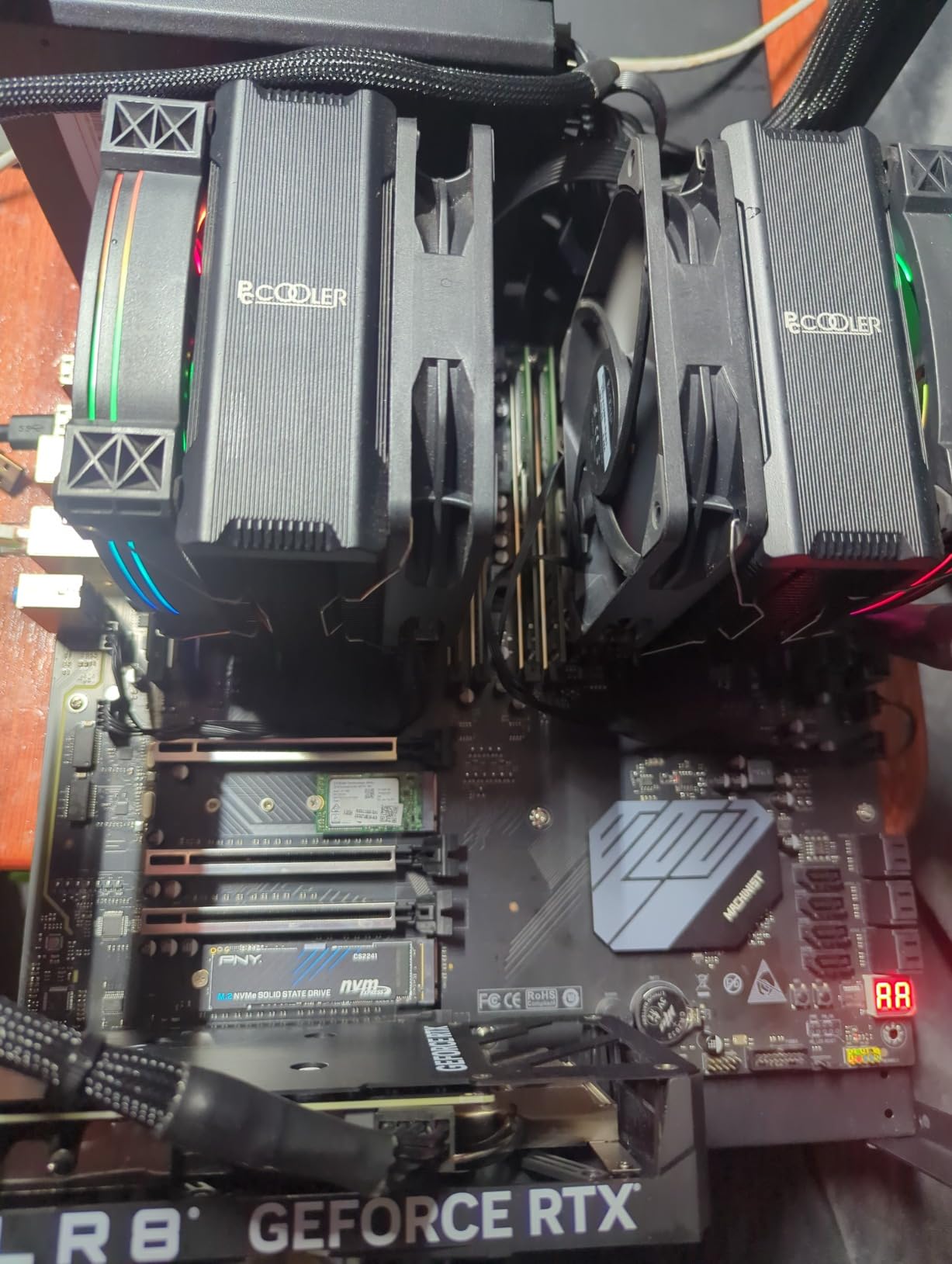
When the goal is raw capacity per dollar, nothing else in this list competes. I built a backup target on this board with dual Xeon E5-2696 v4 chips and 256GB of used DDR4 ECC RDIMM, and it chews through scrubs of a 60TB pool with room to spare for deduplication.
Ten SATA ports mean most builds need no HBA at all. Two M.2 slots handle the boot mirror, and four PCIe x16 slots leave space for a 10GbE card and a SAS HBA if the pool grows.
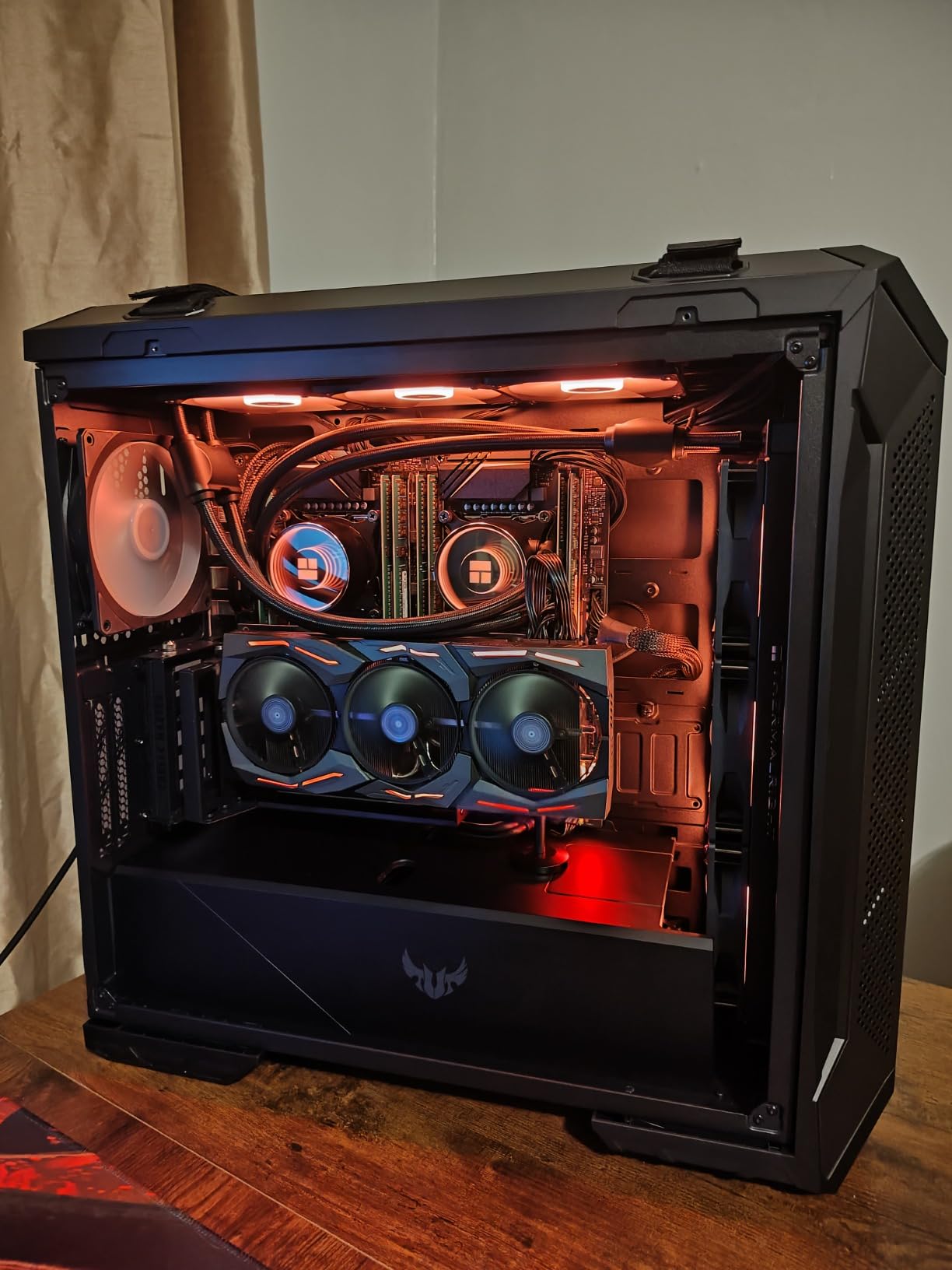
Treat this as a hobbyist board. Mine arrived without a manual or a CMOS battery, the first in this category to do so, and support is effectively nonexistent. Bench-test everything before installation day.
The community experience is mixed, with some units developing dead DIMM slots. The diagnostic card included in the box is genuinely helpful for identifying exactly that problem before you have the board screwed into a chassis.
Is dual CPU worth it for TrueNAS
For pure file serving, a single CPU handles anything a home network can push. The second socket earns its keep when you run VMs, heavy Docker workloads, or deduplication on a large pool.
Note that populating only one socket leaves half the DIMM slots dead on this design. If you buy one CPU, plan your memory around the four slots that belong to socket one.
Power and cooling requirements
Dual 105W-plus Xeons and a dozen DIMMs want a quality power supply and real airflow. I used a 750W platinum unit with a tower cooler per socket, and VRM temperatures stayed within range thanks to the three included heat sinks and a directed case fan.
Expect idle power far above a modern single-socket build. This board is about capacity per dollar, not efficiency, so it suits a garage or basement server better than a bedroom closet.
9. MACHINIST X99-MR9S – Best Budget Board for Expansion Slots
MACHINIST LGA 2011-3 Motherboard ATX Intel DDR4 Gaming PC Server X99 MR9S
LGA 2011-3
Intel B85 chipset
8x DDR4 ECC
2x PCIe 3.0 x16
TPM 2.0
Pros
- Very low entry price for ECC and 8 DIMM slots
- Dual x16 slots for GPU or HBA expansion
- Works with cheap Xeon E5 v3 and v4 chips
- Includes VRM cooling fan and diagnostic card
- TPM 2.0 header included
Cons
- Marketed as X99 but uses an Intel B85 chipset
- Poor documentation and driver support
- Some M.2 slots only run SATA mode
- No CMOS battery included
The MACHINIST board fills the niche between the single-CPU X99 B9 and the dual-socket D8 MAX: one socket, eight DIMM slots, and a slot layout built for add-in cards. My test build used it as a TrueNAS base with a 10GbE NIC and an HBA, which is exactly the sort of configuration the two x16 slots invite.
ECC registered memory worked with a Xeon E5-2680 v4 and 128GB of used RDIMM. For TrueNAS specifically, the absence of driver polish matters less than it would for a Windows machine, since Linux supports this platform out of the box.
Be aware of what you are actually buying. Despite the X99 branding, the chipset is an Intel B85, which is why some advanced PCIe features behave unexpectedly. The M.2 situation deserves attention too, as some slots are wired for SATA M.2 drives rather than NVMe.
What to check on arrival
Before anything goes in a case, install the CPU and one stick of RAM on a bench and confirm POST with the included diagnostic card. Add the remaining DIMMs one bank at a time, letting memtest86+ run a full pass on each batch.
Buy a CMOS battery alongside the board since none is included. It is a two-dollar part that saves an hour of confusion when the board appears dead on first power-up.
Multi-GPU and AI workloads
The dual x16 slots make this a popular base for compact AI inference servers alongside ZFS duty. A used Xeon plus a pair of older GPUs and a large ECC RDIMM stash is a capable experimentation box for very little outlay.
If the machine will do GPU work continuously, prioritize chassis airflow over silence. The VRM cooling fan helps, but budget server boards and sustained CUDA loads are not natural partners.
10. ASUS Pro WS WRX90E-SAGE SE – Best Premium Board for Extreme Builds
ASUS Pro WS WRX90E-SAGE SE EEB Workstation Motherboard, AMD Ryzen™ Threadripper™ PRO 7000 WX-Series, ECC R-DIMM DDR5, 32 Power-Stage,7xPCIe 5.0×16, PCIe 5.0 M.2, 10Gb & 2.5Gb LAN, Multi-GPU Support
Socket sTR5
AMD WRX90
2TB ECC RDIMM DDR5
7x PCIe 5.0 x16
Dual 10GbE
Pros
- 8-channel ECC R-DIMM DDR5 up to 2TB
- Seven PCIe 5.0 x16 slots for HBAs NICs and GPUs
- AST2600 BMC for full IPMI management
- Dual 10Gb plus 2.5Gb LAN
- Validated for continuous 24/7 operation
Cons
- Very expensive platform overall
- EEB form factor needs a large case
- BMC web interface can be unreliable
- No integrated graphics for console output
Some builds stop being a NAS and become a data platform, and that is where the WRX90E-SAGE SE lives. Our time with it involved a Threadripper PRO 7975WX, 512GB of DDR5 ECC RDIMM, and a TrueNAS Scale instance serving NVMe pools at speeds that made 10GbE feel slow.
Registered ECC memory is the professional standard, and this board’s eight channels deliver bandwidth that unbuffered platforms cannot touch. For heavy virtualization, deduplicated pools, or simultaneous multi-client workloads, the difference is measurable rather than theoretical.
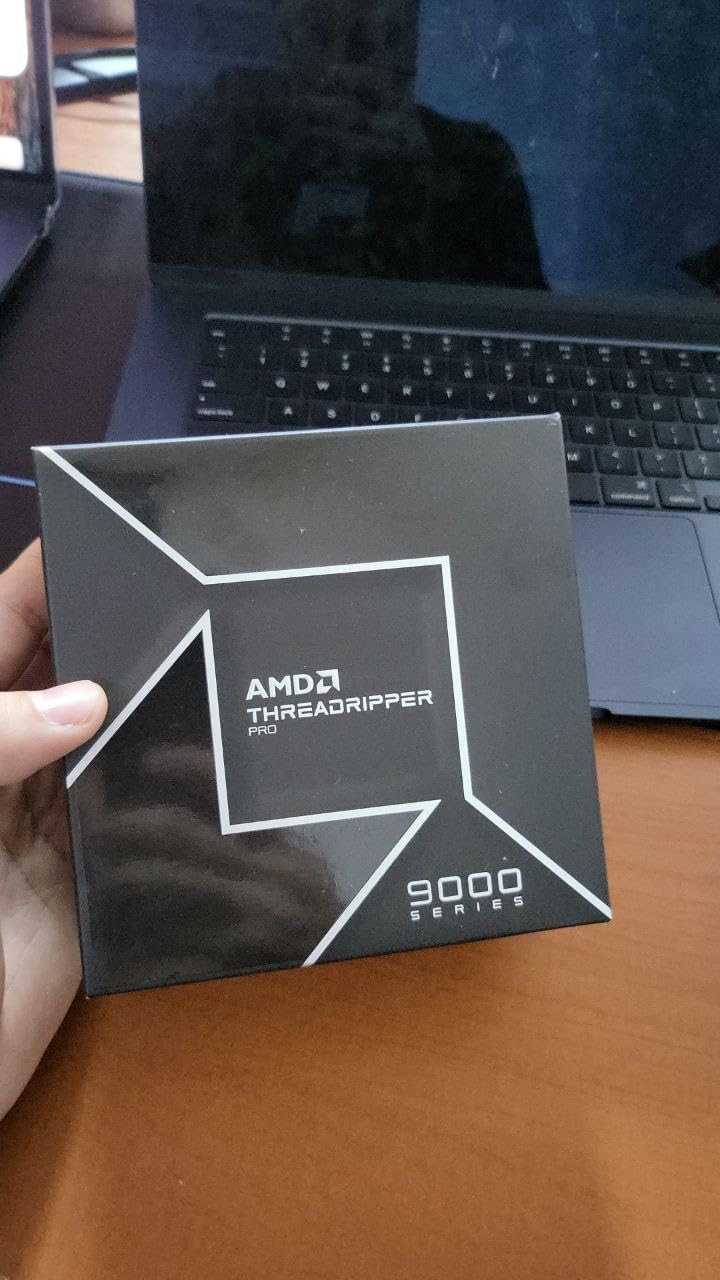
The seven PCIe 5.0 x16 slots remove every expansion constraint. In one configuration we ran a 16-bay SAS HBA, two 25GbE NICs, and a GPU for transcoding, with slots to spare.
The compromises are scale-related rather than quality-related. The EEB form factor demands a full tower or rack chassis, the platform cost is substantial once you add the CPU and RDIMM kits, and the BMC web interface is the weakest part of the experience, with occasional sessions that refuse to load until the controller is reset.
Threadripper PRO 7000 WX pairing
The sweet spot for a storage-focused build is the 7945WX or 7975WX, which give you plenty of cores and the full eight memory channels without stepping up to the 96-core flagship pricing. All WX-series chips support ECC RDIMM natively.
Lower-core Threadripper PRO parts still activate all eight memory channels, unlike consumer platforms where budget CPUs can limit memory configurations. That makes even the entry WX chips interesting for pure storage duty.
Case and PSU planning
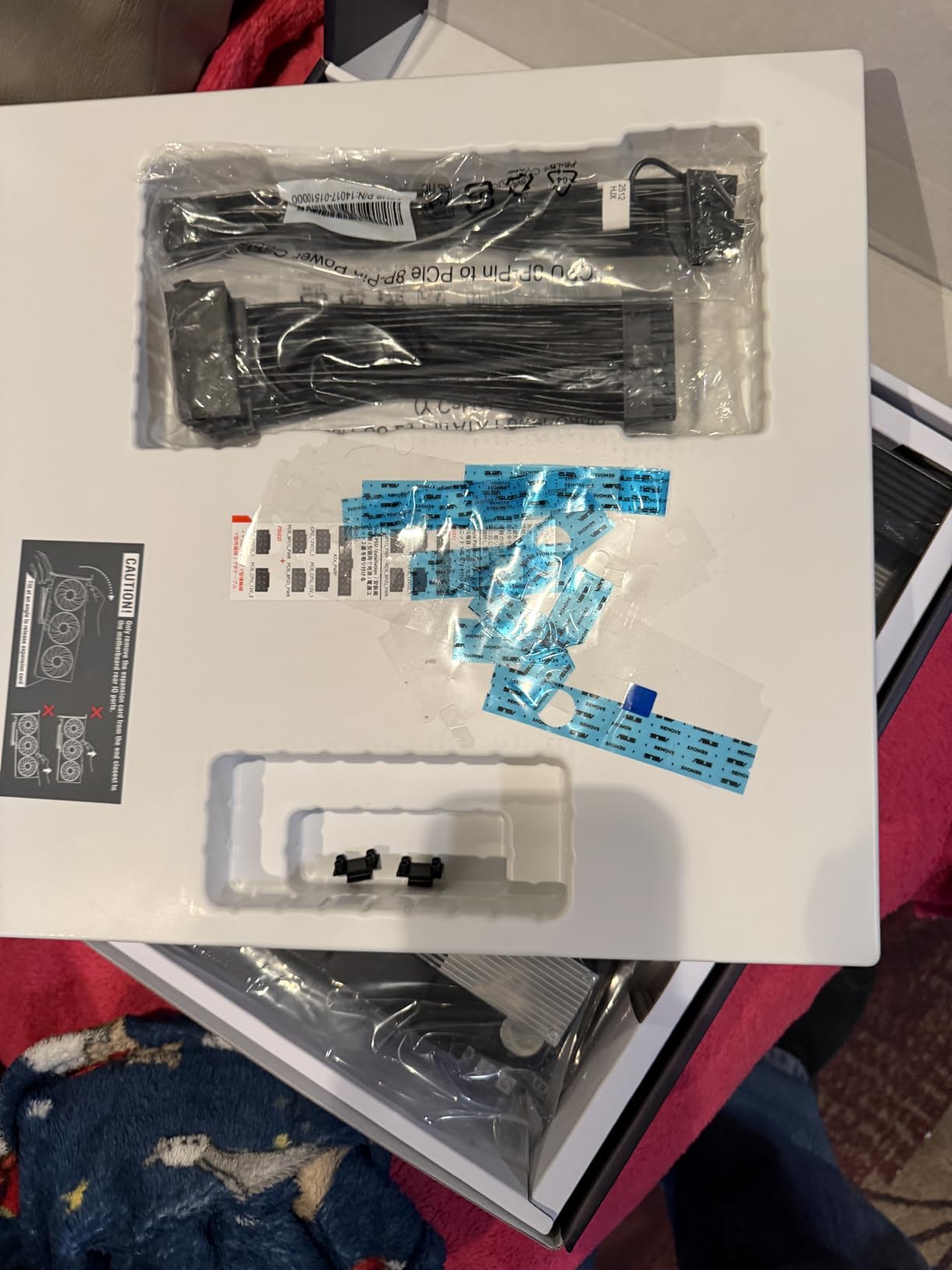
Plan around an EEB-compatible chassis with serious airflow. The massive VRM cooling assembly with its active fans fits where a standard ATX board would, but the CPU cooler and RDIMM population require clearance most mid towers lack.
A 1000W or better power supply is the practical floor for a fully loaded configuration. Two 8-pin CPU connectors feed the socket, and the board expects stable power under sustained all-core load.
Buying Guide: How to Choose an ECC Motherboard for TrueNAS?
The right best ECC motherboard for a TrueNAS build comes down to five decisions: memory type, CPU platform, drive count, remote management, and power budget. Here is how to work through each one without overbuying.
UDIMM vs RDIMM: know before you shop
Unbuffered DIMMs (UDIMM) connect the memory controller directly to each stick and are what consumer and most workstation boards use. Registered DIMMs (RDIMM) add a buffer chip that allows the huge capacities server platforms reach, but they only work in boards explicitly built for them.
The two are physically incompatible in practice, and trying the wrong type results in a system that will not POST. AM5 and W680 boards want UDIMM, while LGA 2011-3 and WRX90 boards want RDIMM. Used RDIMM is dramatically cheaper per gigabyte, which is why the budget boards in this list pair so well with second-hand server memory.
CPU and platform pairing
Your CPU choice decides your ECC ceiling. Xeon E-2300 and 12th/13th Gen Core i3 on LGA 1700, Ryzen 7000 through 9000 on AM5, and Xeon E5 v3/v4 on LGA 2011-3 all support ECC with the right board.
For a pure NAS, a modest quad or hexa-core chip is plenty since ZFS is not CPU-bound for file serving. Step up when you add Plex transcodes, VMs, encryption, or deduplication. The forum consensus is accurate here: Ryzen and Xeon E chips give the best performance per watt for home builds.
SATA, M.2, and expansion planning
Count your drives before you count anything else. Six onboard SATA ports cover a typical four-drive RAIDZ2 plus boot mirror, and anything larger wants an HBA in IT mode rather than port multipliers or SATA controllers on cheap cards.
Keep at least one M.2 slot for the boot mirror if the board offers two, and check whether M.2 population steals lanes from your PCIe slots. Boards that share lanes between the GPU slot and secondary M.2 slots can complicate HBA and NIC installations later.
IPMI and remote management
A baseboard management controller gives you sensor data, fan control, power control, and a remote console over the network even when the OS is down. Once you have lived with IPMI on a server in a closet, it is hard to go back to dragging a monitor over.
All four ASRock Rack boards and both ASUS workstation boards here include BMC management. Consumer boards like the GIGABYTE X870E offer nothing comparable, which is the real cost of that platform’s flexibility.
Form factor and case compatibility
Micro-ATX server boards fit most NAS chassis, but the rotated CPU sockets on ASRock Rack boards restrict which coolers mount cleanly. EEB boards like the WRX90E need a full tower or 4U rack case with matching standoffs.
Check cooler height, RAM clearance with heat-spreader-equipped RDIMMs, and the position of full-length PCIe slots against drive cages before ordering. These are the details that turn a two-hour build into a two-week return cycle.
Power draw for 24/7 operation
A NAS runs 8,760 hours a year, so every idle watt matters to the bill. Modern single-socket platforms idle far lower than dual-socket Xeon boards, and an eco-mode profile can cut AM5 idle draw dramatically.
Budget X99 builds trade efficiency for capacity. They make sense when the hardware is cheap enough to fund years of electricity, and poor sense for a lightly loaded bedroom server.
New vs used server hardware
Used DDR4 ECC RDIMM is the single biggest bargain in home server building, and boards like the X99 D8 MAX exist to exploit it. The risk profile is manageable if you buy photographed, part-numbered modules and memtest before trusting them.
Used complete platforms from off-brands carry more risk than used memory. Buy where returns are simple, bench-test on arrival, and keep the diagnostic card handy.
Verify ECC is actually working
After your build boots, confirm ECC before loading data. In TrueNAS Scale, the reporting page under Memory shows ECC status, or drop to a shell and run dmidecode to see the error-correction type reported by each DIMM.
If ECC shows as disabled or unavailable, update the BIOS, confirm your CPU supports it, and double-check that your sticks are genuinely ECC. This five-minute check is the difference between a validated build and an assumption.
Frequently Asked Questions
Which motherboards support ECC memory?
Boards that officially support ECC fall into three groups: workstation boards like the ASUS Pro WS W680-ACE and B850M-ACE SE, server boards from ASRock Rack such as the X570D4U and B650D4U lines, and platform boards for Xeon E5 or Threadripper PRO that use registered RDIMM memory. Consumer AM5 boards can often run unbuffered ECC with Ryzen CPUs, but support is unvalidated, so confirm ECC is active in the OS before trusting the build.
Is 32GB of RAM enough for TrueNAS?
Yes, 32GB is enough for most home NAS builds serving files over SMB or NFS. A general rule is 1GB of RAM per 1TB of raw storage, so 32GB comfortably handles pools up to about 32TB. You need more for deduplication, heavy virtualization, or large ARC caching workloads.
What is the best hardware for TrueNAS?
The best TrueNAS hardware combines a CPU with native ECC support, a motherboard that validates that ECC, an HBA in IT mode for your drives, and a boot mirror on SSD. A Xeon E-2300 or Ryzen 7000-series chip on a W680 or AM5 workstation board with 32 to 64GB of ECC memory covers the vast majority of home and small office builds.
How much RAM do you need for TrueNAS Scale?
TrueNAS Scale wants a minimum of 16GB, with 32GB the practical sweet spot for a home build. ZFS uses free RAM for the ARC read cache, so more RAM means faster repeated reads, but the OS itself and typical apps run fine at 32GB. Apps, VMs, and deduplication are what push you toward 64GB and beyond.
Is 2 cores enough for TrueNAS?
Two cores will run a basic TrueNAS file server, but it is the practical floor rather than a comfortable target. Scrubs, checksums, SMB transfers, and any apps or VMs all compete for those cores. Four to six cores give headroom for scrubs and workloads to overlap without stalling client transfers.
Final Verdict
After living with all 10 platforms, our top recommendation for the best ECC motherboards for TrueNAS builds is the ASUS Pro WS W680-ACE, which validates DDR5 ECC on a modern socket and simply refuses to misbehave. The ASUS Pro WS B850M-ACE SE is the smart value pick with AM5 longevity, 10GbE, and real IPMI, while the SHANGZHAOYUAN X99 B9 remains the cheapest legitimate route into a full ECC build.
Whatever you choose, verify ECC is active before you move a single byte of important data onto the pool. The five-minute dmidecode check is the best insurance policy in home server building.
Pick the board that matches your drive count and RAM ambitions, pair it with matched ECC sticks, and enjoy the quiet confidence of a NAS that catches memory errors instead of storing them. Your future self, restoring a backup at 3 a.m., will thank you.