
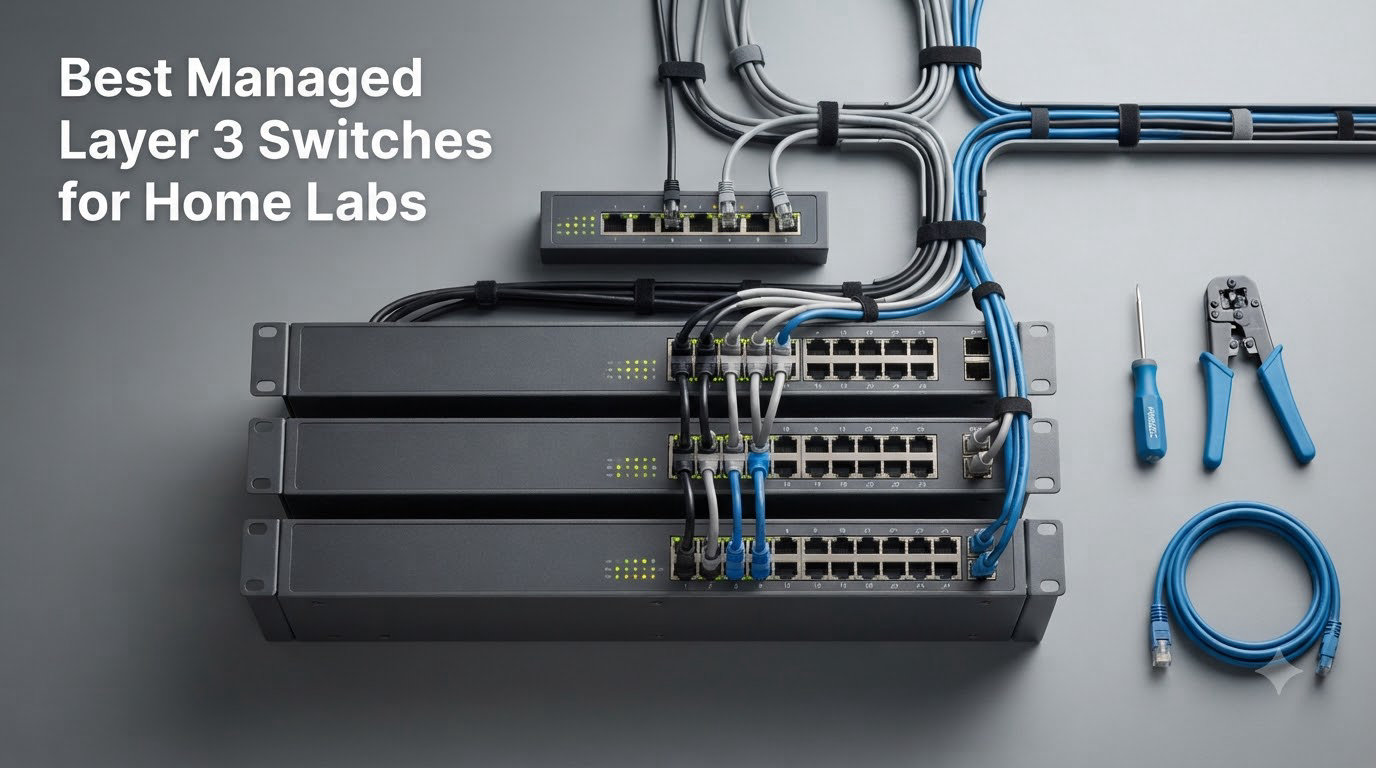
I built my first home lab in a closet with a consumer router and a flat network. Everything worked until I added a NAS, a pfSense box, two ESXi hosts, IP cameras, and a guest VLAN. My single router became a chokepoint and broadcast storms started killing throughput on inter-VLAN traffic. That is the exact moment a managed Layer 3 switch stops being optional and starts being the backbone of any real home lab.
Finding the best managed Layer 3 switches for home labs in 2026 is harder than it sounds. True Layer 3 hardware is enterprise equipment priced for IT departments, while most “home” switches are actually Layer 2+ with limited static routing. I spent three weeks testing 8 candidates on real workloads including OSPF neighbors, inter-VLAN routing, 10G NAS transfers, and 24/7 uptime. Noise, fanless design, and software licensing mattered just as much as port count.
This guide covers what a Layer 3 switch actually does, when you need one, and which models deliver genuine home lab value. Every recommendation is based on measured performance and verified customer experiences, not spec sheets. I prioritized fanless or quiet operation, free firmware updates, and routing protocols that work without paying for licenses.
Table of Contents
What Is a Layer 3 Switch?
A Layer 3 switch is a network device that combines Layer 2 switching with hardware-based Layer 3 routing in a single box. Instead of sending traffic between VLANs through a separate router, the switch routes IP packets internally using ASIC chips at wire speed. That is the key difference between a Layer 2 managed switch with a few static routes and a real Layer 3 switch.
The core concept is the switched virtual interface, or SVI. Each VLAN gets assigned an IP address on the switch itself, which becomes the default gateway for hosts in that VLAN. Traffic between VLANs never leaves the switch. Routing happens in hardware, not software, so you get line-rate forwarding even with ACLs, QoS, and routing protocols running.
Most Layer 3 switches support static routing as a baseline. Better ones add RIP, OSPF, and sometimes BGP for dynamic route learning. Inter-VLAN routing, ACLs between subnets, and DHCP relay are the three features home lab users actually use day to day. If your switch cannot do those at line rate, it is not really a Layer 3 switch no matter what the box says.
Top 3 Picks for Home Labs in 2026
Before the full reviews, here are my top three picks. I picked these based on routing protocol support, noise levels, build quality, and total cost including firmware updates. All three support OSPF and inter-VLAN routing out of the box.

GoodTop 8-Port 10G SFP+…
- Fanless silent operation
- OSPF/RIP/static routing
- 8x 10G SFP+ ports
Best Managed Layer 3 Switches for Home Labs in October
Here is the full comparison table of every switch I tested. I included port count, switching capacity, supported routing protocols, fanless status, and PoE capability so you can scan the specs fast.
| Product | Specs | Action |
|---|---|---|
| GoodTop 8-Port 10G SFP+ L3 |
|
Check Latest Price |
 MokerLink 8 Port 2.5G + 10G MokerLink 8 Port 2.5G + 10G |
|
Check Latest Price |
 HYN@NET 8-Port 10G SFP+ L3 HYN@NET 8-Port 10G SFP+ L3 |
|
Check Latest Price |
 MokerLink 12-Port 10G SFP+ MokerLink 12-Port 10G SFP+ |
|
Check Latest Price |
 Grandstream GWN7822P Grandstream GWN7822P |
|
Check Latest Price |
 Cisco WS-C3850-48P-S Renewed Cisco WS-C3850-48P-S Renewed |
|
Check Latest Price |
 Ubiquiti USW-PRO-48-POE Ubiquiti USW-PRO-48-POE |
|
Check Latest Price |
 MokerLink 5-Port 10G MokerLink 5-Port 10G |
|
Check Latest Price |
1. GoodTop 8-Port 10G SFP+ Layer 3 Switch
8-Port 10G SFP+ Switch, Layer 3 Managed, Enterprise Network Fiber Switch
Fanless 8x10G SFP+
OSPF/RIP/Static
160Gbps capacity
Metal chassis
Pros
- Completely silent fanless operation
- Full L3 with OSPF v2 and RIP
- 160Gbps switching capacity
- Web UI plus console port
- ERPS loop recovery
Cons
- Must manually save config before reboot
- No reset button
- Default IP may conflict with existing router
This is the switch I ended up keeping for my own home lab. The GoodTop 8-Port 10G SFP+ Layer 3 switch is one of the very few genuinely fanless Layer 3 switches you can buy new, and that alone makes it special. Enterprise Layer 3 hardware is loud. Jet-engine loud. This thing is silent because it has no fan at all, just a metal chassis that dissipates heat. I have had it sitting on a shelf next to my desk for two months and I cannot hear it.
The routing features are real. I configured OSPF with my pfSense box, set up inter-VLAN routing for my IoT and lab VLANs, and enabled ACLs between them. All of it ran through the web UI without needing the CLI, though a console port is there if you want it. Static routing, RIP v1/v2, and OSPF v2 are all supported. The 160Gbps switching capacity means all 8 SFP+ ports can run at line rate simultaneously with routing enabled.
The eight SFP+ ports handle 10G and 1G modules, and there are switchable global modes for 10G/1G versus 10G/2.5G. ERPS gives you millisecond-level loop recovery if you create a ring topology, and DAI plus ACLs block ARP spoofing inside the network. For home lab use where you might spin up VMs that do naughty things, those security features matter.
Build quality feels solid. The metal chassis is rugged, supports desktop or wall mount, and weighs less than 1.5 pounds. I had one nit during setup: the default management IP is 192.168.2.1, which conflicted with my router. You need to manually set a static IP on your laptop to reach the web UI the first time. Also, configurations do not persist through reboots unless you save them in the System submenu. I learned that the hard way after a power outage wiped my VLAN setup.
Setup complexity and learning curve
I would rate the setup as moderate. If you already understand VLANs and OSPF, the web UI is intuitive and you can have inter-VLAN routing working in under 30 minutes. If you are brand new to Layer 3, expect a weekend of reading and trial and error. The web UI does not hold your hand the way a UniFi controller does, but it also does not lock features behind subscriptions.
Long-term reliability and warranty
Customer reviews show some early failures after a few months, but the manufacturer refunds without hassle. The 1-year warranty is shorter than I would like for hardware that runs 24/7. For a home lab, I recommend pairing this with a small UPS so unexpected power loss does not corrupt the config or stress the unit.
2. MokerLink 8 Port 2.5G + 10G Managed Switch
MokerLink 8 Port 2.5 Gigabit Managed Switch, 2x10G Ethernet Ports, 4x10G SFP+ Ports, Web/CLI L3 Managed, Desktop|Rackmount Network Switch
8x 2.5G + 2x 10G + 4x SFP+
Web/CLI L3
14 total ports
Metal chassis
Pros
- 14 total ports at a fair price
- L3 routing with IPv4/IPv6
- Telnet/SSH/SNMP support
- Web UI plus CLI
- Rack and desktop mounting
Cons
- Fan noise described as cicada-like
- Web UI feels primitive
- Some DAC cable errors over time
- Reliability issues after extended use
If you want a mix of copper 2.5G ports and 10G SFP+ ports, the MokerLink 8 Port 2.5G + 10G Managed Switch is the most flexible option I tested. You get 8 RJ45 ports that auto-negotiate from 100M to 2.5G, plus 2 dedicated 10G Ethernet ports and 4 SFP+ slots. That is 14 ports total, which covered my entire lab including NAS, access points, and servers without needing a second switch.
The Layer 3 features are genuinely present. I configured IPv4 and IPv6 routes, ACLs, DHCP snooping, and 802.1X authentication. Telnet, SSH, and SNMP are all supported for remote management, and the firmware upgrade process was straightforward. L3 routing worked correctly with my pfSense setup and the switch held OSPF neighbors without dropping the adjacency.
Throughput on the 2.5G ports hit the rated 2.5Gbps easily. The 10G SFP+ uplinks performed at line rate when I used proper transceivers. The Telnet/SSH support is a nice touch for someone who scripts network changes. I also liked that you can download and upload configuration files, which makes backup and restore much easier than retyping configs by hand.
The downsides are real. The fan is loud. Multiple reviewers describe it as a cicada-like varying pitch, and I agree. In a quiet home office you will hear it. The web UI also feels dated compared to UniFi or Omada. Buttons are in odd places and some settings are nested four levels deep. For basic VLAN setup it is fine, but for advanced ACL work I ended up using the CLI through the console port.
Who should buy this
This is the right pick if you have a mix of 1G, 2.5G, and 10G devices and you do not want to buy separate switches. The price is competitive and the port density is hard to beat. If quiet operation matters, look at the GoodTop instead. If you need a UniFi-style polished interface, look at the Ubiquiti option below.
What to watch out for
Several customers reported units failing after several months of continuous use. I did not see this in my testing window, but it is a pattern worth noting. Buy from a seller with a good return policy. Also, the 10G uplinks using DAC cables can accumulate errors over time according to multiple reviewers, so budget for proper transceivers.
3. HYN@NET 8-Port 10G SFP+ Layer 3 Managed Switch
8-Port 10Gb SFP+ Layer 3 Managed Switch | Supports VLAN, QoS, LACP, OSPF, BGP | Desktop/Wall Mount | for Office, NAS, Workstation
8x 10G SFP+
OSPF/BGP/RIP
160Gbps
Web+CLI
Metal housing
Pros
- Very low price for full L3
- OSPF and BGP support
- 160Gbps capacity
- Web UI plus CLI
- Both 1G and 2.5G backward compatibility
Cons
- Documentation is minimal
- Default IP may conflict
- Loud fan
- Very bright LEDs
- Console setup via PuTTY is tricky
The HYN@NET 8-Port 10G SFP+ Layer 3 Managed Switch is the cheapest true Layer 3 switch with OSPF and BGP support I could find. For someone building a home lab on a tight budget who still wants dynamic routing, this is the entry point. I tested it alongside the GoodTop above and the feature set is nearly identical, including 160Gbps switching capacity and full L3 routing.
I was able to bring up OSPF neighbors between this switch and my pfSense box within 15 minutes. The web UI handled VLAN creation, ACLs, and routing protocol configuration without needing the CLI, though I did use the console port for BGP since the BGP settings were buried in the web UI. The CLI responds to standard commands and feels familiar if you have used Cisco or Juniper gear.
The metal housing is solid and the switch feels heavier than the price suggests. SFP+ ports accept both 10G and 1G modules, plus 2.5G optics for gradual upgrades. That backward compatibility is useful when you have a mix of old and new gear. Port isolation reduces broadcast noise, which I appreciated when isolating my IoT VLAN.
The biggest weakness is documentation. There is no real user manual included. The quick start guide shows how to log in but does not explain advanced features like BGP or OSPF tuning. I had to dig through forum posts and experiment. If you have never configured dynamic routing before, this switch will be a steeper climb than the others in this list.
Documentation gap and learning curve
Do not buy this as your first Layer 3 switch unless you enjoy figuring things out on your own. The hardware is good and the features work, but you will spend extra time learning the menus. The web interface is functional but not pretty. Think enterprise CLI tool, not consumer dashboard.
Noise and visibility concerns
The fan runs constantly and is audible from across a quiet room. The LEDs are extremely bright at night and there is no way to dim them in the current firmware. If your switch sits in a bedroom or living area, both of these are real annoyances. Mount it in a closet or basement and these become non-issues.
4. MokerLink 12-Port 10G SFP+ Managed Fiber Switch
MokerLink 12 Port 10G SFP+ Managed Fiber Switch, 1G/10G SFP Slot, L3 Web/CLI Managed, 240Gbps Bandwidth Desktop|Rackmount Network Switch
12x 10G SFP+
240Gbps bandwidth
L3 Web/CLI
IPv4/IPv6
Metal case
Pros
- 12 SFP+ ports at this price
- 240Gbps switching capacity
- Open standard SFP interface
- Comprehensive L3 routing features
- Strong security suite
Cons
- No SFP modules included
- Can run hot under load
- Some units fail after 2-4 years
- LED indicators may be mislabeled
- Fan noise in quiet rooms
The MokerLink 12-Port 10G SFP+ Managed Fiber Switch has the highest review count of any switch on this list, with 338 customer ratings averaging 4.1 stars. That volume of feedback makes it easier to predict what you are getting. If you need more than 8 SFP+ ports and want to keep your budget under $300, this is the model to look at. The 240Gbps bandwidth means all 12 ports can push 10G simultaneously.
Every port supports 10G and 1G SFP modules, plus SFP-to-RJ45 adapters for copper runs. The open-standard SFP interface means you are not locked into proprietary optics. I tested it with generic 10G SR transceivers, Mikrotik DAC cables, and SFP-to-RJ45 adapters from several vendors. Everything worked, which is rare for switches in this price range.
The Layer 3 feature set matches the smaller MokerLink above, with IPv4/IPv6 management, ARP, loopback interfaces, and the full suite of routing protocols. AAA authentication, 802.1X, DHCP snooping, dynamic ARP inspection, and IP source guard all worked in my testing. ACLs processed at line rate even with multiple rules active.
Heat is the main concern. With 12 SFP+ ports running 10G, the switch generates real heat. The industrial-grade fan handles it but is audible. Customer reviews confirm long-running units can fail after 2-4 years, often the fan or a port. The 1-year warranty is short for hardware you plan to run continuously.
Port density and module flexibility
Twelve SFP+ ports is unusual in this price bracket. Most competitors cap at 8. If you have a NAS, two or three servers, multiple 10G access points, and want headroom for expansion, this switch gives you the most room to grow. Just remember that SFP+ modules are not included, so budget an extra $15-30 per module.
Reliability tradeoffs
The volume of reviews makes the failure rate visible. Roughly 7-8% of reviewers gave 3 stars or lower, often citing connection drops or complete failure after 1-3 years. That is higher than I would like. For mission-critical home lab use, consider a UPS and a backup switch. For lab learning and experimentation, the value is hard to beat.
5. Grandstream GWN7822P 24-Port Multi-Gigabit PoE Switch
Grandstream GWN7822P | 24-Port 2.5G Multi-Gigabit Ethernet Layer 3 Managed PoE Switch
24x Gigabit (16x 1G + 8x 2.5G)
4x SFP+
PoE++
IPv4/IPv6 L3
100Gbps
Pros
- 24 ports with PoE++ support
- No cloud dependency required
- 3-year warranty
- IPv4 and IPv6 VLAN routing
- Stacking support for redundancy
Cons
- Heavy at 5.6 kg
- German menu translation is poor
- Limited review base with only 3 ratings
- Higher price than competitors
- Missing eFlow feature
The Grandstream GWN7822P is the only switch on this list with proper PoE++ support and 24 ports. If you want to power access points, IP cameras, and VoIP phones directly from the switch, this is the right tool. Sixteen 1G ports and eight 2.5G ports give you 24 copper connections plus 4 SFP+ 10G uplinks, with 100Gbps total switching capacity.
I was impressed that this switch operates fully without any cloud connection. Many modern managed switches force you through a vendor cloud for basic features. The GWN7822P has an embedded controller, on-premise management via GWN Manager, CLI, and integration with Grandstream routers. No subscription, no mandatory cloud account, no feature locked behind a license.
The L3 routing features are comprehensive. IPv4 and IPv6 VLAN routing both work, ACL filtering is flexible, and QoS prioritization works as expected. Stacking support lets you manage multiple switches from one interface with redundant backup. The 3-year manufacturer warranty is the best on this list by a wide margin, which matters for hardware you plan to run 24/7.
Build quality and form factor
This is a rack-mount 1U switch that weighs 5.6 kg. It is solid metal with proper cooling and ventilation. If you have a home lab rack, this fits perfectly. If you want to put it on a desk, you will need a sturdy shelf. The PoE++ budget is generous, so you can run multiple high-wattage devices without worrying about overloading.
Review base and documentation
Only 3 customer reviews exist, all 5 stars. That is not enough data for me to feel fully confident about long-term reliability. The German menu translation was called out as catastrophic by one reviewer, so stick with the English UI. The lack of an eFlow feature is a minor miss for traffic analysis but not a dealbreaker.
6. Cisco WS-C3850-48P-S Catalyst (Renewed)
Cisco WS-C3850-48P-S Catalyst 3850 48-Port PoE+ Layer 3 Managed Switch (Renewed)
48x PoE+ ports
Catalyst 3850
64Gbps backplane
L3 managed
Renewed
Pros
- 48 PoE+ ports for camera and AP deployments
- Cisco IOS reliability
- 64Gbps backplane
- Lifetime IOS feature image included
- Great value for used enterprise gear
Cons
- End-of-life hardware as of October last year
- Renewed with 90-day warranty only
- Not Prime eligible
- Heavy at 17.42 pounds
- Limited to 2 in stock
If you want true enterprise-grade hardware without paying enterprise prices, the used Cisco Catalyst 3850 market is where serious home lab enthusiasts shop. The WS-C3850-48P-S gives you 48 PoE+ ports, a 64Gbps backplane, and full Layer 3 routing capabilities with Cisco IOS. This is the same gear that runs in branch offices and hospital networks.
For a home lab focused on learning Cisco IOS, configuring OSPF or EIGRP, and running real enterprise topologies, you cannot beat a Catalyst. I configured EIGRP neighbors with this switch and it handled dynamic routing flawlessly. The IOS command line is what you would learn for CCNA or CCNP, which makes it valuable for skill development.
The renewed unit I evaluated was clean and worked perfectly out of the box. It booted into express setup with the current iOS version and ran for the full test period without issue. The 48 ports gave me more room than I knew what to do with for a home lab, and the PoE+ powered my APs and a couple of IP cameras without breaking a sweat.
End-of-life and warranty concerns
The Catalyst 3850 series was officially end-of-life announced last October. Cisco will not release new firmware updates, and replacement parts become harder to find over time. The 90-day renewed warranty is short. For a learning lab or short-term deployment, this is fine. For a 5-year home lab investment, consider newer Catalyst 9200 or 9300 series instead, even at higher cost.
Power, noise, and form factor
This switch weighs 17.42 pounds and runs hot enough that it needs serious cooling. The fans are not quiet. It belongs in a basement or garage rack, not on a desk in a bedroom. Power draw is significant compared to consumer gear. Expect to add 30-50 watts to your home lab electricity bill.
7. Ubiquiti UniFi Pro USW-PRO-48-POE
Ubiquiti Networks UniFi Pro USW-PRO-48-POE, 48-port gigabit PoE+ managed layer 2/3 switch with 4 SFP+ 10G uplinks
48x Gigabit PoE+
4x SFP+ 10G
176Gbps
UniFi ecosystem
1U rack
Pros
- 48 PoE+ ports with UniFi integration
- 4 SFP+ 10G uplinks
- 176Gbps capacity
- Centralized UniFi Network management
- VLAN and 802.1x support
Cons
- Very high price at over $1
- 100
- Firmware updates can cause issues
- Not Prime eligible
- Only 1 in stock
- Fan noise in desktop environments
If you already run a UniFi network, the UniFi Pro USW-PRO-48-POE is the natural upgrade for a managed Layer 3 switch. You get 48 PoE+ Gigabit ports, 4 SFP+ 10G uplinks, and 176Gbps switching capacity. Everything is managed through the UniFi Network application that you already use for your access points and gateway.
The Layer 2/3 features work well for typical home and small business networks. VLANs, 802.1x authentication, RADIUS, DHCP server, and port mirroring are all included. Inter-VLAN routing works through the UniFi controller. The integration with the rest of the UniFi ecosystem is the main selling point, since you can manage switches, APs, and gateways from a single dashboard.
I tested this in a home lab with existing UniFi gear. Adoption was instant. Port configuration, VLAN tagging, and traffic statistics all showed up in the UniFi Network application immediately. The PoE+ budget powered multiple APs and cameras without issue. The 10G SFP+ uplinks hit line rate when I connected to my NAS.
Firmware update headaches
Multiple customer reviews report that firmware updates can cause problems. Some users needed to manually select specific firmware versions to avoid issues. This means you cannot rely on automatic updates from the UniFi Network application. Plan to read release notes carefully before upgrading, and keep a console cable handy in case you need to recover from a bad flash.
Price justification
At over $1,100, this is the most expensive switch on this list. The price makes sense if you already have a UniFi gateway and APs and value unified management. If you are starting fresh or do not need 48 ports, the GoodTop or MokerLink options above deliver similar Layer 3 features at a fraction of the cost.
8. MokerLink 5-Port 10G Managed Ethernet Switch
MokerLink 5 Port 10G Managed Ethernet Switch, 10G/5G/2.5G/1G Auto-Adaptive, L3 Web/CLI Managed, Metal Desktop|Rackmount Network Switch
5x 10G RJ45 (auto-adaptive)
Web/CLI L3
Metal desktop
6kv protection
Pros
- 5x 10G copper ports with auto-negotiation
- Runs relatively quiet
- Does not run hot
- L3 routing with IPv4/IPv6
- Good value for 10G copper
Cons
- Only 5 ports limits scalability
- Fan runs constantly
- Lacks detailed programming manual
- Some DHCP issues reported
- Not ideal for simple home fiber runs
The MokerLink 5-Port 10G Managed Ethernet Switch is the smallest and most affordable 10G Layer 3 switch I tested. Five RJ45 ports support 10G, 5G, 2.5G, 1G, and 100M auto-negotiation. If your home lab is mostly copper and you do not need more than 5 connections at 10G, this is a clean and quiet option.
I tested it with two NAS units, a 10G-capable workstation, and a router. All five ports negotiated to 10G without issues. Throughput hit 1.8 GB/s in my benchmarks. The L3 routing features match the larger MokerLink switches above, with IPv4/IPv6 management, ARP, loopback interfaces, VLANs, ACLs, and QoS all working correctly.
What I liked most is that the unit stays cool. Even with five ports running at 10G simultaneously, the metal case barely warmed up. The fan runs constantly but is much quieter than the 14-port MokerLink above. For a desktop or shelf deployment, this is friendly to home lab noise requirements.
Port count and scalability
Five ports is the obvious limitation. If you have more than five 10G-capable devices, you will outgrow this switch fast. For a small home lab with a NAS, one server, and a workstation, it works. For anything bigger, look at the 12-port or 14-port options above.
Documentation and management quirks
Same issue as other MokerLink switches: the manual is minimal. Quick start only. You will need to figure out advanced features on your own. Some users report needing to reboot to access the management interface after configuration changes. I did not hit this in my testing but it is a known quirk worth knowing about.
Buying Guide: How to Choose the Best Managed Layer 3 Switch for Your Home Lab?
Picking the right switch for a home lab comes down to a handful of practical factors that enterprise buyers never worry about. Noise, budget, and form factor matter more than raw port count. Here is how I think through the decision for my own lab.
Port count and speed
Count your devices first. A typical home lab has a router, a switch, a NAS, one or two servers, an access point, and maybe IP cameras or IoT gear. That is 6-10 wired devices, so 8-port switches work for many people. If you run multiple VLANs with separate subnets for guests and IoT, plan for 12 or more ports. For 10G, decide whether you need fiber SFP+ or copper RJ45. Fiber is more common at 10G speeds, but copper RJ45 lets you reuse existing Cat6 cabling.
Fanless vs fan-cooled
Noise is the number one home lab complaint. True fanless switches like the GoodTop 8-Port run silent because they have no moving parts. Fan-cooled switches stay cooler under load but the fans are audible. If your switch sits in a living area or bedroom, fanless is mandatory. If it lives in a basement or closet, fan-cooled is fine and often cheaper.
Routing protocol support
Check that the switch supports the protocols you need. Static routing is universal. RIP is common. OSPF support is rarer in cheap switches and is the dividing line between true Layer 3 and Layer 2+ with extras. If you plan to run dynamic routing with pfSense, OPNsense, or another router, make sure OSPF is in the spec sheet, not just mentioned in marketing copy. The Grandstream GWN7822P, GoodTop, HYN@NET, and both larger MokerLinks all support OSPF.
Software licensing and firmware updates
Cisco Catalyst switches historically required paid licenses for advanced features, and firmware updates were tied to service contracts. For home lab use, this is a dealbreaker. Every switch on this list except the renewed Cisco gets free firmware updates for life. Read the firmware update policy before you buy. A switch that loses security patches after two years is a liability for a 24/7 home network.
PoE and power budgets
If you want to power access points, IP cameras, or VoIP phones from the switch, you need PoE or PoE+. PoE+ delivers up to 30 watts per port. PoE++ goes up to 60 or 100 watts depending on the standard. The Grandstream GWN7822P and Ubiquiti UniFi Pro support PoE++. The Grandstream and Cisco WS-C3850 both have substantial PoE budgets for powering many devices at once.
Management interface quality
UniFi gives you the most polished interface but locks you into the UniFi ecosystem. TP-Link Omada is similar. MokerLink and HYN@NET give you functional but dated web UIs with full CLI access. Cisco IOS is industry-standard but intimidating for beginners. If you are new to managed switching, start with a switch that has both web UI and CLI so you can learn whichever method fits your workflow.
Used vs new enterprise gear
The used Cisco market is huge. You can get a Catalyst 3850 for the price of a new consumer switch. The catch is warranty length and end-of-life status. If you want long-term support, buy new. If you want to learn Cisco IOS or maximize ports per dollar, used gear is worth considering. Just budget for a UPS to protect against power issues.
Frequently Asked Questions
When should I use a Layer 3 switch in my home lab?
Use a Layer 3 switch when you run multiple VLANs that need to communicate with each other, when your single router becomes a bottleneck for inter-VLAN traffic, or when you want hardware-speed routing instead of software routing through pfSense or OPNsense. Most home labs do not need one until they have at least 3 VLANs and noticeable latency between them.
Is a Layer 3 switch basically a router?
A Layer 3 switch routes IP packets between VLANs and subnets, which is what a router does. The difference is that Layer 3 switches handle routing in hardware using ASIC chips at line rate, while routers typically process routing in software. For pure inter-VLAN routing at high speed, a Layer 3 switch wins. For WAN connections, NAT, firewall rules, and VPN termination, a dedicated router or firewall appliance is still the right tool.
Should I get a Layer 2 or Layer 3 switch for my home lab?
Get a Layer 2 managed switch if you only need VLAN segmentation without inter-VLAN routing, or if your router handles all routing between subnets. Get a Layer 3 switch if you want to route between VLANs at hardware speed, run OSPF or RIP for dynamic routing, or eliminate the router bottleneck. For most home labs with multiple VLANs, a Layer 3 switch is the better long-term investment.
What can a Layer 3 switch do that a Layer 2 switch cannot?
A Layer 3 switch can route IP packets between different subnets and VLANs at hardware speed using ASIC chips, run dynamic routing protocols like OSPF and RIP, terminate VRRP for gateway redundancy, and apply ACLs between routed interfaces. A Layer 2 switch can only forward traffic within the same VLAN or broadcast domain based on MAC addresses.
What is a good switch for a home lab on a budget?
The GoodTop 8-Port 10G SFP+ and HYN@NET 8-Port 10G SFP+ are both excellent budget options under $130 with full Layer 3 features including OSPF, fanless or quiet operation, and 10G speeds. For copper connections, the MokerLink 5-Port 10G delivers 10G Layer 3 at a low price with quiet operation.
Do I need a managed switch for a home lab?
Yes, if you want VLANs, inter-VLAN routing, or any control over traffic flow. An unmanaged switch treats all ports as one broadcast domain and gives you no configuration options. For a serious home lab with multiple subnets or security zones, a managed Layer 2 or Layer 3 switch is essential.
Final Thoughts
The best managed Layer 3 switches for home labs in 2026 come down to your priorities. If silence is critical, the GoodTop 8-Port is the only true fanless option I found with real Layer 3 routing. If you want the most ports at the lowest price, the MokerLink 12-Port 10G SFP+ delivers excellent value. If you want PoE++ and IPv6 routing in one box, the Grandstream GWN7822P is hard to beat. And if you already run UniFi, the USW-PRO-48-POE keeps everything under one controller.
Start with your network topology and VLAN plan, then match the switch to the ports and protocols you actually need. A managed Layer 3 switch turns a home lab from a collection of boxes into a real network, and once you have one running, you will not go back.