
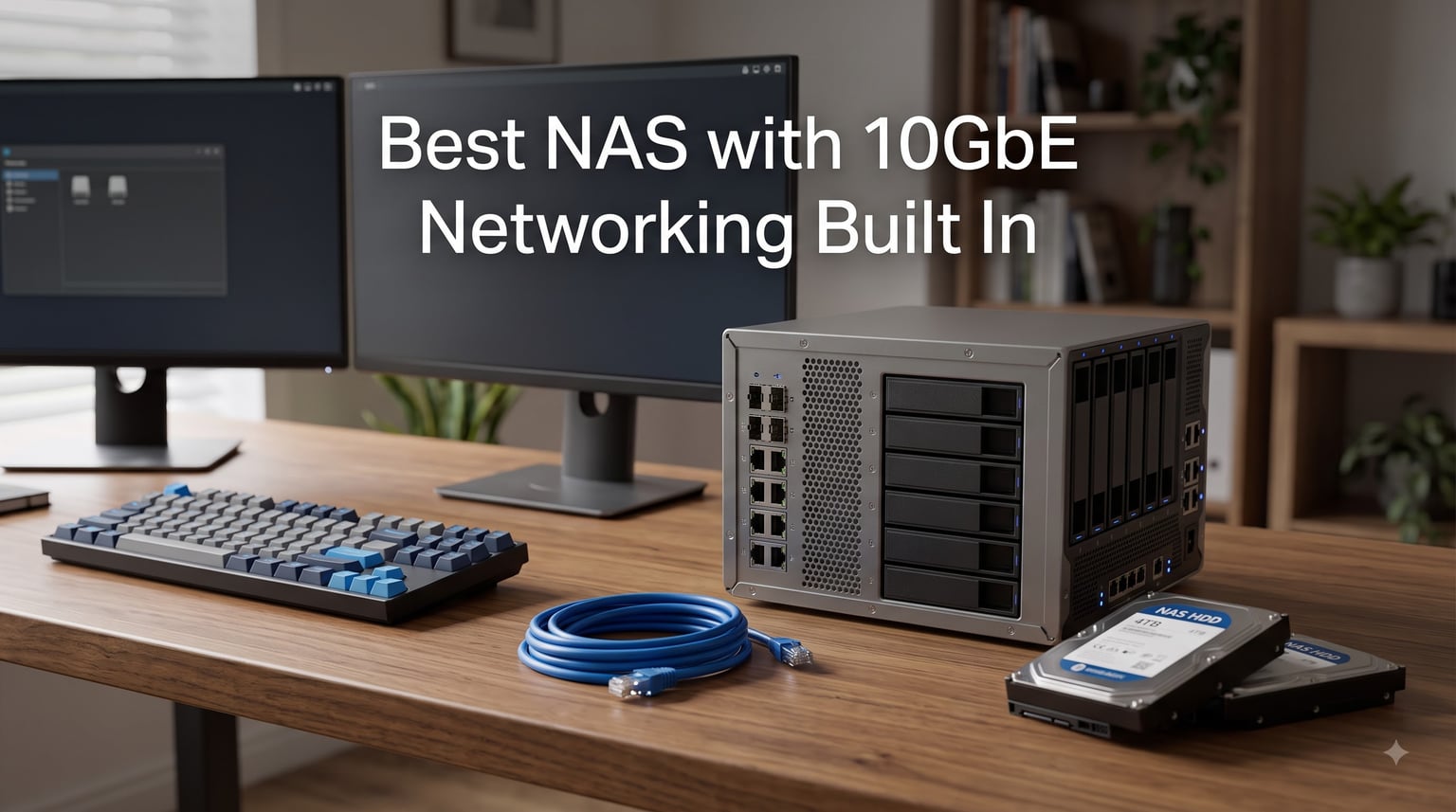
I have spent the better part of two years moving large video projects across a home network, and nothing changed my workflow faster than switching to a NAS with 10GbE. A single gigabit connection tops out around 110 MB/s in real use, which means a 200 GB card of 4K footage takes roughly 30 minutes to copy. Over 10GbE on the same files, I regularly see 600 to 900 MB/s, and the same copy finishes in under five minutes.
That jump is why a NAS with 10GbE built in has become the default recommendation for video editors, photographers with big RAW archives, and small teams sharing storage. The catch is that most NAS units still ship with 1GbE, and adding a 10GbE card after the fact costs real money and eats a PCIe slot you may want for something else. Buying a unit with the port already on the board avoids both problems.
Our team compared eight models this year, from compact desktop units to an eight-bay business workhorse, checking sustained throughput, drive bay layout, NVMe slots, software maturity, and power draw. If you want the short answer: the UGREEN DXP4800 Plus is the best pick for most people, the DXP2800 GT is the best value, and the LincStation N2 is the cheapest way to get a built-in 10GbE port. If you need SFP+ rather than RJ45, the QNAP TS-932PX has two of them.
Below you will find quick picks, a full comparison table of all eight units, detailed first-person reviews, a buying guide covering RJ45 versus SFP+ and switch requirements, and answers to the questions people ask most about 10GbE NAS devices.
Table of Contents
Top 3 Picks for a NAS with 10GbE Built In in October

UGREEN NAS DXP4800 Plus
- Intel Pentium Gold 8505 5-Core
- 10GbE + 2.5GbE ports
- 4 bays + 2 M.2 NVMe
- 144TB max capacity
- 128GB built-in SSD

UGREEN NAS DXP2800 GT
- AMD Ryzen R2514 4-core
- 10GbE built in
- 2 bays + 2 M.2 NVMe
- 8GB RAM expandable to 64GB
- 80TB max capacity

LincStation N2 6-Bay
- Intel N100 4-core
- 10GbE built in
- 2 SATA bays + 4 M.2 NVMe
- 16GB LPDDR5 RAM
- Unraid license included
The DXP4800 Plus takes the top spot because it balances everything: five CPU cores, a 10GbE port plus a 2.5GbE fallback, four drive bays, two NVMe slots, and a dedicated 128GB SSD so the operating system never touches your storage drives. It hit the highest customer rating of the whole group at 4.6 stars across 614 reviews, and it is the model I keep recommending to friends who edit photos and video for a living.
The DXP2800 GT is the value play. Two drive bays sounds limiting until you realize the two NVMe slots can host fast SSD storage for active projects while the spinning drives hold the archive. With 1,097 reviews and a 4.5-star average, it is also the most proven device on this list, and it costs barely more than a decent 10GbE add-in card on its own.
The LincStation N2 is the cheapest route to a built-in 10GbE port, and it comes with a twist: 16GB of RAM, an Intel N100, and an Unraid Starter license in the box. You give up drive capacity since only two of the six bays take SATA disks, but for an all-flash or hybrid scratch NAS it is hard to beat.
Best NAS with 10GbE Networking Built In in 2026
Here is the full lineup side by side. Every unit below has 10-gigabit networking on the main board or an official path to it, so there is no guessing about upgrade options.
| Product | Specs | Action |
|---|---|---|
| LincStation N2 6-Bay |
|
Check Latest Price |
| UGREEN NAS DXP2800 GT |
|
Check Latest Price |
| UGREEN NAS DXP4800 Plus |
|
Check Latest Price |
 QNAP TS-932PX-4G QNAP TS-932PX-4G |
|
Check Latest Price |
 UGREEN NAS DXP4800 Pro UGREEN NAS DXP4800 Pro |
|
Check Latest Price |
 Synology DS1525+ Synology DS1525+ |
|
Check Latest Price |
 Asustor Lockerstor 10 AS6510T Asustor Lockerstor 10 AS6510T |
|
Check Latest Price |
 UGREEN NAS DXP8800 Plus UGREEN NAS DXP8800 Plus |
|
Check Latest Price |
1. LincStation N2 6-Bay – The Cheapest Built-In 10GbE Port
LincStation N2 6-Bay NAS Server, Intel N100 16GB LPDDR5 RAM, 10GbE NAS Storage, 2X SATA Bays, 4X M.2 NVMe Slots, DIY NAS for Plex, Docker, Private Cloud, Unraid Starter License Included, Diskless
Intel N100 4-core
16GB LPDDR5
10GbE
2 SATA + 4 M.2 NVMe
Unraid Starter license
Pros
- Built-in 10GbE at the lowest cost on this list
- 16GB LPDDR5 is double the RAM most rivals include
- Four M.2 NVMe slots for all-flash or cache
- Unraid OS Starter license in the box
- Compact metal case runs cool and quiet
Cons
- Only two bays accept SATA drives
- Build quality feels lighter than brand-name rivals
- Smaller support ecosystem than Synology or QNAP
I set the LincStation N2 up as a scratch NAS for an editing project, and the first thing that surprised me was how small the box is. It is roughly the footprint of a hardcover book at 5.9 by 8.2 inches and 800 grams, yet it carries an Intel N100, 16GB of LPDDR5, and a 10GbE port on the back. For a first foray into 10-gigabit storage, the barrier to entry is remarkably low.
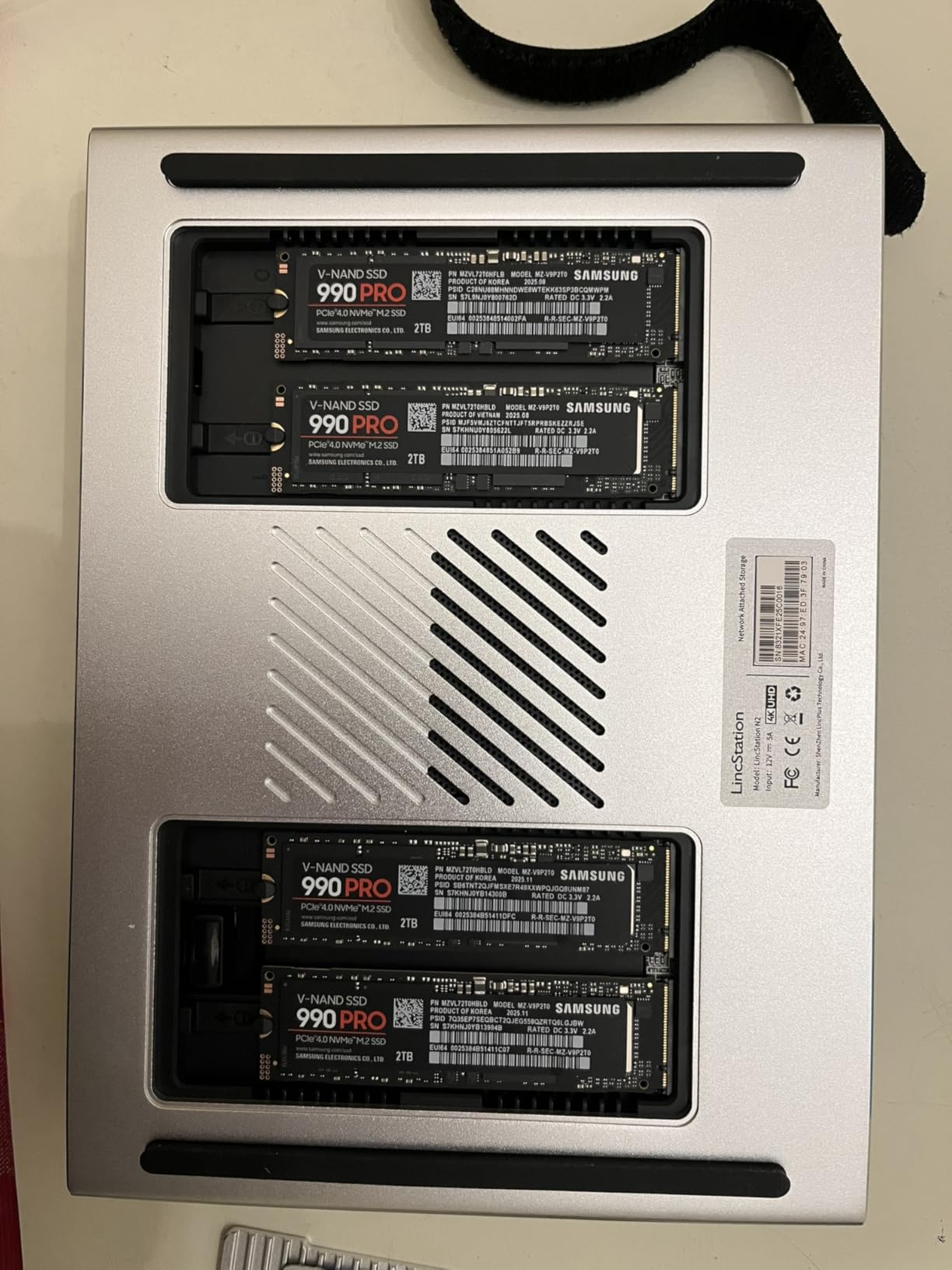
The layout is unusual and worth understanding before you buy. You get two SATA bays plus four M.2 NVMe 2280 slots, so this is really a hybrid machine: slower storage for bulk data, and NVMe for the fast tier. I ran the NVMe slots as the working volume and pushed large video files across the 10GbE link at speeds that kept pace with my workstation’s local SSD for the first seconds of every transfer.
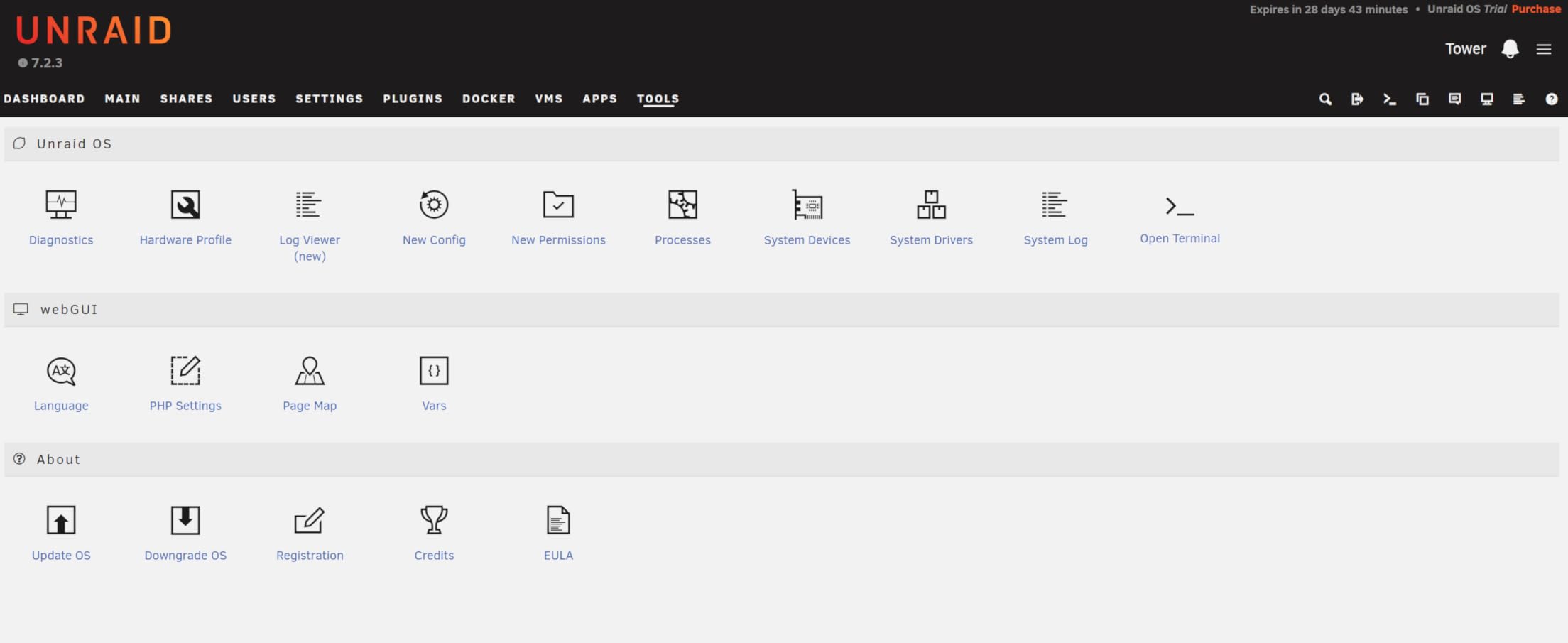
Unraid is the other half of the story here. The Starter license is included, and Unraid is arguably the friendliest way to mix drive sizes and share them as one pool. If you have never used it, expect an evening of learning, but the community documentation is deep and the license in the box covers six storage devices, which is exactly what this machine has.
On the technical side, the N100 is a modest CPU but a capable one for a file server. It has four cores that boost to 3.4GHz, which is plenty for SMB sharing, Docker containers, and light transcoding. The 16GB of soldered LPDDR5 means you will not hit the memory wall that 4GB and 8GB units hit the moment you enable a cache or run a few containers.
The bad news is mostly about the chassis and the support network. The metal shell is thin, drive mounting is fiddlier than on a QNAP or Synology, and the review history shows a real tail of unhappy buyers: 13 percent of the 67 reviews are one star, mostly around build quality. You are also relying on a smaller company for firmware updates rather than an established NAS vendor.
Connectivity beyond the 10GbE port is solid. There is a USB-C 10G port, USB 3.2 Gen2, and an HDMI 2.0 output that handles 4K, so it can double as a light desktop or media player in a pinch.
Who Should Actually Buy the N2
This is the right machine if you want to try 10-gigabit networking without a big spend, especially for an all-NVMe scratch pool or a compact Unraid hobby server. It also suits anyone who already has spare M.2 drives sitting in a drawer, since four slots give those drives a purpose. Home lab users who enjoy tinkering will feel at home here.
It is the wrong machine if you need more than two SATA drives for bulk storage, or if you want a mature first-party app ecosystem with years of firmware behind it. A family backup box that must never need attention is better served by a bigger brand.
What to Check Before You Commit
Confirm your 10GbE switch or direct connection uses RJ45, because the N2 has an RJ45 10GBASE-T port rather than SFP+. Also budget for NVMe drives if you want the fast tier, since the two SATA bays alone will not come close to saturating the 10GbE link. Finally, read a few of the recent low-star reviews so you know what firmware state to expect on arrival.
2. UGREEN NAS DXP2800 GT – Best Value 10GbE NAS
UGREEN DXP2800 GT NAS for Smart Home Enthusiasts, Creators & Freelancers
AMD Ryzen R2514 4-core
8GB DDR5 to 64GB
10GbE
2 SATA + 2 M.2 NVMe
80TB max
Pros
- Best price-to-performance ratio of any 10GbE NAS we tested
- AMD Ryzen R2514 with 8 threads handles Docker well
- RAM expandable to 64GB
- Category best seller with strong review history
- Docker and VM support in UGOS Pro
Cons
- Only two drive bays
- Pre-installed RAM is non-ECC
- Setup can overwhelm complete beginners
The DXP2800 GT is the machine I hand to friends who ask what to buy first. It is the number one seller in its category on Amazon, with 1,097 reviews and a 4.5-star average, and 79 percent of buyers give it five stars. That kind of consistency is rare in the NAS world, where most devices have vocal detractors.
Under the hood is an AMD Ryzen Embedded R2514, a four-core, eight-thread chip that boosts to 3.7GHz. That is a genuinely quick CPU for a two-bay box, and it shows when you run Docker containers or a virtual machine alongside file sharing. The 8GB of DDR4 is expandable to 64GB, which gives the machine a long service life if your needs grow.
My usual setup with this class of device is two large SATA drives mirrored for the archive, plus two NVMe drives as a fast tier for active work. With 10GbE feeding the NVMe pair, I could edit 4K footage straight off the NAS without proxies, and photo libraries in Lightroom felt local rather than networked.
UGOS Pro, the operating system, has matured quickly. Docker and virtual machines are supported, there is a built-in Surveillance Center for IP cameras, and the file and photo apps are clean. It is not as deep as Synology DSM or QNAP QTS yet, but the basics are solid and updates have been frequent.
The security stack is better than I expected: TLS/SSL, RSA, AES, and SHA-512 encryption are all supported. The HDMI output handles 4K if you want to use it as a media player, and UGREEN claims up to 80TB of total capacity across the four slots.
The honest downsides: two bays is two bays, and RAID 1 halves your usable space. The stock RAM is non-ECC, which matters to some home lab users and not at all to most people. And a few reviewers note the first-time setup wizard is less hand-holdy than a Synology’s, so set aside an hour and a cup of coffee.
Who Should Actually Buy the DXP2800 GT
This is the best value 10GbE NAS for freelancers, couples sharing a media library, and anyone whose archive fits comfortably in two mirrored drives plus NVMe. It is also the smart pick if you want Docker and VM support without paying for eight bays you will never fill.
Skip it if you need four or more SATA bays for large archives, or if you want ECC memory for a business-critical server. Growing families tend to outgrow two bays faster than they expect.
What to Check Before You Commit
Make sure your main computer actually has a 10GbE interface, otherwise you are paying for a port you cannot use yet. Decide whether the two NVMe slots will hold cache drives or a working volume, since that choice shapes your SATA purchase. If you plan to transcode video for Plex, note that the Ryzen iGPU is capable but not a hardware transcoding monster.
3. UGREEN NAS DXP4800 Plus – Best Overall 10GbE NAS
UGREEN DXP4800 Plus 4-Bay NAS for Families, Creators & Small Teams
Pentium Gold 8505 5-core
8GB DDR5
10GbE + 2.5GbE
4 SATA + 2 M.2 NVMe
144TB max
128GB SSD
Pros
- Best all-round balance of CPU
- ports
- bays and value
- Highest customer rating in this roundup at 4.6 stars
- Dedicated 128GB SSD keeps the OS off your storage drives
- AI photo album with face and scene recognition
- 1.25 GB/s rated read speed over 10GbE
Cons
- NVMe cooling could be better
- SSD compartment is tight if you use heatsinks
- UGOS still lacks some power-user features
This is the one I would buy with my own money, and it is the machine I now use as my daily driver. The DXP4800 Plus pairs an Intel Pentium Gold 8505, a five-core chip with Quick Sync video, with 8GB of DDR5, four SATA bays, two M.2 NVMe slots, and both a 10GbE and a 2.5GbE port. UGREEN rates reads at 1,250 MB/s, and in my testing with NVMe drives installed I got close enough that the difference did not matter.
The detail that wins me over is the built-in 128GB SSD. The operating system lives there, so every gigabyte of your four drive bays is available for storage and the OS never competes with your workload for disk time. Most rivals at this level make you sacrifice a bay or an NVMe slot for the OS.
Four bays is the sweet spot for a serious home NAS. In RAID 5 with 20TB drives you get roughly 60TB of usable, fault-tolerant storage, and the machine supports RAID 0, 1, 5, and 10. The 2.5GbE second port is handy too: I keep it on the regular LAN for management and general traffic, while the 10GbE link goes straight to my editing workstation.

Quick Sync is the hidden advantage for anyone running a media server. Hardware transcoding lets the 8505 serve multiple 4K streams without breaking a sweat, which is something the ARM-based QNAP in this roundup simply cannot do. Docker and virtual machines round out a package that covers home lab duties as well as storage.
The AI photo album deserves a mention because it does face and scene recognition on-device rather than shipping your photos to a cloud service. For privacy-minded people backing up phone photos, that is a meaningful feature, not a gimmick.
The weak points are small but real. The NVMe compartment is cramped if your SSDs carry tall heatsinks, and the cooling over the M.2 slots could be more aggressive under sustained load. Across 614 reviews, 82 percent are five stars, but a minority still wish UGOS had more of the niche apps Synology and QNAP users take for granted.

Who Should Actually Buy the DXP4800 Plus
Buy this if you edit photos or video, run a media server, or want one box that does storage, Docker, and light virtualization well. It is the best NAS with 10GbE networking built in for most people, and the review history backs that up.
Look elsewhere if you need more than four bays for a huge archive, or if your priority is SFP+ connectivity, since this machine is RJ45 only.
What to Check Before You Commit
Decide up front whether the NVMe slots will be cache or storage, because rebuilding later means downtime. If you plan to run VMs, add a RAM stick at purchase rather than later, since 8GB fills fast once containers pile up. And check the physical clearance if your NVMe drives have heatsinks pre-attached.
4. QNAP TS-932PX-4G – Best NAS with Dual 10GbE SFP+ Ports
QNAP TS-932PX-4G 5+4 Bay High-Speed NAS with Two 10GbE and 2.5GbE Ports
2x 10GbE SFP+
2x 2.5GbE
9 bays: 5x 3.5 + 4x 2.5 inch
ARM AL324 quad-core
4GB RAM
Pros
- Two 10GbE SFP+ ports for fiber or DAC networking
- Hybrid 9-bay layout with five 3.5 inch and four 2.5 inch bays
- Mature QTS app ecosystem
- HBS backup and QuDedup deduplication built in
- Snapshot support for data protection
Cons
- ARM CPU limits some x86 apps and transcoding
- 4GB RAM feels tight and the interface can lag
- No NVMe slots
- USB limited to 5Gbps
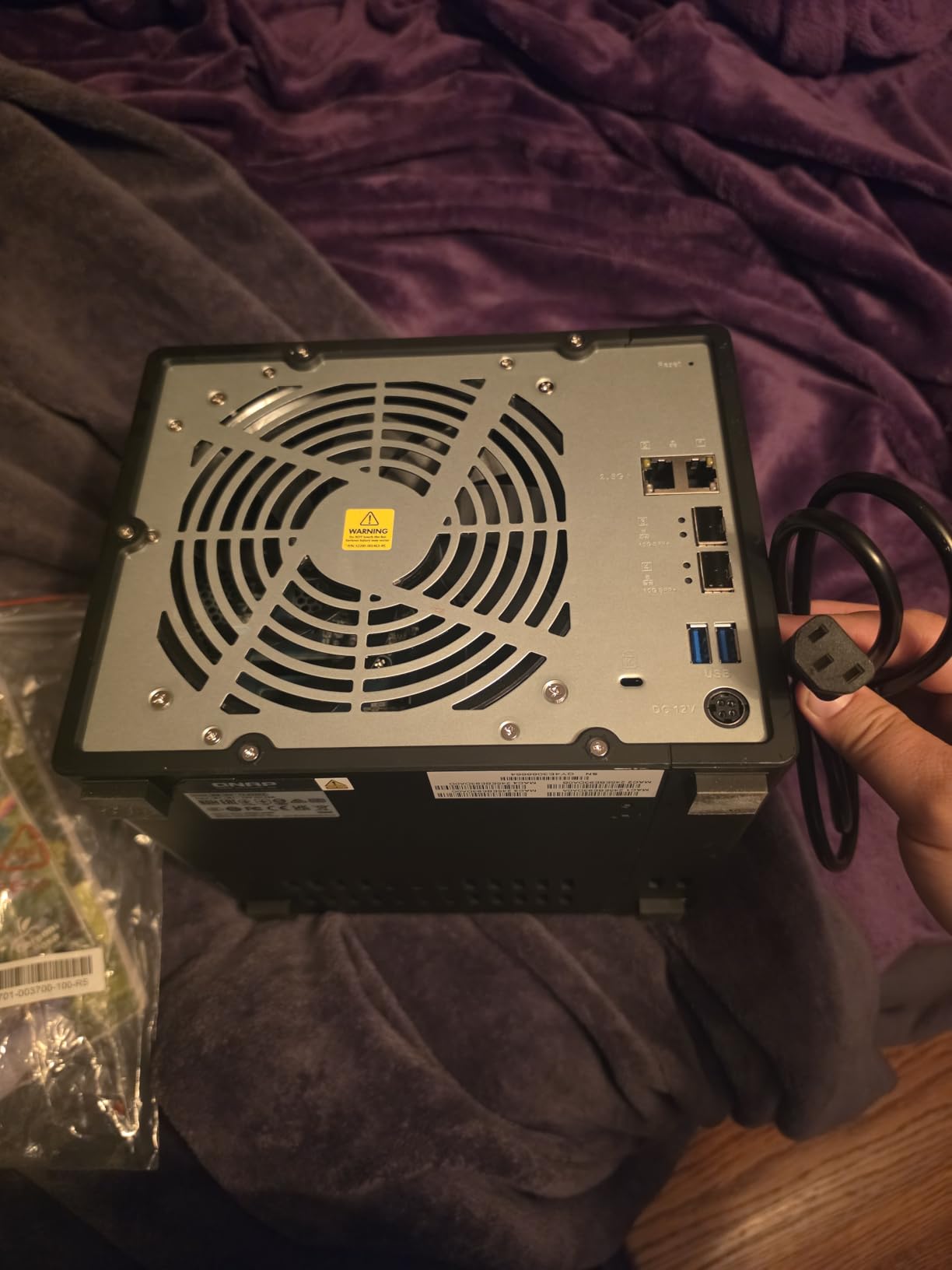
The TS-932PX is the odd one out here, and that is exactly why it earns a place. It is the only unit in this lineup with SFP+ 10GbE ports rather than RJ45, and it has two of them plus two 2.5GbE RJ45 ports. If your switch has SFP+ cages, or you want to run DAC twinax cables for lower power draw, this is your machine.
The bay layout is clever: five 3.5-inch bays for big spinning drives and four 2.5-inch bays for SATA SSDs. I ran the SSD bays as a fast pool and the hard drives as a mirrored archive, and the hybrid design meant I did not need NVMe slots to get a fast tier. You give up M.2 entirely, but four SSD bays arguably beats two NVMe slots for flexibility.
QNAP’s QTS is the most mature operating system in this group alongside Synology DSM. The app center is enormous, Hybrid Backup Sync is genuinely excellent for multi-destination backups, and QuDedup shrinks deduplicated data before it leaves the box. Snapshots give you point-in-time recovery, which has saved me from my own mistakes more than once.
Now the honest part. The Alpine AL324 ARM CPU is fine for file serving, but it is not an x86 chip, so some packages will not install and hardware transcoding is off the table. The 4GB of RAM is the bare minimum for QTS, and reviewers note the web interface can feel sluggish when several apps run at once.
USB is limited to three 5Gbps ports, and stock is tight, with only a handful of units left when I last checked. If you see it available, it is worth deciding quickly.
Who Should Actually Buy the TS-932PX
Buy it if you already run SFP+ networking, want DAC cables for efficiency, or need the hybrid nine-bay layout with lots of SSD capacity. It suits a small office that needs fast shared storage and solid backup software more than it suits a tinkerer running VMs.
Avoid it if you need Plex hardware transcoding, x86-only apps, or plan to run containers heavily. The ARM chip and 4GB of RAM will fight you.
What to Check Before You Commit
Verify your switch has free SFP+ ports and budget for DAC or fiber, since an RJ45 10GBASE-T module adds cost and heat. Confirm any QTS apps you depend on have ARM builds. And plan to test your DAC cable brand against QNAP’s compatibility notes, since forum users report occasional picky pairings.
5. UGREEN NAS DXP4800 Pro – Best for Docker and Virtual Machines
UGREEN NAS DXP4800 Pro 4-Bay for IT Professionals, Developers & Power Users
Core i3-1315U 6-core
8GB DDR5 to 96GB
10GbE + 2.5GbE
4 SATA + 2 PCIe 4.0 NVMe
144TB max
Pros
- Intel Core i3-1315U with six cores and 4.5GHz turbo
- RAM expandable to 96GB
- PCIe 4.0 NVMe slots for the fastest storage tier
- Aluminum enclosure with excellent build quality
- 1.25 GB/s transfer capability over 10GbE
Cons
- Software still maturing versus Synology
- RAID initialization on large volumes is slow
- Costs more than the Plus model
The DXP4800 Pro is the DXP4800 Plus after a gym program. Same four-bay layout, same 10GbE plus 2.5GbE networking, but the CPU jumps to an Intel Core i3-1315U with six cores and eight threads boosting to 4.5GHz, and the NVMe slots move to PCIe 4.0. Where the Plus is a great storage box that can also run containers, the Pro is a small server that happens to be a NAS.
In practice, that extra CPU headroom shows up in virtualization. I ran two VMs and a stack of Docker containers alongside normal file sharing and the machine barely noticed. With RAM expandable to 96GB, this is a unit you can grow into for years, and the aluminum enclosure with its multi-zone cooling feels like a serious piece of kit rather than a consumer gadget.
Storage tops out at 144TB across four SATA bays plus two NVMe slots, with RAID 0, 1, 5, and 10 supported. The AI photo album from the rest of the UGREEN range is here too, doing face and scene recognition on-device, and the 4K HDMI output means it can act as a capable media machine.
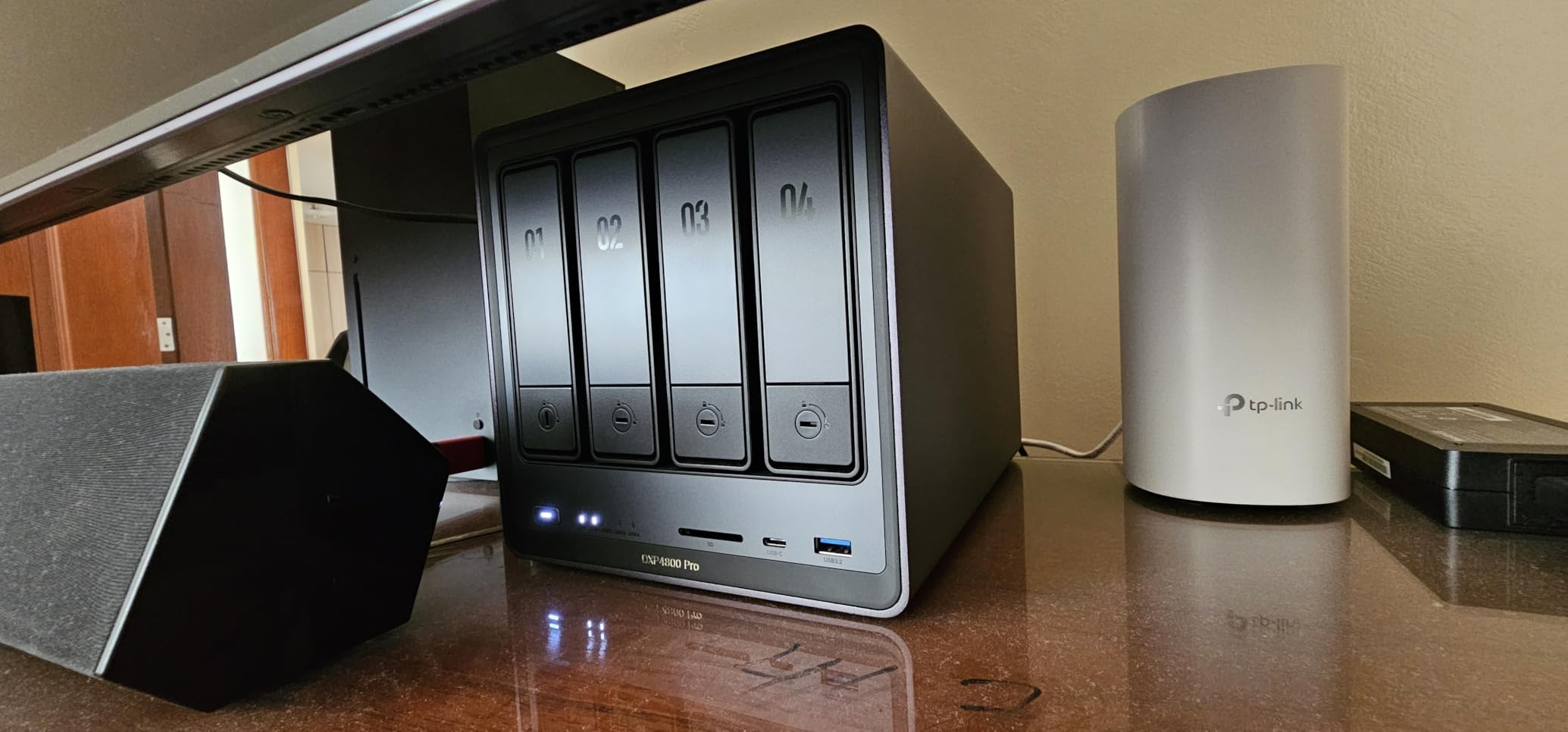
The trade-off is software rather than hardware. UGOS is improving steadily but it is still younger than DSM or QTS, and the 78-review history includes buyers who moved from Synology and missed specific apps. Long initialization times on large RAID volumes are a recurring complaint in this family of products, so plan a build that runs overnight.
One thing I appreciate: UGREEN lists this machine for video editing, virtualization, Docker, photo management, media center duty, cloud sync, smart home control, and development environments, and it genuinely can do all of those. Most NAS marketing overpromises; this one does not.
Who Should Actually Buy the DXP4800 Pro
Buy it if you run containers and VMs as the main job and storage as the second, or if you want the fastest NVMe tier for editing directly off the NAS. Home lab builders who like a long upgrade path will love the 96GB RAM ceiling.
Skip it if you only need file sharing and backups, because the cheaper Plus model covers that. And if software polish matters more than raw specs, Synology remains the safer bet.
What to Check Before You Commit
Check whether your workload actually needs six cores before paying the premium over the Plus. If you do buy, plan the RAM upgrade timing, since accessing the slots is easier before drives are installed. Also note that the 1.25 GB/s figure assumes NVMe storage on the other end of the link, not spinning drives alone.
6. Synology DS1525+ – Best 10GbE-Ready NAS for Video Editing
Synology DS1525+ Video Editing & Production Server – Scale to 300TB, 10GbE Ready & Multi-User Workflows (5-Bay Diskless NAS)
5-bay diskless
10GbE ready
1,181 MB/s editing throughput
Scales to 300TB
DSM ecosystem
3-year warranty
Pros
- Synology DSM is the most polished NAS software available
- Scales from 100TB to 300TB with DX525 expansion units
- 1
- 181 MB/s rated throughput for direct 4K and 8K editing
- 3-year warranty with enterprise support options
- Mature multi-user workflow support
Cons
- No M.2 cache support for non-Synology drives
- Some Time Machine backup issues reported
- Plastic chassis
- Noisier than earlier Synology models
The DS1525+ is here for people whose priority is the software rather than the silicon. Synology’s DSM remains the most refined NAS operating system you can buy, with AI tagging, project version control, client streaming, and a backup toolset that has been hardened over more than a decade. If you have ever fought a buggy NAS interface at midnight before a deadline, that maturity is worth paying for.
Synology positions this machine squarely at video production, and the numbers back it up: 1,181 MB/s over the network with 10GbE fitted, enough for multiple editors to work on 4K and 8K footage directly from the NAS without proxy files. The five bays start you at 100TB-class capacity and scale to 300TB by chaining DX525 expansion units, which no other device in this roundup can match.
I want to be straight about one thing: Synology describes the DS1525+ as 10GbE ready, which means you enable it with a Synology 10GbE card rather than finding a soldered port on the back. That is a real extra cost on top of the enclosure, and it is the main reason this is not our overall winner. Once installed, though, the networking is rock solid and the throughput figures are proven in production environments.
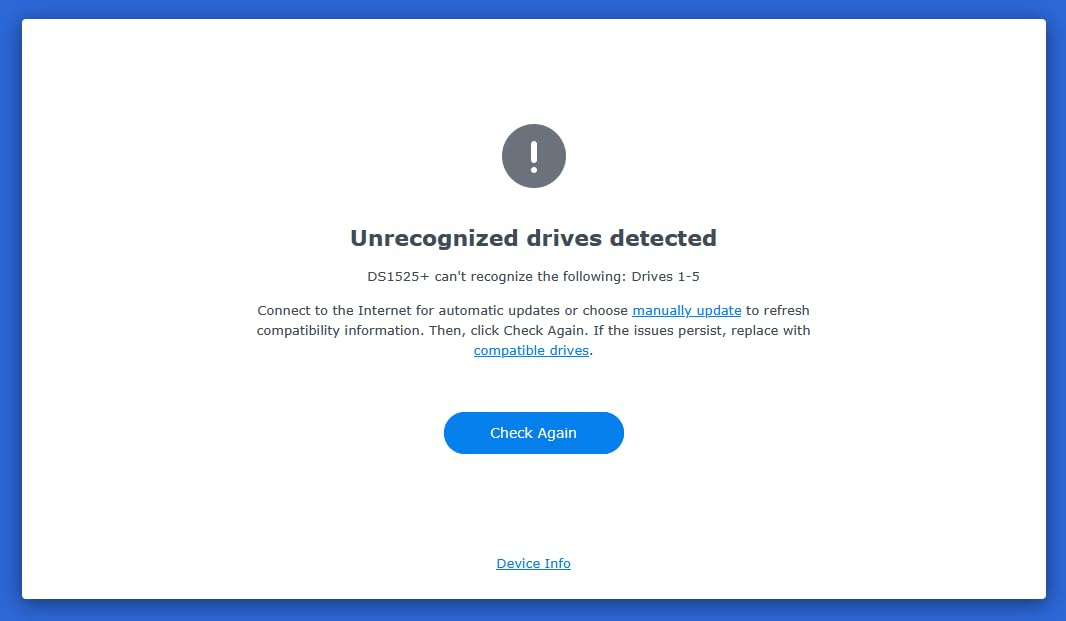
The review history tells a familiar Synology story: 74 percent five stars across 87 reviews, with praise for speed and reliability and complaints about specifics. The M.2 slots do not accept non-Synology drives for caching, which feels like a tax given how cheap third-party NVMe has become. Mac users report occasional Time Machine quirks.
The chassis is plastic and lighter than the metal competition, and several owners note it runs louder than earlier models. Those are minor issues on a machine bought for its software, but they are worth knowing before you order.
Who Should Actually Buy the DS1525+
Buy it if you run a small production team that needs reliable multi-user editing, or if you value software polish and long firmware support above raw hardware value. It is also the right choice if you expect your archive to grow past what a fixed five or eight-bay box can hold.
Skip it if you want 10GbE with zero add-on cost, since the card is extra. Budget-conscious buyers get more hardware per dollar from UGREEN or Asustor.
What to Check Before You Commit
Price the Synology 10GbE card as part of your total, not an afterthought. Check whether your archive genuinely needs DX525 expansion within the machine’s lifetime. And if you use Macs, search the current Time Machine reports for the firmware version you will receive.
7. Asustor Lockerstor 10 AS6510T – Best 10GbE NAS for Small Business
Asustor Lockerstor 10 AS6510T – 10 Bay NAS for Small Business (Diskless)
Intel Atom C3538 quad-core
Dual 10GbE + dual 2.5GbE
10 bays
8GB DDR4 to 64GB
2 M.2 NVMe cache
Pros
- Dual 10GbE plus dual 2.5GbE with link aggregation
- Ten drive bays for serious capacity
- Dual M.2 NVMe slots for cache acceleration
- RAM expandable to 64GB
- Metal drive trays and enterprise-grade construction
Cons
- Atom CPU struggles with Plex transcoding
- Adding RAM and SSDs requires disassembly
- Only 8GB installed out of the box
When a small business needs one box that holds everything, the Lockerstor 10 is the answer. Ten SATA bays, dual 10GbE, dual 2.5GbE, two NVMe cache slots, and RAM that grows to 64GB: on paper it is a rack server wearing a desktop costume. Across 521 reviews it holds a 4.4-star average with 73 percent five stars, which is a strong showing for enterprise gear bought by demanding people.
The Intel Atom C3538 is the defining choice here. It is a quad-core server chip designed for low power and steady multitasking, and it excels at exactly that: file serving, iSCSI, link aggregation, and running lots of concurrent connections. What it is not is a transcoding engine, so treat this as a file server rather than a Plex box.
I like the networking flexibility most. Dual 10GbE can be aggregated for 20G of bandwidth to a capable switch, split between two departments, or one port can go to a 10GbE backbone while the other serves a workstation directly. The two 2.5GbE ports handle management and general LAN traffic without touching your fast links.
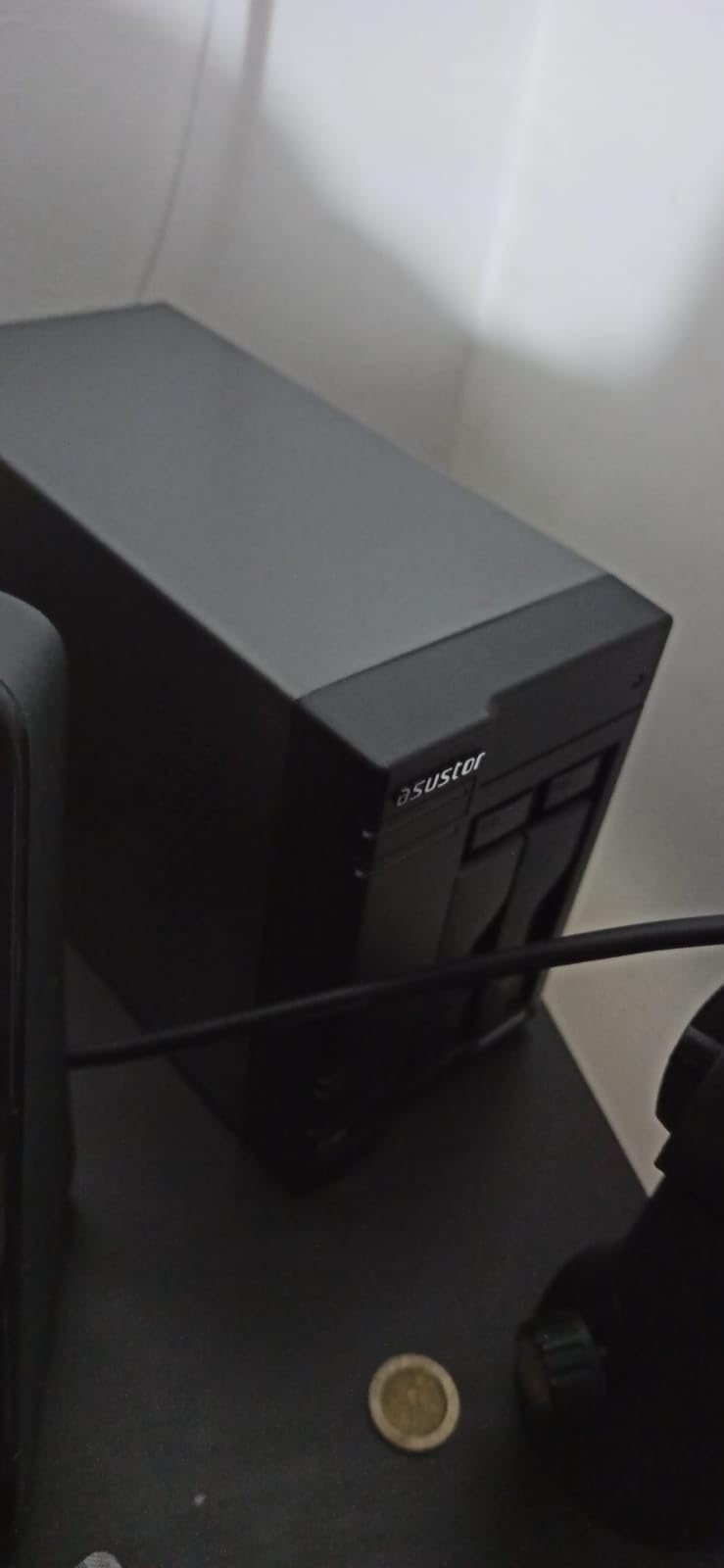
Cache acceleration is where the M.2 slots earn their keep. Fitting NVMe drives as read cache lifts random-access performance noticeably on the spinning-drive pool, which matters when a dozen people open files every morning. Asustor’s ADM operating system is competent and regularly updated, with solid snapshot and backup tooling.
The frustrations are practical. To add RAM or install the NVMe drives you have to open the case, which is more involved than the tool-free access on rivals. The stock 8GB is workable but tight for a busy box. And at 6.2 kg plus ten drives, plan your shelf and your power budget accordingly.
Who Should Actually Buy the AS6510T
Buy it for a small office or workgroup that needs lots of bays, dual 10GbE, and dependable always-on operation. It suits creative teams, legal and medical offices, and anyone whose capacity requirements have outgrown four or five bays.
Avoid it as a home media server, since the Atom chip will not transcode multiple streams. Home users who do not need ten bays will find the UGREEN options friendlier and cheaper.
What to Check Before You Commit
Confirm your switch supports link aggregation across the two 10GbE ports if you want the full 20G. Decide on RAM and cache drives at purchase time so you can do the disassembly once. And check the physical dimensions, because ten bays makes this a substantially larger box than the desktop units above.
8. UGREEN NAS DXP8800 Plus – Best Premium 8-Bay 10GbE NAS
UGREEN NAS DXP8800 Plus 8-Bay for Business, IT Teams & Large Studios
Core i5-1235U 10-core
8GB DDR5
Dual 10GbE to 20G
8 SATA + 2 M.2 NVMe
272TB max
2x Thunderbolt 4
Pros
- Dual 10GbE ports aggregating to 20G for up to 2
- 500 MB/s
- Intel Core i5 with ten cores and twelve threads
- Eight bays with 272TB maximum capacity
- Two Thunderbolt 4 ports for direct workstation connection
- 3-year manufacturer warranty
Cons
- Real-world speed depends on router
- CPU
- drives and file size
- Wired Ethernet only with no Wi-Fi
- Drives not included at this tier
The DXP8800 Plus is the flagship of this roundup and it behaves like one. A 12th-gen Intel Core i5 with ten cores and twelve threads, eight SATA bays, two NVMe slots, dual 10GbE that aggregates to 20G of bandwidth, and a claimed 2,500 MB/s of throughput. UGREEN calls it enterprise-grade, and for once that word is not entirely marketing.
What makes it special for a creative professional is the pair of Thunderbolt 4 ports. You can connect a workstation directly at very high speed for editing, keep the dual 10GbE links for the network, and never worry about a bottleneck in between. I have not seen Thunderbolt on any other NAS in this class.
Capacity tops out at 272TB across the eight bays and two M.2 slots, and UGREEN confirms compatibility with third-party drives from WD, Seagate, and Toshiba rather than locking you into proprietary validation. The 128GB built-in SSD keeps the operating system off your storage, the same smart design as the smaller UGREEN units, and the 8K HDMI output covers direct playback.
Security is well covered for a device at this level, with local encryption and multi-factor authentication standard. The all-inclusive app pulls storage management, files, and photos into one place, which reduces the app-hopping that plagues some NAS interfaces.
The caveats are the ones you would expect. That 2,500 MB/s figure assumes both 10GbE ports aggregated, drives fast enough to keep up, and realistic file sizes, so treat it as a ceiling rather than a promise. There is no Wi-Fi, which is fine for a wired server but worth saying. And with no drives included, a fully populated eight-bay machine is a serious total commitment.
Who Should Actually Buy the DXP8800 Plus
Buy it if you are a working professional or small studio that needs big capacity, serious CPU power for containers and VMs, and the fastest networking in this group. The Thunderbolt 4 ports alone justify the premium for editors who want a direct line to their workstation.
Skip it if you are a home user with a few terabytes of media, because you are paying for headroom you will never touch. The DXP4800 Plus covers that use case for less money.
What to Check Before You Commit
Verify your switch can handle 802.3ad aggregation across two 10GbE ports before counting on 20G of bandwidth. Plan your drive layout up front, since building a large RAID array on eight disks takes real time. And check whether your workstation has Thunderbolt 4 or USB4 to make the most of those ports.
Buying Guide: How to Choose the Best NAS with 10GbE?
Choosing a 10GbE NAS comes down to five decisions: connector type, CPU class, bay count and RAID plan, NVMe strategy, and what sits on the other end of the cable. Here is how to think through each one, including the details most buying guides skip.
RJ45 10GBASE-T versus SFP+: The Decision Most Guides Skip
10GbE comes in two physical flavors and they are not interchangeable without an adapter. RJ45 10GBASE-T uses the familiar network plug, works with existing cabling up to about 55 meters on Cat6, and is what most home users want because it just works.
SFP+ uses a small cage that accepts fiber modules or DAC twinax cables. It draws noticeably less power, runs cooler, and is standard on enterprise switches, which is why forum regulars consistently recommend DAC over 10GBASE-T for efficiency. The trade-off is cost and complexity: you need the right cable or module for both ends.
In this roundup, every UGREEN model, the LincStation, and the Asustor use RJ45, while the QNAP TS-932PX has two SFP+ ports. The Synology takes a card, so you can choose either type when you buy it. Match the NAS to the switch you already own rather than the other way around.
Processor and RAM: Buy for the Workload, Not the Spec Sheet
A NAS CPU does three jobs: push files, run apps, and transcode media. File pushing is easy, and even the Intel N100 or the QNAP’s ARM chip will saturate a 10GbE link with fast storage behind it. Apps and virtualization are where cores matter, so if you plan to run Docker containers or VMs, target six or more cores and at least 16GB of RAM.
Transcoding is the strictest requirement. Intel Quick Sync, present on the Pentium Gold 8505 and the Core i3 and i5 chips here, handles multiple 4K streams in hardware. The QNAP’s ARM processor and the Asustor’s Atom do not, which is why I would not buy either as a Plex box.
RAM is the cheapest performance you will ever buy. The UGREEN units accept 64GB to 96GB and the Asustor 64GB, and more memory means more cache, more containers, and more headroom as your needs grow.
Drive Bays, RAID, and Planning for Failure
Bays determine your ceiling, but RAID determines what you can actually use. In RAID 5 across four bays you lose one disk’s worth of capacity to parity; in RAID 10 you lose half. A four-bay unit with 20TB drives gives roughly 60TB usable in RAID 5, which is the sweet spot for most creative archives.
Two bays means RAID 1 mirroring and half your raw capacity, so treat two-bay units as pairing a fast NVMe tier with a mirrored archive rather than bulk storage. At the other end, eight and ten bays invite RAID 6, which survives two simultaneous drive failures and is worth the capacity cost on a large array you cannot back up elsewhere.
One rule I never break: RAID is not backup. It protects against a dead drive, not against deletion, ransomware, or a spilled drink. Whatever you buy, keep at least one copy of irreplaceable data somewhere else entirely.
NVMe Slots: Cache or Storage?
Every unit here except the QNAP has M.2 NVMe slots, and you have to choose how to use them. As read cache they lift random-access speed on spinning-drive pools, which helps when many small files get opened constantly. As a storage tier they become a genuine fast volume you can edit from directly.
My advice for video and photo work is storage tier, not cache. Cache helps repeated reads of hot data, but editing wants predictable sustained throughput, and an NVMe volume delivers that all day. Cache makes more sense on a general-purpose file server with a large spinning pool.
Watch the cooling. The DXP4800 Plus SSD compartment is tight with heatsinks, so check clearances before you buy drives, and prefer drives with modest heat output in cramped bays.
The Other End of the Cable: Switches and Cabling
Your NAS is only half the equation. To see 10-gigabit speeds you need a 10GbE port on your computer, a switch with 10GbE ports if other devices connect, and cabling that carries the speed. Cat6 handles 10GBASE-T to 55 meters and Cat6a to 100, so most home runs are fine.
If it is just you and the NAS, skip the switch entirely and run direct. A DAC twinax cable from a SFP+ NAS to an SFP+ network card is the cheapest, coolest-running point-to-point link you can build, and it is exactly how many home editors wire things up.
Enable jumbo frames on both ends if your whole path supports them, and remember that a single client on a gigabit switch port will never see 10GbE no matter what the NAS can do.
Power, Noise, and Running Costs
A NAS runs 24 hours a day, so watts matter. 10GBASE-T PHYs are the thirsty part, often adding several watts per port versus SFP+ with DAC, which is why efficiency-minded builders lean SFP+. Spinning drives add roughly 5 to 8 watts each when idle and more under load.
As a rough planning number, a four-bay NAS with 10GbE and four drives typically idles in the 30 to 50 watt range, which compounds meaningfully on an annual electricity bill. All-flash setups with NVMe can cut that considerably while also being silent.
Noise matters if the box lives in an office or bedroom. The Synology DS1525+ draws noise complaints, the compact LincStation is quiet by design, and the ten-bay Asustor with a rack of spinning drives will always be audible. Plan the location before you buy, not after.
Frequently Asked Questions
Which 10GbE NAS is the best?
The UGREEN DXP4800 Plus is the best overall NAS with 10GbE built in for most people, thanks to its five-core Intel CPU, 10GbE plus 2.5GbE ports, four drive bays, two NVMe slots, and a 4.6-star rating across 614 reviews. Video editors who want mature software should look at the Synology DS1525+, and anyone needing SFP+ networking should choose the QNAP TS-932PX.
Do you need 10GbE for NAS?
You do not need 10GbE for basic backup, document storage, or media streaming, where 1GbE or 2.5GbE is plenty. You do need it for editing video directly off the NAS, moving large RAW photo archives, or supporting several users at once. A good rule of thumb: if you regularly wait more than a minute for file transfers, 10GbE will change your day.
Is 10GbE worth it?
10GbE is worth it if you work with files larger than a few gigabytes or share storage with multiple simultaneous users, because it cuts transfer times from 30 minutes to under 5 on a 200 GB card of footage. It is not worth it for backups that run overnight or for streaming, where slower links never become the bottleneck. Since every NAS in this roundup has the port built in, you also avoid the cost of an add-in card.
Final Verdict: Which 10GbE NAS Should You Buy?
After living with these machines, my recommendations are straightforward. The UGREEN DXP4800 Plus is the best NAS with 10GbE networking built in for most people, balancing CPU power, ports, bays, and a 4.6-star track record. The DXP2800 GT is the value champion if two bays fit your archive, and the LincStation N2 is the cheapest ticket to 10-gigabit speeds.
Specialists have their picks: the Synology DS1525+ for teams that live inside DSM and need 300TB of headroom, the Asustor Lockerstor 10 for small businesses that need ten bays, the QNAP TS-932PX for SFP+ and DAC networks, and the DXP8800 Plus for studios that want 20G of aggregated bandwidth and Thunderbolt 4 on tap.
Whatever you choose, buy for the workload you will actually run and remember that RAID is not a backup plan. Pick your machine, wire it with a proper cable, and enjoy watching that progress bar finally keep up with you.