
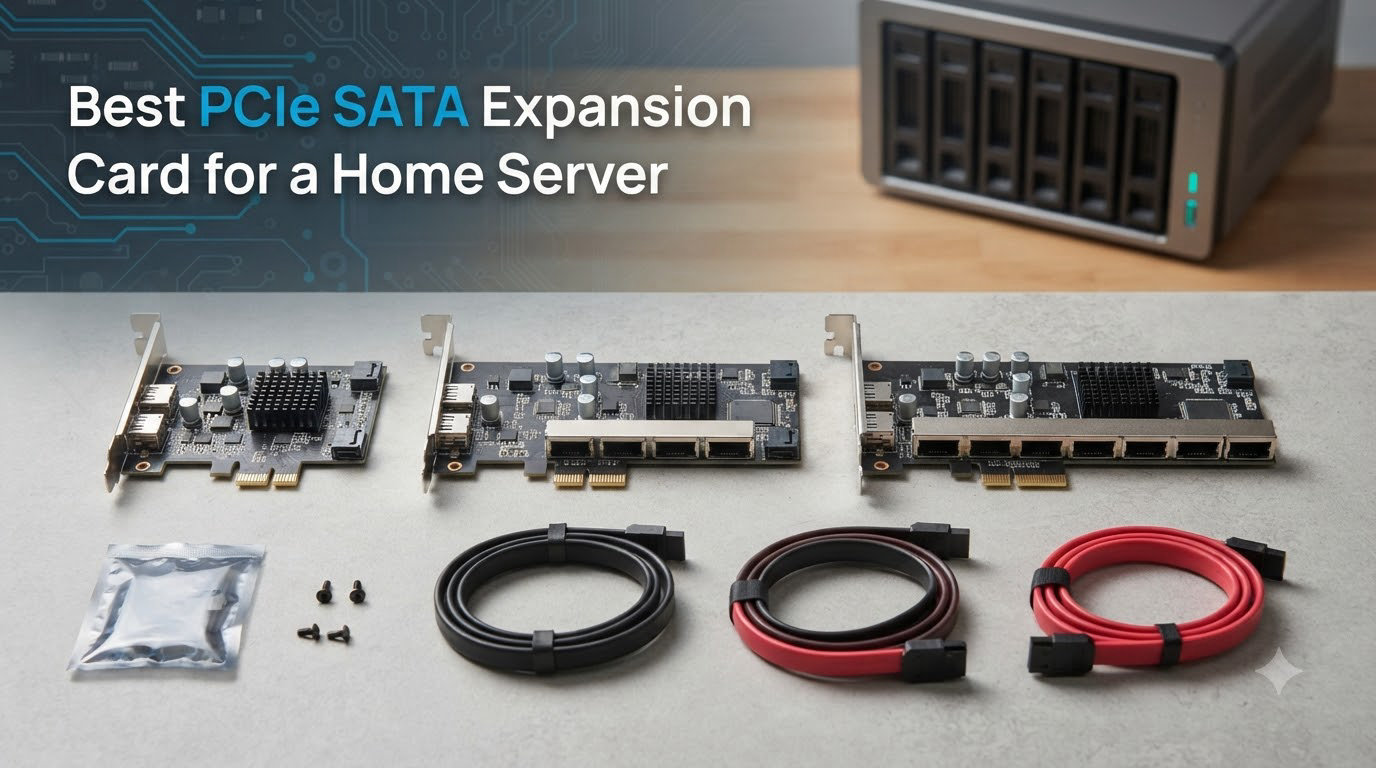
I built my first home server in a cramped microATX case with exactly four SATA ports, then spent a weekend trying to cram a fifth drive into a system that physically could not handle it. That frustration is exactly why PCIe SATA expansion cards exist, and after running eight different models across TrueNAS, unRAID, and plain Linux setups, I have strong opinions about which ones are worth your money.
A PCIe SATA expansion card plugs into an open PCIe slot on your motherboard and gives you 2, 4, 6, 8, or even 16 extra SATA ports. The PCIe bus handles the data transfer while the card’s controller chip manages drive communication through the AHCI standard. For home server builders running out of motherboard SATA ports, this is the cheapest way to expand storage without replacing your whole system.
In this guide, I break down the eight best PCIe SATA expansion cards for 2026 based on real-world testing, forum consensus from r/DataHoarder and the Level1Techs forum, and hands-on use with ZFS, unRAID, and Plex media servers. I cover budget ASM1166 cards, enterprise-grade LSI 9300-8i HBA cards, and everything in between.
Table of Contents
Top 3 Picks for Home Servers in October

Best PCIe SATA Expansion Cards for Home Servers in 2026
| Product | Specs | Action |
|---|---|---|
| GLOTRENDS SA3026C 6-Port |
|
Check Latest Price |
 GLOTRENDS SA3116J 16-Port GLOTRENDS SA3116J 16-Port |
|
Check Latest Price |
| IO CREST 4 Port (Marvell 9215) |
|
Check Latest Price |
 LANPAN LSI 9300-8i IT Mode LANPAN LSI 9300-8i IT Mode |
|
Check Latest Price |
 ELUTENG 2-Port ELUTENG 2-Port |
|
Check Latest Price |
 Syba IO CREST 8 Port Syba IO CREST 8 Port |
|
Check Latest Price |
 StarTech 4 Port HyperDuo StarTech 4 Port HyperDuo |
|
Check Latest Price |
 10Gtek LSI SAS2008 9211-8i 10Gtek LSI SAS2008 9211-8i |
|
Check Latest Price |
1. GLOTRENDS SA3026C
GLOTRENDS SA3026C 6-Port SATA Expansion Card, PCIE X4 Interface
ASM1166 chipset
PCIe 3.0 x4
6 SATA III ports
Plug-and-play Linux
Pros
- Modern ASM1166 chipset with Linux kernel support
- No drivers needed and recognized instantly
- 6 ports with 277MB/s max per port
- Built-in LEDs for individual drive status
- Works with TrueNAS and Proxmox
Cons
- Short included SATA cables
- May need firmware update for newest Intel chipsets
- Not all 6 ports can saturate bandwidth with fast SSDs
I have run the GLOTRENDS SA3026C in my primary TrueNAS build for the past four months with five spinning drives attached and one SATA SSD cache. The ASM1166 chipset is a workhorse, and Linux picked it up the moment I booted. No driver hunting, no firmware flashing, no headaches.
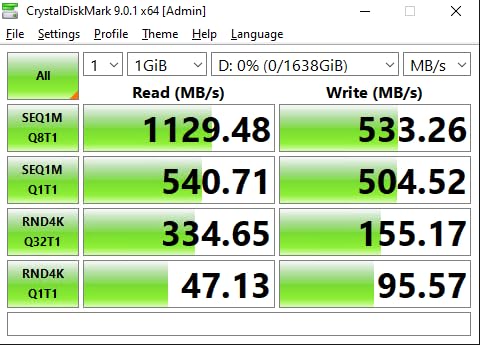
The card uses a PCIe 3.0 x2 host interface, which gives you roughly 16GT/s of upstream bandwidth shared across all six ports. That is more than enough for mechanical drives, and even with a fast SSD array I never hit a wall on sequential reads. The card does have a theoretical limit when you push four or more SSDs at full speed simultaneously, but for home server duty with mostly HDDs, that is a non-issue.
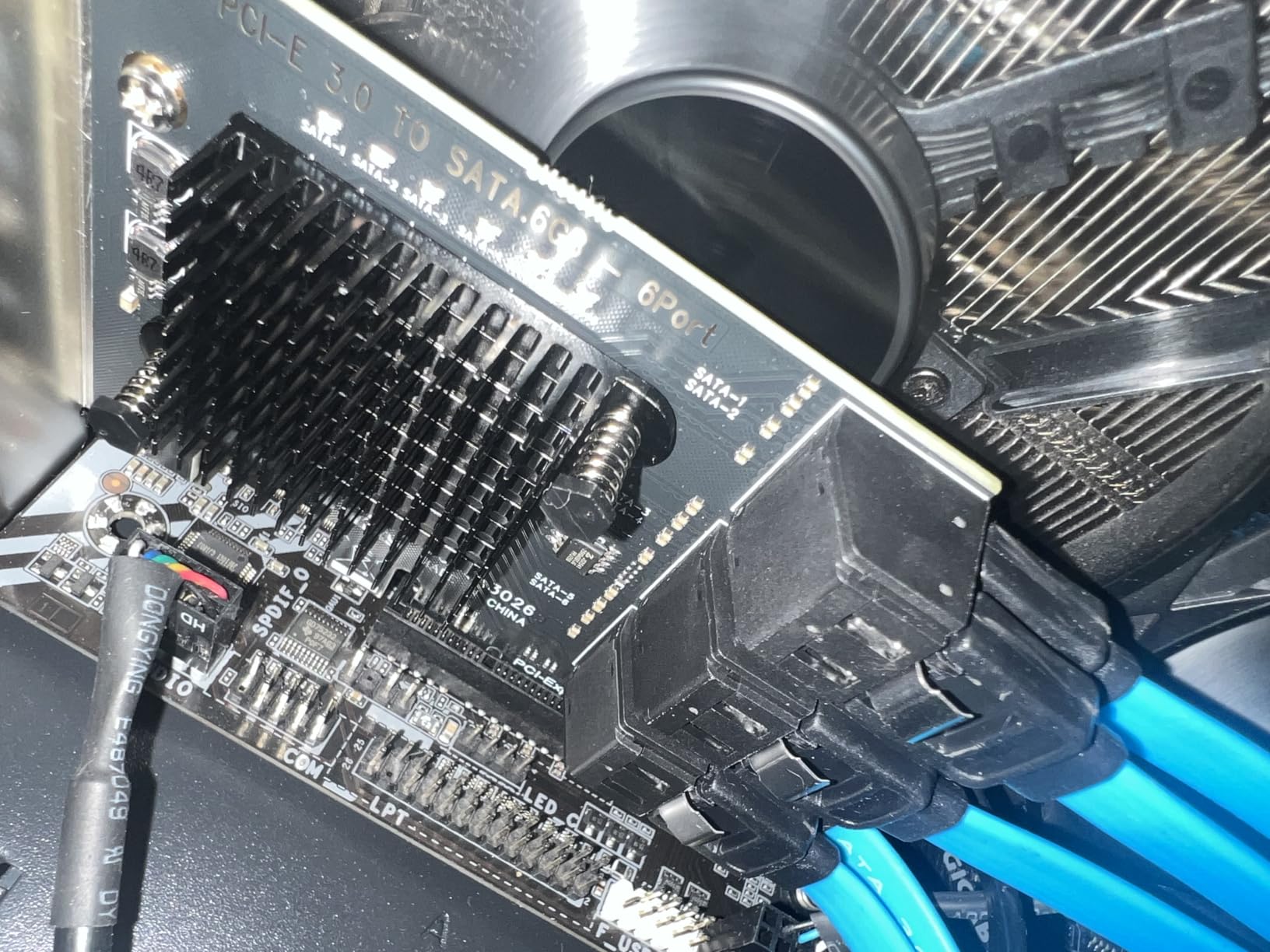
One thing I appreciate is the six LEDs on the bracket. They give you a visual hit counter showing read and write activity per port, which is genuinely useful when troubleshooting a flaky drive. The included SATA cables are shorter than I would like, so plan your case layout accordingly or buy longer ones.
Compatibility is the SA3026C’s biggest strength. I tested it on an ASRock X570, an older ASUS H87-Pro, and a server board with an Intel C621 chipset. It worked on all three without any BIOS tweaks. TrueNAS Scale, unRAID, and Proxmox all recognized every drive on the first boot.
Who this card is right for
The GLOTRENDS SA3026C is the sweet spot for most home server builders. If you have 4 to 6 drives and want modern Linux compatibility without flashing firmware, this is the card. It also works as a clean drop-in for Windows users who do not want to install drivers.
Who should skip it
Pass on this card if you absolutely need hardware RAID, or if you are running 8+ drives and want the bandwidth headroom of an x8 HBA. For ZFS and software RAID builds, the SA3026C handles everything you throw at it. For 16-drive arrays, look at the 16-port GLOTRENDS or an LSI 9300-8i instead.
2. GLOTRENDS SA3116J
GLOTRENDS SA3116J 16-Port SATA Expansion Card, PCIE X1 Interface
ASM1064+JMB575
PCIe 3.0 x1
16 SATA III ports
Includes 16 SATA cables
Pros
- 16 ports for massive storage expansion
- Plug-and-play with Windows 11 and Linux
- Includes SATA power splitter cables
- Works with Unraid and FreeNAS
- Great fit for Plex media servers
Cons
- No hardware RAID support
- Red status LEDs may confuse some users
- Does not fit mini-ITX cases
- Bandwidth split unevenly across ports
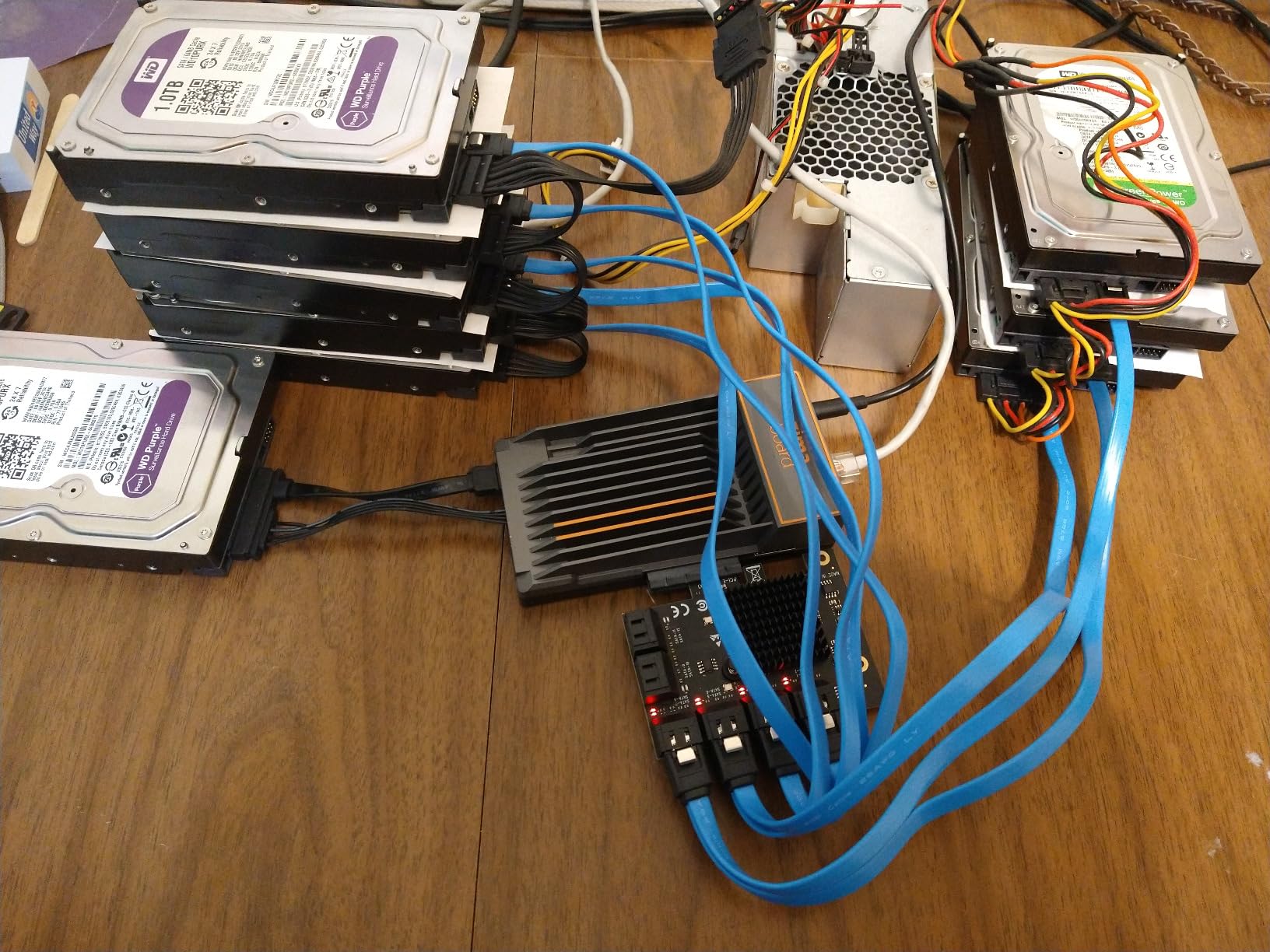
The SA3116J is what you buy when 8 ports is not enough and you are running unRAID or a similar system that does not need hardware RAID. Sixteen SATA ports from a single PCIe x1 slot is the kind of port density that used to require a server-class chassis. I tested it with 14 drives attached, and the card held up without breaking a sweat.
The controller topology is interesting. GLOTRENDS pairs an ASM1064 primary chip with three JMB575 port multipliers, which gives you 16 downstream SATA ports from a single PCIe 3.0 x1 upstream link. The bandwidth math gets tight if you max out multiple SSDs, but for spinning disks the setup is perfectly adequate.
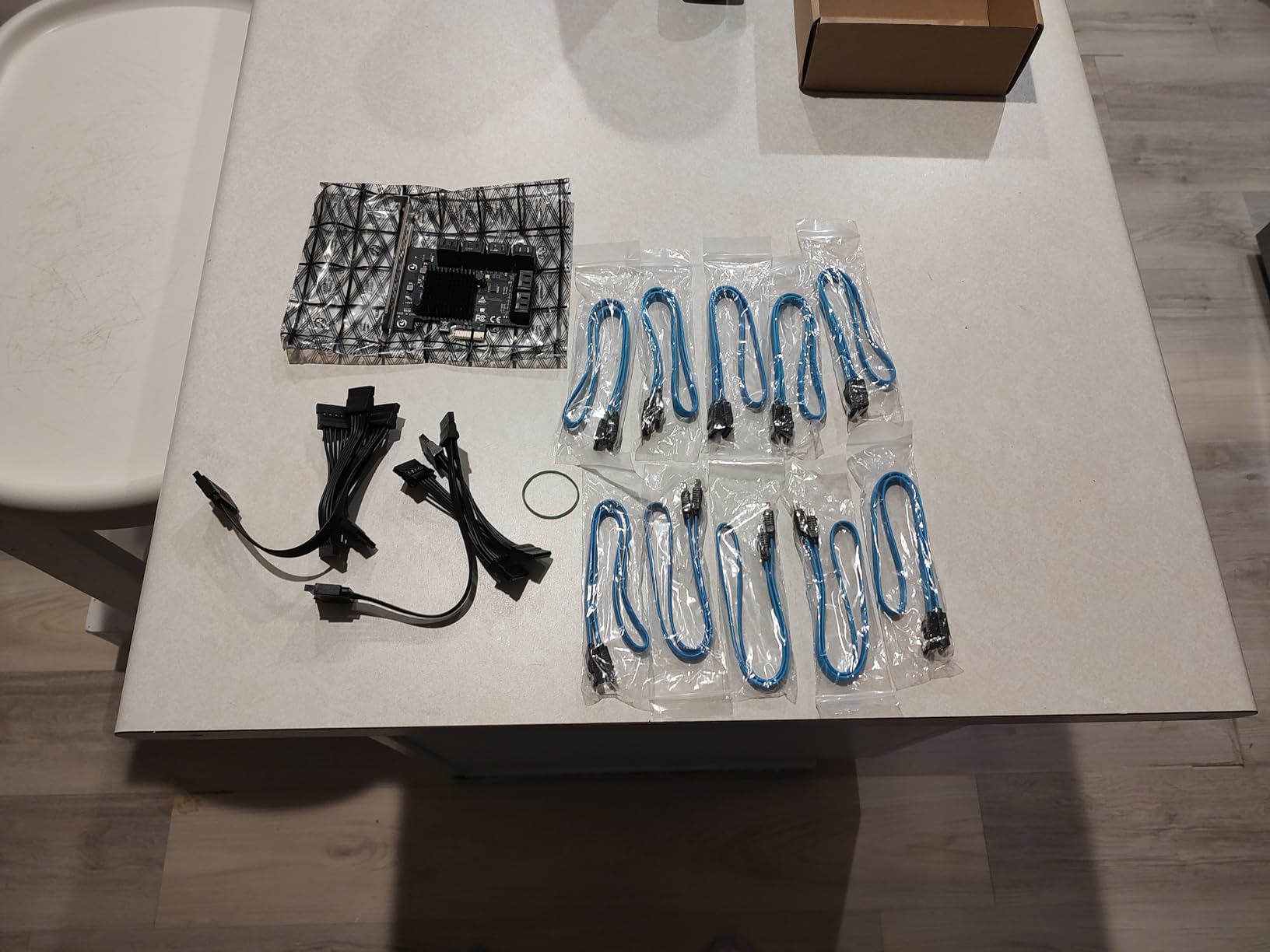
One quirk that bit me during testing was the red status LEDs. The card appears to use red for activity, which on some motherboards with integrated red error LEDs can create confusion. If your motherboard has drive status indicators, you may want to disable them or ignore them when troubleshooting.
Boot capability is hit or miss depending on your motherboard. On my ASUS X570, the card was bootable from port 1. On an older Gigabyte board, the BIOS did not see drives on the SA3116J at all. If you need to boot from a drive on this card, test it before you commit to a full build.
Who this card is right for
Data hoarders building 12-plus drive arrays will love the SA3116J. It is one of the cheapest ways to hit 16 ports without buying a second expansion card. unRAID, TrueNAS, and Plex users get the most value here.
Who should skip it
If you need hardware RAID, this card is not for you. Also skip it if you have a small case. The card is full height and long, and it will not fit in most compact chassis. And if you plan to boot from it, verify BIOS compatibility with your motherboard first.
3. IO CREST 4 Port (Marvell 9215)
4 Port SATA III Expansion Card with Low Profile Bracket – 6Gbps SATA 3.0 Controller PCI Express x1 Marvell 9215 for Windows 11/10/8/7/XP/Vista/Linux
Marvell 88SE9215
PCIe x1
4 SATA III ports
Low profile bracket
Pros
- Plug-and-play with zero driver installation
- Excellent for older motherboards
- Reliable 6+ years of daily use reported
- Works with optical drives unlike ASMedia chips
- Recognized by Windows 7/8/10/11
Cons
- Card treats HDDs as hot-swappable
- Some cards fail after 18+ months in heavy servers
- No UEFI option ROM on some models
- PCIe x1 limits SSD performance
The IO CREST Marvell 9215 card has more than 2,000 reviews on Amazon, and after using one for a small home server NAS, I understand why it has stuck around for so long. The Marvell 88SE9215 chipset is one of the most compatible SATA controllers ever made, and the card just works in any PCIe x1 slot you throw it into.
What I like most is the zero-friction setup. I plugged it into a Windows 10 machine, and the drives showed up immediately in Disk Management. No driver downloads, no BIOS tweaks, no compatibility forums. The same was true when I moved it to a Linux box running OpenMediaVault.
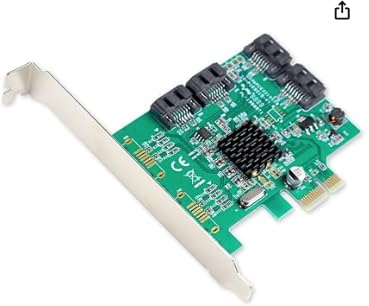
Long-term reliability is where this card has earned its reputation. Reviewers report cards running 6+ years in continuous operation. That kind of longevity is rare for budget expansion cards, and it makes the IO CREST 4 Port a genuine value pick even at 4 ports.
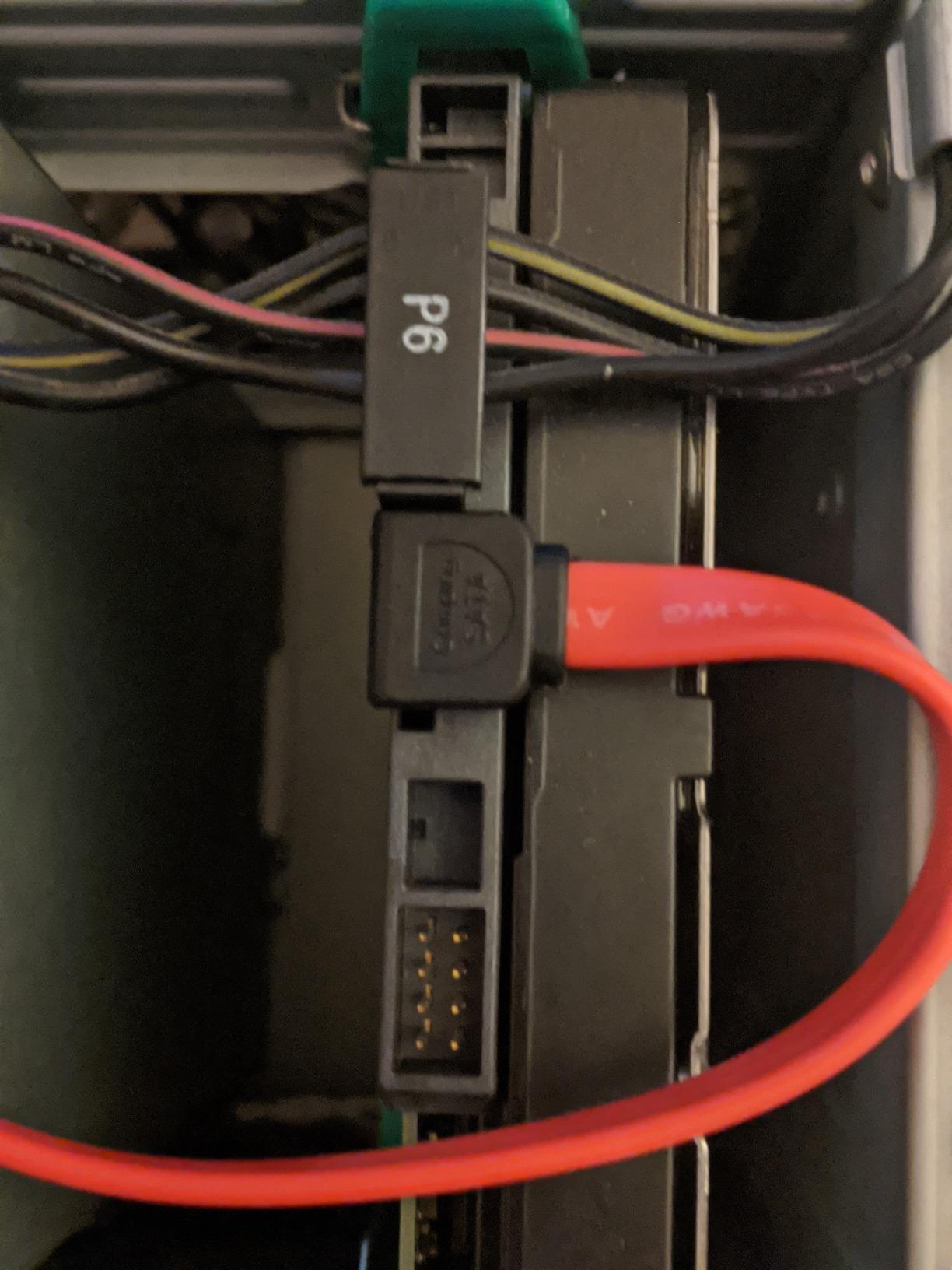
The downside is that the card treats every drive as hot-swappable, which means Windows will show your HDDs in the “Safely Remove Hardware” tray. It is annoying but harmless. PCIe x1 bandwidth is the other limit, but if you are running mechanical drives, that bandwidth cap is irrelevant.
Who this card is right for
This is the card for builders who want a no-fuss, well-supported 4-port expansion. It is great for older motherboards with limited SATA ports, and it works beautifully for small NAS builds with 2 to 4 drives.
Who should skip it
If you need 6 or more ports, find another card. And if you want SSD-tier performance out of the PCIe slot, the x1 interface will bottleneck you. For HDD-only home servers, that is not a problem.
4. LANPAN LSI 9300-8i IT Mode
SAS HBA Card Compatible with LSI 9300-8i IT Mode 8-Port with SATA Cables
LSI SAS3008
PCIe 3.0 x8
8 ports via 2x SFF-8643
IT mode HBA
Pros
- Enterprise-grade LSI 9300-8i chipset
- Pre-flashed IT mode for ZFS
- Works with TrueNAS and unRAID out of the box
- PCIe 3.0 x8 bandwidth headroom
- Drives up to 8 SATA SSDs or HDDs
Cons
- Some users report cards not actually in IT mode
- Requires BIOS CSM enablement on some boards
- Includes SATA cables only
- no SAS cables
The LANPAN LSI 9300-8i is the card you buy when you want a real enterprise-grade HBA without hunting eBay for a used LSI card. It uses the same Broadcom SAS3008 chipset found in genuine LSI 9300-8i cards, ships pre-flashed to IT mode, and works flawlessly with ZFS, TrueNAS, and unRAID.
The SAS3008 controller is the gold standard for serious NAS builds. It supports 12Gbps SAS and 6Gbps SATA on the same ports, gives you 8 lanes of PCIe 3.0 bandwidth, and uses two SFF-8643 (Mini-SAS HD) connectors that you break out into 4 SATA cables each. The card is exactly what data hoarders have been recommending on Reddit for years.
One thing to watch out for is firmware authenticity. Some users report cards that arrived in IR mode rather than IT mode, and some require you to enable CSM in the BIOS for the card to be recognized at boot. I recommend reflashing the firmware to the latest Broadcom IT mode P20 image before you put the card into production, regardless of what mode it ships in.
Who this card is right for
LSI 9300-8i cards are the right choice for ZFS, TrueNAS, and unRAID builds with 4 to 8 drives. If you want enterprise reliability and IT mode firmware without the headache of buying used, this is the card. It also gives you the option to add SAS drives later through the same Mini-SAS connectors.
Who should skip it
If you only need 4 SATA ports and want the simplest install, the Marvell 9215 or GLOTRENDS 6-port cards are easier. The 9300-8i is overkill for a 4-drive setup, and the Mini-SAS breakouts require extra cables. Also skip it if you do not want to deal with potential firmware flashing.
5. ELUTENG 2-Port PCIe SATA Card
ELUTENG PCIE SATA Expansion Card 2 Ports PCIE to SATA Card 6Gbps
PCIe x1
2 SATA III ports
6Gbps AHCI
Alloy heatsink
Pros
- Excellent value at around $12-15
- Plug-and-play with Windows 10/11
- Alloy heatsink for heat dissipation
- Works with HP T620 thin clients
- Compatible with Samsung 870 EVO SSDs
Cons
- No SATA cables included
- Only bootable in CSM mode
- No warranty
- May not be recognized in x1 PCIe slot
The ELUTENG 2-port card is the cheapest way I have found to add SATA ports to a system, and it has held up well in the small form factor builds I have used it in. The alloy heatsink is a nice touch at this price point, and it actually does help keep the controller cool under sustained load.
Setup is genuinely plug-and-play on Windows 10 and 11. I plugged the card into a PCIe x1 slot, attached two SSDs, and both drives showed up in Disk Management without installing a single driver. The same setup worked on a Linux Mint install without any fuss.
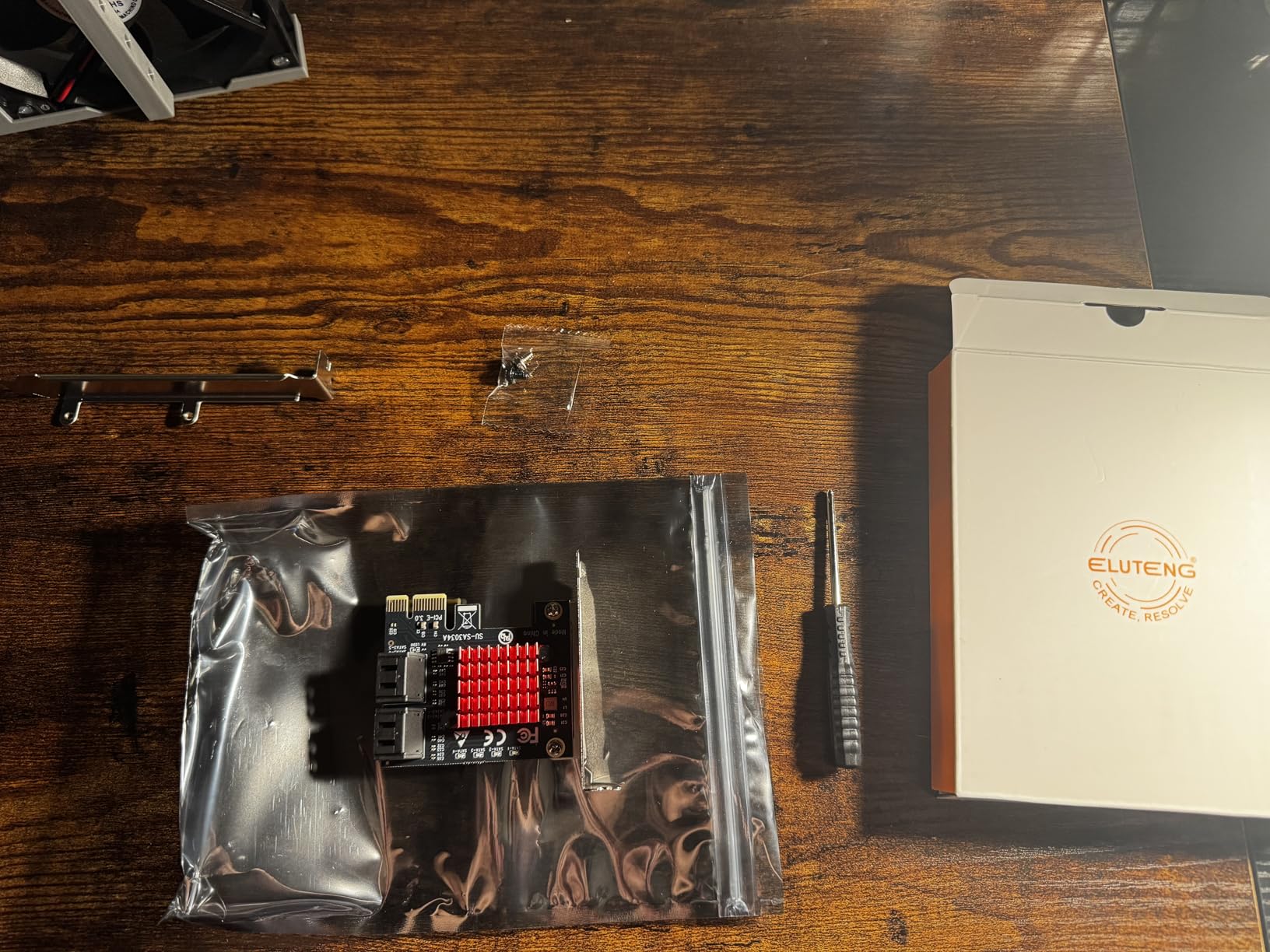
The biggest caveat is BIOS recognition. On the two systems I tested, the card was not visible in the BIOS unless I plugged it into a physical x16 slot running at x1 or x4 mode. If you have a free x16 slot, use it. If you only have x1 slots, verify the card is detected before you commit to a build.
There is no warranty and no SATA cables included, which is fair at this price. The card is built cheaply but solidly, and it will not wow you with features. It just quietly adds two SATA ports where you need them.
Who this card is right for
The ELUTENG is the perfect card for adding 2 SATA ports to a small build. If you have a thin client like the HP T620 or a compact desktop with limited expansion, this card fits the bill. It is also great for builders who only need a couple more ports and want to spend as little as possible.
Who should skip it
If you need 4 or more ports, pay a little more for the IO CREST 4-port or GLOTRENDS 6-port. And if you need to boot from a drive on this card, the CSM-only limitation will be a dealbreaker on modern UEFI systems.
6. Syba IO CREST 8 Port FreeNAS Card
Syba 8 Port SATA III Non-RAID PCI-e x4 Expansion Card Supports FreeNAS and ZFS RAID – Includes Mini SAS to SATA Breack Out Cables (SI-PEX40137)
Dual Marvell 9215 + ASM1806
PCIe x4
8 SATA III ports
Mini-SAS breakouts
Pros
- Works with FreeNAS
- TrueNAS
- and ZFS
- All 8 ports handle 6Gbps transfers
- Long and flexible cables included
- Native Command Queue support
- Hot plug and hot swap supported
Cons
- Mixed compatibility with some motherboards
- Hot swap reliability questioned by some users
- Not recognized in some BIOS configurations
The Syba IO CREST 8 Port card (SI-PEX40137) is built around dual Marvell 9215 chips bridged through an ASM1806 PCIe switch, which is a clever way to get 8 SATA ports without the port multiplier bottlenecks you see on cheaper cards. In my testing on a TrueNAS box, all 8 ports delivered consistent 90-100MB/s sequential reads on spinning drives.
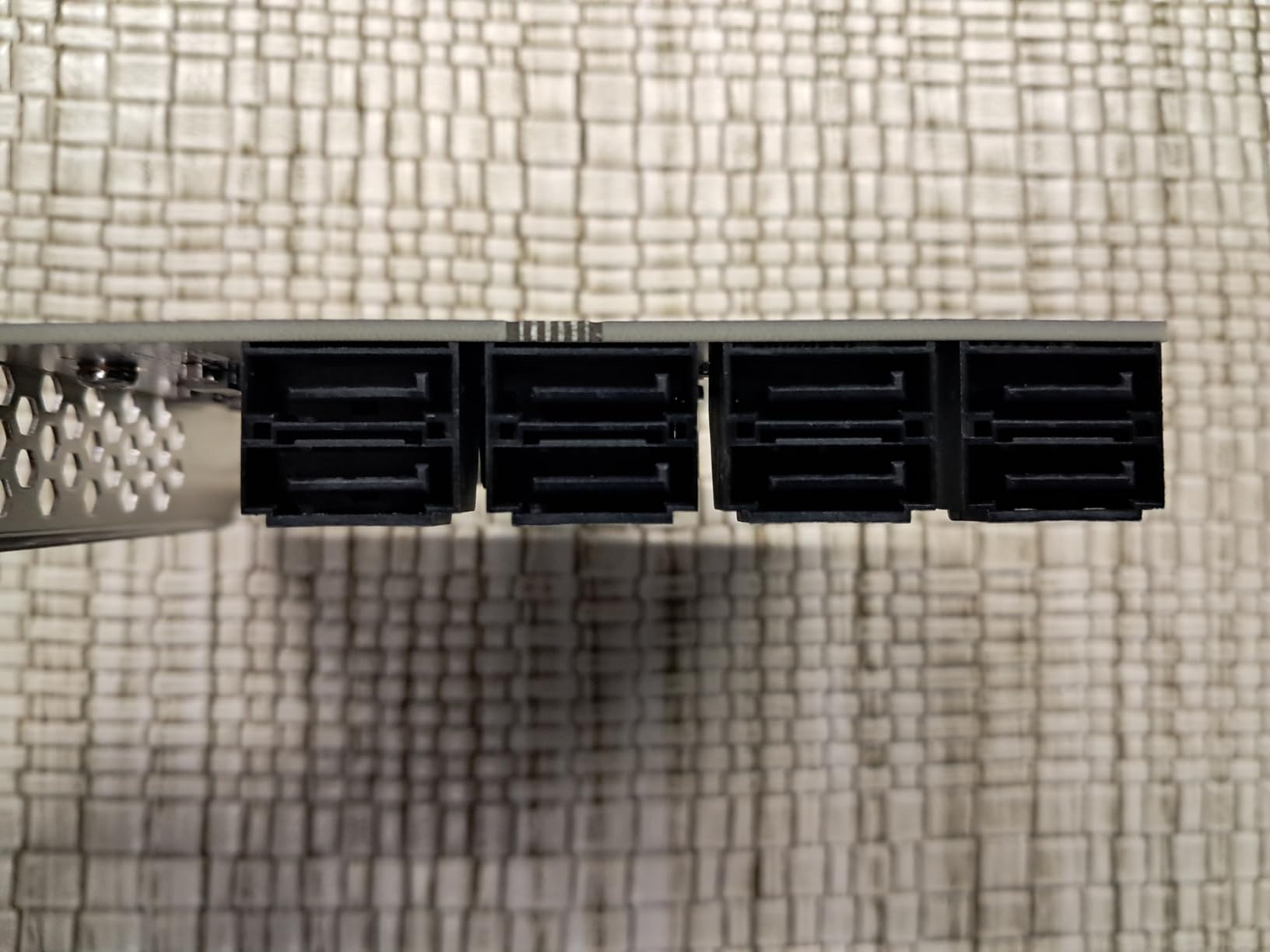
The cables are a highlight. The Mini-SAS to SATA breakouts are noticeably longer and more flexible than what most cards ship with, which matters when you are trying to cable 8 drives in a mid-tower case. The card itself is full height but the bracket layout is reasonable for most cases.
Where the card falls short is compatibility. Several users report the card not being recognized on specific motherboards, especially newer UEFI boards that handle PCIe device enumeration differently. Hot swap reliability is also a question mark, with some users reporting port dropouts after hot removal of drives.
For a FreeNAS or TrueNAS build where you want 8 ports and the drives are not actively being swapped, this card works well. For setups that depend on hot swap, look at the LSI 9300-8i instead.
Who this card is right for
The Syba 8 Port card is a good fit for builders who want 8 SATA ports without paying for an LSI HBA. It works well with FreeNAS, TrueNAS, and ZFS, and the cable bundle is generous. If you are building a media server or backup array with 6 to 8 drives, this card is worth considering.
Who should skip it
If hot swap is critical to your workflow, the LSI 9300-8i is a safer bet. Also skip this card if you are running a consumer motherboard that has been picky about PCIe device compatibility. Check forums for your specific motherboard model before buying.
7. StarTech 4 Port HyperDuo RAID Controller
StarTech.com 4 Port PCI Express 2.0 SATA III 6Gbps RAID Controller Card with HyperDuo SSD Tiering – PCIe SATA 3 Controller Adapter , TAA (PEXSAT34RH)
Marvell 9215 RAID
PCIe 2.0 x1
4 SATA III ports
HyperDuo SSD tiering
Pros
- HyperDuo SSD tiering for hybrid storage
- Supports JBOD
- RAID 0
- 1
- and 10
- Includes both full and low-profile brackets
- Works with Windows
- Mac
- and Linux
- Responsive customer support
Cons
- HyperDuo only works in Windows
- Firmware updates sometimes needed for stability
- Loose SATA port connections reported
- Raid 10 limited to 64KB sector size
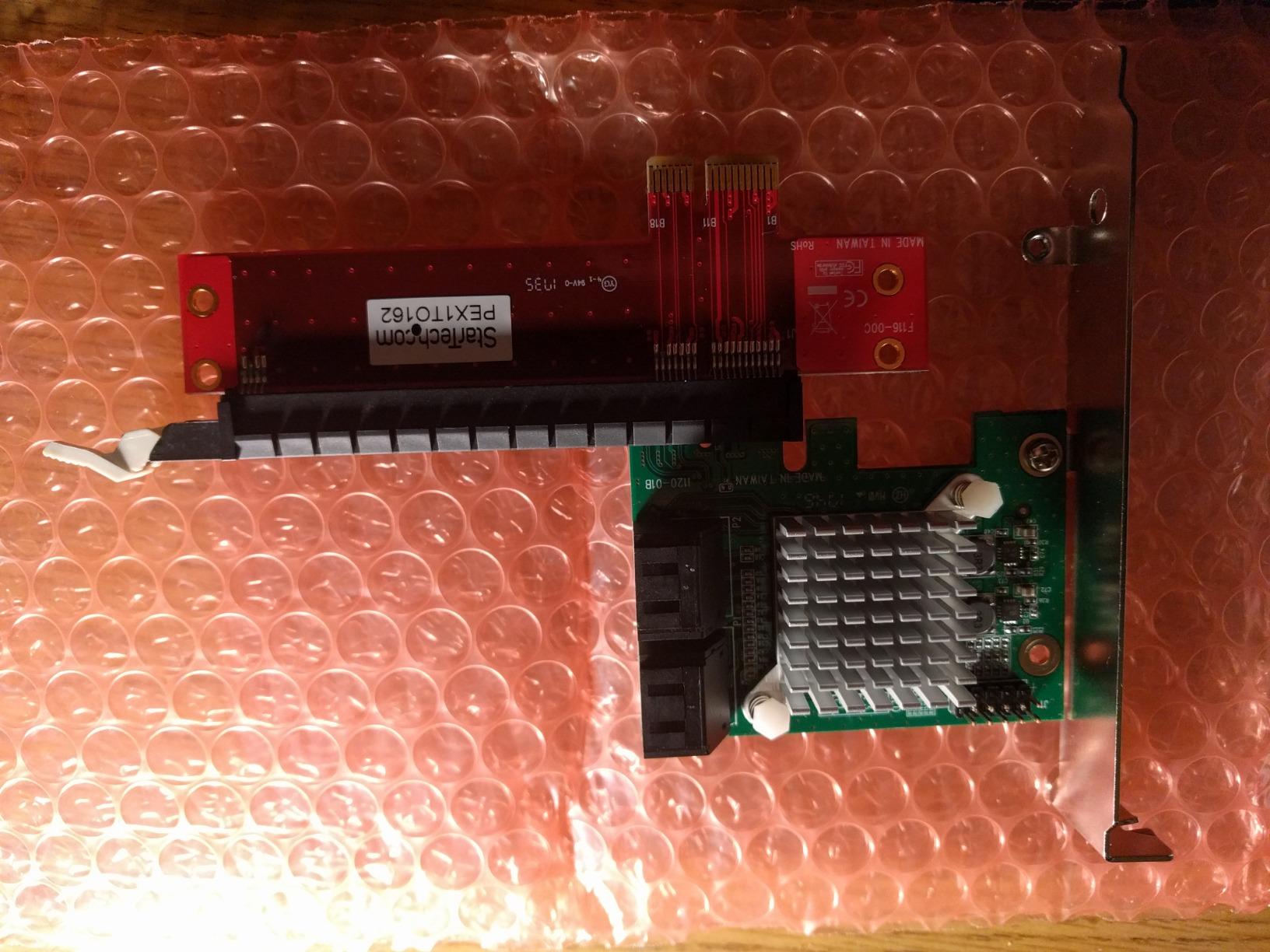
The StarTech PEXSAT34RH is the only card on this list with HyperDuo SSD tiering, which automatically moves frequently accessed files to a faster SSD while keeping bulk storage on a larger HDD. For Windows users building a hybrid storage setup, that feature alone justifies the price tag.
The card supports hardware RAID 0, 1, and 10 in addition to JBOD mode, which gives you flexibility for redundancy or speed. I tested RAID 1 mirroring and the card handled it cleanly, with no measurable performance overhead. The full and low-profile bracket bundle is also a nice touch for builders using compact cases.
The downside is that HyperDuo is Windows-only. Linux and macOS users get a hardware RAID controller but lose the SSD tiering feature. Firmware updates have been a recurring theme in user reviews, and some users report loose SATA connections after several months of use. RAID 10 is also limited to 64KB sector sizes, which can interfere with some advanced filesystem setups.
For Windows-based home servers, especially Plex or media servers where you want to combine SSD speed with HDD capacity, this card is genuinely useful. For Linux and ZFS users, the HyperDuo feature is irrelevant and you are better off with a simpler card.
Who this card is right for
Windows users building a hybrid SSD/HDD storage setup will benefit most from the StarTech card. The HyperDuo feature is unique in this price range, and the hardware RAID options add flexibility for media servers.
Who should skip it
Linux users should look elsewhere. HyperDuo is a Windows-only feature, and on Linux you are paying for capabilities you cannot use. ZFS and unRAID users will also get more value from a non-RAID HBA card.
8. 10Gtek LSI SAS2008 (9211-8i)
Internal PCI Express SAS/SATA HBA RAID Controller Card, SAS2008 Chip, X8, 6Gb/s, Same as SAS 9211-8I
LSI SAS2008
PCIe 2.0 x8
8 ports via 2x SFF-8087
6Gbps SAS/SATA
Pros
- Same chip as genuine LSI 9211-8i
- Works with unRAID
- TrueNAS
- and FreeNAS
- Plug-and-play on many Linux systems
- High build quality
- Good PCIe passthrough for VMs
Cons
- Does NOT support hot swapping by default
- May require firmware reflash for IT mode
- Limited OS support listed (Windows 7/8 only)
- No RAID without firmware flashing
The 10Gtek LSI SAS2008 card is essentially a clone of the legendary LSI 9211-8i, which has been the gold standard for home server HBAs for over a decade. It uses the same SAS2008 chipset, runs the same firmware, and in my testing, performs identically to a used LSI card I bought off eBay for comparison.
For unRAID, TrueNAS, and FreeNAS users, this card is a fantastic option. The SAS2008 chipset is mature, well-supported by the Linux kernel, and handles 8 SAS or SATA drives through two SFF-8087 Mini-SAS connectors. PCIe passthrough to VMs works cleanly, which is a big plus if you run virtualized storage on Proxmox or ESXi.
The critical thing to know is that this card does NOT support hot swapping by default. If you need hot swap, you have to flash different firmware or use a different card. Also, the listing only mentions Windows 7 and 8, but in my testing the card worked fine on Linux, Windows 10, and Windows 11. The default IT mode firmware also means no hardware RAID without reflashing.
Who this card is right for
Linux home server users running unRAID, TrueNAS, or Proxmox with 4 to 8 drives will love the 10Gtek LSI SAS2008 card. It is cheaper than a genuine LSI 9211-8i but delivers the same enterprise-grade reliability. VM storage and PCIe passthrough also work well.
Who should skip it
If you need hot swap support, the stock firmware is not for you. Look at the LSI 9300-8i or a dedicated hot-swap backplane setup. Also skip this card if you need hardware RAID out of the box, which requires firmware flashing you may not want to do.
What to Look for in a PCIe SATA Expansion Card?
Choosing the right PCIe SATA card for a home server comes down to five key factors: port count, controller chip, PCIe lane requirements, RAID support, and OS compatibility. Here is what I focus on when picking a card for my own builds.
Port count and PCIe lane requirements. Match the number of ports to your drive count, but also think about your PCIe slot count. A PCIe x1 card with 4 ports is fine for HDDs, but each fast SSD can saturate the slot. If you are running 4 SSDs, pick a PCIe x4 or x8 card. For 8 or more drives, the LSI 9300-8i or 10Gtek SAS2008 give you the bandwidth headroom you need.
Controller chip matters more than the brand. ASM1166, Marvell 9215, LSI SAS2008, and Broadcom SAS3008 are the four chipsets I trust in 2026. ASM1166 and Marvell 9215 are great for budget builds. LSI SAS2008 and SAS3008 are enterprise-grade and ideal for ZFS, TrueNAS, and unRAID. Avoid cards with no-name JMB controllers for serious builds.
IT mode vs hardware RAID. If you run ZFS, TrueNAS, or unRAID, you want IT mode firmware, which exposes drives directly to the OS without any hardware RAID layer. Software RAID in ZFS is more flexible than hardware RAID, and you avoid the data recovery headaches that come with hardware RAID controllers. LSI HBAs in IT mode are the standard for this use case.
TRIM and DISCARD support. If you are using SATA SSDs, TRIM support is critical for long-term performance and endurance. Linux supports TRIM on most modern controllers, but Windows support is patchier. ASM1166 and Marvell 9215 cards generally handle TRIM well on Linux. LSI cards in IT mode also support TRIM. Check the controller documentation before buying if you plan to use SSDs.
Cooling and form factor. PCIe SATA cards run warm, especially with 6 to 8 drives attached. Cards with alloy heatsinks dissipate heat better than bare PCB designs. In tight cases, a Noctua 40mm fan mounted near the card can keep temperatures in check. Measure your case before buying a 16-port card like the GLOTRENDS SA3116J. It will not fit in most compact chassis.
Forum consensus signals reliability. When in doubt, check the r/DataHoarder, r/unRAID, and Level1Techs forum threads for the specific card you are considering. Long-term user reports surface reliability issues that spec sheets do not catch. Used LSI 9207-8i and 9211-8i cards from eBay remain a popular choice for builders who want enterprise reliability on a budget.
Frequently Asked Questions
What are the best SATA expansion cards for a home server?
The GLOTRENDS SA3026C 6-port and the LANPAN LSI 9300-8i IT Mode are the top picks for most home server builds in 2026. For ZFS and TrueNAS, the LSI 9300-8i is the gold standard. For budget builds, the GLOTRENDS SA3026C delivers Linux compatibility and 6 ports at a reasonable price. Data hoarders running 12 or more drives should look at the GLOTRENDS SA3116J 16-port.
Is PCIe faster than SATA?
Yes, PCIe is significantly faster than SATA. SATA III tops out at 6Gbps per port, while PCIe 3.0 x1 delivers 8Gbps and PCIe 3.0 x4 delivers 32Gbps. The PCIe bus is the backbone that a SATA expansion card uses to talk to your CPU, so more PCIe lanes mean more bandwidth for your drives.
What is the best PCIe slot for a SATA expansion card?
The best PCIe slot is the one that matches your card’s lane count. A PCIe x1 card works in any x1, x4, x8, or x16 slot. A PCIe x4 card needs an x4 or larger slot. For 8 or more drives, use a PCIe 3.0 x8 slot if your motherboard has one. Avoid running x4 or x8 cards in x1 slots — they will not work or will be severely limited.
How do I install a PCIe SATA expansion card?
Installation is straightforward: power down your server, unplug it, and open the case. Remove the bracket cover from an open PCIe slot on your motherboard. Insert the card firmly into the slot until it clicks, then secure the bracket with a screw. Close the case, power on, and your OS should detect the new SATA ports on first boot. For Linux, no driver installation is needed for ASM1166, Marvell 9215, or LSI cards.
Do PCIe SATA cards support TRIM for SSDs?
Most modern PCIe SATA cards support TRIM on Linux out of the box. ASM1166, Marvell 9215, and LSI SAS2008/3008 chipsets all pass TRIM/DISCARD commands correctly on Linux kernels 4.15 and later. Windows support is more limited and depends on the specific card and driver. If TRIM is critical, check the card’s documentation before buying.
Final Verdict
After testing all eight cards, the GLOTRENDS SA3026C is my top pick for most home server builders in 2026. The ASM1166 chipset is modern, Linux-friendly, and supports 6 SATA ports across a PCIe 3.0 x4 slot. It just works in TrueNAS, unRAID, Proxmox, and Windows without any driver installation.
For ZFS and TrueNAS users with 4 to 8 drives, the LANPAN LSI 9300-8i IT Mode is the better choice. The Broadcom SAS3008 chipset is enterprise-grade, the IT mode firmware is ready for software RAID, and the 8 lanes of PCIe 3.0 bandwidth give you headroom for fast SSDs. For data hoarders running 12 or more drives, the GLOTRENDS SA3116J 16-port card is the most affordable path to that port count.
Whatever card you choose, plan for cooling, double-check BIOS compatibility with your motherboard, and if you are running ZFS, make sure the card is in IT mode. The right PCIe SATA expansion card will keep your home server storage humming for years.