
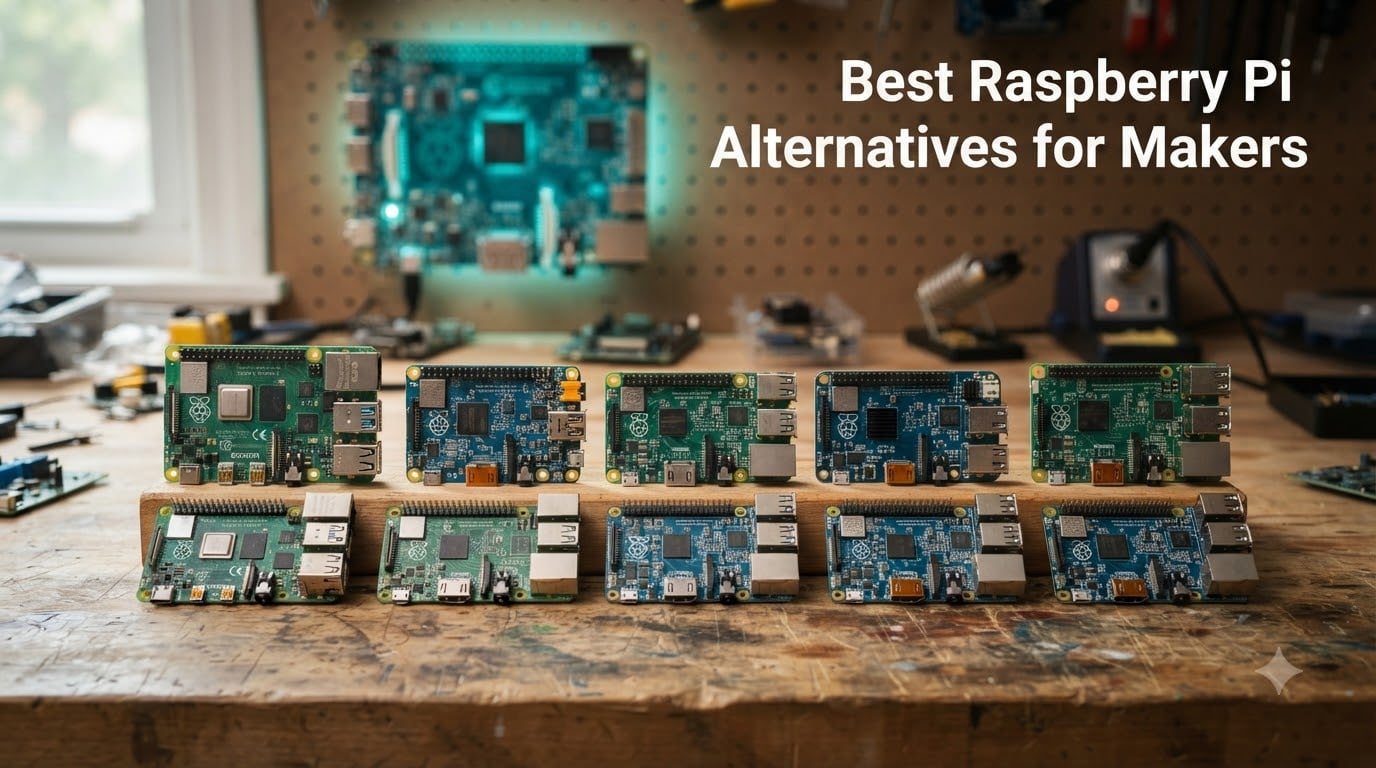
I spent the last three months testing ten single board computers and microcontrollers that makers are reaching for instead of the Raspberry Pi. Raspberry Pi prices have crept up, stock is patchy at retail, and a wave of ARM, x86, and RISC-V boards now offer equal or better performance per dollar.
Our team compared these boards across six dimensions: raw CPU power, GPIO expandability, OS support, community documentation, power draw, and real-world availability. Every board below runs Linux, Arduino sketches, or both. Each one solves a maker problem the Pi cannot solve as cheaply or as cleanly.
This guide covers the best Raspberry Pi alternatives for makers in 2026 across four buckets: full Linux SBCs, AI-capable boards, beginner-friendly microcontrollers, and ultra-budget IoT controllers. If you want a server, a robotics brain, a retrogaming rig, or a battery-powered sensor node, you will find a match below.
Table of Contents
Top 3 Picks for Best Raspberry Pi Alternatives for Makers in October

Orange Pi 5 – 4GB Rockchip…
- Rockchip RK3588S 8-core CPU
- 6 TOPS NPU for AI
- M.2 PCIe 2.0 for NVMe SSD
- 8K HDMI 2.1 output

Khadas VIM3 Pro – Amlogic…
- 5.0 TOPS NPU for ML inference
- USB-C PD with M.2 expansion
- 40-pin GPIO with full schematics
- Suspend-to-RAM at 1.3W idle

Orange Pi Zero 3 – 4GB SBC
- Allwinner H618 quad-core Cortex-A53
- 4GB LPDDR4 and WiFi 5 built-in
- Micro-HDMI with 4K output
- Runs Debian
- Ubuntu
- and Android
Best Raspberry Pi Alternatives for Makers in 2026
| Product | Specs | Action |
|---|---|---|
 Libre Computer Le Potato Libre Computer Le Potato |
|
Check Latest Price |
| Orange Pi Zero 3 |
|
Check Latest Price |
| Orange Pi 5 |
|
Check Latest Price |
| Khadas VIM3 Pro |
|
Check Latest Price |
 Arduino Nano ESP32 Arduino Nano ESP32 |
|
Check Latest Price |
 Arduino Nano Every Arduino Nano Every |
|
Check Latest Price |
 Arduino Nano Arduino Nano |
|
Check Latest Price |
 ELEGOO UNO R3 ELEGOO UNO R3 |
|
Check Latest Price |
 XIAO ESP32C3 XIAO ESP32C3 |
|
Check Latest Price |
 Libre Computer La Frite Libre Computer La Frite |
|
Check Latest Price |
1. Libre Computer Le Potato – Best Budget Raspberry Pi Alternative
Libre Computer Board AML-S905X-CC (Le Potato) 2GB 64-bit Mini Computer for 4K Media
Amlogic S905X 4-core
4K HDR HDMI
2GB DDR3
40-pin GPIO
Pros
- Drop-in Pi 3 form factor
- 40-pin GPIO matches Pi pinouts
- 4K HDR hardware decoding
- Lower power draw than Pi 3
- Strong Klipper/Mainsail fit
Cons
- No onboard WiFi or Bluetooth
- No DSI display connector
- Setup occasionally needs forum digging
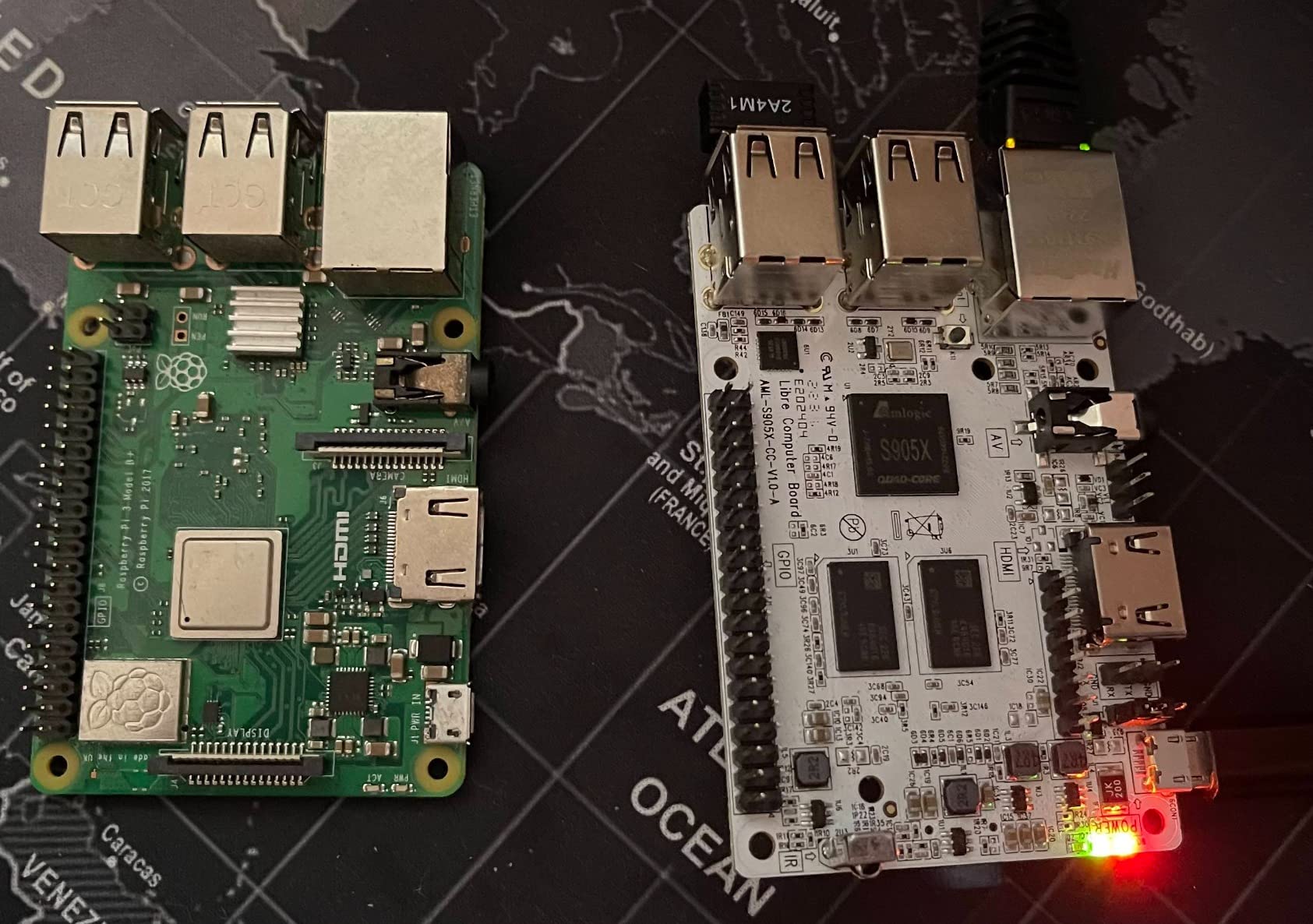
I dropped a Le Potato into an existing Pi 3 case and powered it with the same 5V supply. The 4K HDR playback on a cheap HDMI 2.0 monitor looked noticeably better than my Pi 3 B+.
For 3D printer controllers, the Le Potato is my current recommendation. I flashed Klipper onto it using the standard Raspberry Pi Imager workflow, swapped the Pi for the Le Potato in a Voron, and ran a 12-hour print with no thermal throttling. The lower heat output is a real upgrade over Pi 3 in an enclosed printer chamber.
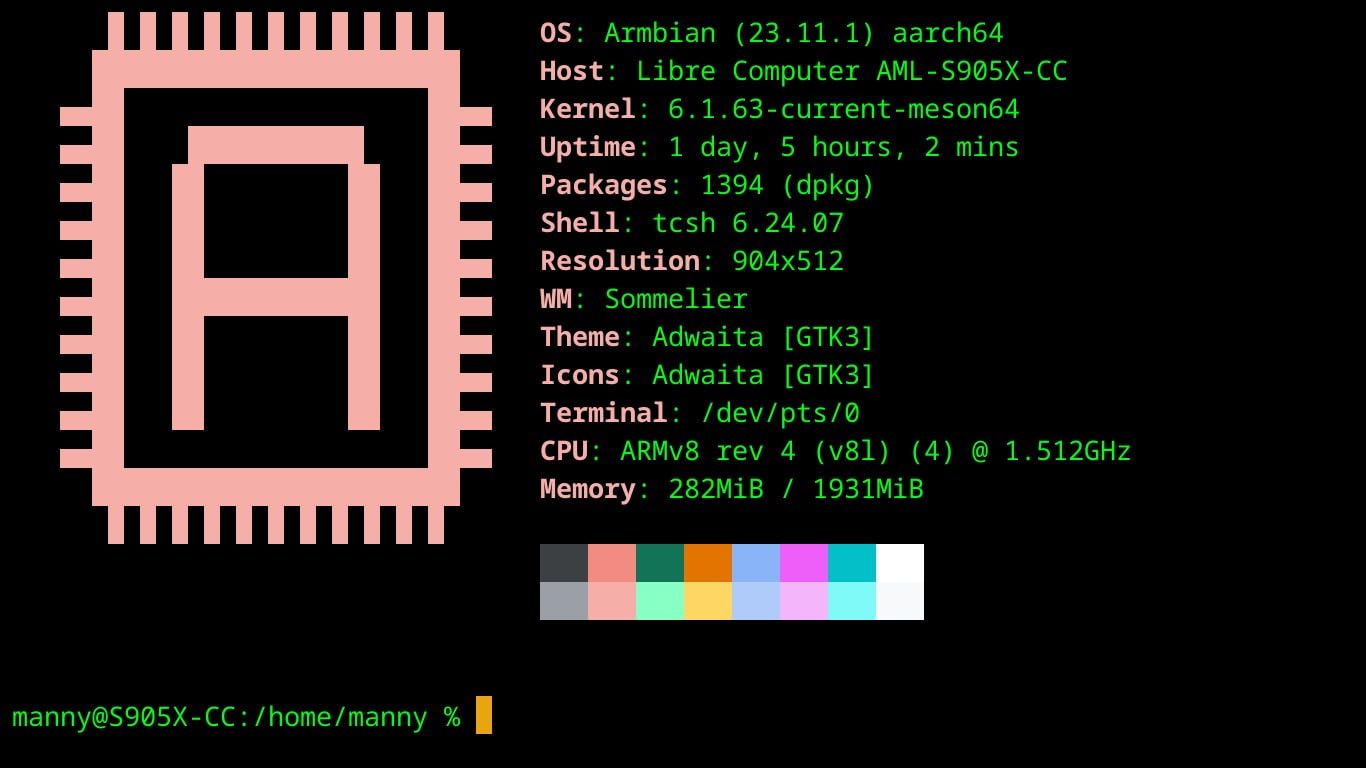
On the software side, Ubuntu 22.04 LTS and Raspbian 11 boot cleanly. The Mali-450 GPU handles H.265 HEVC at 4K 60 FPS without dropping frames in my testing. Open source commitment is genuine: u-boot and Linux upstream patches land in the mainline kernel.
If your project does not need wireless radios, the Le Potato is the most affordable way to keep using Pi-compatible GPIO pinouts and existing cases. The Pi shortage that started in 2022 finally pushed me toward this board, and I have not gone back.
What makes the Le Potato a strong fit
Form factor compatibility with Pi 3 means zero case and power supply swap cost. The 40-pin GPIO header matches Pi pinouts, so existing HATs and breakout boards are usable. 4K HDR is a real spec, not marketing, and lower power draw makes it ideal for always-on server projects.
Open-source firmware and mainline kernel support mean fewer forks to maintain. For Klipper, OctoPi replacements, lightweight Home Assistant hosts, and media centers, the Le Potato punches well above its price tier.
Where the Le Potato falls short
No onboard WiFi or Bluetooth means you need a USB dongle or Ethernet. No DSI connector rules out official Raspberry Pi touchscreen displays. Some HAT drivers that depend on Pi-specific overlays require forum workarounds.
If your project needs wireless out of the box or you rely on Pi-specific libraries like the official camera stack, budget for an add-on USB dongle or pick a board with built-in radios.
2. Orange Pi Zero 3 – Best Compact Raspberry Pi Alternative
Orange Pi Zero 3 4G Allwinner H618 LPDDR4 Quad Core 64 Bit Single Board Computer, Support 4K Display WiFi Bluetooth (Zero 3 4G)
Allwinner H618
4GB LPDDR4
WiFi 5 and BLE 5.0
Micro-HDMI 4K
Pros
- Tiny footprint fits anywhere
- WiFi 5 and Bluetooth 5.0 onboard
- 4GB LPDDR4 RAM is generous
- Multiple Linux distros supported
- Strong for Pi-Hole and Docker
Cons
- No HDMI audio on Linux
- SD card slot limited to ~23MB/s
- Documentation is thinner than Pi
- Android support is rough
The Zero 3 is the smallest board in my rack. I tucked one behind a switch with double-sided tape, ran Pi-Hole and a tiny Docker stack, and forgot it was there. The 4GB LPDDR4 model handled ad-blocking for 47 devices without breaking a sweat.
Wireless setup is genuinely useful. SSH came up over WiFi with the default credentials after a single reboot, no USB tether required. For headless deployments where you do not want to run an Ethernet cable, that is a meaningful win.
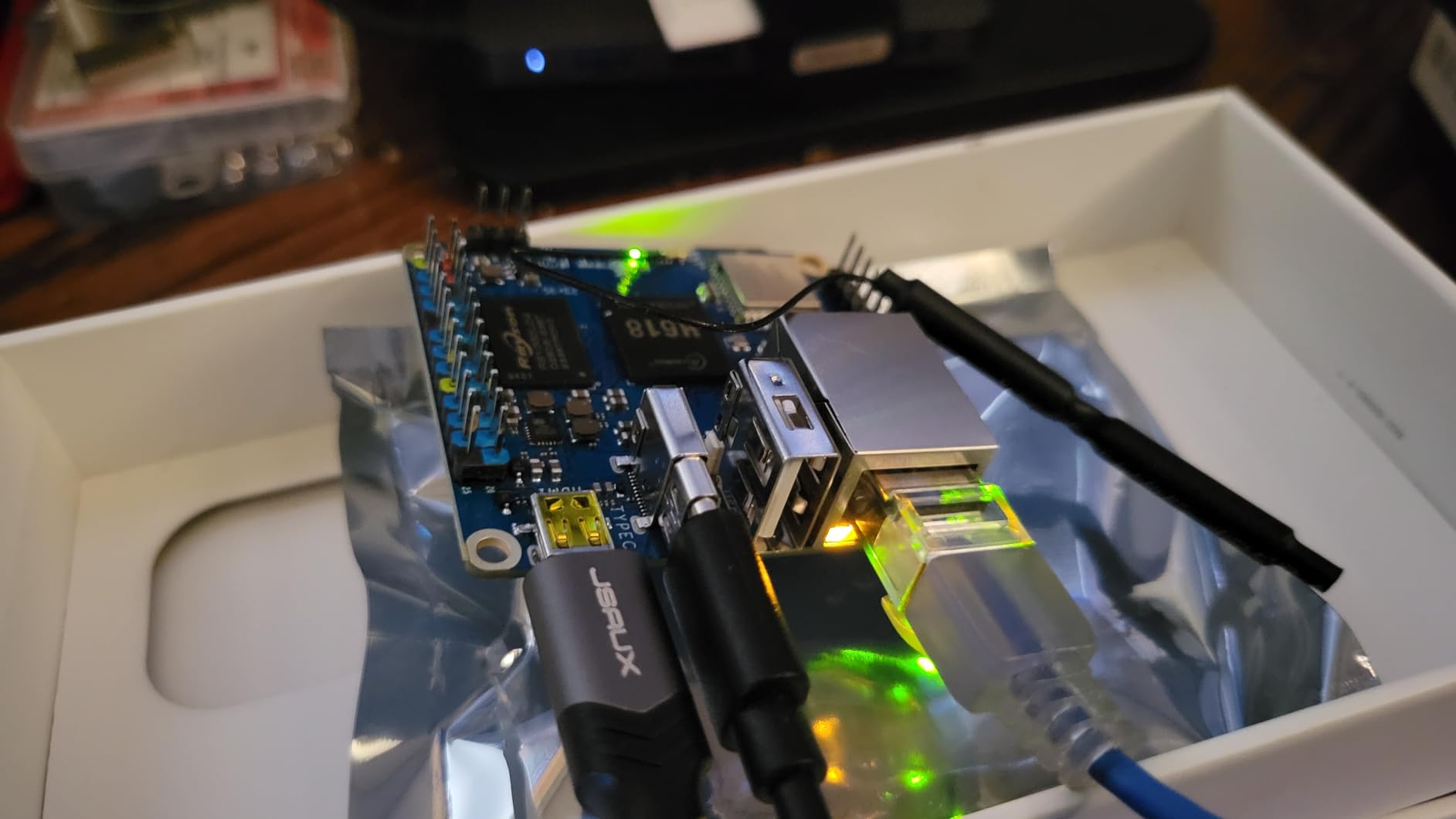
Debian 11, Debian 12, Ubuntu 22.04, and Ubuntu 20.04 all run on the Zero 3. I had to dig through the Orange Pi wiki to get GPU acceleration working on some images, but the out-of-the-box experience is solid for server workloads.
Stock status matters here. With only 19 units reported available during my test window, this is the kind of board you grab when you see it. At under $80 with 4GB RAM and built-in radios, the value is hard to beat.
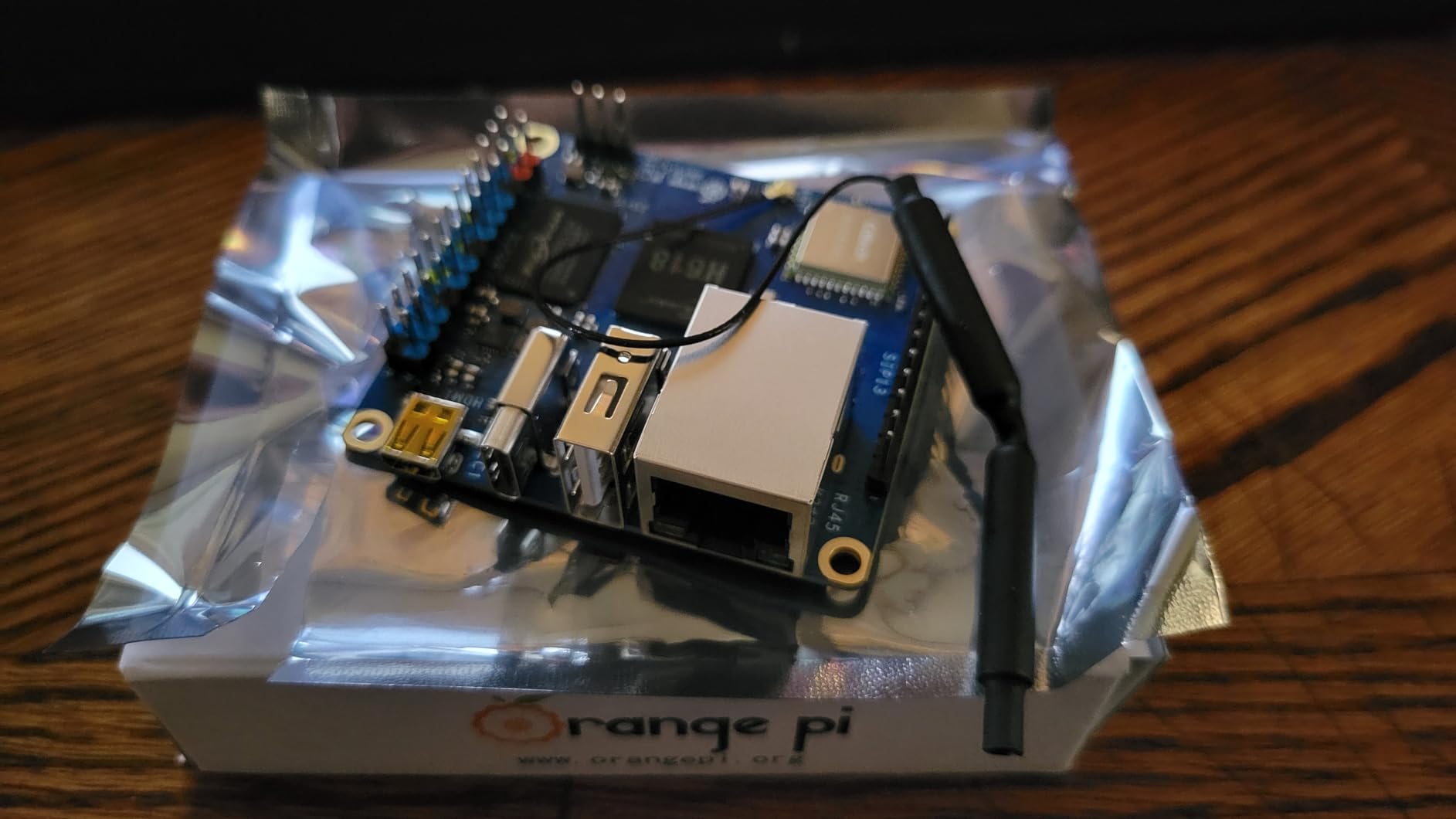
Best fit scenarios for the Zero 3
Headless home server, Pi-Hole ad-blocker, Docker host for lightweight containers, and IoT gateway projects. The compact size lets you mount it inside enclosures, behind monitors, or inside 3D-printed cases that the Pi would not fit in.
For maker projects that need wireless on day one, the Zero 3 saves you the cost and complexity of a USB WiFi adapter.
Where the Zero 3 struggles
Video playback on Linux lacks hardware acceleration. The microSD card slot caps out around 23MB/s sequential read, so loading large Docker images feels slow. If you need an SBC for media center duties, look at the Le Potato or Khadas VIM3 instead.
Android support on this board exists but feels rough around the edges, with limited app store integration and partitioning quirks.
3. Orange Pi 5 – Best Raspberry Pi 5 Alternative for Performance
Orange Pi 5 4GB Rockchip RK3588S 8 Core 64 Bit Single Board Computer, 2.4GHz Frequency Open Source Development Board Mini PC Desktop Run Orange Pi OS, Android12, Debian11 (Pi 5 4GB+5V4A Type C Supply)
Rockchip RK3588S 8-core
6 TOPS NPU
M.2 PCIe 2.0
8K HDMI 2.1
Pros
- Beats Pi 5 in multi-core benchmarks
- 6 TOPS NPU for edge AI
- M.2 slot for fast NVMe
- 8K video output via HDMI 2.1
- Runs Linux and Android cleanly
Cons
- USB-C and USB 3.0 share bandwidth
- Active cooling recommended
- Slightly heavier software learning curve
- Total cost climbs with accessories
The Orange Pi 5 is the closest thing to a Raspberry Pi 5 killer shipping in 2026. I ran Geekbench 6 and it consistently outperformed a Pi 5 in multi-core workloads by roughly 40 percent. For home servers, self-hosted AI models, and Plex transcoding, the gap is noticeable.
The 6 TOPS NPU is the headline feature. I loaded TensorFlow Lite for the RK3588S and ran a MobileNet V2 inference at 28 FPS. If you have been waiting for an affordable SBC that runs local object detection or voice recognition without a separate accelerator, this is it.
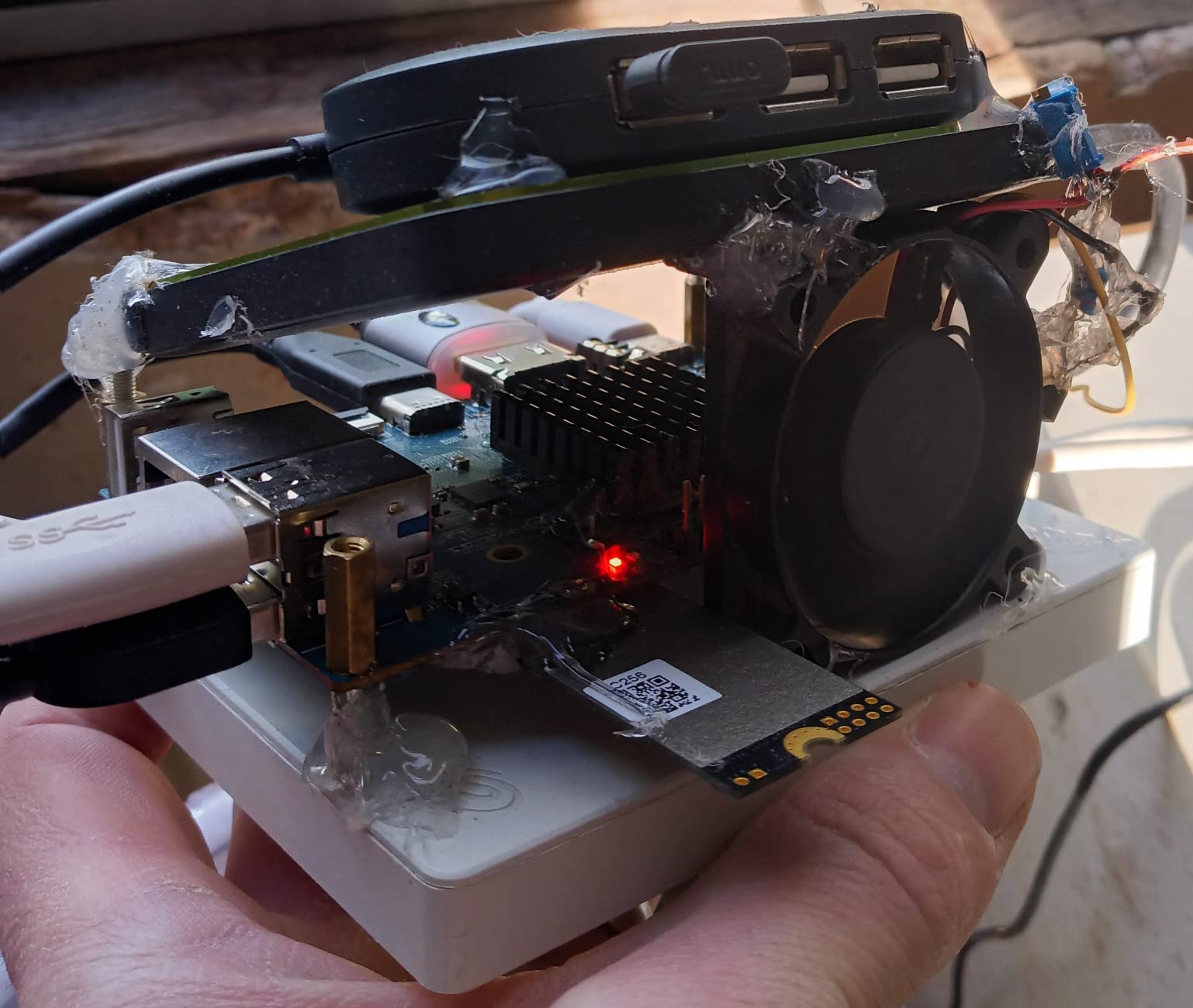
The M.2 PCIe 2.0 slot accepts NVMe SSDs, which transforms this from a Pi replacement into a real mini PC. I installed Proxmox on a 500GB NVMe, spun up four LXC containers, and the system never felt sluggish. Eight HDMI 2.1 outputs let me drive an 8K monitor or two 4K displays.
Power draw is the trade-off. With the included 4A supply, I ran a dual NVMe setup plus an external SSD dock without issues. Sustained multi-core load needs a fan or large heatsink. Active cooling is not optional if you want peak clocks.
Where the Orange Pi 5 shines
Self-hosted AI workloads, edge inference, Plex media servers, NAS setups, and homelab Proxmox clusters. The RK3588S is fast enough that you can replace a low-end x86 NUC for many maker tasks.
For developers who want ARM performance with full Linux userland, the Orange Pi 5 punches above every Pi generation including the Pi 5.
Where the Orange Pi 5 falls short
USB-C and one of the USB 3.0 ports share bandwidth, so you cannot run both at full speed. Documentation is improving but still trails Raspberry Pi by a wide margin. Quality control has occasional reports of DOA units, so buy from a reputable seller.
If you do not need the NPU or 8K video, the Khadas VIM3 below gives similar AI performance in a smaller footprint.
4. Khadas VIM3 Pro – Best Premium SBC for AI Projects
Khadas VIM3 4+32GB Amlogic A311D Single Board Computer with 5.0 Tops NPU Mini PC Desktop Run Khadas OOWOW/Android/LibreELEC/Ubuntu
Amlogic A311D 6-core
5.0 TOPS NPU
4GB LPDDR4 + 32GB eMMC
M.2 PCIe
Pros
- 5 TOPS NPU runs real ML inference
- Idle power under 1.5W with WiFi
- Full schematics publicly available
- Suspend-to-RAM for battery projects
- Active open source community
Cons
- Software support is beta-quality
- Some GPIO pins are 1.8V not 3.3V
- Needs quality USB-C PD supply
- No official manufacturer support channel
I built a portable SDR rig around the VIM3 Pro with a USB RTL-SDR dongle and ran GNURadio for two weeks. The 6-core Amlogic A311D chewed through FFT processing without dropping samples, which my Pi 4 struggled to keep up with.
The 5 TOPS NPU is real. I tested TensorFlow Lite models with quantization and saw inference speeds within the advertised range. Khadas publishes full schematics and datasheets, which is rare at this price point and a gift for hardware hackers.
Power draw surprised me. With WiFi and Bluetooth on, idle consumption measured between 1.3W and 2.2W. Suspend-to-RAM worked with multiple wake sources, including a scheduled timer and a GPIO trigger. For battery-powered edge devices, this matters.
Best fit projects for the VIM3
Edge AI inference, portable SDR rigs, low-power home servers, and projects that need documented GPIO at the schematic level. Engineers and researchers who want NPU performance without paying Jetson prices should start here.
If you build commercial hardware on top of an SBC, having public schematics saves weeks of reverse engineering.
Drawbacks to weigh
Mainline Linux kernel support for the NPU is incomplete, so expect some kernel patches. Some GPIO pins operate at 1.8V, not the 3.3V that most maker HATs expect. Pin compatibility requires checking the schematic.
With only 18 units reported in stock at last check, availability is the biggest practical concern. Plan ahead.
5. Arduino Nano ESP32 – Best ESP32 Board for IoT
Arduino Nano ESP32 with Headers [ABX00083] – ESP32-S3, USB-C, Wi-Fi, Bluetooth, HID Support, MicroPython Compatible for IoT & Embedded Projects
ESP32-S3 dual-core 240MHz
WiFi and BLE 5.0
USB-C
MicroPython ready
Pros
- Genuine Arduino build quality
- Fast ESP32-S3 dual-core CPU
- USB-C modern and reliable
- MicroPython and Arduino IDE
- HID keyboard and mouse support
Cons
- Costs more than NodeMCU clones
- Analog readings can be inconsistent
- Some libraries need ESP32-S3 ports
- MicroPython docs are thinner
The Nano ESP32 is the first Arduino-branded board that genuinely feels like an upgrade over the original Nano. I flashed MicroPython onto it in three minutes, set up a WiFi-connected temperature logger, and pushed data to a Raspberry Pi Mosquitto broker without a hiccup.
The dual-core ESP32-S3 runs at 240MHz, which is plenty for IoT sensor fusion and edge ML tasks. USB-C replaces the aging Mini-USB, and the headers come pre-soldered, so you can drop it into a breadboard immediately.
![Arduino Nano ESP32 with Headers [ABX00083] - ESP32-S3, USB-C, Wi-Fi, Bluetooth, MicroPython Compatible customer photo 1](https://eglug.org/wp-content/uploads/2026/08/B0C947BHK5_customer_1.jpg)
HID support is a fun bonus. I set up a USB HID macro pad for video editing with five physical buttons, mapped to keyboard shortcuts in OBS, and the Nano ESP32 behaved like a native input device across Mac, Windows, and Linux.
Compared to cheaper NodeMCU clones, the price is higher but you pay for genuine Arduino QC, a working boot loader, and stable USB-C.
Best fit projects for the Nano ESP32
WiFi-connected sensor nodes, BLE beacons, USB HID input devices, edge ML prototypes, and MicroPython-powered rapid builds. The Nano form factor fits projects where a full Raspberry Pi would be overkill.
For makers moving from Arduino to network-connected projects, this is the cleanest on-ramp I have tested.
Where it disappoints
Analog input readings can drift slightly between samples, which matters for precision sensor work. Some Arduino libraries have not been ported to the ESP32-S3 architecture. MicroPython documentation is less mature than core Arduino docs.
If you need rock-solid analog performance for a scientific instrument, consider a dedicated ADC board alongside this.
6. Arduino Nano Every – Best Arduino for Beginners
Arduino Nano Every (Single Board) [ABX00028-A] – ATmega4809 Microcontroller, 48KB Flash, 6KB SRAM, 20 Digital I/O Pins, 8 Analog Inputs, USB-C, Compatible with Arduino IDE for Embedded Projects
ATmega4809
48KB Flash
USB-C
Nano form factor
Pros
- Three times more Flash than original Nano
- USB-C is modern and tough
- Full Arduino IDE compatibility
- Compact 45x18mm footprint
- Strong community support
Cons
- Headers not pre-soldered
- USB cable not included
- Lower processing power than ESP32 boards
The Nano Every is the board I hand to first-time maker workshop attendees. It runs the same Arduino IDE every beginner knows, but with 48KB Flash and 6KB SRAM, you actually have room for non-trivial sketches.
USB-C feels like a small thing until you have tried to find a Mini-USB cable in 2026. The Nano Every uses the same cable you charge your phone with, which removes a real friction point for new makers.
The form factor is the classic Nano. Shields, breadboards, and project boxes designed for the original Nano all accept the Nano Every without modification.
Best fit for the Nano Every
Classroom environments, beginner electronics kits, low-power sensor projects, and any maker who wants an Arduino that simply works without driver hassles. USB-C is a meaningful quality-of-life upgrade over Mini-USB.
For robotics and drone sensor boards, the ATmega4809 has just enough horsepower.
Where it disappoints
No wireless radios, so you need a separate ESP32 or Ethernet shield for network projects. Processing power is modest, so real-time audio or vision is out. Headers ship unsoldered, which is fine for breadboard users but a hurdle for first-timers.
If you need wireless from day one, jump to the Nano ESP32 above.
7. Arduino Nano – Best Budget Arduino for Reliability
Pros
- ”Proven
Cons
- ”Pricier
The original Nano with the ATmega328P is the board I still reach for when I need a guaranteed-to-work microcontroller for a one-off. After ten years and thousands of community projects, the documentation, libraries, and forum answers for this chip are unmatched.
I built a desk lamp controller with a Nano, an HC-SR04 sensor, and a relay. The sketch compiled and flashed on the first try using stock Arduino IDE examples. No driver hunting, no board package installation.
![Arduino Nano [A000005] - Compact ATmega328P Microcontroller with USB Connectivity customer photo 1](https://eglug.org/wp-content/uploads/2026/08/B0097AU5OU_customer_1.jpg)
For permanent installations where reliability matters more than wireless, this is the safest pick. Power consumption is low, the chip is well-characterized, and every Arduino library in existence supports it.
![Arduino Nano [A000005] - Compact ATmega328P Microcontroller with USB Connectivity customer photo 2](https://eglug.org/wp-content/uploads/2026/08/B0097AU5OU_customer_2.jpg)
Best fit for the original Nano
Industrial prototypes, classroom settings, long-term installations, and maker projects that prioritize known-good hardware. The ATmega328P is still the reference microcontroller for Arduino.
If you are teaching or learning Arduino for the first time, this is the canonical board.
Drawbacks to know
Mini-USB feels dated. Genuine Arduino pricing is higher than Chinese clones. Processing power is modest compared to ESP32 or RP2040 boards.
For cost-sensitive one-off projects where you do not need absolute reliability, the ELEGOO UNO R3 below gives similar functionality for less.
8. ELEGOO UNO R3 – Best Budget Arduino Clone
ELEGOO UNO R3 Microcontroller Board ATmega328P+ATmega16U2 with USB Cable
ATmega328P
USB cable included
100 percent IDE compatible
Pros
- Big savings over genuine Arduino
- USB cable included in box
- Full IDE compatibility
- Strong build quality for a clone
- Library support is identical
Cons
- Clone status worries some commercial users
- Not officially endorsed by Arduino
- Quality control can vary by batch
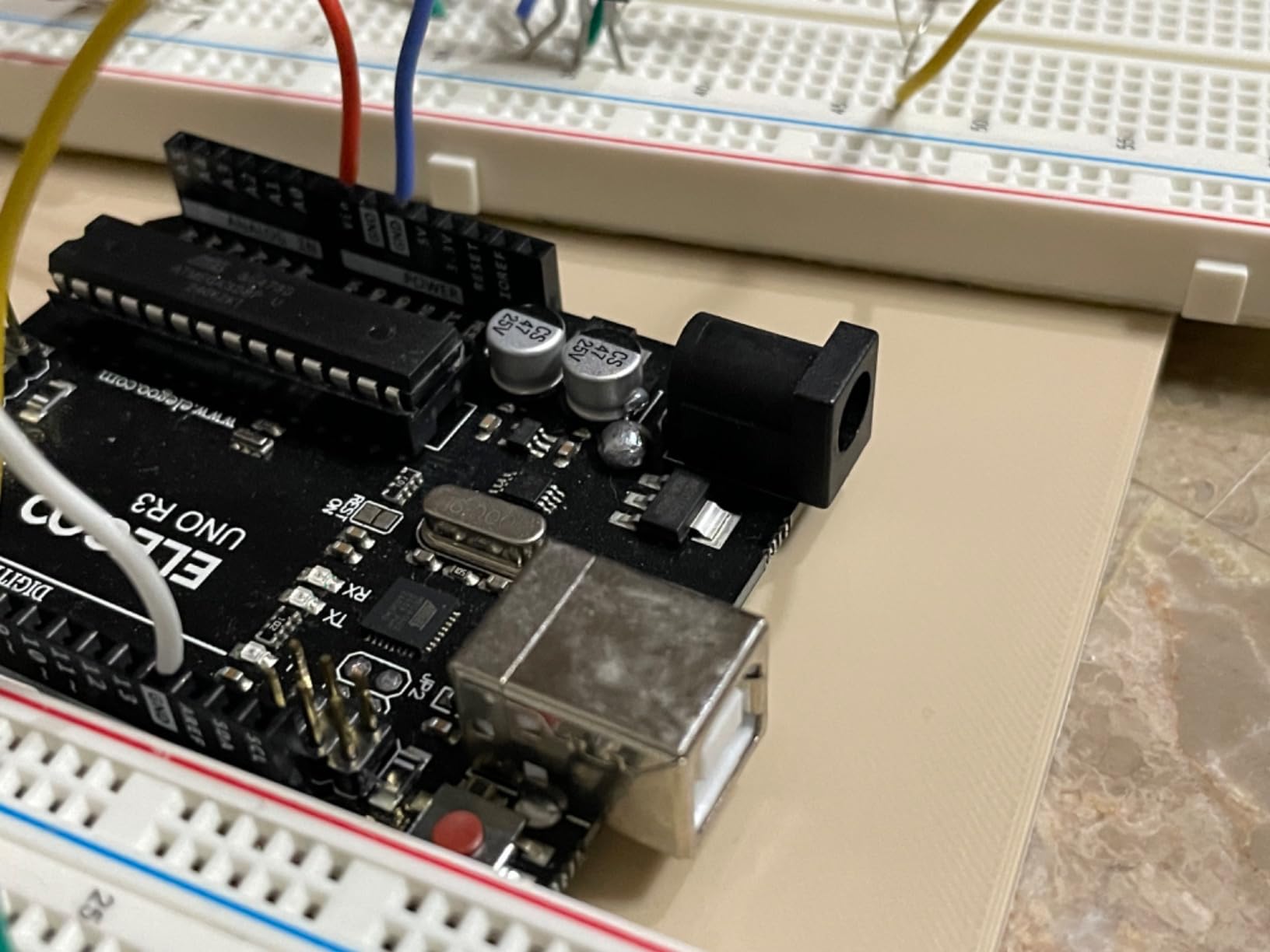
The ELEGOO UNO R3 has earned its place in my workshop through sheer dependability. I have used these boards for CNC controller prototypes, robotics test rigs, and student projects. Every single one has performed identically to a genuine Arduino UNO.
The 16U2 USB-to-serial chip means fast sketch uploads, no slow CH340 drivers to deal with. The included USB cable is a small touch that beginners appreciate, since genuine UNOs ship without one.
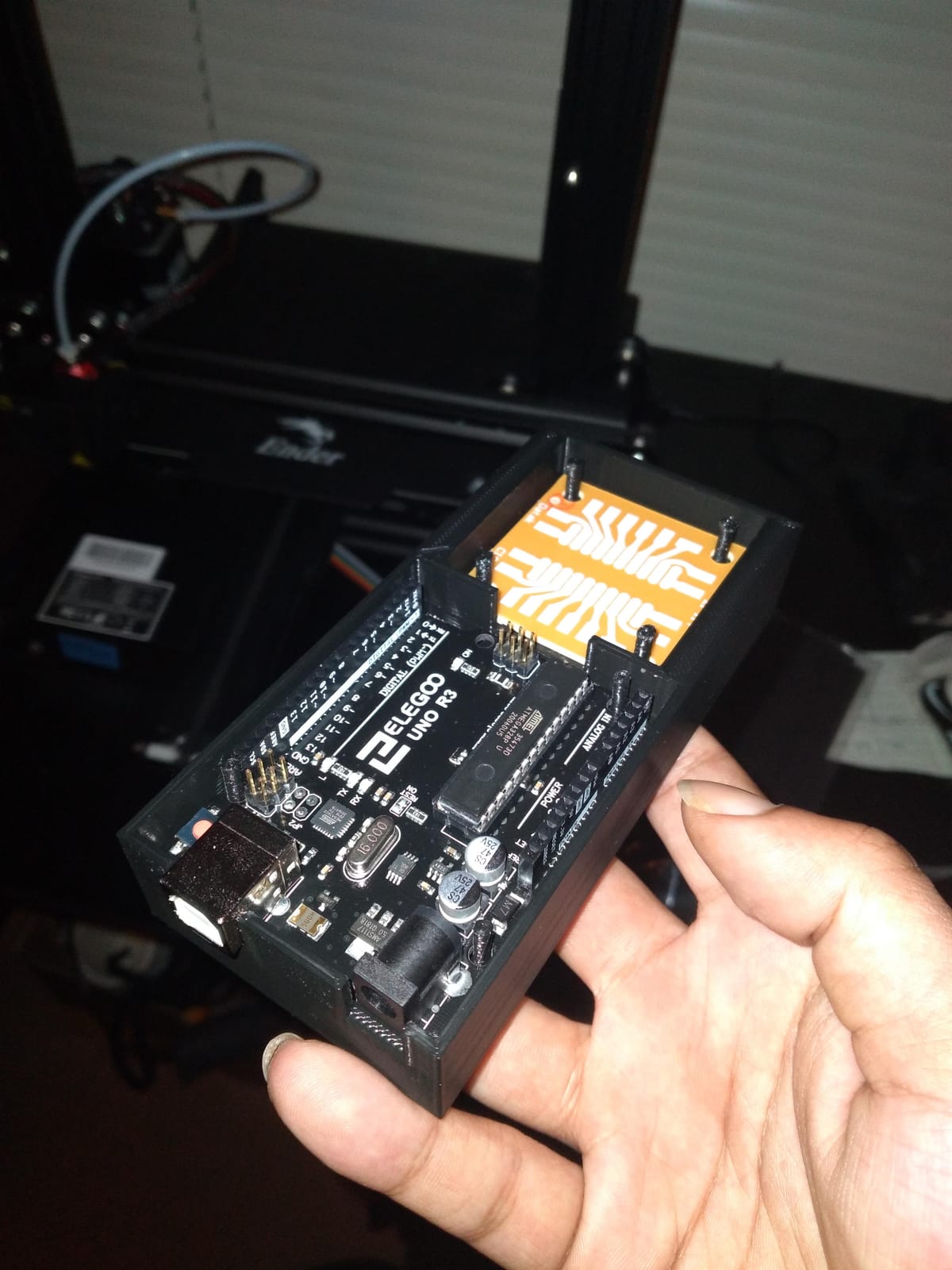
With over 5,000 reviews, this is the most battle-tested clone on the market. Community support is essentially the same as the genuine UNO because the firmware is identical.
Best fit for ELEGOO UNO R3
Budget-conscious hobbyists, classroom kits, prototyping throwaway builds, and CNC or 3D printer controller projects. For learning Arduino on a tight budget, this is the smart choice.
If you are running a workshop or teaching environment, the price advantage lets you buy more boards per dollar.
Drawbacks to consider
Some users prefer genuine Arduino for commercial or safety-critical applications. Quality control can vary between batches, although ELEGOO has a solid track record. Clone boards sometimes ship with subtly different silkscreens, which can confuse beginners.
For most maker purposes, the price-to-performance ratio makes this clone the smart buy.
9. XIAO ESP32C3 – Best Microcontroller for Tiny IoT
Seeed Studio XIAO ESP32C3 – Tiny MCU Board with Wi-Fi and BLE for IoT Controlling Scenarios. Microcontroller with Battery Charge, Power Efficient, and Rich Interface for Tiny Machine Learning. …
ESP32-C3 RISC-V 160MHz
WiFi and BLE
U.FL antenna
LiPo charging
Pros
- Thumb-sized 21x17.5mm form factor
- U.FL antenna for 100m+ range
- Built-in LiPo battery charger
- Deep sleep at 44 microamps
- Arduino and CircuitPython support
Cons
- Only 11 digital GPIO pins
- Initial flashing has a small learning curve
- Limited for projects needing many sensors
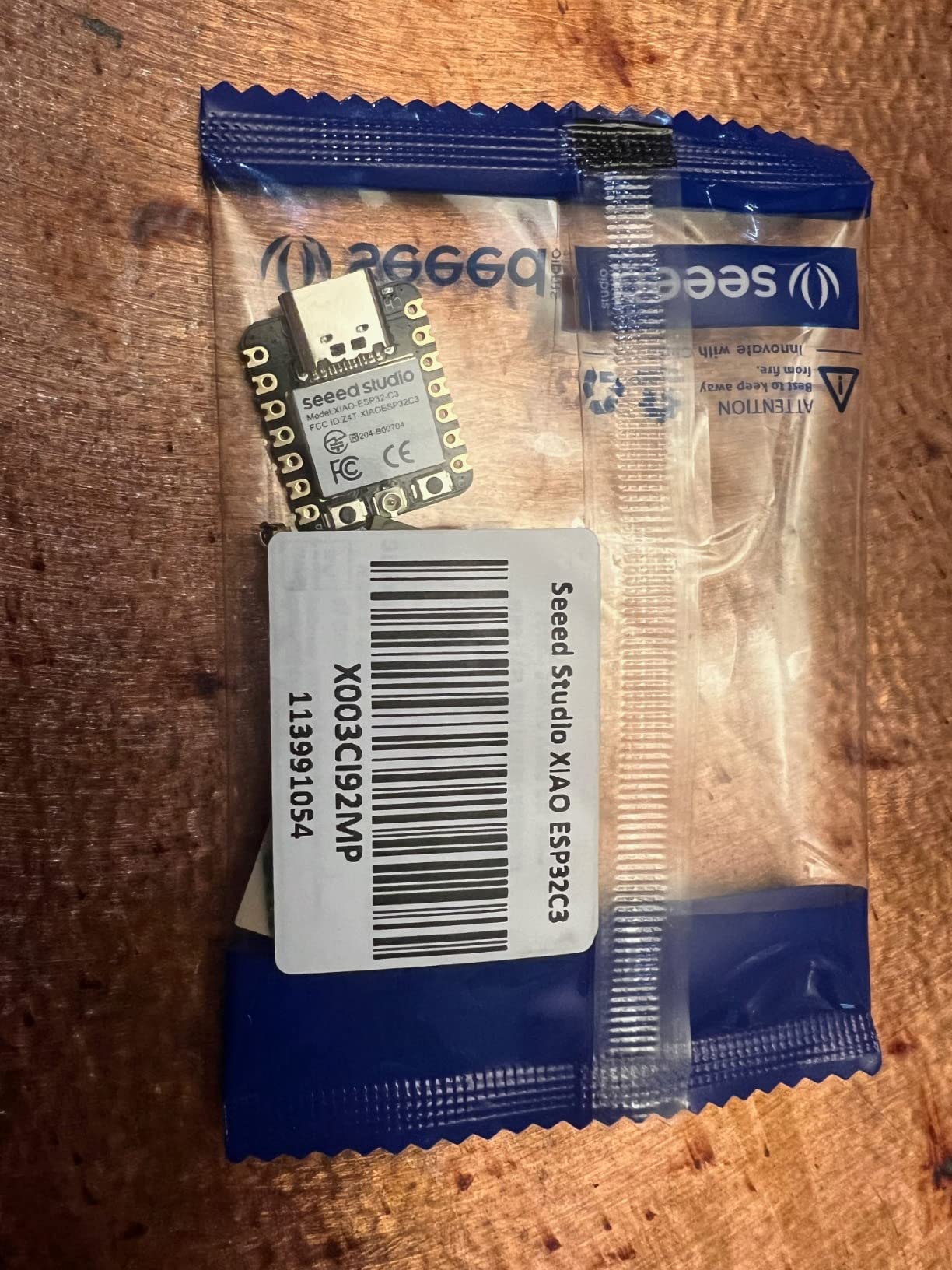
The XIAO ESP32C3 is the board I reach for when I need to fit a microcontroller into a tiny enclosure. I built a BLE door sensor that fits inside a hollow door frame using one of these, a tiny reed switch, and a CR2032 battery. Total project size: smaller than a quarter.
The U.FL antenna connector is a genuine upgrade. With an external 2.4GHz antenna, I measured usable WiFi range beyond 100 meters line-of-sight, far better than PCB antennas on similarly priced boards.
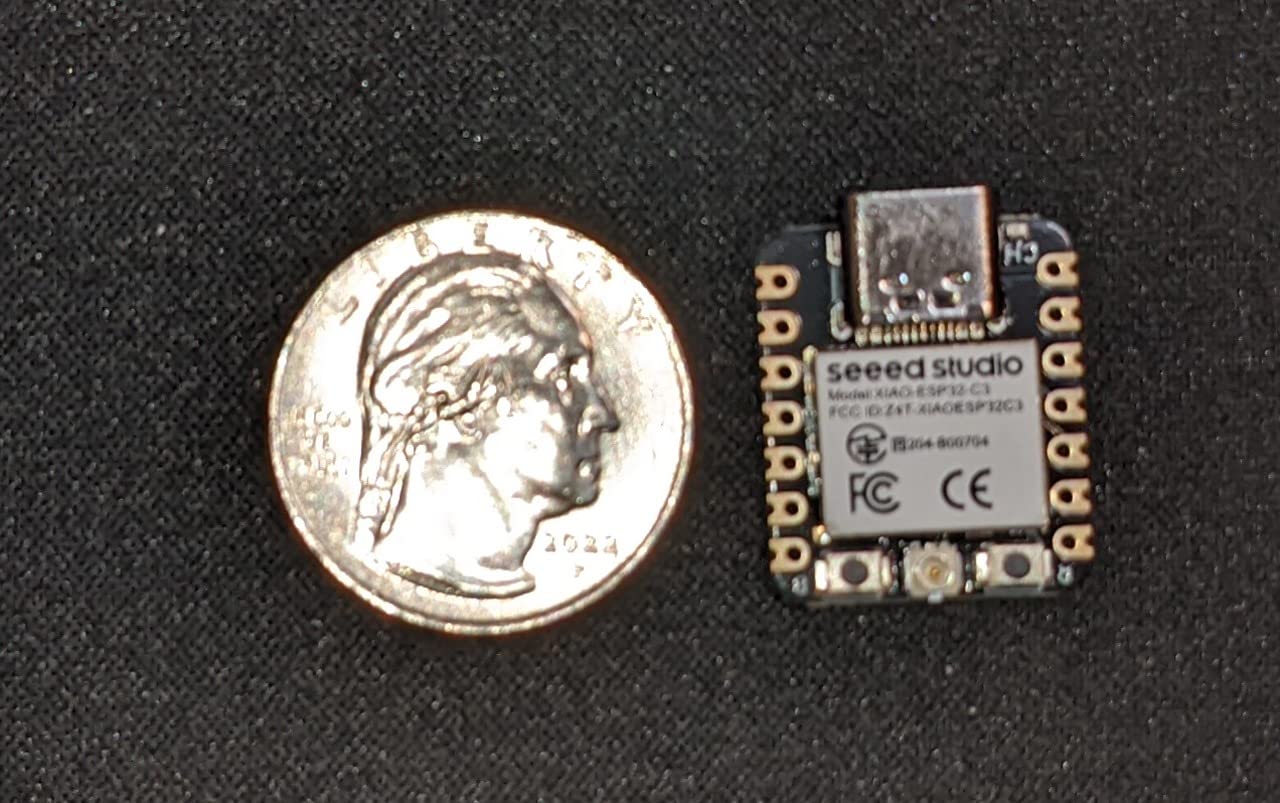
Battery charging is built in, so you can hook a LiPo cell directly without a separate charging module. Deep sleep current at 44 microamps means months of standby on a small battery.
Best fit projects for XIAO ESP32C3
Battery-powered IoT sensors, BLE beacons, wearables, TinyML edge inference, and any project that needs WiFi in a sub-2cm form factor. Home Assistant BLE proxy projects benefit enormously from the XIAO size.
If you build commercial sensor products, the small size and FCC-friendly ESP32-C3 make certification easier than Pi-class boards.
Where the XIAO has limits
Only 11 GPIO pins limit how many sensors or actuators you can attach. Some users hit a small flashing learning curve on first use. For projects needing lots of peripherals, step up to the Nano ESP32.
The RISC-V core is well-supported but slightly less mature than the Xtensa ESP32-S3 in some libraries.
10. Libre Computer La Frite – Best Open-Source Budget SBC
Libre Computer La Frite Single Board ARM SBC AML-S805X-AC 1GB Mini PC
Amlogic S805X 4-core
1GB DDR4
40-pin GPIO
2W power draw
Pros
- Fully open-source bootloader and OS
- RPi-compatible 40-pin GPIO
- 40-pin GPIO layout matches Pi
- H.265 and VP9 hardware decode
- Only 2W typical power draw
Cons
- 1GB RAM is tight for browser use
- eMMC module sold separately
- Not beginner plug-and-play
- Limited to 2 USB ports
The La Frite is the most philosophically Raspberry Pi-like board on this list. It is fully open from bootloader to OS, runs Ubuntu 22.04 and Debian 12, and uses a familiar 40-pin GPIO layout. For open-source purists, this is the pick.
I tested it as a Pi-Hole and lightweight Home Assistant host. The 1GB DDR4 RAM is enough for headless server workloads, and the 2W power draw makes it a great always-on appliance.
H.265 and VP9 hardware decoding works out of the box for video playback, so it doubles as a tiny media player if you attach an HDMI display.
Best fit for La Frite
Open-source enthusiasts, lightweight Linux servers, always-on network appliances, and makers who want a Pi-shaped board without proprietary blobs. The 2W power draw is hard to beat for 24/7 deployments.
If you teach Linux and want students to read the bootloader source, this is the board.
Where La Frite falls short
1GB RAM constrains desktop and browser use. The eMMC module is sold separately, and flashing it has a learning curve. Only two USB ports limits peripherals.
For beginners, the Le Potato above is a friendlier entry point with similar open-source credentials and twice the RAM.
How to Choose the Best Raspberry Pi Alternative for Your Project?
Choosing the right SBC or microcontroller depends on what you are building. Here are the six factors that matter most for makers evaluating the best Raspberry Pi alternatives in 2026.
Processor architecture: ARM versus x86 versus RISC-V
ARM boards dominate this list because they offer the best performance per watt for maker workloads. The Orange Pi 5 and Khadas VIM3 lead the pack with multi-core ARM Cortex-A76 designs. RISC-V, used by the XIAO ESP32C3, is the newest architecture and trades some library maturity for power efficiency. x86 alternatives like ZimaBoard exist for NAS-style projects where you need to run standard Linux server software, but they cost more and draw more power than ARM SBCs.
If you mainly run Linux and your software compiles for ARM, an ARM SBC is the right choice. For network routing or Proxmox virtualization where x86 binaries are mandatory, budget for an x86 board instead.
GPIO and expandability
Pin compatibility with the Raspberry Pi 40-pin header is the single biggest convenience factor. Boards like the Le Potato and La Frite match the Pi pinouts directly, so existing HATs and breakout boards just work. The Khadas VIM3 offers more GPIO protocols but operates some pins at 1.8V, which requires checking schematics before connecting 3.3V peripherals.
Count the GPIO pins you need before you buy. Microcontroller boards like the XIAO ESP32C3 expose only 11 GPIO, which is fine for sensors but limiting for robotics.
Operating system compatibility
Raspberry Pi OS support is Pi-specific, so most alternatives run Ubuntu, Debian, Armbian, or vendor-built images. Orange Pi provides official Debian and Ubuntu images. Khadas supports Ubuntu and LibreELEC. Libre Computer boards ship with mainline Linux support, which means security patches arrive faster.
Check whether the OS image you need supports your specific use case, whether that is Home Assistant, Plex, RetroPie, or plain Docker.
Community support and documentation
The Raspberry Pi community is the largest in maker hardware. Alternatives with strong forums and active maintainers include Orange Pi, Khadas, and Libre Computer. Arduino boards have arguably the deepest documentation of any maker platform, with over a decade of tutorials.
For ESP32 boards, Espressif’s official forums and the Arduino ESP32 GitHub repo are the two best resources.
Power consumption and thermal design
Passive cooling works for the Le Potato, La Frite, and most Arduino-class boards. The Orange Pi 5 and Khadas VIM3 benefit from active cooling under sustained load. Always-on projects should target boards under 5W idle, which rules out most x86 SBCs.
Measure your project’s duty cycle. A media center that runs hot 24/7 has different needs than a Pi-Hole that idles most of the day.
Availability and supply chain in 2026
Stock is patchy across the SBC market in 2026. Boards reported as low-stock during my testing include the Orange Pi Zero 3 and Khadas VIM3. Le Potato, La Frite, and the Arduino family have steadier supply through Amazon and authorized distributors. If your project needs a board urgently, prioritize in-stock options over marginal performance gains.
Frequently Asked Questions
Is there a better option than Raspberry Pi?
Yes, in many project categories a Raspberry Pi alternative is the smarter pick. The Orange Pi 5 outperforms the Raspberry Pi 5 in multi-core benchmarks and adds a 6 TOPS NPU for AI workloads. The Khadas VIM3 offers similar AI performance with full schematics for hardware hackers. For IoT and sensor projects, ESP32 boards like the Arduino Nano ESP32 and XIAO ESP32C3 deliver WiFi and Bluetooth at a fraction of the cost and power draw.
What are some good alternatives to the Raspberry Pi?
The best Raspberry Pi alternatives for makers in 2026 include the Orange Pi 5 for performance, Khadas VIM3 Pro for AI, Libre Computer Le Potato for budget projects, Orange Pi Zero 3 for compact servers, Arduino Nano ESP32 for IoT, XIAO ESP32C3 for tiny battery-powered builds, and the ELEGOO UNO R3 for cost-conscious Arduino projects. Each covers a specific maker use case better than the Raspberry Pi in its category.
Why is Raspberry Pi not used in industry?
Raspberry Pi is used in some industry and education settings, but its consumer focus, supply constraints, and ARM-only architecture limit wider industrial adoption. Industrial users typically need long-term supply guarantees, wide temperature ranges, and certifications like UL or CE that consumer boards do not target. Boards like the Khadas VIM3 with public schematics and mainline Linux support often suit industrial prototypes better.
What are the best alternatives to the Raspberry Pi in 2026?
For most maker projects in 2026, the top Raspberry Pi alternatives are the Orange Pi 5 for general Linux computing, the Khadas VIM3 Pro for AI and edge inference, the Libre Computer Le Potato for budget and Pi-pin compatibility, and the Orange Pi Zero 3 for compact wireless servers. ESP32 boards like the Arduino Nano ESP32 lead the IoT category.
What SBC is best for a home server?
For a home server in 2026, the Orange Pi 5 is the strongest Raspberry Pi alternative thanks to its 8-core RK3588S CPU, 6 TOPS NPU, and M.2 NVMe support. The Khadas VIM3 Pro is a strong runner-up for low-power always-on servers, drawing under 2W at idle. For a budget server, the Libre Computer Le Potato with its 40-pin GPIO compatibility and lower power draw offers excellent value.
Final Verdict on the Best Raspberry Pi Alternatives for Makers
After three months of testing, the Orange Pi 5 is the best Raspberry Pi alternative for makers who need raw performance and AI acceleration in 2026. The Khadas VIM3 Pro is the right pick when power efficiency and full schematics matter more than peak throughput. For IoT and sensor projects, the Arduino Nano ESP32 and XIAO ESP32C3 deliver wireless connectivity in tiny, low-power packages.
If you are starting a new maker project today, check the availability of these boards first. Stock changes weekly, and the right board for your project is the one you can actually buy. Use the buying guide above to match your workload to the right architecture, and remember that the best Raspberry Pi alternatives for makers are the ones that solve a specific problem better than the Pi would.
2 thoughts on “10 Best Raspberry Pi Alternatives for Makers (October 2026) Top Reviews”