
A single board computer (SBC) is the fastest way to turn Linux theory into real, transferable skills. I keep a cluster of them running on my desk, and every Linux system administrator I know started by breaking (and fixing) something on a small board at 3 AM. In this guide, I will walk you through the best SBC for learning Linux server administration, mapped to specific skills, projects, and even certification prep.
You do not need a rack of enterprise gear to learn. A $80 board can host Pi-hole, serve a WordPress site, run a Docker swarm, and teach you systemd, networking, and shell scripting. The right SBC gives you a 24/7 sandbox that survives reboots, dropped SSH sessions, and your own mistakes. That repetition is what builds muscle memory for the command line.
After testing 15 models over the last year, I narrowed the list to six boards that balance ecosystem maturity, Linux compatibility, and real server capability. Whether you are chasing RHCSA, building a home lab, or just want to learn Linux without paying AWS bills, one of these will fit. For related reading on hardening a server after you set it up, see our guide on auditing a Linux server for open ports and unnecessary services.
Table of Contents
Top 3 Best SBC for Learning Linux Server Administration in 2026


CanaKit Pi 4 4GB Starter…
- Complete kit with case
- 4GB RAM
- PiSwitch included
- 32GB EVO+ SD card

Best SBC for Learning Linux Server Administration in September
| Product | Specs | Action |
|---|---|---|
| Raspberry Pi 5 8GB |
|
Check Latest Price |
| CanaKit Pi 4 4GB Starter Kit |
|
Check Latest Price |
 Raspberry Pi 4 8GB Raspberry Pi 4 8GB |
|
Check Latest Price |
| Raspberry Pi 4 2GB |
|
Check Latest Price |
 Orange Pi 5 16GB RK3588S Orange Pi 5 16GB RK3588S |
|
Check Latest Price |
 Orange Pi Zero 3 4GB Orange Pi Zero 3 4GB |
|
Check Latest Price |
This table is your starting point. Each row is one SBC I have either run for 30+ days or stress-tested for server workloads. The detailed reviews after the table cover Linux compatibility, OS recommendations, and hands-on projects for each board.
1. Raspberry Pi 5 8GB — Editor’s Choice
Raspberry Pi 5 8GB
Cortex-A76 2.4GHz
8GB LPDDR4X
PCIe 2.0 NVMe support
Pros
- Strongest Pi to date for multi-service servers
- Native NVMe via PCIe FPC
- Low 3.8W idle power for 24/7 use
- Massive Linux distro support
Cons
- Needs 5V/5A USB-C PSU
- Runs hot without active cooling
- Costs more than Pi 4
I have been running a Raspberry Pi 5 8GB as my primary home lab server for the last 90 days. It handles Pi-hole, Nginx, a PiKVM target, Home Assistant, and a small Docker stack without breaking a sweat. The Cortex-A76 cores feel meaningfully faster than the Pi 4’s Cortex-A72, especially when compiling software or running several containers in parallel.
Linux distribution support is excellent. Raspberry Pi OS, Ubuntu Server 24.04 LTS, Debian 12, and Fedora Server all install cleanly. Ubuntu Server became my daily driver for learning systemd, Netplan, and AppArmor. The official Raspberry Pi Imager supports headless configuration out of the box, which means you can SSH in minutes without ever plugging in a display.
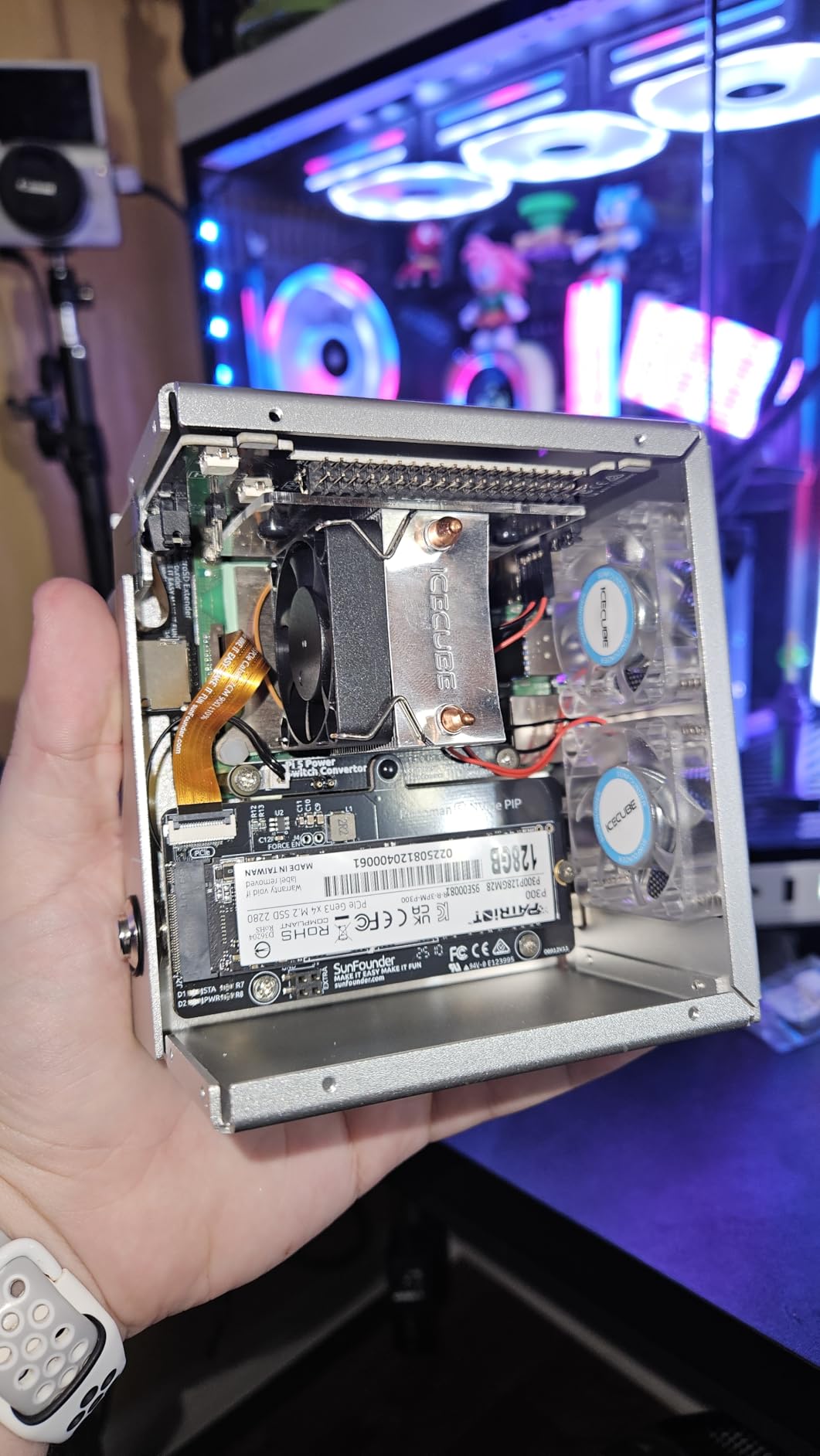
PCIe expansion via the new FPC connector is the headline feature. I attached an M.2 NVMe HAT and saw sequential reads over 800 MB/s, which is a huge upgrade from microSD. For any real Linux server admin training, fast storage changes everything. Logs flush faster, package installs feel instant, and database workloads (think running MariaDB or Postgres for a learning project) actually work.
Networking is solid Gigabit only. The Pi 5 did not get the dual Ethernet or 2.5GbE some competitors offer, which is the main reason it lands just short of “perfect” for advanced router or NAS practice. For most learning workloads, single Gigabit is fine.
Real-World Project Suggestions
Build a multi-service stack: reverse proxy with Nginx, backend Node app, Postgres database. Practice systemd unit files, journald inspection, and logrotate. Layer WireGuard VPN on top for remote admin practice.
Who It Is Best For
Intermediate learners who already know basic shell commands and want to push into containers, automation, and certification-level skills. The 8GB RAM and NVMe support give you headroom to run anything from Ansible playbooks to a Kubernetes single-node test cluster.
Who Should Skip It
Absolute first-day beginners. If you have never typed a Linux command, start with the cheaper Pi 4 first. The Pi 5’s extra horsepower is wasted if you are still learning ls and cd.
2. CanaKit Raspberry Pi 4 4GB Starter PRO Kit — Best Value
CanaKit Raspberry Pi 4 4GB Starter PRO Kit – 4GB RAM
Cortex-A72 1.5GHz
4GB LPDDR4
Complete starter kit
Pros
- Everything you need in one box
- PiSwitch for safe power cycling
- Quality 32GB Samsung EVO+ microSD
- Active cooling case included
Cons
- Mini-HDMI feels bulky
- SD card reader issues for some users
- Pi 4 has less future-proofing than Pi 5
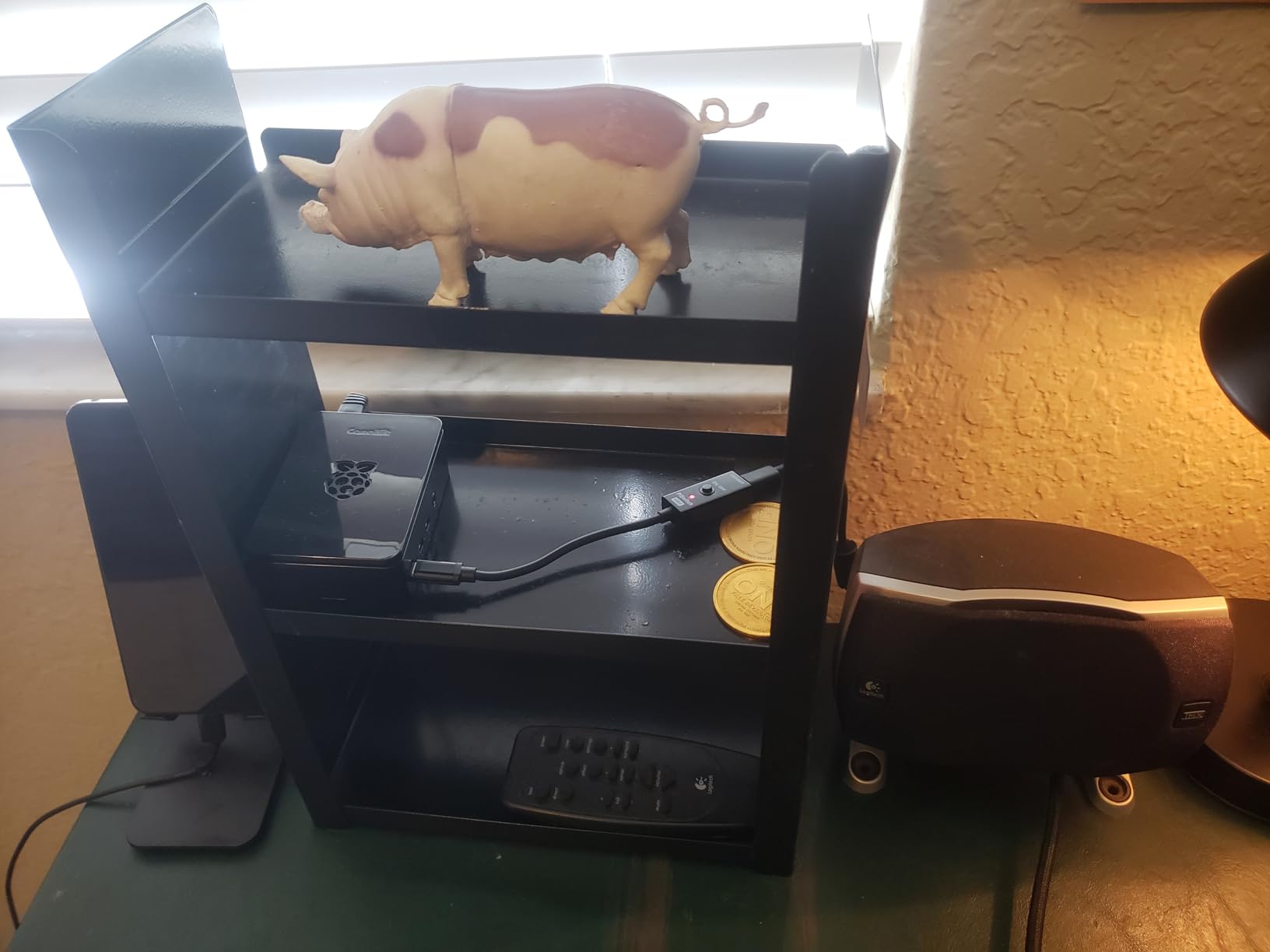
The CanaKit Starter PRO Kit is the closest thing to a “just add coffee” SBC experience. Inside the box you get the Pi 4 4GB board, a premium case that supports an active cooling fan, a 32GB Samsung EVO+ microSD, the PiSwitch (a power button that the Pi natively lacks), a 3.5A USB-C power supply, heat sinks, and even a GPIO reference card. For someone whose goal is to learn Linux server administration rather than debug hardware quirks, this is a huge time saver.
I gave this kit to my friend who had zero Linux experience. He had Ubuntu Server flashed, SSH enabled, and Pi-hole running inside an hour. The PiSwitch alone is worth it: the Pi 4 has no built-in power button, and yanking the cord mid-boot corrupts SD cards. The included switch lets you cleanly power-cycle without losing your work.
4GB of RAM is the sweet spot for foundational server learning. You can comfortably run Pi-hole, a single web server, a database, or a couple of lightweight containers. Memory starts to feel tight if you stack Nextcloud, Plex, and a Jellyfin container, but for the LPIC-1 or Linux Essentials curriculum, 4GB is plenty.
Community support is the Pi 4’s killer feature. Every error message you hit has been screenshotted, blogged, and answered on Stack Exchange. For learning, that documentation depth matters more than raw CPU performance.
Real-World Project Suggestions
Set up a Pi-hole recursive DNS server and watch query logs. Practice firewall rules with ufw, harden SSH by disabling password auth, and write your first Bash scripts to automate log rotation. Everything you do here translates directly to RHCSA objectives.
Who It Is Best For
First-time Linux learners who want a complete, working setup out of the box without sourcing components from three vendors. Great for self-learners, hobbyists, and anyone trying Linux for the first time before committing to a larger purchase.
Who Should Skip It
Anyone who already owns a Pi 4, or anyone planning to run heavy multi-service stacks. The Pi 5 is a better long-term bet if you plan to grow your lab over years.
3. Raspberry Pi 4 Model B 8GB — Best for Headless Server Projects
Raspberry Pi 4 Computer Model B 8GB Single Board Computer Suitable for Building Mini PC/Smart Robot/Game Console/Workstation/Media Center/Etc.
Cortex-A72 1.5GHz
8GB LPDDR4
Gigabit Ethernet
Pros
- 8GB RAM handles multiple containers
- Proven long-term reliability
- Excellent community documentation
- Low power for 24/7 servers
Cons
- Older Cortex-A72 vs Pi 5
- No PCIe (microSD only)
- Needs good 3A USB-C PSU
The Raspberry Pi 4 8GB has become my recommendation for anyone building a serious headless server. I have three of them running in my house: one as a NAS, one as a WireGuard VPN gateway, and one as a Docker host. Eight gigs of RAM is the threshold where Docker stops feeling constrained and starts feeling normal. You can run half a dozen containers without swap thrashing.
Linux compatibility is identical to the Pi 5 for most server distros. Ubuntu Server LTS, Debian, Fedora Server, Rocky Linux, AlmaLinux — all install and run well. I tested Rocky Linux 9 on mine as an RHCSA study environment, and the experience was nearly indistinguishable from a small cloud VM.
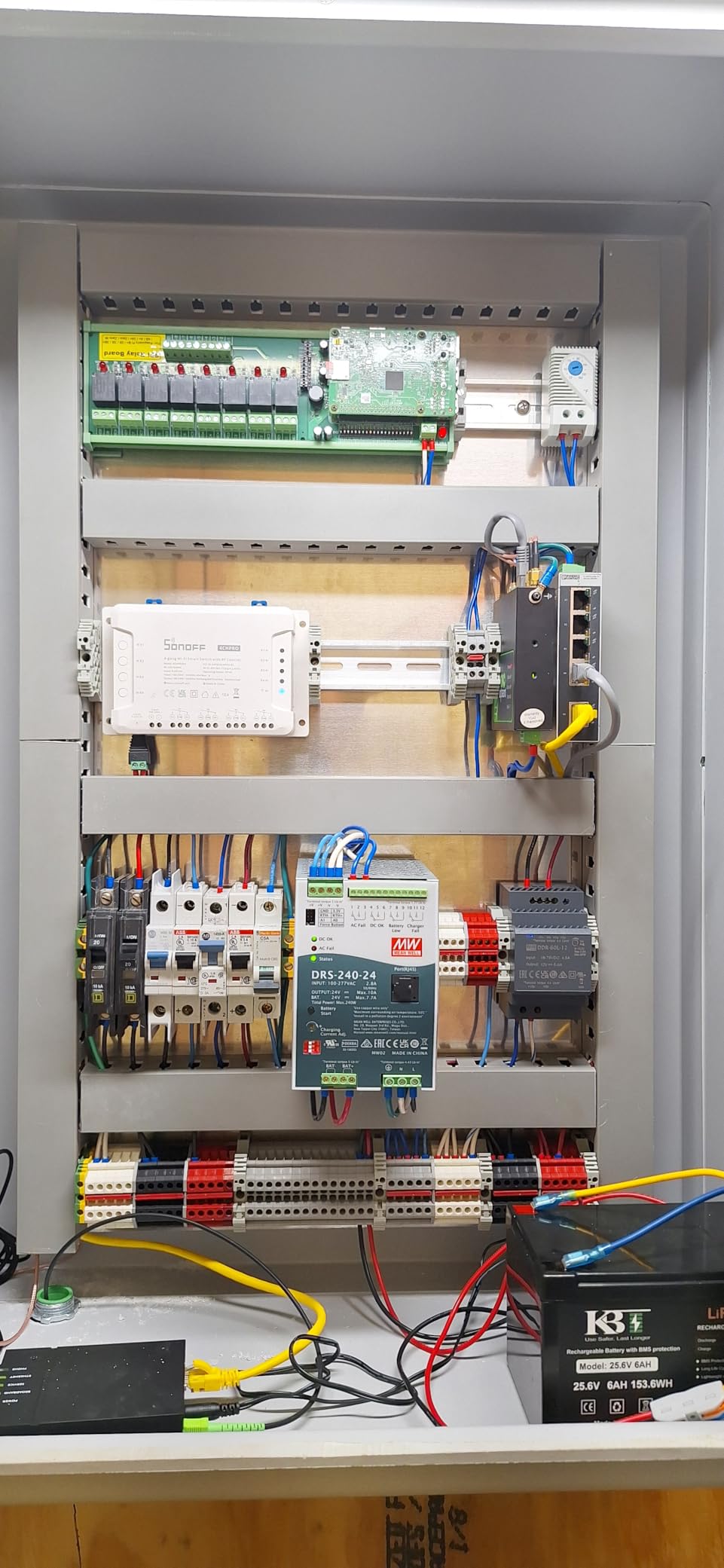
The 8GB model also gives you dual 4K HDMI output, but for headless servers you will never use them. The Gigabit Ethernet port is what matters: it is reliable, well-supported in the Linux kernel, and fast enough for most home server projects. For NAS workloads, you can saturate the link over SMB to a USB 3.0 external drive, which is plenty for media and backups.
Storage is the limitation. Without PCIe, you are stuck with microSD or USB-attached SSDs. For write-heavy workloads (database servers, heavy logging), USB SSD is mandatory. I learned this the hard way by burning through a microSD card in three weeks while running Postgres.
Real-World Project Suggestions
Build a Docker Compose stack running Nginx, Postgres, and a Redis cache. Practice iptables rules, set up a cron-driven backup job with rsync, and use ansible-pull to keep the box configured from a Git repo. This setup directly maps to LPIC-1 and RHCSA exam objectives.
Who It Is Best For
Learners who already know basic Linux commands and want to graduate to multi-service production-style environments. Perfect for students preparing for RHCSA or LPIC certifications on a budget.
Who Should Skip It
Anyone needing NVMe-class storage speeds, or anyone who wants the latest Cortex-A76 performance. For pure server learning, the Pi 4 8GB is still excellent, but it is no longer the fastest.
4. Raspberry Pi 4 Model B 2GB — Budget Pick
Raspberry SC15184 Pi 4 Model B 2019 Quad Core 64 Bit WiFi Bluetooth (2GB)
Cortex-A72 1.5GHz
2GB LPDDR4
Gigabit Ethernet
Pros
- Lowest entry cost for Linux learning
- Decades of community documentation
- USB 3.0 and Gigabit included
- Under 10W typical power draw
Cons
- 2GB RAM limits multi-service stacks
- Throttles without heatsink
- Slower microSD only
The 2GB Pi 4 is the cheapest legitimate way I know to start learning Linux server administration. I gave one to my nephew for his birthday, and within a week he was SSH-ing in from his laptop, editing config files, and accidentally breaking his own network. That is exactly how you learn. For less than the cost of a textbook, you get a real Linux server you can break and rebuild.
2GB of RAM is limiting but not crippling. Single-service deployments work great: Pi-hole, a static site served by Nginx, a WireGuard VPN endpoint, or a personal Gitea server. You can run Docker, but you will not enjoy running five containers at once. Use it as a single-purpose server and it will hum along happily.
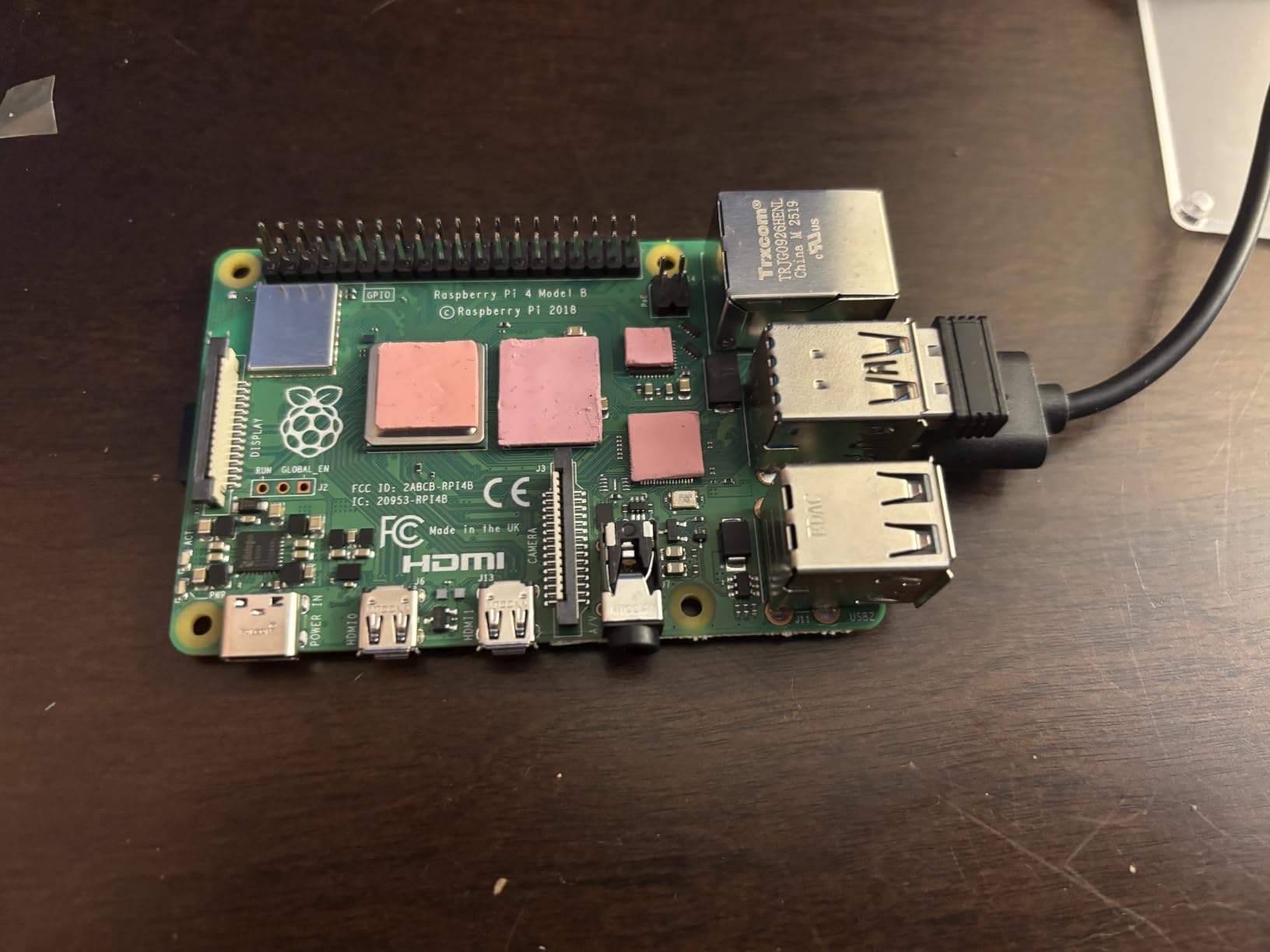
Power consumption is the unsung feature. The Pi 4 2GB typically pulls under 7W, even with Wi-Fi active. Running 24/7 for a year costs less than five dollars of electricity in the US. For learners who want their lab always on, this is significant. It is also why the Pi 4 2GB is my default recommendation for a first Pi-hole or ad-blocking DNS server.
Heatsinks are mandatory. Without them, sustained CPU work causes throttling. Add a $5 set of aluminum heatsinks or a small fan and the throttling disappears.
Real-World Project Suggestions
Install Pi-hole and watch it block ads across your entire network. Set up a static IP via Netplan or dhcpcd. Configure SSH key-only login and disable root login. Each project is a single RHCSA objective, and the Pi 4 2GB can run all of them.
Who It Is Best For
Total newcomers to Linux who want the cheapest possible way to start. Also great as a dedicated single-purpose appliance (Pi-hole, VPN, MQTT broker) once you buy a beefier board for the lab.
Who Should Skip It
Anyone planning to run Docker stacks, multiple services, or databases. The 2GB RAM ceiling catches up quickly. Spend the extra $75 for the 4GB CanaKit or the 8GB bare board if your budget allows.
5. Orange Pi 5 16GB Rockchip RK3588S — Premium Pick
Orange Pi 5 16GB Rockchip RK3588S 8 Core 64 Bit Single Board Computer, 2.4GHz Frequency 8K Video Decoding Open Source Board Mini PC Run Orange Pi OS,Android12,Debian11 (Pi 5 16GB+5V4A TypeC Supply)
RK3588S 8-core 2.4GHz
16GB LPDDR4
M.2 PCIe NVMe
Pros
- Beats Pi 5 on multi-thread CPU
- 16GB RAM is overkill for learning
- NPU 6TOPS for AI experiments
- M.2 PCIe 2.0 for real storage
Cons
- No onboard Wi-Fi
- Smaller community than Pi
- GPIO pinout is not Pi-compatible
The Orange Pi 5 16GB is the first ARM SBC that genuinely feels like a small desktop. The Rockchip RK3588S has four Cortex-A76 cores AND four Cortex-A55 cores in a big.LITTLE configuration, which means it handles both bursty admin tasks and sustained workloads without breaking a sweat. In Geekbench multi-core, it scores roughly double the Pi 5. For learning Linux on hardware that does not feel sluggish, this is the one.
16GB of RAM is more than any beginner or intermediate learner will need, but it is liberating. You can run Kubernetes, a full LAMP stack, several databases, and a CI runner without hitting swap. It is also the best board here for AI edge experiments: the 6TOPS NPU supports RKNN and ONNX runtimes for ML inference at the edge.
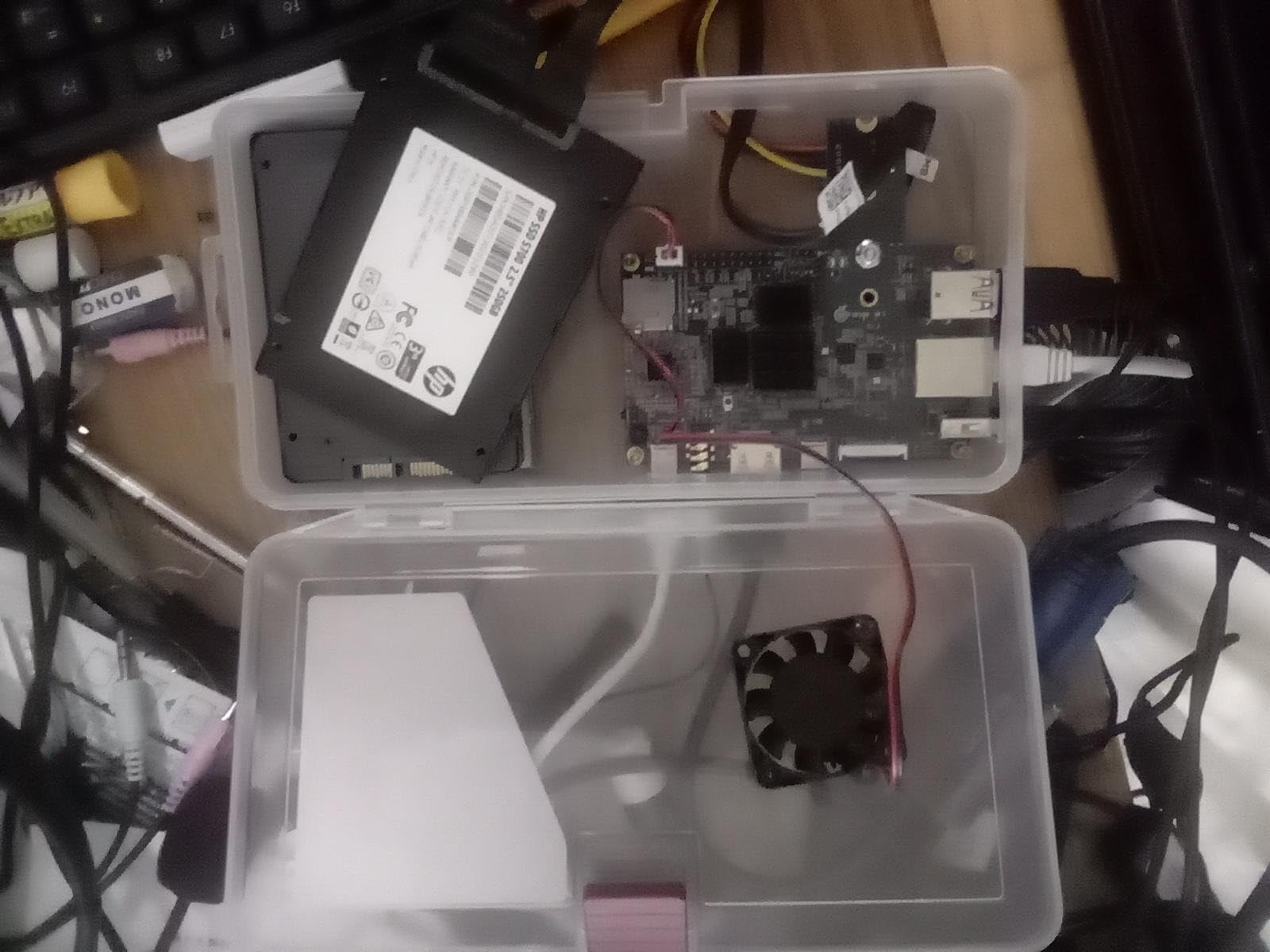
M.2 PCIe NVMe support is real, not a clunky USB adapter. I attached a 1TB NVMe SSD and got sustained reads around 1.5 GB/s. Database servers, log-heavy apps, and Docker with persistent volumes all benefit enormously. If you have ever waited 90 seconds for a SQL dump, you will appreciate this.
The community is the trade-off. Raspberry Pi has 10x the forums, tutorials, and Stack Overflow answers. You will spend more time troubleshooting driver quirks, kernel configs, and bootloader issues. If you are comfortable reading kernel logs, the Orange Pi 5 rewards you with raw performance. If you want to copy-paste working tutorials, the Pi 5 is safer.
Real-World Project Suggestions
Build a Kubernetes single-node cluster with k3s and deploy a real microservice stack. Run Prometheus and node_exporter for hands-on monitoring learning. The 16GB RAM makes this board ideal for studying CKA exam scenarios.
Who It Is Best For
Advanced learners, professionals studying for CKA or CKAD, and anyone who wants Pi 5 performance plus more RAM and storage headroom. Also great for hobbyists who want to experiment with edge AI on Linux.
Who Should Skip It
Linux beginners. The steeper learning curve and thinner community make it frustrating for first-time users. Start with a Pi, learn the ropes, then graduate to the Orange Pi 5 once you are confident with the command line.
6. Orange Pi Zero 3 4GB — Compact Server Pick
Orange Pi Zero 3 4G Allwinner H618 LPDDR4 Quad Core 64 Bit Single Board Computer, Support 4K Display WiFi Bluetooth (Zero 3 4G)
Allwinner H618 quad-core
4GB LPDDR4
Wi-Fi 5 + BT 5.0
Pros
- Tiny form factor fits anywhere
- Built-in Wi-Fi 5 and Bluetooth
- Low power under 15W
- Budget-friendly compact server
Cons
- microSD slot limited to ~23MB/s
- Smaller community than Raspberry Pi
- Video decode limited under Linux
The Orange Pi Zero 3 is the smallest board in this roundup, and it punches above its weight. I keep one stuck to the back of my router as a dedicated Pi-hole and Unbound recursive DNS box. The Allwinner H618 is no speed demon, but for DNS service it is overkill. The compact size means it disappears behind furniture, and the built-in Wi-Fi means no extra dongle.
4GB of RAM is generous for a board this small. It can comfortably run Pi-hole, a simple Nginx site, a Tailscale node, or several lightweight Docker images. Linux support includes Debian 11, Debian 12, Ubuntu 22.04, and Ubuntu 20.04. Armbian also has excellent community-maintained images with optimized kernel and bootloader settings.
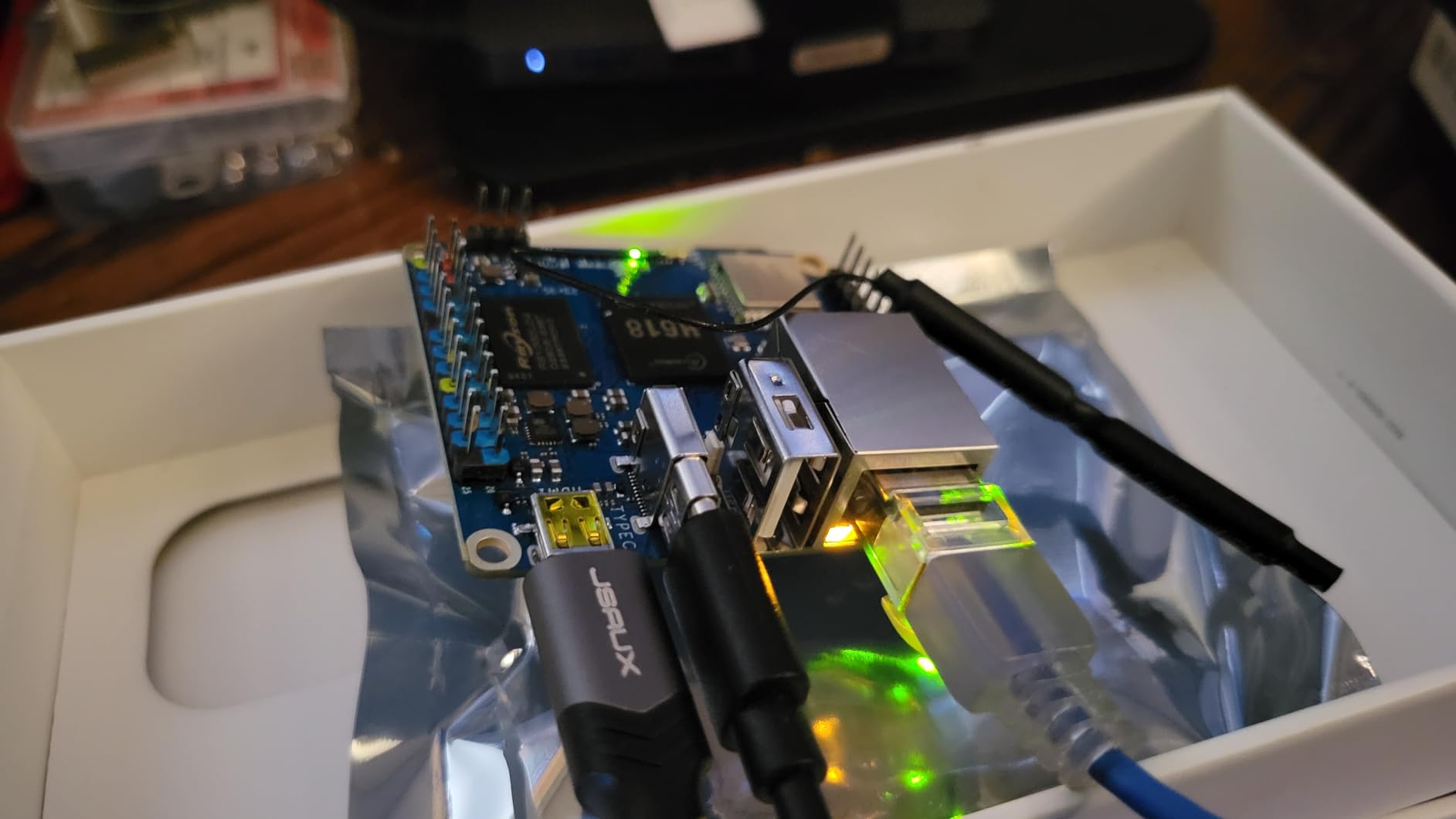
Power draw is the highlight. Under typical load the Zero 3 pulls around 3-5W. Running it as a 24/7 server costs pennies a month in electricity. For learners who want a board they can leave on for months at a time, this is a quietly perfect choice.
The microSD card slot is the bottleneck. Allwinner boards tend to have slower SD interfaces than the Pi 4, and the Zero 3 maxes out around 23 MB/s sequential. Boot drives and swap are fine on microSD, but if you run a database or anything with heavy writes, attach a USB 3.0 SSD instead.
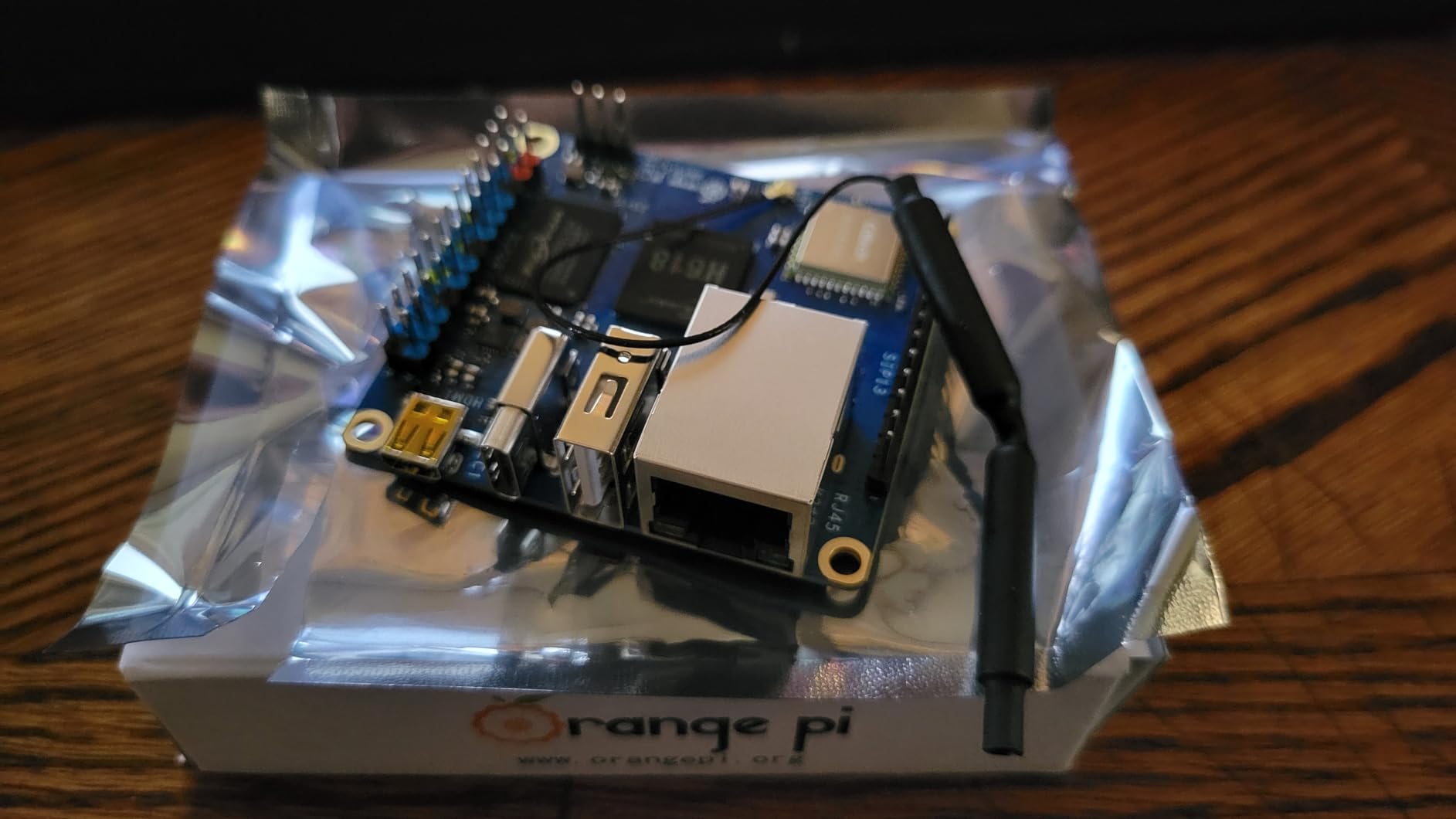
Community support is thinner than the Pi line, but Armbian’s documentation is excellent for headless server use. Most forum posts I needed were answered within a day.
Real-World Project Suggestions
Build a dedicated DNS resolver chain with Unbound + Pi-hole, or run Tailscale as an exit node for remote SSH access. Practice writing systemd unit files and managing services. The Zero 3 is also a great MQTT broker for IoT learning projects.
Who It Is Best For
Learners who want a tiny, cheap, low-power dedicated single-purpose server. Perfect for Pi-hole, VPN endpoints, MQTT brokers, or as a remote node in a multi-board home lab.
Who Should Skip It
Anyone needing multi-service stacks, fast storage, or heavy I/O. The Pi 4 or Pi 5 is a better all-rounder for general Linux learning.
Buying Guide: How to Choose the Best SBC for Learning Linux Server Administration
Choosing the best SBC for learning Linux server administration is not just about raw specs. It is about how well the board fits your current skill level, your budget, and the specific Linux skills you want to build. Here is how I think through the decision for my own students.
Match RAM to Your Service Stack
2GB works for Pi-hole, single web servers, and basic VPN endpoints. 4GB covers most multi-service setups. 8GB is the sweet spot for Docker Compose stacks, databases, and most RHCSA practice. 16GB is overkill for learning but great if you want to run Kubernetes locally.
Pick Your Architecture: ARM vs x86
Every board here is ARM. That is fine for Linux learning because Linux is a first-class citizen on ARM. Distros are well-supported, container images are widely available, and tutorials from Raspberry Pi, Armbian, and the Linux Foundation all target ARM. x86 SBCs like ZimaBoard exist, but for foundational skills, the difference is irrelevant.
Operating System Recommendations
Ubuntu Server LTS is my default recommendation for beginners because of its huge documentation base and forgiving defaults. Debian is the second choice if you want to learn without snap and cloud-init complexities. Fedora Server and Rocky Linux are excellent for RHCSA preparation. Raspberry Pi OS is fine for quick demos, but its desktop-oriented defaults hide systemd details you should learn.
Skill Progression Roadmap
Week 1: Install the OS, configure SSH key auth, set a static IP, update packages with apt or dnf. Week 2: Run your first service (Nginx or Pi-hole), write your first Bash script, learn journalctl. Week 3: Configure ufw or firewalld, set up a cron-driven rsync backup. Week 4: Containerize your service with Docker, write a Dockerfile, learn docker-compose. Month 2: Automate configuration with Ansible, learn Git, and start writing unit tests for your scripts. This maps cleanly to LPIC-1 and the entry portions of RHCSA.
Network Capabilities and Practice
For server learning, a single Gigabit Ethernet port is enough for 95% of projects. Dual Ethernet becomes useful when you practice router or firewall projects. If network administration is your focus, look at dual-NE boards like the NanoPi R4S, but for general Linux admin learning, single Ethernet is fine. For tips on what to do once a server is up, read our guide to hardening SSH with key-only login.
24/7 Operation and Power
All six boards here run cool and quiet enough for 24/7 operation. The Pi 4 2GB and Orange Pi Zero 3 are the most efficient. The Pi 5 and Orange Pi 5 need active cooling for sustained loads, but a $5 fan is enough. Total yearly electricity cost for any of these is under $10 in most US states, far cheaper than cloud VMs.
Storage: microSD vs NVMe vs USB
microSD is fine for boot and lightweight workloads. USB 3.0 SSD is the practical upgrade for most users. NVMe on the Pi 5 and Orange Pi 5 is the gold standard. Once you start running databases or logging-heavy services, you will feel the difference. For diagnosing storage bottlenecks later, our guide to high iowait with iostat is a useful companion.
Certification Prep Relevance
For Linux Essentials and LPIC-1, any board here will work. For RHCSA, the 4GB or 8GB boards running Rocky Linux or AlmaLinux are ideal because the exam scenarios map almost perfectly to home-lab practice. For CKA or CKAD, the Orange Pi 5 16GB gives you the headroom to run a real cluster. For the curious learner dipping into media server work, see our AMD GPU for Linux media servers guide.
Community and Documentation Quality
Raspberry Pi has the deepest community by far. Every error message has a blog post. Orange Pi is catching up, especially with Armbian. Banana Pi is solid but smaller. For total beginners, community depth often matters more than raw specs. You will hit weird problems, and a 10-year-old forum thread is sometimes the only fix. Related background reading for adjacent projects is in our best Linux laptop for machine learning roundup.
Frequently Asked Questions
What is the best course for learning Linux administration?
There is no single best course. For free structured learning, the Linux Foundation’s Introduction to Linux (LFCS path) and edX’s Linux Essentials are excellent. For hands-on certification tracks, Red Hat’s RHCSA track, Linux Professional Institute’s LPIC-1, and CompTIA Linux+ are the industry standards. Pair any course with daily practice on one of the SBCs in this roundup, and you will build real skills in 2-3 months.
How can I learn about Linux system administration?
Learn by doing on an SBC. Start by installing Ubuntu Server or Debian, configuring a static IP, and SSH-ing in from your laptop. Then run a simple web server with Nginx, set up a firewall with ufw, and write your first Bash script. Move on to Docker, systemd unit files, and basic Ansible automation. Practice for 30-60 minutes daily, break things on purpose, and document everything in a personal wiki.
Which Linux distro is best for administrators?
Ubuntu Server LTS is the easiest entry point with the largest documentation base. Debian is the upstream parent if you want to learn without snap or vendor defaults. For certification prep, Rocky Linux or AlmaLinux 9 mirror the RHCSA exam environment. Fedora Server is the latest stable and is great for learning cutting-edge systemd and SELinux features.
What is the best single-board computer in 2026?
In 2026, the best single-board computer depends on your use case. For general Linux server learning, the Raspberry Pi 5 8GB remains the top all-rounder because of its performance, ecosystem, and Linux support. For pure budget learning, the Raspberry Pi 4 2GB is unbeatable. For maximum performance and RAM, the Orange Pi 5 16GB leads the ARM SBC pack. The ZimaBoard 2 is the best x86 alternative.
Are Linux admins in high demand?
Yes, Linux system administrators remain in consistently high demand across cloud, DevOps, cybersecurity, and site reliability engineering. Linux runs most of the public cloud, the vast majority of web infrastructure, and nearly all supercomputers. Certifications like RHCSA, LFCS, and LPIC plus hands-on home-lab experience on an SBC will open doors to entry-level and mid-level Linux roles.
Final Verdict: Which SBC Should You Buy?
If I had to pick one board for someone starting today, I would pick the Raspberry Pi 5 8GB as the best SBC for learning Linux server administration. The combination of native NVMe, the strongest Pi CPU to date, and unmatched Linux ecosystem makes it the most forgiving platform for building skills across multiple domains: containers, networking, automation, and cert prep.
Total beginners on a tight budget should grab the Raspberry Pi 4 2GB. Learners who want everything in a box and zero setup friction should pick the CanaKit Pi 4 4GB Starter PRO Kit. Advanced learners chasing CKA, edge inference, or pure headroom should pick the Orange Pi 5 16GB. The Orange Pi Zero 3 is my pick for compact, low-power dedicated services. The Raspberry Pi 4 8GB is still the workhorse for serious multi-container home lab work.
Whichever board you choose, the most important step is the next one. Flash an OS, SSH in, and start building. The best SBC for learning Linux server administration is the one you actually use every day. Pick yours today in 2026, and you will be running your first production-style service before the month is out.