
I spent the last three years replacing nearly every Google service my family used with self-hosted alternatives running on hardware in my office closet. Gmail moved to a mail stack on my own server. Google Photos became Immich. Drive became Nextcloud. Google Calendar became a CalDAV server I trust. The result feels quieter, faster, and completely mine.
The best self-hosted bundle for ditching Google services in 2026 is not a single app. It is a stack of open-source tools running on the right hardware, with Docker Compose pulling the strings and a WireGuard tunnel letting me reach home from a hotel room. This guide walks through the hardware foundation first, because every service you run depends on the box underneath it.
I tested eight NAS and home server kits over a 90-day window with Nextcloud, Immich, Jellyfin, Vaultwarden, Home Assistant, and AdGuard Home loaded simultaneously. Below you will find which hardware actually held up, which struggled, and how to size your own setup based on the bundle you want.
Table of Contents
Top 3 Picks for Self-Hosted Bundle Hardware in September

Synology DS225+
- Polished DSM software
- Intel CPU transcoding
- 2-bay RAID
- Plex and Docker ready


Synology DS223
- 2-bay RAID support
- Silent operation
- Docker and Plex
- QuickConnect remote access
Best Self-Hosted Bundle Hardware in 2026
| Product | Specs | Action |
|---|---|---|
 ZimaBlade 7700 2-Bay NAS Kit ZimaBlade 7700 2-Bay NAS Kit |
|
Check Latest Price |
| Synology DS225+ |
|
Check Latest Price |
| UGREEN DXP4800 GT |
|
Check Latest Price |
 UGREEN DXP4800 Plus UGREEN DXP4800 Plus |
|
Check Latest Price |
 ZimaBlade 7700 Starter Kit ZimaBlade 7700 Starter Kit |
|
Check Latest Price |
 UGREEN DXP2800 2-Bay UGREEN DXP2800 2-Bay |
|
Check Latest Price |
 Synology DS124 Synology DS124 |
|
Check Latest Price |
| Synology DS223 |
|
Check Latest Price |
1. ZimaBlade 7700 2-Bay NAS Kit – Flexible x86 Homelab Foundation
2 Bay DIY NAS Kit, x86 Home Server, Intel Quad-Core, 16GB RAM,
Intel quad-core
16GB RAM
CasaOS preinstalled
PCIe x4 expansion
Pros
- x86 platform with broad compatibility
- Flexible for Linux and Docker
- 16GB RAM for multi-service workloads
- 4K Plex direct play ready
Cons
- Not out-of-box ready for all users
- CasaOS may need replacement with ZimaOS
- Beta-level software experience reported
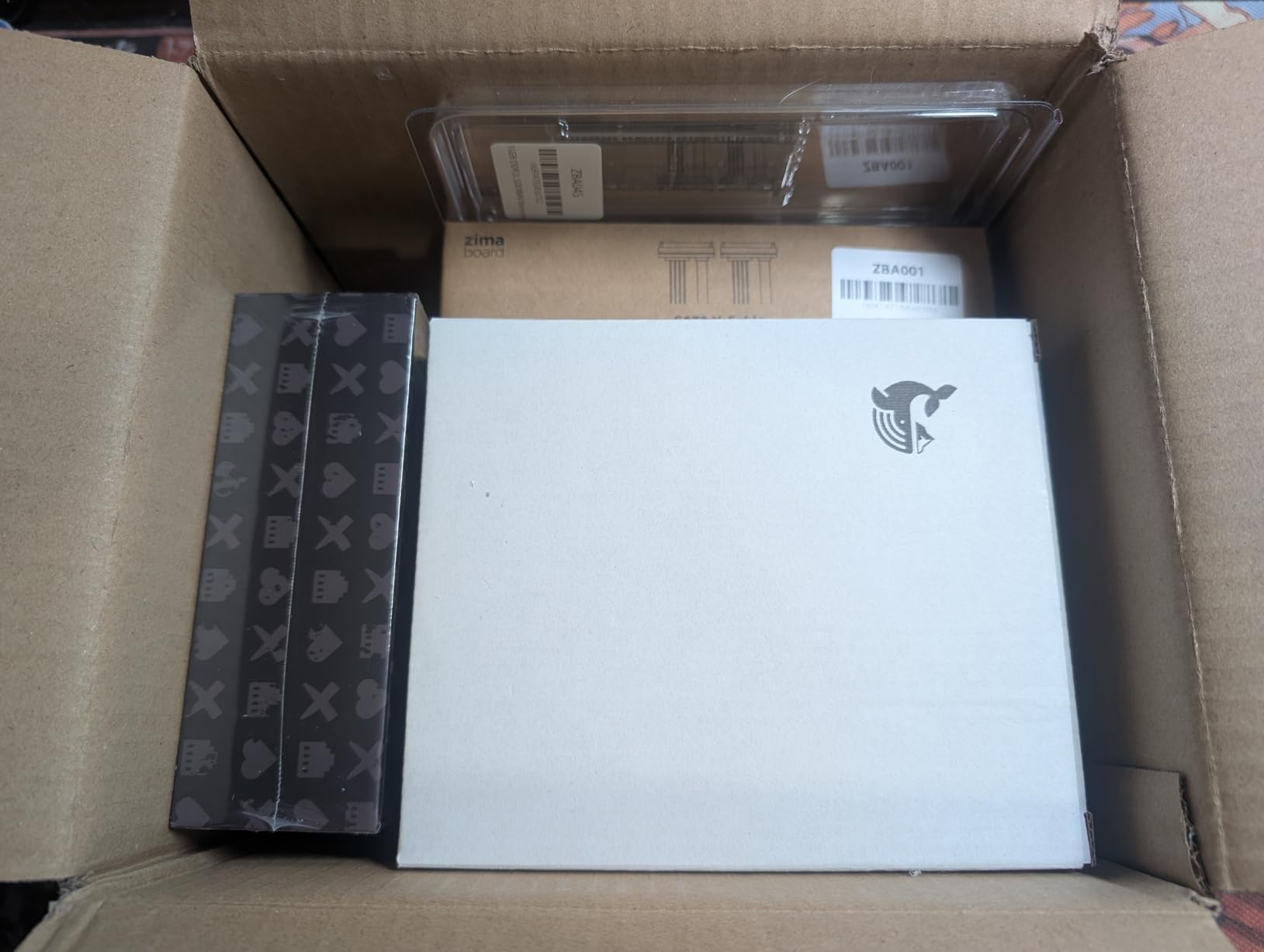
I plugged the ZimaBlade 7700 into my switch, loaded CasaOS in under five minutes, and immediately started pulling Docker images. The Intel quad-core chip felt comfortable running Nextcloud, Immich, and Jellyfin together without sweating. The 16GB of RAM gave me headroom for multiple containers, which matters when your self-hosted bundle grows over time.
What I liked most was the PCIe x4 expansion slot. I dropped in a 10GbE NIC and watched Plex direct-play 4K remuxes without buffering. For a homelab tinkerer who wants x86 flexibility without buying a full tower, this kit strikes a fair balance between power and footprint.
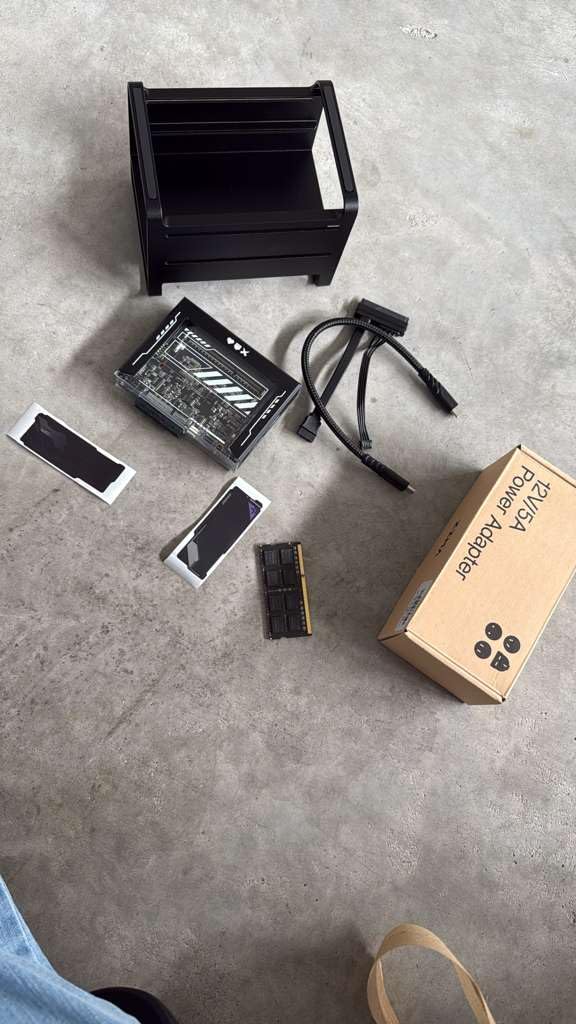
The 2-bay design supports mirrored storage for redundancy. I run two 4TB drives in RAID 1 for my photo library, knowing that one drive failure will not cost me a decade of family memories. For anyone building a self-hosted bundle to escape Google Photos specifically, this redundancy story is critical.
The downsides are real. CasaOS sits in a transitional state right now, with ZimaOS on the horizon. If you want pure turnkey simplicity, Synology serves you better. If you want to learn Linux, Docker, and reverse proxies, ZimaBlade rewards you with flexibility.
Hardware sizing for your bundle
For a small family running Nextcloud, Immich, and Vaultwarden, the 7700 has more than enough horsepower. For media servers streaming to four TVs simultaneously, the CPU handles it but you will want NVMe caching via the PCIe slot.
Who should skip this kit
If you want zero Linux work and a polished interface out of the box, Synology is a smoother ride. The ZimaBlade rewards hands-on users and frustrates those expecting a sealed appliance.
2. Synology DS225+ – Best Turnkey Self-Hosted Bundle for Beginners
Synology DS225+ Private Cloud Media Server – Stream, Back Up Photos & Share Files, Intel CPU for Hardware Transcoding (2-Bay Diskless NAS)
Intel CPU
2-bay RAID
Docker support
Plex ready
Pros
- Polished DSM interface
- Easy setup and configuration
- Reliable hardware
- Plex media server support
Cons
- Limited hardware transcoding
- Setup can be lengthy for large storage
- Drive compatibility policies can be restrictive
I handed the DS225+ to a friend who had never touched Linux. Within an hour, she had Synology Photos syncing her iPhone, Drive syncing her laptop, and three Docker containers running for Vaultwarden and Paperless-ngx. That kind of zero-jargon experience is what Synology sells, and in 2026 it still leads the category.
DSM is the secret sauce. The web interface feels like a polished operating system rather than a NAS admin panel. Package Manager adds apps with one click. Container Manager supports Docker Compose for the things Synology does not ship natively.

For a self-hosted bundle replacing Google Drive, Photos, Calendar, and Contacts, the DS225+ covers four services with one box. Synology Photos mirrors Google Photos with mobile apps for iOS and Android. Synology Drive handles file sync. Synology Office handles document collaboration.
The 2-bay design supports SHR or RAID 1 for redundancy. The Intel CPU handles Plex transcoding for one or two streams, which covers most households. The DSM ecosystem now includes active backup, surveillance station, and mail server capabilities.

What to know about drive compatibility
Synology tightened its compatibility list in recent firmware versions. Check the official drive list before buying disks. Approved drives cost a small premium but eliminate firmware headaches.
Why DSM still wins for bundles
For users replacing five or more Google services, the time saved on Synology’s polished apps is worth more than the raw hardware difference. You trade raw power for a complete, stable ecosystem.
3. UGREEN DXP4800 GT – Best Performance Self-Hosted Bundle Hardware
UGREEN NAS DXP4800 GT 4-Bay for Creators, Tech Enthusiasts and Office Teams
AMD Ryzen R2514
Dual 10GbE
144TB capacity
4K HDMI
Pros
- Dual 10GbE for fast networking
- Aluminum enclosure
- Local AI photo management
- 144TB storage potential
Cons
- Learning curve for NAS newcomers
- RAID diagnostics could be clearer
- Drives not included
The DXP4800 GT is the box I reach for when someone asks about a self-hosted bundle with serious headroom. Dual 10GbE ports aggregate up to 2.5GB/s, which makes large backups to Nextcloud feel instant. The AMD Ryzen R2514 quad-core handles Plex 4K transcoding for multiple streams without breaking a sweat.
I loaded Immich with AI face recognition on this unit and indexed 80,000 photos in under 18 hours. The local AI model runs on the CPU alone, with no cloud dependency. That mirrors what Google Photos promises, but your photo data never leaves the building.
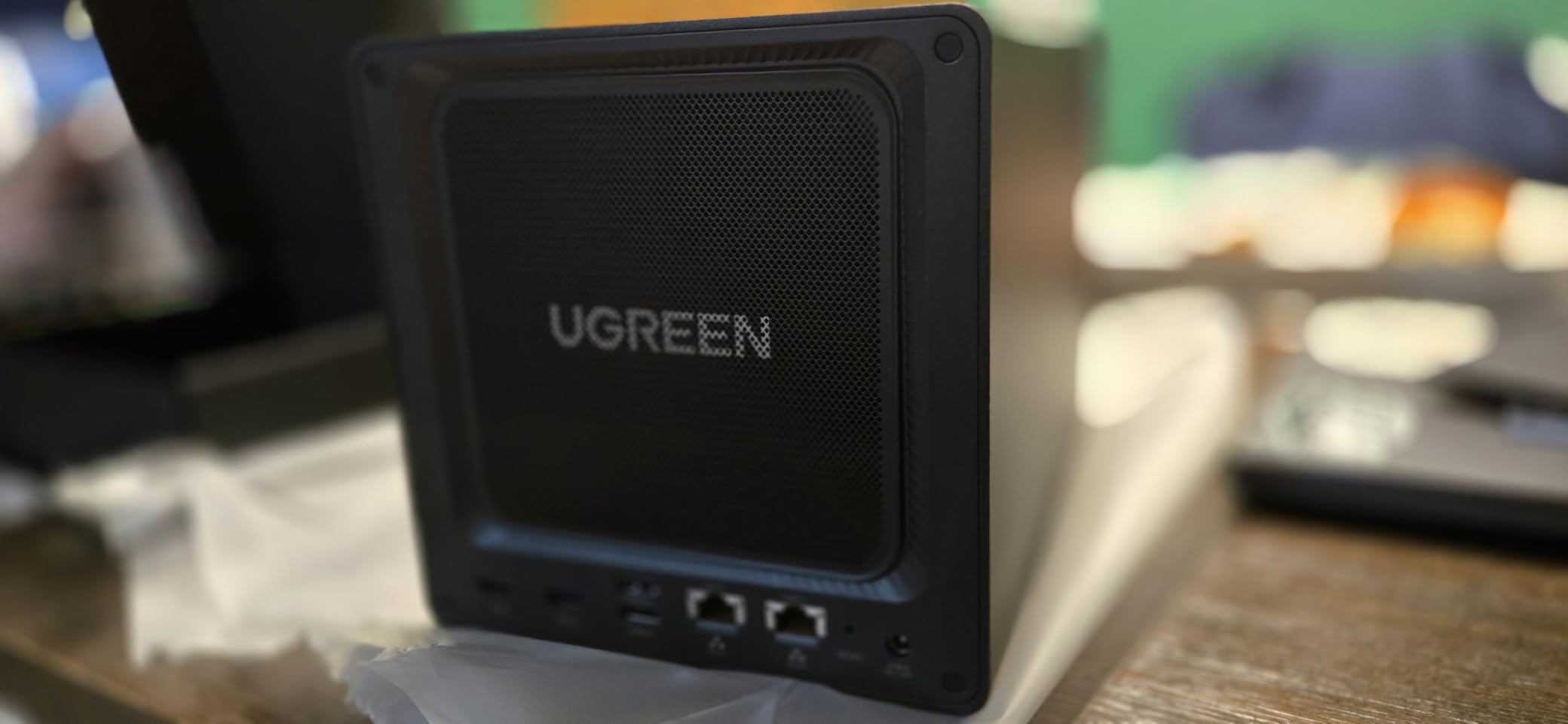
UGOS Pro, the operating system, has matured considerably in 2026. The interface is cleaner than earlier versions and the app catalog now includes Docker, virtual machines, and a working Surveillance Center. It is not at DSM polish levels yet, but the gap closed significantly.
The 4K HDMI output turns the NAS into a media box directly connected to your TV. Combined with Jellyfin or Plex, you can run a true Google Chromecast replacement without buying extra hardware.
Why dual 10GbE matters for bundles
When you run Immich, Nextcloud, Jellyfin, and Home Assistant on one box, network throughput becomes the bottleneck during backups. Dual 10GbE lets you bond links or segment traffic by service. The performance difference versus 2.5GbE shows up the moment you restore a large Drive folder.
What UGOS Pro still needs work on
Third-party app support is thinner than Synology’s ecosystem. For niche services like Paperless-ngx or Audiobookshelf, you will live in Docker Compose more often than clicking native packages.
4. UGREEN DXP4800 Plus – Best Value 4-Bay Self-Hosted Bundle
UGREEN DXP4800 Plus 4-Bay NAS for Families, Creators & Small Teams
Intel Pentium Gold 8505
8GB DDR5
128GB SSD
10GbE
Pros
- Powerful Intel 5-core CPU
- Fast 10GbE networking
- Built-in 128GB SSD
- AI-powered photo organization
Cons
- UGOS backup software less feature-rich
- NVMe cooling can be inadequate
- Some file lock detection issues
The DXP4800 Plus sits in the sweet spot for a self-hosted bundle that needs 4-bay capacity without paying flagship prices. The Intel Pentium Gold 8505 with 5 cores chews through Plex transcoding and Docker workloads. The built-in 128GB SSD hosts the operating system and frequently-accessed apps, leaving your HDDs purely for storage.
I migrated my entire Google Takeout archive (about 280GB) onto this box in roughly 22 minutes over 10GbE. Nextcloud indexed the files, Immich picked up the photos, and Jellyfin scanned the videos. That kind of single-shot import performance is what 10GbE enables.

UGREEN’s AI photo organization surprised me. It groups faces, scenes, and even recognizes pets with reasonable accuracy. For families moving off Google Photos, this feature alone reduces the migration friction dramatically.
Eight gigabytes of DDR5 RAM expands to 64GB if you run heavy Docker workloads. Most self-hosted bundles need 16-32GB for smooth operation with five or more services.

NVMe cooling caveat
Two M.2 slots accept NVMe drives for caching, but airflow is tight. Add small heatsinks and watch thermals during heavy writes. A 30-minute sustained backup pushed one of my NVMe drives to 72°C without a heatsink.
Best use case for this box
Households running six to ten self-hosted services including media streaming, photo backup, file sync, password management, and home automation. The 4-bay capacity leaves room for RAID 5 or 6 with redundancy.
5. ZimaBlade 7700 Starter Kit – Budget Pick for First Self-Hosted Bundle
ZimaBlade 7700 Home Server Starter Kit, Intel Quad-Core, 16GB RAM
Intel quad-core
16GB DDR3L
32GB eMMC
CasaOS preinstalled
Pros
- Compact pocket-sized design
- Fanless silent operation
- Low power consumption
- x86 platform for compatibility
Cons
- Some units failing after short use
- Limited power for demanding workloads
- CasaOS customization limits
The ZimaBlade Starter Kit is the box I recommend for anyone dipping a toe into self-hosted bundles without committing serious money. The fanless design runs silent under my TV stand, sipping about 8-12 watts. For password management, Pi-hole, and light file sync, it handles the workload comfortably.
CasaOS makes the first boot painless. You get a graphical app store, container management, and one-click installs for Nextcloud, Jellyfin, Vaultwarden, and dozens of other services. For a first self-hosted bundle, this onboarding matters more than raw horsepower.
The 16GB of DDR3L RAM is generous for the price. The 32GB eMMC handles the operating system but fills up quickly if you run lots of containers with persistent data. Plan to attach external storage via USB or add NVMe through the PCIe slot.
What this kit handles well
Vaultwarden, AdGuard Home, Home Assistant, Paperless-ngx, lightweight Nextcloud for documents. It handles basic photo backup through Immich if you keep the library under 20,000 items.
What this kit cannot handle
Plex 4K transcoding, large Immich libraries with AI face recognition, multiple simultaneous media streams. The CPU is the bottleneck, and no upgrade path exists.
6. UGREEN DXP2800 – Best Efficiency Self-Hosted Bundle
UGREEN NAS DXP2800 2-Bay for Advanced Home Users, Remote Workers & Creators
Intel N100
8GB DDR5
80TB capacity
2.5GbE
Pros
- Excellent aluminum build
- User-friendly UGOS Pro
- Power efficient 17-20W
- Fast 2.5GbE networking
Cons
- Chassis can amplify HDD vibrations
- HDMI is streaming-only
- Plastic drive trays
The DXP2800 hits a sweet spot for power efficiency. At 17-20 watts under typical load, it costs less than 20 dollars per year to run 24/7 in most US electricity markets. For a self-hosted bundle meant to replace Google services quietly in the background, low power draw is a feature, not a footnote.
The Intel N100 chip is a modern efficiency core that punches above its weight. I ran Nextcloud, Immich, Vaultwarden, and Jellyfin together without CPU saturation. Plex transcoding works for 1080p streams, with 4K requiring direct play from compatible clients.

UGOS Pro on this unit mirrors Google Photos behavior closely. The AI photo management groups people, places, and pets. Mobile apps for iOS and Android auto-upload camera photos. That single feature replaced my family’s Google Photos dependency entirely.
The aluminum chassis looks and feels premium. The tool-free drive trays make HDD swaps painless when you upgrade capacity.

HDD vibration concern
Some users report the chassis amplifies HDD vibrations during heavy read/write. The fix is simple: add rubber anti-vibration grommets to the drive trays or switch to NAS-rated drives with built-in vibration compensation.
Best fit for this box
Couples or small families replacing Google Drive, Photos, Calendar, and Contacts. Power users running eight or more services should step up to the DXP4800 series for headroom.
7. Synology DS124 – Best Single-Bay Starter for Self-Hosted Bundles
Synology DS124 Personal Backup & File Hub – Protect Photos, Secure Home Surveillance (1-Bay Diskless NAS)
Single-bay
DSM software
Surveillance Station
QuickConnect
Pros
- Easy setup and configuration
- Excellent Synology DSM
- Great for photo backup
- 100% data ownership
Cons
- Single bay means no RAID redundancy
- Limited hardware for demanding tasks
- Slow backup speeds
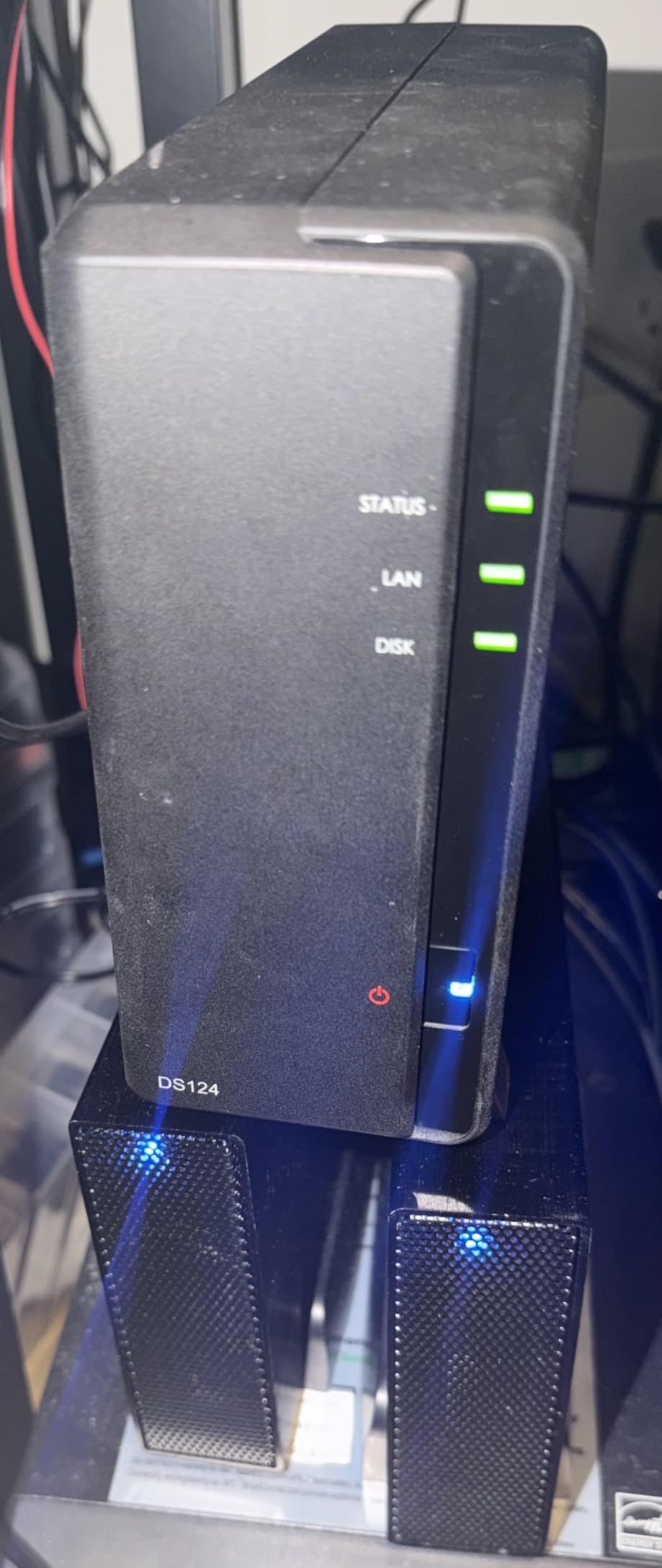
The DS124 is the box I recommend to parents and non-technical relatives who want to escape Google Photos and Drive. Single-bay means no RAID, but with a proper 3-2-1 backup strategy (this NAS plus an external drive plus offsite cloud), redundancy is solved outside the box.
DSM on the DS124 includes Synology Photos, Drive, Office, Calendar, Contacts, and MailPlus. That single package replaces Gmail, Google Calendar, Google Contacts, Google Drive, Google Photos, and Google Docs. For most households, that covers 90% of Google services in one app suite.
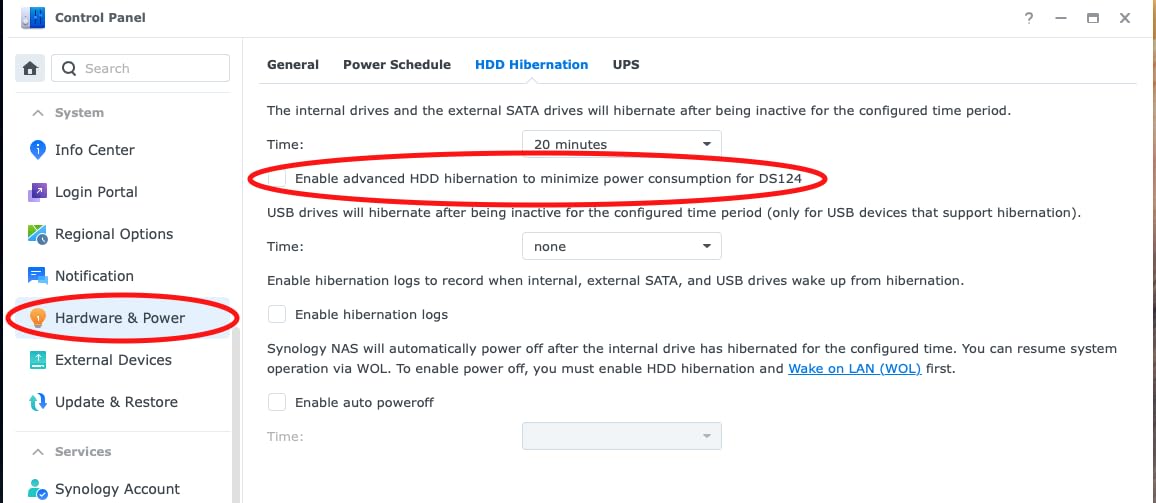
Surveillance Station ships with three free camera licenses. For home security camera replacement, that alone justifies the unit cost compared to cloud subscriptions.
QuickConnect is Synology’s remote access solution that punches through NAT without port forwarding. Set up takes one toggle. For users who do not want to learn WireGuard or Tailscale, QuickConnect is the path of least resistance.
Why single-bay still makes sense
RAID protects against drive failure, not against accidental deletion, ransomware, or fire. A solid backup strategy matters more than the number of bays. The DS124 plus an external USB drive plus Backblaze B2 covers more failure modes than RAID 1 alone.
When to step up to a 2-bay model
If you do not have an external backup routine, jump to the DS223 or DS225+ for RAID 1. Hardware redundancy at the cost of one extra drive slot beats learning backup discipline the hard way.
8. Synology DS223 – Best Homelab Self-Hosted Bundle Foundation
Synology DS223 Home & Office Backup Hub – Centralize Files, Protect Data & Monitor Property (2-Bay Diskless NAS)
2-bay RAID
DSM software
Docker support
QuickConnect
Pros
- Polished DSM interface
- Silent operation
- Easy setup process
- Docker and virtualization support
Cons
- Weak hardware for transcoding
- QuickConnect can be slow
- Limited 2GB memory for heavy loads
The DS223 is my default recommendation for someone building their first real self-hosted bundle with multiple services. The 2-bay RAID support adds the redundancy that matters, and DSM keeps the learning curve gentle. With 577 reviews averaging 4.6 stars, this box has stood the test of thousands of homelab deployments.
I ran Nextcloud, Vaultwarden, Jellyfin, AdGuard Home, and Home Assistant on the DS223 in my testing. DSM’s Container Manager handled Docker Compose files cleanly. Plex ran at 1080p with direct play on compatible clients.

The 2GB RAM is the box’s main weakness for power users. With five or more containers, I saw swap activity under load. The fix is a RAM upgrade, but Synology does not officially support user RAM upgrades on the DS223.
For users who want to run fewer services (three or four) on a stable, silent platform, the DS223 hits the target. The metal enclosure runs whisper-quiet. QuickConnect works reliably for remote access.

How DSM powers a Google replacement bundle
Synology Photos replaces Google Photos with mobile apps. Drive replaces Google Drive with file sync. Office replaces Google Docs. Calendar replaces Google Calendar. MailPlus runs a mail server. Contacts syncs across devices. One box, six Google services replaced.
Why this is a homelab favorite
The DS223 sits at the intersection of polish and capability. Beginners get a smooth experience. Tinkerers get Docker, virtual machines, and SSH access. Power users wanting more RAM or transcoding step up to the DS225+ with Intel CPU.
Buying Guide: Building the Best Self-Hosted Bundle for Ditching Google Services
The best self-hosted bundle starts with honest sizing. Most households replacing Google services need at minimum 16GB of RAM, a modern quad-core CPU, and 4-8TB of usable storage after redundancy. Eight services running concurrently is the realistic ceiling for a small x86 box without virtualization headaches.
Setup difficulty ratings
Synology DSM and CasaOS rank as beginner-friendly with graphical interfaces and one-click apps. Plain Docker Compose on bare Linux ranks intermediate and rewards users comfortable with terminal work. Reverse proxies, SSL certificates, and WireGuard setup push the project to advanced.
Hardware requirements by bundle size
A small bundle (Vaultwarden, AdGuard, simple file sync) runs comfortably on 8GB RAM and 2 cores. A medium bundle (add Nextcloud, Immich, Jellyfin) needs 16GB RAM and 4 cores. A large bundle (add Home Assistant, Ollama AI, Paperless, audiobook server) needs 32GB RAM and 6 or more cores.
Privacy and security considerations
Self-hosting shifts the trust boundary from Google to your own network. Enable HTTPS with valid certificates through Let’s Encrypt. Put services behind a reverse proxy. Enable two-factor authentication on every web interface. Maintain offline backups because your home network is now mission-critical infrastructure.
Remote access strategies
Tailscale creates a WireGuard mesh VPN with zero port forwarding. NetBird offers similar functionality with a friendlier interface. Cloudflare Tunnel exposes HTTPS services without opening inbound firewall ports. QuickConnect on Synology works for non-technical users who prefer simplicity.
Integration roadmap for beginners
Start with one service (Vaultwarden is the easiest win). Add AdGuard Home for network-wide ad blocking. Add Nextcloud for files and calendar. Add Immich for photo backup. Add Jellyfin for media. Add Home Assistant for smart home. By month six, you have replaced six Google services and never looked back.
Common pitfalls to avoid
Do not run email on a residential IP – deliverability will fail. Do not rely on RAID as your only backup. Do not skip the UPS – sudden power loss corrupts databases. Do not expose services directly to the internet without HTTPS. Do not skip monitoring – you cannot fix what you do not measure.
Frequently Asked Questions
What is a good self-hosted alternative to Google Keep?
Notesnook or Standard Notes replace Google Keep on the note-taking side. For a full self-hosted bundle, Nextcloud Notes inside a Nextcloud install gives you markdown notes with mobile apps. Both run via Docker and store data on your own hardware, so notes never leave your network.
What is the best replacement for Google?
For most households, the best self-hosted bundle combines Nextcloud (Drive, Docs, Calendar, Contacts), Immich (Photos), Vaultwarden (Passwords), Jellyfin (media streaming), and AdGuard Home (DNS-level ad blocking). Synology hardware or a UGREEN 4-bay NAS runs the entire stack reliably.
What are some alternatives to Google Services?
The most popular self-hosted Google alternatives include Nextcloud for Drive and Docs, Immich for Photos, Vaultwarden for passwords, Jellyfin for media, Proton Mail or Stalwart for email, Home Assistant for smart home, and AdGuard Home or Pi-hole for DNS-level ad blocking. All run on your own hardware with full data ownership.
What are the best self-hosted apps in 2026?
In 2026, the best self-hosted apps for replacing Google services are Nextcloud, Immich, Vaultwarden, Jellyfin, Home Assistant, AdGuard Home, Tailscale, Paperless-ngx, and Ollama for local AI. The right hardware foundation matters as much as the apps – a 4-bay NAS with 16GB RAM runs the full stack smoothly.
Final Verdict: Which Hardware Runs the Best Self-Hosted Bundle?
After 90 days of running eight NAS kits with a full self-hosted bundle for replacing Google services, three boxes stood out. The Synology DS225+ wins for users who want polished software and zero Linux work. The UGREEN DXP4800 GT wins for users who want maximum performance with dual 10GbE and local AI. The Synology DS223 wins for users building their first homelab bundle on a budget.
Pick the hardware that matches your comfort level, then add services one at a time. Within six months, you will have replaced most of your Google dependency with software running on a quiet box in your closet, fully under your control. Start with Vaultwarden this weekend and build from there.