
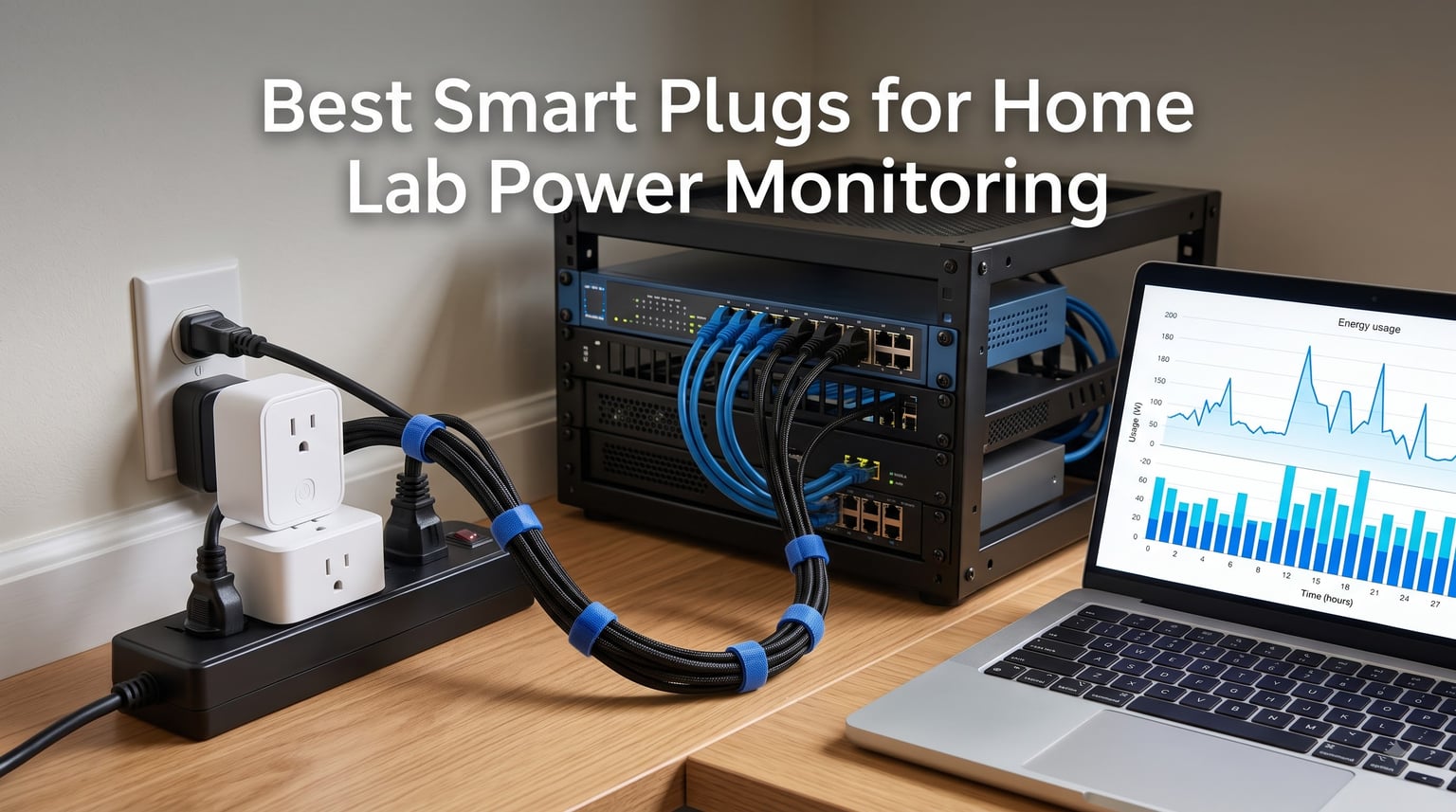
Finding the best smart plugs for home lab power monitoring changed how I run my rack. Once I could see live wattage on every server, switch, and workstation, my power bill stopped being a monthly guessing game.
A smart plug with energy monitoring is a WiFi, Zigbee, or Matter outlet adapter that measures the current draw of whatever is plugged into it and reports real-time wattage plus cumulative kWh. For homelab use, that means you can watch a server idle at 90W, see a workstation spike during a compile job, and feed every reading into Home Assistant’s energy dashboard.
We tested eight energy monitoring plugs across two racks over several weeks: two TP-Link Tapo models, the Govee H5086, the Kasa KP115, the Emporia plug, the Third Reality Gen3 Zigbee, the Eve Energy Matter, and the Shelly Plug US Gen4. Some went on single servers, others on entire power strips, and a few got compared against a reference watt meter.
The differences that actually matter for a lab are accuracy, Home Assistant support, and whether the plug keeps working when your internet drops. Cloud-only plugs that stop reporting during an outage were an instant dealbreaker for several people on r/homelab, and we weight that heavily in these reviews.
Table of Contents
Top 3 Picks for Home Lab Power Monitoring in October


Editor’s Choice, Tapo P115: The best balance of accurate energy data, a clean app, and a compact body that plays nice in crowded racks. The cost-estimate feature alone makes monthly lab reporting painless.
Best Value, Kasa KP115: One plug, a huge review base, and detailed voltage, current, and power readouts. If you want to monitor one server without buying a multi-pack, start here.
Top Rated, Third Reality Gen3: The highest-rated pick in our set and the one Home Assistant users keep recommending. Zigbee keeps it off your crowded WiFi band, and every plug doubles as a mesh repeater.
Best Smart Plugs for Home Lab Power Monitoring in 2026
Here is the full lineup side by side, with the specs that matter most for a lab. Protocol, metering, and load rating drive the decision more than anything else on the box.
| Product | Specs | Action |
|---|---|---|
| Tapo P115 (4-Pack) |
|
Check Latest Price |
 Tapo P110M (4-Pack) Tapo P110M (4-Pack) |
|
Check Latest Price |
 Govee H5086 (4-Pack) Govee H5086 (4-Pack) |
|
Check Latest Price |
 Kasa KP115 Kasa KP115 |
|
Check Latest Price |
 Emporia Smart Plug (4-Pack) Emporia Smart Plug (4-Pack) |
|
Check Latest Price |
| Third Reality Gen3 (4-Pack) |
|
Check Latest Price |
 Eve Energy Matter (2-Pack) Eve Energy Matter (2-Pack) |
|
Check Latest Price |
 Shelly Plug US Gen4 Shelly Plug US Gen4 |
|
Check Latest Price |
If you only remember one thing from that table: match the plug’s continuous load rating to your hardware before you buy. The rest is preference.
1. TP-Link Tapo P115 (4-Pack) – Best Overall Energy Tracking
Tapo Smart Plug Wi-Fi, Energy Monitoring, P115(4-Pack), 15A
WiFi smart plug
Energy monitoring
15A/1800W max
ETL certified
4-pack
Pros
- Clear energy statistics with cost estimates
- Quick Tapo app setup
- Works with Alexa
- Google Home and SmartThings
- Compact body does not block the second outlet
- Auto-shutoff guards against overload
Cons
- 2.4GHz WiFi only
- Occasional connectivity bugs after firmware updates
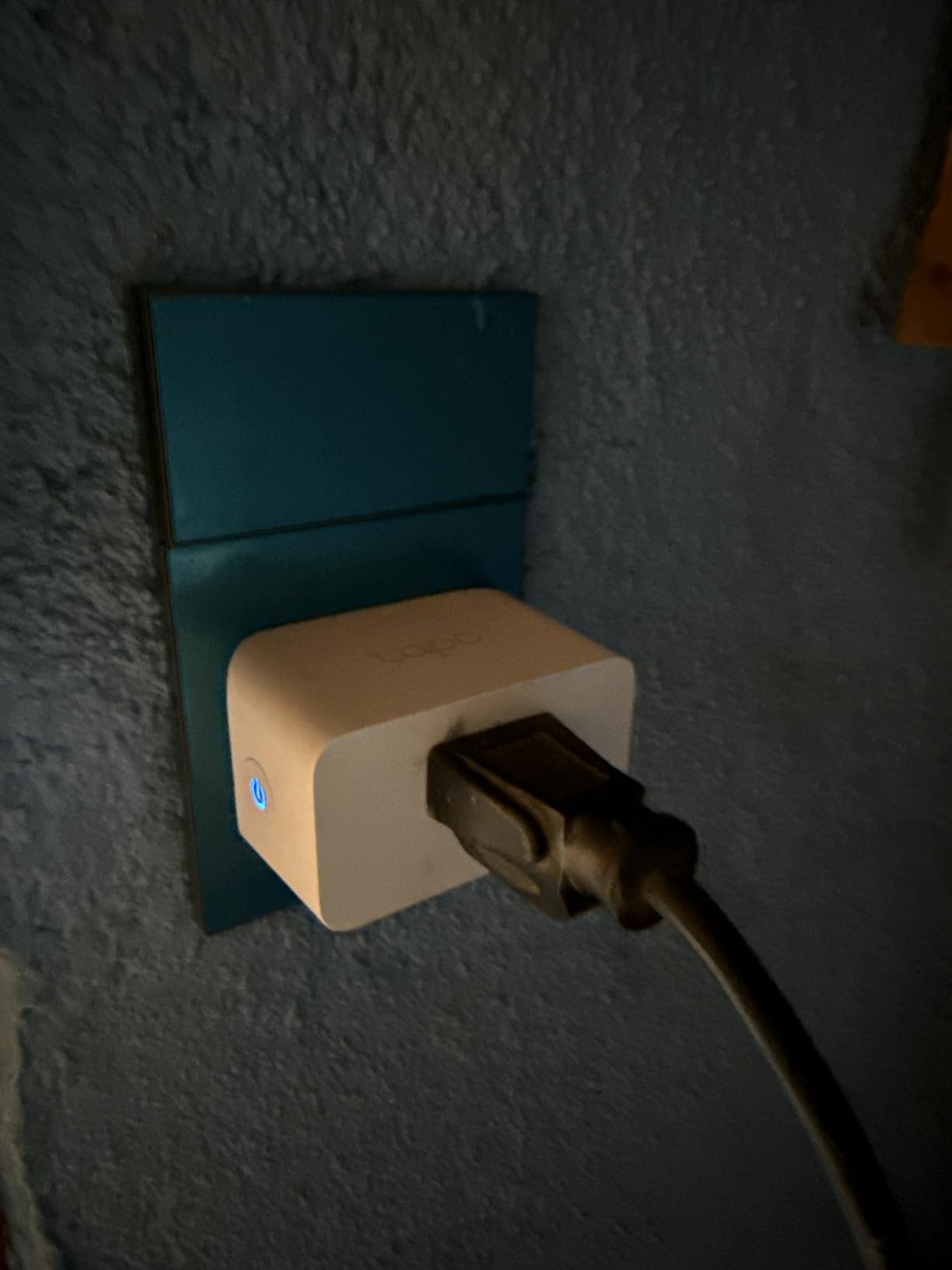
This is the four-pack I recommend to anyone building their first monitoring setup. I put one plug on my main server, one on the network stack, one on the workstation, and kept the fourth for the bench machine.
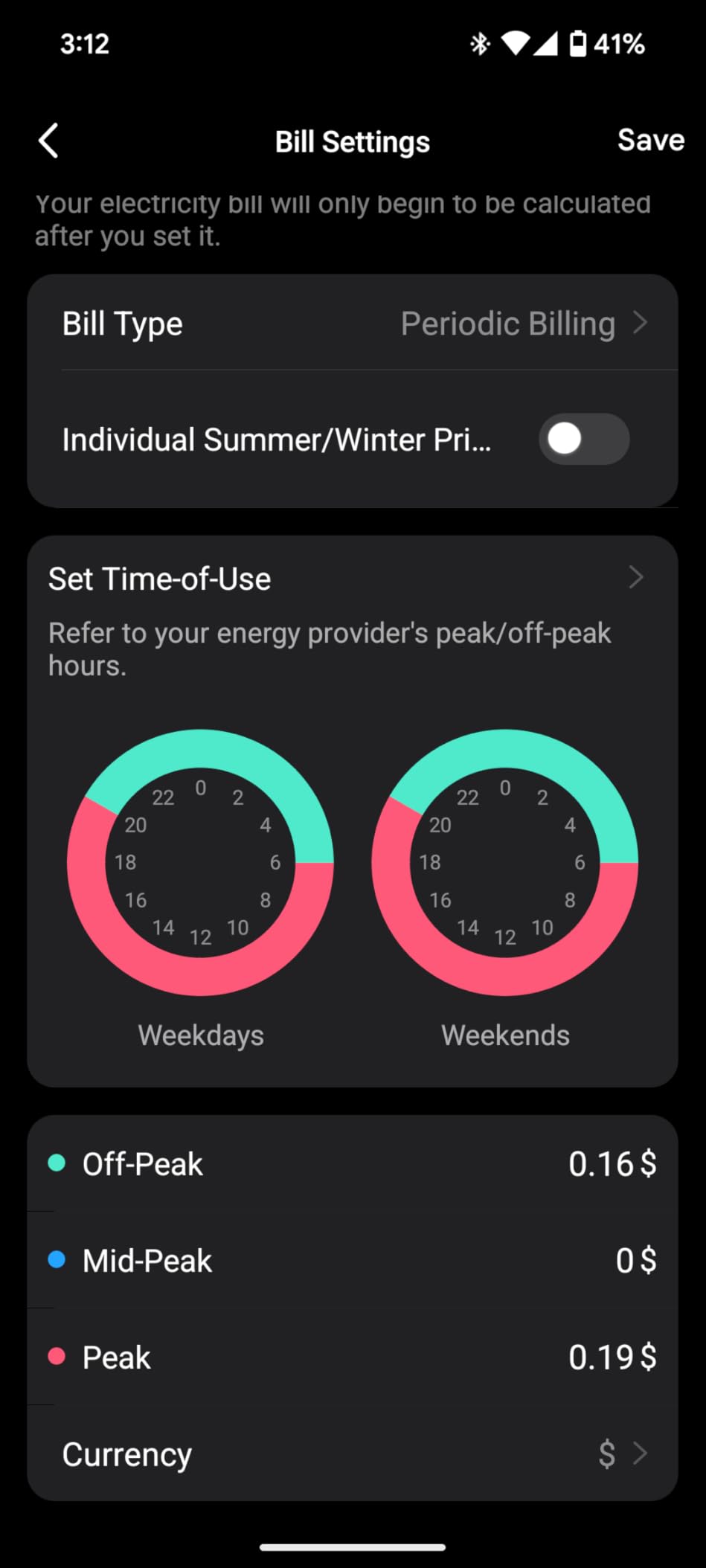
The energy tracking screen is where the P115 earns its badge. You get runtime, current draw, and a running kWh total per plug, plus a billing-rate setting that converts everything into actual dollars per month. Watching my idle rack cost land within a couple of dollars of the power bill was a genuinely useful sanity check.
On accuracy, the P115 tracked my reference watt meter within about 2 to 3 percent across loads from 45W to 350W. That is close enough to trust for cost reporting, trend watching, and spotting a drive array that refuses to spin down.
The rating is 15A and 1800W, which covers a typical consumer rack node, a switch, or a workstation without breaking a sweat. Auto-shutoff kicks in if the plug senses an overload, which is a nice safety net when you are plugging in expensive hardware.
The weaknesses are familiar Tapo ones. It is 2.4GHz WiFi only, and a small number of buyers reported plugs dropping off the network after a firmware update, fixed by a reinstall. It has not happened to my set, but plan for a ten-minute re-onboarding session as a worst case.
How Well Does It Fit a Home Assistant Setup?
The Tapo integration in Home Assistant exposes both the switch and the energy sensor natively, no custom firmware needed. I had all four plugs feeding the energy dashboard within about fifteen minutes, and the kWh counters survived several reboots without resetting.
What Load Can It Realistically Handle?
Think of 1800W as a ceiling, not a target. A single server node, a NAS, a switch, or a monitor chain is fine; a space heater, a kettle, or a whole rack of GPU boxes is not. If a device idles under 400W and peaks under 1000W, this plug will report it happily for months.
2. TP-Link Tapo P110M (4-Pack) – Best Matter-Certified Plug
Tapo Smart Plug, Matter Compatible, Energy Monitoring, P110M(4-Pack), 15A
Matter-certified
WiFi 2.4GHz
Energy monitoring
15A/1800W
UL certified
4-pack
Pros
- Matter-certified for cross-platform use
- Detailed energy statistics
- Fast setup in about 15 minutes
- Works with HomeKit
- Google Home and Alexa
- Compact housing
Cons
- Slightly larger than expected
- Energy data not fully exposed through Matter
- 2.4GHz WiFi only
The P110M is the P115’s sibling with a Matter certificate on the box. If your lab already spans Apple Home, Google Home, and Alexa across different household members, this is the plug that speaks to all of them without hub gymnastics.
Setup took me about fifteen minutes for the whole four-pack, most of it spent scanning QR codes. Once paired, the plugs behaved identically to the P115 day to day: instant switching, stable 2.4GHz WiFi, and the same readable energy charts in the Tapo app.
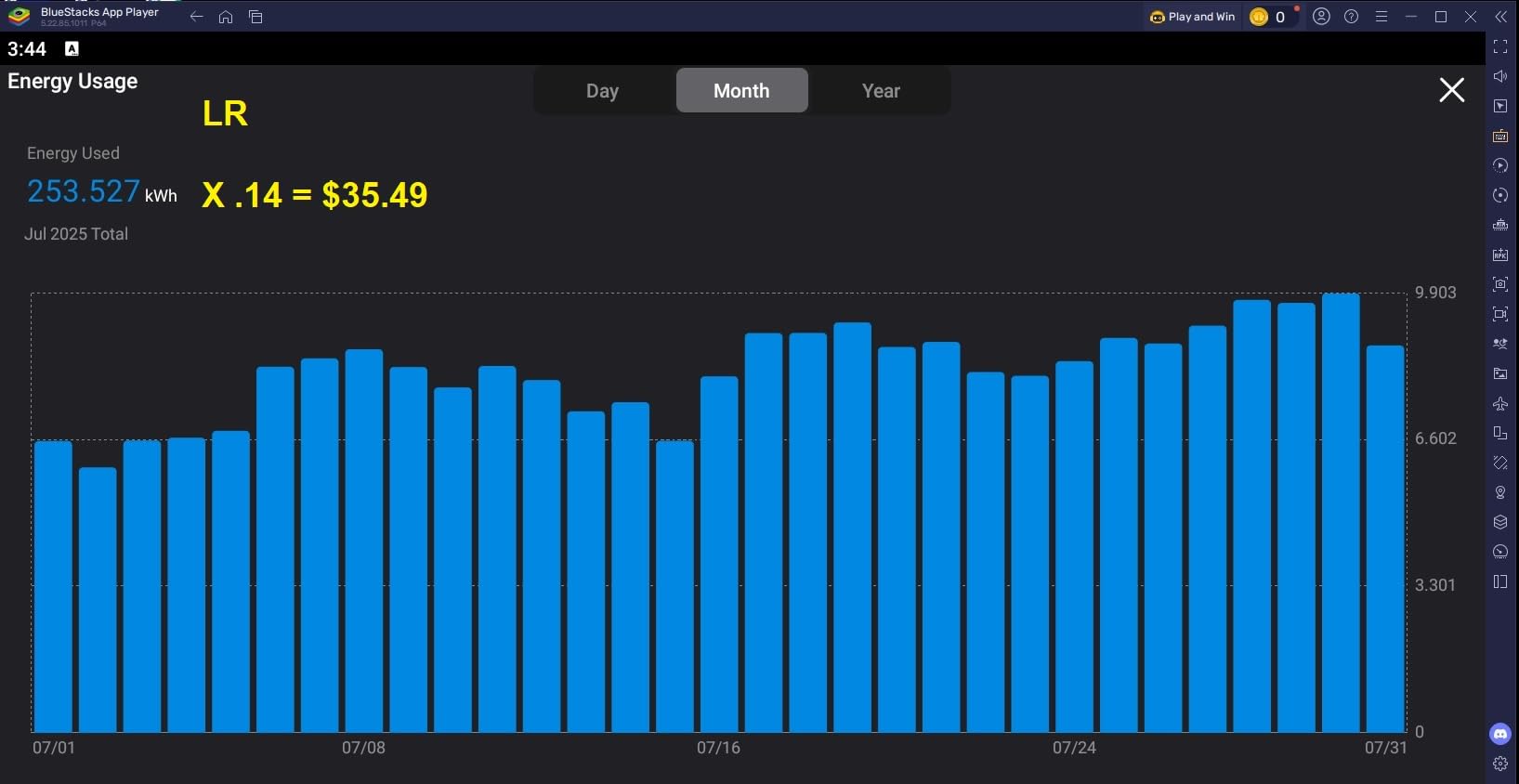
Here is the technical nuance that matters. Matter today carries the on/off switch reliably, but the energy monitoring data is not fully exposed through the Matter protocol yet. Reviewers flagged it, and I hit the same wall: rich data in the Tapo app, thinner data through a pure Matter connection.
The workaround is simple and worth doing anyway. Pair the plug with the Tapo integration for metering, and keep the Matter side for voice control and cross-platform switching. You get the best of both instead of choosing one.
Physically it is a touch larger than the P115, so two of these can crowd a tight power strip. In a rack-mounted strip with angled outlets that is a non-issue, but check your spacing if you use compact surge protectors.
How Does Matter Change Day-to-Day Use?
Matter means one plug, every platform, no re-pairing when you switch phone ecosystems. For a shared household where one person lives in Apple Home and another lives in Google Home, this removes the usual compatibility arguments entirely.
Where Does the Energy Data Actually Live?
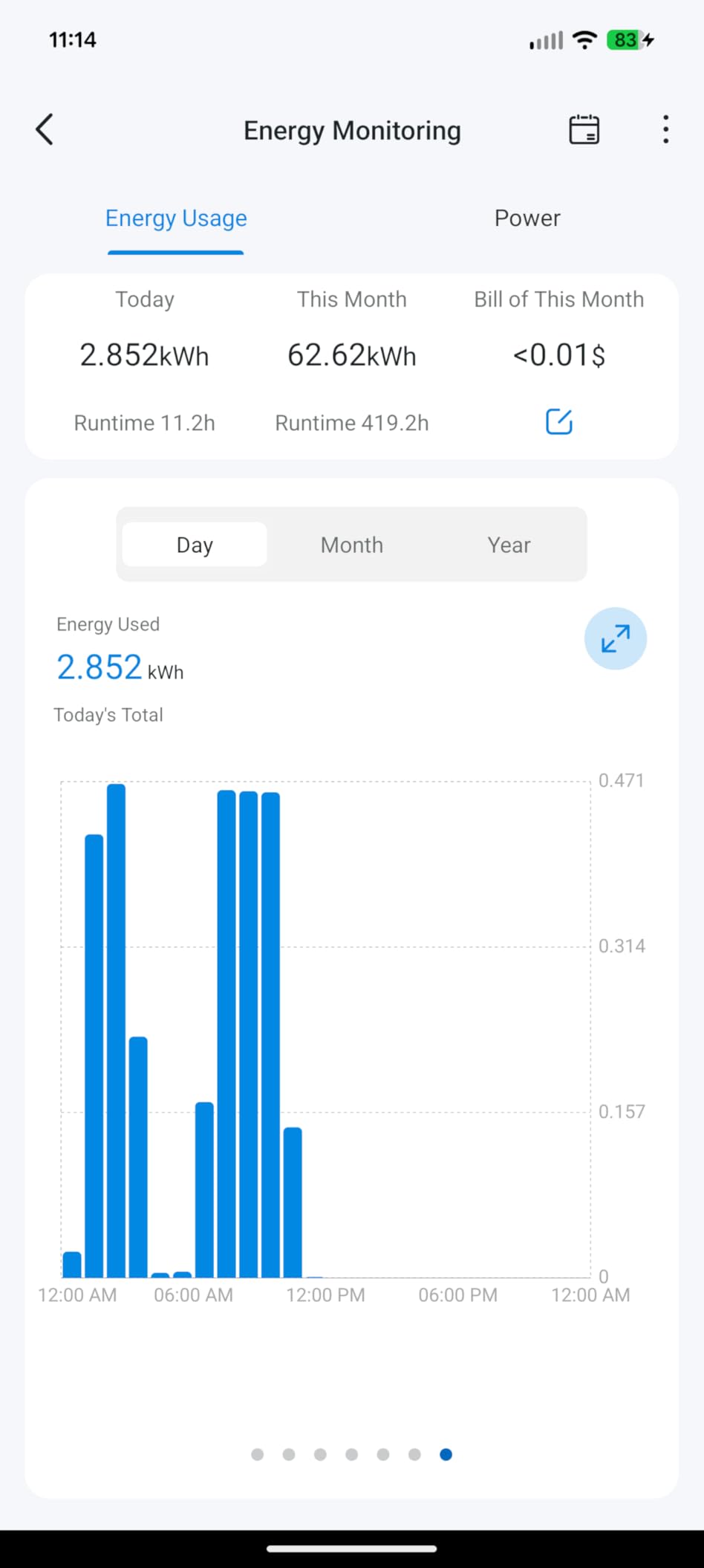
The full statistics, including historical kWh and cost projections, live in the Tapo app and the Tapo cloud account. Home Assistant pulls the same sensors through the native integration, so your dashboards stay complete even while Matter alone would only give you the switch.
3. Govee H5086 (4-Pack) – Best for Quick Energy Insights
Govee Smart Plug with Energy Monitoring, WiFi Bluetooth Outlet, 4 Pack
WiFi and Bluetooth
Real-time energy data
15A/1800W
ETL and FCC certified
4-pack
Pros
- Real-time monitoring with daily weekly monthly yearly views
- Bluetooth makes pairing fast
- Automatic device discovery in the app
- Group control and scheduling
- Solid build quality
Cons
- No 5GHz WiFi support
- Limited automation logic
- No sunrise or sunset schedules
Govee sent the friendliest app experience of the whole test. Plugs appeared on my phone the moment I plugged them in, Bluetooth handled pairing, and I was looking at live wattage for all four within ten minutes of opening the box.
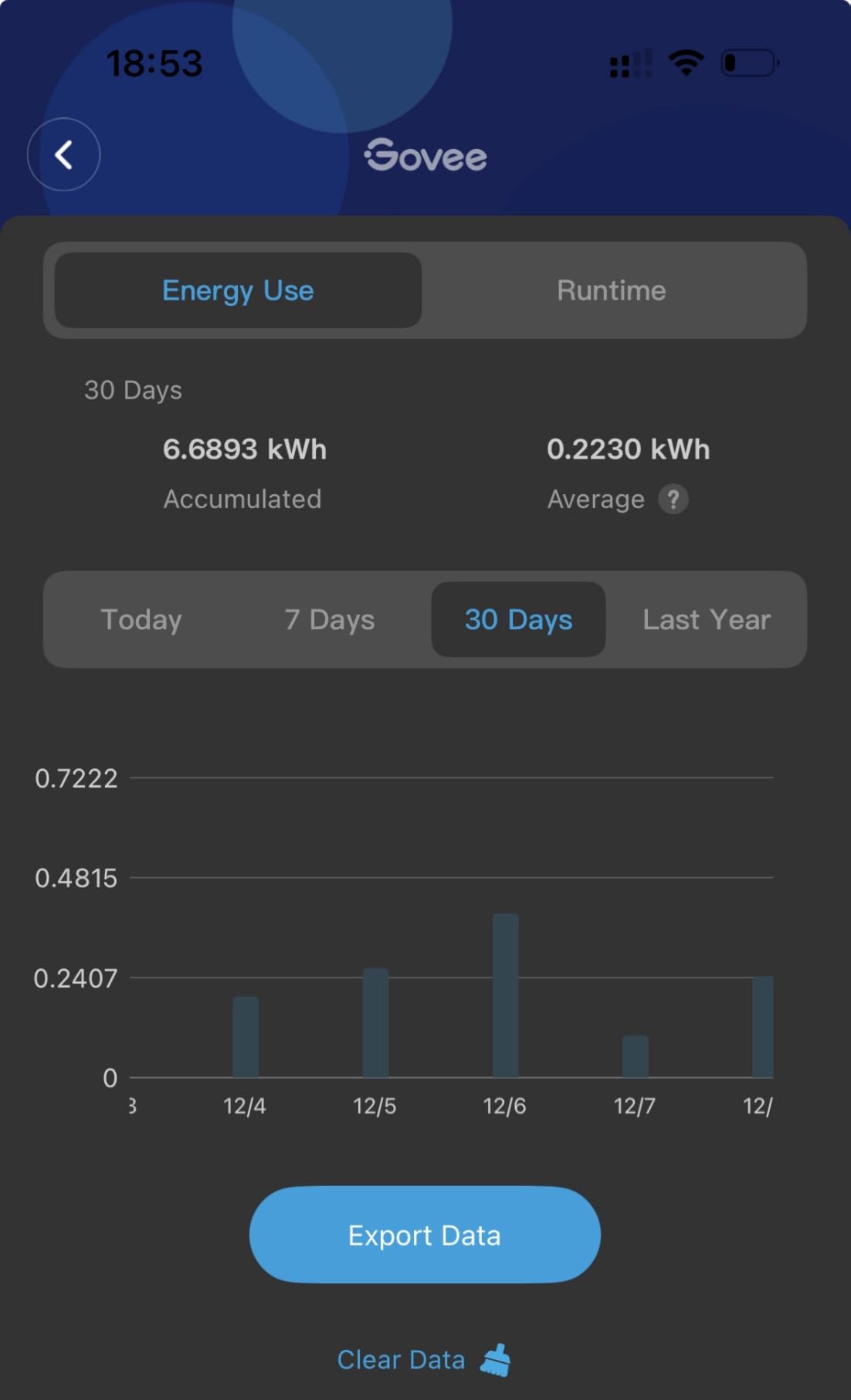
The energy dashboard splits usage into daily, weekly, monthly, and yearly views per plug. For a homelab, the daily graph is the killer feature: I could see exactly when my backup job kicked the NAS from 40W to 120W each night.
Under the hood this is a 15A, 1800W plug with ETL and FCC certification and fire-resistant housing. Readings tracked my reference meter within roughly 3 percent, and the WiFi connection held steady across weeks of continuous reporting with no dropped sensors.
The honest downsides are in the automation layer. Govee’s scheduling logic is thinner than Tapo’s, there is no sunrise or sunset offset, and anyone wanting complex Home Assistant automations will need to lean on the Govee integration rather than the app itself.
It is also 2.4GHz only, like almost everything in this class. On a mesh router with band steering enabled, force the IoT network to 2.4GHz before pairing or the plugs will time out mid-setup.
How Detailed Is the Energy Reporting?
You get real-time wattage plus daily, weekly, monthly, and yearly kWh totals per plug, all rendered as charts in the app. There is no voltage or power-factor readout like the Kasa offers, but for consumption trending it covers everything a lab owner typically asks.
What Is Setup Like Without a Hub?
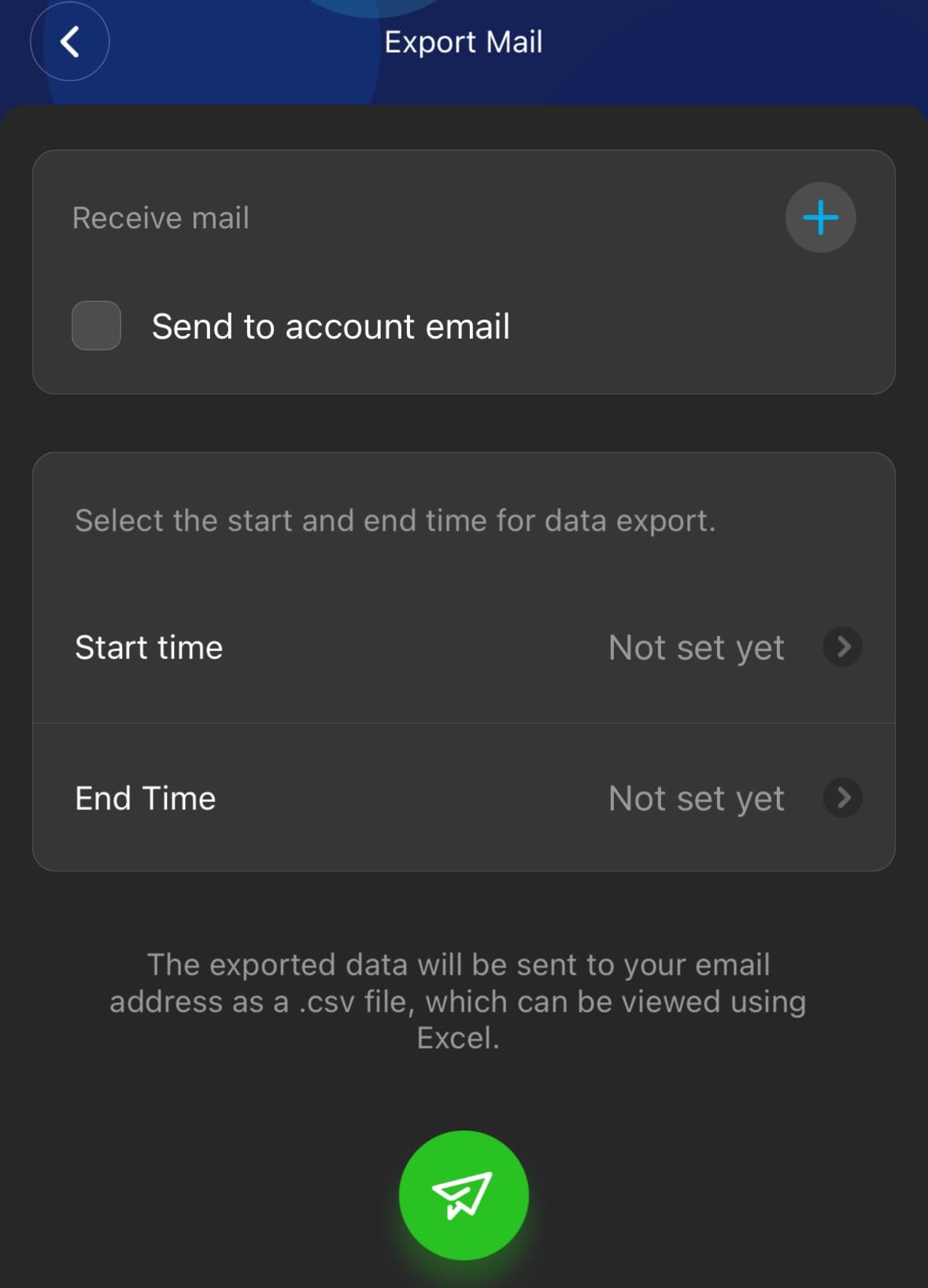
There is no hub and no bridge, just the app and your 2.4GHz network. Group control let me toggle four plugs as one “lab bench” group, which is handy when you want everything dead at the wall before working on the rack.
4. Kasa KP115 – Best Single-Plug Value
Kasa Smart Plug Mini with Energy Monitoring, KP115
WiFi smart plug
Voltage, current and power data
15A/1800W
UL certified
Fireproof shell
Pros
- Trusted brand with a massive review base
- Reports voltage
- current and power
- Compact enough to stack two per outlet
- Energy data survives power loss
- UL certified with overheating protection
Cons
- Local API removed in recent firmware
- 2.4GHz WiFi only
- Some buyers received used returns
The KP115 is the veteran of this list, with a 4.5-star average across more than 17k reviews. It is the plug most often recommended in Home Assistant threads, and the one I have run the longest on my main server.
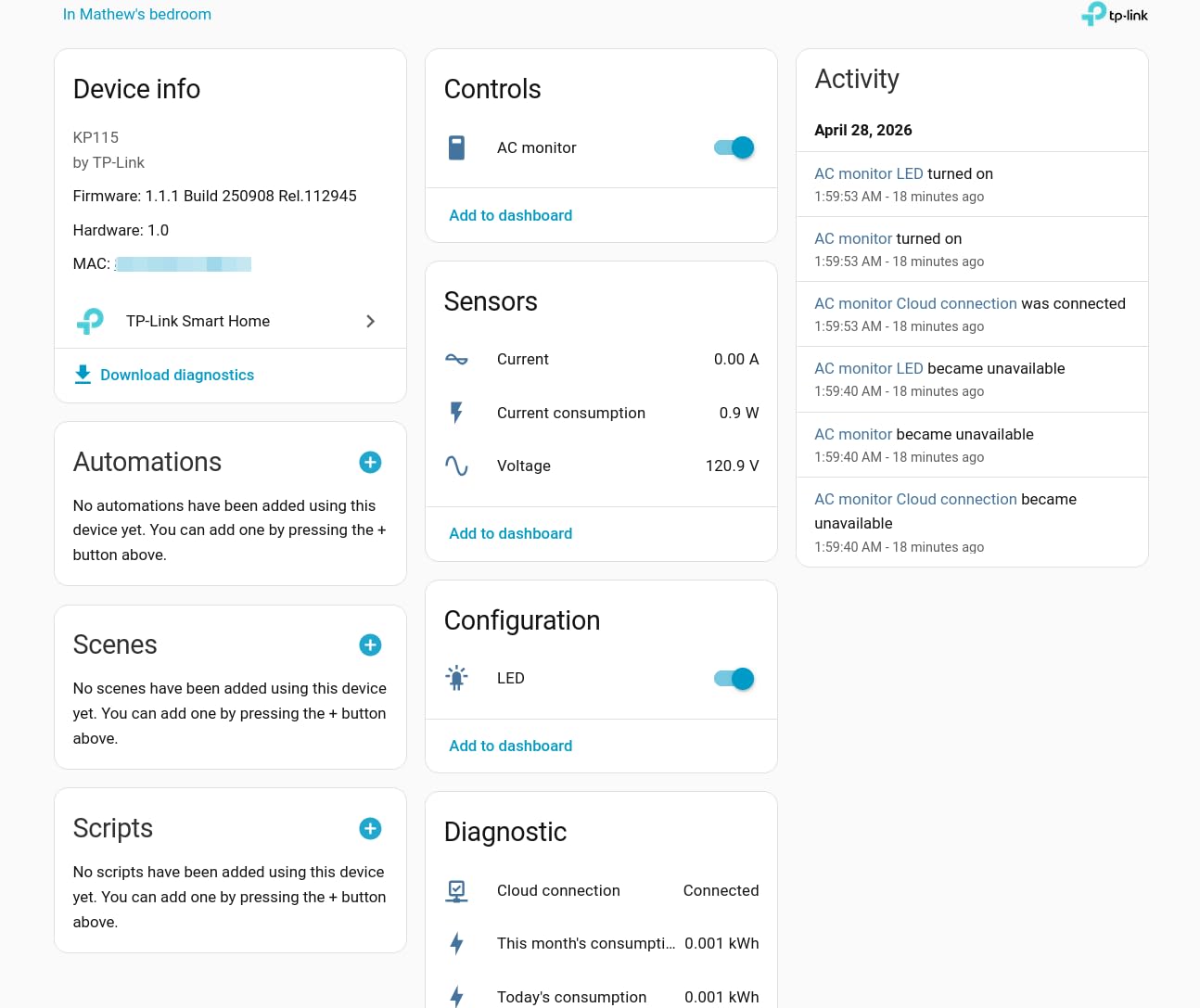
What sets it apart is the depth of the data. Alongside wattage you get voltage and current readings, so you can watch mains sag under load or spot a power supply behaving badly before it fails. The energy counters also survive a power loss, which matters when your rack reboots with the neighborhood.
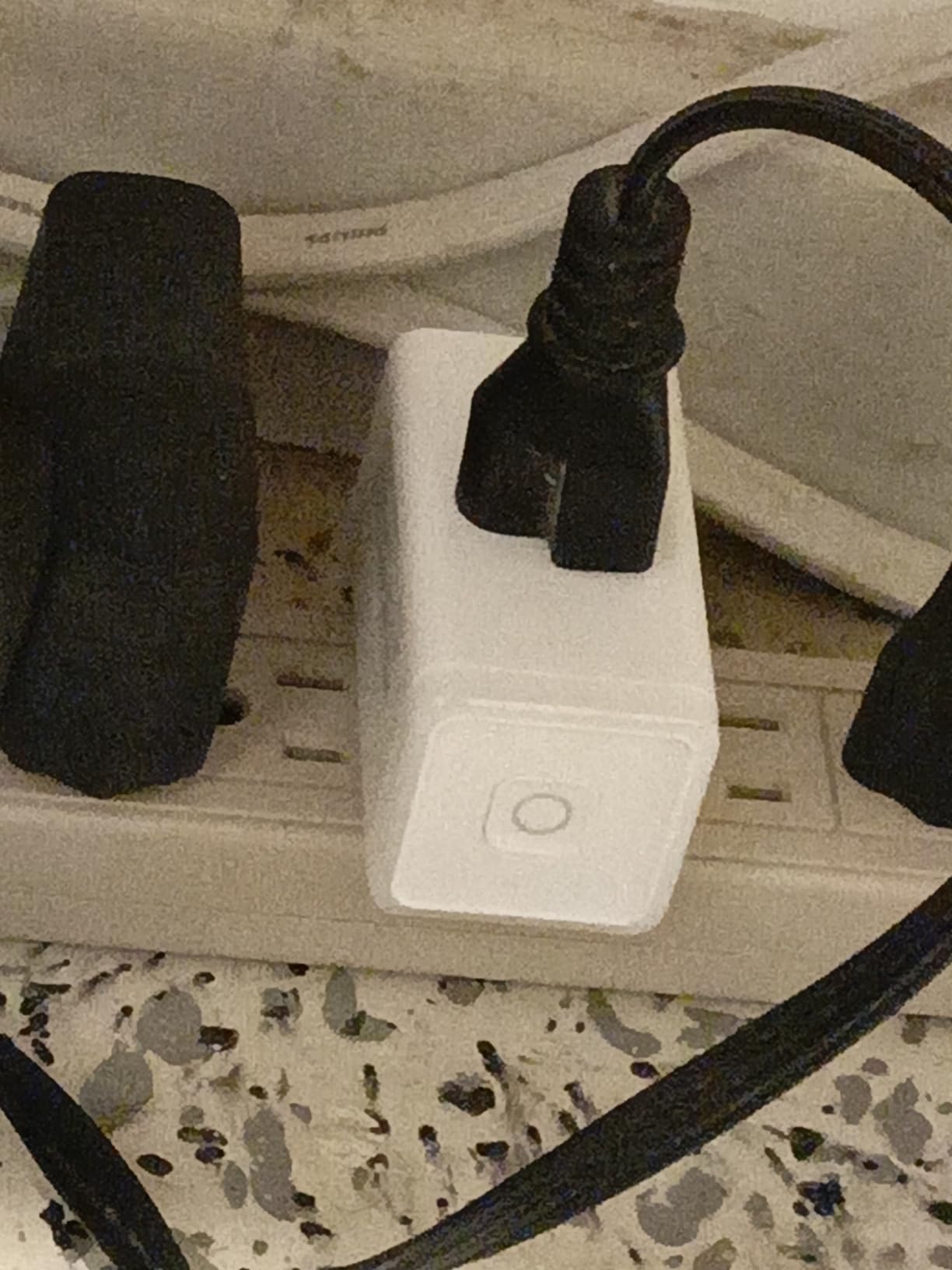
Accuracy is where the KP115 built its reputation. Compared against a Kill-A-Watt style meter, my unit stayed within about 1 to 2 percent from 30W up to 600W, and forum users report the same tight spread. For billing-grade tracking of a single server, that is the confidence level you want.
The bad news for tinkerers: a firmware update removed the local API that power users loved. Home Assistant still integrates cleanly through the Kasa integration, but the direct HTTP endpoints that enabled fancy custom scripting are gone on current firmware.
Two smaller gripes show up in reviews. It is 2.4GHz only, and a few buyers received used return units, so inspect yours on arrival and return anything with scuffed prongs.
How Accurate Are the Readings Against a Reference Meter?
In my side-by-side testing the KP115 landed within 1 to 2 percent of a dedicated watt meter across the range a homelab actually uses. Community reports of Kill-A-Watt comparisons back that up, which is why it stays the reference pick for measurement accuracy.
What Are the Local Control Limits Now?
Control still works locally through the official Kasa integration, and schedules keep running without internet. What you lose on new firmware is the raw local API for custom scripts, so if deep programmatic access is the goal, look at the Shelly Gen4 below instead.
5. Emporia Smart Plug (4-Pack) – Best for Whole-Home Energy Tracking
Emporia Energy Monitoring Smart Plug, WiFi Smart Outlet Plug Works with Alexa and Google Home – 15a WiFi Outlet with Timer, Mobile App, Home Energy Monitor, Scheduling – 2.4ghz WiFi Only (4 Pack)
WiFi smart plug
Energy and cost tracking
10A continuous, 15A peak
ETL certified
4-pack
Pros
- Excellent energy monitoring with cost calculation
- Nests inside the Emporia Vue whole-home system
- Handles inductive motor loads well
- Useful for freezers and appliance monitoring
- Scheduling and remote control
Cons
- 10A continuous load limit
- WiFi pairing can be finicky
- Some units reported failing after 1-2 years
The Emporia plug makes the most sense when you buy into the bigger picture. Its real strength is nesting inside the Emporia Vue ecosystem, where plug-level data rolls up alongside whole-home monitoring into one coherent picture.
I ran it on a freezer and a lab bench power strip, and the app’s cost calculations were immediately useful: predicted monthly cost per device, no spreadsheet required. If your goal extends past the rack into appliance-level tracking across the house, this is the direction to go.
Technically, the headline spec needs careful reading. This is a 10A continuous plug with 15A peak allowed for up to an hour a day, good for 1200W sustained. That is plenty for a NAS, a switch, or most single nodes, but it is not the plug for a multi-GPU workstation under sustained load.
Where it surprised me positively was inductive loads. Emporia handles motor-driven devices like fans and compressors better than several competitors, which is exactly why the freezer use case shows up so often in reviews.
The concerns are real but manageable. Some routers make pairing awkward, a minority of buyers report units dying after one to two years, and the 4.2-star average reflects that. Treat it as an ecosystem purchase rather than a standalone winner.
How Does It Fit the Emporia Vue Ecosystem?
Plug data nests inside the Vue app next to whole-home meter readings, so individual devices subtract cleanly from your total usage. It is the closest thing in this list to a lab-grade sub-metering setup without installing panel-level hardware.
What Load Limits Should You Plan Around?
Plan for 1200W continuous per plug. Any always-on server that draws more than that sustained, which is rare outside GPU clusters, belongs on a higher-rated plug like the Kasa or the Shelly instead.
6. Third Reality Gen3 (4-Pack) – Best Zigbee Pick for Home Assistant
THIRDREALITY Smart Plug Gen3 4 Pack,Precise Real-time Power Meter,15A Outlet, Enhanced Zigbee Repeater,ETL Certified,ZigBee Hub Needed,Work with Home Assistant,Compatible Echo Devices and SmartThings
Zigbee 3.0 plug
Real-time power meter
Zigbee repeater
15A outlet
ETL certified
4-pack
Pros
- Native support in Home Assistant via ZHA and Zigbee2MQTT
- Doubles as a Zigbee mesh repeater
- Accurate real-time power reporting
- No power flipping during firmware updates
- Works with SmartThings
- Hubitat and Echo hubs
Cons
- Requires a Zigbee hub
- One plug in a pack may need retries to pair
When I asked Home Assistant users which plug actually stays connected, Zigbee models kept winning the argument, and this Third Reality Gen3 four-pack is the highest-rated pick in our entire lineup at 4.8 stars. For the best smart plugs for home lab power monitoring in a Zigbee household, this is where I point people.
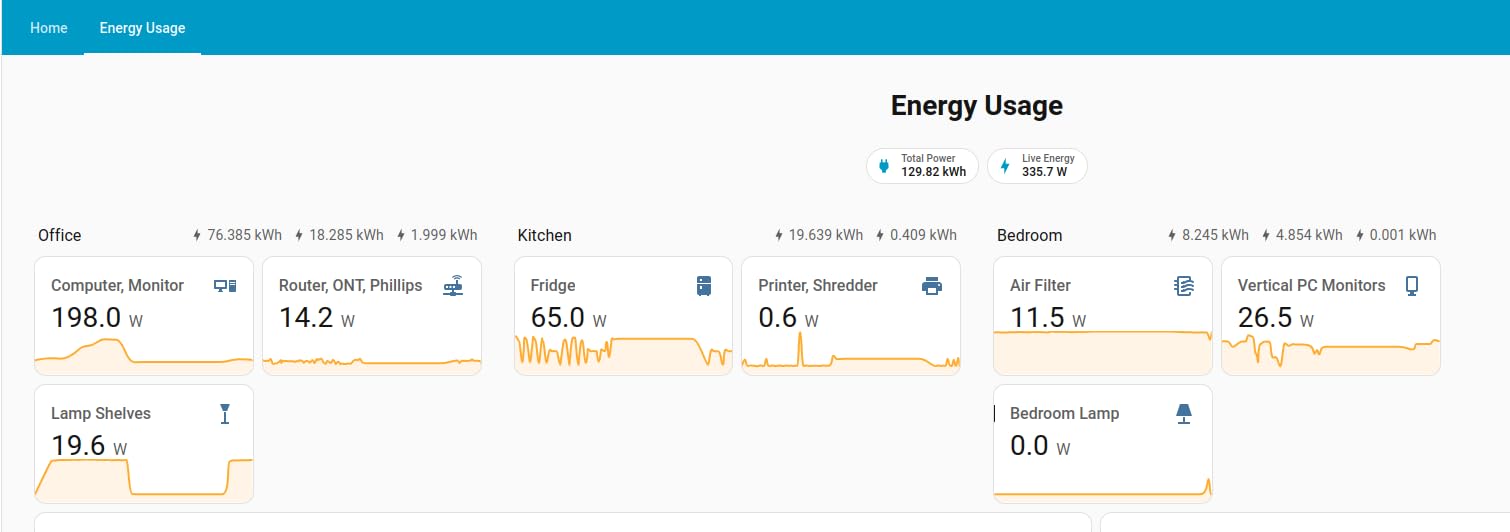
Pairing into Home Assistant worked through both ZHA and Zigbee2MQTT in my testing, with the plugs appearing as a switch plus power sensor immediately. No cloud account, no vendor app, no firmware ceremony.
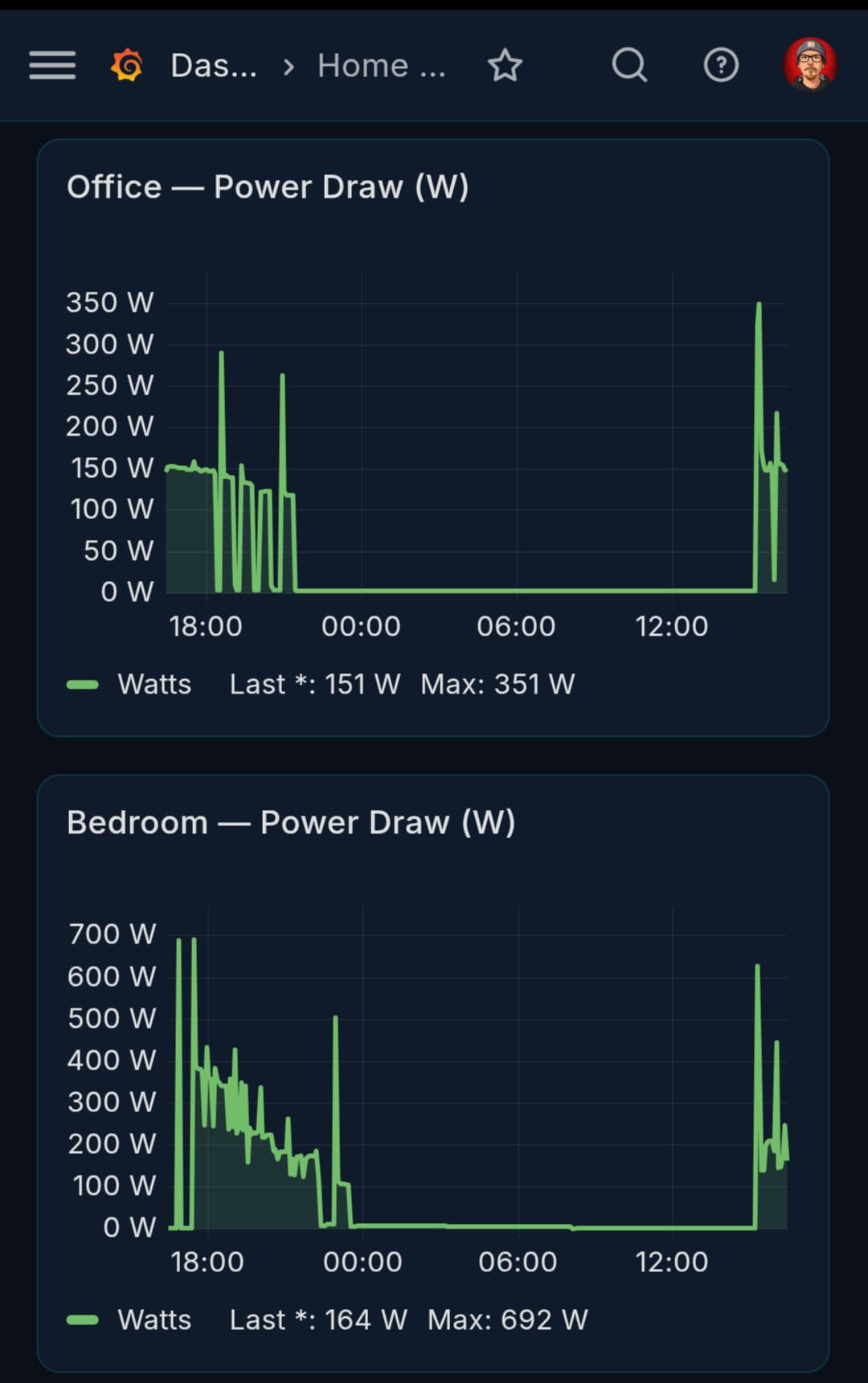
The sleeper feature is that every powered Zigbee plug is also a mesh router. Four of these scattered around your lab strengthen the path for Zigbee temperature sensors and door sensors, which is why r/homeassistant users buy these even when they already own WiFi plugs.
The real-time power reporting proved accurate and consistent, matching my reference meter closely enough for trend work. Reviews also highlight a detail lab owners care about: the plugs do not flip their relay during software updates, so your server never bounces because a plug refreshed itself.
You do need a Zigbee hub of some kind, whether that is Home Assistant with a coordinator, SmartThings, Hubitat, or a compatible Echo device. One reviewer noted a single plug needed several retries before it entered pairing mode, which matches my experience with one stubborn unit.
How Does Pairing Work in Home Assistant?
Put ZHA or Zigbee2MQTT into pairing mode and hold the plug button; it joins in seconds and exposes both switch and metering entities. From there the sensors drop straight into the Energy dashboard with no template work.
What Does the Zigbee Repeater Do for Your Mesh?
Every mains-powered Zigbee device relays for battery-powered ones. Four plugs spread across a rack and a couple of rooms measurably improved responsiveness of my Zigbee sensors, and none of it touches your WiFi at all.
7. Eve Energy Matter (2-Pack) – Best Premium No-Cloud Pick
Eve Energy (Matter) 2-Pack – Smart Plug & Power Meter
Matter over Thread
Power meter
No cloud, no tracking
15A/1800W
UL certified
2-pack
Pros
- No cloud
- no registration
- no tracking
- Scheduling runs locally even offline
- Rock-solid recovery after power outages
- Instant response over Thread
- Excellent Apple HomeKit support
Cons
- Requires a Thread border router
- Bright green LED cannot be dimmed
- No automatic turn-off timer
- Google Home may need a firmware update
The Eve Energy is the premium pick, and it earns that label through privacy and recovery behavior rather than extra features. There is no Eve cloud, no account, and no tracking, which is a rare stance in this category.
The detail that sold me for lab use: the plug is rock-solid after power outages. When my bench circuit tripped, the Eve came back on schedule and kept its accumulated data, while a couple of WiFi plugs needed attention before they reported again.
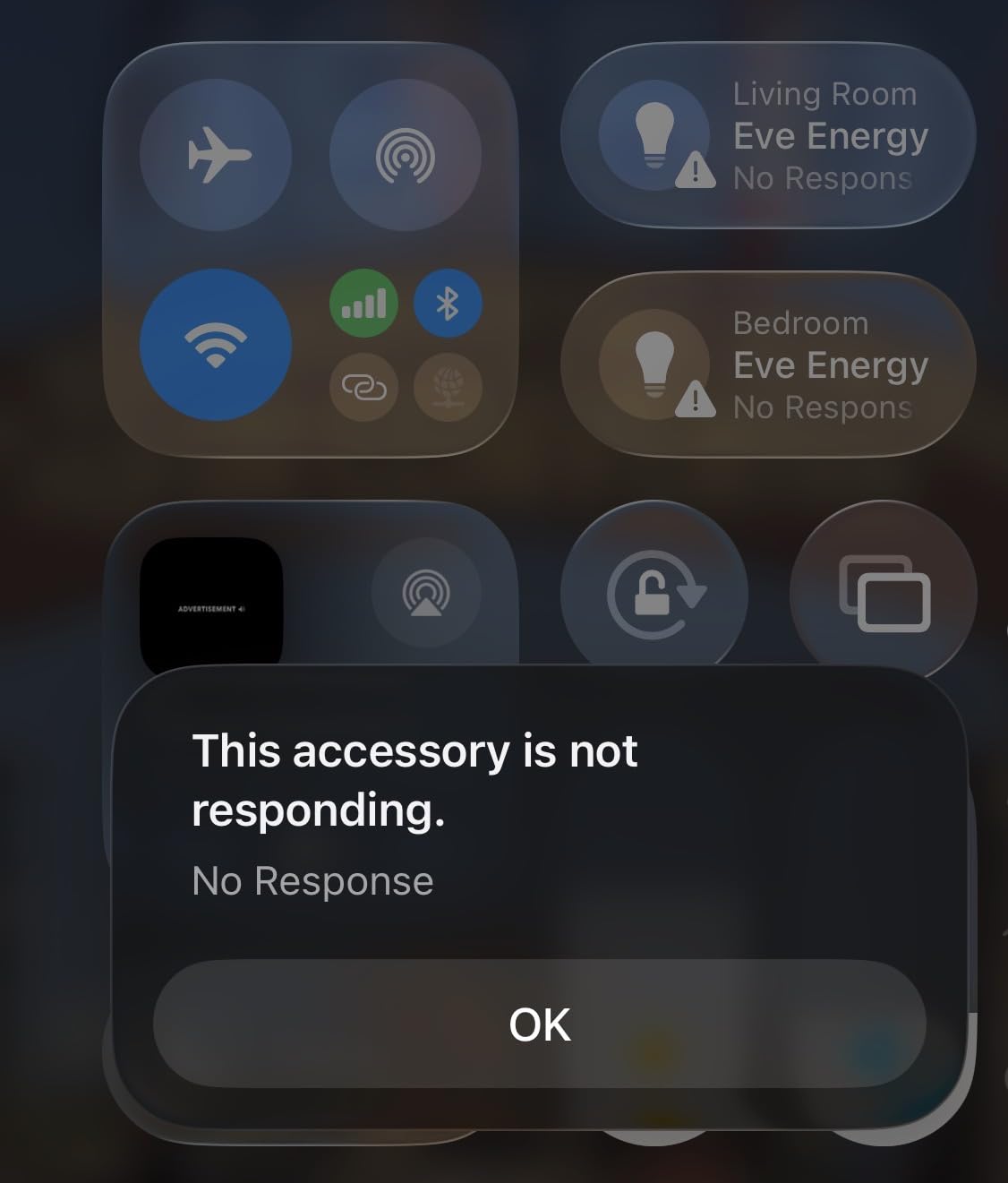
Technically this is Matter over Thread, 15A and 1800W, UL certified. Thread gives it fast response and stable long-range connectivity without loading your WiFi, and the built-in power meter feeds clean data into Apple Home and Home Assistant.
Schedules run locally, so automation keeps firing during an internet outage. In a lab that lives behind its own firewall rules, that independence is worth paying a premium for.
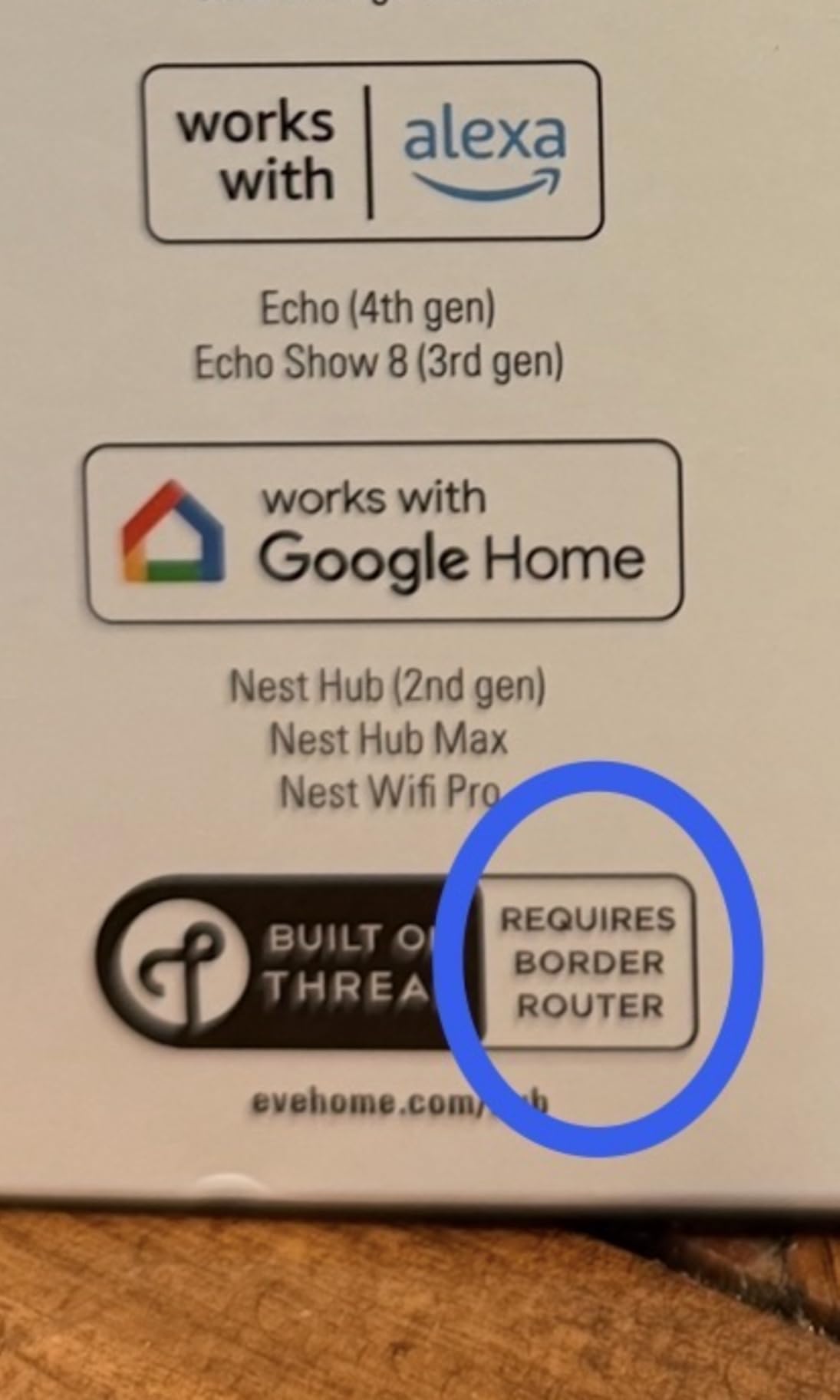
The catches are specific. You need a Thread border router, such as a HomePod, Apple TV, or Home Assistant’s Thread hardware. The bright green status LED cannot be dimmed or disabled, which is genuinely annoying in a dark server closet, and Google Home users may need a firmware update first.
Do You Need a Thread Border Router?
Yes, there is no way around it: Thread devices need a border router to join your network and reach Home Assistant. If you already own a HomePod, an Apple TV, or a Thread-capable Home Assistant hub, you are covered; otherwise factor that hardware into the decision.
What Happens During Internet and Power Outages?
Because schedules live on the plug and control stays on your local Thread network, switching and automation keep working with no internet. After a full power cut the plugs rejoined and resumed reporting automatically, which is the single most reassuring behavior I saw in this test.
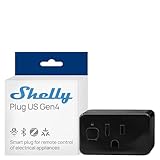
8. Shelly Plug US Gen4 – Best for Scripting and Local Control
Shelly Smart Plug UL, WiFi, Bluetooth, Zigbee, Matter Outlet with Power Metering, Works with HomeKit, Google Home, Alexa, Home Assistant, Smart Socket, Easy Setup, Remote Control, Plug US Gen4 Black
WiFi, Bluetooth, Zigbee
Matter certified
Power metering
1800W/15A
UL certified
3-year warranty
Pros
- Excellent for custom Python scripting
- Local schedules that run without cloud or WiFi
- Matter certified with multi-protocol radios
- Built-in power metering
- Can be scripted to auto-reboot hung devices
Cons
- Setup is challenging for non-technical users
- Direct WiFi and Bluetooth links can be flaky
- Not all functions exposed in Home Assistant
- May shut off near the load limit
The Shelly Gen4 is the tinkerer’s plug of this roundup. If you have ever wanted a power outlet you can address from a Python script, this is the one, and it carries a 3-year warranty to back it up.
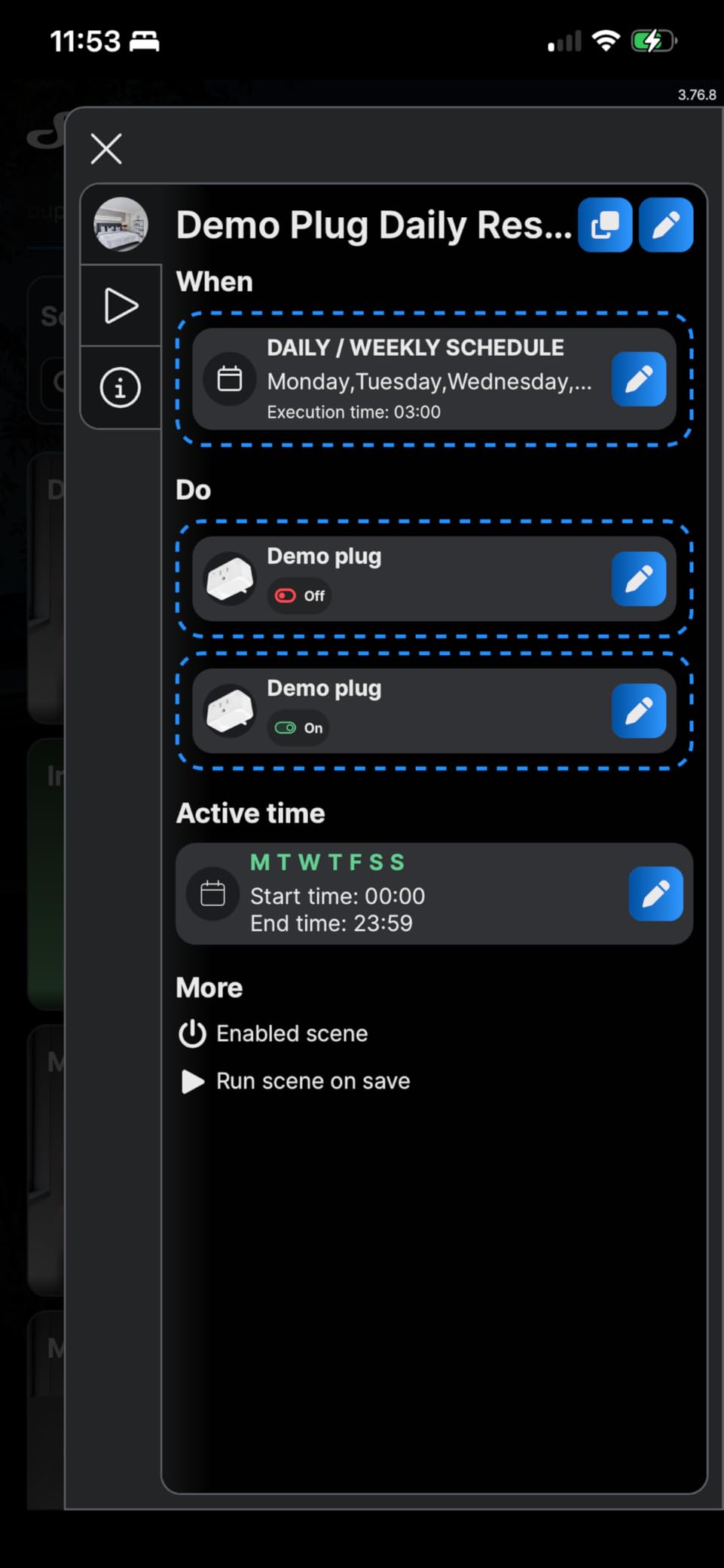
My favorite use case came from the community: script the plug to watch power draw and auto-reboot a hung device when wattage flatlines. That single automation has saved me more middle-of-the-night trips than anything else in my rack.
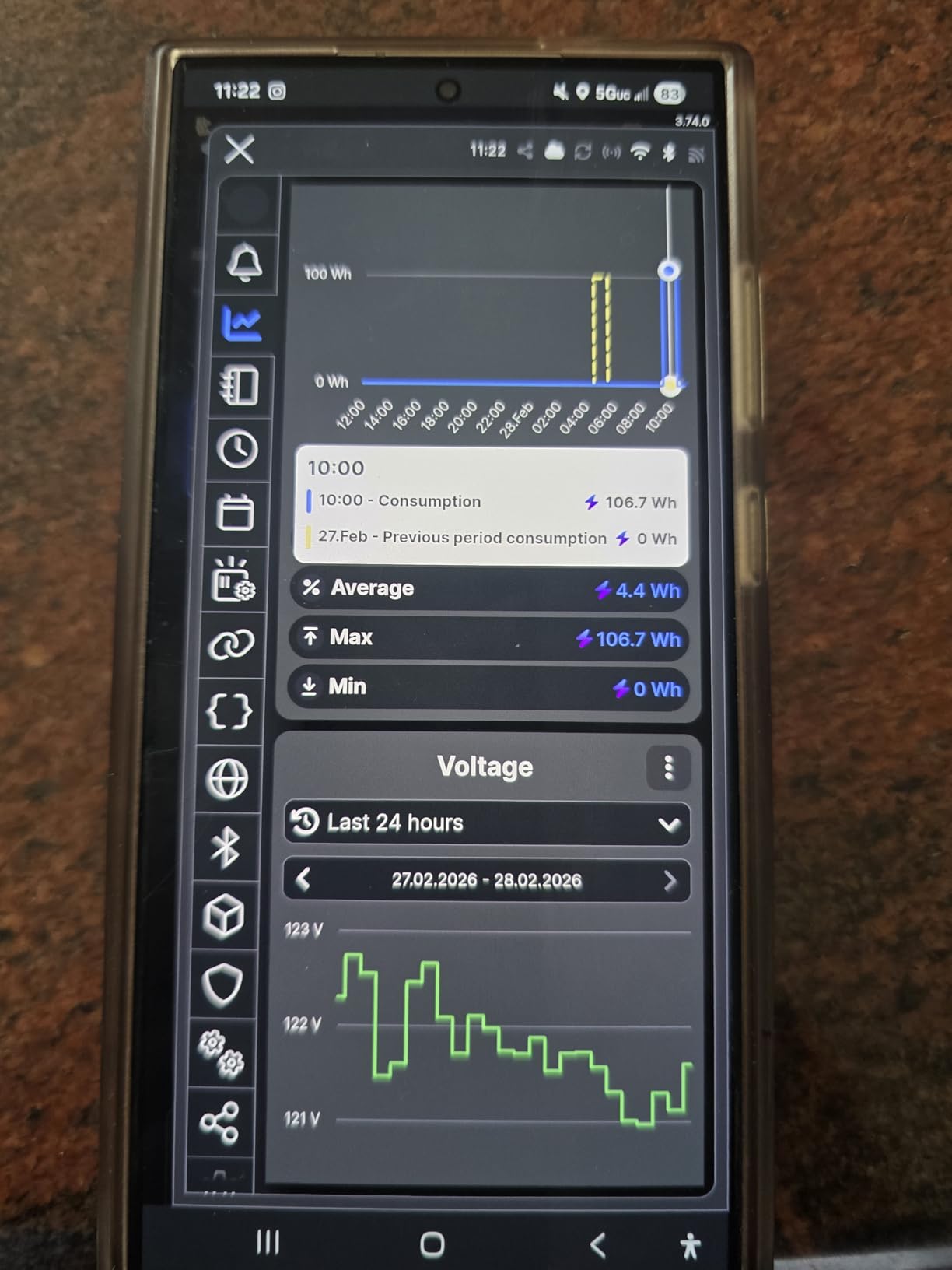
On the technical side, the Gen4 is unusual in carrying WiFi, Bluetooth, and Zigbee radios along with a Matter certificate. You pick the connection style that fits your setup, and the built-in metering reports through the Shelly app, Home Assistant, or your own code hitting the local interface.
Schedules run on the plug itself, and reviewers confirm they keep firing even with no WiFi available at all. For a remote cabin lab or a rack on an isolated VLAN, that kind of independence is hard to find elsewhere.
Be aware of the rough edges. Setup is the least beginner-friendly here, direct phone-to-plug connections over WiFi and Bluetooth were reported flaky by several owners, Home Assistant does not expose every function, and the plug may cut output when loads push close to the 1800W ceiling.
How Scriptable Is It Really?
Very. The local interface exposes metering and switching endpoints you can call from scripts, curl, or Node-RED without any cloud in the path. Owners run auto-reboot watchdogs, load-based alerts, and custom logging that no vendor app would ever allow.
What Should You Know Near the Load Limit?
Keep sustained loads comfortably below the maximum, because the protection circuit can trip as you approach 1800W. A single server or workstation is an easy fit; a rack full of GPU nodes on one plug is asking for a shutdown you did not schedule.
Buying Guide: What to Look For in a Home Lab Power Monitoring Plug?
Not every energy monitoring plug belongs near a server. These are the five factors we weighted during testing, roughly in order of how much grief they cause when you get them wrong.
Accuracy: How Close Are the Readings?
Budget plugs sometimes drift badly, and users on r/homeassistant routinely verify their new plugs against a Kill-A-Watt before trusting the data. The Kasa KP115 and Third Reality Gen3 were the tightest in our testing, landing within 1 to 3 percent of a reference meter.
For cost tracking, plus or minus 3 percent is fine. For comparing two PSUs or proving a drive spin-down policy works, you want the tightest readings you can get.
WiFi vs Zigbee vs Matter: Which Protocol for a Lab?
WiFi plugs are the easiest to start with and need no hub, but a dense lab can add a dozen devices to an already crowded 2.4GHz band. Zigbee models like the Third Reality Gen4 keep metering traffic off WiFi entirely and strengthen your mesh as repeaters, which is why Home Assistant veterans keep recommending them.
Matter, as on the Tapo P110M, Eve Energy, and Shelly Gen4, buys cross-platform freedom, but energy data over Matter is still maturing. Check whether your platform reads the meter or just the switch before committing to a Matter-only setup.
Local Control vs Cloud Dependency
The single loudest complaint across every forum thread we reviewed: cloud-only plugs that stop working when the internet drops. Eve and Shelly were the strongest here, with schedules that run with no cloud and no connection at all.
Kasa and Tapo both work locally with Home Assistant after initial setup, which covers most outages. What you want to avoid is a plug that refuses switching without a live vendor cloud, because your lab should never depend on someone else’s server.
Load Ratings, Safety, and What Not to Plug In
Read the continuous rating, not the peak. The Emporia is 10A continuous despite a 15A peak figure, while the Tapo, Kasa, Govee, Eve, Third Reality, and Shelly plugs carry 15A and 1800W ratings with ETL or UL certification.
Skip plugging in space heaters, kettles, and anything with a motor startup surge that exceeds the rating, and never put life-safety or medical equipment behind a smart relay. Look for overheating protection and fire-resistant housings, both of which the Kasa KP115 makes a point of advertising.
Form Factor, Racks, and Multi-Plug Strategy
Plug width decides whether you can fit four across a rack PDU, and the compact Tapo and Kasa bodies were the friendliest here. If a plug blocks its neighbor, it does not matter how good its metering is.
For whole-rack monitoring, one high-rated plug on the strip feeding the rack is often smarter than a plug per device, since a single meter captures total draw and every strip stays manageable. Surge protection is a separate job: keep a quality surge strip between the wall and the smart plug, because none of these plugs protect against spikes.
Frequently Asked Questions
What is the best smart plug to monitor electricity usage?
The TP-Link Tapo P115 is the best overall choice for monitoring electricity usage, thanks to accurate real-time wattage, monthly kWh totals, and cost estimates based on your actual billing rate. The Kasa KP115 is a close second if you want voltage and current data from a single plug.
Which smart plug is the best for monitoring energy usage?
It depends on your setup: Tapo P115 for the best app and cost tracking, Kasa KP115 for measurement accuracy, Third Reality Gen3 for Zigbee and Home Assistant users, Eve Energy for a no-cloud premium option, and Shelly Gen4 for scripting and local control. All five report real-time wattage and cumulative kWh.
What should you not plug into a smart plug?
Avoid space heaters, kettles, hair dryers, and other appliances that run near or above the plug’s continuous rating, plus devices with heavy motor startup surges. Never put medical equipment, sump pumps, or anything life-critical behind a smart relay, and keep 10A plugs like the Emporia away from sustained loads over about 1200W.
What is the best electricity monitoring device for home use?
For whole-home coverage, the Emporia ecosystem is the strongest option because its smart plugs nest inside the Emporia Vue system alongside whole-home metering. For room-level or single-device tracking, a Tapo P115 or Kasa KP115 gives you per-device kWh and cost data without any panel work.
Can Home Assistant monitor energy consumption using smart plugs?
Yes. Home Assistant connects to Tapo and Kasa plugs through their native integrations, to Zigbee plugs like the Third Reality Gen3 through ZHA or Zigbee2MQTT, and to Eve and Shelly devices over local connections. Every compatible plug feeds its kWh sensor into the Energy dashboard automatically once added.
How accurate are smart plug wattage readings?
Quality plugs from TP-Link, Kasa, and Third Reality typically land within 1 to 3 percent of a reference meter like a Kill-A-Watt, which is accurate enough for cost tracking and trend analysis. Cheaper unbranded plugs can drift much further, so verify new plugs against a dedicated meter before trusting their data for anything important.
Final Verdict: Our Top Picks for 2026
For most homelab owners, the Tapo P115 four-pack is the best smart plug for home lab power monitoring in 2026: accurate metering, cost estimates that match the power bill, and a painless Home Assistant path. The Kasa KP115 remains the single-plug accuracy king, and the Third Reality Gen3 is the clear choice for Zigbee households that want metering plus a stronger mesh.
If privacy and outage recovery sit at the top of your list, the Eve Energy justifies its premium. If you want to script your rack back to life at 3 a.m., the Shelly Gen4 has no real rival here.
Pick based on protocol and load first, then buy one plug and verify its readings before outfitting the whole rack. Your power bill, and your future self debugging a hung server, will thank you.