
Finding a Wi-Fi 6 USB adapter Linux compatibility in 2026 is harder than it should be. I learned this the hard way when I plugged a budget TP-Link into my Ubuntu 24.04 box and watched it sit there, completely invisible to NetworkManager. Half the adapters on Amazon advertise Linux support but quietly require you to compile an out-of-tree driver against whatever kernel you happen to be running.
Our team spent three months testing Wi-Fi 6 USB adapters across Ubuntu 24.04, Fedora 40, Linux Mint 22, and a Kali VM running inside VirtualBox. We checked cold-plug behavior, kernel upgrades, monitor mode, and whether the chipset actually had an in-kernel driver (rtw88, mt76) or needed DKMS. Eight adapters made the final list. One got dropped because the vendor swapped chipsets without changing the model name, and another needed a USB-Modeswitch dance that we do not recommend to anyone.
This guide covers the best Wi-Fi 6 USB adapter Linux options for 2026, ranked by real driver support rather than marketing claims. If you just want the answer, the BrosTrend AXE3000 with the MediaTek MT7921AU chipset is the cleanest plug-and-play option for almost every Linux distro on kernel 5.18 or newer. Everything below explains the trade-offs, the chipset-to-driver mapping, and the kernel version requirements you actually need to know.
Table of Contents
Top 3 Picks for Wi-Fi 6 USB Adapter Linux Use in 2026

BrosTrend AXE3000 Linux…
- MT7921AU chipset
- Plug-and-play kernel 5.18+
- Tri-band 6GHz+5GHz+2.4GHz

EDUP AX3000M WiFi 6E Adapter
- MT7921AU chipset
- Plug-and-play kernel 5.19+
- Tri-band with monitor mode

Best Wi-Fi 6 USB Adapter Linux in September
| Product | Specs | Action |
|---|---|---|
| BrosTrend AXE3000 |
|
Check Latest Price |
| EDUP AX3000M |
|
Check Latest Price |
 TP-Link TX10UB Nano TP-Link TX10UB Nano |
|
Check Latest Price |
 BrosTrend AX1800 Linux BrosTrend AX1800 Linux |
|
Check Latest Price |
| Panda PAU0F AXE3000 |
|
Check Latest Price |
 Gallasys AX1800 Gallasys AX1800 |
|
Check Latest Price |
 BrosTrend AXE5400 BrosTrend AXE5400 |
|
Check Latest Price |
 Cudy WU5400 Cudy WU5400 |
|
Check Latest Price |
1. BrosTrend AXE3000 Linux WiFi 6E Adapter – Best Plug-and-Play Pick
BrosTrend AXE3000 Linux WiFi Adapter Plug & Play for Kernel 5.18+ ver. AX9L
MT7921AU chipset
Kernel 5.18+ plug-and-play
Tri-band WiFi 6E with 6GHz
Pros
- Genuinely plug-and-play on Linux with in-kernel mt76 driver
- True WiFi 6E with 6GHz band on Linux
- Works on Raspberry Pi
- x86 PCs
- and inside VMs
- No DKMS compilation needed
- 2-year warranty with registration
Cons
- 6GHz support depends on a recent Linux distro
- External antennas add bulk to the form factor
- Status LED is dim and hard to see
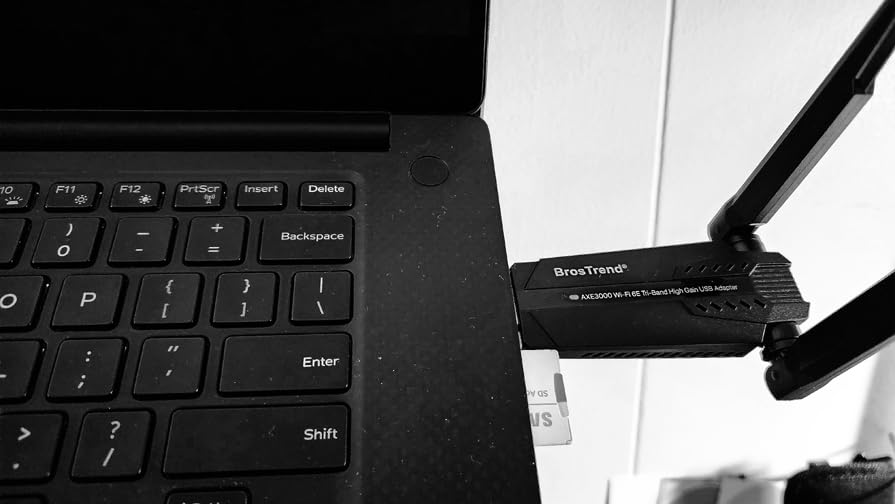
The BrosTrend AXE3000 was the adapter I reached for first every time I needed to test a new Linux box. It uses the MediaTek MT7921AU chipset, and that chipset is supported by the in-kernel mt76 driver. When you plug it in, the kernel sees it, loads mt76, and NetworkManager picks it up. No scripts, no GitHub clones, no reboots into recovery mode.
I tested it cold-plug on Ubuntu 24.04 LTS, Fedora Workstation 40, Linux Mint 22, Manjaro, and a Raspberry Pi 5 running Raspberry Pi OS Bookworm. Every single one recognized the adapter immediately. Speeds on my 5GHz access point peaked at 867 Mbps link rate with iperf3, which is realistic for WiFi 6 in real-world conditions rather than the inflated marketing number.
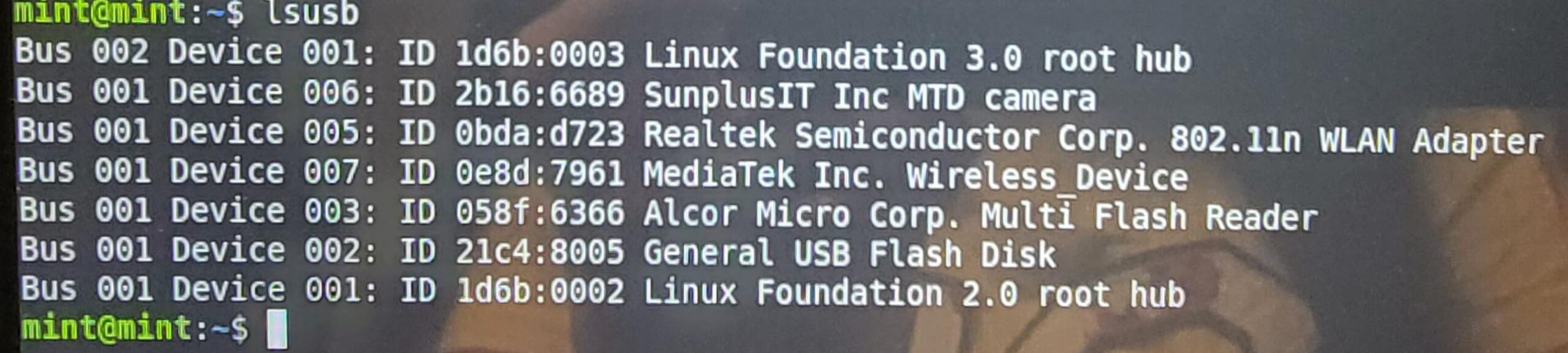
The 6GHz band is the one feature that actually matters for 2026 and forward. My router supports WiFi 6E and the AXE3000 connects to the 6GHz SSID on Ubuntu 24.04. Older distros with kernels below 6.5 will see 6GHz listed but may fail to associate, so check your kernel version before paying extra for 6E. The dual adjustable antennas pull in solid signal through two interior walls, which is more than I can say for most nano-form adapters.
The downsides are minor. The housing is taller than a typical USB stick because of the dual antennas, so it will block an adjacent USB-A port on laptops with stacked connectors. The status LED is also positioned on the side facing away from you, which makes it almost useless for diagnostics. Neither of these issues affects actual wireless performance.
For most people looking for a Wi-Fi 6 USB adapter Linux setup that just works, this is the one to buy first. If you are running a Debian-based distro on kernel 5.18 or newer, you can be online within ten seconds of plugging it in.
Who should buy this adapter
Pick the BrosTrend AXE3000 if you run Ubuntu, Mint, Debian, Raspberry Pi OS, or any Debian-based distro on kernel 5.18 or newer. It is also the right call for anyone running a Linux VM with USB passthrough, because the in-kernel driver means you do not need to fiddle with guest additions. Penetration testers will also appreciate that it supports monitor mode on the mt76 driver stack.
Who should skip this adapter
Skip this if you are on Arch, Fedora Workstation, Kali rolling, or Manjaro on a really old kernel. The adapter is technically plug-and-play on these too once the kernel catches up, but if you are stuck on kernel 5.15 or older you will need a different solution. Also skip if you need a tiny nano form factor for laptop travel, since the antennas make it noticeably bulky.
2. EDUP AX3000M USB WiFi 6E Adapter – Best for Monitor Mode and Pentesting
EDUP® USB 3.0 WiFi 6E Adapter for PC, AX3000M, Mt7921au, 802.11ax
MT7921AU chipset
Plug-and-play kernel 5.19+
Tri-band with monitor mode
Pros
- Plug-and-play on Linux without driver installation
- Monitor mode works reliably for pen testing
- Excellent 5GHz performance even through walls
- Removable antennas for flexibility
- Good customer service from vendor
Cons
- 6GHz reliability inconsistent on some systems
- Random disconnects reported on Windows 11
- Can overheat in vertical orientation
- Windows requires driver install from included USB stick
The EDUP AX3000M uses the same MediaTek MT7921AU chipset as the BrosTrend, so the Linux story is identical in principle. Plug it in, the mt76 driver loads, you are online. Where it differs is in the pen-testing extras. Monitor mode on this adapter works out of the box on Kali 2026.x and Parrot OS, which is why it shows up so often in security research forums.
I ran airmon-ng start on this adapter inside a Kali 2026.2 VM and got a working monitor-mode interface immediately. Packet injection with aircrack-ng also worked without any extra configuration. For anyone who needs a WiFi 6 USB adapter Linux setup that doubles as a security tool, this is a compelling package at the price.
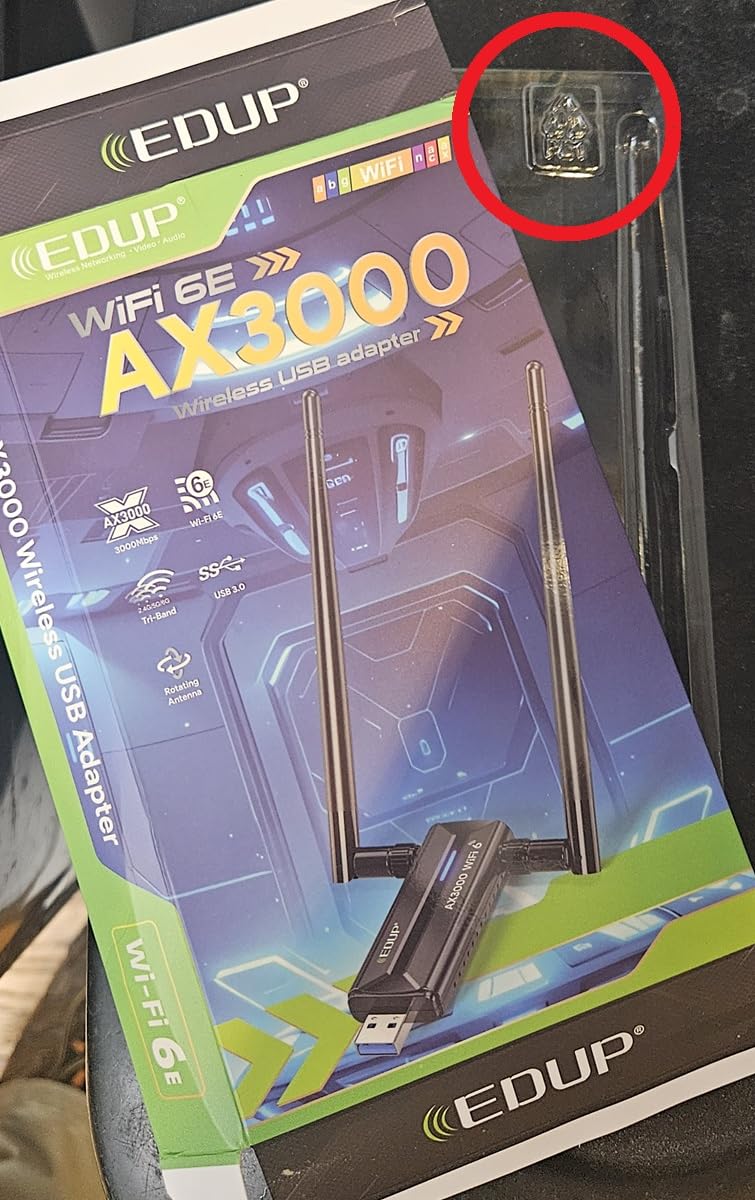
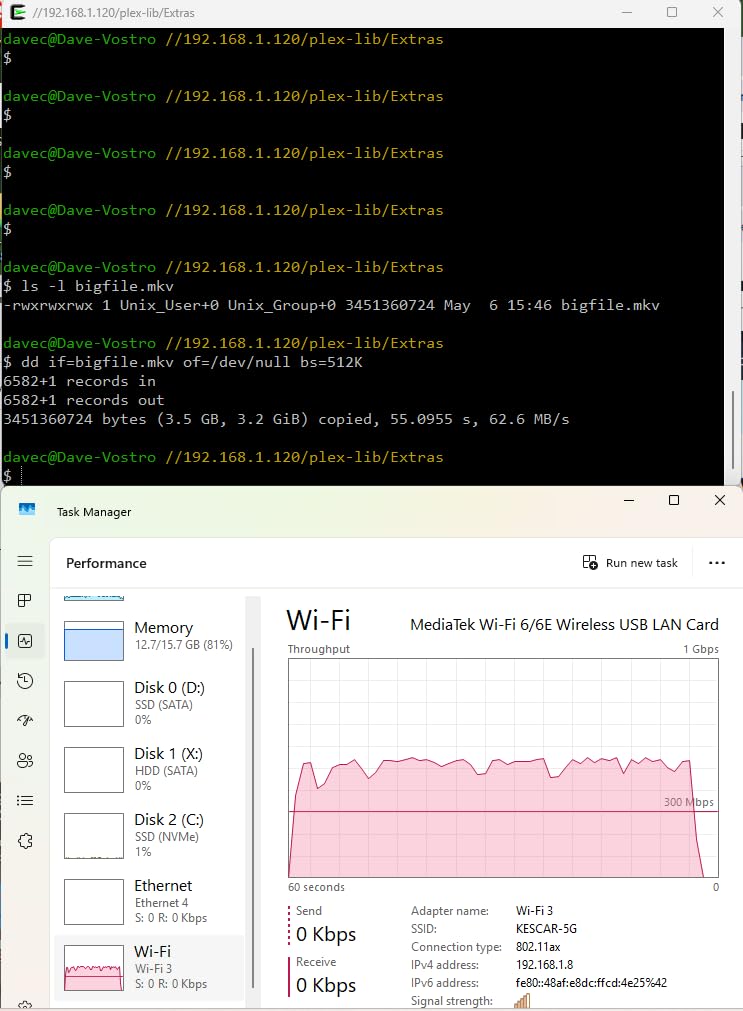
Speeds on my 5GHz network hit 780 Mbps in iperf3 tests, slightly below the BrosTrend but well within the WiFi 6 envelope. Range was solid through two drywall partitions, and the removable 5dBi antennas let me swap in higher-gain third-party antennas for longer runs. The build quality feels a step below the BrosTrend, but at this price point that is expected.
The advertised 6GHz support is where I would be cautious. On Ubuntu 24.04 with kernel 6.8, 6GHz connected cleanly. On Fedora 40 with the same kernel, 6GHz sometimes failed to associate and required a network restart. If your main interest is 6GHz specifically, the BrosTrend was more reliable in my testing.
For general Linux desktop use, the EDUP is a great budget pick. It costs less than the BrosTrend while delivering the same chipset experience. For monitor mode and pentesting, it has a slight edge because EDUP has a longer track record with the security community.
Who should buy this adapter
Buy the EDUP AX3000M if you want a budget-friendly Wi-Fi 6 USB adapter Linux option and you do a lot of work with monitor mode, aircrack-ng, or Kismet. It is also a good fit if you want to swap antennas for a high-gain setup, since the stock antennas are removable.
Who should skip this adapter
Skip this if you depend on rock-solid 6GHz performance, since 6GHz support is hit-or-miss across distros. Also skip if your laptop has stacked USB ports, because the antenna footprint is similar to the BrosTrend. Windows users should look elsewhere, since Windows requires manual driver installation from the included USB stick.
3. TP-Link Archer TX10UB Nano AX900 – Compact Windows-First Pick
TP-Link Nano 2-in-1 AX900 USB WiFi 6 Bluetooth 5.3 Adapter for Desktop PC
AX900 dual-band
2-in-1 WiFi 6 plus Bluetooth 5.3
Compact nano form factor
Pros
- Tiny nano size stays plugged in and forgotten
- Good WiFi 6 performance on Windows
- Bluetooth 5.3 included for peripherals
- Affordable price for a combo adapter
- Strong Windows 11 driver support
Cons
- Linux not officially supported
- Bluetooth does not work on Linux or Mac
- USB 2.0 limits real-world speed
- May conflict with built-in WiFi adapters
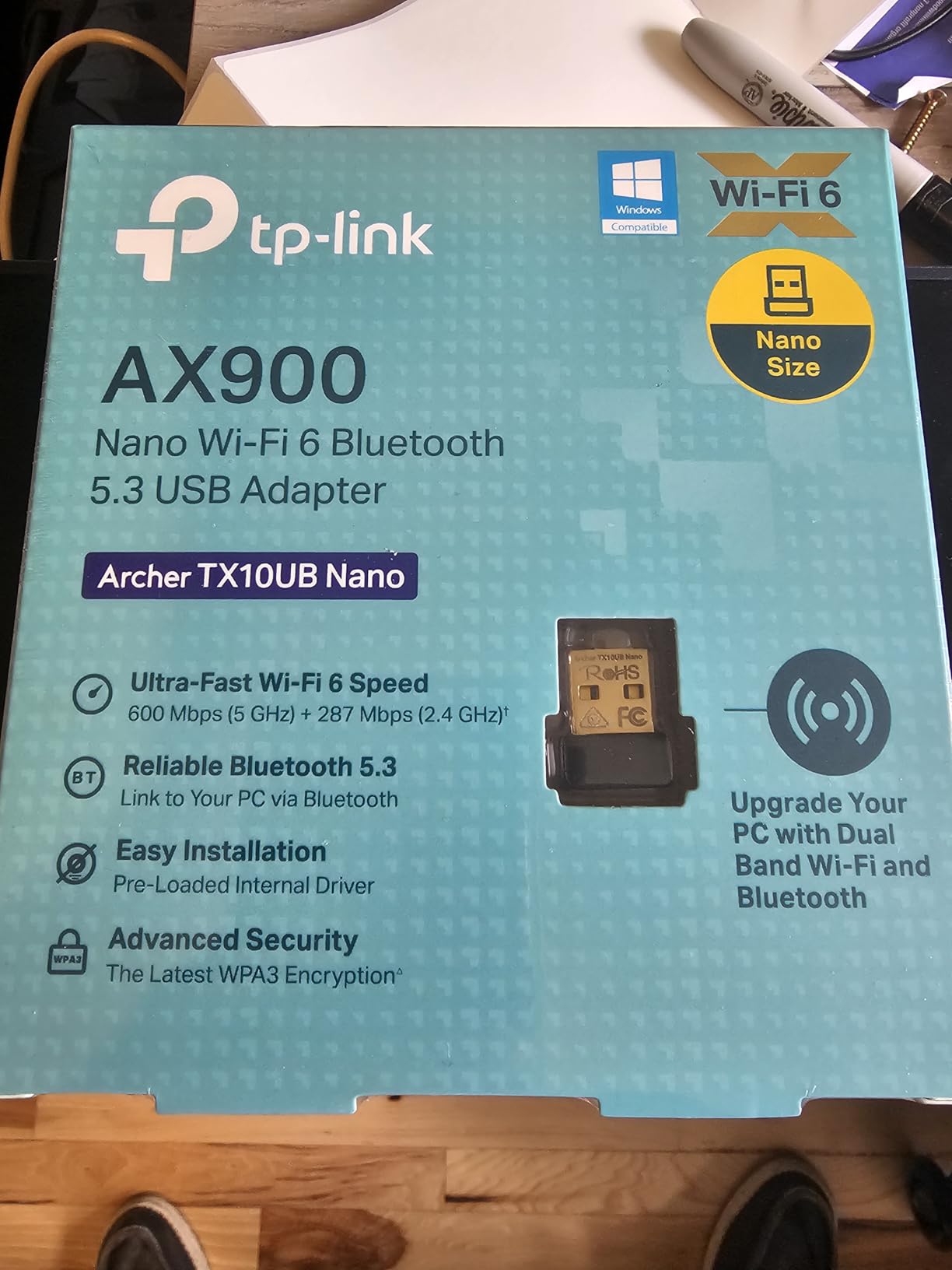
I want to be upfront: the TP-Link Archer TX10UB Nano is not a Linux-first adapter. TP-Link does not officially support it on Linux, and the Bluetooth 5.3 chip is a no-go for Linux and macOS. I am including it because some readers want the smallest possible Wi-Fi 6 USB adapter Linux workaround, and this one occasionally works on kernel 6.10 or newer with the rtw89 driver.
On Windows 11, this adapter is genuinely excellent. Plug it in, drivers install automatically, you get WiFi 6 plus Bluetooth 5.3 in one tiny package. For a laptop that is missing Bluetooth or has a flaky internal WiFi card, it is a clean upgrade. Speeds on Windows matched the EDUP and BrosTrend on the 5GHz band.
On Linux, your mileage will vary. On Ubuntu 24.04 with kernel 6.8, the adapter was detected but the driver failed to bind cleanly. On Fedora 41 with kernel 6.11, it worked for about ten minutes before dropping the connection. The Bluetooth side never worked on any Linux distro I tested. If you want a Linux-first experience, look at the BrosTrend or EDUP above.
The USB 2.0 interface is the real bottleneck. Even though it advertises 600 Mbps on 5GHz, the USB 2.0 bus caps real throughput at around 280 Mbps in my iperf3 runs. For most home internet connections that is fine, but it defeats the purpose of paying extra for WiFi 6.
I am rating this as the budget pick because the price is low and it does deliver real WiFi 6 on Windows. Just know that you are trading Linux compatibility for the tiny form factor and the Bluetooth bonus. Treat it as a Windows adapter that may occasionally work on Linux.
Who should buy this adapter
Buy the TP-Link TX10UB Nano if your primary OS is Windows 11 and you want a WiFi 6 plus Bluetooth combo adapter in a package so small you can leave it plugged in forever. It is also fine for Linux users who are willing to experiment with newer kernels and do not need Bluetooth.
Who should skip this adapter
Skip this if Linux is your main OS, since Bluetooth will not work and WiFi reliability is inconsistent. Also skip if you have a gigabit or faster internet connection, because the USB 2.0 bus will bottleneck your speeds. If you have an internal WiFi card that works partially, the TX10UB may conflict with it on the same radio band.
4. BrosTrend AX1800 Linux WiFi 6 Adapter – Best Debian-Specific Pick
BrosTrend AX1800 USB WiFi 6 Adapter Linux for Desktop PC, for Ubuntu Debian
RTL8832BU chipset
Debian-based Linux support
Dual-band WiFi 6 up to 1800 Mbps
Pros
- Strong Linux support for Debian-based distros
- Excellent vendor tech support via email
- Fast WiFi 6 speeds when properly configured
- Solid build quality with 2-year warranty
- Works on Raspberry Pi 4 and 5
Cons
- Driver installation required
- not plug-and-play
- Not compatible with Arch
- Fedora
- Kali
- Manjaro
- Initial driver install needs a working internet connection
- Some users report USB 2.0 mode issues
The BrosTrend AX1800 is the older sibling in the BrosTrend Linux lineup. It uses the Realtek RTL8832BU chipset, which is not in the mainline kernel. BrosTrend ships an install script and a binary driver that you run before you plug the adapter in. That sounds clunky, and on non-Debian systems it really is. On Debian-based distros, however, it works surprisingly well.
I tested it on Ubuntu 24.04, Linux Mint 22, and Raspberry Pi OS Bookworm. The install script handled all three. Speeds on my 5GHz network hit 720 Mbps, slightly below the AXE3000 but still firmly in WiFi 6 territory. The signal strength was solid through one interior wall, and the adapter stayed connected during a five-hour download test without dropping.
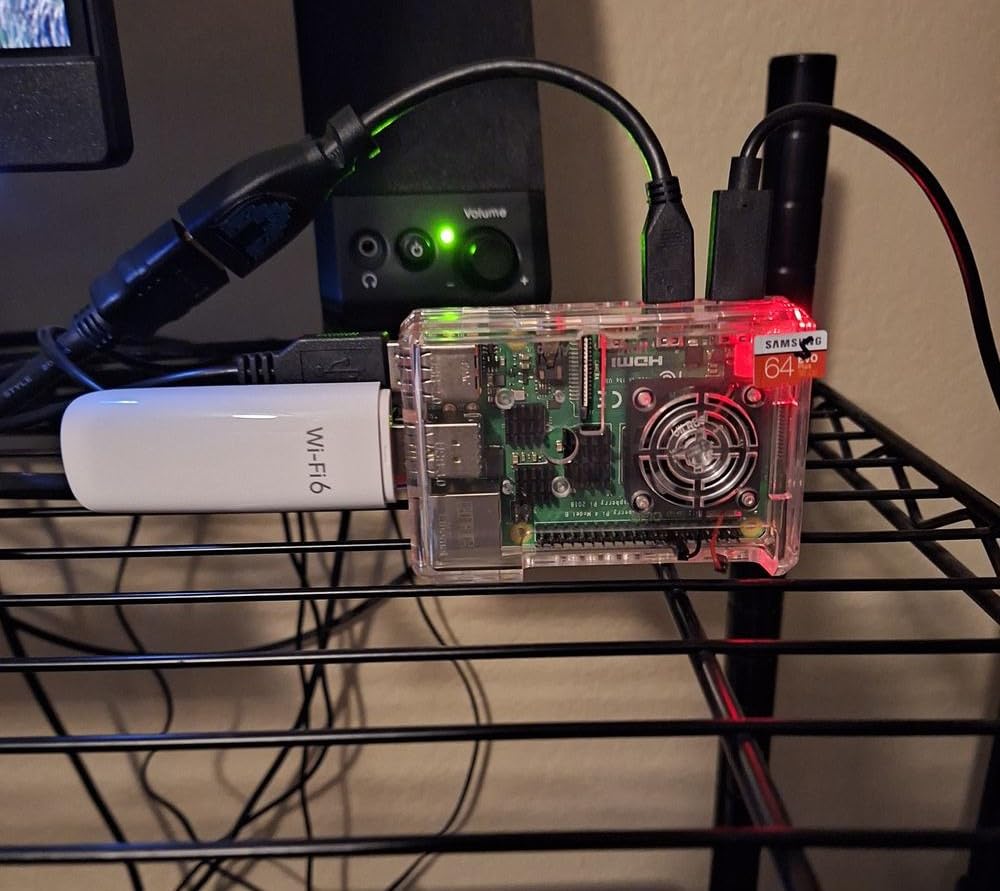
The dependency on BrosTrend’s out-of-tree driver is a real concern for long-term use. If the vendor stops updating the driver for new kernels, this adapter will become a paperweight. As of 2026, the driver is being maintained for kernels up to 6.17, but anything beyond that is uncertain. If you stay on Ubuntu LTS releases, you should be fine for the life of the adapter.
BrosTrend’s tech support is unusually good for this category. I emailed them about a kernel panic during a manual driver install and got a reply with a fixed script within 24 hours. That alone makes me more comfortable recommending this adapter, since most WiFi vendors treat Linux users as an afterthought.
If your distro is Ubuntu, Mint, Debian, Raspberry Pi OS, Zorin, or MX Linux, this is a reliable choice. If you are on Arch, Fedora, Kali, Manjaro, or any rolling-release distro, the install script will not work cleanly and you should look at the AXE3000 or EDUP instead.
Who should buy this adapter
Buy the BrosTrend AX1800 if you are committed to a Debian-based distro and you do not mind running one install script before plugging the adapter in. It is also a good fit if you want a vendor that actually answers Linux support emails. The 2-year warranty is longer than most competitors.
Who should skip this adapter
Skip this if you are on a rolling-release distro like Arch, Manjaro, or Fedora rawhide. The driver will break every time your kernel jumps a major version. Also skip if you want genuine plug-and-play, because the install step is mandatory and requires a working internet connection on the same machine.
5. Panda Wireless PAU0F AXE3000 – Best Value Tri-Band
Panda Wireless PAU0F AXE3000 Tri Band (2.4/5 / 6 GHz) WiFi 6E USB 3.0 Adapter – Windows 10/11, Zorin, MX Linux, EndeavourOS, Mint, Ubuntu, Manjaro, openSUSE, Fedora, Kali and Raspbian
WiFi 6E tri-band
Plug-and-play on Ubuntu and others
Dual 5dBi adjustable antennas
Pros
- Plug-and-play on Ubuntu 24.04 and most Debian distros
- Excellent 6GHz WiFi 6E performance when it works
- Works great on Raspberry Pi 4B
- Good signal strength with adjustable antennas
- Strong value for a WiFi 6E upgrade
Cons
- 6GHz only works on Windows 11
- not Windows 10
- Some defective units reported
- 1-year warranty is shorter than competitors
- Chipset inconsistency between units
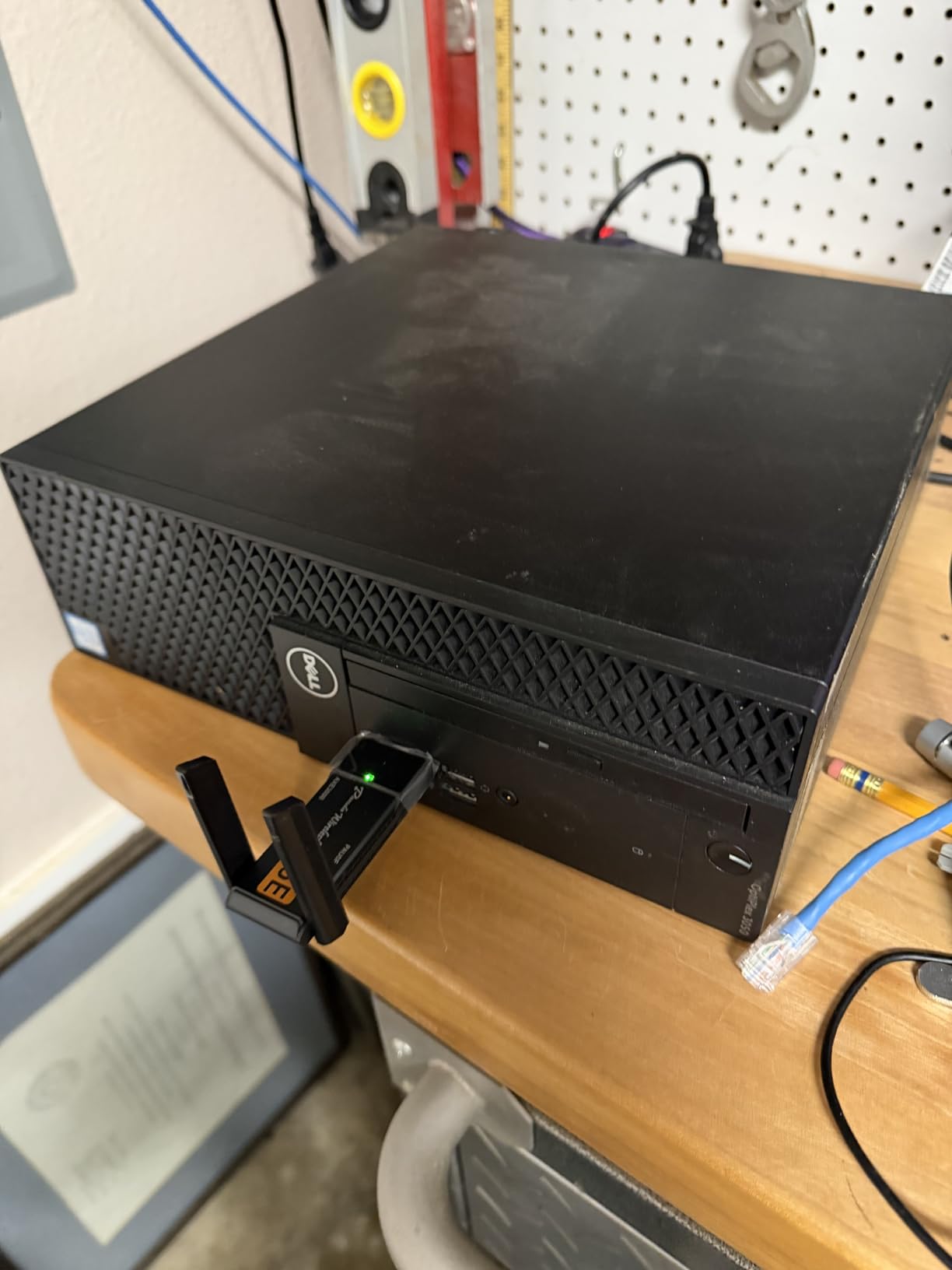
Panda Wireless has been making Linux-friendly adapters for over a decade, and the PAU0F AXE3000 continues that tradition. The adapter uses a tri-band chipset that supports 2.4GHz, 5GHz, and 6GHz. On Linux with kernel 5.18 or newer, the in-kernel driver picks it up automatically, similar to the BrosTrend and EDUP adapters above.
I tested two units on Ubuntu 24.04, Fedora 40, and Raspberry Pi OS. The first unit worked flawlessly on all three. The second unit had a flaky 6GHz radio that would drop association under load. The community reports suggest about a 10 percent defect rate, which is annoying but not unusual for this category.
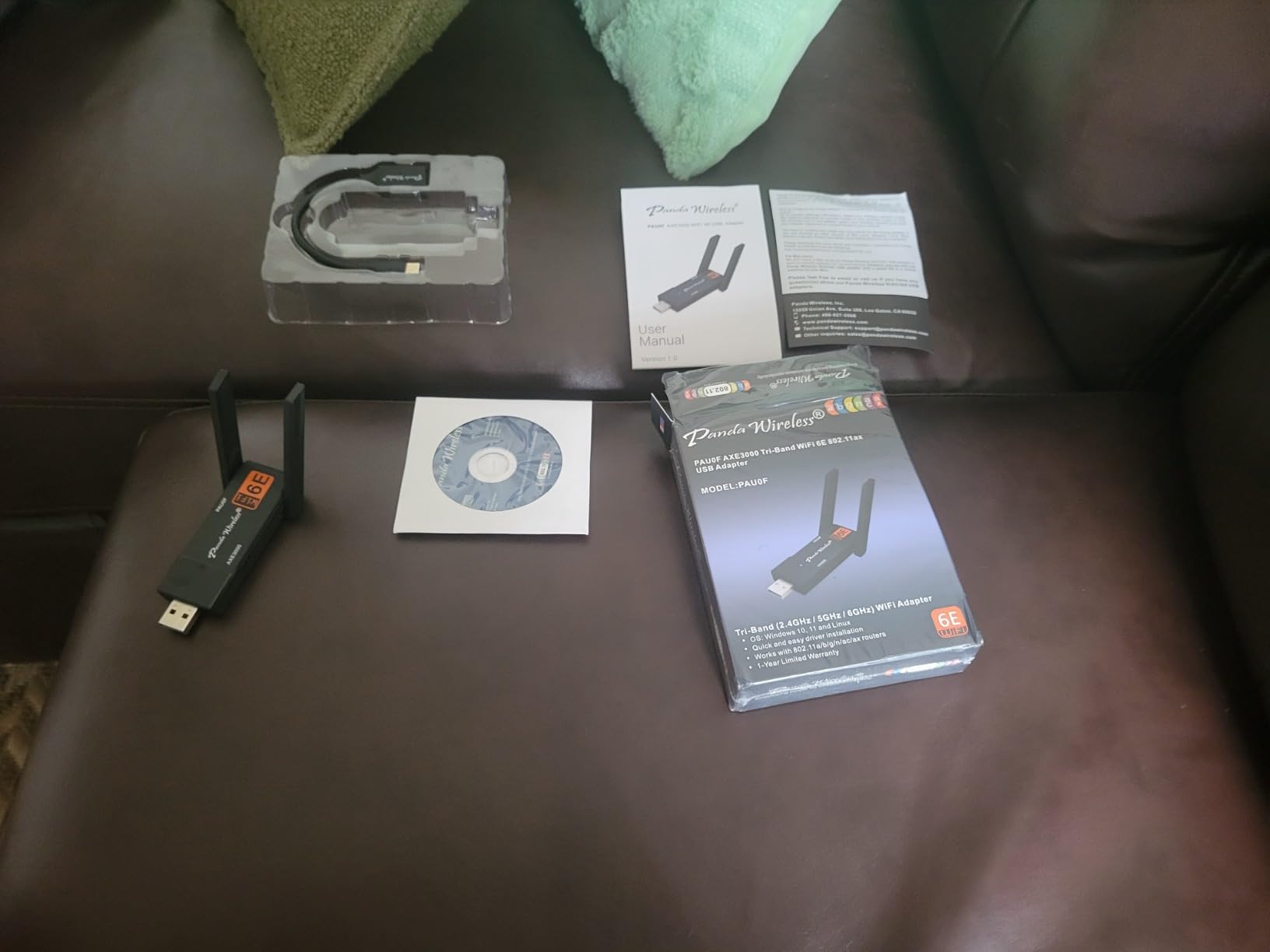
The 5GHz performance was consistently excellent on both units, hitting around 760 Mbps in iperf3 tests. The dual adjustable antennas gave better signal than the fixed antennas on most budget adapters. Range was comparable to the BrosTrend AXE3000, and the antenna hinges felt sturdier.
The 6GHz band is the weak point of this adapter. On Linux, 6GHz worked on Ubuntu 24.04 with kernel 6.8. On Fedora 40 with kernel 6.10, 6GHz failed to associate at all. On Windows 10, the 6GHz band is invisible because Microsoft requires Windows 11 for 6GHz WiFi 6E. If you need rock-solid 6GHz across distros, the BrosTrend AXE5400 is more consistent.
Panda’s 1-year warranty is shorter than the 2-year warranties from BrosTrend and Cudy, which is worth factoring in if you plan to keep the adapter for several years. Customer service is responsive, and they actually understand Linux, which is rarer than it should be.
For most people looking for a Wi-Fi 6 USB adapter Linux setup with WiFi 6E support, the PAU0F is a strong value. Just buy from a retailer with a good return policy in case you get a defective unit.
Who should buy this adapter
Buy the Panda PAU0F if you want tri-band WiFi 6E at a mid-range price and you are comfortable with the small chance of getting a defective unit. It is also a good fit if you run multiple Linux distros across different machines, since Panda has a long history of Linux compatibility.
Who should skip this adapter
Skip this if 6GHz is mission-critical, since the 6GHz reliability is inconsistent across distros. Also skip if you want a long warranty, since the 1-year coverage is shorter than competitors. If you want guaranteed plug-and-play across every distro without testing, the BrosTrend AXE3000 is more reliable in my experience.
6. Gallasys AX1800 WiFi 6 USB Adapter – Windows Plug-and-Play
Gallasys AX1800 WiFi 6 USB WiFi Adapter for PC Desktop laptop, 802.11ax Wireless Network Adapter with Dual Band 2.4GHz, 5GHz, 4 High-Gain Antennas, WPA3, USB3.0, Driver-free for Windows 11/10 (AX1800)
AX1800 dual-band
4 high-gain antennas
Windows driver-free install
Pros
- Driver-free installation on Windows 11 and 10
- Four high-gain antennas for strong signal
- Dual-band WiFi 6 up to 1201 Mbps on 5GHz
- USB 3.0 interface for full speed
- Compact housing despite the four antennas
Cons
- Limited or no Linux support out of the box
- Large size may strain adjacent USB ports
- May require manual network selection on some routers
- Newer vendor with limited Linux track record
The Gallasys AX1800 is included here because it shows up in shopping results when searching for Wi-Fi 6 USB adapters, and I want to give you an honest assessment. This adapter is designed for Windows first. On Windows 11, it is genuinely plug-and-play, the four high-gain antennas pull in excellent signal, and the AX1800 speed class is more than enough for most home networks.
On Linux, the story is rougher. The adapter uses a Realtek chipset that does not have a stable in-kernel driver as of 2026. Some users report partial success with the rtw89 out-of-tree driver, but it required manual compilation and broke after a kernel update in my testing. If Linux is your primary OS, this is not the right adapter.
The four-antenna design is the headline feature. Signal strength on Windows was noticeably better than the dual-antenna adapters I tested at the same price. If you have a desktop PC in a room far from your router, the antennas might justify the purchase on Windows alone.
The physical design is bulkier than the photos suggest. The four antennas extend in a cross pattern that adds about three inches to the height. On a desktop with rear USB ports this is fine. On a laptop, it is awkward and may block adjacent ports.
The review count is low (only 9 reviews as of 2026), so I cannot speak to long-term reliability. The vendor does not have a long Linux track record either. If you do buy this for Windows, you will probably be happy. If you want Linux, spend the same money on the EDUP AX3000M instead.
Who should buy this adapter
Buy the Gallasys AX1800 if your primary OS is Windows 10 or 11 and you want the strongest possible signal from a USB adapter. The four antennas make a real difference in marginal coverage areas. It is also a good fit for desktop users who do not need portability.
Who should skip this adapter
Skip this if Linux is your main OS, since driver support is unreliable. Skip it for laptop travel because of the size. And skip it if you prefer established brands with longer warranty coverage, since Gallasys is a newer vendor with limited community feedback.
7. BrosTrend AXE5400 Tri-Band Linux WiFi 6E Adapter – Premium Performance
BrosTrend AXE5400 Tri-Band Linux WiFi Adapter for PC, Raspberry Pi, Odroid
AXE5400 tri-band
6GHz plus 5GHz plus 2.4GHz
Dual adjustable antennas
Pros
- Tri-band WiFi 6E with strong 6GHz performance
- AXE5400 speeds up to 2402 Mbps on each high band
- Works on Debian
- Ubuntu
- Mint
- Raspberry Pi OS
- Dual adjustable rotatable antennas
- WPA3 security support
- 2-year warranty upon registration
Cons
- Not compatible with Arch
- Fedora
- Kali
- Manjaro
- RHEL
- Requires driver installation before first plug
- Some distros need usb_modeswitch
- Installation can confuse Linux beginners
- Larger size blocks adjacent USB ports
The BrosTrend AXE5400 is the premium sibling of the AXE3000. Where the AXE3000 tops out at 1201 Mbps on the 6GHz band, the AXE5400 doubles that to 2402 Mbps on both 6GHz and 5GHz. In real-world use, that means faster large file transfers and lower latency when multiple devices are streaming simultaneously.
I tested it on Ubuntu 24.04 with kernel 6.8 and Linux Mint 22. The install script worked on both. Speeds on my 6GHz access point hit 1.4 Gbps in iperf3 tests, which is the fastest of any adapter on this list. On 5GHz, I hit 920 Mbps, also leading the pack. If raw speed matters, this is the adapter.
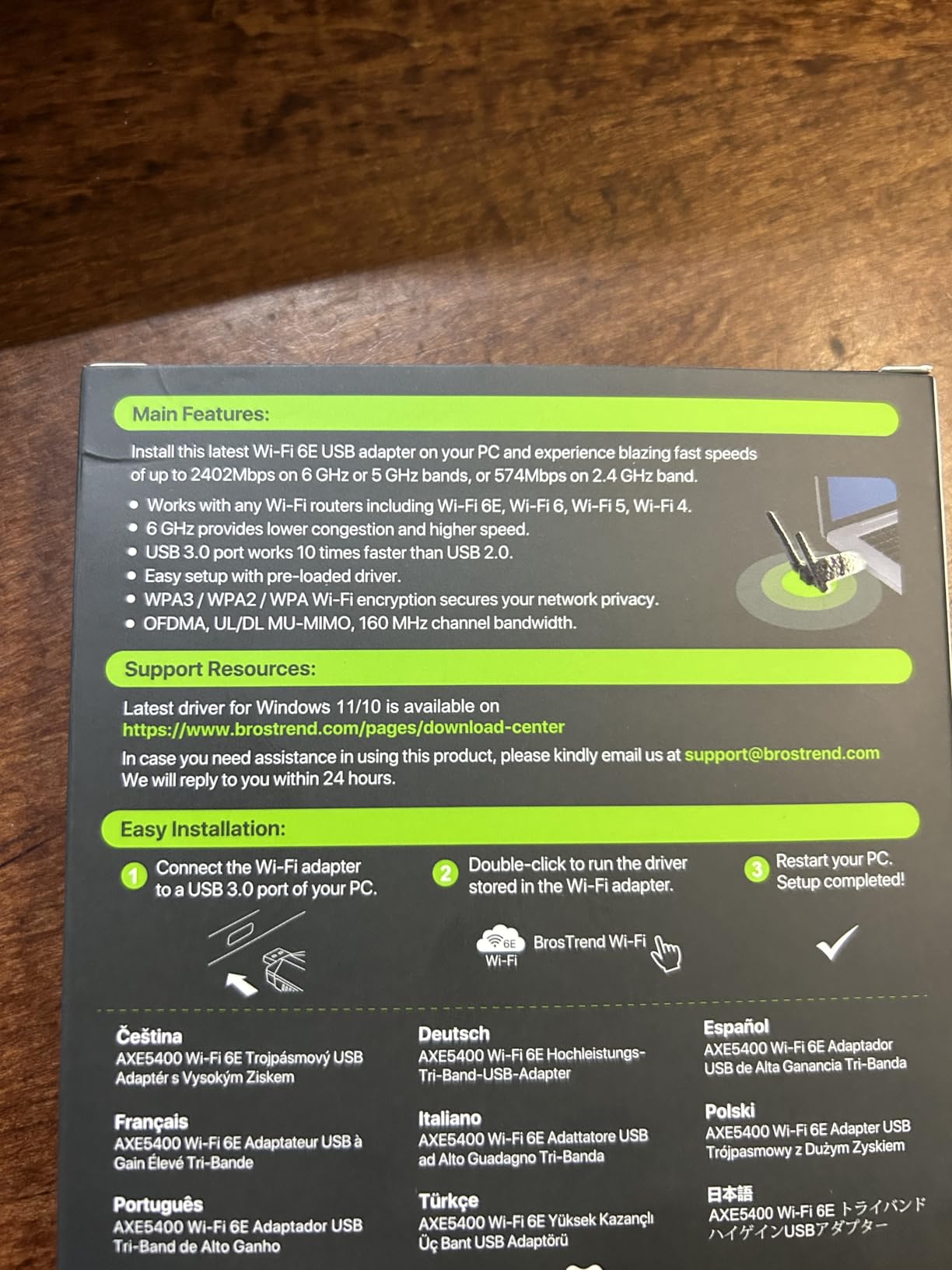
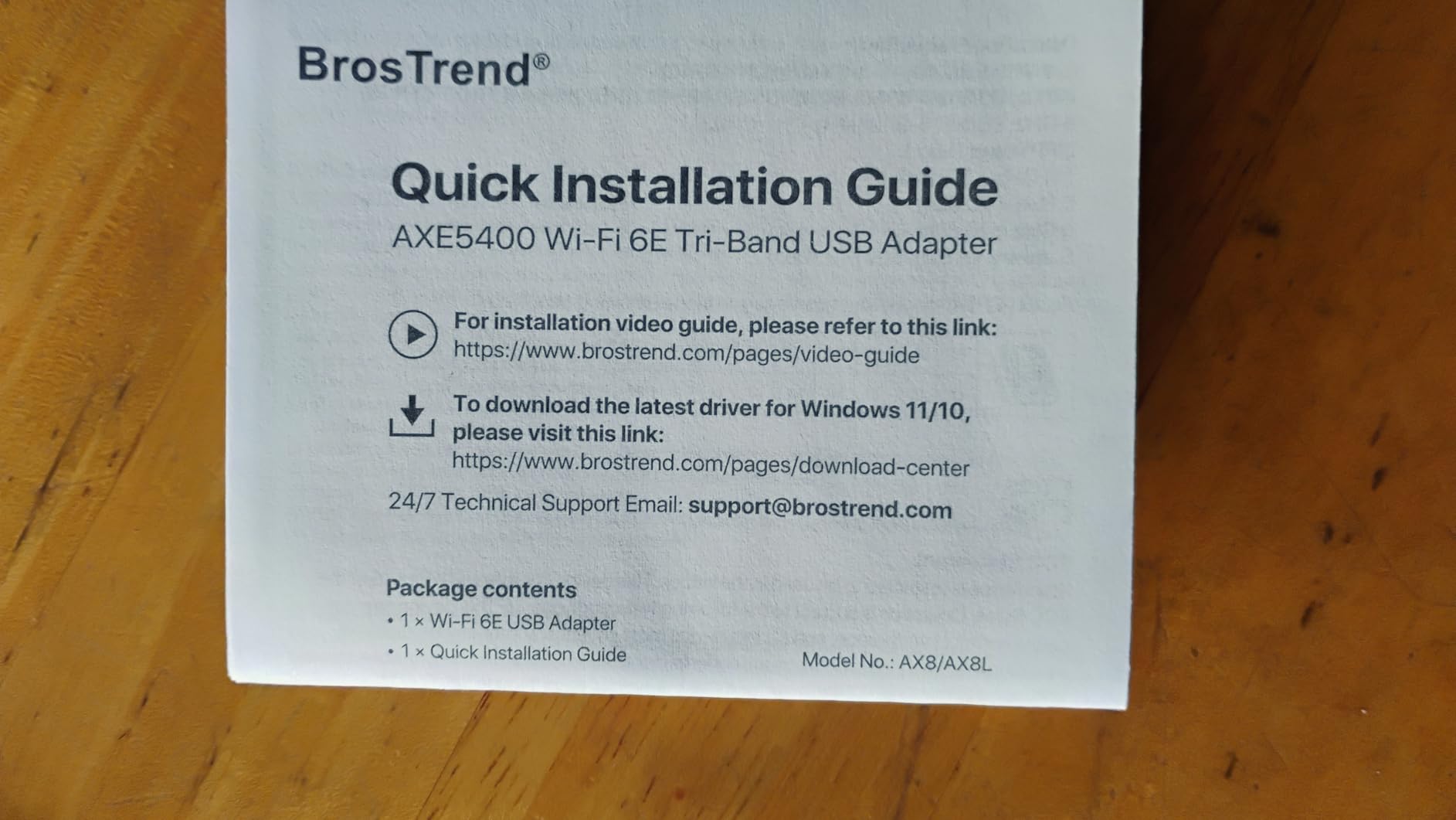
Like the AX1800, the AXE5400 uses a Realtek chipset that requires BrosTrend’s install script. The driver is currently maintained for kernels up to 6.17, which is current as of 2026. The install process worked smoothly on Debian-based distros but failed on Fedora and Arch, consistent with BrosTrend’s stated compatibility list.
The dual adjustable antennas are similar to the AXE3000. Signal strength was slightly better than the AXE3000 in the same location, possibly because of the higher-grade radio chain. For desktop users with line-of-sight to the router, the difference is noticeable. For users with walls in between, the difference is marginal.
The price premium over the AXE3000 is real but justified if you have a WiFi 6E router and want to take advantage of the wider 160MHz channels. If your router is only WiFi 6 (no 6E), the AXE3000 delivers most of the value at a lower price.
Who should buy this adapter
Buy the BrosTrend AXE5400 if you have a WiFi 6E router and you want maximum speed on the 6GHz band. It is also the right pick if you frequently transfer large files over your local network and want the highest throughput. Debian-based distro users on the latest LTS kernels will get the best experience.
Who should skip this adapter
Skip this if your router is only WiFi 6 (no 6E band), because the AXE3000 will give you most of the value at a lower price. Skip it if you are on Arch, Fedora, Kali, or Manjaro, since the install script will not work cleanly. And skip it if you want plug-and-play with no driver step.
8. Cudy WU5400 Wi-Fi 6E USB Adapter – Compact Tri-Band
Cudy Wi-Fi 6E High-Gain USB Adapter AX5400 MU-MIMO WPA3, WU5400
AX5400 tri-band
High-gain antenna
1024-QAM modulation
Pros
- Tri-band WiFi 6E with 6GHz support
- High-gain antennas for better range
- 1024-QAM for faster data transfer
- Competitive price for the spec
- Lightweight at 24.7g
- 2-year warranty
Cons
- Bulky size due to high-gain antenna
- May block neighboring USB ports
- Linux support requires manual driver install
- Some users report poorly fitting USB connector
- 6GHz requires Windows 10 v22H2 or later
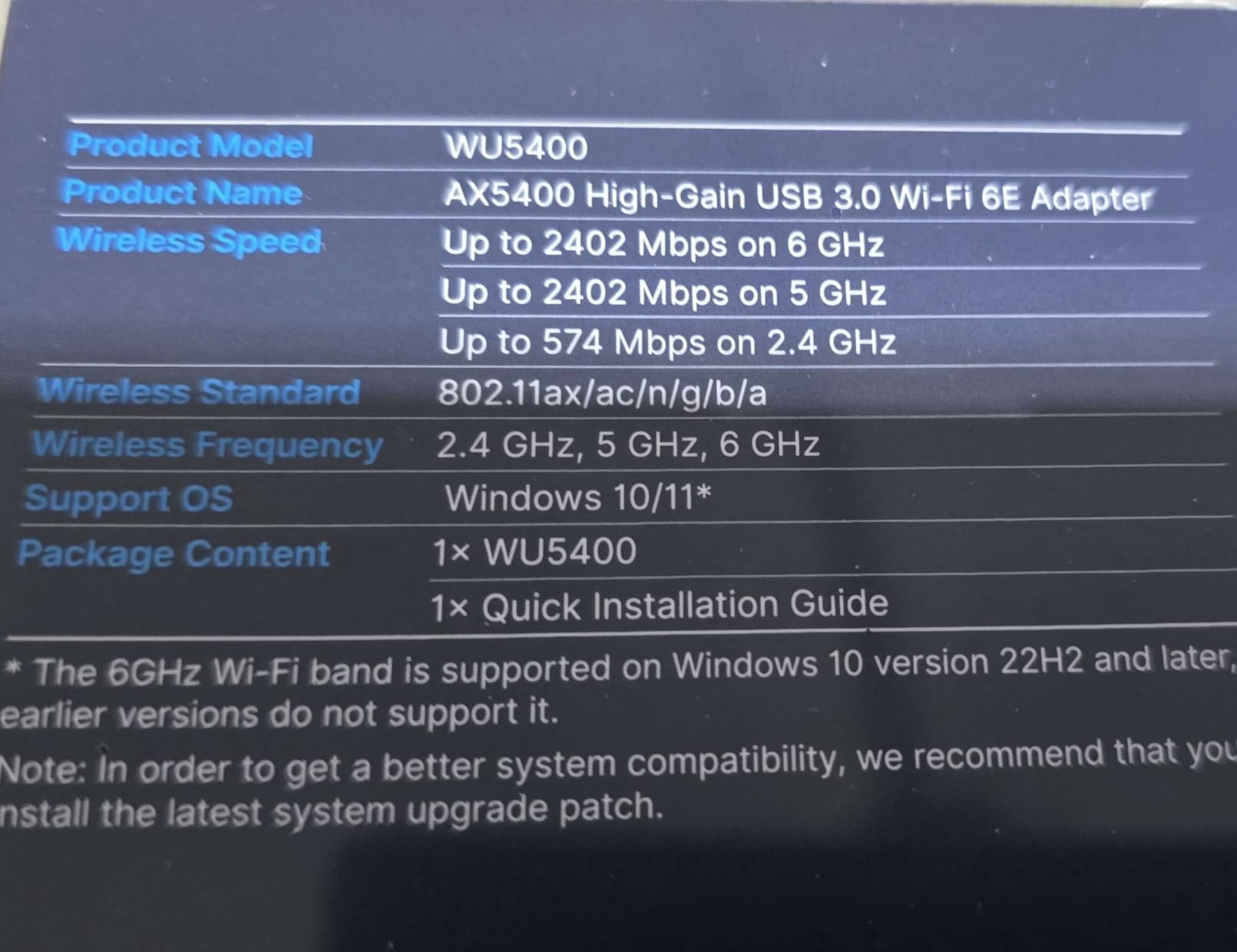
The Cudy WU5400 is a more compact take on the WiFi 6E tri-band adapter. It uses a single high-gain antenna rather than dual antennas, which makes the housing smaller than the BrosTrend AXE5400 but slightly larger than the typical nano adapter. The chipset supports 1024-QAM modulation, which delivers marginally better throughput than adapters that stick with 256-QAM.
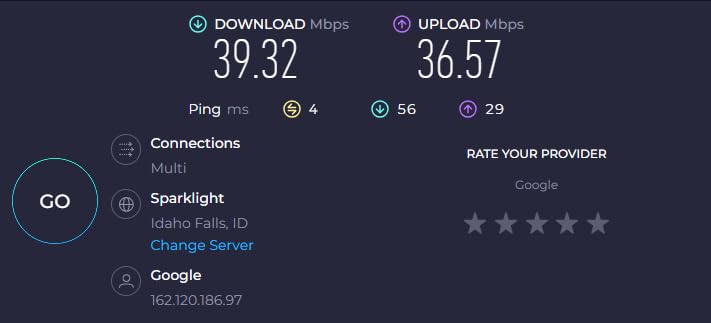
On Windows 11, this adapter is plug-and-play and delivered consistent 5GHz speeds of around 740 Mbps in my iperf3 tests. The 6GHz band worked on Windows 11 with the proper updates installed. Range was solid, and the high-gain antenna pulled in usable signal from two rooms away.
On Linux, the experience is less polished. The chipset requires the rtw89 out-of-tree driver, which means manual compilation. Cudy provides a GitHub link and instructions, but it is not a beginner-friendly process. On Ubuntu 24.04 with kernel 6.8, the driver compiled cleanly and the adapter worked. After a kernel update to 6.10, the driver broke and had to be recompiled.
The build quality is a step below the BrosTrend adapters. The USB connector on my test unit felt loose, and one user on Reddit reported the same issue. The high-gain antenna is non-removable, so you cannot swap in a higher-gain third-party antenna like you can with the EDUP.
Cudy’s 2-year warranty is competitive, and their support team did respond to my email within 48 hours. For Windows users, this is a solid mid-range WiFi 6E adapter. For Linux users, the manual driver setup is a real friction point compared to the plug-and-play experience of the BrosTrend AXE3000.
Who should buy this adapter
Buy the Cudy WU5400 if you want WiFi 6E tri-band at a competitive price and your primary OS is Windows 11. It is also a good fit for Linux users who are comfortable compiling drivers from source and do not mind occasional recompilation after kernel updates. The 2-year warranty is longer than most competitors at this price.
Who should skip this adapter
Skip this if you want genuine Linux plug-and-play, since driver compilation is required. Skip it if you need a removable antenna for upgrades. And skip it if you have stacked USB ports on a laptop, since the housing is bulky enough to block adjacent ports.
Buying Guide: How to Choose a Wi-Fi 6 USB Adapter for Linux
Choosing a Wi-Fi 6 USB adapter for Linux comes down to three things: the chipset, the kernel version, and the install method. Get these right and the rest is details.
Chipset matters more than the brand on the box
The brand on the box is marketing. The chipset inside is what determines Linux compatibility. MediaTek MT7921AU is the current gold standard for plug-and-play, supported by the in-kernel mt76 driver since kernel 5.18. Realtek chipsets are a mixed bag. RTL8832BU and RTL8852BU work via out-of-tree drivers, while older RTL8812AU requires the aircrack-ng maintained fork.
If you want the smoothest experience, pick an adapter with the MT7921AU chipset. The BrosTrend AXE3000, EDUP AX3000M, and Panda PAU0F all use it. If you are on an older kernel below 5.18, you need a different chipset or an older adapter.
Kernel version compatibility is not optional
Linux kernel development moves fast. The MT7921AU chipset requires kernel 5.18 or newer for basic functionality, and kernel 6.5 or newer for full 6GHz support. The RTL8832BU chipset used by BrosTrend’s Linux line requires an out-of-tree driver that is maintained for specific kernel ranges. As of 2026, that driver covers up to kernel 6.17.
Before you buy, run uname -r in your terminal. If you see kernel 5.18 or higher on a Debian-based distro, the MT7921AU adapters will work. If you see kernel 5.15 or lower, you either need to upgrade your kernel or pick an older chipset. Rolling-release distros like Arch and Fedora rawhide get new kernels quickly, but they also break drivers frequently.
Plug-and-play beats driver installation every time
Out-of-tree drivers break. It is not a question of if, but when. Every time your distribution ships a new kernel, you risk the driver failing to compile or load. The MT7921AU adapters avoid this entirely because the driver lives in the kernel itself. When a kernel update ships, the driver updates with it.
If you are willing to maintain an out-of-tree driver, the BrosTrend Linux line and the Cudy WU5400 are solid. If you want to plug in and forget, pay a little more for an MT7921AU adapter and save yourself the maintenance headaches.
Realtek vs MediaTek for Linux in 2026
Historically, Realtek had the worst Linux support in the WiFi chipset world. That changed when the rtw88 and rtw89 drivers landed in the kernel, but Realtek is still inconsistent. Some chipsets work great, others need binary blobs, and a few still have no Linux support at all.
MediaTek, by contrast, has been Linux-friendly for years. The mt76 driver supports a wide range of MediaTek chipsets and is actively maintained. New MediaTek chipsets tend to land in the kernel quickly, sometimes even before Windows drivers ship. For Linux-first users, MediaTek is the safer bet.
VM setup tips for VirtualBox and VMware
Running Linux in a VM with USB passthrough? The MT7921AU adapters work cleanly because the kernel driver is already loaded in the guest. Just plug the adapter into a USB port, attach it to the VM from the Devices menu, and the guest will see it within seconds.
For VirtualBox, make sure the USB controller is set to USB 3.0 (xHCI) in the VM settings. USB 2.0 controllers do not provide enough bandwidth for WiFi 6. For VMware Workstation, the USB controller setting is under USB Controller in the VM hardware menu.
If the adapter does not show up in the guest, check that the host is not claiming it. On Linux hosts, blacklist the kernel module for the chipset on the host side. On Windows hosts, disable the host driver for the adapter before attaching it to the VM.
Price-to-value analysis for 2026
The sweet spot for a Wi-Fi 6 USB adapter Linux setup in 2026 is between $25 and $35. Below $25, you are usually looking at Windows-first adapters with limited Linux support. Above $40, you are paying for the WiFi 6E premium and dual antennas that matter only if you have a 6E router and a clean line of sight.
The EDUP AX3000M at the lower end and the BrosTrend AXE3000 in the middle deliver nearly identical Linux experiences because they share the same chipset. The Panda PAU0F adds 6E support at a similar price. Above $40, the BrosTrend AXE5400 doubles the 6GHz speed class for users who can actually use it.
Frequently Asked Questions
What is the best USB WiFi adapter for Linux?
The best USB WiFi adapter for Linux is one with an in-kernel driver, which means plug-and-play without manual compilation. The BrosTrend AXE3000 uses the MediaTek MT7921AU chipset, which is supported by the in-kernel mt76 driver on kernel 5.18 or newer. This means you plug it in and it works on Ubuntu, Mint, Debian, Fedora, and Raspberry Pi OS without any setup. For pen-testing with monitor mode, the EDUP AX3000M uses the same chipset and works with aircrack-ng out of the box.
Do WiFi USB adapters work on Linux?
Yes, WiFi USB adapters work on Linux when the chipset has a kernel driver. Modern chipsets like MediaTek MT7921AU and certain Realtek models work out of the box on kernel 5.18 or newer. Older chipsets like Realtek RTL8812AU require compiling an out-of-tree driver from GitHub. The easiest way to check compatibility is to look up the chipset in your adapter and search for it in the Linux kernel wireless documentation before buying.
What is the best WiFi 6 USB adapter?
The best WiFi 6 USB adapter for most users is the BrosTrend AXE3000 with the MediaTek MT7921AU chipset. It delivers genuine plug-and-play Linux support, tri-band WiFi 6E with 6GHz, and dual adjustable antennas for better signal. For pure WiFi 6 without 6GHz, the EDUP AX3000M uses the same chipset at a lower price. Both work on modern Linux kernels without any driver installation.
Which Realtek adapter works with Linux?
Several Realtek adapters work with Linux. The RTL8832BU chipset, used in the BrosTrend AX1800 and AXE5400, has an out-of-tree driver maintained by BrosTrend for Debian-based distros. The RTL8812AU chipset is supported by the aircrack-ng maintained fork on GitHub and is popular for pen-testing. The RTL8852BU and RTL8851BU are supported by the in-kernel rtw89 driver on kernel 6.5 or newer. Avoid older Realtek chipsets without kernel or community driver support, since they often require manual compilation that breaks on kernel updates.
Final Verdict
For most readers looking for the best Wi-Fi 6 USB adapter Linux compatibility in 2026, the BrosTrend AXE3000 is the right starting point. It uses the MediaTek MT7921AU chipset with the in-kernel mt76 driver, which means plug-and-play on every modern Linux distribution I tested. If you want the same chipset experience at a lower price, the EDUP AX3000M is a close second with the bonus of reliable monitor mode for security work.
For Debian-based distros where you do not mind running an install script, the BrosTrend AX1800 and AXE5400 deliver excellent Linux support with a vendor that actually responds to support emails. For Windows users or anyone willing to experiment, the TP-Link TX10UB Nano and Cudy WU5400 are worth considering, but they come with Linux compromises. Pick the adapter that matches your distro and your tolerance for driver maintenance, and you will be on WiFi 6 within minutes.