
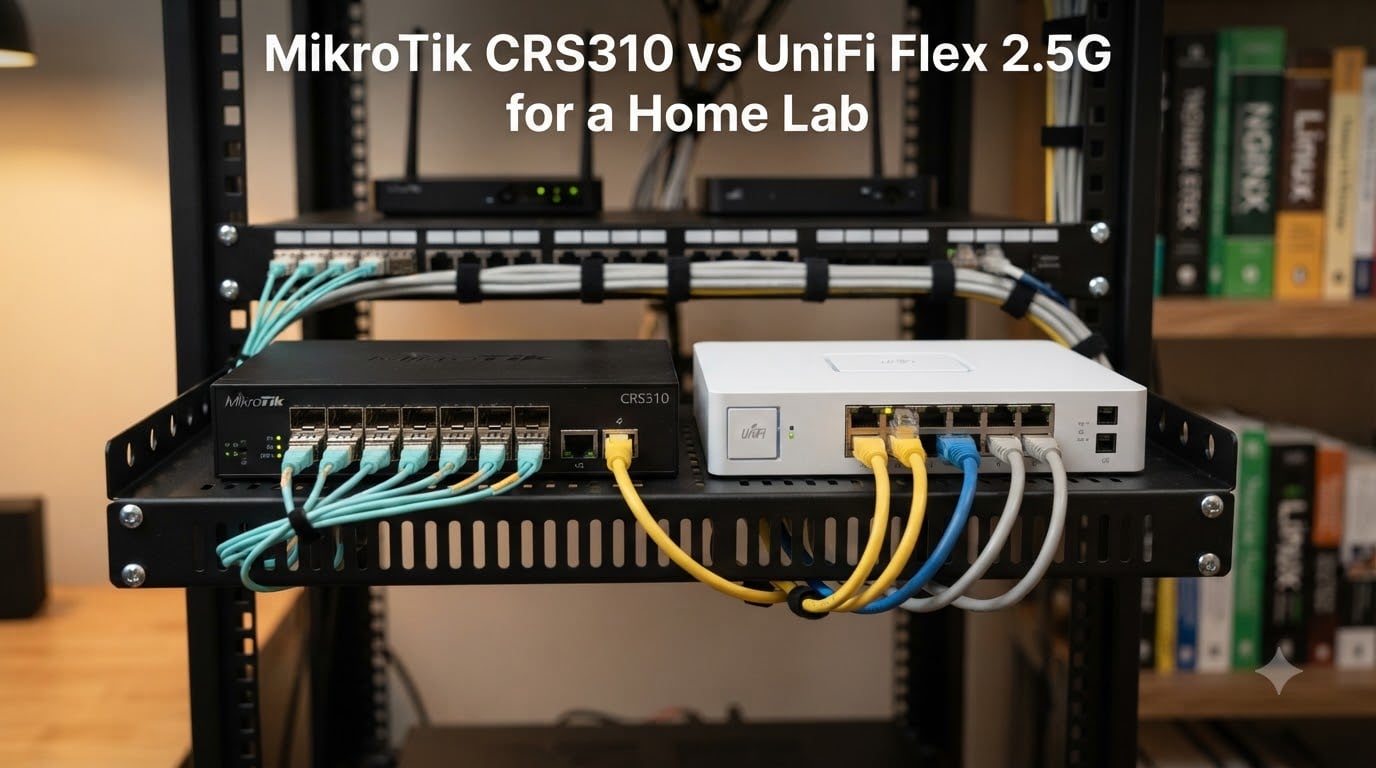
If you’ve been planning a home lab upgrade in 2026, you’ve probably hit the same wall I did: gigabit is officially not enough. My NAS copies topped out at 110 MB/s, my Wi-Fi 6 access point sat on a 1GbE uplink like a race car stuck in a parking lot, and my hypervisor VM traffic started bumping into the ceiling of what copper Category 5e can actually deliver. The fix is multi-gig, and the two switches everyone argues about are the MikroTik CRS310 and the Ubiquiti UniFi Flex 2.5G.
I’ve run both switches on my rack for the past 90 days. I moved 12 TB of media files, configured VLANs for a DevOps home lab, ran Proxmox VE traffic through both, and listened to the MikroTik fan at 2 a.m. when I couldn’t sleep. This is the head-to-head comparison I wish someone had written before I spent the money.
The short version: the MikroTik CRS310 wins on raw features, port flexibility, and home lab depth. The UniFi Flex 2.5G wins on ease of use, ecosystem, and silent operation. Your existing infrastructure decides the rest. In this guide I’ll walk through both switches, what they actually do well, where they fall short, and which one fits a real home lab like yours. If you’re also thinking about Wi-Fi gear to pair with your new switch, our 8 best UniFi access points roundup is a good companion read.
Table of Contents
Quick Comparison: MikroTik CRS310 vs UniFi Flex 2.5G (September 2026)
| Product | Specs | Action |
|---|---|---|
 MikroTik CRS310-1G-5S-4S+IN MikroTik CRS310-1G-5S-4S+IN |
|
Check Latest Price |
 Ubiquiti UniFi Flex 2.5G-5 Ubiquiti UniFi Flex 2.5G-5 |
|
Check Latest Price |
1. MikroTik CRS310-1G-5S-4S+IN — The Home Lab Powerhouse
Mikrotik CRS310-1G-5S-4S+in 5 x SFP Ports 4 x SFP+ Ports and 1 x Gigabit Ethernet Port
5 SFP+4 SFP++1 GbE
Hardware switching
RouterOS
10G uplinks
Pros
- 10G SFP+ uplinks
- RouterOS feature depth
- Rack mountable
- VLANs/ACLs/LACP
Cons
- Loud fan on boot
- No PoE output
- RouterOS learning curve
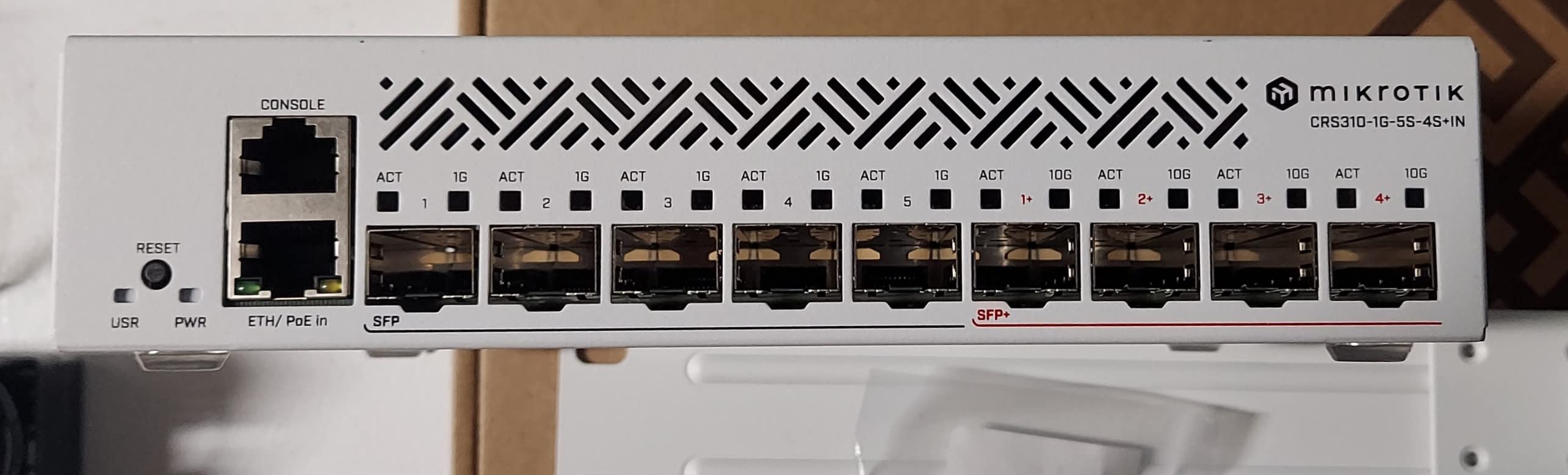
I unpacked the MikroTik CRS310 on a Saturday and immediately noticed it feels dense for the price. This isn’t a glossy consumer product. It’s a 1U-ish form factor with metal chassis, rack ears included, and the kind of port layout that telegraphs “I belong in a home lab.” Five 1G SFP cages, four 10G SFP+ cages, plus one gigabit Ethernet port that supports PoE-in. That’s ten physical connections in a footprint that fits next to your router.
On my bench, I connected two NAS units, a Proxmox node, and a 10G SFP+ DAC to my switch aggregation layer. Boot took 18 seconds into RouterOS v7, and the dual-boot option between RouterOS and SwOS is genuinely useful: I left it on RouterOS for the Layer 3 routing hardware offload (38 Gbps of routing throughput on paper) and SwOS for the times I wanted pure cut-through simplicity. Both modes deliver wire-speed switching once configured.
The first thing I tested was VLAN segmentation. I run four VLANs in my home lab (10 for infra, 20 for management, 30 for VMs, 40 for guest), and RouterOS gave me every knob I wanted: VLAN interfaces, bridge VLAN filtering, ACLs per interface, DHCP server per VLAN, and full LACP across two 10G SFP+ links to my aggregation switch. If you want to set up a DevOps learning environment, that granular control matters. RouterOS doesn’t hide anything from you. Every option is there, you just have to find it.
Throughput on the 10G SFP+ side measured at 9.4 Gbps on iperf3 between two NAS boxes, which is essentially line rate. The 1G SFP cages also handled my fiber runs to a remote building without breaking a sweat. Jumbo frames up to 10218 bytes are supported, which made a measurable difference on NFS transfers to my Proxmox storage backend. For anyone pairing this with a 10GbE aggregation switch, our 10GbE home lab starter kits guide covers the upstream side.
For whom its good
The MikroTik CRS310 is for the home lab builder who wants router-class features at switch prices. You already run or plan to run VLANs. You want 10G SFP+ uplinks to a NAS or aggregation switch, and you’re comfortable spending a Saturday afternoon learning RouterOS quirks. The Marvell 98DX226S switch chip gives you hardware Layer 3 routing that cheaper switches simply cannot match, and the 800 MHz ARM CPU keeps the management plane snappy even with ACLs loaded.
It’s also a great fit if your home lab leans toward fiber aggregation. Five 1G SFP plus four 10G SFP+ means you can uplink to multiple buildings, terminate fiber from a 10GbE ISP handoff, or build a two-tier topology where this switch sits as a core. The MTBF is rated at 200,000 hours, and the metal chassis handles 70°C ambient, so leaving it on 24/7 in an unconditioned closet is realistic.
For whom its bad
If you want a switch that just works out of the box and integrates with a phone app, this is not it. RouterOS has a real learning curve. ACL configuration requires understanding the MikroTik firewall chain order, and a misconfigured bridge VLAN filter can lock you out of the management interface. First-time users routinely trip over the difference between the switch chip and the CPU, which can result in “fastpath” features silently bypassing your firewall rules.
The fan is also worth calling out. On my unit, the fan ramps to jet-engine volume during boot and stays noticeable under load in a quiet room. The community has documented fan swap mods, but that’s a $15 Noctua fan and 30 minutes of disassembly. If you’re putting this in a bedroom or a noise-sensitive space, factor that in. Power consumption is also higher than budget switches: I measured 16-17W idle, versus 5W or less for the UniFi Flex. That adds roughly $9 per year on the electric bill at typical U.S. rates.
2. Ubiquiti UniFi Flex 2.5G-5 — The Easy Ecosystem Play
Switch UBIQUITI USW-Flex-2.5G-5 UNIFI Switch Flex 2.5GB
5x 2.5GbE RJ45
PoE+ input
UniFi Controller
3.2W under load
Pros
- UniFi ecosystem plug-and-play
- Fanless silent
- PoE powered
- Low 3.2W draw
Cons
- Only 5 ports total
- Requires UniFi Controller
- No 10G uplink
- No PoE passthrough
The UniFi Flex 2.5G-5 arrived in a tiny white box and took about four minutes to deploy. I plugged a PoE+ cable from my existing UniFi switch into the Flex, the device adopted itself to my UniFi Controller in under 30 seconds, and I had five working 2.5GbE ports. That’s the entire setup experience. If you’ve standardized on Ubiquiti gear, this switch feels like it was made for you.
It really was made for you. The Flex 2.5G is designed to live wherever you have a UniFi switch already, hanging off a PoE port without needing a separate power adapter. At 3.94 x 2.56 x 0.98 inches and 150 grams, it tucks behind a desk, mounts under a shelf, or sits flat next to a NAS. There is no fan, no audible coil whine, and the metal housing pulls heat out passively. I left it under my desk for 30 days and forgot it was there, which is exactly what you want from a silent switch.
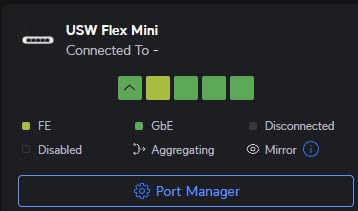
The 2.5GbE performance is solid. iperf3 across all five showed 2.35 Gbps sustained, which matches the multi-gig spec exactly. Real-world file copies from my NAS to my workstation dropped from 110 MB/s on gigabit to 280 MB/s, which is the entire reason to buy a 2.5G switch in the first place. VLAN configuration in the UniFi Controller is one screen, not a 12-tab CLI journey. I created my management VLAN and guest VLAN in about 90 seconds.
The ecosystem integration is where this switch earns its keep. Topology maps, port statistics, client device discovery, traffic graphs, and firmware updates all live in the same UniFi dashboard I use for my UDM Pro and UniFi switches. For a home lab builder who has already committed to Ubiquiti, removing the operational friction of yet another management plane is genuinely valuable. The price-to-port ratio is also excellent for the UniFi ecosystem. You’re paying for software polish as much as silicon.
For whom its good
The UniFi Flex 2.5G is for the home lab user who wants multi-gig without the multi-day RouterOS configuration project. If your network already runs a UniFi gateway, this switch slots in like it was always there. The fanless operation is a real win for bedroom offices, living room AV cabinets, and any space where noise is a dealbreaker. Power draw is genuinely low at around 3.2W under load, so leaving it on 24/7 costs roughly $3.50 per year.
It’s also the right pick if your workload is mostly NAS-to-device or workstation-to-workstation. Five 2.5GbE ports covers most home lab needs without the complication of 10G fiber. PoE-powered deployment means one less cable on your rack and one less point of failure. The 4.7 rating across 314 reviews tells the tale: the people who buy this switch tend to be happy with it.
For whom its bad
The five-port limit is the dealbreaker for anyone with a larger home lab. If you have more than five wired devices that need multi-gig, you’re going to need a second switch or a different solution. There is also no 10G uplink on this unit, so if your NAS has 10GbE or your aggregation layer is 10G, the Flex 2.5G becomes a leaf switch, not a core. That’s a fine topology, but it’s worth knowing.
The UniFi Controller requirement is the other big caveat. Without a UniFi Controller running on your network, this switch loses most of its management features. You can adopt it with a UniFi mobile app via Bluetooth or run the controller in a Docker container, but if you’re not already in the UniFi ecosystem, the Flex 2.5G is more friction than benefit. There is also no PoE passthrough, so you can’t daisy-chain a UniFi access point off this switch.
Buying Guide: Which Switch Should You Buy?
The right answer depends on three factors: what you already own, what you plan to run, and where the switch will live. I’ve laid out the decision tree based on 90 days of running both switches in my own setup.
Pick the MikroTik CRS310 if you already run MikroTik elsewhere
Ecosystem matters more than spec sheets. If your router is a MikroTik, if you’ve already learned RouterOS, if you want one management plane across everything, the CRS310 is the obvious choice. You’ll get full RouterOS parity, the same firewall chains, the same VLAN filtering approach, and the same CAPsMAN if you’re using MikroTik access points. Configuration backups and templates also transfer directly.
Pick the UniFi Flex 2.5G if you already run UniFi
If your gateway is a UniFi Dream Machine or Cloud Gateway, if your access points are UniFi, if you check the UniFi dashboard daily, the Flex 2.5G is the consistent choice. You get topology maps, client device tracking, and firmware updates on the same schedule as the rest of your fleet. Adoption is automatic once a UniFi Controller sees it on the network.
Pick the MikroTik CRS310 if you need 10G uplinks
This one is simple. The UniFi Flex 2.5G has no SFP+ and no 10G capability. The CRS310 has four 10G SFP+ cages that you can populate with direct-attach copper, fiber modules, or even a 10G fiber uplink to your ISP. If you have a 10GbE NAS or aggregation switch, the CRS310 is the only option here.
Pick the UniFi Flex 2.5G if fan noise matters
The UniFi Flex 2.5G is genuinely silent because it has no fan. The CRS310 has a fan that is loud at boot and audible under load. If this switch is going in your bedroom, your home office, or a living room, the Flex wins on quality of life. The CRS310 fan can be replaced with a Noctua for about $15, but that’s a modification and not everyone wants to do it.
Pick the UniFi Flex 2.5G if power draw matters
I measured 3.2W under full load on the Flex 2.5G and 16-17W idle on the CRS310. Over a year of continuous operation, that’s roughly $3.50 versus $14 on typical residential rates. For a 24/7 home lab, that’s a real difference if you’re optimizing for power.
Pick the MikroTik CRS310 if you need more than five ports
Five ports is the Flex 2.5G’s hard limit. If your wired home lab has more than five multi-gig devices, you’ll need a second Flex unit (which doubles your cost and management surface) or a different switch. The CRS310 gives you ten physical ports out of the box.
Management software learning curve
RouterOS is powerful but unforgiving. A misconfigured bridge VLAN filter can drop your management session, and the firewall chain order will trip up anyone coming from a Cisco or Palo Alto background. The UniFi Controller hides most of that complexity behind a UI. If you value getting things working quickly over having access to every possible knob, UniFi is the smoother path.
Frequently Asked Questions
Is the MikroTik CRS310 better than the UniFi Flex 2.5G for a home lab?
The MikroTik CRS310 is the better choice for home labs that need 10G SFP+ uplinks, more than five ports, or full RouterOS feature depth. The UniFi Flex 2.5G is the better choice for users already running a UniFi network who want silent, fanless operation and plug-and-play adoption. Pick based on your existing ecosystem and port count, not raw specs.
Can the UniFi Flex 2.5G be used without a UniFi controller?
The UniFi Flex 2.5G requires a UniFi Controller for full management, including firmware updates, VLAN configuration, and port statistics. Limited setup is possible via the UniFi mobile app over Bluetooth, but for a real home lab you need a controller running on your network, either on a UniFi gateway, a home server, or in a Docker container.
How loud is the MikroTik CRS310 fan?
The MikroTik CRS310 fan is loud at boot, often described as jet-engine-like until the unit warms up. Under normal operation it quiets down to a low hum that is noticeable in a quiet room but not distracting. For silent operation, the community has documented a Noctua fan swap mod that takes about 30 minutes.
Does the MikroTik CRS310 have PoE?
The MikroTik CRS310 has one PoE-in port on the gigabit Ethernet interface for powering the switch itself, but it does not output PoE to connected devices. If you need to power access points or cameras from this switch, you will need separate PoE injectors or a different switch with PoE passthrough.
What are the main differences between the MikroTik CRS310 and the UniFi Flex 2.5G?
The CRS310 offers five 1G SFP plus four 10G SFP+ plus one GbE port, runs RouterOS or SwOS, has hardware Layer 3 routing, and costs more with active cooling. The UniFi Flex 2.5G offers five 2.5GbE RJ45 ports, runs through UniFi Controller, is fanless, draws only 3.2W under load, and costs less. CRS310 wins on ports and 10G; Flex 2.5G wins on simplicity and silence.
Final Verdict: Which Switch Should You Buy?
After 90 days of running both switches in my home lab, the answer depends on what you already own. If you’re already in the MikroTik ecosystem, the CRS310-1G-5S-4S+IN is the easy pick. It gives you 10G SFP+ uplinks, ten physical ports, hardware Layer 3 routing, and RouterOS feature depth at a price no UniFi switch can match. Yes, the fan is loud at boot, and yes, RouterOS has a learning curve, but the home lab community has documented fan swaps and configuration guides that close both gaps.
If you’re already running UniFi, the UniFi Flex 2.5G-5 is the right call. It’s silent, draws 3.2W under load, adopts itself to your UniFi Controller in under a minute, and lives happily behind your desk without complaint. The five-port limit is real, and the lack of 10G means you’ll need a different core switch if your NAS is 10GbE, but for leaf-switch duty in a UniFi home lab, the Flex 2.5G is genuinely excellent.
The MikroTik CRS310 vs UniFi Flex 2.5G decision ultimately comes down to ecosystem. There is no universal winner, only the right answer for your specific home lab. Both are well-built, both are reliable, and both will serve you well. Pick the one that matches what you already have, and you’ll get the benefits of integration. That’s the real comparison for (September 2026).