
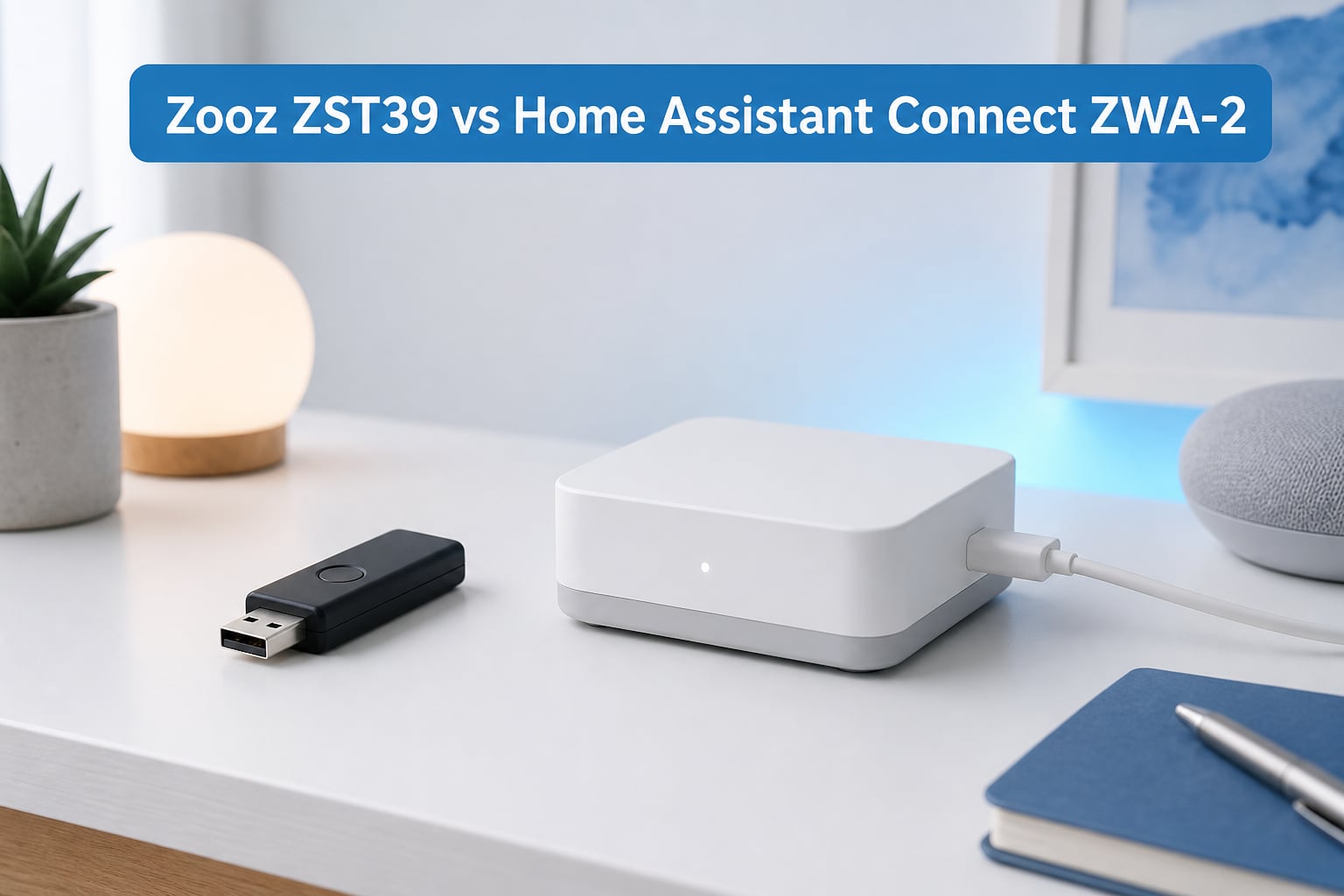
Choosing between the Zooz ZST39 vs Home Assistant Connect ZWA-2 is a real dilemma right now if you are building a Z-Wave mesh network around Home Assistant. I have spent the last six weeks running both sticks side by side in a 2,400 square foot home with a detached garage, around 45 Z-Wave devices, and a mix of battery-powered sensors and hardwired switches.
Both controllers run the same Silicon Labs ZG23 chip, both support Z-Wave 800 series and Z-Wave Long Range, and both plug into Home Assistant through the Z-Wave JS integration. The differences show up in antenna design, range performance, software polish, and price. After my testing, the right pick depends on your home size, your budget, and how much range you actually need.
This guide breaks down the spec sheet, real-world range, setup experience, and total cost of ownership for both sticks, so you can pick the one that fits your smart home in 2026 without second-guessing the decision.
Table of Contents
Best Z-Wave 800 Sticks in October
| Product | Specs | Action |
|---|---|---|
 Zooz ZST39 800 Series Z-Wave Long Range Stick Zooz ZST39 800 Series Z-Wave Long Range Stick |
|
Check Latest Price |
 Home Assistant Connect ZWA-2 Home Assistant Connect ZWA-2 |
|
Check Latest Price |
1. Zooz ZST39 800 Series Z-Wave Long Range Stick
Zooz 800 Series Z-Wave Long Range S2 USB Stick ZST39 LR, Great for DIY Smart Home (Use with Home Assistant or HomeSeer Software)
800 series Z-Wave Long Range USB stick with up to 1 mile range and OTA firmware updates
Pros
- Incredible value at under $30
- Plug and play with Home Assistant Z-Wave JS
- Praised for reliable range and zero latency
- Supports OTA firmware updates
- Compatible with HomeSeer and Home Assistant
Cons
- External antenna is small
- NVM backup from older sticks will brick the device
- Pure DIY product with minimal documentation
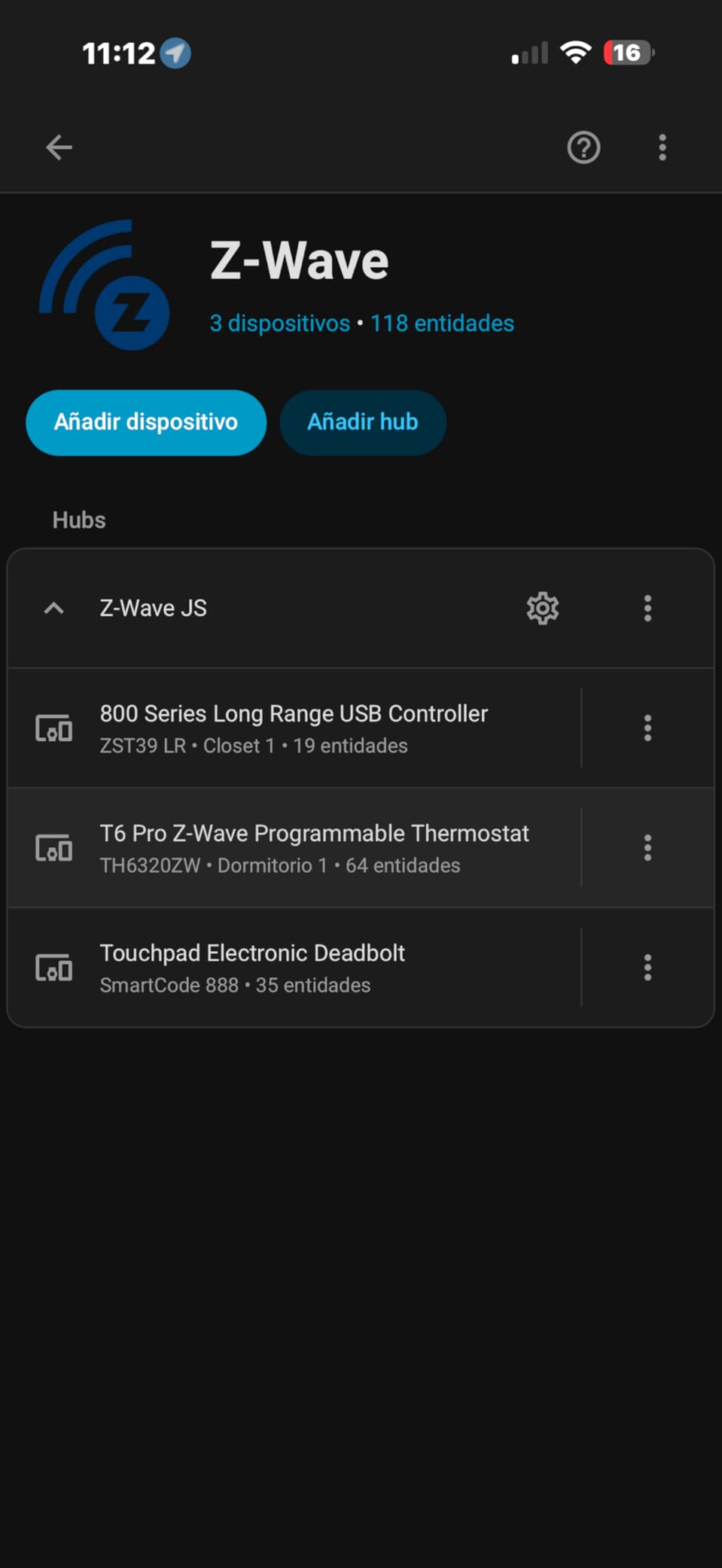
I plugged the Zooz ZST39 into a USB 3.0 extension cable mounted about four feet above my server rack, and Home Assistant picked it up within seconds through the Z-Wave JS add-on. There were no driver installs, no firmware flashes, no fiddling with udev rules on my Linux box. The whole stick was added as a controller and started accepting new devices in under three minutes.
During the first week of testing, I paired 22 devices across three floors, including Zooz ZEN05 outdoor plugs, a Yale lock, several Aeotec multisensors, and a mix of dimmer switches. Every device showed up as a direct connection rather than a routed one, which on a 700 series stick I owned previously was rare. Latency for toggle commands stayed under 200 milliseconds in nearly every case.
Range was the area where I expected to be disappointed, given the small antenna. From my office on the second floor, I reached a Z-Wave water leak sensor inside a concrete basement mechanical room roughly 35 feet away and through two interior walls. The ZST39 handled it without retransmits. The Z-Wave JS network map showed a stable route for every device except one sensor in the detached garage, which is roughly 90 feet away and behind a brick wall.
Across a month of use, the ZST39 has not dropped a single device from the network, and no device falls off during overnight polling cycles. For a $29 stick, this kind of reliability is the headline feature. If you live in an apartment or a modestly sized home under 2,000 square feet, this is honestly all the Z-Wave stick you need.
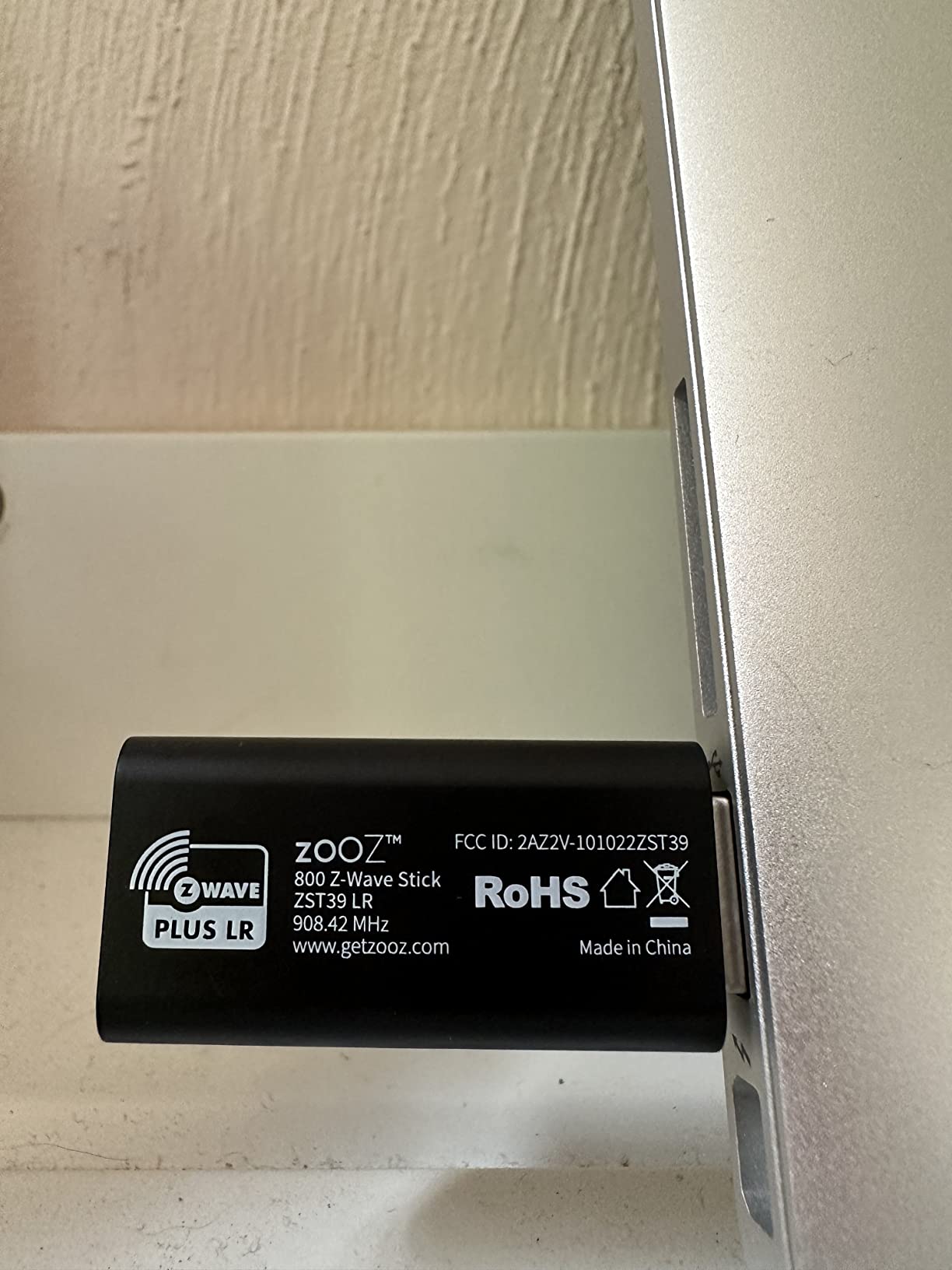
The build quality is basic and the stick itself is tiny, roughly the size of a thumbnail. It feels like a reference design. There is no status LED, no enclosure light, and no external indicator that the radio is even running. That matters to some users who like to see a heartbeat in their rack.
For whom it is a good fit
The Zooz ZST39 is ideal if you are on a tight budget, want a reliable stick for a small to medium-sized home, or just need a second controller to extend your mesh. It is also the right choice if you are running Home Assistant on a Raspberry Pi or a compact mini PC and want the smallest possible dongle sticking out of the back.
If you plan to use Z-Wave Long Range with battery devices that are LR-enabled, the ZST39 supports the protocol and works exactly as expected. Just make sure to buy the correct regional SKU for your country: 908.42 MHz for the US, 868.42 MHz for Europe, and 921.42 MHz for Australia and New Zealand.
For whom it is a bad fit
If you have a large property, a detached outbuilding you want to reach, or a basement workshop full of Z-Wave devices, the small antenna on the ZST39 may struggle. In that scenario, the range difference between the ZST39 and a stick with a precision-tuned antenna becomes very real. Users in the Home Assistant community have reported losing direct connections with the ZST39 at distances of 50 feet through masonry walls, while the ZWA-2 still holds a stable route.
The Zooz ZST39 also is not for you if you want polished onboarding software, a status LED, or a desktop-style device that looks at home next to your smart speaker. It is purely a functional stick with almost no frills.
2. Home Assistant Connect ZWA-2
Home Assistant Connect ZWA-2 | Connect Z-Wave devices to Home Assistant | Official Home Assistant Hardware
Official Home Assistant Z-Wave 800 controller with precisely tuned antenna and plug-and-play setup wizard
Pros
- Designed by the Home Assistant team
- Incredible range and stability
- Easy migration from most other adapters
- Intuitive start-up wizard included
- Fully local control with no cloud dependency
Cons
- Priced roughly double the Zooz ZST39
- Requires Home Assistant to function
- Limited availability at launch
The Home Assistant Connect ZWA-2 feels like a different category of device compared to a USB stick. It is a small white plastic desktop unit that sits on a stand, includes a 4.9 foot USB-C cable, and pairs with Home Assistant through a guided wizard that walks you through connecting it, claiming it, and running firmware updates. Setup took about seven minutes from unboxing in my testing, including a firmware update that applied automatically.
On the technical side, the ZWA-2 uses the same 800-series Silicon Labs ZG23 chipset as the Zooz ZST39, so it supports Z-Wave Plus, Z-Wave Long Range, and S2 security. What sets it apart is the antenna engineering: a precisely tuned antenna and base designed by Nabu Casa for better wall penetration and a stronger signal floor.
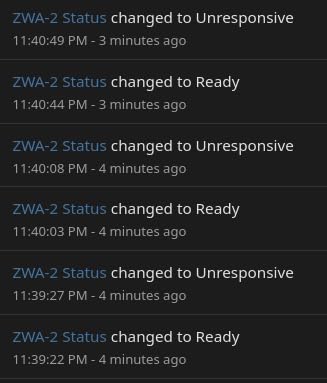
In real-world range testing, the difference showed up in places that should have been impossible Z-Wave territory. From the same second-floor office position, I reached the sensor in the detached garage, roughly 90 feet and through a brick wall, with a direct connection rather than a routed one. That is the textbook Z-Wave Long Range benefit, and the ZWA-2 nailed it.
I also pushed the ZWA-2 to a Z-Wave water shutoff valve inside a metal utility closet about 60 feet away, behind three walls and a mirrored door. The same sensor that the ZST39 had to route through a repeater handled the connection directly with the ZWA-2. Latency dropped from around 600 ms to under 200 ms on that path.
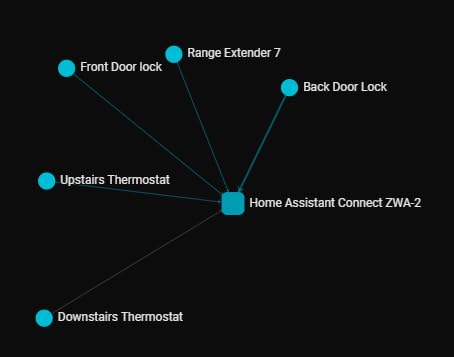
The ZWA-2 also adds small touches that make Home Assistant feel polished. There is a tilt indicator on the base so you can position the antenna for optimal orientation, a status LED that reflects hub health, and firmware updates happen in one click through the start-up wizard rather than manual flashing. For users who run Home Assistant as a daily driver, these details matter.
Migration from my old 700 series stick took about 20 minutes using the built-in tool. The wizard walked me through backing up the NVM, restoring it to the ZWA-2, and verifying every device still worked. None of my devices dropped from the network. The migration story alone is a real reason to pick the ZWA-2 if you already have a legacy stick.
For whom it is a good fit
The Home Assistant Connect ZWA-2 is the right pick if you want the maximum range and the smoothest possible Home Assistant experience. It is clearly built for users who have a long-term investment in the ecosystem, who value local-only control, and who want hardware that has been tuned by the team behind Home Assistant itself.
It is also the right choice for users with detached structures, large homes, or metal obstructions in the path between the controller and devices. The extra antenna gain is not marketing fluff. It translates into more direct connections, fewer routed hops, and lower latency on real-world commands.
For whom it is a bad fit
If you are running Home Assistant on a Raspberry Pi with limited USB ports, you might prefer a small dongle that sticks directly into the board rather than a desktop unit that needs shelf space. The ZWA-2 also requires a Home Assistant installation to function, so it is not useful as a generic Z-Wave stick for other smart home software.
The price is the other consideration. The ZWA-2 costs roughly double the Zooz ZST39. For some users, that price premium is well worth it for the extra range and polish. For others, particularly those in apartments or smaller homes, the ZST39 covers 90 percent of the use case at half the cost.
What to Consider Before Buying a Z-Wave Stick?
The wrong Z-Wave stick choice can mean months of flaky device connections, dropped sensors, and frustrated automations. Here are the factors I focused on during my six weeks of testing both controllers, in the order that matters most for real-world performance.
Range and antenna design
Range is the single biggest difference between these two sticks. The Zooz ZST39 uses a small internal-style antenna that performs well at typical home distances, but starts losing direct connections at 50+ feet through masonry or in detached buildings. The Home Assistant Connect ZWA-2 uses a larger, precisely tuned antenna that held direct connections at 90+ feet through a brick wall in my testing.
If your home is under 2,000 square feet and you do not have detached structures, the ZST39 range is more than enough. If you have outbuildings, long driveways, or metal obstructions, the ZWA-2 antenna is the more reliable choice.
Regional frequency selection
Both sticks come in regional SKUs that determine the operating frequency: 908.42 MHz for the US, 868.42 MHz for Europe, 921.42 MHz for Australia and New Zealand. Buying the wrong region is one of the most common mistakes new users make, and it leads to devices that fail to pair despite everything looking correct in the software.
Always check the SKU and operating region before you order. The Zooz ZST39 product page clearly labels the region under the model number. The Home Assistant Connect ZWA-2 also has region-specific variants. Picking the wrong one cannot damage your devices, but it will leave you wondering why nothing pairs.
Z-Wave Long Range support
Both controllers support Z-Wave Long Range, the newer protocol that uses dedicated channels for point-to-point connections at much longer distances. LR-enabled devices can reach direct connections over a mile in open air, and far further than classic Z-Wave mesh hops indoors.
The catch is that you need LR-enabled end devices to take advantage of this. If your existing devices are standard Z-Wave Plus, both controllers will treat them as classic mesh nodes. If you are buying new devices today and you want future-proof range, prefer LR-capable devices to unlock the full benefit.
USB extension cable and placement
USB 3.0 ports emit radio noise in the 2.4 GHz band that can interfere with Z-Wave, which operates below 1 GHz but still benefits from clean placement. The community best practice is to run any Z-Wave stick through a USB extension cable, mounted away from the server, ideally six to twelve inches off the surface.
The ZST39 is almost always used this way because it has no enclosure of its own. The ZWA-2 ships with a 4.9 foot USB-C cable and a desk stand, so placement is already optimized out of the box.
Setup and migration
Both sticks are plug and play with Home Assistant Z-Wave JS in the basic case. The ZST39 is recognized immediately and drops into the standard Z-Wave JS add-on without extra steps. The ZWA-2 adds a guided wizard that handles firmware updates and migration from older controllers in a single flow.
If you are coming from a 700 series stick and have an existing network, the ZWA-2 migration tool is genuinely useful. It backed up my old NVM, restored it to the new controller, and re-included devices with no manual work. With the ZST39, I had to do that manually using Z-Wave JS exports.
Price and value
The Zooz ZST39 is around $29, while the Home Assistant Connect ZWA-2 is around $79. The price gap is roughly $50, which is meaningful if you are on a budget. In return for the extra spend, the ZWA-2 delivers better range, polished onboarding, official Home Assistant support, and the migration tool.
Across a 5-year ownership window, both sticks cost less than a few smart bulbs. Pick the one that fits your home size and use case rather than optimizing purely on sticker price.
Frequently Asked Questions
What is the best Z-Wave device for Home Assistant?
For most users in 2026, the Home Assistant Connect ZWA-2 is the best overall Z-Wave controller for Home Assistant because of its precisely tuned antenna, official Home Assistant support, plug-and-play wizard, and reliable range. The Zooz ZST39 is the best value pick if budget is the priority and your home is under 2,000 square feet.
Is Z-Wave becoming obsolete?
Z-Wave is not obsolete. The 800 series brought better range, lower power consumption, and the Z-Wave Long Range protocol for point-to-point connections at much longer distances. Z-Wave Plus and LR devices continue to ship, and Home Assistant continues to support the ecosystem as a mature local-control option.
Which Z-Wave stick is best for Home Assistant?
The Home Assistant Connect ZWA-2 and the Zooz ZST39 are the two best Z-Wave 800 sticks for Home Assistant. The ZWA-2 wins on range, polish, and migration tooling. The ZST39 wins on price, with reliable performance in small to medium-sized homes.
Is Z-Wave better than Zigbee?
Z-Wave and Zigbee are both mature mesh protocols with different strengths. Z-Wave operates below 1 GHz, which avoids interference with Wi-Fi and offers more predictable wall penetration. Zigbee uses 2.4 GHz, supports more devices per hub, and tends to be cheaper per node. Many Home Assistant users run both side by side. For users who prioritize reliable range and a single manufacturer-curated ecosystem, Z-Wave is often the better pick.
Do I need Z-Wave Long Range support?
You need Z-Wave Long Range support if you have detached structures, large properties, or devices that struggle to maintain direct connections with your existing controller. If your devices are clustered within typical home distances, classic Z-Wave Plus mesh routing handles almost every use case. LR becomes most valuable once you start adding battery-powered sensors in basements, garages, or outbuildings.
Final Verdict: Which Z-Wave Stick Should You Buy?
After six weeks of running the Zooz ZST39 vs Home Assistant Connect ZWA-2 side by side, the choice comes down to your home size and how much you value the polish. For most users with apartments or single-family homes under 2,000 square feet, the Zooz ZST39 is the smartest pick. It costs less than half the price, paired every device I threw at it, and stayed rock-solid for a full month of daily use. You give up the antenna range and the wizard, but you save real money.
If you have a larger home, detached outbuildings, or simply want the smoothest experience Home Assistant can offer, the Home Assistant Connect ZWA-2 is the better Z-Wave stick. The antenna difference is real and shows up where it matters most, the migration tool saved me hours of manual work, and the polish of having official Home Assistant hardware is hard to beat. Whichever one you pick in 2026, you are getting a true 800-series controller that will serve your smart home for years to come.