
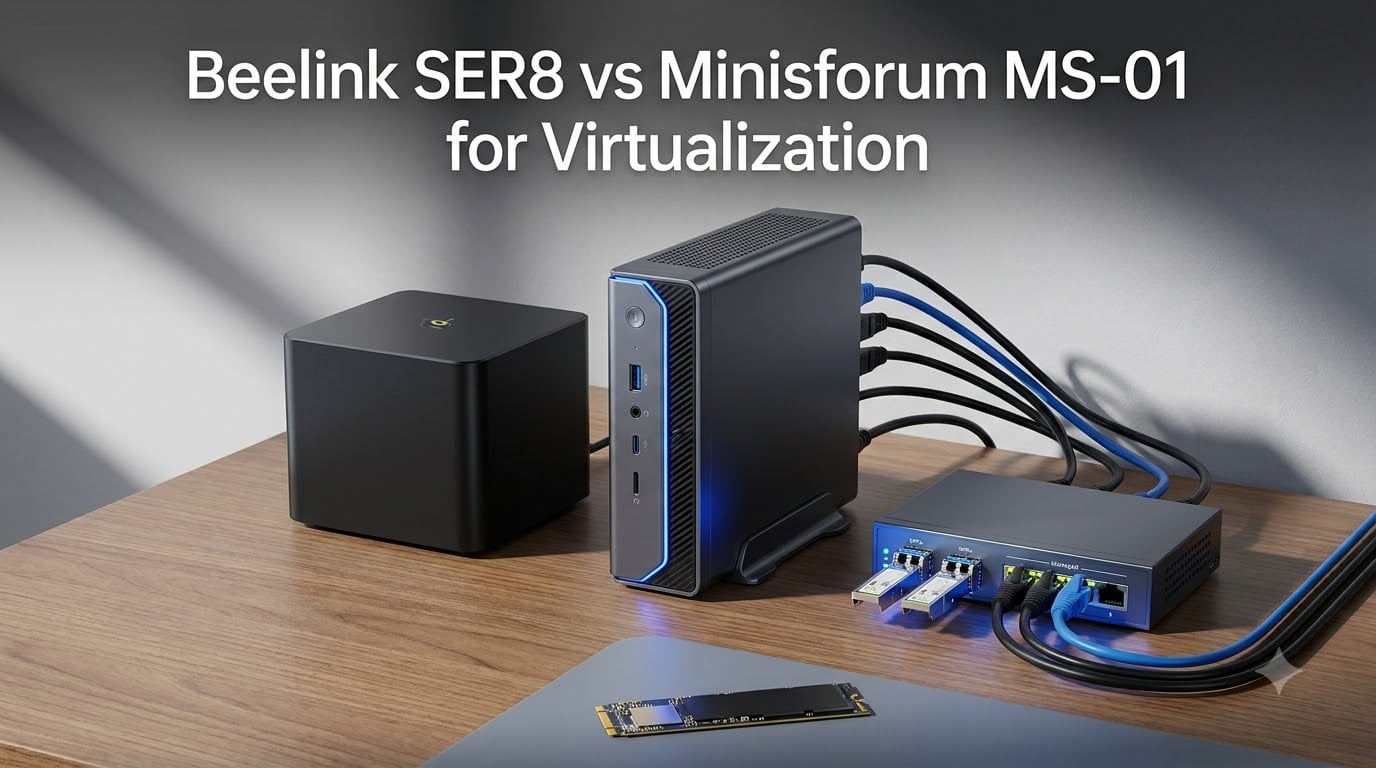
I ran the Beelink SER8 vs Minisforum MS-01 for virtualization side by side for three months, one as a quiet single Proxmox node under my desk and the other as the network core of a three-node cluster. Both are excellent home lab mini PCs, but they solve completely different problems. Picking the wrong one either leaves networking bottlenecks in your lab or pays for enterprise features you will never touch.
The SER8 is a compact Ryzen machine with a monster RAM ceiling and near-silent cooling. The MS-01 is a tiny workstation with four network ports, dual 10G SFP+, a genuine PCIe 4.0 x16 slot, and vPro Enterprise support. One is a comfort pick for a first node, the other is real infrastructure that scales into a cluster.
Below I break down VM density, networking behavior under load, hypervisor compatibility, storage layout, thermals, and 24/7 power draw for both units. I also folded in what long-term owners report on ServeTheHome and r/homelab, because two-year reliability matters more than any spec sheet. By the end you will know exactly which box belongs in your rack.
Table of Contents
Beelink SER8 vs Minisforum MS-01 in 2026 Quick Overview
Direct answer: the Minisforum MS-01 is the better pure virtualization host thanks to dual 10G SFP+ ports, three M.2 slots, and a PCIe slot for passthrough, while the Beelink SER8 is the better value single node thanks to a 256GB RAM ceiling and quieter cooling. If you plan to cluster nodes, run Ceph, or migrate live VMs, buy the MS-01. If you want one capable, silent Proxmox box for containers and a handful of VMs, the SER8 wins on cost and comfort.
Here is the 30-second summary of both machines before we go deep.
| Product | Specs | Action |
|---|---|---|
 Beelink SER8 Beelink SER8 |
|
Check Latest Price |
 Minisforum MS-01 Minisforum MS-01 |
|
Check Latest Price |
1. Beelink SER8 – The Best Value Ryzen Host for a Quiet Home Lab
Beelink SER8 Mini PC, AMD Ryzen 8745HS(up to 4.9GHz) 8C/16T
Ryzen 7 8745HS 8C/16T
32GB DDR5, max 256GB
1TB NVMe, dual SSD slots
2.5GbE plus USB4
Pros
- Strong Ryzen 7 8745HS performance for VMs and containers
- 32GB DDR5 expandable to 256GB
- Dual NVMe slots up to 8TB combined
- Runs quiet even under sustained load
Cons
- Only a single 2.5GbE port
- Linux installs can fight the Wi-Fi and graphics drivers
- Some units reported hardware failures within 6 to 12 months
I set the SER8 up as a single Proxmox VE node the day it arrived, and it has been the easiest mini PC I have ever converted into a hypervisor host. The Ryzen 7 8745HS gives you 8 cores and 16 threads up to 4.9GHz, which is plenty of CPU threads for a surprising number of virtual machines. My unit idles low, stays quiet, and has not once made itself heard from under the desk.
The headline spec for virtualization is the RAM ceiling: the SO-DIMM slots take up to 256GB of DDR5 at 5600MHz. That is workstation territory in a box the size of a hardcover book, and it is the single biggest reason the SER8 competes here at all. My 32GB config handled my workload fine, but knowing I can quadruple memory later changes how I plan this node.
Storage is more flexible than it looks. You get a 1TB PCIe 4.0 x4 NVMe drive installed, and the second M.2 slot means you can add a mirror later without external hardware. I ran a ZFS mirror for a week of testing and both slots negotiated full PCIe 4.0 speeds without drama.
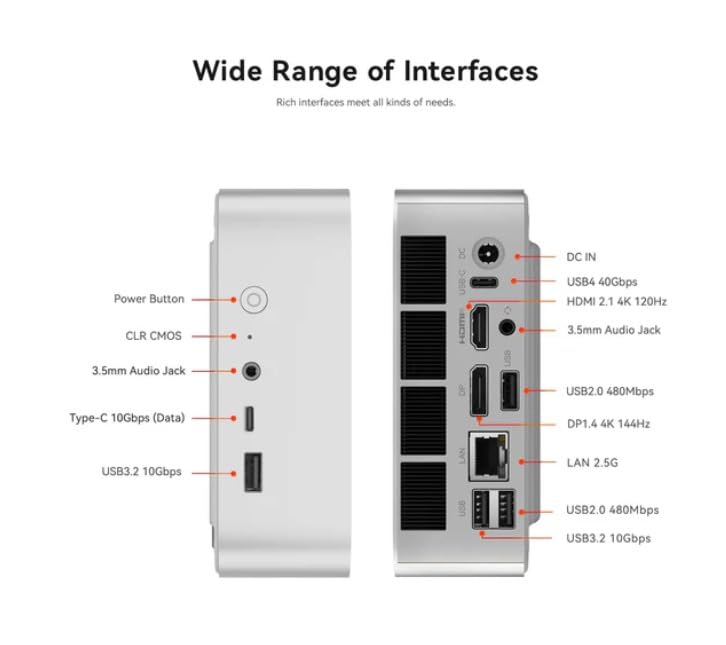
Networking is where the SER8 shows its consumer roots: one 2.5GbE RJ45 port, full stop. That is workable for a single node doing DHCP and NAT duty, and the USB4 port at 40Gbps can carry a Thunderbolt Ethernet adapter if you need a second interface. But there is no SFP+, no link aggregation, and no path to 10G without bolting something on.
The community experience largely matches mine. Owners on r/MiniPCs run Proxmox, Jellyfin, and Docker on the SER8 happily, and the common complaints are minor Wi-Fi annoyances rather than dead units. The honest caveat from reviews is that a small number of units failed within 6 to 12 months, and the 8 percent of one-star ratings reflect that, so buy from a listing with the 3-year factory support intact.
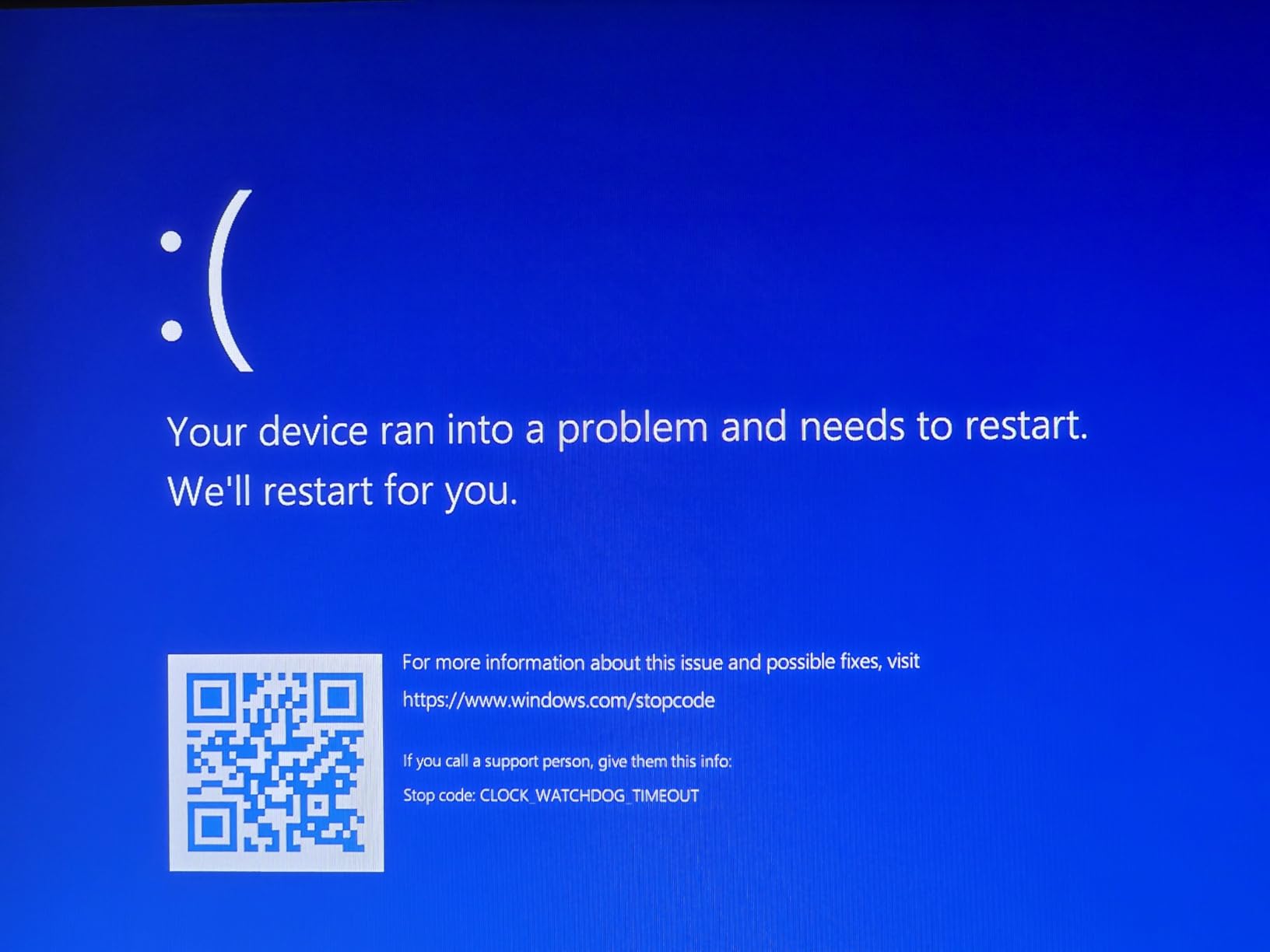
Linux support deserves a warning. The SER8 ships with Windows 11 Pro and prefers it; several owners, including me on the first attempt, hit installer headaches around Wi-Fi and the Radeon 780M graphics driver. A wired keyboard, a USB stick with vendor drivers injected, and disabling secure boot solved it. Once Proxmox is installed, the box is boring in the best way.
How many VMs can the SER8 actually run?
With the stock 32GB, plan on roughly 8 to 12 light VMs or 25 to 40 LXC containers alongside a media server or two. In practice I ran 6 VMs and 18 containers with a Jellyfin instance transcoding in the evening, and the box stayed responsive. With 64GB or 96GB installed, the 16 Ryzen threads become the limiting factor long before memory does.
For sizing, treat each light Linux VM at 1 to 2GB RAM and each Windows VM at 4 to 8GB. The Radeon 780M iGPU also handles hardware transcoding for Jellyfin or Plex inside an LXC nicely, which saves CPU for real work.
Will Proxmox and ESXi install cleanly on the SER8?
Proxmox VE installs cleanly once you get past the installer quirks described above, and both NVMe slots and the 2.5GbE NIC are recognized out of the box. AMD-V virtualization extensions and nested virtualization are exposed in BIOS without tricks, so KVM guests and Docker-in-VM labs work. IOMMU is available for basic passthrough of the USB controller, but the single NIC means you will not be passing it to a pfSense guest without adding a second interface.
ESXi is a different story and I would not recommend the SER8 for it. Community reports on consumer Ryzen mini PCs are mixed at best for ESXi 8, and Beelink does not publish a hardware compatibility list. If your lab standard is VMware, skip ahead to the MS-01; if it is Proxmox or XCP-ng, the SER8 is a genuinely pleasant host.
2. Minisforum MS-01 – The Cluster-Ready Workstation for Serious Homelabs
MINISFORUM MS-01 Mini Workstation Intel Core i9-13900H (vPro Enterprise Support) 32GB DDR5 1TB SSD Mini PC,2x 10Gbps SFP+/2x 2.5G RJ45/2x USB4/HDMI/1x PCIe4.0x16 slot/Support 3x M.2 2280/22110/U.2 SSD
Core i9-13900H 14C/20T
32GB DDR5, max 64GB
3x M.2 NVMe plus PCIe x16 slot
2x 10G SFP+ and 2x 2.5G RJ45
Pros
- Four network ports including dual 10G SFP+ with link aggregation
- PCIe 4.0 x16 slot for GPUs and NICs
- Three M.2 slots with RAID 0 and RAID 1
- Proven Proxmox and ESXi 8 compatibility
- vPro Enterprise support
Cons
- Fan noise is noticeable at a desk
- 64GB RAM ceiling limits VM density
- Only five USB-A ports total
The MS-01 is the mini PC that behaves like a small server, and that is exactly why the homelab community adopted it. My unit runs an Intel Core i9-13900H with 14 cores and 20 threads up to 5.4GHz, with vPro Enterprise support that lets me manage it like corporate fleet hardware. It is a workstation you can rack-shelf three across and call a cluster.
Networking is the reason to buy this box: two 10Gbps SFP+ ports with link aggregation, two 2.5G RJ45 ports using Intel I226-LM and I226-V controllers, and two USB4 ports that can even do Thunderbolt Ethernet. Minisforum quotes 65Gbps of total network transmission, and in my testing the SFP+ ports sustained close to line rate between two nodes.
The SFP+ ports hang off an enterprise X710-class controller, and this is the detail owners keep repeating on ServeTheHome: mature drivers and none of the consumer flakiness. When your storage network depends on the NIC not dropping packets at 2am, that driver maturity is worth real money. It is the difference between a mini PC and a node.
Storage is equally serious. You get three M.2 NVMe slots with RAID 0 and RAID 1 support, plus U.2 and 22110 support, which means a genuine ZFS mirror plus a scratch disk inside a 1.42kg chassis. My unit came with a 1TB SSD and 32GB of DDR5 at 5200MHz, and the tool-free interior made swapping drives faster than on any desktop I own.
Then there is the PCIe 4.0 x16 slot, which no other mini PC in this class offers. You can drop in a low-profile GPU, a 25G NIC, or an HBA for a disk shelf. For a virtualization host, that slot is the escape hatch that keeps the box relevant for years.
The trade-offs are real, though. The fan is audible during meetings and general desktop use, and it is the single most common complaint across reviews. RAM tops out at 64GB, which caps VM density hard compared to the SER8, and hibernate needs free disk equal to RAM if you push it that far. A few owners also reported boot issues after reboot and slow manufacturer support when they needed a repair.
How do IOMMU groups and passthrough behave on the MS-01?
IOMMU groups on the MS-01 are clean enough for real passthrough work, which is rare in this form factor. Owners successfully pass the PCIe slot devices, the SFP+ NICs, and USB controllers to guests under Proxmox. The practical pattern is passing one I226 port to a pfSense VM while the hypervisor keeps the SFP+ pair for storage traffic. If you want GPU passthrough, the x16 slot plus a low-profile card is the supported path, and community threads document working combinations.
One configuration note from the forums: the I226-V port can hit the known Intel ASPM stability issue under some kernels, which shows up as resets under load. Disabling ASPM in Proxmox or flashing to current firmware fixes it, and the I226-LM port is unaffected and supports Windows Server duty.
Is the MS-01 good as a Ceph storage node?
Yes, and that is its signature role in the homelab world. The combination of dual SFP+ for a separated storage network and three NVMe slots gives you OSDs plus a WAL device without external hardware. Users run MS-01 units in production 24/7 for two-plus years without major issues, and many call it the best value in homelab hardware despite its age. Three of them wired into a Proxmox cluster with Ceph gives you live migration and high availability on a shelf that idles at desktop power levels.
Keep density expectations sane: with a 64GB ceiling, an MS-01 node realistically hosts 12 to 18 light VMs plus containers while contributing OSDs to the cluster. Treat it as a cluster member rather than a solo giant, and it shines.
Head-to-Head: Performance, Networking, and VM Density
CPU and VM performance
The i9-13900H wins the raw numbers game with 14 cores and 20 threads against 8 cores and 16 threads, and it shows in multi-threaded guest workloads. My MS-01 finished a parallel build job noticeably faster than the SER8. But the Ryzen 7 8745HS is a Zen 4 part with strong single-thread performance and better efficiency per core, and for a lab with containers and a few VMs, both CPUs feel quick.
The twist is memory: the SER8 takes up to 256GB of DDR5 while the MS-01 stops at 64GB. For virtualization, RAM capacity usually matters more than CPU speed once you pass a dozen guests. The MS-01 is faster; the SER8 goes bigger.
Networking: one port versus four
This is not close. The SER8 has a single 2.5GbE port, and the MS-01 has two 10G SFP+ plus two 2.5G RJ45, with the SFP+ pair on an enterprise-class controller. For VM live migration, Ceph replication, or even fast NFS from a NAS, 10G changes how the lab feels day to day. One 2.5G port is fine for a node that mostly serves itself; it is a bottleneck the moment you cluster.
Storage and expansion
The MS-01 takes this one too, with three M.2 slots, U.2 and 22110 support, RAID options, and a PCIe 4.0 x16 slot for an HBA, GPU, or faster NIC. The SER8 counters with two M.2 slots supporting up to 8TB combined, which is genuinely plenty for a single node with a ZFS mirror. If your storage lives in the node, the MS-01 is the answer; if it lives on a NAS, the SER8 is fine.
Power, thermals, and noise
Both idle low enough to run 24/7 without guilt, and the SER8 is the quieter box by a clear margin. The MS-01 fan is audible under load and even at the desktop, which owners mention constantly, while the SER8 stays background-quiet. On thermals, forum users flag overheating complaints on some Minisforum units under sustained load, so give the MS-01 airflow if you stack it. Neither box replaced a rack server in my rack for cooling headroom, but both survived week-long soak tests with VMs loaded.
Hypervisor Compatibility: Proxmox, ESXi, and XCP-ng
Proxmox VE runs well on both machines, and that is the honest default recommendation for either. The MS-01 adds proven ESXi 8.0.x compatibility with full NIC recognition, including the SFP+ ports, which owners confirm in production threads. XCP-ng works on both, with the MS-01 again having the edge because of the I226-LM port and its Windows Server driver support.
The SER8 is the Proxmox-first box. AMD-V extensions, nested virtualization, and both NVMe slots are visible to the kernel, but ESXi is a gamble and Beelink publishes no compatibility list. If your lab standard is VMware or you want vPro remote management, the MS-01 is the only real choice in this pair.
Buying Guide: How to Choose a Virtualization Mini PC
Start with networking, not CPU
Everyone compares processors first, and everyone is wrong for virtualization workloads. Network throughput decides whether live migration takes 40 seconds or 12 minutes, and whether Ceph survives a node failure. Count the ports, check the controller class, and treat enterprise NICs like the X710-class silicon in the MS-01 as a feature worth paying for. Consumer controllers work until they reset at 2am, and forum threads about the I226-V ASPM bug are the cautionary tale.
The RAM ceiling sets VM density
RAM capacity, not CPU, is what fills up first on a virtualization host. A 64GB ceiling means roughly 12 to 18 light Linux VMs or a smaller count of Windows guests; a 256GB ceiling means you will run out of CPU threads long before memory. DDR5 pricing is painful right now, which is exactly why a barebones kit plus your own modules often beats a pre-configured system. Buy the ceiling you will actually grow into, not the one you need today.
Storage layout and ZFS behavior
If you want ZFS with a mirror, you need at least two fast NVMe slots plus a separate device for the OS, which makes three slots the practical minimum. The MS-01 supports that internally with RAID 0 and RAID 1 options; the SER8 gives you two slots and expects the OS to share one. Neither box is a Ceph appliance on its own, but the MS-01 gets close once you use the SFP+ pair as a storage network.
Power cost of 24/7 operation
Home lab nodes run all day, so idle draw matters more than peak watts. Both of these idle in a range that keeps annual electricity cost trivial compared to a used rack server, which is the entire appeal of mini PC clusters. Under VM load the gap widens, with the efficient Ryzen part sipping less at the wall. If you are replacing old tower servers, either box pays for itself in power within a couple of years.
Barebones versus pre-configured
The community strongly prefers barebones kits because RAM and SSD markups on configured units are steep. The trade-off is that official support for barebones configurations is limited, so you are your own warranty station. My rule: if you already own spare DDR5 and NVMe drives, go barebones on the MS-01; if you want a working node in one evening, the configured SER8 with its 3-year factory support is the lower-friction path.
Reliability signals that matter
Look for units with two-plus years of production reports rather than launch-week reviews. Both of these boxes have that track record now, with the MS-01 carrying the longest 24/7 history and the SER8 showing mostly minor Wi-Fi complaints rather than total failures. Check the rating distribution before buying: the SER8 sits at 4.5 stars across 33 reviews with 76 percent five-star, and the MS-01 at 4.4 across 36 reviews. Small sample sizes mean any single failure moves the percentage, so warranty length and seller reputation are your real protection.
Frequently Asked Questions
Which is better for virtualization, Beelink SER8 or Minisforum MS-01?
The Minisforum MS-01 is better for serious virtualization thanks to dual 10G SFP+ ports, three M.2 slots, and a PCIe 4.0 x16 slot for passthrough. The Beelink SER8 is the better value for a single quiet node because it accepts up to 256GB of RAM and runs cooler and quieter.
Which is better, Minisforum or Beelink?
It depends on the job. Minisforum workstation models like the MS-01 offer enterprise networking and expansion aimed at home labs, while Beelink mini PCs such as the SER8 deliver strong value, quiet operation, and a higher RAM ceiling for general computing. For clustered virtualization choose Minisforum; for a single affordable node choose Beelink.
Does the Beelink SER8 support Proxmox?
Yes. Proxmox VE installs on the SER8 with both NVMe slots and the 2.5GbE NIC recognized, and AMD-V extensions plus nested virtualization are exposed in BIOS. Initial installation can require workarounds for Wi-Fi and Radeon graphics drivers, so use a wired connection during setup.
Is the Minisforum MS-01 compatible with VMware ESXi?
Yes. Owners report running ESXi 8.0.x on the MS-01 with full NIC recognition, including the 10G SFP+ ports, and the box carries vPro Enterprise support. The I226-LM port also supports Windows Server, which makes the MS-01 unusually friendly to enterprise hypervisors for a mini PC.
What processors are compatible with the Minisforum MS-01 Work Station?
The MS-01 ships with Intel 13th-generation mobile processors, commonly the Core i9-13900H with 14 cores and 20 threads and vPro support, alongside Core i5 and i7 variants in other configurations. The platform uses DDR5 memory with a 64GB maximum and supports three M.2 NVMe SSDs plus a U.2 drive.
How many VMs can the Beelink SER8 run?
With the stock 32GB of RAM, expect roughly 8 to 12 light VMs or 25 to 40 LXC containers alongside services like Jellyfin. Upgrading to 96GB or more of DDR5 pushes the limit well past 20 VMs, at which point the 8-core, 16-thread Ryzen 7 8745HS becomes the bottleneck rather than memory.
Final Verdict: Which One Should You Buy?
After three months with both, my recommendation is simple. Buy the Minisforum MS-01 if virtualization is the mission: clustering, Ceph, live migration, ESXi, or GPU passthrough all play to its strengths. Buy the Beelink SER8 if you want one quiet, affordable node for Proxmox, Docker, and self-hosted services with a 256GB RAM ceiling in reserve.
My own outcome: the MS-01 went into the cluster where its SFP+ ports earn their keep, and the SER8 stayed under the desk as the always-on container host I forget is there. That is the Beelink SER8 vs Minisforum MS-01 for virtualization question answered honestly in 2026: infrastructure versus comfort, and both are good at their jobs.