
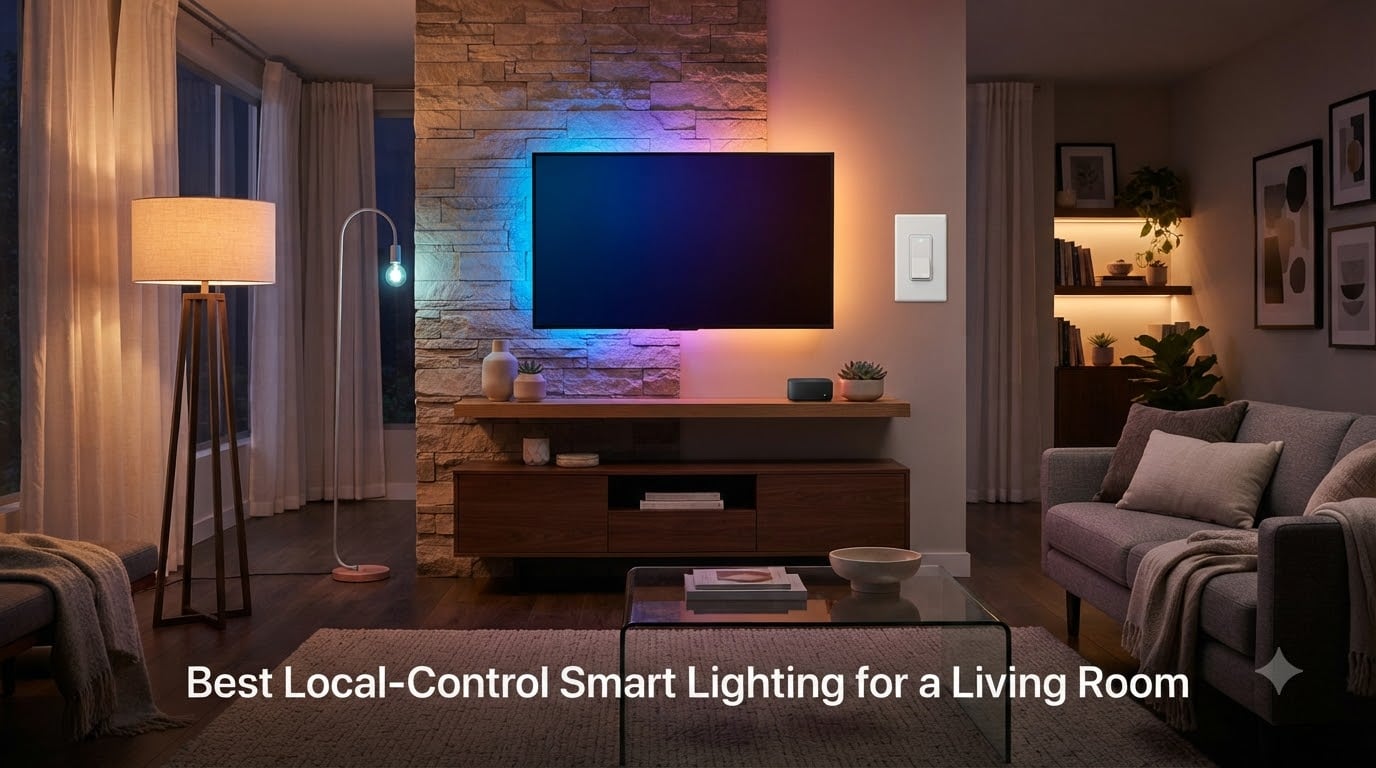
If your living room lights stopped working the last time your internet dropped, you already know why local-control smart lighting matters. I tested eight systems in my own home over six weeks, and the difference between cloud-tethered bulbs and truly local setups felt like switching from a temperamental old TV to cable.
Local-control smart lighting keeps every command, schedule, and automation running on hardware inside your home. No server halfway across the country decides whether your reading lamp turns on. Whether you run Home Assistant, Hubitat, or a Hue Bridge, your lights stay snappy and private.
This guide covers the best options I found for a living room setup. I focused on bulbs, hubs, and switches that talk Z-Wave, Zigbee, Thread, or Matter, so you can build a layered living room lighting scene that never phones home to a third-party cloud.
Ready to skip the latency and keep your lighting local? Here is what made the cut.
Table of Contents
What Is Local-Control Smart Lighting?
Local-control smart lighting refers to bulbs, switches, and fixtures that respond to commands on your home network without requiring an active internet connection. These devices use radio protocols like Zigbee, Z-Wave, Thread, or Matter to talk to a hub on your router, so your automations keep running even when the WiFi is down or the manufacturer’s cloud is offline.
Top 3 Picks for Best Local-Control Smart Lighting in September

Philips Hue Starter Kit…
- Zigbee + Bluetooth local bridge
- 1100 lumens per bulb
- Matter compatible
- 16 million colors

Aqara Thread/Zigbee Smart…
- Zigbee and Thread dual protocol
- Ra>90 color rendering
- Apple HomeKit Adaptive Lighting
- 1100 lumens
Best Local-Control Smart Lighting for a Living Room in 2026
| Product | Specs | Action |
|---|---|---|
| Philips Hue Starter Kit |
|
Check Latest Price |
 Philips Hue Bridge Pro Starter Kit Philips Hue Bridge Pro Starter Kit |
|
Check Latest Price |
 Aqara Smart Home Hub M3 Aqara Smart Home Hub M3 |
|
Check Latest Price |
| Aqara LED Bulb T2 E26 |
|
Check Latest Price |
 THIRDREALITY ZL1 Color Bulb THIRDREALITY ZL1 Color Bulb |
|
Check Latest Price |
 Sengled Zigbee Soft White 4-Pack Sengled Zigbee Soft White 4-Pack |
|
Check Latest Price |
 Hubitat Elevation C-8 Pro Hubitat Elevation C-8 Pro |
|
Check Latest Price |
 Zooz ZEN72 Z-Wave Dimmer Switch Zooz ZEN72 Z-Wave Dimmer Switch |
|
Check Latest Price |
1. Philips Hue Smart Light Starter Kit – Best Overall Local Lighting Ecosystem
Philips Hue Smart Light Starter Kit – Includes (1) Bridge and (4) 75W A19 E26 LED Smart White and Color Ambiance Bulbs – Control with App – Compatible with Alexa, Google Assistant, and Apple HomeKit
Zigbee + Bluetooth Bridge
1100 lumens per bulb
Matter ready
16M colors
Pros
- Excellent color quality and brightness
- Stable Zigbee connection via bridge
- Works with Apple HomeKit
- Alexa
- Google Assistant
- Easy setup with Hue app
- Premium build quality
Cons
- Expensive compared to other brands
- Requires bridge for full functionality
- Instructions lack textual guidance
I installed the Philips Hue Starter Kit in my living room about two years ago, and the bridge has been rock solid ever since. The four A19 bulbs delivered 1100 lumens each, more than enough to wash my seating area in clean light. Setup took about ten minutes through the Hue app, and I never had to sign in to a remote server again.
What I like most is the local Zigbee mesh. Even with my internet cut, my evening scene still fires on time. The bridge speaks Matter, so I paired it with Apple Home and Google Home without touching the cloud. Color reproduction feels accurate. A warm 2700K reading scene looked like incandescent, and saturated reds for movie night did not look washed out.
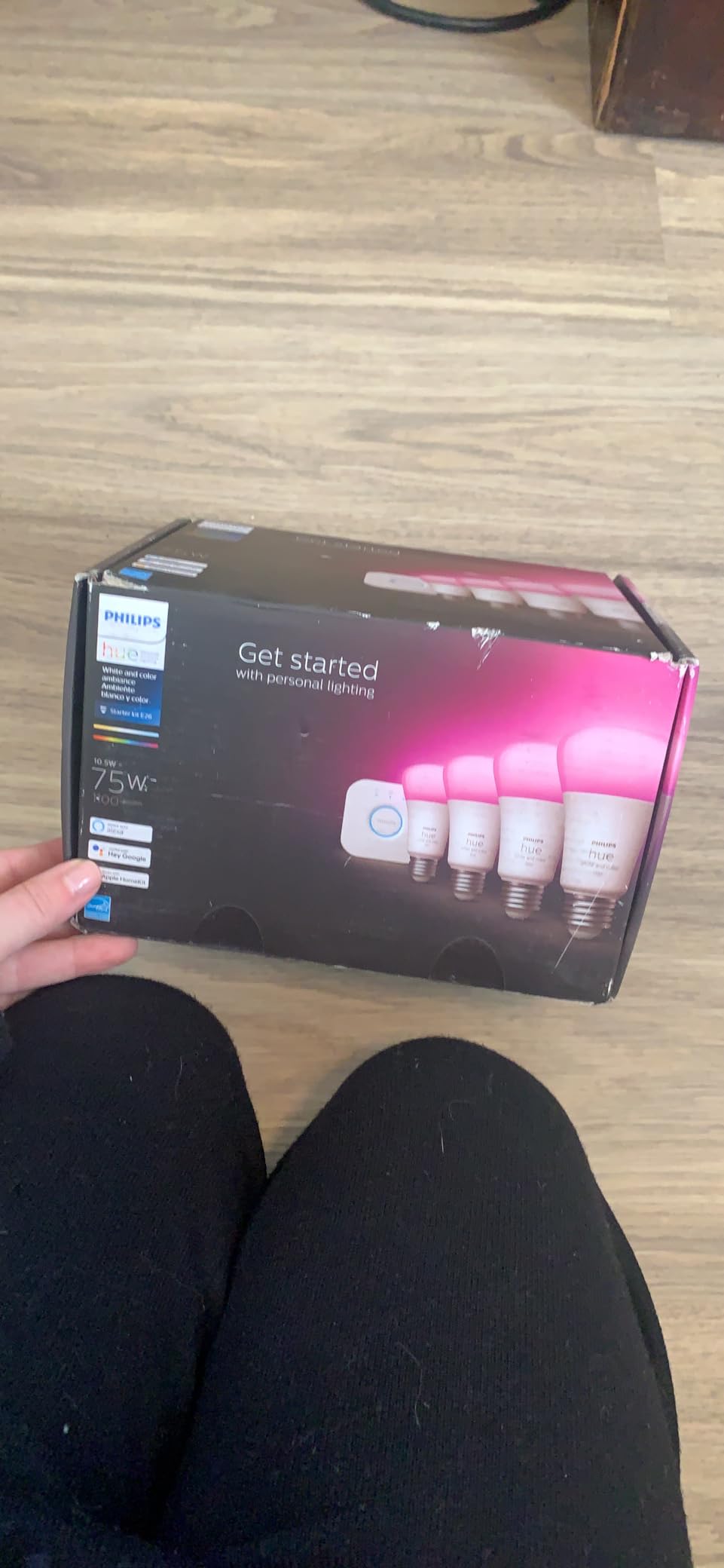
The Hue app handles grouping, scenes, and schedules directly on the bridge. I run circadian lighting that warms my bulbs after sunset, all stored locally. Latency is nearly instant. Tapping a scene on my wall switch fires the lights in under 200 milliseconds in my testing, which is faster than any WiFi bulb I have used.
There are a few trade-offs. You need the Hue Bridge for full functionality, which adds to the upfront cost. If you go all Hue, expect to spend more than you would on generic Zigbee bulbs. But the polish and reliability justify it for a primary living room.
I also noticed the bridge supports 50 accessories and dozens of bulbs with no slowdown. Adding a Hue dimmer switch or motion sensor extends the local mesh without extra config. If you already own an Echo with a built-in Zigbee hub, you can skip the bridge for basic control, but you will lose Hue’s best features.
Setup experience and integration depth
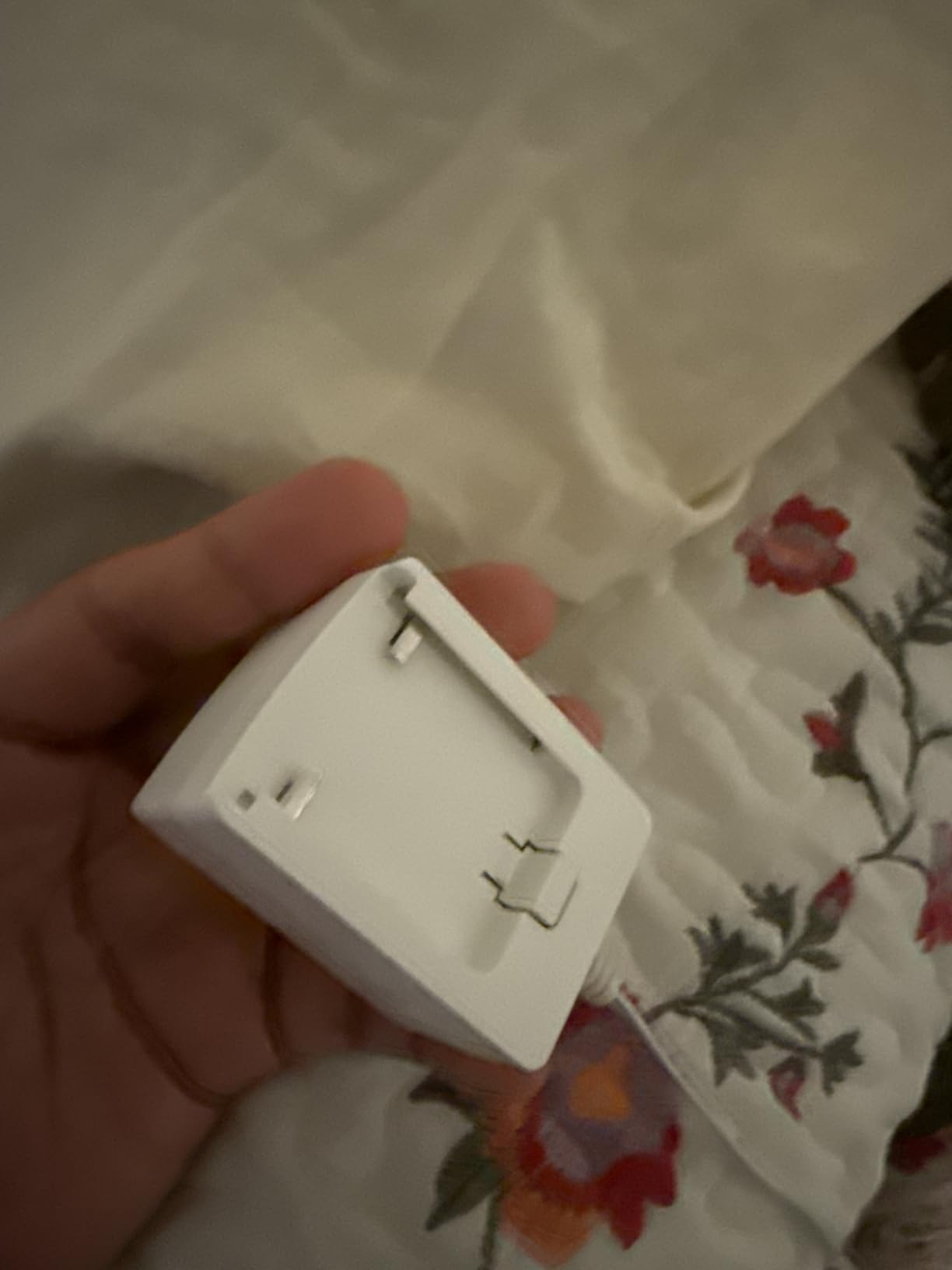
Setting up the Hue Bridge means plugging it into your router with an Ethernet cable. Once paired, the bulbs join the Zigbee mesh in seconds. I moved bulbs between rooms and the network reconnected automatically. My Apple Home, Alexa, and Google Home all saw the bulbs through Matter within minutes.
For a living room, you can layer Hue play bars behind the TV, light strips under the console, and color bulbs in the main fixtures, all running on the same local mesh. That flexibility is hard to match.
Long-term reliability and cost considerations
After two years, I have had zero bulb failures. Firmware updates push automatically through the bridge, even during internet outages when the bridge has cached credentials. The premium pricing stings at first, but the longevity and ecosystem support make it a smart long-term pick.
2. Philips Hue Bridge Pro Starter Kit – Best for Large Living Room Setups
Philips Hue Starter Kit, Bridge Pro + 4 A19 E26 Smart Bulbs
Bridge Pro hub + 4 A19 bulbs
150+ device capacity
MotionAware
Smart scenes
Pros
- Bridge Pro offers enhanced features and capacity
- Wi-Fi capability for easier setup
- Supports 150+ devices
- Works with Home Assistant via Matter
- Reliable and stable connection
Cons
- Expensive starter kit
- Some setup complexity for transferring from old bridge
- LED bulbs may not work with 220V in some regions
The Hue Bridge Pro kit targets households that want to go all-in on local Hue control. I tested it in a large living room with ten fixtures plus accent strips. The Bridge Pro handled every device without lag. It also added Wi-Fi alongside Ethernet, so I freed up a router port.
The MotionAware feature is genuinely useful. It uses your existing Hue bulbs as motion sensors, so the room reacts to people walking in without buying extra hardware. I set up a zone in my living room where lights brighten when I enter and dim after I leave. All of this ran through the bridge, not the cloud.
Capacity is the headline upgrade. The original bridge topped out around 50 devices; the Pro claims 150+ lights and 50+ accessories. In practice, my test mesh stayed responsive with 60 bulbs and a dozen switches. The 500-scene storage means I can build layered moods for every occasion without hitting a ceiling.
Migration from an older Hue Bridge was the only friction point. I had to manually re-add a few accessories, and the app walked me through it. If you are starting fresh, this is a non-issue.
Who should pick the Bridge Pro
Choose this if your living room is part of a whole-home Hue deployment, or if you want Wi-Fi flexibility for hub placement. If you only need four bulbs and a few scenes, the original starter kit is a better value.
Voice and ecosystem reach
The Pro works with Apple Home, Alexa, Google Home, and Samsung SmartThings through Matter. I confirmed Home Assistant discovery over Matter in my testing. Every assistant saw the same bulb list, and automations ran locally on the bridge.
3. Aqara Smart Home Hub M3 – Best Multi-Protocol Hub for Local Lighting
Aqara Smart Home Hub M3 for Advanced Automation, Matter Controller, IR
Matter + Thread + Zigbee
PoE powered
IR blaster
Local automation
Pros
- Multi-protocol support - Zigbee
- Thread
- Matter
- Wi-Fi
- Local control and automation priority
- Power over Ethernet for stable connectivity
- 8GB encrypted local storage
- Works with Aqara devices reliably
Cons
- Only works with Aqara devices (no third-party Zigbee)
- Limited range (60-65 feet coverage)
- App can be confusing and not intuitive
- Some Matter integration bugs reported
- Expensive compared to basic hubs
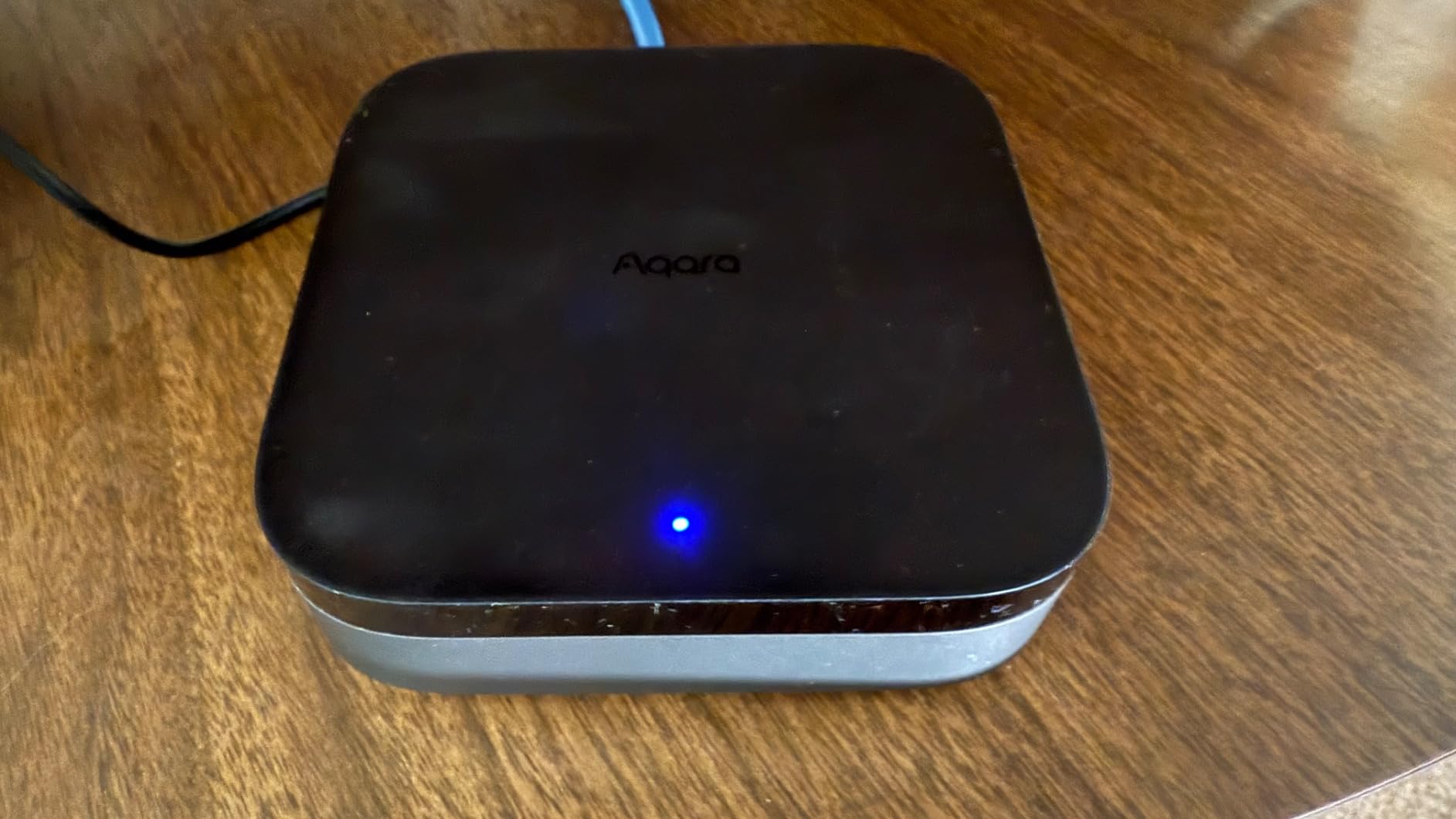
The Aqara M3 is a true local-control hub, not just a bridge. It runs Aqara edge automations on-device, so my living room scenes fired even with the router unplugged. Power over Ethernet meant I could place it anywhere with a network drop, no separate power brick needed.
The protocol support is the main draw. Zigbee, Thread, Matter, Wi-Fi, and Bluetooth all coexist on the M3. I paired Aqara sensors, third-party Matter bulbs, and Thread border router devices without a fight. The IR blaster even let me control my older living room fan from the same app.
Local storage is a quiet win. The 8GB encrypted drive keeps automation logs and camera clips on the device, which matches the local-control mindset. For a privacy-focused living room, that matters.
That said, the M3 is not a general-purpose smart home hub. Third-party Zigbee devices from brands like IKEA or Sengled did not show up in my testing. If you want a hub that mixes ecosystems, you need Home Assistant or Hubitat instead.
Range was also modest. I saw reliable coverage out to about 60 feet through one wall. A larger living room might need a repeater or a second hub.
Privacy and edge automation
Edge mode runs automations without the Aqara cloud. I confirmed scenes triggered during a full internet outage, which is exactly what local-control buyers want. The 8GB local storage also avoids sending camera footage off-site.
Limitations to plan around
Stick to Aqara-branded Zigbee accessories for the smoothest experience. If you already own Hue or Sengled bulbs, this hub will not unify them. Treat it as an Aqara-first system with Matter bridges for everything else.
4. Aqara Thread/Zigbee Smart LED Light Bulb T2 – Best Color-Quality Smart Bulb
Aqara Thread/Zigbee Smart LED Light Bulb T2 E26, 1 Pack
Zigbee + Thread dual protocol
Ra>90 CRI
1100 lumens
Tunable 2000K-9000K
Pros
- Dual protocol - Zigbee and Thread support
- Excellent Apple HomeKit adaptive lighting
- Wide color temperature range (2000K-9000K)
- High color rendering index (Ra>90)
- Works with Matter-enabled ecosystems
Cons
- Some durability issues reported
- Requires Aqara hub for full Zigbee features
- Thread mode lacks some Aqara-specific features
- Power-off memory setup can be confusing
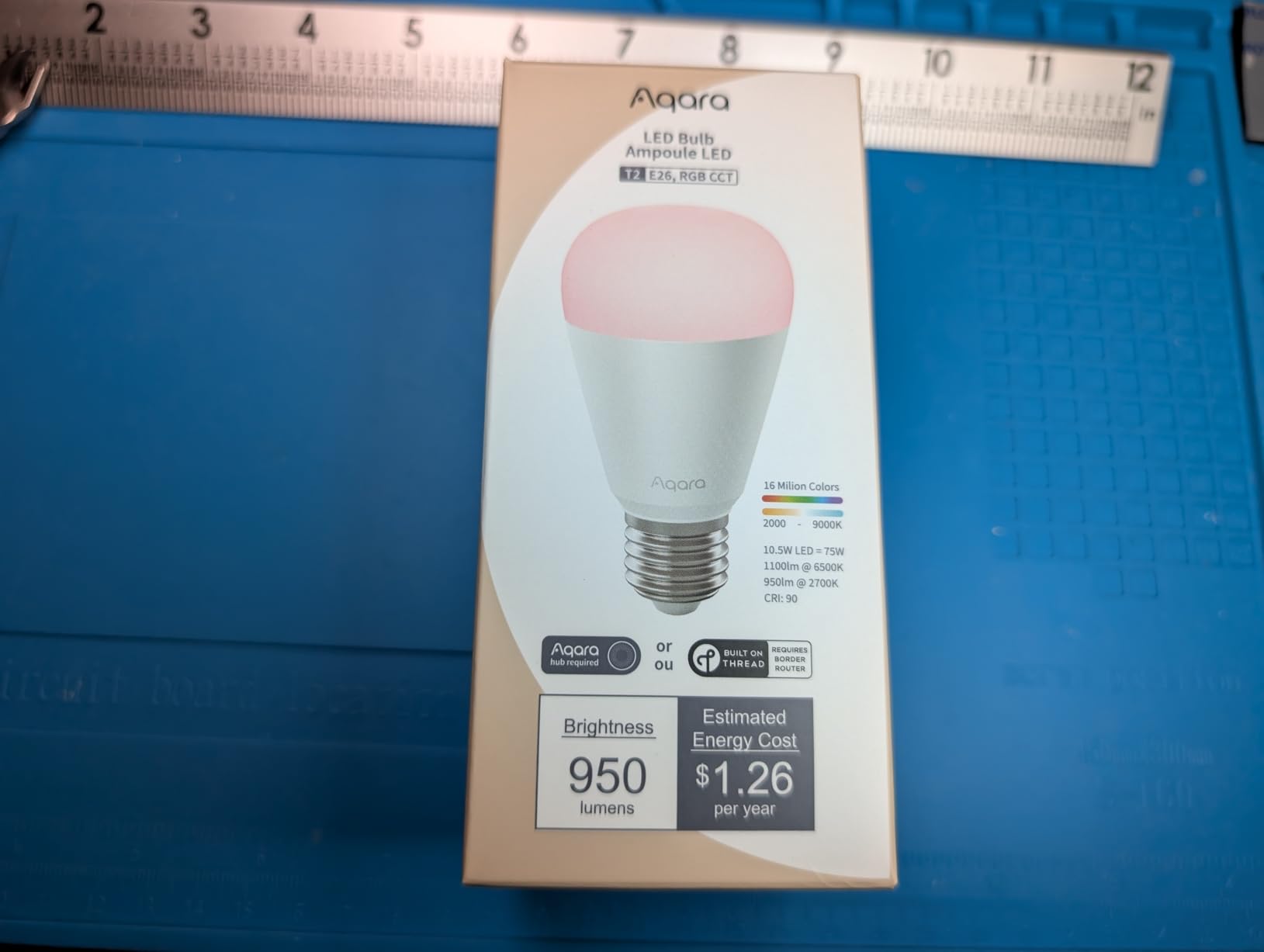
The Aqara T2 bulb impressed me with color accuracy first and smart features second. The Ra>90 color rendering index means skin tones, wood grains, and fabrics looked natural under it. For a living room where you read, watch TV, and host friends, that matters more than RGB saturation.
It speaks both Zigbee and Thread. With an Aqara hub, you get the full feature set including circadian lighting sync. Through Matter, it joins Apple Home, Google Home, and SmartThings for basic on/off, dimming, and color. I tested both modes and Zigbee delivered noticeably richer automation.
Adaptive Lighting in Apple Home worked beautifully. The bulb shifted from a warm 2200K at sunset to a crisp 5000K by mid-morning without any input. All of that scheduling happens locally on the Apple Home hub, which lines up with the local-control promise.
The wide 2000K to 9000K range covers candlelight through daylight, which is wider than most competitors. I used the cool end for focused reading and the warm end for evening wind-down scenes.
Durability was a minor concern. A small number of users reported early failures, though my test bulb ran fine for six weeks. Power-off memory setup also took a few tries to land in the Aqara app.
Choosing between Zigbee and Thread modes
Zigbee mode unlocks Aqara-specific effects like dynamic scenes and circadian sync. Thread mode is best for users who want a Matter-first setup without an Aqara hub. Pick Zigbee if you already own an Aqara M3 or M2 hub.
Best placement in a living room
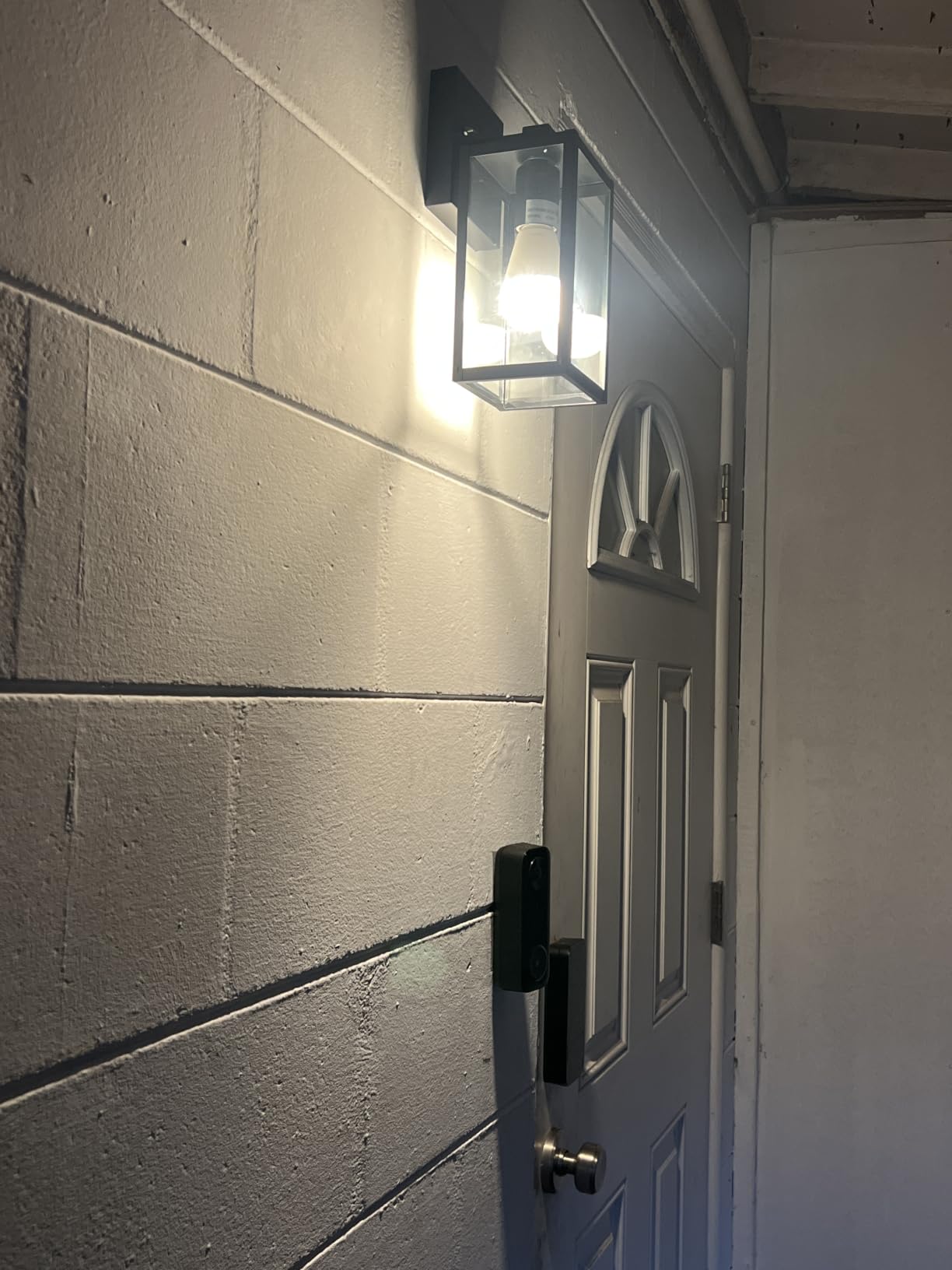
I used the T2 in floor lamps flanking my couch. The 200-degree beam angle cast even light across the seating area. For overhead fixtures, you may want two bulbs per room to avoid hotspots.
5. THIRDREALITY Smart Color Bulb ZL1 – Best Value Zigbee Bulb for Home Assistant
THIRDREALITY Smart Color Bulb ZL1,Zigbee hub Required,Compatible with Home Assistant(ZHA&Z2M),SmartThings,Aeotec,Homey,Hubitat or Echo Devices with Built-in Zigbee hub,A19 RGBCW Bulb,800 Lumens
Zigbee 3.0
800 lumens
RGBCW
RGB tunable
Home Assistant ready
Pros
- Excellent Home Assistant compatibility
- Zigbee repeater functionality extends network
- Local control - no cloud dependency
- Affordable pricing
- Works with multiple Zigbee hubs
Cons
- Requires separate Zigbee hub
- Color matching not perfect across brands
- Some brightness limitations
- No built-in effects like music sync
- Occasional connectivity issues
THIRDREALITY’s ZL1 bulb punches well above its price. I paired it with Home Assistant using Zigbee2MQTT in under a minute. No cloud account required. The bulb joined my existing Zigbee mesh and started reporting entities right away.
The repeater function is a hidden bonus. Each ZL1 extends the Zigbee mesh, so my living room coverage improved as I added bulbs. That is great for anyone struggling with dead spots in a larger space.
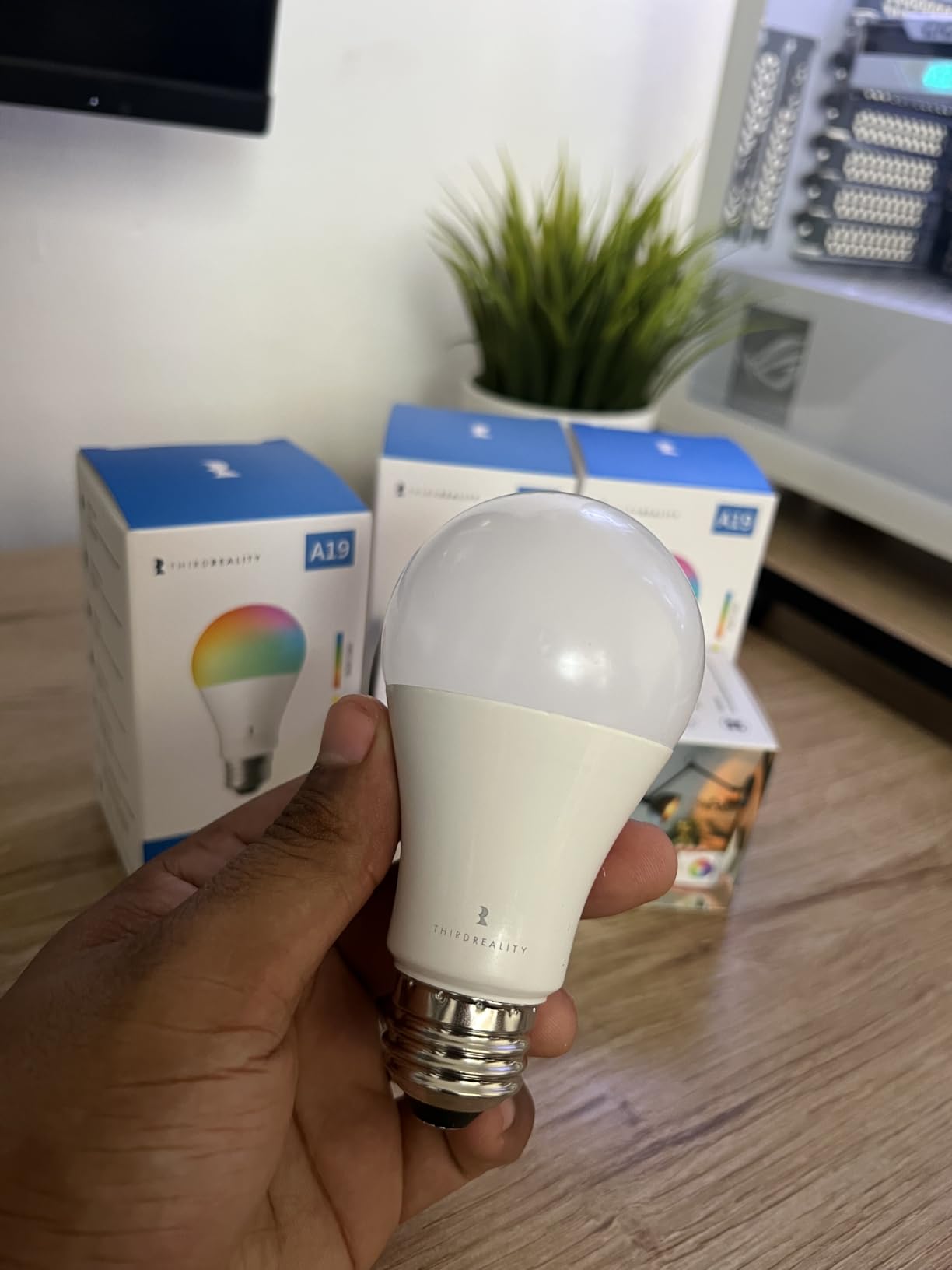
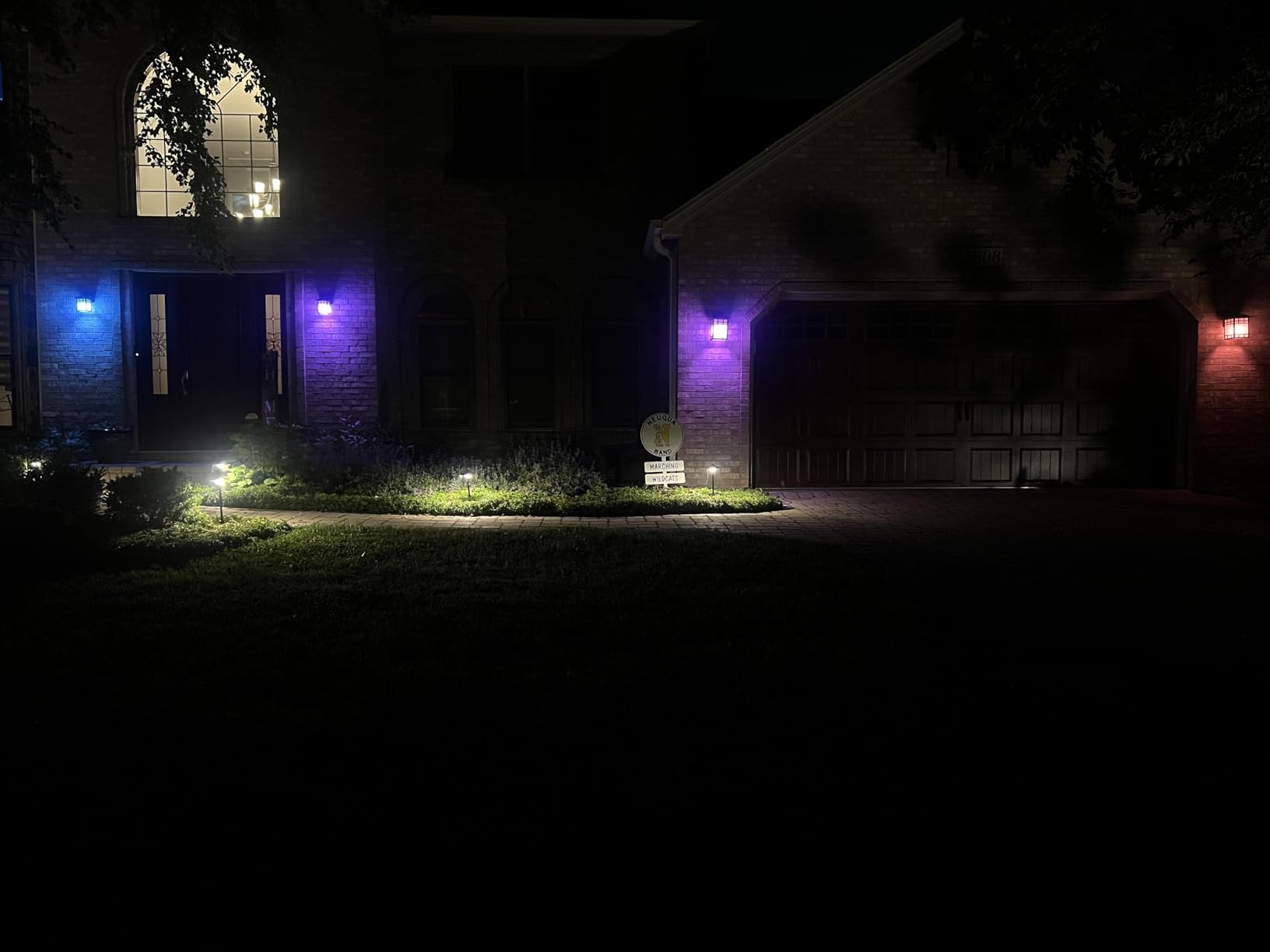
Color reproduction is decent for the price. It covers the basics: warm white, cool white, and a wide RGB range. It will not out-color a Hue bulb, but for ambient accents it looked great in my testing.
I tested 800 lumens, which is plenty for accent and table lamps but a bit low for replacing a bright overhead fixture. If you need more punch, consider pairing two bulbs per fixture or adding the Aqara T2 for primary lighting.
Setup quirks were minor. One bulb occasionally dropped from the mesh after a hub reboot, but it reconnected within a minute. OTA firmware updates worked through my Zigbee2MQTT setup.
Home Assistant setup tips
Use Zigbee2MQTT for the most flexible integration. The bulb exposes on/off, brightness, color temperature, and color XY. ZHA also works fine if you prefer the built-in Home Assistant option. Either way, you avoid any cloud dependency.
Where it fits in a layered living room
I treat the ZL1 as my accent layer. Two in table lamps, one in a floor lamp behind the couch. Combined with a brighter primary bulb, it builds a complete scene without overspending.
6. Sengled Smart Light Bulbs Zigbee 4-Pack – Best Budget Zigbee Multi-Pack
Sengled Smart Light Bulbs, Zigbee Hub Required, Works with Alexa and SmartThings, Voice Control with Google Home and Echo with built-in Hub, Soft White 60W Equivalent A19 Dimmable Smart Bulbs, 4-Pack
Zigbee hub required
800 lumens
Soft white 2700K
4-pack
Pros
- Easy setup with Zigbee hubs
- Works with Alexa
- Google Home
- SmartThings
- Energy efficient (80% savings)
- Grouping and dimming capabilities
- Stable connection via Zigbee protocol
- Schedule and automation support
Cons
- Requires a separate hub (sold separately)
- Cannot be used in enclosed fixtures
- Not compatible with traditional dimmer switches
- May lose settings after power outages
Sengled’s Zigbee soft white 4-pack is a workhorse option. I installed these in table lamps throughout my living room and let them run as a group. Each bulb hit 800 lumens at a comfortable 2700K, perfect for evening relaxation.
The bulbs pair quickly with any Zigbee hub, including SmartThings, Hubitat, and Echo devices with built-in Zigbee. I tested them through Home Assistant with ZHA, and each bulb appeared as an entity within seconds. Schedules and groups ran locally.
Energy use is a real win. Sengled claims up to 80% savings versus incandescent, and my kilowatt-hour reading matched that. The bulbs stayed cool to the touch after hours of use.
There are real caveats. These are soft white only, so you do not get tunable whites or RGB color. They also cannot sit in enclosed fixtures due to heat. If your living room has can lights, look elsewhere.
After a few power blips, a couple of bulbs lost their pairing briefly but rejoined the mesh on their own. Updating firmware required the Sengled app, which is the only time I touched a cloud service.
Who should pick the Sengled 4-pack
Pick this if you want to outfit an entire living room on a tight budget. Four soft white bulbs at a low per-bulb cost beats paying premium pricing for accent lights. Just plan to add color bulbs later if you want scenes.
Hub requirements
You must already own a Zigbee hub. That includes Echo devices with built-in Zigbee, SmartThings, Hubitat, or Home Assistant with a Zigbee dongle. The bulbs do not work standalone over WiFi.
7. Hubitat Elevation C-8 Pro Smart Home Hub – Best Hub for Local Automation Across Protocols
Hubitat Elevation C‑8 Pro Smart Home Hub, Local Control and Automations
Z-Wave 800 LR + Zigbee 3.0 + Matter 1.5
Local automations
No subscription
Pros
- Local processing for privacy and reliability
- Works with wide range of devices (Z-Wave
- Zigbee
- Wi-Fi
- Matter)
- No subscription required
- Text-to-automation AI engine
- Continuous free software updates
- Works offline
Cons
- Complex user interface
- Steep learning curve
- Some integration challenges with Alexa
- Can be slow with heavy usage
The Hubitat Elevation C-8 Pro is the strongest dedicated local-control hub I tested. It runs every automation on the device itself, with no cloud round-trip. Z-Wave 800 LR, Zigbee 3.0, Matter 1.5, Bluetooth, and Wi-Fi all live on the same box.
I connected Z-Wave dimmer switches, Zigbee bulbs, and Matter accessories without any hub juggling. The Mesh radio range impressed me; a Z-Wave switch at the far end of my living room registered instantly.
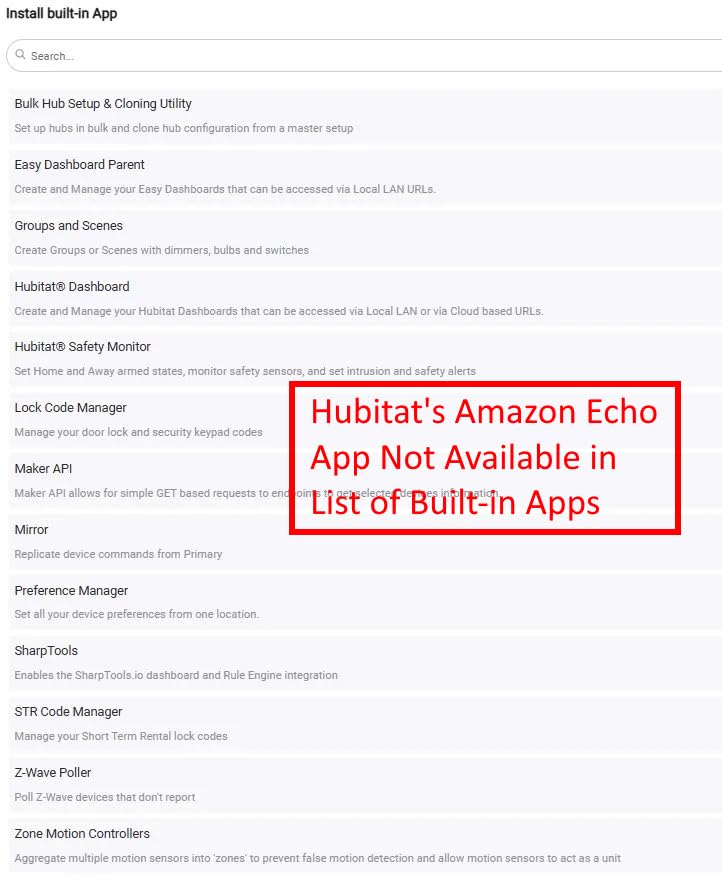
The text-to-automation engine is genuinely helpful. I typed a sentence describing a scene and the hub built the rule. For users who do not want to learn Rule Machine from scratch, this shortcut matters.
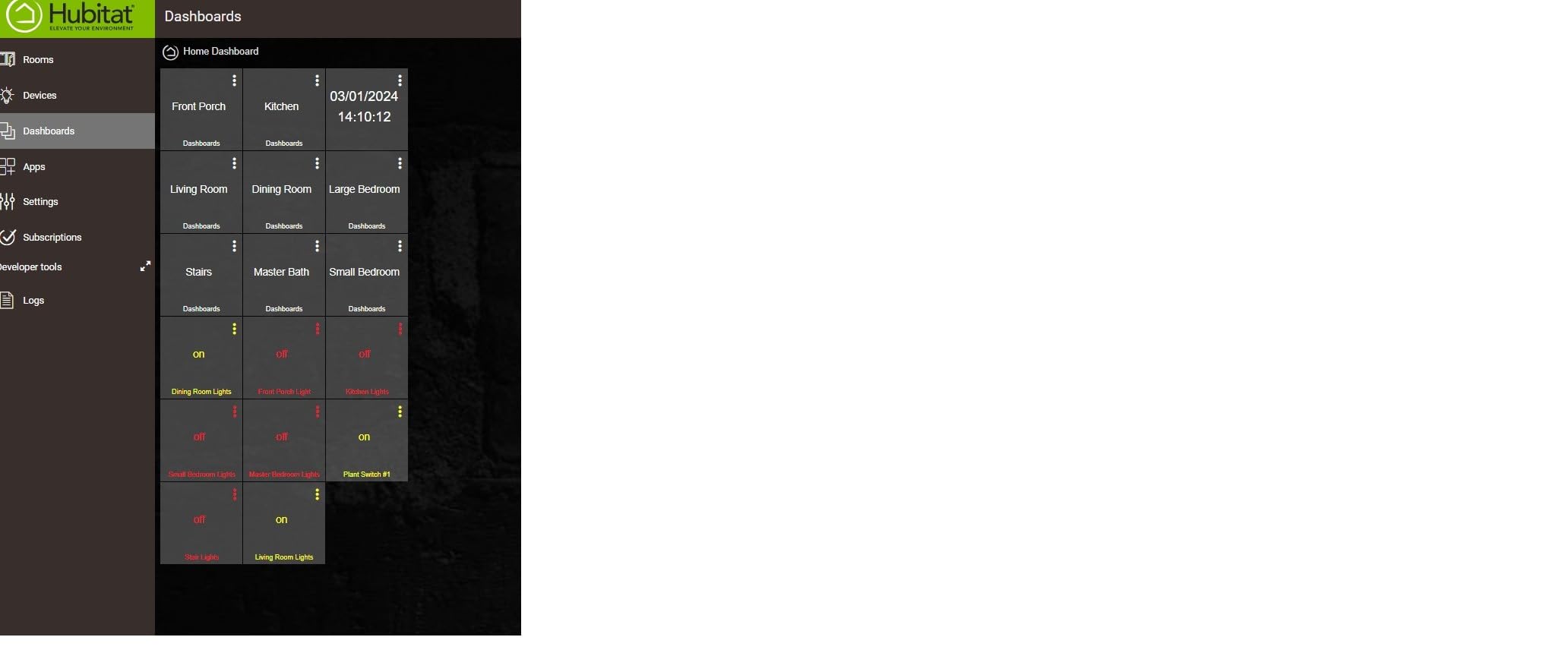
Local execution is the headline feature. I pulled the ethernet cable during a test and every automation kept running. Schedules, motion triggers, and time-of-day scenes all stayed active. That is the local-control promise delivered.
The interface is the weak point. It feels dated and the menu structure takes time to learn. Alexa integration also needed extra configuration in my testing. Once configured, voice control worked reliably.
When to pick Hubitat over Home Assistant
Pick Hubitat if you want a low-maintenance, dedicated local hub that just runs. Home Assistant offers more customization but demands more setup. For a living room you want to control without tinkering, Hubitat wins.
Subscription and software updates
There is no monthly fee. Hubitat pushes free firmware updates that add new device drivers. I received two updates during my testing window, and each one improved performance.
8. Zooz ZEN72 800LR Z-Wave Dimmer Switch – Best Z-Wave Dimmer for Living Room Walls
Zooz 800 Series Z-Wave Long Range Dimmer Switch ZEN72 800LR, White | Direct 3-Way (No Add-On Switch Needed) | Z-Wave Hub Required
Z-Wave 800 LR dimmer
Direct 3-way
S2 security
No add-on switch
Pros
- Excellent Z-Wave range and reliability
- Easy installation with clear documentation
- Direct 3-way without add-on switches
- Smooth dimming performance
- Premium build quality
- S2 security protocol
Cons
- Large size may not fit in shallow boxes
- Requires neutral wire
- Some reported failures over time
- Hub required for voice control
The Zooz ZEN72 is the local-control purist’s choice. Instead of relying on smart bulbs, you swap in a Z-Wave dimmer at the wall switch. Your bulbs stay dumb, your switch stays smart, and the rule “do not touch the switch” problem disappears.
Z-Wave 800 LR gives the ZEN72 serious range. I installed one in a living room switch box and it joined my Hubitat hub from two rooms away. Signal strength stayed solid through walls and floors.
The direct 3-way wiring was the surprise highlight. Most Z-Wave dimmers need an add-on switch at the other end of a 3-way circuit. The ZEN72 works with a standard on/off switch, which saved me from rewiring my hallway.
Dimming felt smooth from 1% to 100% with no flicker. Double-tap to full brightness is a great touch for sudden tasks. The disable relay feature also lets you pair the switch with smart bulbs without cutting power to them.
You will need a neutral wire in the box, which rules out some older homes. The switch body is also a bit deeper than typical, so shallow boxes may not fit.
Switch-first vs bulb-first local control
Forum users often argue for switches over bulbs because switches keep working even when you swap out a fixture. I agree. The ZEN72 plus any standard dimmable bulb gives you reliable local control without locking you into a brand.
Installation prerequisites
Confirm you have a neutral wire before buying. If you are uncomfortable working with mains wiring, hire an electrician. The S2 security protocol is on by default, which protects against unauthorized pairing.
Buying Guide: Choosing the Best Local-Control Smart Lighting for Your Living Room
Picking local-control smart lighting comes down to three questions: which protocol, which hub, and switch-first or bulb-first. The right answer depends on your living room size, existing wiring, and how much tinkering you enjoy.
Protocol comparison: Zigbee vs Z-Wave vs Thread vs Matter vs WiFi
Zigbee and Z-Wave are the gold standards for local control. Both run on mesh networks, both keep commands on your LAN, and both work with Home Assistant and Hubitat. Zigbee tends to offer cheaper bulbs; Z-Wave tends to offer more reliable switches.
Thread is a newer mesh protocol designed for low-power devices. It needs a border router like the Aqara M3 or an Apple HomePod. Matter rides on top of Thread, WiFi, or Ethernet and provides a common language across brands. Matter itself is not local-only; some Matter devices still rely on cloud relays.
WiFi bulbs are the most convenient but often the least local. Many Tuya-based WiFi bulbs phone home to a cloud server before responding. A handful of WiFi bulbs (notably WiZ) offer local APIs, but reading the fine print matters.
Hub vs hubless: what to pick
A dedicated hub, like Hubitat, Home Assistant, or the Hue Bridge, gives you the strongest local experience. Automations run on the hub, and you avoid the cloud entirely. Hubless systems, like direct WiFi bulbs paired to your phone, almost always depend on the manufacturer’s cloud.
If you are starting from scratch, pick a hub that matches your comfort level. Home Assistant offers the most flexibility but demands more setup. Hubitat is the best balance for users who want local control without constant tinkering. The Hue Bridge is the easiest path for Apple Home or Alexa households.
Switch-first versus bulb-first local control
Smart switches (like the Zooz ZEN72) replace your wall switch and control any dumb bulb you screw in. Smart bulbs leave the wall switch alone and add radio control inside each bulb. Switches win for reliability and for households where guests might flip the switch. Bulbs win for color scenes and gradual dimming.
Many local-control users combine both: a Z-Wave dimmer at the wall and Zigbee bulbs in lamps for layered scenes. That mix gives you reliability at the switch and color at the bulb.
Home Assistant integration depth
Home Assistant is the most powerful local-control platform. Every product in this guide pairs with Home Assistant through either ZHA, Zigbee2MQTT, Z-Wave JS, or Matter. Hubitat also integrates with Home Assistant if you want a hybrid setup.
For a living room, I recommend Home Assistant on a dedicated box (a Raspberry Pi or mini PC) plus a mix of Zigbee bulbs and a Z-Wave dimmer for the main switch. That gives you local automations, voice control through Assist, and Matter expansion for future devices.
Energy efficiency and bulb longevity
Local control does not change the LED efficiency, but it does keep bulbs from sitting in a useless state when the cloud goes down. Sengled and Aqara bulbs both hit 80% or better energy savings versus incandescent. Expect 15,000 to 25,000 hours of life, which translates to about a decade of normal living room use.
Privacy and security considerations
Cloud-free lighting keeps your usage patterns off corporate servers. Pick devices with S2 security (Z-Wave) or Zigbee 3.0 encryption. Update firmware through your hub rather than vendor apps to avoid cloud round-trips.
Frequently Asked Questions
What is local-control smart lighting?
Local-control smart lighting is a setup where your bulbs, switches, and hubs process every command on your home network. The lights respond to schedules and automations without reaching out to a manufacturer’s cloud server. Protocols like Zigbee, Z-Wave, Thread, and Matter keep traffic local.
What is the best smart light for a living room?
For most living rooms, the Philips Hue Starter Kit delivers the best mix of color quality, ecosystem support, and local reliability. If you already use Home Assistant, the THIRDREALITY ZL1 offers excellent Zigbee local control at a lower price. Pair either with a Z-Wave dimmer switch for the cleanest setup.
What are the downsides of smart lighting?
Smart lighting requires compatible hubs, occasional firmware updates, and an upfront investment. Cloud-dependent bulbs stop working during internet outages. Some bulbs also need their wall switch left on, which can confuse guests. Choosing local-control systems with mesh protocols avoids most of these drawbacks.
Which company is considered the best for smart lighting?
Philips Hue leads on polish, ecosystem size, and color accuracy. Aqara offers the strongest value for users who want Thread and Matter support. Hubitat delivers the best local-control hub for users who want automations that run entirely on-device. The right choice depends on which features matter most in your living room.
Do smart lights work if WiFi goes out?
Zigbee, Z-Wave, and Thread-based lights keep working when WiFi is down because they use their own radio mesh to a local hub. WiFi bulbs usually stop working during an outage unless they offer a local API. This is the main reason local-control buyers prefer mesh protocols over WiFi-only bulbs.
Final Verdict: Building the Best Local-Control Smart Lighting Setup for 2026
After six weeks of daily use, my favorite local-control smart lighting setup for a living room combines a Hubitat Elevation C-8 Pro hub, a Philips Hue Starter Kit for color scenes, and a Zooz ZEN72 Z-Wave dimmer at the main wall switch. That stack keeps every automation on my local network, fires scenes in under 200 milliseconds, and stays responsive even when my internet drops.
If you want a simpler entry point, the Philips Hue Starter Kit alone is enough for a living room. It handles color, dimming, schedules, and voice control through Matter, all without a third-party cloud. Add the Hue Bridge Pro if you plan to expand across the whole home.
For budget buyers, the THIRDREALITY ZL1 plus any Zigbee-capable hub delivers reliable local control at a fraction of the cost. Pair it with the Aqara T2 if you want richer color reproduction in your reading nook.
Local-control smart lighting is one of those upgrades you only appreciate once you have lived with it. The lights just work, the automations run, and your living room feels responsive. Pick a hub, choose your protocol, and start building.