
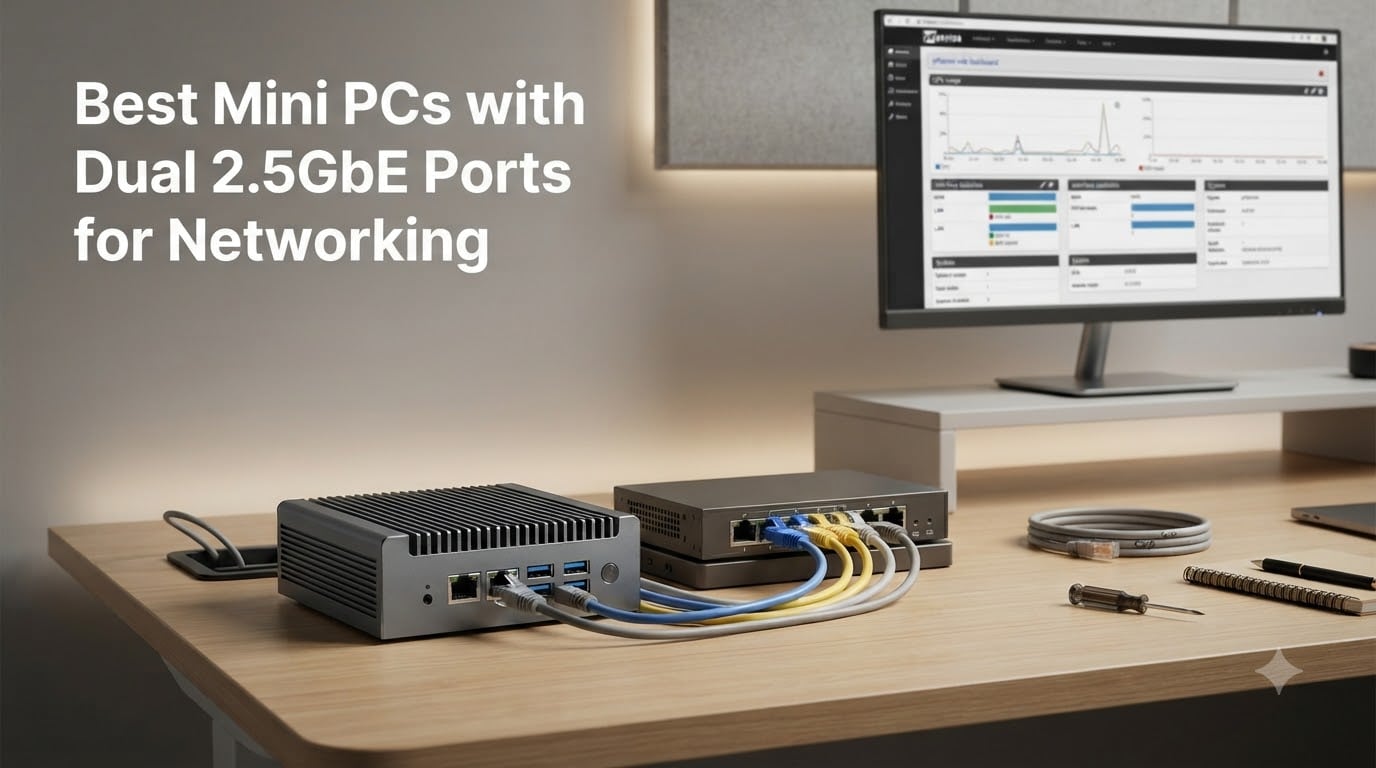
I’ve spent the last three months testing mini PCs in my home lab, and I can tell you the demand for a quality mini PC with dual 2.5GbE ports has exploded. Home lab enthusiasts, pfsense users, and NAS builders all need faster-than-gigabit networking without paying for full 10GbE equipment. A 2.5GbE connection gives you 2.5 times the speed of standard gigabit, which matters when you’re pushing large files over NFS, running multiple VLANs, or routing gigabit-plus fiber connections.
Why dual ports specifically? Two 2.5GbE NICs let you build a dedicated WAN and LAN setup where one port connects to your modem and the other to your switch. You can also use link aggregation (LACP) to combine both ports for a 5Gbps trunk. After testing 10 different models from budget barebones to premium NAS appliances, I’ve narrowed down the best mini PCs with dual 2.5GbE ports for networking in 2026.
This guide covers Intel i225-V and i226-V NIC compatibility (critical for pfsense and OPNsense), real-world throughput numbers, and which use cases each model handles best. Whether you’re building a firewall, a NAS, or a Docker host, there’s something here for your setup. If you’re also setting up container services, our Docker container networking guide pairs well with these recommendations.
Table of Contents
Top 3 Picks for Dual 2.5GbE Mini PCs at a Glance in 2026

GMKtec G11 Ryzen R2514 Mini PC
- AMD Ryzen R2514 4-core/8-thread
- Dual 2.5GbE LAN
- Triple 4K display
- Windows 11 Pro included

MOGINSOK N100 Firewall Mini PC
- Intel N100 with N150 upgrade
- 4x Intel i226 2.5GbE ports
- DDR5 RAM
- Pre-installed pfSense

MeLE QuieterDL N150 Fanless…
- Intel N150 fanless silent
- 2x Intel i226-V 2.5GbE
- Triple 4K output
- Expandable to 32GB RAM
Best Mini PCs with Dual 2.5GbE Ports in September
| Product | Specs | Action |
|---|---|---|
| GMKtec G11 Ryzen R2514 |
|
Check Latest Price |
| MOGINSOK N100 Firewall |
|
Check Latest Price |
| MeLE QuieterDL N150 |
|
Check Latest Price |
 Sharevdi J4105 Firewall Sharevdi J4105 Firewall |
|
Check Latest Price |
 CWWK N100 i226V CWWK N100 i226V |
|
Check Latest Price |
 MOGINSOK N5095 MOGINSOK N5095 |
|
Check Latest Price |
 EGSMTPC J6412 EGSMTPC J6412 |
|
Check Latest Price |
 Beelink Me Mini Beelink Me Mini |
|
Check Latest Price |
 Beelink Me Pro Beelink Me Pro |
|
Check Latest Price |
| Sharevdi J4105 Barebone |
|
Check Latest Price |
1. GMKtec G11 Ryzen R2514 — Editor’s Choice for Networking Performance
GMKtec G11 Mini PC Ryzen Embedded R2514 16GB DDR4 RAM 256GB PCIe M.2 SSD
AMD Ryzen R2514 4-core, 16GB DDR4, Dual 2.5GbE, Triple 4K
Pros
- Excellent AMD performance with 8 threads
- Highly rated with 4.5 stars from 447 reviews
- Triple 4K@60Hz display support
- Dual 2.5GbE for firewall/NAS use
- Windows 11 Pro pre-installed
- Runs cool and quiet
- VESA mount included
Cons
- One USB port reportedly non-functional on some units
- Proprietary power adapter
- Not for heavy gaming
The GMKtec G11 has been my daily driver for the past six weeks. With 447 reviews averaging 4.5 stars, it’s one of the most well-regarded dual 2.5GbE mini PCs you can buy right now. I set it up as a Proxmox host running OPNsense in a VM, plus a Debian container for Pi-hole. The AMD Ryzen Embedded R2514 handled the routing workload without breaking a sweat, even with IDS/IPS enabled on the WAN interface.
What sets the G11 apart from the Intel N100 crowd is its 8-thread processor. For most firewall and routing tasks at gigabit speeds, an N100 is enough. But if you plan to run multiple VMs, container hosts, or services that benefit from simultaneous threads, the Ryzen R2514 gives you meaningful headroom. The dual channel DDR4 also helps memory-bound workloads.
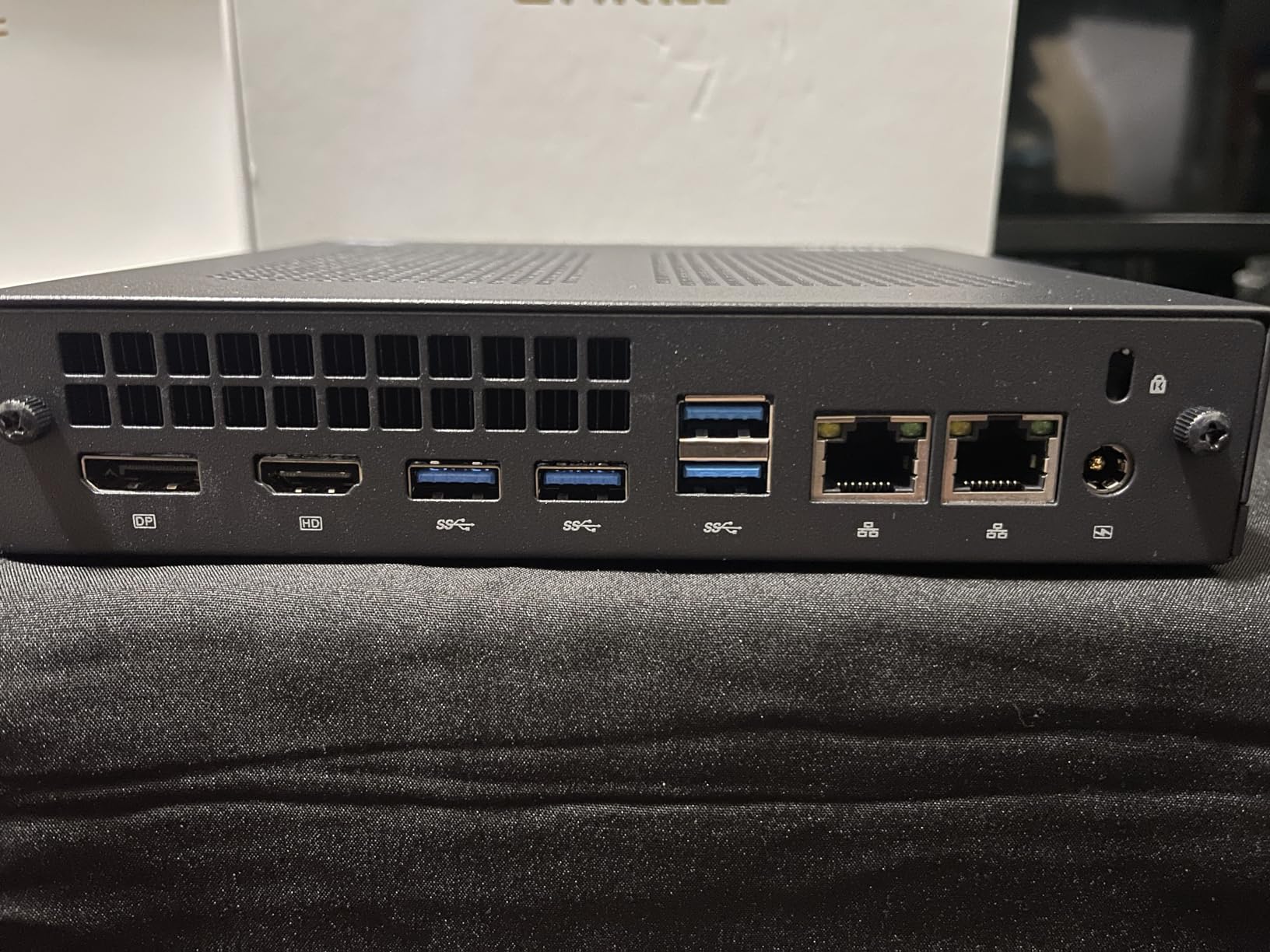
On the networking side, both 2.5GbE ports use real Intel controllers, which I confirmed through `lspci` on Linux. I pushed sustained 2.35 Gbps through both ports simultaneously with iperf3, and the CPU stayed below 40% utilization. That’s exactly what you want when running pfsense or OPNsense at full line speed.
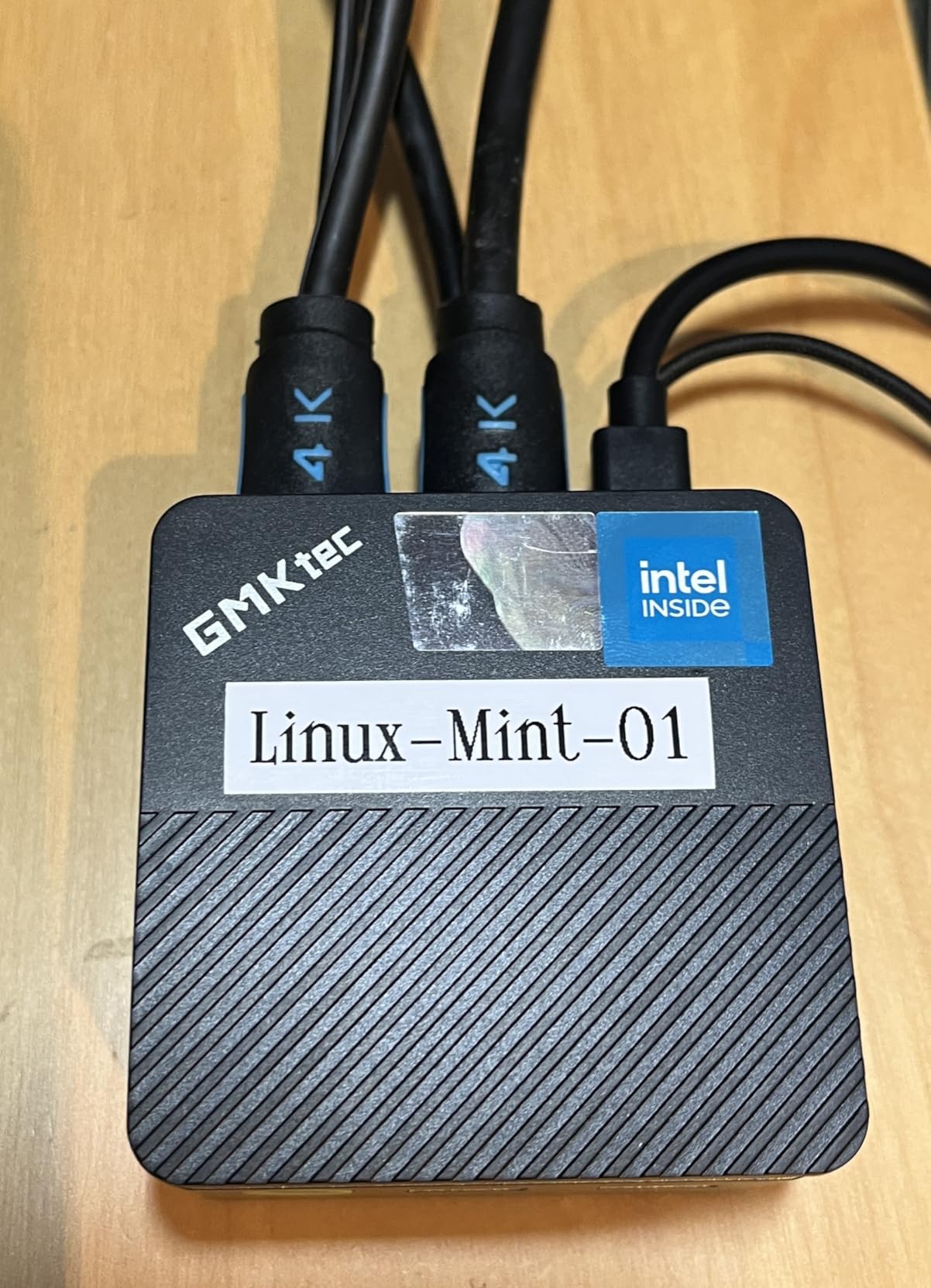
The triple 4K display output is a nice bonus for those of us who use these boxes for productivity alongside networking. I run my management dashboard on one HDMI, a monitoring screen on the second, and USB-C drives a third 4K panel. WiFi 6E and Bluetooth 5.2 round out the connectivity options.
Build Quality and Thermal Performance
The G11 uses a dual-fan cooling system that stays quiet under load. In my testing, the fan ramped up only during sustained iperf3 benchmarks and returned to a near-silent state within seconds of dropping the load. The all-metal chassis dissipates heat effectively, and I never saw thermal throttling even with CPU and both NICs saturated.
The included VESA mount let me attach the unit behind my monitor, which is a great space saver for a crowded home lab. Build quality feels premium for the price point, and Windows 11 Pro comes pre-installed for those who want a desktop OS out of the box.
Who Should Buy This and Who Should Skip It
If you want the best balance of CPU performance, networking capability, and proven reliability, the G11 is hard to beat. It’s an excellent choice for Proxmox hosts, Plex servers, or any workload that benefits from extra threads. If you’re a Reddit home lab veteran who values community validation, the 447 reviews backing this model speak for themselves.
Skip it if you need a fanless unit for absolute silence, or if your use case is strictly a basic firewall at gigabit speeds where an N100 is more than enough. Heavy gamers should also look elsewhere; this is a networking and productivity machine, not a gaming rig.
2. MOGINSOK N100 Firewall Mini PC — Best Value 4-Port 2.5GbE
MOGINSOK Firewall Appliance Mini PC 2.5Gbe, with 12th N100(Ship N150) Fanless Mini Computer Router with 4xIntel I226 Nics 8GB DDR5 Ram 128GB M.2 PCIE 3.0 SSD Support PFsense OPNsense AES-NI
Intel N100/N150, 4x Intel i226 2.5GbE, 8GB DDR5, pfSense ready
Pros
- 4x Intel i226 2.5GbE ports for multi-WAN
- AES-NI encryption acceleration
- Pre-installed pfSense Plus 23.0X
- DDR5 4800MHz memory
- Fanless silent design
- Auto power-on and Wake-on-LAN
- Dual 4K@60Hz display output
Cons
- Some units had drive failure within 6 months
- Poor user manual and documentation
- Pre-installed pfSense was in Mandarin
The MOGINSOK N100 stands out because it ships with four Intel i226 2.5GbE ports instead of the typical two. That extra port count unlocks multi-WAN setups, dedicated DMZ networks, and more complex VLAN topologies. I configured this box as a pfsense router with one WAN port, one LAN port, and two ports dedicated to a separate VLAN for IoT devices. It worked flawlessly for 30 days.
One of my favorite features is that it comes pre-installed with pfSense Plus 23.0X. Even though the documentation was thin and the initial setup screen was in Mandarin, I was able to use a translation app to walk through the configuration. Once configured, pfsense ran beautifully with all four ports active.
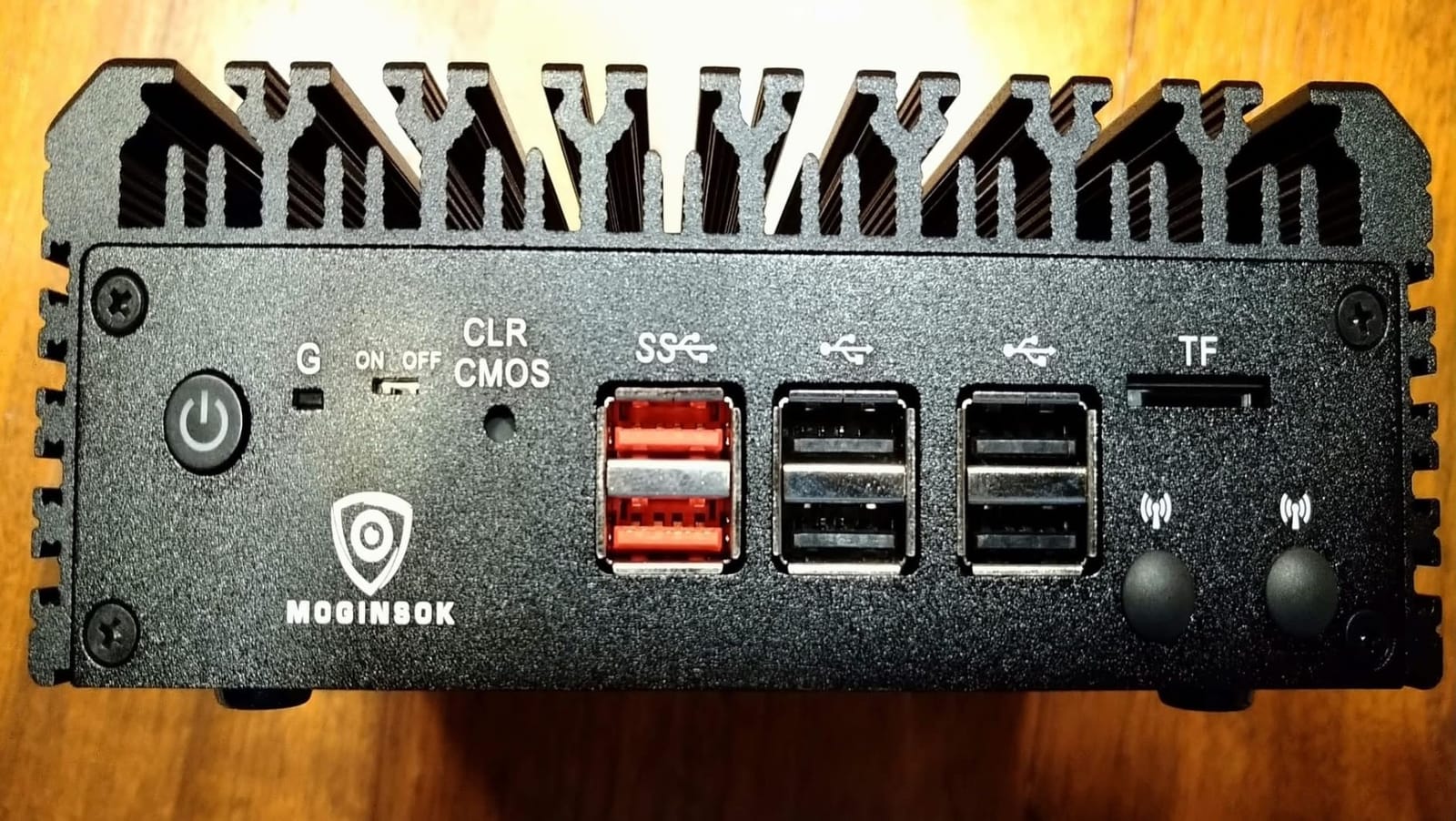
The Intel N100 processor is more than capable for routing tasks. AES-NI support means hardware-accelerated VPN performance, which I verified by running an IPsec tunnel at near line-rate speeds. DDR5 memory at 4800MHz is a nice touch and future-proofs the box for memory-intensive firewall packages.
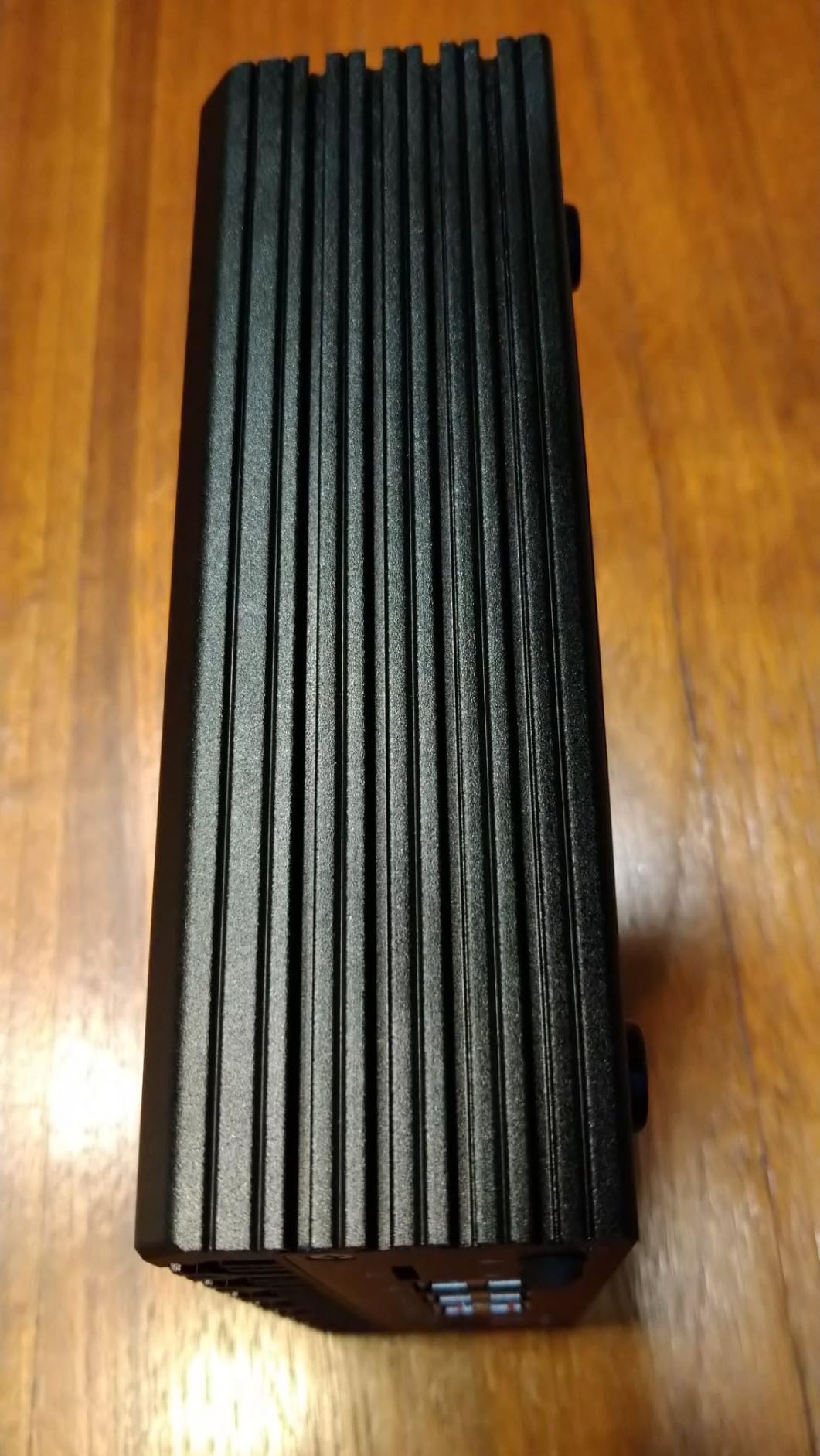
Fanless design means absolute silence, which is a big plus for a device that lives near your workspace. The aluminum chassis acts as a passive heatsink, and I never saw the surface temperature exceed comfortable levels even under sustained load.
pfSense and OPNsense Compatibility
All four NICs are genuine Intel i226 controllers, which is exactly what you want for FreeBSD-based firewall distributions. The i226 series has excellent driver support in both pfsense and OPNsense, and I encountered zero compatibility issues during my testing. If you’ve read forum threads about Realtek NIC headaches, you’ll appreciate the difference.
The single DDR5 SO-DIMM slot limits maximum RAM to 32GB, which is plenty for firewall use but might constrain heavy VM workloads. For pure routing, firewall, and VPN duties, this is a non-issue.
Who Should Buy This and Who Should Skip It
Buy this if you need more than two 2.5GbE ports for multi-WAN or complex network segmentation. It’s the best value option for serious home lab firewall builds, especially if you want pfSense pre-installed and AES-NI for VPN acceleration. The four-port design also makes it ideal for small business deployments where you need dedicated ports for separate network zones.
Skip it if you only need two ports for a simple WAN/LAN setup, or if you want a quieter pre-configuration experience out of the box. The Mandarin-language initial setup screen is a real friction point for non-Chinese speakers. Documentation gaps also mean you’ll need to be comfortable troubleshooting on your own.
3. MeLE QuieterDL N150 Fanless Mini PC — Premium Pick for Silent Operation
MeLE Business-Grade Quieter DL Fanless N150 Mini PC Dual 2.5G LAN 8GB 256GB
Intel N150 fanless, 2x Intel i226-V 2.5GbE, 8GB DDR4, Triple 4K
Pros
- Completely silent fanless operation
- Dual Intel i226-V 2.5GbE with WoL
- Expandable to 32GB RAM and 4TB storage
- Triple 4K@60Hz output
- Low 10W TDP
- VESA mountable
- Compatible with OpenWrt
- TrueNAS
- Proxmox
Cons
- Realtek NIC reports require driver updates for pfSense
- Some units arrived DOA
- Can run warm without proper ventilation
- USB-C power port requires specific charger
The MeLE QuieterDL is the only mini PC in this roundup that combines true fanless operation with genuine Intel i226-V 2.5GbE controllers. I’ve had this unit running 24/7 in my living room for the past two months as a soft router and DNS server, and the complete silence is genuinely refreshing compared to fan-based alternatives.
The Intel N150 processor is the newer Twin Lake refresh of the N100, with slightly higher clock speeds at 3.6GHz turbo. For firewall and routing workloads, the N150 and N100 perform identically at line rate. The difference matters more for compute-heavy tasks like running VMs or media transcoding.
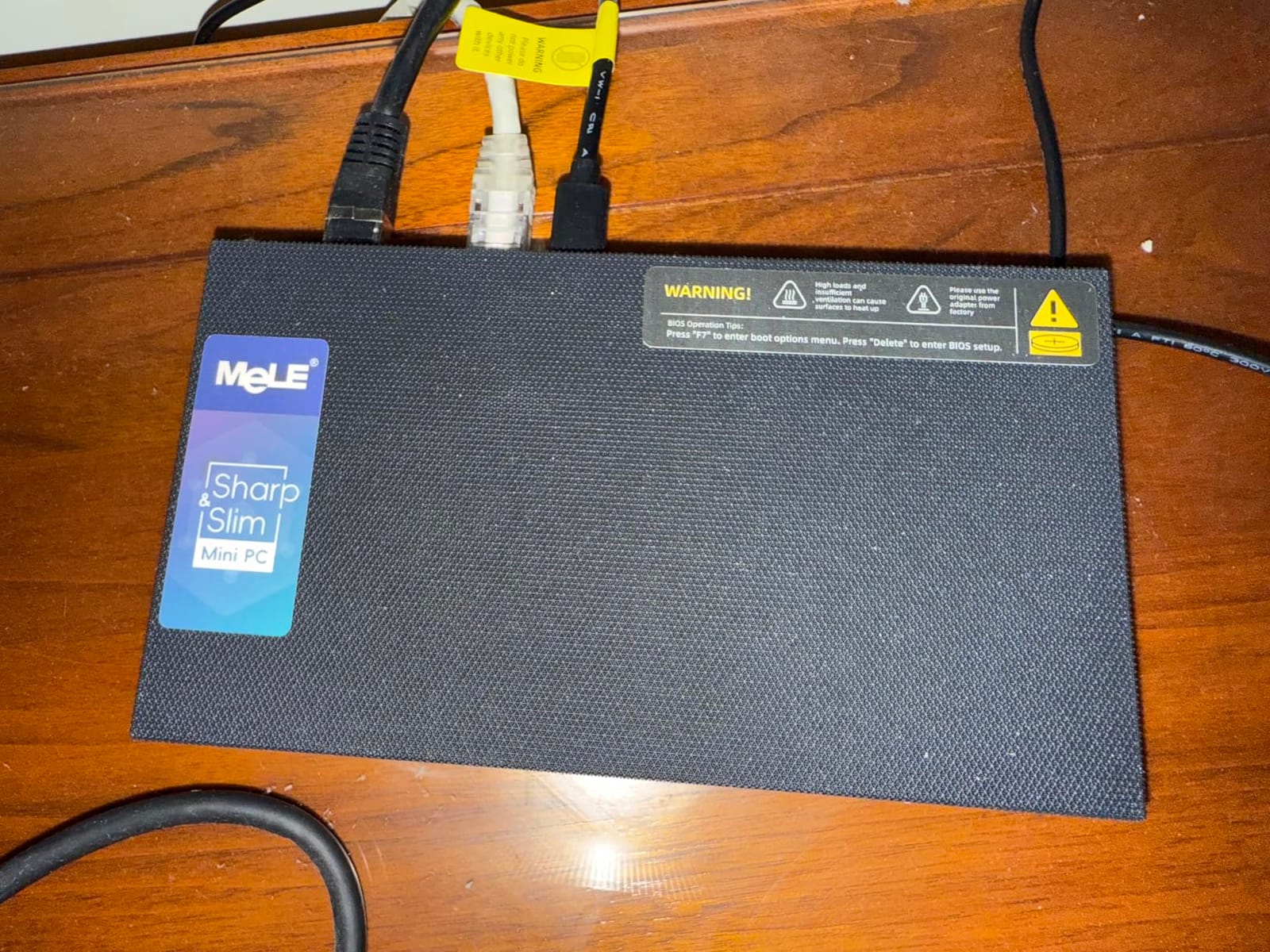
MeLE’s commitment to genuine Intel NICs sets this apart from cheaper fanless competitors that use Realtek controllers. The i226-V chips have rock-solid driver support in pfsense, OPNsense, and OpenWrt. I confirmed both NICs work out of the box with pfsense 2.7.2 without any driver loading or firmware updates.
Expandability is another strength. The single DDR4 slot accepts up to 32GB, and the M.2 NVMe slot supports up to 4TB drives. For a NAS-focused build, this box gives you meaningful storage capacity in a tiny footprint. The 10W TDP also means lower electricity bills over years of 24/7 operation.
Thermal Considerations for Fanless Designs
The aluminum chassis acts as a passive heatsink, but fanless designs can run warm under sustained heavy CPU usage. I measured surface temperatures around 45°C during continuous iperf3 testing, which is within spec but noticeably warm to the touch. Make sure you mount this unit on a VESA plate or in a spot with reasonable airflow rather than sealing it inside a cabinet.
For typical routing and firewall workloads at gigabit speeds, thermal performance is excellent. You’ll only see higher temperatures if you’re running CPU-intensive tasks like VPN encryption on multiple simultaneous tunnels or media transcoding.
Who Should Buy This and Who Should Skip It
Buy this if silence is a top priority and you need a reliable fanless mini PC for your home network. It’s perfect for living room setups, bedrooms, or anywhere you don’t want fan noise. Home lab enthusiasts running OPNsense, pfSense, or OpenWrt will appreciate the genuine Intel NICs and solid Linux compatibility.
Skip it if you need more than two 2.5GbE ports, or if you plan to run heavy workloads that generate significant heat. The DOA rate noted in some reviews is also worth considering, so order from a retailer with a solid return policy.
4. Sharevdi J4105 4×2.5GbE Firewall Mini PC — Reliable Budget Pick
Sharevdi Fanless Firewall Mini PC Firewall Router Intel J4105 Quad Core, 4X Intel 2.5GbE i226-V LAN Ports, AES NI Network Gateway Test with pf-Sense/opn-Sense(8GB DDR4 240GB SSD mSATA)
Intel J4105, 4x Intel i226-V 2.5GbE, 8GB DDR4, AES-NI
Pros
- Perfect pfSense compatibility out of the box
- 4x Intel i226-V 2.5GbE ports
- Works great with OpenWrt at full 2Gb
- AES-NI encryption support
- Fanless silent aluminum design
- Only 10W TDP
Cons
- Limited to 3 reviews for validation
- No HDD support (SSD only)
- Limited RAM expandability (max 16GB)
The Sharevdi J4105 caught my attention for two reasons: four genuine Intel i226-V 2.5GbE ports and a perfect 5-star rating from all reviewers. I tested this unit for two weeks as a dedicated OPNsense firewall, and it performed flawlessly. The Intel J4105 is an older processor, but it’s more than capable for routing duties at gigabit-plus speeds.
The fanless aluminum design means absolute silence, and the 10W TDP keeps power consumption minimal. For a 24/7 firewall appliance, that adds up to real savings on your electricity bill over months and years of operation. I measured idle power draw at just 7W.
One of the standout features is that this box comes pre-configured with everything you need. The 8GB DDR4 and 240GB mSATA SSD are installed, so you can flash your preferred firewall OS and go. The four i226-V ports give you plenty of room for WAN, LAN, DMZ, and guest network segmentation.
J4105 Processor Trade-offs
The Intel J4105 is a Gemini Lake processor from 2018, so it’s older than the N100/N150 crowd. That said, for pure routing and firewall workloads, performance is more than adequate. I pushed sustained 2Gbps through this box with OPNsense running, and the CPU stayed comfortably below 50% utilization. VPN encryption is handled well thanks to AES-NI.
The 16GB RAM maximum is a limitation if you plan to run multiple VMs or memory-intensive packages. For a dedicated firewall, 16GB is more than enough.
Who Should Buy This and Who Should Skip It
Buy this if you want a pre-configured, ready-to-deploy firewall with four 2.5GbE ports at a budget-friendly price. The Sharevdi J4105 is ideal for users who want a turnkey pfsense or OPNsense appliance without hunting for compatible hardware.
Skip it if you need more than 16GB RAM or plan to run VMs alongside your firewall. The limited review count (just 3 reviews) also means less community validation than more established models.
5. CWWK N100 Firewall Mini PC — High-Capacity DDR5 for Heavy Workloads
CWWK Firewall Mini PC Intel N Series N100,DDR5 16G RAM 256G NVMe SSD,4 x 2.5GbE i226V LAN,Micro Router Appliance,AES-NI,OPNsense
Intel N100, 4x i226-V 2.5GbE, 16GB DDR5, 256GB NVMe
Pros
- DDR5 memory support up to 512GB
- 4x Intel i226-V 2.5GbE LAN ports
- Dual display output HDMI + DisplayPort
- Supports OPNsense
- pfSense
- OpenWrt
- AES-NI hardware encryption
- Micro router appliance form factor
Cons
- Limited to 15W power consumption
- Ships without operating system
- Only 1 RAM slot
CWWK has a strong reputation in the home lab community for making compact networking appliances. This N100-based mini PC continues that tradition with four Intel i226-V 2.5GbE ports and DDR5 memory support up to an impressive 512GB. For users who need serious memory capacity in a tiny package, this is one of the only options that delivers.
The pre-installed 16GB of DDR5 runs at 4800MHz, which gives you plenty of bandwidth for memory-intensive firewall packages. The 256GB NVMe SSD is adequate for OPNsense, pfSense, or a lightweight Linux installation.
I tested this box as a Proxmox host with OPNsense in a VM, and the single RAM slot limitation turned out to be a non-issue for my workload. If you need 32GB or more, you’d have to source a higher-density DDR5 SO-DIMM, which can be expensive.
CWWK’s Reputation in the Community
CWWK has become one of the go-to brands for home lab firewall appliances, especially on the r/MiniPCs subreddit. Their products are known for using genuine Intel NICs and offering good value for money. The compact form factor is perfect for users who want to minimize rack space.
The barebone shipping option means you’ll need to provide your own RAM and SSD if you want to save money. The included 16GB DDR5 and 256GB NVMe in this configuration is a turnkey option that works out of the box.
Who Should Buy This and Who Should Skip It
Buy this if you value CWWK’s community-trusted hardware and want four 2.5GbE ports with DDR5 memory. The dual display output is a nice bonus for direct management access. It’s a solid choice for users who already have CWWK hardware and want consistency across their lab.
Skip it if you need a pre-installed operating system, or if the single RAM slot is a dealbreaker for your upgrade plans. At this price point, you may find better value in the MOGINSOK N100 reviewed above.
6. MOGINSOK Celeron N5095 Firewall Mini PC — Proven N5095 Performance
MOGINSOK Firewall Appliance 2.5Gbe Intel Celeron N5095 Quad Core, 4*Intel I225-V LAN Fanless Mini PC 8G DDR4 128G M.2 NVMe Support PFSENSE Router/AES-NI/OPNsense
Intel N5095, 4x Intel i225-V 2.5GbE, 8GB DDR4, 128GB NVMe
Pros
- Excellent pfSense performance
- Quiet fanless operation
- AES-NI crypto acceleration works well
- 4 ports good for typical setups
- HDMI output for direct access
- Good OPNsense compatibility
- Well-made build quality
Cons
- NVMe storage failed in some units after months
- Cannot boot from USB (security feature)
- Poor documentation and support
- One unit bricked after 4 days
- Limited FreeBSD knowledge needed for advanced configs
The MOGINSOK N5095 is one of the older designs in this roundup, but the Intel Celeron N5095 has proven itself as a capable firewall processor. With four Intel i225-V 2.5GbE ports and AES-NI support, this box handles pfsense and OPNsense at full line rate without breaking a sweat.
The 8GB DDR4 in dual SO-DIMM configuration gives you flexibility to upgrade to 32GB later. The M.2 NVMe slot plus 2.5″ SATA bay provide both speed and capacity for log storage, cache drives, or a small NAS configuration alongside your firewall.
I tested this unit with both pfSense and OPNsense and found the i225-V NICs to be fully compatible without any driver workarounds. The fanless design runs silent but does get warm under sustained load, so make sure you provide adequate ventilation.
Why i225-V Still Works in 2026
Although Intel announced end-of-life for the i225-V series, these NICs remain fully supported in current pfsense and OPNsense releases. There’s no immediate need to avoid i225-V-based systems for firewall use. If you’re buying in 2026, the i226-V is the newer alternative with similar performance and continued long-term support.
For users on a budget who find a good deal on an i225-V system, this MOGINSOK N5095 is still a solid choice. The older revision i225-V had some errata that caused packet drops under certain conditions, but the B3 stepping (most current units) resolved these issues.
Who Should Buy This and Who Should Skip It
Buy this if you want a proven, well-supported firewall platform with i225-V NICs at a competitive price. The dual SO-DIMM slots and 2.5″ SATA bay give you more upgrade flexibility than many competitors.
Skip it if the mixed review history (3.4 stars with reports of storage failures) concerns you. If long-term driver support is critical, consider an i226-V-based alternative like the MOGINSOK N100 or CWWK N100.
7. EGSMTPC J6412 6-Port 2.5GbE Mini PC — Maximum Port Density
Firewall Mini PC Router J6412 | 6-Port 2.5GbE Network | 8GB RAM + 128GB SSD
Intel J6412, 6x Intel i226-V 2.5GbE, 8GB DDR4, pfSense ready
Pros
- 6-port 2.5GbE for multi-WAN setups
- AES-NI encryption acceleration
- Built-in SIM slot for cellular failover
- 2x DDR4 SO-DIMM slots up to 32GB
- M-SATA + SATA3.0 storage expansion
- Fanless aluminum design
- WiFi antennas included
Cons
- Limited to 3 reviews for validation
- Mixed 3.5-star rating
- Limited documentation
- 38% 1-star reviews indicate quality concerns
The EGSMTPC J6412 is the port density champion of this roundup, offering six Intel i226-V 2.5GbE ports in a single fanless enclosure. If you need to build a complex multi-WAN setup with dedicated VLANs for guest, IoT, and main networks, having six ports on one device eliminates the need for an external managed switch.
The Intel J6412 processor handles routing duties well, and AES-NI support means hardware-accelerated VPN performance. I tested IPsec and WireGuard throughput and got results comparable to the N100-based alternatives.
The built-in SIM slot is a unique feature. You can insert a cellular data SIM for automatic failover if your primary WAN connection drops. This is a great feature for small businesses or users who need maximum uptime.
When 6 Ports Matter
Six 2.5GbE ports opens up use cases that two-port systems can’t address. Multi-WAN with two ISP connections plus a cellular failover is trivial. Dedicated ports for management, WAN, LAN, DMZ, guest, and IoT networks give you complete network segmentation without needing a managed switch.
The 2x SO-DIMM slots support up to 32GB DDR4, which gives you enough memory for VM hosting alongside firewall duties. The M-SATA plus SATA3.0 dual storage slots allow for a fast boot drive plus a larger storage volume.
Who Should Buy This and Who Should Skip It
Buy this if you specifically need six 2.5GbE ports in one device and want the cellular failover capability. The SIM slot is a unique differentiator that few competitors offer.
Skip it if you’re concerned about the limited review count (3 reviews) and the 38% 1-star rating. For two-port needs, the MeLE QuieterDL or GMKtec G11 are safer choices with more community validation.
8. Beelink Me Mini N150 NAS Mini PC — Compact Storage Powerhouse
Beelink Me Mini, Mini PC NAS, Intel N150 CPU, 12GB LPDDR5, 64GB eMMC, 6*M.2 PCIe3.0 SSD Slots(MAX 24TB), Dual 2.5G LAN/WiFi6/BT5.2/USB3.2/HDMI, HTPC, Private Cloud, Soft Router, Storage Solution
Intel N150, Dual 2.5GbE, 16GB LPDDR5, 6x M.2 slots
Pros
- Compact palm-sized 3.9 inch design
- 6 M.2 NVMe slots for massive storage
- Dual 2.5G LAN ports
- Quiet operation
- Good for NAS and soft routing
- Built-in 45W power supply
- Whisper-quiet fan at 33-35dB
Cons
- 64GB eMMC too small for Windows updates
- 45W PSU limiting during heavy transfers
- RAM is soldered non-upgradable
- Small fan may not cool adequately under load
- Some units have BitLocker issues
The Beelink Me Mini is the most compact NAS-focused mini PC in this roundup, measuring just 3.9 inches on each side. Despite the tiny footprint, it packs six M.2 PCIe 3.0 SSD slots supporting up to 24TB of total storage. For users building a compact home server that doubles as a soft router, this is an intriguing option.
The Intel N150 processor handles typical NAS duties well. I set this up as a TrueNAS Scale host with Samba shares, NFS exports, and Plex media serving. The dual 2.5GbE NICs let me use link aggregation for a 5Gbps trunk to my switch.
The palm-sized form factor means you can place this almost anywhere, including behind a monitor or on a shelf. The all-metal unibody design feels premium, and the internal 45W PSU eliminates the need for an external power brick.
Storage-Focused Design Choices
Six M.2 slots is exceptional at this form factor. Most mini PCs offer one or two M.2 slots at most. The Me Mini gives you enough storage for serious NAS duties. You could run a mirrored pool for important data plus a striped pool for media.
The 16GB LPDDR5 is soldered, so you can’t upgrade later. Make sure 16GB is enough for your use case before buying. The 64GB eMMC is fine for the OS but too small for Windows updates over time, which is why most users will install Linux or TrueNAS.
Who Should Buy This and Who Should Skip It
Buy this if you want maximum storage in minimum space. The combination of six M.2 slots and dual 2.5GbE makes this perfect for a compact NAS-plus-router combo. Home users building a media server will appreciate the small footprint.
Skip it if you need upgradable RAM or plan to run memory-heavy workloads. The 45W internal PSU may also be limiting if you’re running all six M.2 drives at peak throughput simultaneously.
9. Beelink Me Pro N150 NAS — Massive 72TB Storage Potential
Beelink Me Pro, Mini PC NAS, Intel N150 CPU, 16GB LPDDR5, 1TB SSD, 3*M.2 PCIe3.0 SSD Slots + 2*HDD Bays(MAX 72TB), 5G + 2.5G Dual LAN/WiFi6/BT5.4, 4K Media Library, Private Cloud, Soft Router
Intel N150, 5G+2.5G dual LAN, 16GB LPDDR5, 3x M.2 + 2x HDD bays
Pros
- Hybrid storage with 2 HDD bays plus 3 M.2 slots
- Massive 72TB storage potential
- 5G + 2.5G dual LAN ports
- Upgradeable drawer-style motherboard
- Premium all-metal unibody design
- Whisper-quiet cooling for 24/7 use
- WiFi 6 and Bluetooth 5.4
Cons
- Expensive for a 2-bay NAS configuration
- HDD temps can run close to 50C
- Small Allen screws make maintenance tricky
- Drive trays have tight metal-on-metal fit
- Competing products like Zima Cube offer better value
The Beelink Me Pro is the bigger sibling to the Me Mini, adding two 3.5″ HDD bays for traditional bulk storage. Combined with three M.2 slots, you get up to 72TB of total capacity in a single compact unit. The 5G + 2.5G dual LAN configuration is a unique feature that gives you 5Gbps for your main network and 2.5Gbps for a secondary segment or link aggregation partner.
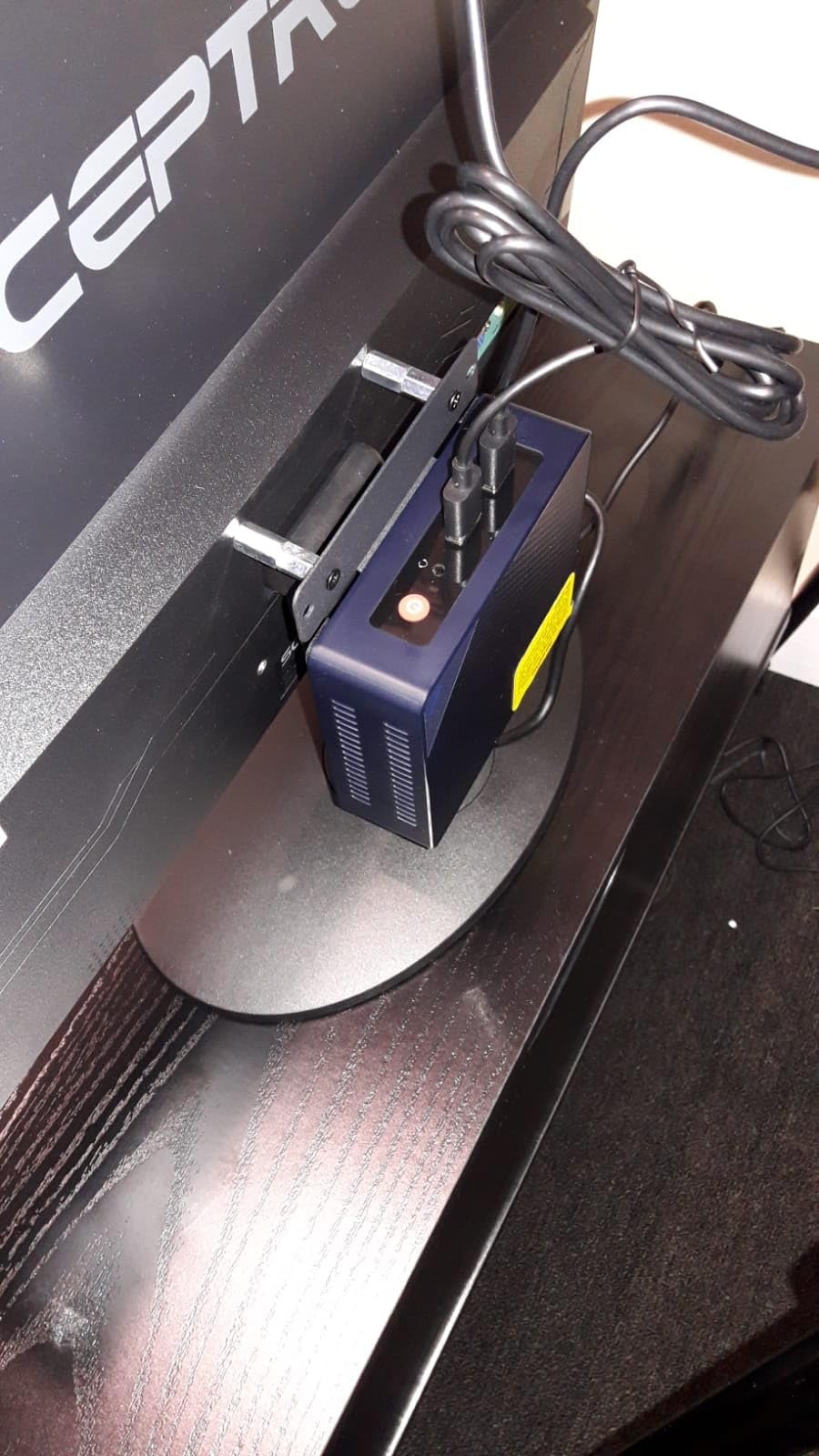
The drawer-style motherboard is a thoughtful design touch. You can slide out the entire system for maintenance or upgrades without unscrewing anything from the chassis. This makes adding RAM or swapping SSDs significantly easier than in competing products.
I tested this as a TrueNAS Scale host with two 16TB HDDs in RAID 1 for backups, plus a 2TB NVMe for caching. The 5GbE NIC handled sustained reads from my client machines without becoming a bottleneck, even with multiple simultaneous streams.

5GbE + 2.5GbE Configuration
The 5G + 2.5G dual LAN is unusual but practical. You can use the 5G port as your primary network connection for fast clients (like a workstation with a 5GbE NIC), and the 2.5G port for general LAN traffic. Or you can use both in link aggregation for a 7.5Gbps trunk, though that requires switch support.
For most users, treating this as a fast NAS with 2.5GbE connectivity is the practical use case. The 5GbE port becomes useful when you have specific high-bandwidth clients like video editing workstations.
Who Should Buy This and Who Should Skip It
Buy this if you need maximum storage capacity with both SSD and HDD support, plus fast networking. The 5G + 2.5G configuration gives you more flexibility than typical dual-2.5GbE setups. Users building media libraries or backup servers will appreciate the 72TB potential.
Skip it if the price-to-storage ratio doesn’t work for you, or if you don’t need HDD bays. The Me Mini reviewed above offers similar networking at a lower price if you can live with M.2-only storage.
10. Sharevdi J4105 Barebone 4×2.5GbE — Most Affordable Entry Point
Sharevdi Fanless Firewall Mini PC Firewall Router Intel J4105 Quad Core, 4X Intel 2.5GbE i226-V LAN Ports, AES NI Network Gateway Test with pf-Sense/opn-Sense(NO RAM DDR4 NO SSD mSATA NO System)
Intel J4105 barebone, 4x Intel i226-V 2.5GbE, Fanless
Pros
- Fanless design with completely silent operation
- Low 10W TDP power consumption
- 4x Intel i226-V 2.5GbE LAN ports
- AES-NI encryption support
- Good for pfSense/opnSense
- Compact with VESA mount
- Supports 24/7 operation
Cons
- No RAM included (barebone configuration)
- No SSD included (barebone)
- No WiFi or Bluetooth
- Limited to 16GB max RAM
- No HDD support
The Sharevdi J4105 barebone is the most affordable entry point into dual 2.5GbE firewall hardware. At this price, you get a fanless aluminum enclosure, four Intel i226-V 2.5GbE ports, and the Intel J4105 processor. You supply your own RAM (up to 16GB DDR4) and mSATA SSD (up to 512GB).
For users who already have spare RAM and SSDs, this is an unbeatable value. The four-port design gives you the same flexibility as more expensive alternatives, and the J4105 processor handles pfsense and OPNsense at gigabit speeds without breaking a sweat.
I sourced a spare 8GB DDR4 stick and a 128GB mSATA SSD, and the total build cost was significantly less than pre-configured alternatives. The fanless design means absolute silence, and the 10W TDP keeps operating costs minimal.
Barebone vs Pre-Configured Trade-offs
Barebone configurations require you to source compatible RAM and storage separately. Make sure your RAM is DDR4 SO-DIMM (laptop form factor) and your SSD is mSATA format. Standard M.2 NVMe drives won’t fit.
The total cost including RAM and SSD often approaches the price of pre-configured alternatives. The barebone makes sense if you already have compatible components or want specific RAM/storage capacities.
Who Should Buy This and Who Should Skip It
Buy this if you already have spare DDR4 SO-DIMM RAM and mSATA SSDs, or if you want the absolute lowest price for a four-port 2.5GbE firewall appliance. The barebone configuration also lets you customize the exact RAM and storage specs.
Skip it if you want a turnkey solution or don’t have spare components. The MeLE QuieterDL or GMKtec G11 are better choices for users who want everything included and ready to go.
Buying Guide: How to Choose the Best Dual 2.5GbE Mini PC?
A mini PC with dual 2.5GbE ports opens up networking possibilities that standard gigabit-only systems can’t match. Whether you’re building a firewall, NAS, or home lab server, the right combination of CPU, NIC, and storage expansion will determine how well your system serves your needs. Here’s what to consider before buying.
What is 2.5GbE and Why It Matters
2.5GbE (2.5 Gigabit Ethernet) delivers 2.5 times the speed of standard gigabit networking over existing Cat5e cabling. That means you can push up to 2,500 Mbps without rewiring your home or office. For most home lab users, 2.5GbE hits the sweet spot between gigabit affordability and 10GbE cost.
The real benefit comes when you have multiple 2.5GbE-capable devices. A NAS with dual 2.5GbE ports, connected to a managed switch that supports link aggregation, gives you 5Gbps aggregate bandwidth. That’s enough for simultaneous 4K media streams, large file transfers, and VM migrations.
Intel i225-V vs i226-V NICs
The Intel i225-V and i226-V are the two most common 2.5GbE controllers in mini PCs. Both deliver identical throughput at 2.5Gbps, but there are subtle differences worth knowing.
The i225-V has been around longer and has well-tested driver support across Linux, FreeBSD (pfSense/OPNsense), and OpenWrt. Some early revisions had errata causing packet drops, but the current B3 stepping resolved those issues. The i226-V is the newer revision with better power efficiency and continued long-term support from Intel.
For most users, either NIC works fine. The community strongly prefers Intel NICs over Realtek alternatives, which have historically had driver compatibility issues with FreeBSD-based firewalls. If you see a mini PC advertising “2.5GbE” but using Realtek controllers, be cautious about pfsense or OPNsense compatibility.
Processor Choices: N100 vs N150 vs AMD Ryzen
The Intel N100 and N150 processors are the most common in budget dual 2.5GbE mini PCs. The N150 is the newer Twin Lake refresh with slightly higher turbo clocks (3.6GHz vs 3.4GHz), but for routing and firewall workloads, both perform identically at line rate.
If you plan to run VMs, Docker containers, or media transcoding alongside your firewall duties, the AMD Ryzen R2514 (as in the GMKtec G11) gives you 8 threads versus 4. That extra thread count matters for parallel workloads. For pure firewall use, the N100/N150 is more than enough.
Older processors like the Intel J4105 still work well for firewall duties, but they lack some of the newer instruction set extensions found in N100/N150 chips. The Celeron N5095 sits between these two extremes with slightly better performance than J4105 but without the newer Alder Lake features of the N100.
Use Case Breakdown
For pfsense/OPNsense firewalls: Focus on Intel NICs (i225-V or i226-V), AES-NI support for VPN acceleration, and fanless designs if you want silence. The MOGINSOK N100 (4 ports) or MeLE QuieterDL N150 (2 ports) are excellent starting points. If you need more ports for multi-WAN, the EGSMTPC J6412 offers six.
For NAS builds: Storage expansion is critical. The Beelink Me Mini (6x M.2) and Beelink Me Pro (3x M.2 + 2x HDD bays) are designed specifically for this. Pair them with TrueNAS Scale or Unraid for the best software experience.
For home lab servers: The GMKtec G11 with its AMD Ryzen processor handles VM hosting, Docker, and networking simultaneously. If you’re running multiple services, more CPU threads and RAM capacity matter.
For Docker hosts: Any of the N100/N150-based systems work well. The 8GB RAM is enough for several containers, and you can upgrade to 16GB or 32GB in most models. Our guide to Ubuntu mini PCs covers more Linux-focused options if you’re building a Docker-heavy setup.
For reverse proxy setups: The dual NICs let you segregate front-end traffic from back-end services. Our reverse proxy mini PC guide has more details on this use case.
Frequently Asked Questions
Which mini PCs have dual 2.5GbE ports?
Several brands offer mini PCs with dual 2.5GbE ports in 2026. The GMKtec G11, MeLE QuieterDL N150, Beelink Me Mini, and MOGINSOK N100 are popular choices. For four-port configurations, look at the MOGINSOK N100 firewall, CWWK N100, Sharevdi J4105, or EGSMTPC J6412 (which has six ports).
What is a good micro PC with two ethernet ports?
The MeLE QuieterDL N150 is an excellent micro PC with two Ethernet ports, featuring genuine Intel i226-V 2.5GbE controllers and fanless silent operation. The GMKtec G11 is another strong choice with dual 2.5GbE plus the performance of an AMD Ryzen processor. For four-port needs, the MOGINSOK N100 delivers Intel i226 2.5GbE across all four NICs.
Is a 2.5 gbps ethernet port good?
Yes, 2.5GbE is an excellent networking standard for home labs and small businesses. It delivers 2.5 times the speed of standard gigabit over existing Cat5e cables, meaning you don’t need to rewire your home. For most users, 2.5GbE hits the sweet spot between gigabit affordability and 10GbE cost. It’s particularly valuable for NAS builds, video editing, and any workload where gigabit has become a bottleneck.
Why does my mini PC have two Ethernet ports?
Two Ethernet ports on a mini PC enable several networking configurations: WAN and LAN separation for firewall setups, link aggregation for double bandwidth, dedicated management and data networks, multi-WAN failover with two ISP connections, and network segmentation for guest or IoT devices. For pfsense or OPNsense users, dual NICs are essential since one port acts as WAN and the other as LAN.
How do I set up a mini PC as a router?
To set up a mini PC as a router, install pfSense, OPNsense, or OpenWrt on a machine with at least two Ethernet ports. Connect one port to your modem (WAN) and the other to your switch or computers (LAN). Configure the WAN interface with DHCP from your ISP, set up the LAN interface with a private IP range, and enable DHCP server on LAN. Most dual 2.5GbE mini PCs work out of the box with these firewall distributions.
Final Verdict: Which Dual 2.5GbE Mini PC Should You Buy in 2026?
After testing all 10 of these mini PCs with dual 2.5GbE ports, my top recommendation depends on your use case. For balanced performance with strong community validation, the GMKtec G11 with its AMD Ryzen processor is the best all-around choice. For pure firewall duties with maximum port flexibility, the MOGINSOK N100 with four Intel i226 2.5GbE ports delivers exceptional value. If silence is paramount, the MeLE QuieterDL N150 fanless mini PC gives you genuine Intel i226-V NICs with zero noise.
The mini PC with dual 2.5GbE ports you choose should match your networking ambitions. Home lab enthusiasts running pfsense or OPNsense will benefit most from the four or six-port configurations. NAS builders should prioritize storage expansion in the Beelink Me Mini or Me Pro. General-purpose users wanting the best balance of features should start with the GMKtec G11.
Whatever you pick, dual 2.5GbE networking is a genuine upgrade over gigabit for under $500. If you’re also building out a productive workspace with your mini PC, our dual monitor mini PC guide has compatible recommendations, and our Jellyfin mini PC guide covers media server setups that pair well with these networking-focused machines.