
Most of us carry a spare key somewhere we pretend nobody knows about, and most of us have stood outside a locked door in the rain regretting it. A smart deadbolt removes that problem entirely by turning your front door into something you open with a code, a fingerprint, a phone or a key you no longer have to carry. It also gives you something a mechanical deadbolt cannot: a record of exactly when your door was locked and by whom.
After sorting through the spec sheets, the owner reviews and the recurring owner complaints across ten of the strongest models on the market, the Schlage Encode Smart WiFi Deadbolt is our pick for the best smart lock for a front door overall. It is the one pick that pairs the highest residential security certification on this list with built-in Wi-Fi, so you unlock the door from your phone without buying a hub. It suits a homeowner who wants Grade 1 hardware, remote access and a phone that actually works when the internet wobbles. Anyone who needs fingerprint entry, Apple Home Key or a lock that runs with no app at all should read further down the list.
Everything below is built from published specifications, aggregated owner reviews and the failure patterns owners actually report, not from marketing copy. Where the data disagrees with the spec sheet, we say so. We also spell out the two questions that decide most purchases: will the lock physically fit your door, and what happens when the batteries die at 7am on a Monday. If you want a narrower slice, we have separate guides on smart locks for keyless entry and on smart locks with Apple Home Key support.
Table of Contents
Top 3 Picks for Best Smart Locks for Front Doors in 2026
These three cover the widest range of real front doors. One is the security-first choice, one is the feature-rich value choice, and one is built for people who hand out keys to strangers for a living.

Schlage Encode Smart WiFi Deadbolt
- Built-in Wi-Fi
- no hub required
- BHMA Grade 1 certified
- Up to 100 access codes
- 4 AA batteries

ULTRALOQ Bolt SE WiFi Smart Lock
- Matter over Thread support
- 7-in-1 unlock methods
- 50 fingerprints
- 18-month battery claim

Sifely Fingerprint Lock with Handle
- Remote guest codes for hosts
- Lever handle plus keypad
- 5 unlock methods
- Reversible handle
Best Smart Locks for Front Doors at a Glance in October
This is the short version. Every pick below is in the table, and every pick gets a full review further down the page.
| Product | Specs | Action |
|---|---|---|
| Schlage Encode Smart WiFi Deadbolt |
|
Check Latest Price |
| ULTRALOQ Bolt SE WiFi Smart Lock |
|
Check Latest Price |
| Sifely Fingerprint Lock with Handle |
|
Check Latest Price |
 eufy Security Smart Lock C220 eufy Security Smart Lock C220 |
|
Check Latest Price |
 Veise KS02B Fingerprint Lock with Handles Veise KS02B Fingerprint Lock with Handles |
|
Check Latest Price |
 Yamiry Smart Door Handle Lock YR01 Yamiry Smart Door Handle Lock YR01 |
|
Check Latest Price |
 Aqara Smart Lock U100 Aqara Smart Lock U100 |
|
Check Latest Price |
 eufy Security Smart Lock C33 eufy Security Smart Lock C33 |
|
Check Latest Price |
 Tapo Smart Wi-Fi Door Lock DL110 Tapo Smart Wi-Fi Door Lock DL110 |
|
Check Latest Price |
 Wyze Palm Lock Wyze Palm Lock |
|
Check Latest Price |
1. Schlage Encode Smart WiFi Deadbolt – Best Overall
Schlage Encode Smart WiFi Deadbolt Lock with Century Trim, Matte Black
BHMA Grade 1
Bluetooth and built-in Wi-Fi
Up to 100 access codes
Zinc body
4 AA batteries
Pros
- Built-in Wi-Fi so no hub or bridge to buy
- Works with Alexa
- Google Assistant and Vera
- Up to 100 access codes in the Schlage Home app
- Built-in alarm for door movement and forced entry
- Auto-lock with a custom delay
Cons
- Needs 4 AA batteries which are not rechargeable
- Around 12 percent of reviews mention connectivity drops
- Touchscreen can lag in extreme cold
- Backup key needed if the batteries run flat
The Schlage Encode has been the default recommendation in home security forums for years, and the reason is unglamorous: nothing about it is disposable. The body is zinc, the model has been in production long enough that parts and fixes exist, and the electronics carry a three-year warranty on top of a limited lifetime mechanical warranty. That matters more on a front door than any fingerprint sensor.
Our pick for the best smart lock for a front door has one structural advantage over almost everything else here. The radio is inside the deadbolt, not a bridge bolted to the inside of the door, so remote unlock and push notifications work the day you install it with nothing else on the shopping list. Owners confirm this is what holds up months later, when the battery warning arrives and nobody wants to be adding a hub to a checklist at short notice.
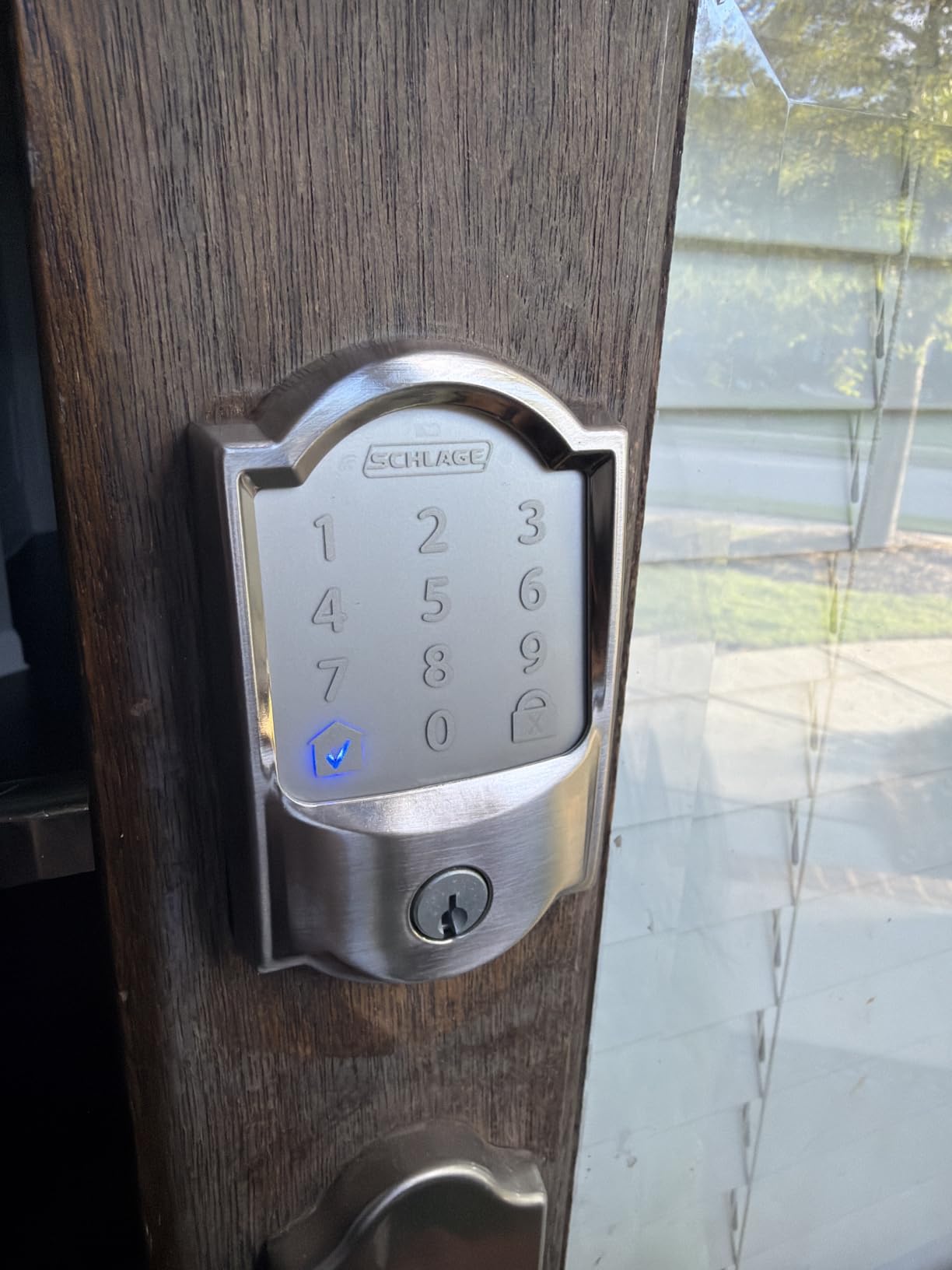
Where it earns its keep day to day is code volume and app stability. A hundred access codes is far past what a family needs, which means you can issue a rolling code to a cleaner, a dog walker and a contractor without ever recycling the same number. The activity log inside the app is straightforward, and the auto-lock timer is adjustable rather than fixed, so you can set it to suit how long your door stays propped while you unload the car.
The honest drawback is the 4.2 rating across more than 13,000 reviews, which is lower than several cheaper locks on this list. Reviewers point at three specific things: dropped Wi-Fi connections in larger homes, a touchscreen that can be sluggish in real cold, and the built-in alarm being a little trigger-happy. None of these are safety failures, but if your router sits far from the front door, a Mesh node is worth adding before you blame the lock.
What you give up by choosing the Encode
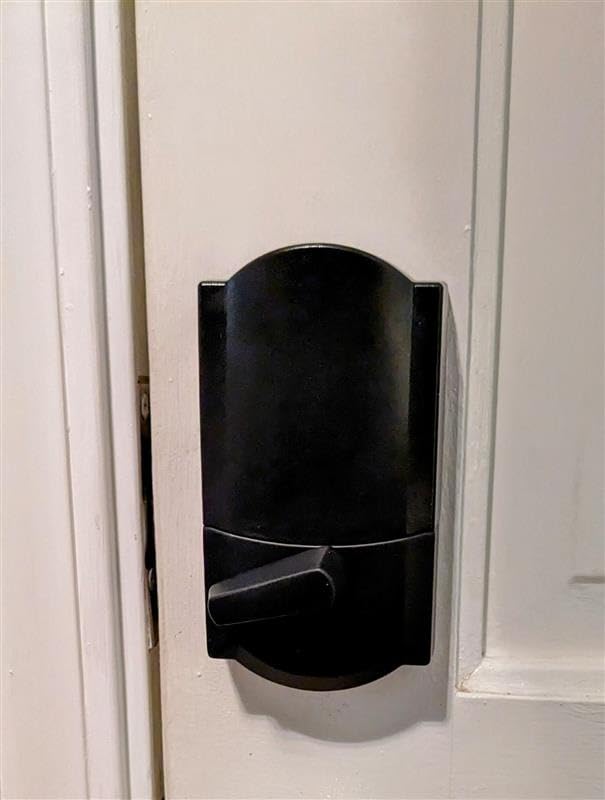
There is no fingerprint reader on this model. You unlock with a keypad code, the app, Bluetooth proximity, voice or the physical key, and that is the whole list. If your household includes four adults who all come and go, or a contractor who should never know a family code, you will spend your time in the app generating and revoking numbers instead of waving a finger at a reader.
It is also a full-depth unit rather than a slim retrofit, and the spend is worth weighing carefully if you plan to fit one on every exterior door of a rental portfolio. For a single front door the cost is defensible. For four doors, look at the Sifely or Yamiry picks instead.
Who the Schlage Encode suits
This is the lock I would put on my own front door without hesitating, and the one I would recommend first to a reader who just wants it to work. It suits a home with a standard single-cylinder deadbolt, a family that prefers codes to biometrics, and a household that wants an activity log they can actually check in a week.
It also suits anyone already invested in Alexa or Google Assistant, and anyone who refuses to run a hub. The warranty length and the size of the installed base tell you how likely support is to exist in three years, which is the number that matters most for hardware bolted to your primary entrance.
2. ULTRALOQ Bolt SE WiFi Smart Lock – Best Value With Matter
ULTRALOQ Bolt SE Wi-Fi Smart Lock, Matter Over Thread, App Remote Access
Matter over Thread
Bluetooth and 2.4 GHz Wi-Fi
50 fingerprints
IP65 and BHMA certified
Zinc body
Pros
- Seven unlock methods in one body
- Matter over Thread brings Apple Home support
- Built-in Wi-Fi so no hub for daily use
- Claimed 18-month battery life
- Glove-friendly anti-peep keypad
Cons
- Apple Home remote access needs a Thread hub
- 2.4 GHz Wi-Fi only
- Router should be within 70 feet
- Some owners report sensor drift over time
ULTRALOQ has quietly built one of the most complete unlock packages on this list. Fingerprint, passcode, app, web portal, eKey sharing, voice and a mechanical key all live in one keypad unit, which removes the usual compromise of choosing a lock based on the single method you use most. Owners switching from a single-pin deadbolt tend to describe the Bolt SE as the first smart lock that covered every family member without arguments.
The reason this is our value pick rather than our overall pick is the Matter over Thread detail. The ULTRALOQ Bolt SE is the pick here that speaks Matter, the cross-brand standard, so in theory it drops into Apple Home, SmartThings and Google Home without a vendor-specific bridge. In practice the reviews are consistent that Apple Home remote access still needs a Thread border router, and the app-based remote unlock is the path most owners actually use day to day. Buy the hub if your goal is a lock that disappears into an existing automation platform.
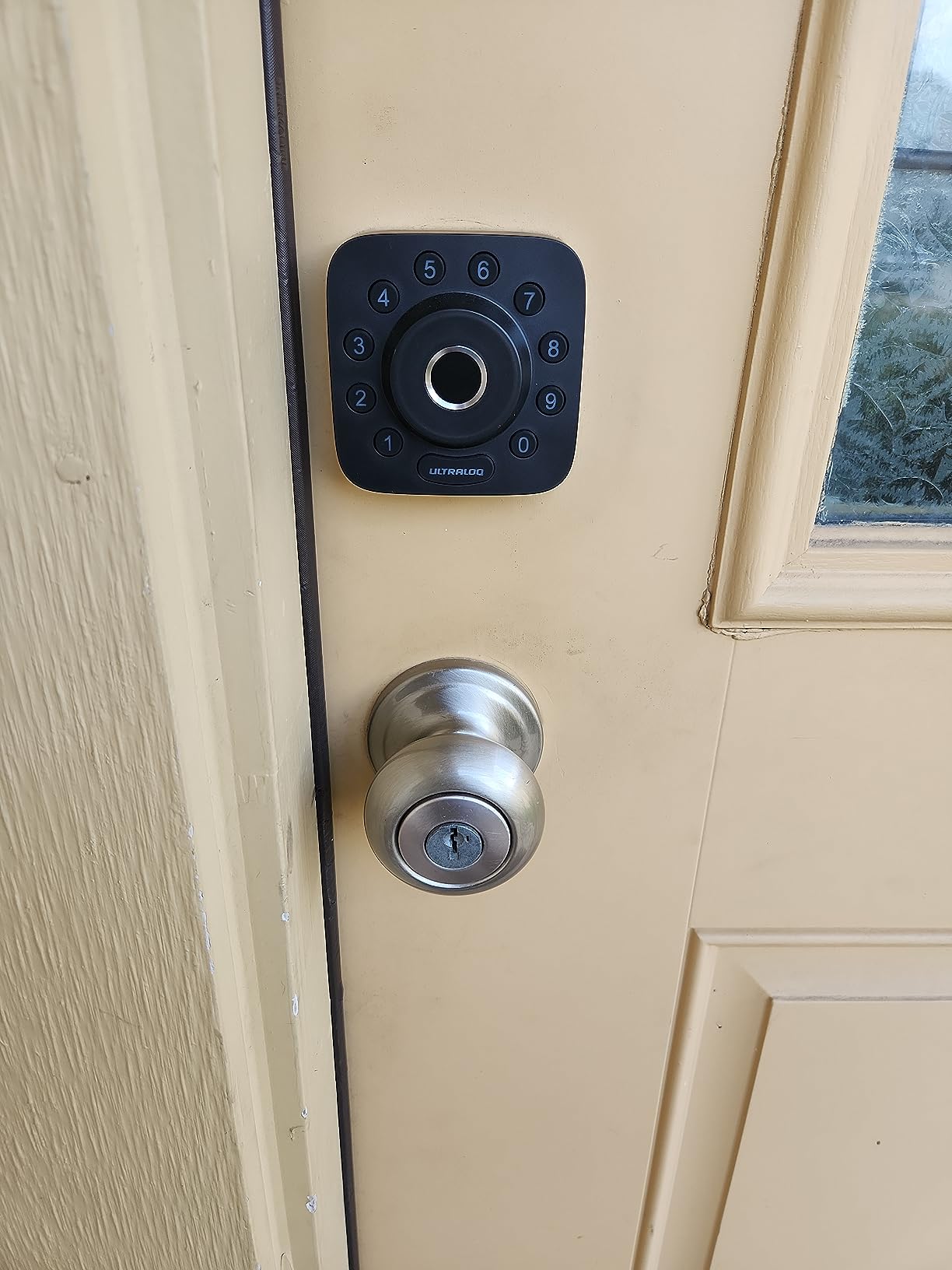
The 18-month battery claim is the headline number, and it comes from the Thread radio drawing less power than a Wi-Fi chip that stays associated with a router. Treat it as a best case: heavy fingerprint use, a busy guest list and a weak signal all shorten it. The two emergency keys in the box mean a flat battery is an inconvenience rather than a locksmith call.
Two practical constraints show up repeatedly in owner feedback. The Wi-Fi radio is 2.4 GHz only, so a dual-band router set to 5 GHz for everything else will not see it, and the lock performs best when the router is within about 70 feet. On a large property that means a Mesh node, not a different lock.
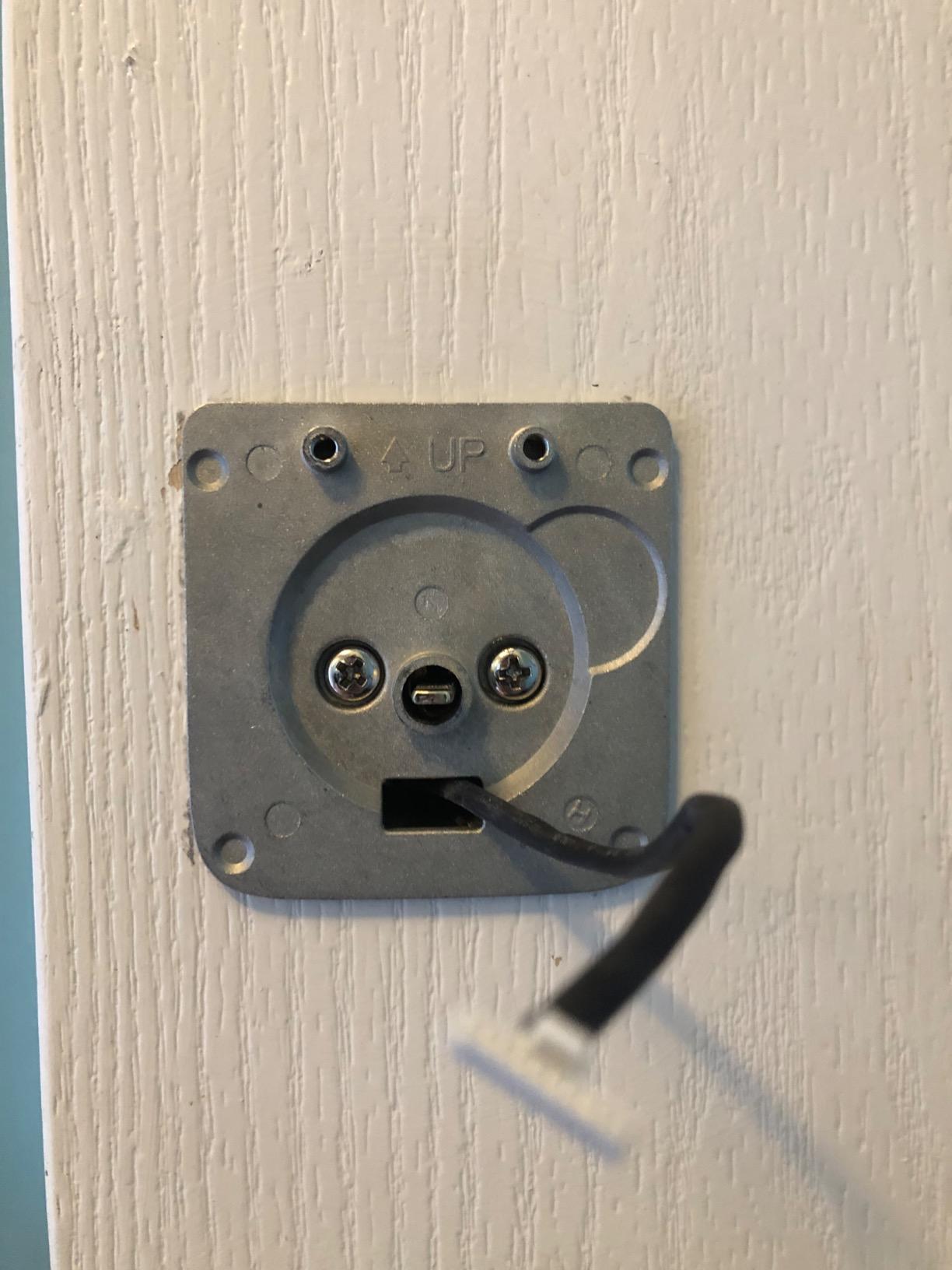
Where the Bolt SE is weaker than the Encode
The mechanical warranty is lifetime, but the electronics warranty is 18 months, which is a year and a half shorter than the Schlage coverage and noticeably shorter than the Tapo pick that ships with a rechargeable pack. On a lock this feature-dense, that difference is the main reason we did not make it number one.
Owners also flag that the fingerprint reader is not quite as consistent as it is on a reader using palm geometry instead of a small contact pad, particularly in cold or damp conditions. If your door faces a coast or you have children whose hands are permanently dirty, test this one before you commit.
Who the ULTRALOQ Bolt SE suits
It suits anyone who wants more unlock methods than any other lock here without stepping up to the top of the range, and it is the strongest choice for a household that is starting to build a smart home and does not want to pick a brand for the next decade. The Matter support makes it a good fit for people who already run SmartThings or are considering Apple Home later.
It is also the pick for a landlord who wants one app, one code list and one hardware model across several doors, because the 50-print capacity and unlimited passcodes cover a shared building comfortably. Just confirm your router handles 2.4 GHz before you buy.
3. Sifely Fingerprint Smart Lock with Handle – Best for Rentals
Fingerprint Smart Door Lock with Handle & Keypad – No More Lost Keys, Keyless Entry & Remote Access for Home, Kids, Airbnb & Rental Property, DIY Install, Alexa & Google Compatible
Lever handle and deadbolt
Bluetooth with optional gateway
Five unlock methods
Zinc body
4 AA batteries
Pros
- Remote guest codes without complicated setup
- Reversible handle fits either door hand
- Key fobs plus two physical keys in the box
- Fast fingerprint reader for daily entry
- Strong customer support reported by owners
Cons
- Remote and voice control need a separate Wi-Fi gateway
- Bluetooth alone limits remote features
- Touchscreen sometimes unresponsive
- Fingerprint can fail with wet hands
The Sifely is the lock we would hand to someone running a short-term rental, because the whole product is organised around issuing and expiring access for people you have never met. You create a code from the app, send it to your guest, and delete it on checkout. Owners hosting regularly point to the two key fobs in the box as the feature that makes it usable for cleaners who do not want to fumble with a code in the dark.
It is also a lever handle with a deadbolt, not a deadbolt alone, which suits an older home that already has a handle on the front door or an entry where a single twist latch is the only thing standing between you and the street. The reversible handle means one SKU covers both door hands, which matters when you are ordering hardware for a rental portfolio rather than a single home.
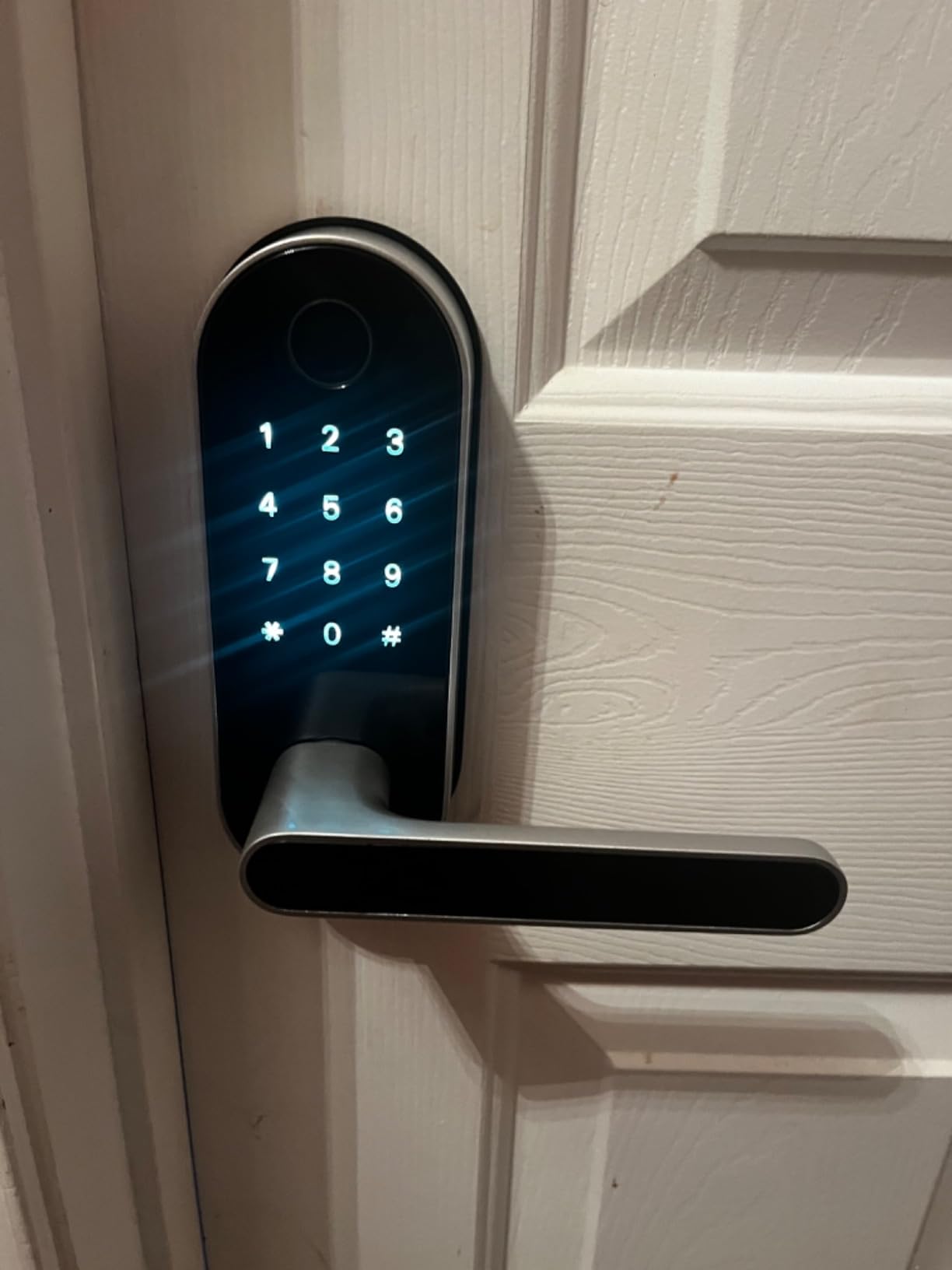
There is a cost to that flexibility. Remote access and voice control both run through a separate Wi-Fi gateway rather than the radio in the lock, so budget for the extra box if you want to unlock the door from a hotel lobby. Without it you are on Bluetooth range, which is fine at the front door and useless from the road.
Owner feedback is warm about support and cool about two things: the touchscreen occasionally ignoring a tap, and the fingerprint reader struggling with wet or sweaty fingers. The internal handle position is also worth a word of caution, because an internal handle set in the wrong position can lock out the people inside. It is a common complaint and an easy fix once you know it.
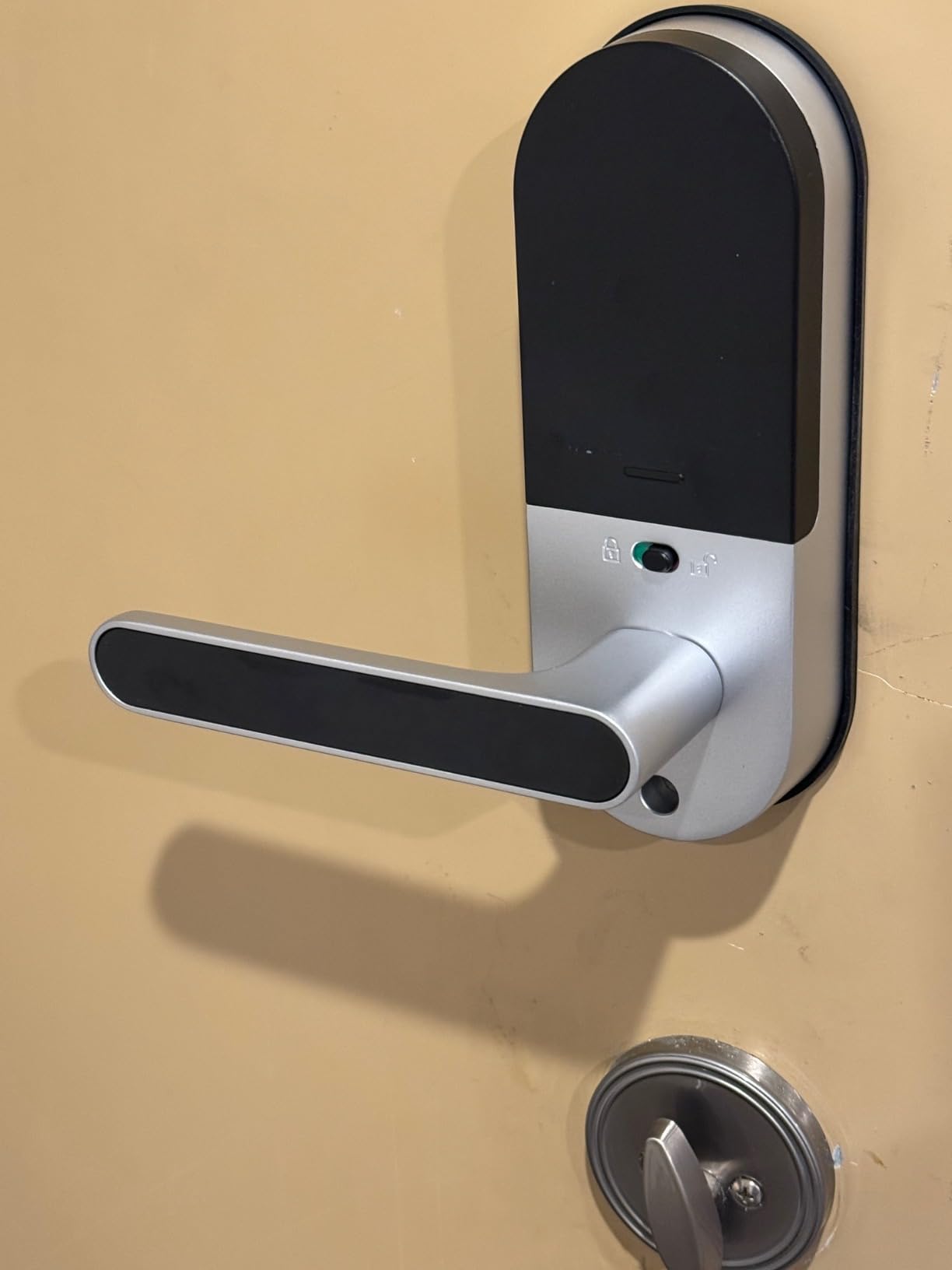
What a host should check before ordering
Measure the door thickness and the backset before you commit, because this is a full handle and deadbolt set rather than a retrofit over an existing cylinder. If your rental already has a narrow or unusual door, the fit is where projects fail, not the electronics. Our guide to keyless entry locks for older doors covers the measurements that matter.
Decide up front whether you want a gateway. Adding one later is straightforward, but it is another device to power, mount near the router and maintain, and hosts usually prefer to know the full hardware list before guests arrive.
Who the Sifely suits
It suits Airbnb hosts, property managers and anyone handing keys to people who should not have a permanent code. It also suits a household that still wants a physical key as a genuine backup, because two keys and two fobs ship in the box.
It is the wrong choice if you need voice control on day one with no extra hardware, and the wrong choice for a door in a climate where the reader will be used with cold, wet hands several times a day. For a dry climate and a busy door, it is hard to argue with.
4. eufy Security Smart Lock C220 – Best for Apple Watch Unlock
eufy Security Smart Lock C220, Fingerprint Keyless Entry Door Lock
Wi-Fi and Bluetooth
Six unlock methods
8 AA batteries
IP53 and BHMA Grade 3
Operating range -22 to 158 F
Pros
- Unlocks with an Apple Watch as well as a phone
- Self-learning fingerprint reader
- Built-in Wi-Fi with no bridge
- Claimed 8-month battery on 8 AA cells
- Installs in about 15 minutes without drilling
Cons
- Needs 8 AA batteries which are not rechargeable
- Fingerprint consistency is mixed
- Some owners report connection drops
- Limited to 2.4 GHz Wi-Fi networks
The C220 exists because most fingerprint locks stop at the phone. This one adds Apple Watch to the list, which for a household that already wears one is the difference between tapping a screen and waving a wrist. Add fingerprint, app, keypad, physical key and voice and you have six methods in a unit that needs no bridge to reach the internet.
The self-learning fingerprint claim is worth taking seriously rather than treating as marketing. In practice, owners report that the reader improves over the first weeks as it stores more impressions of the same finger, which is why early reviews are often more cautious than later ones. If you are the kind of person who unlocks the door five or six times a day, that adaptation matters.
What you should know before buying
Eight AA batteries is a lot of cells, and it is the one spec reviewers mention most often when comparing this to lighter models. The stated 8-month figure assumes normal use, and a home with several fingerprint users will eat through them faster. They are ordinary cells, not a proprietary pack, which is a genuine advantage over some competing locks.
Fingerprint consistency is the most common complaint, along with occasional connection drops and an alarm that owners describe as sensitive in high-traffic households. The operating range of -22 to 158 F is wide, but the reader itself is still a contact pad, so wet or very cold fingers are the hard case.
Who the eufy C220 suits
It suits Apple households that want Watch unlock without moving to a lock that needs a hub, and it suits anyone already running eufy Security cameras or doorbells, since the two sit in the same app. It also suits a first-time installer, because the no-drill install is genuinely a fifteen-minute job on a standard door.
Skip it if you need the highest security certification available, since it is a Grade 3 unit where the Schlage and Tapo options reach further. For everyday convenience in a normal front door, though, it does a lot with very little hardware.
5. Veise KS02B Fingerprint Lock with Handles – Best With No Wi-Fi
Veise KS02B Fingerprint Door Lock with 2 Lever Handles, Matte Black
No Wi-Fi or app
0.3 second fingerprint
20 prints and 20 passcodes
Grade 3 and IP54
200000 cycle tested
Pros
- Works with no internet
- hub or subscription
- Vacation
- Silent and Passage modes
- One-touch lock from outside
- 200000-cycle tested and wide temperature range
- Two-year warranty after registration
Cons
- No remote access at all
- Batteries are not included
- No smart home or voice integration
- Auto-lock depends on the door closing squarely
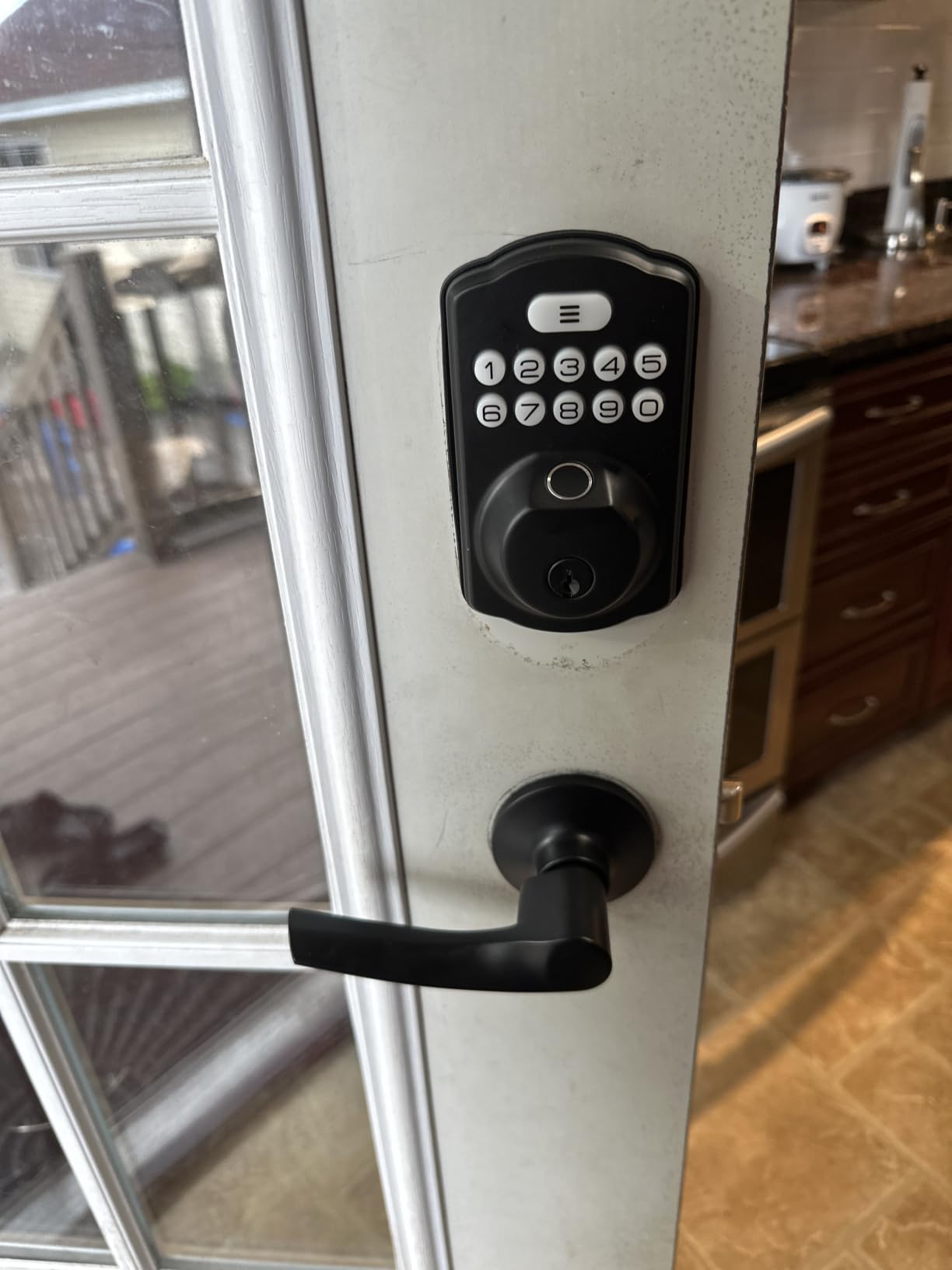
This is the pick for anyone who has decided they do not want a lock on the internet. The Veise KS02B has no radio, no app and no account. You register twenty fingerprints and twenty passcodes from the keypad itself, and the lock does exactly what you told it to do forever after. In an off-grid cabin, a rental at the end of a lane, or a household that simply does not want a server holding a fingerprint template, that is a feature rather than a compromise.
The fingerprint performance is the best of any non-networked lock we looked at. The published claim is 0.3 seconds from a self-learning 500 DPI sensor, and owners describe it as the fastest reader they have used on a lever handle. The anti-peep keypad adds random digits after a real code, which defeats shoulder-surfing without changing what your family types.
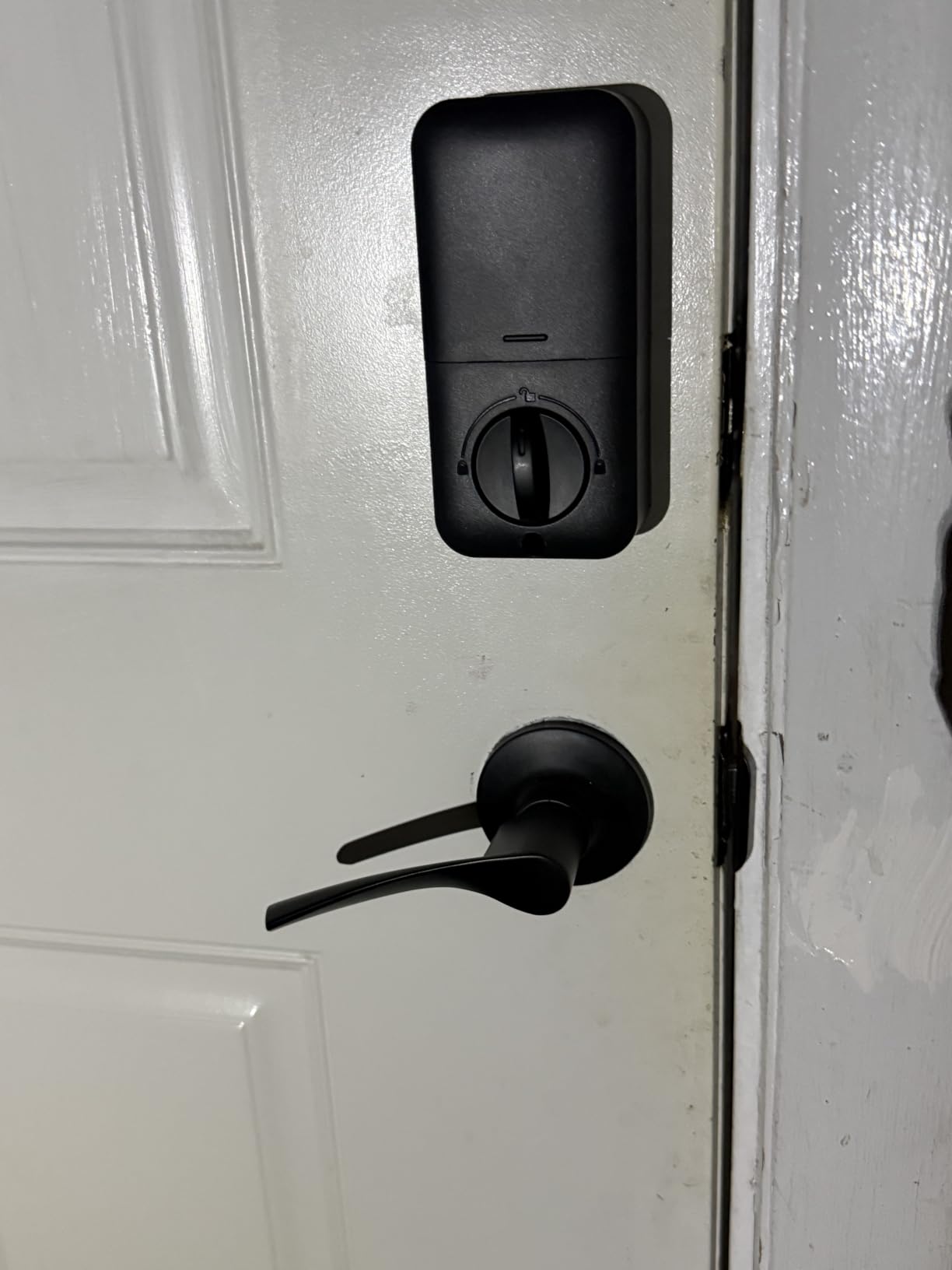
Two levers come with the set, which suits a front door that has a handle as well as a deadbolt. The lock is rated IP54 and tested to 200,000 cycles, and the temperature range runs from -31 F to 158 F, so it holds up in a genuinely cold climate in a way that consumer smart locks often do not.
The limitation is obvious and worth saying plainly: there is no remote unlock, no access log you can check from your phone and no voice assistant. If you are not near the door, you do not get in. For a secondary entry or a garden door that is fine. For a main front door where a family arrives and leaves all day, most people want the log.
Why offline still matters in 2026
Every networked lock on this list has the same failure mode described in owner reviews: when the internet drops, remote unlock stops. A lock with a radio needs firmware, an account and a server that is still being maintained in five years. A keypad and a fingerprint sensor need none of that, and there is no lockout if the manufacturer stops shipping updates.
That makes the Veise a genuinely different category rather than a cheaper version of the same thing. It is also the easiest to remove and reinstall, which matters if you rent and want to leave the original hardware behind.
Who the Veise KS02B suits
It suits renters, privacy-minded households, cabin and garage owners, and anyone whose door has to keep working when nothing else does. Twenty fingerprints and twenty passcodes cover a large family, and the temporary code feature is enough for a contractor without a full access system.
It is the wrong pick if you want to hand a guest a code from work and have it expire on its own, because there is no scheduler in the cloud behind it. Everything is managed at the door, and that is the trade you are making.
6. Yamiry Smart Door Handle Lock YR01 – Best for Multiple Units
Smart Door Handle Lock with Keypad, Yamiry Fingerprint Knob for Front Door
Bluetooth with optional gateway
Key fobs and two keys included
Six unlock methods
Zinc and stainless steel
Quick 10-minute install
Pros
- One app manages codes across several properties
- Key fobs avoid typing codes in the dark
- Ten-minute install with no drilling
- Reversible handle for either door hand
- Passage mode suits a busy hallway door
Cons
- Remote access and Alexa need a separate gateway
- Bluetooth range is short without the gateway
- App connection issues reported
- Finicky reader with very dry or wet fingers
The Yamiry is the pick for a small portfolio rather than a single door. Its app is built to hold several properties at once and issue temporary codes per property, which is exactly what a host with three apartments or a landlord with a handful of doors needs. The two key fobs in the box are the detail that gets it recommended for cleaners and contractors who arrive in the dark.
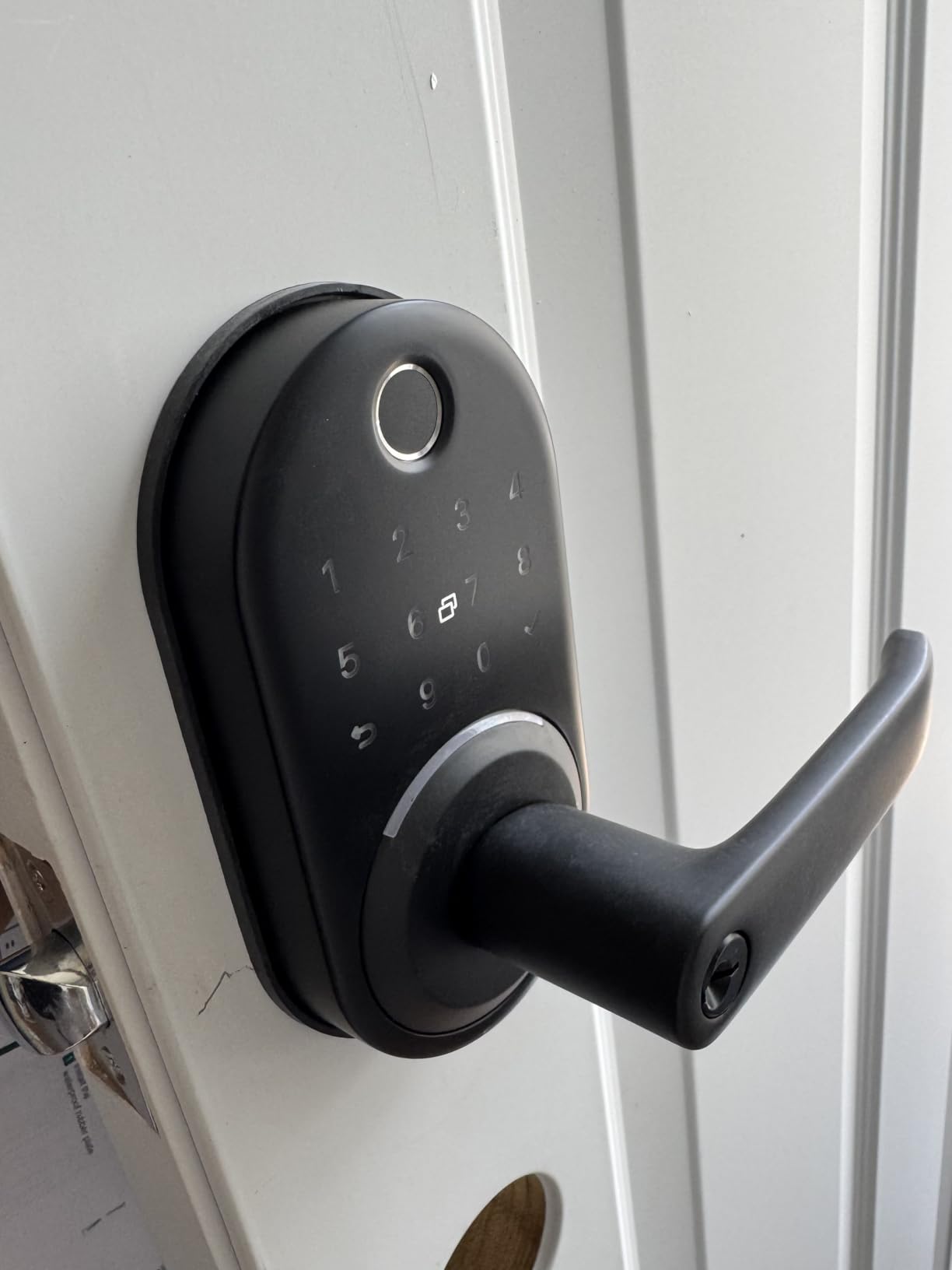
Installation is genuinely quick. Owners report a ten-minute fit with no drilling on a standard door, and the reversible handle covers both door hands, so you are not ordering two versions for a terrace of homes. The lock body is stainless steel and zinc, which is a reasonable build for a rental door that takes more knocks than a front door.
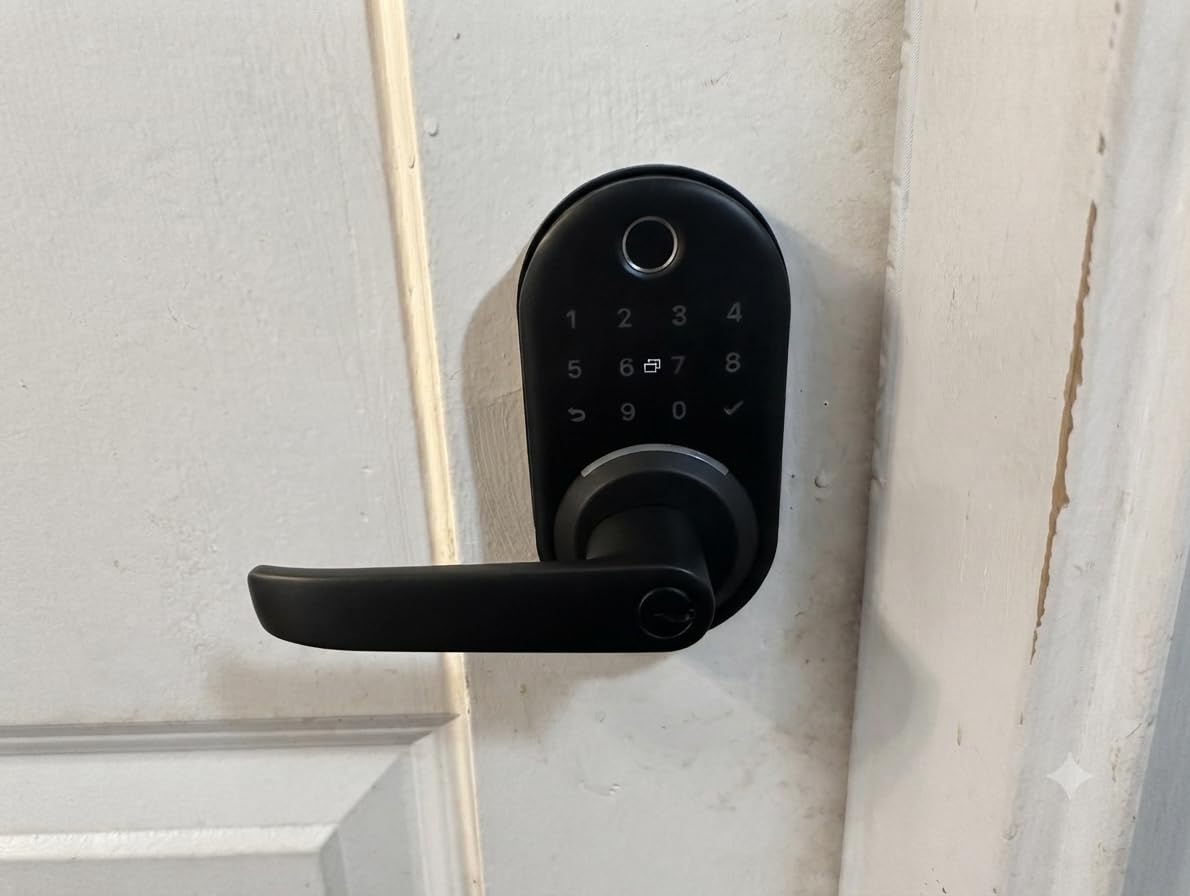
Like the Sifely, remote access runs through a separate Wi-Fi gateway rather than a radio in the lock. That gateway is the hidden line item in the setup, and hosts should factor it into the decision rather than discovering it the night a guest arrives. Without it, the app works over Bluetooth within a few metres of the door.
Owners report the same two recurring gripes: the app connection is not always immediate, and the fingerprint reader is less forgiving with very dry or very wet fingers than a keypad. Passage mode and auto-lock are both present, and the handle position is worth setting correctly on day one so nobody inside can lock themselves out.
What to check before fitting it on a rental
Measure the door and check that your existing handle and strike plate will accept the new one, because this is a full handle and deadbolt set. If you want the deposit back, take a photo of the original hardware before you remove it, keep every screw, and note that the old cylinder and handle are usually reusable once the new set is off.
Decide on one gateway per property rather than one per door. A single gateway serving a small building is the arrangement most hosts land on, and our guide to keypad locks for Airbnb hosts covers the access-scheduling side in more depth.
Who the Yamiry suits
It suits small-scale hosts and landlords who want remote code control without a subscription or a per-door fee. The multi-property view in the app is the reason to pick it over a cheaper single-door lock, and the fobs make repeat access fast for anyone you see regularly.
It is a poor fit for a family that wants a fingerprint to be the primary method, because the reader is noticeably fussier here than on the keypad-based approach. Treat the fob and the code as the main event and the fingerprint as the backup.
7. Aqara Smart Lock U100 – Best for Apple Home Key
Aqara Smart Lock U100, Apple Home Key, Fingerprint Deadbolt, Gray
Apple Home Key support
Zigbee 3.0 and Bluetooth
50 fingerprints
IP65 and BHMA Level 3
USB-C emergency charging
Pros
- Apple Home Key works even when the battery is dead
- Fingerprints stay on the lock with local AES encryption
- IP65 weather rating for exposed doors
- USB-C emergency charging port
- Do Not Disturb mode for late arrivals
Cons
- Remote access needs an Aqara Zigbee hub
- HomeKit setup is confusing at first
- Bluetooth-only use feels slow
- Some quality control and battery drain reports
- No NFC card included in the box
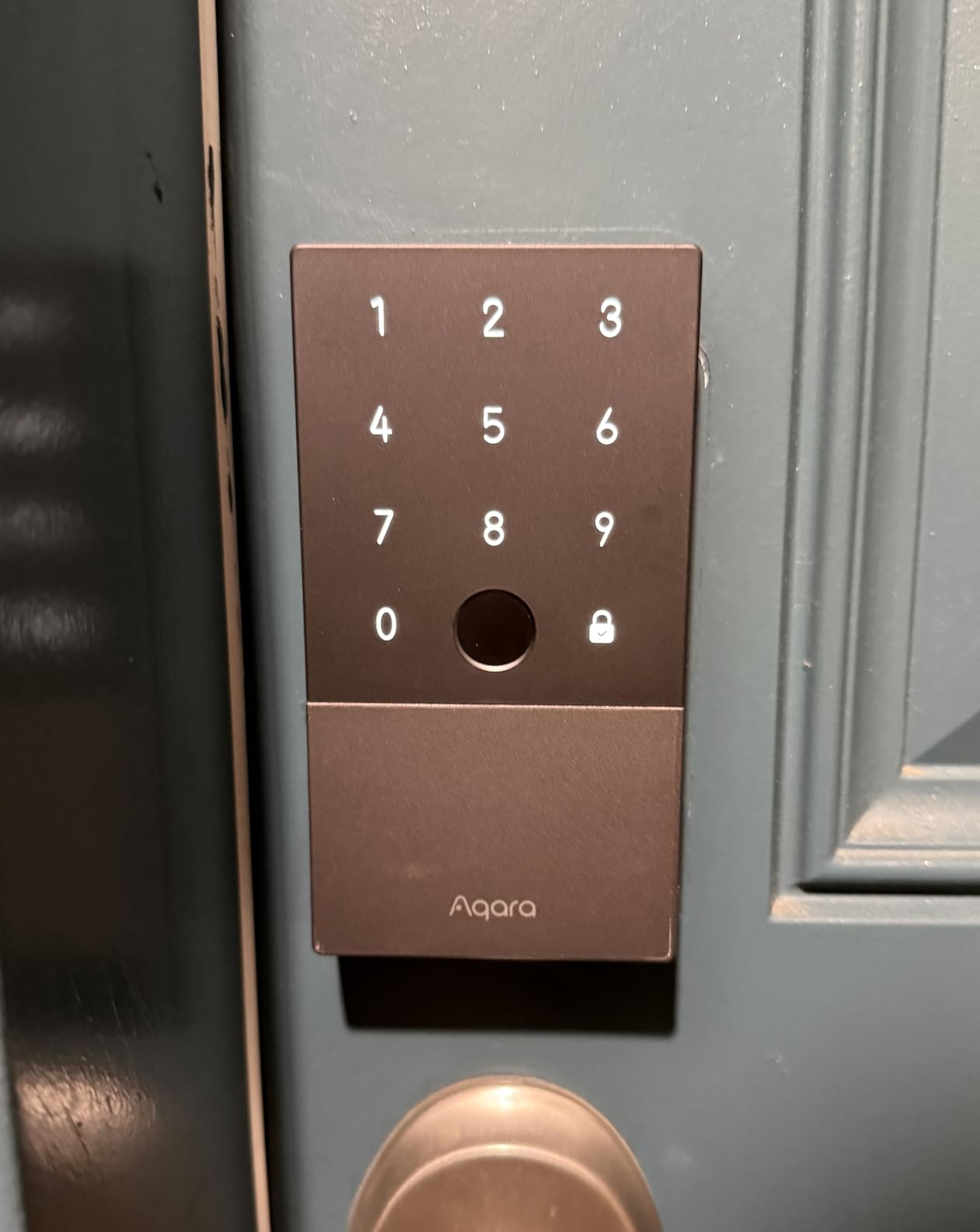
The Aqara U100 is the pick here that hands your front door to Apple Home as a credential stored on your devices rather than an app you have to open. With Apple Home Key set up, an enrolled iPhone or Apple Watch is recognised at the door, and because the credential is stored on the device, it still works when the lock’s own batteries are flat. That single feature removes the most common complaint owners raise about battery-powered locks.
It also has a clear privacy story. Fingerprint templates are stored on the lock with local AES encryption rather than uploaded to a server, which means there is no biometric database to leak and no account to hold your data. For a household that has decided it does not want fingerprints leaving the door, that is a real differentiator rather than a spec-sheet line.
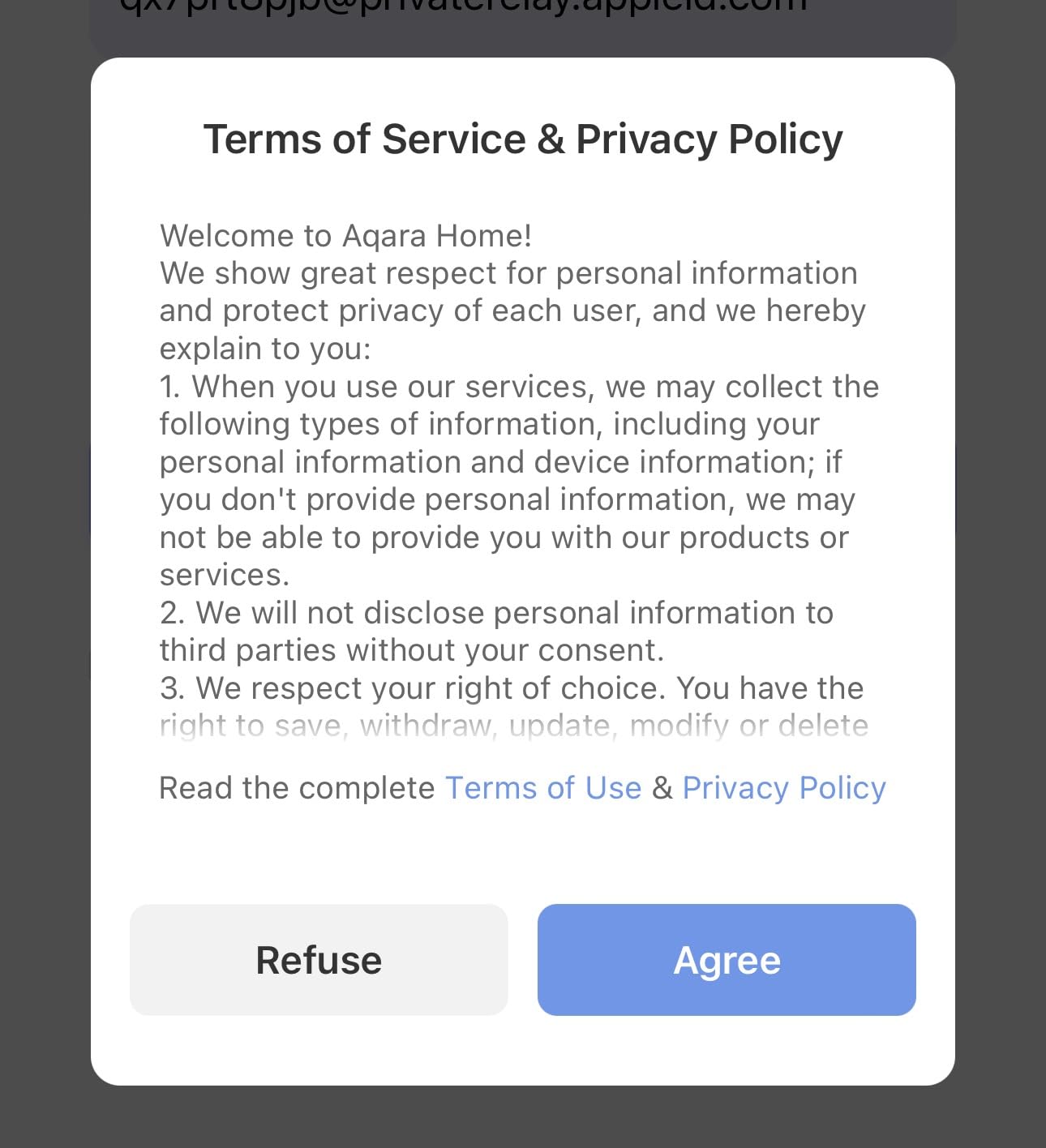
The catch is the hub. Remote access, Google Home, Alexa and IFTTT automations all run through an Aqara Zigbee hub, so this is not a one-box purchase like the Schlage or the Tapo. If you are starting from nothing, add the hub to your budget. If you already run Zigbee, this is the most capable lock you can add to it.
Owners also flag that HomeKit enrolment is awkward, because the lock must be added to the Aqara app first and only then appears in Home. And with mixed reports on long-term battery life and defective units, this is the pick to buy from somewhere with a straightforward return policy. The 4.1 rating reflects real gripes, not a dud product.
How the backup actually behaves
Two mechanical keys come in the box, and the USB-C port on the exterior face will run the lock from a power bank long enough to open the door.
Build quality is the other strength. The zinc alloy body carries an IP65 rating for a fully exposed door, and the stated temperature range runs from -31 F to 151 F. Battery life is claimed at up to eight months on four AA cells, which is the same ballpark as comparable fingerprint locks and depends heavily on how many people use the reader.
Who the Aqara U100 suits
It suits an Apple household that wants the door to behave like the rest of the home rather than living in its own app, and it suits anyone who refuses to put biometric data on a server. If your keys are already in Apple Wallet, this is the lock that feels native rather than compatible.
Skip it if you want remote access without buying a hub, or if you are not prepared to add a second device to a door that currently needs none. Our Apple Home Key lock guide covers the setup order that avoids the enrolment confusion owners hit.
8. eufy Security Smart Lock C33 – Best for Night Lock Scheduling
eufy Security Smart Lock C33, Keypad Door Lock with Handle, Built-in Wi-Fi
Lever handle and deadbolt
Built-in Wi-Fi
Fingerprint in the handle grip
8 AA batteries
18-month warranty
Pros
- Scheduling locks the door automatically at set times
- Lever handle is easy to use with bags
- Fingerprint reader sits inside the grip where your thumb already is
- Built-in Wi-Fi with no bridge
- 24 hour support and an 18-month warranty
Cons
- Fingerprint success rate reported around 80 percent
- 8 AA cells drain quickly with Wi-Fi running
- Key is thicker than standard and cannot be rekeyed
- Scheduling is not flexible enough for separate days
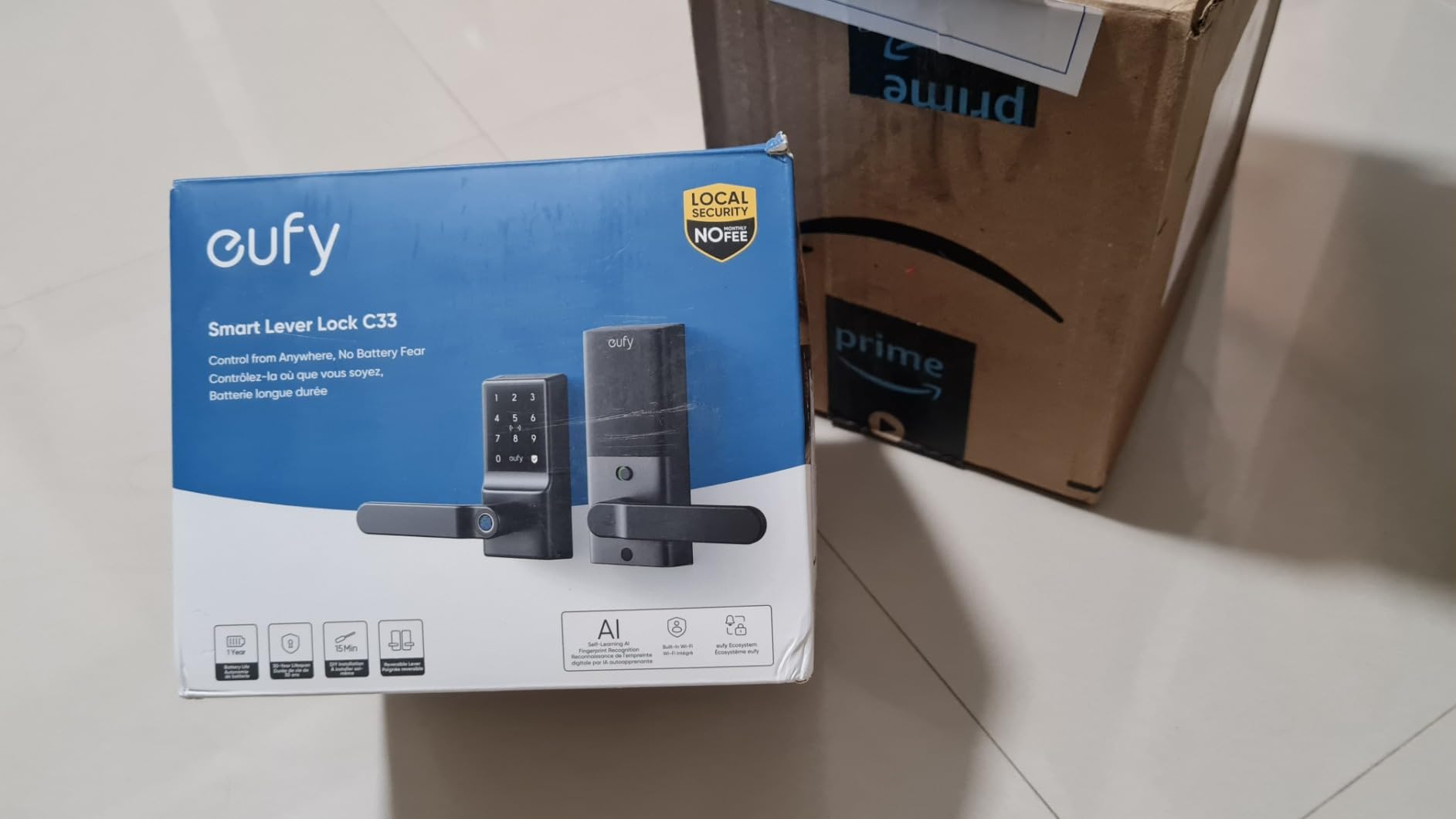
The C33 is built around a lever handle, and that single design choice drives everything about it. There is a fingerprint pad set into the handle grip itself, positioned roughly where your thumb already sits, so unlocking is a squeeze rather than a separate tap. For anyone carrying shopping, a suitcase or a dog lead, it is the easiest lock here to use one-handed.
The scheduling feature is the reason to pick it. You can set the door to lock automatically at a chosen time in the evening and stay unlocked in the morning, which takes the daily decision out of the routine. Owners who travel for work and return at unpredictable hours single this out, because it stops the 9pm phone call about whether the door was actually pulled shut.
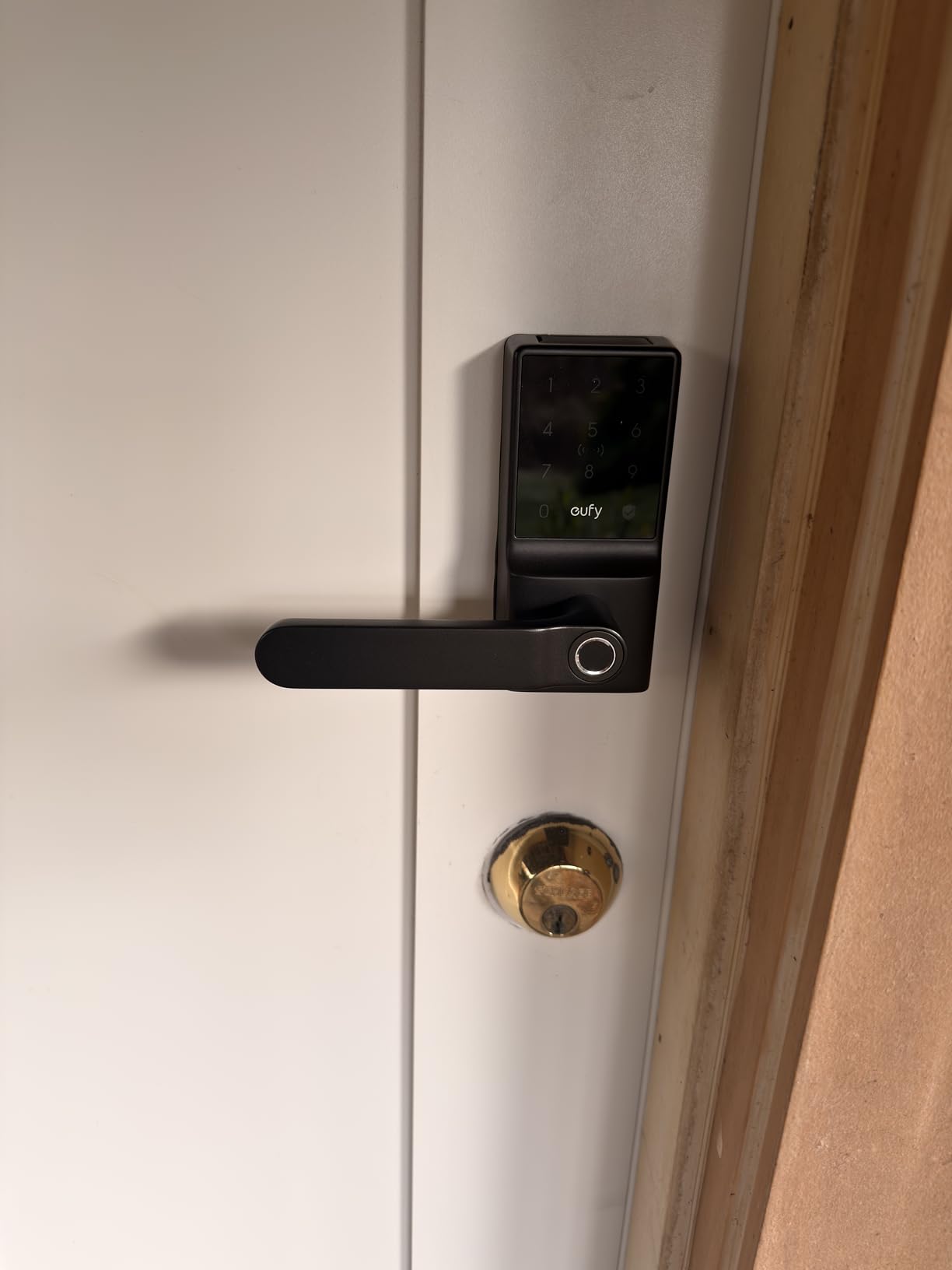
Build quality is the other draw. Owners describe it as feeling like real security hardware rather than a plastic gadget, and the 18-month warranty with 24 hour support runs longer than the coverage on several rival locks. It pairs with Alexa and Google Assistant, and the built-in Wi-Fi means no bridge device.
The weakness owners are most honest about is the fingerprint reader, which they put at roughly four successful attempts in five. That is the difference between a lock you use every day and a lock you end up tapping a code into when you are in a hurry. The reader is also built in, not surface-mounted, so it cannot be swapped if it disappoints you.
The battery and key trade-offs
Eight AA cells powering a Wi-Fi radio is a lot of energy, and owners report the battery life as the weaker half of the package. Plan a replacement rhythm rather than trusting the app to warn you in time, and keep the eight cells organised and identical, because mixing ages is what causes premature shutdowns.
Also note the key. It is thicker than a standard blank, which means you cannot rekey it to match other doors in the house. For a single front door that is an inconvenience; for someone fitting several locks it is a dealbreaker, and it is the one detail to check before ordering.
Who the eufy C33 suits
It suits a household with children, a dog or anyone who arrives with hands full, and anyone who wants the door to lock itself on a timer so nobody has to think about it. It also suits a family already in the eufy Security ecosystem.
It is the wrong pick if fingerprint entry is your only planned method of getting in, and the wrong pick if you want your new lock keyed to the rest of the house. Choose it for the handle and the schedule, and use the keypad as your primary.
9. Tapo Smart Wi-Fi Door Lock DL110 – Best BHMA Grade 2 Security
Tapo Smart Wi-Fi Door Lock, Deadbolt, Fingerprint Recognition, DL110
BHMA Grade 2 certified
Rechargeable 10000 mAh pack
0.42 second fingerprint
Wi-Fi and Bluetooth
100 fingerprints
Pros
- Rechargeable battery that runs about a year
- Grade 2 certification at a modest cost
- Rekeyable Schlage SC1 keyway so it matches your other doors
- Built-in Wi-Fi and Bluetooth with no hub
- USB-C emergency port and two backup keys
Cons
- Keypad stays invisible until touched
- Fingerprint has a slight delay
- No Matter or open API for Home Assistant
- Proprietary battery pack with no replacement yet
The Tapo DL110 stands out in this list for security per dollar, and the 4.5 rating across 799 reviews reflects that. It carries a BHMA Grade 2 certification, which is a genuine step above the Grade 3 units most of the market settles for, and it does it on a lock that does not demand a subscription or a hub.
The rechargeable battery is the detail that changes the ownership experience. A 10,000 mAh pack charges over USB-C and is stated to run about a year, so you are not on a quarterly calendar swapping eight cells. Owners who came from disposable-battery locks describe the change as the reason they stopped thinking about the lock entirely.
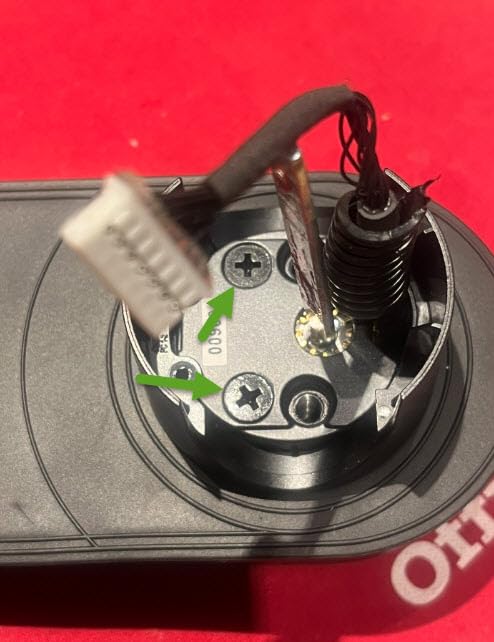
The keyway is Schlage SC1, and the cylinder can be rekeyed to match the other doors in your house. Very few locks in this guide let you do that, and it removes the usual compromise of a front door that no longer takes the same spare key as the back door.
Fingerprint capacity of 100 prints at a stated 0.42 seconds is more than any household needs, and it reads faster than the C33’s handle-mounted reader. There is a rubber gasket on both sides of the deadbolt to protect the door finish, which is the kind of detail that only appears on a lock built for an actual exterior door.
The two compromises to weigh
First, the keypad is invisible until touched. Guests who do not know that will press at a blank panel and assume the lock is broken. It is a small design decision with a disproportionate effect on short-term rentals, and owners raise it repeatedly.
Second, there is no Matter support and no open API, so Home Assistant users will not get local control or access to the lock history. If you run a local-first home, check whether the Tapo integration you would need is still maintained before you commit. The proprietary battery pack is the smaller worry but worth noting: replacements are not yet widely available.
Who the Tapo DL110 suits
It suits a homeowner who wants stronger certification than a Grade 3 lock without moving to the top of the price range, and anyone who would rather recharge than replace batteries twice a year. It also suits a household with an existing Schlage keyway who wants all the doors to share one key.
It is a poor fit for Apple Home users, since the ecosystem support is Alexa and Google only, and a poor fit if you need open API control in a local automation system. Our fingerprint smart lock guide goes deeper on the reader comparisons if that is the deciding factor.
10. Wyze Palm Lock – Best for Contactless Palm Vein Entry
Wyze Palm Lock, Smart Door Lock with Palm Vein Recognition, Keyless Entry Smart Locks for Front Door, Keypad, Auto Lock, Dual Battery, Wi-Fi, Works with Alexa & Google, BHMA, IP53, Mechanical Key
Palm vein recognition
Built-in Wi-Fi
Dual battery with 2-week reserve
USB-C emergency port
IP53 and BHMA3
Pros
- Contactless entry with no finger to press
- Sub-second palm read with no contact pad to smear
- Dual battery keeps a two-week reserve
- Millimeter wave radar saves standby power
- Pairs with Wyze video doorbells
Cons
- Long-term reliability is not yet proven
- 12.71 inch body is tall for some doors
- Best features pull you into the Wyze ecosystem
- Smaller review base than established models
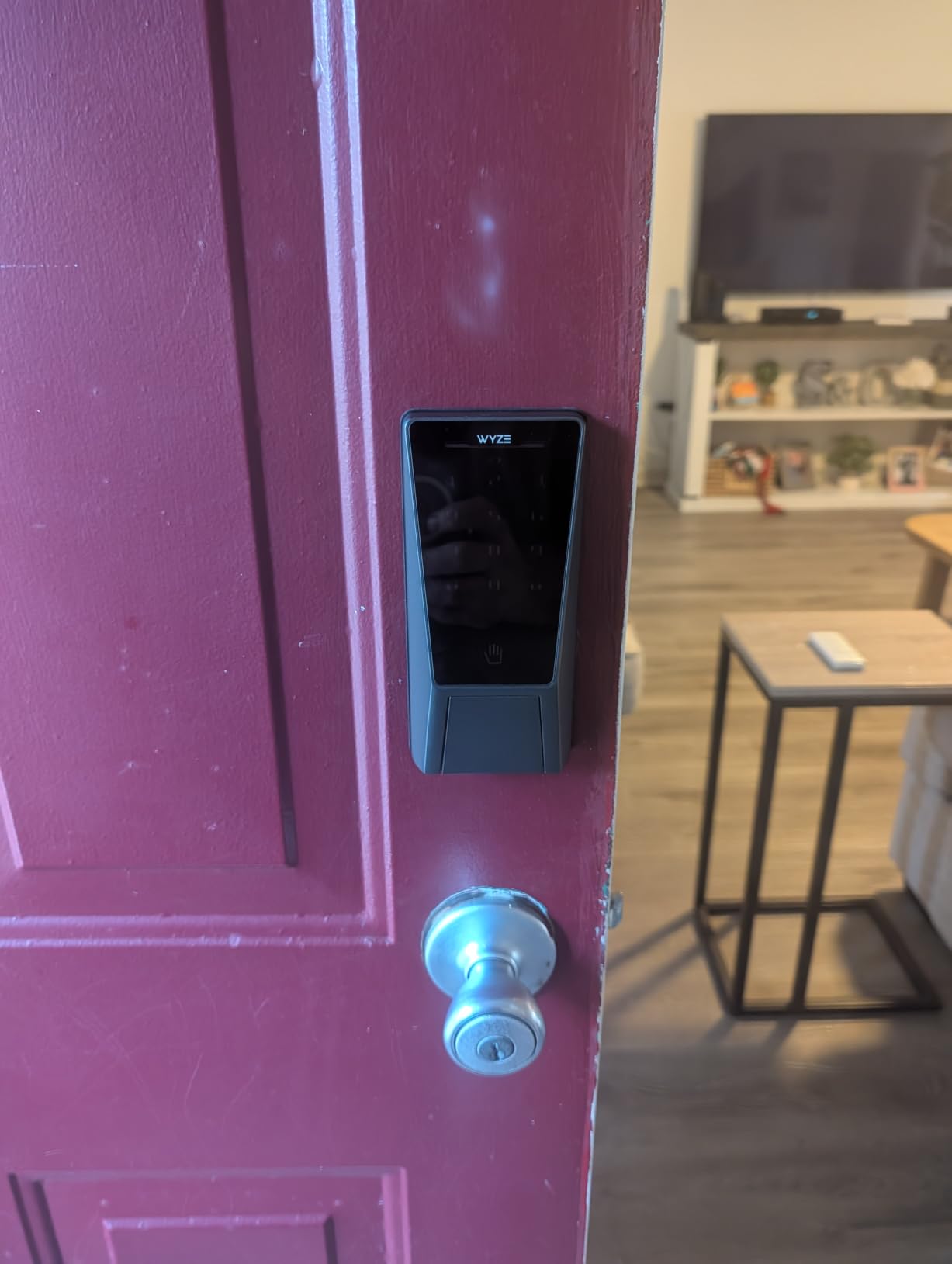
The Wyze Palm Lock takes a different approach to the problem of wet, cold or dirty fingers. Instead of reading a fingerprint, it maps the veins in your palm with a contactless sensor, which is why its 4.6 rating is the highest we saw here. The read is sub-second, you never touch a surface, and a reader that has no contact pad has no surface to smear or freeze.
The power system is the most thoughtful design we saw. A dual-battery arrangement gives roughly six months on the main pack and holds a two-week reserve in the second, so a flat battery gives you a fortnight of warning rather than an evening of anxiety. A USB-C port on the exterior handles the emergency case where both packs are exhausted.
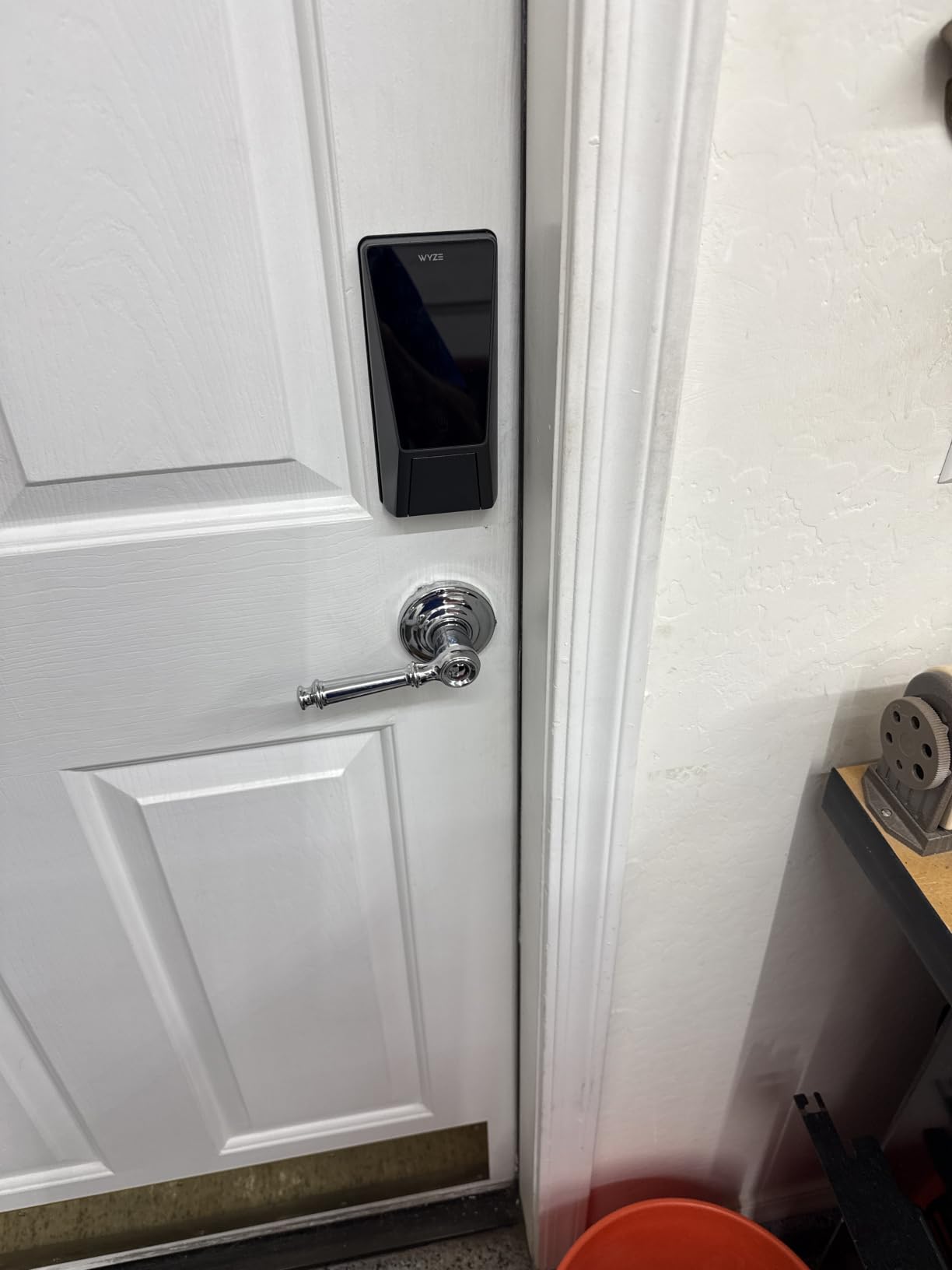
Millimeter wave radar wakes the lock only when someone is actually standing at the door, which is where most of the power saving comes from. A gyroscope handles auto-lock, the anti-peep keypad shows decoy digits, and tamper and door-ajar alerts both go to the app alongside a history of every entry.
Set against that, the caveats are about maturity and size. Palm vein needs a specific hand position, so first-time users need a moment of practice, and the 12.71 inch body is tall enough that it will not suit every door with a tight internal clearance. The 793-review base is also a fraction of the Schlage’s, and newer technology is inherently harder to vouch for over a decade.
What the ecosystem costs you
It pairs with Wyze video doorbells and the wider Wyze camera range, and it works with Alexa and Google Assistant. The trade is the same one every ecosystem lock makes: the best features and the smoothest automations live inside the manufacturer’s own app, and mixing it into a broader system is workable rather than seamless.
It is IP53 and BHMA3 certified, so it is rated for an exposed front door, but a Grade 3 certification sits below the Grade 2 on the Tapo and the Grade 1 on the Schlage. If your front door is on a quiet street with good lighting, that difference rarely matters in practice.
Who the Wyze Palm Lock suits
It suits a household where children, older relatives or gym users constantly defeat a fingerprint reader, and anyone who prefers not to touch a door handle they do not own. It also suits a shared home where several people use the door many times a day, because nothing wears out.
It is the wrong pick for a narrow or unusual door, and the wrong pick if you want a manufacturer with a decade of service history behind the app. Buy it if you want contactless entry and value the two-week battery reserve, and keep a key in the house for the first few weeks until everyone finds their palm position.
How to Choose a Smart Lock for a Front Door
Security grade, connectivity and battery are the three decisions that actually change which lock fits your door. Everything else is preference. Start with these, then narrow by the extras.
ANSI/BHMA grades: what Grade 1 actually means
ANSI/BHMA A156.2 is the residential burglary performance standard, and the grade tells you how much punishment a lock takes before it opens. Grade 3 is the minimum legitimate level and is fine for a well-lit suburban front door. Grade 2 adds a meaningful margin, and Grade 1 is the highest residential rating, tested for harder attacks and longer cycles. On this list the Schlage Encode is the Grade 1 unit, the Tapo DL110 is Grade 2, and the Veise, eufy C220, Aqara and Wyze are Grade 3 or Level 3.
Owners across home security forums repeat the same point, and it is the correct one: the deadbolt matters more than the electronics. A smart lock with a fingerprint sensor wrapped around a flimsy bolt is a nicer keypad attached to a weak door.
Unlock methods and who each one suits
Codes suit households with children and anyone who does not want to hand a phone to a visitor. Fingerprint suits a household with a fixed set of adults who pass through the door many times a day. Phone proximity suits people who never leave without a phone anyway. Voice is a nice-to-have that most owners stop using after the novelty fades, because speaking a code out loud on a doorstep announces that you live alone.
Whatever you pick, insist on a physical key override. Every lock here ships with at least one, and it is the feature owners are most grateful for after their first dead-battery morning.
Wi-Fi, Matter, Zigbee: how to pick connectivity
Built-in Wi-Fi means you are done after one box, which is the case for the Schlage, Tapo, eufy C220, eufy C33 and Wyze. A separate gateway means one more device to power and maintain, which is the arrangement used by the Sifely, Yamiry and Aqara. Z-Wave and Zigbee through a hub gives the deepest automation options and the most stable automations, at the cost of hardware you have to own first.
Matter is the newer standard and only one pick on this list speaks it, the ULTRALOQ Bolt SE. It promises cross-brand compatibility, and you should expect to need a Thread border router for Apple Home anyway. Check your router before buying anything: several of these locks are 2.4 GHz only, and a router broadcasting on 5 GHz alone will not see them.
Battery life, power outages and lockout backup
Stated battery life is a best case. Heavy fingerprint use, a long guest list and a weak signal all shorten it, and the fingerprint and Wi-Fi locks in this group drain faster than the keypad-only options. The Tapo DL110 is the pick here with a rechargeable pack, and the Aqara U100 is the one whose phone credential still works with a flat battery.
Every other lock here survives a power cut because it runs on its own cells, but a cut does not affect a door at all unless the batteries also fail. Learn the emergency entry for your specific lock before you need it: a USB-C port on the exterior face, a 9V battery contact, or the mechanical key. This is a five-minute exercise that removes the most common smart lock panic.
Installation and door compatibility
Measure three things before you buy: door thickness, the backset distance from the door edge to the centre of the lock cylinder, and whether your strike plate is a round or rectangular hole. Lever-handle models also need enough clearance between the handle and the door frame, and the Wyze Palm Lock needs interior space for a tall body.
Retrofit locks sit over an existing single-cylinder deadbolt and are the least disruptive. Full-replacement sets like the Sifely and Yamiry require a standard backset and thickness within the stated range. If you rent, photograph the original hardware and keep the screws, and check whether your landlord needs to approve the change before you fit anything.
Apple Home Key, Matter and smart home ecosystems
Apple Home Key puts a credential in your Wallet so an iPhone or Watch opens the door without waking an app, and the Aqara U100 is the pick that supports it here. If your household is fully Apple, that is worth more than any fingerprint sensor. eufy adds Apple Watch unlock on the C220 without a hub. Google and Alexa support is close to universal on this list and is the least differentiating factor.
The strategic question is whether you want your lock inside an ecosystem or on an open standard. Locks inside an ecosystem get the best automation and the easiest support, and they get limited if you switch brands later. Locks on an open standard are portable and slightly rougher around the edges.
Privacy, encryption and hacking risk
Any lock with a radio is a small computer attached to your front door, so treat it like one. Turn on two-factor authentication for the account, use a unique passcode for the lock rather than reusing a password, and keep firmware current. Bluetooth and Z-Wave connections to a phone are encrypted, and codes are normally transmitted in a form that is not stored in plain text on the device.
Biometrics deserve a separate question. The Aqara U100 keeps fingerprint templates on the lock under local AES encryption, so there is no cloud copy. Where a manufacturer stores prints off-device, the data is normally a mathematical template rather than an image, but it is still data about your body held by a company. Read the privacy policy, and if it is vague, pick the lock that keeps it local.
What smart locks are genuinely bad at
They are worse than a mechanical deadbolt at staying secure through a power and connectivity failure, because more can go wrong. They drain batteries in cold weather, which is when a stuck keypad is most annoying. Fingerprint readers struggle with wet, dirty and very cold fingers, and that is precisely the condition on the days you most need to get in. A timer-based auto-lock can report a door as secure when it is propped open, which is why a door sensor or gyroscope matters more than it sounds.
They also add a permanent account, a cloud dependency and a firmware support obligation that a brass deadbolt never had. None of that makes them a bad idea for most front doors. It does mean you should buy from a manufacturer likely to still be shipping updates in five years, and keep a physical key in the house as the last line of defence.
Frequently Asked Questions
What is the best smart lock for a front door?
The Schlage Encode Smart WiFi Deadbolt is the best smart lock for a front door overall, because it combines the highest residential security certification in this guide with a Wi-Fi radio built into the lock itself, so remote access needs no extra hub. It suits a homeowner who wants codes, an activity log and voice control that keeps working for years.
Which smart door lock brand is best?
It depends on which certification and ecosystem you already have. Schlage and Tapo carry the strongest residential grades and the longest warranty commitments, Aqara and ULTRALOQ lead on Apple Home Key and Matter support, and Veise and eufy lead on installation simplicity. Match the brand to your existing hub rather than starting a new ecosystem for one door.
What are the downsides of smart door locks?
The main drawbacks are battery dependence, connectivity failure, finicky fingerprint readers in cold or wet weather, a closed app ecosystem, and auto-lock timers that report a propped door as secure. A smart lock also adds a permanent account and a firmware support obligation that a mechanical deadbolt never had, so keep a physical key as backup.
Are smart locks safe for the front door?
Yes, as long as the deadbolt behind the electronics is a certified unit. A Grade 1 or Grade 2 ANSI/BHMA lock gives at least the protection of a quality mechanical deadbolt while adding remote control and an access log. Buy on the bolt grade first and the smart features second, and never rely on a fingerprint sensor to compensate for a weak mechanical lock.
What type of lock is most secure for a front door?
A single-cylinder deadbolt is the most secure lock type found on the typical residential front door, because it throws further than a spring latch and cannot be opened with a credit card or a simple pick. A mortise lock is stronger still and appears on older solid wood doors, while a multipoint lock secures several points on a double door. Lever handles alone are for interior doors, not entrances.
Do smart locks work during a power outage?
Almost all of them do, because the lock and the motor run on their own batteries rather than house power, so a cut does not lock you out. What does stop is remote unlock, since internet control needs power and a connection somewhere else. Charge or replace the batteries before an outage and learn the emergency entry method for your model.
Will a smart lock fit my existing front door?
Most retrofit deadbolts fit a standard single-cylinder door, but you must check three measurements first: door thickness, the backset from the door edge to the cylinder, and whether the strike plate hole is round or rectangular. Lever-handle sets need a wider backset and more frame clearance, so measure before ordering rather than after.
The Bottom Line: Which Smart Lock Should You Buy
If you want one recommendation and no further reading, take the Schlage Encode Smart WiFi Deadbolt. It is the only lock here that pairs a Grade 1 deadbolt with a Wi-Fi radio inside the lock, it carries one of the longest warranty commitments of anything on this list, and it does not require you to buy a hub before the first day of use. For most front doors and most households, that is the right balance of security, reliability and convenience.
Pick something else when the door, not the lock, decides it. Choose the ULTRALOQ Bolt SE if you want the widest set of unlock methods and Matter support, the Aqara U100 if your household lives in Apple Home and you want local biometric encryption, the Tapo DL110 if you want stronger certification with a rechargeable battery, the eufy C220 if Apple Watch unlock matters, and the eufy C33 if the lever handle and night schedule solve a daily routine problem. The Sifely and Yamiry handles are the ones to buy when you hand out access to people you have not met.
Choose the Veise KS02B if you do not want a lock on the internet at all, and the Wyze Palm Lock if contact-free entry is worth more to you than a decade of app history. Whatever you settle on, measure the door first, keep a physical key in the house, and learn the emergency entry before you need it. That is the complete shortlist of the best smart locks for front doors in 2026, and the measuring tape will tell you more than any spec sheet.