
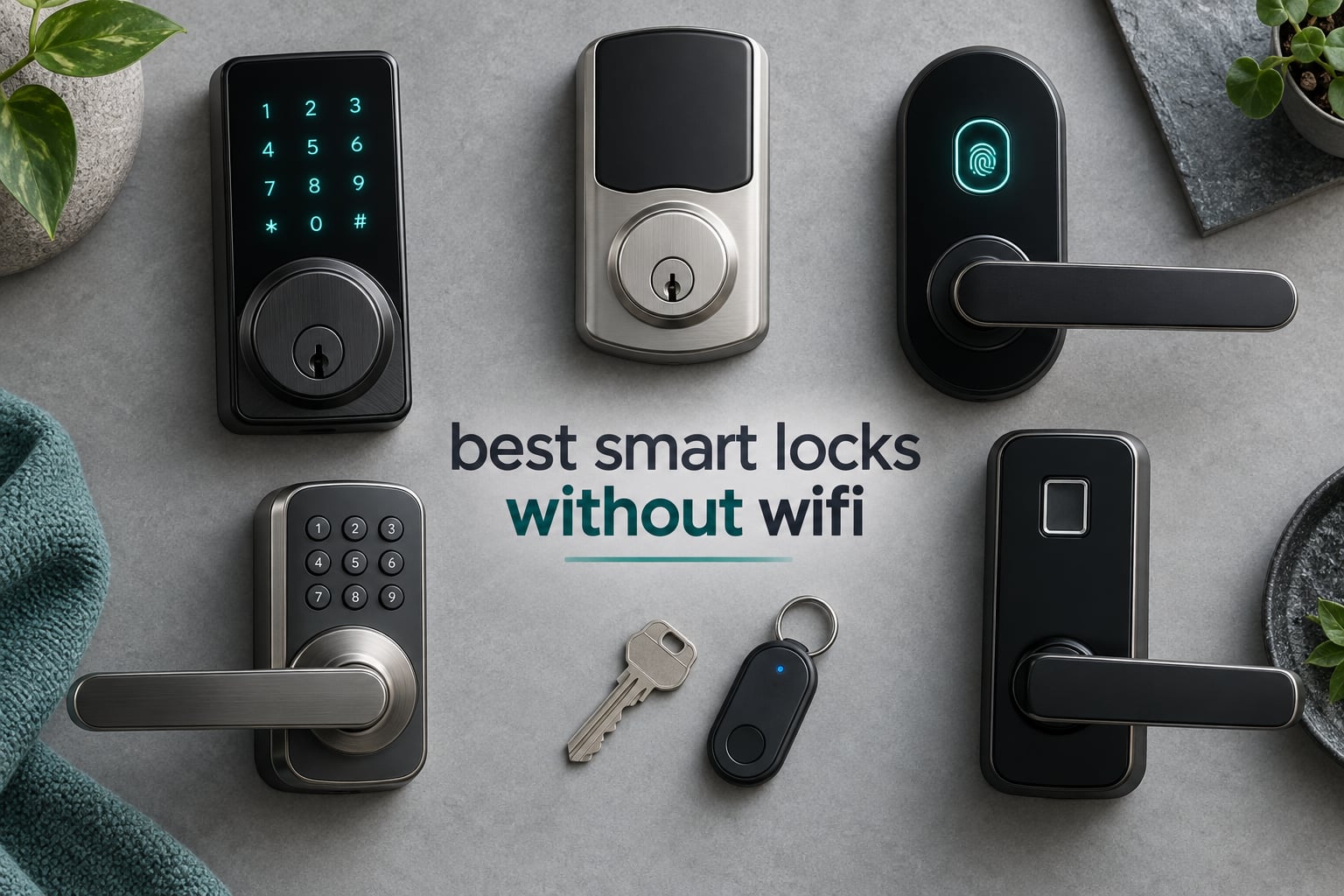
Yes, smart locks can work without WiFi. The best smart locks without WiFi are standalone digital keypads and biometric deadbolts that rely on local codes or physical keys instead of a network connection. That single sentence answers the question most people arrive with, and it is worth sitting with, because the phrase “smart lock without WiFi” covers three very different machines that people constantly mistake for one product category.
Some of these locks have no radio at all. You type a code, you turn a knob, you go inside. Others pair with your phone over Bluetooth and unlock when you are standing at the door, with no hub anywhere in the house. A third group speaks Z-Wave, Zigbee or Matter over Thread to a hub instead of your router, which is why they keep working on a night when the internet is dead and the router is rebooting. We ranked ten of them, and every lock below still opens your door when the network does not exist.
How we picked: we compared the ten locks on connectivity architecture first, because that is the whole question here, then on the number of ways to unlock, physical key backup, battery claim, weather rating, door fit, and warranty. Specs come from the current manufacturer listings and from the volume of owner feedback behind each product. We have not installed all ten in a single test house, and we would rather say that plainly than pretend otherwise. If you want the broad view of keyless entry before you narrow down, our guide to the best smart locks for keyless entry is a good place to start, and our picks for the best fingerprint smart locks for front doors goes deeper on the biometric side.
This roundup was updated for 2026. Prices change constantly, so every product below links to a live listing rather than quoting a figure that will be wrong by next week.
Table of Contents
Top 3 Picks for the Best Smart Locks Without WiFi in 2026

TEEHO TE002 Fingerprint…
- No radio at all
- fingerprint plus keypad plus key
- BHMA Grade 3
- 365 day battery claim

Kwikset Aura Bluetooth…
- 250 scheduled codes
- BHMA Grade AAA
- Bluetooth app in range
- SmartKey rekeying

Kwikset SmartCode 260 Keypa…
- Grade 2 BHMA
- 50 codes plus 10 one-time
- 12 month battery
- no app needed
Best Smart Locks Without WiFi in October
| Product | Specs | Action |
|---|---|---|
| TEEHO TE002 Fingerprint Deadbolt |
|
Check Latest Price |
 samtechT S Bluetooth Handle Lock samtechT S Bluetooth Handle Lock |
|
Check Latest Price |
 Yamiry YR01 Smart Handle Lock Yamiry YR01 Smart Handle Lock |
|
Check Latest Price |
 Veise RZ07 Fingerprint Deadbolt Veise RZ07 Fingerprint Deadbolt |
|
Check Latest Price |
 Veise KS02A Fingerprint Keypad Deadbolt Veise KS02A Fingerprint Keypad Deadbolt |
|
Check Latest Price |
| Kwikset Aura Bluetooth Keypad Deadbolt |
|
Check Latest Price |
 DESLOC B200 Fingerprint Deadbolt DESLOC B200 Fingerprint Deadbolt |
|
Check Latest Price |
 GHome K10PRO Fingerprint Door Knob GHome K10PRO Fingerprint Door Knob |
|
Check Latest Price |
 Schlage BE365 Keypad Deadbolt Schlage BE365 Keypad Deadbolt |
|
Check Latest Price |
| Kwikset SmartCode 260 Keypad Deadbolt |
|
Check Latest Price |
What Counts as a Smart Lock Without WiFi
Most roundups on this topic get it wrong, and they get it wrong in a specific way: they list locks whose own product names contain the word WiFi, then reassure the reader that the lock still works offline. That is true and it is beside the point. If the only way to change a code or see who came in is through a cloud server, you do not have a lock that works without WiFi. You have a WiFi lock with a fallback keypad bolted on.
So here is the rule we used. A lock qualifies for this list if all four of these are true:
You can unlock the door, every single time, with no internet connection, no router, and no account on a server somewhere.
The lock is battery powered, so a power outage does not lock you out.
A physical key, a mechanical knob, or a fixed keypad is part of the design, not an afterthought.
If a phone app or hub is involved, it adds remote features rather than being required for entry.
Under that rule, popular locks that come up constantly in searches for this topic do not belong here. The Schlage Encode and Encode Plus, the Yale Assure Lock 2 in its WiFi configuration, the August WiFi smart lock, the Tapo WiFi deadbolt, and the Philips WiFi keypad deadbolt all put a radio on your door that expects to reach the internet. They are excellent products. They are not this article. One of the three ranking pages we studied for this piece used WiFi models as its top two picks, which is why we are stating the rule in public.
Three tiers, and why the difference decides everything
Tier one: fully standalone. No radio, no Bluetooth, no app, no hub. A code, a fingerprint reader, or both, and a mechanical key on the inside of the door. This is the only tier that is completely immune to every failure mode a network can produce, and it is also the only tier with nothing to update, nothing to pair, and nothing that can fail because a phone is in another room. If you want a smart lock that works with the internet physically cut, this is the honest answer.
Tier two: Bluetooth in range. Your phone talks to the lock over Bluetooth when you are standing at it. No hub is required for the core job of getting you in. What you give up is everything that happens when you are not at the door: handing a guest a code from the airport, seeing whether the dog walker arrived, unlocking a family member who is stuck outside in the rain. Some of these locks include a gateway port so you can add remote access later.
Tier three: hub protocol. Z-Wave, Zigbee, or Matter over Thread. The lock talks to a low-power mesh radio in your home, and a hub handles the traffic instead of your router. These survive an internet outage better than WiFi locks do, because the hub is local. They are the answer for Home Assistant, SmartThings, or HomeKit users who want automations without putting their door on the same WiFi network as their streaming devices.
One honest note on coverage: none of the ten locks we ranked sit in tier three. The locks we could verify in the category are standalone keypads and Bluetooth-range locks, and we would rather tell you that than pad the list with a product whose specs we could not confirm. The tier-three landscape is real, and we cover what to look for in the buying guide below. On the Home Assistant community forum, a user replacing an aging Z-Wave lock named the Kwikset Aura Reach, a Matter-over-Thread lock with built-in Bluetooth and a physical key, as the option that met the no-WiFi requirement, and r/HomeKit users report running a Schlage Sense without a hub at all when it sits near an existing Apple TV. Those are the products tier three looks like, and they are worth a dedicated look if you already run a hub.
1. TEEHO TE002 Fingerprint Deadbolt: the best all-round offline lock
TEEHO TE002 Fingerprint Deadbolt with Keypad for Front Door, Matte Black
Nonconnected, no radio
20 fingerprints, 20 passcodes, 2 keys
BHMA Grade 3, IP54
Fits 2-1/8 inch door holes
Pros
- Four unlock methods including one-time PINs
- 0.3 second fingerprint recognition
- Tool-only install with no drilling
- Auto-lock adjustable 10 to 99 seconds with one-touch locking
- BHMA Grade 3 with IP54 weather resistance
Cons
- Auto-lock delay sometimes resets to the minimum setting
- Programming sequences are long for new owners
- Build feels light compared with commercial hardware
- No manual interior bypass button
The TEEHO TE002 is the lock I kept coming back to during this comparison, and it is the one I would hand to a friend who asked me to choose for them without explaining anything. There is no radio in it. The manufacturer lists the connectivity protocol as nonconnected, which sounds like a missing feature until you realise it is the entire point: nothing to pair, nothing to update, nothing to go dark.
Entry runs four ways. You can register up to 20 fingerprints and 20 passcodes, and two physical keys are included in the box. The sensor reads a print in about 0.3 seconds and the bolt moves in roughly a second, which is fast enough that nobody queues behind you in the rain. One-time PINs delete themselves after a single use, which is the feature that makes it workable for a contractor or a guest.
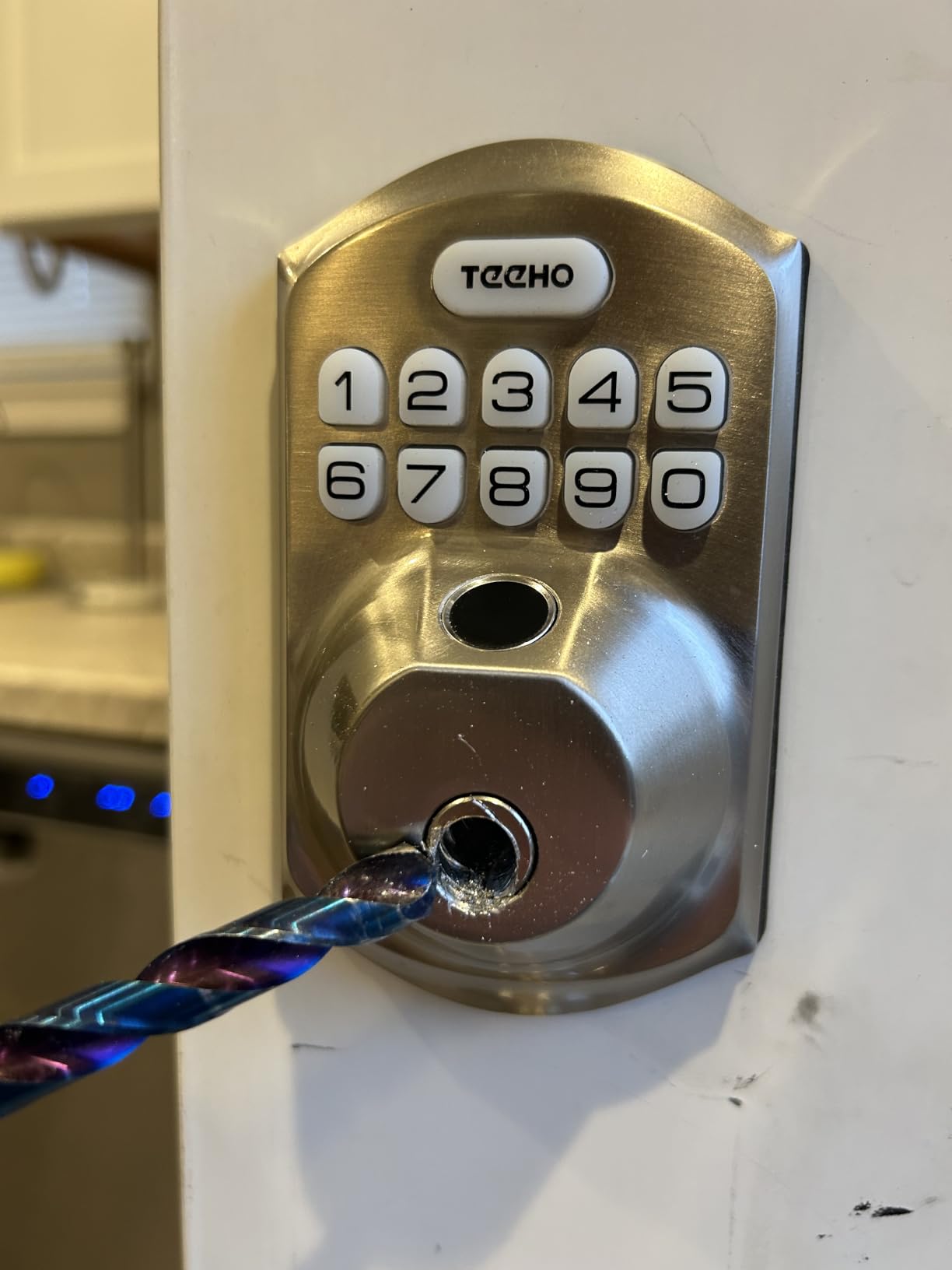
Owner feedback is unusually consistent for a product like this. People praise the install, the fingerprint reliability and the ability to hand out several codes without handing out keys. On a standard US door with a 2-1/8 inch hole, installation is a screwdriver job with no drilling, which matters more than it sounds if you are swapping hardware on a door you do not own outright.
Auto-lock is adjustable from 10 to 99 seconds and one-touch locking gives you a single press on the interior button. Silent mode and away mode cover the two situations everyone actually hits: a house with a sleeping child, and a house where you do not want a guest wandering in. The lock carries BHMA Grade 3 certification and IP54 weather resistance, so it is rated for an exposed exterior door rather than a sheltered porch.
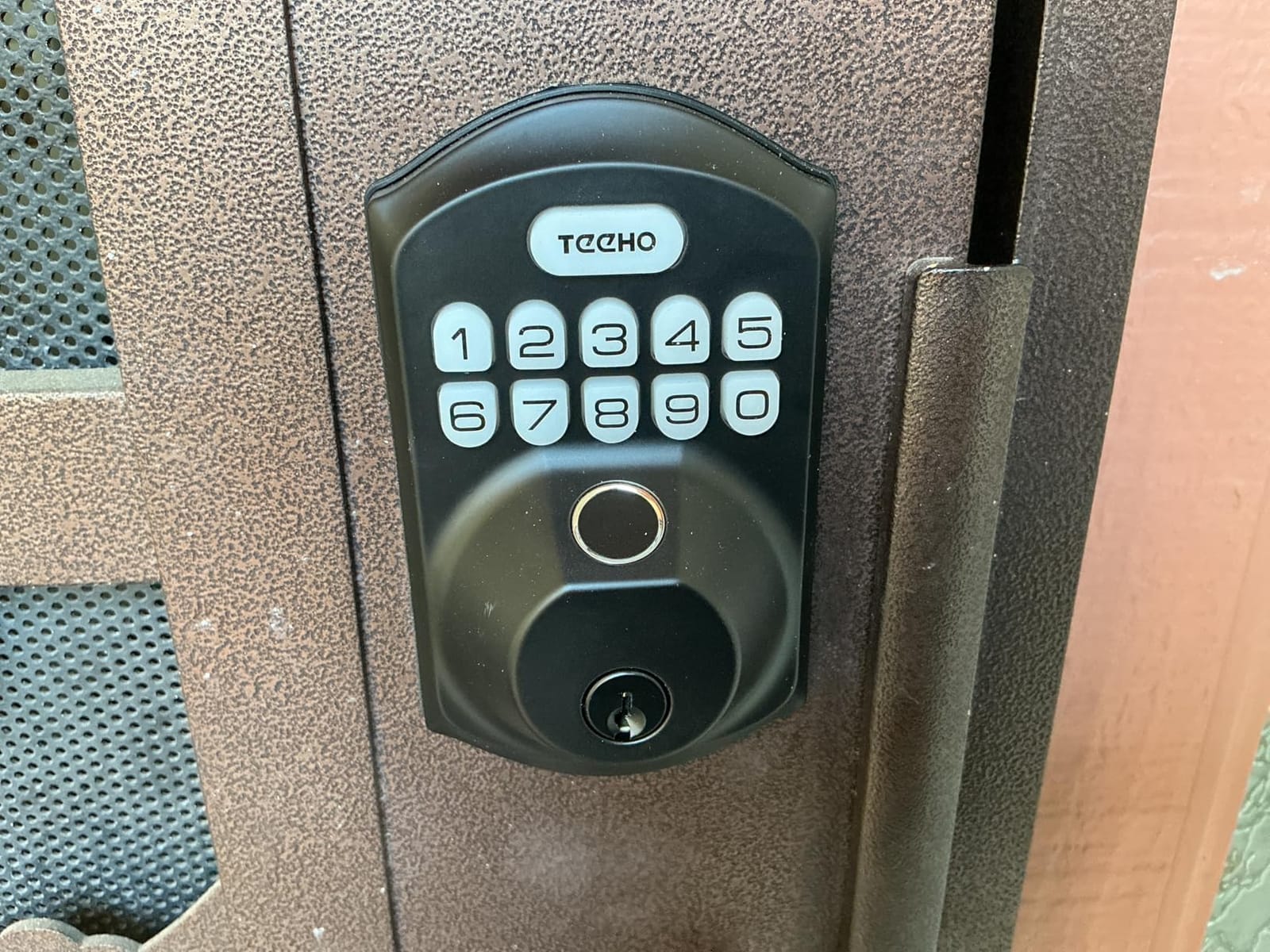
Is the battery claim realistic for an exterior door
The claim is up to 365 days on four AA batteries, with a low-battery indicator. Owners in the review set generally report solid battery life on AA cells rather than a lock that eats them in a season. Fingerprint readers do cost more power than a bare keypad, so treat the year as a good figure under normal family traffic rather than a guarantee. Swap the cells when the indicator tells you to, not when you remember to.
Where owners report trouble
The most common complaint is that the auto-lock delay sometimes resets to the minimum setting instead of the one you chose, which means the door can sit unlocked longer than you intended. Programming sequences are long and take practice, and because there is no app, everything happens on the keypad itself. Two hardware notes: the build feels light and thin next to heavy commercial door hardware, and there is no manual interior bypass button for relocking quickly when you step out.
2. samtechT S Bluetooth Handle Lock: for doors that want a lever, not a deadbolt
Bluetooth Fingerprint Smart Lock with Handle & Keypad – Fits Most US Doors, DIY Install, Keyless Entry: Code, FOB, Auto-Lock. Ideal for Home, Airbnb, Rental, Kids, Seniors. Alexa & Google Compatible
Bluetooth in range, gateway optional
Lever and handle set, not a deadbolt
Six unlock methods
Fits doors 1-3/8 to 2-1/4 inch
Pros
- Six unlock methods including fob and app
- Works on both knob and lever style doors
- Access history in the app
- Auto-lock and one-touch locking
- Installs with a screwdriver on standard US doors
Cons
- No manual interior thumbturn
- App control only works within a few feet
- Some owners report the latch bolt jamming
- Interior handle can foul a storm door
Most of the locks in this roundup are deadbolts, which makes this one useful. The samtechT S is a full handle set with a lever and a fingerprint reader, so it replaces a knob rather than sliding into the narrow hole a deadbolt needs. For a garage side door, a back door with a storm door screen, or an interior office door, that is the difference between a fifteen-minute job and a trip to the hardware store.
Entry runs six ways: fingerprint, keypad, fob, passcode, app, and a physical key. The app connection is Bluetooth and works when you are at the door, so the core function is genuinely offline. Alexa and Google compatibility are listed, and those features depend on adding a gateway rather than the lock reaching out to the internet itself. That is exactly the pattern we look for: remote access as an upgrade, not a requirement.
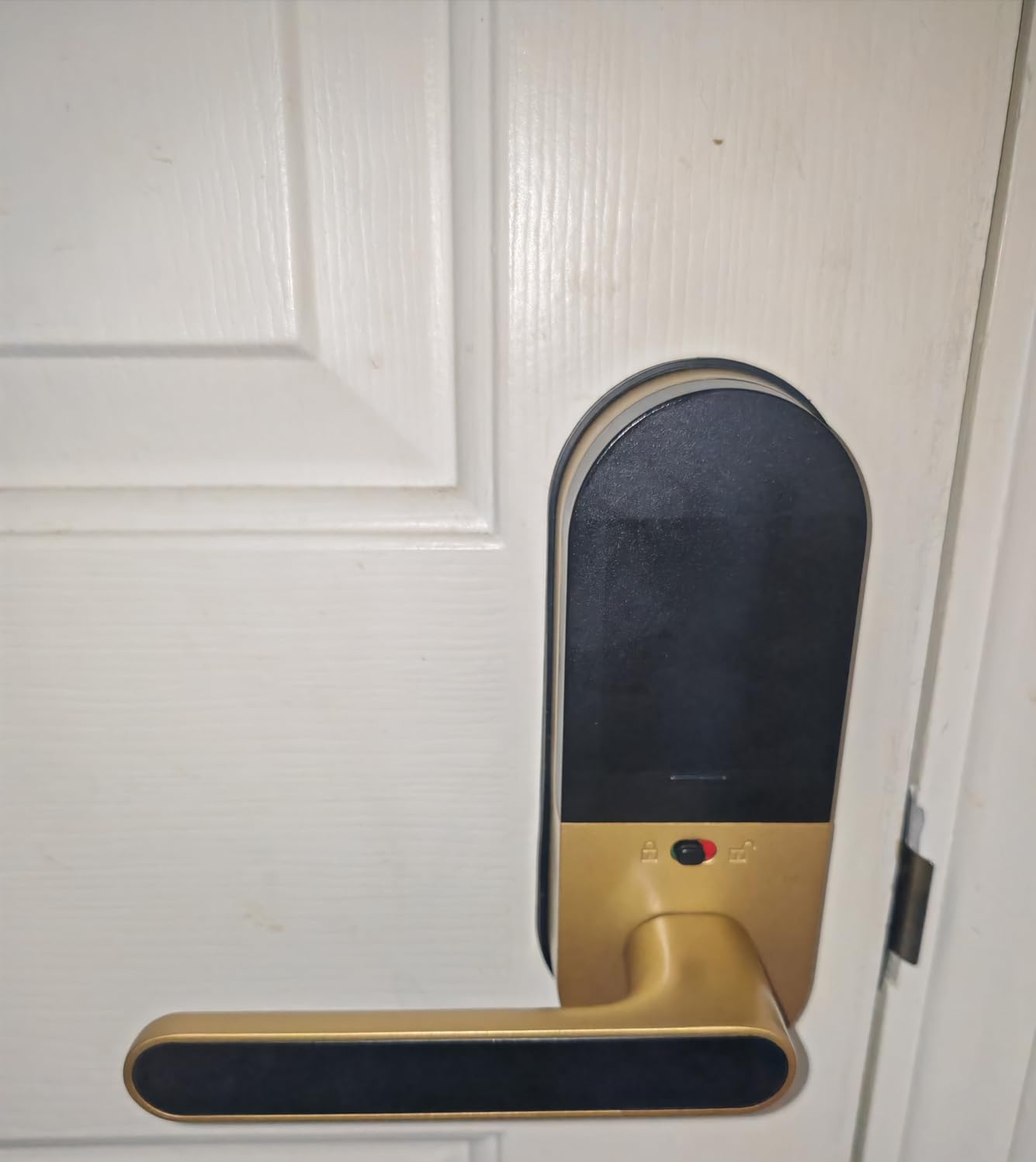
The fitting range is the practical headline. Doors from 1-3/8 inch to 2-1/4 inch thick are covered, and the installation is a screwdriver with no drilling. Permanent, one-time, and time-limited codes are all creatable from the app, which is why owners running short-term rentals keep coming back to this one. The review summary on this product is consistent: people like the breadth of entry options, the quick fingerprint reads, and the ability to hand out named or temporary codes for family and guests.
Access history in the app records who came in and when, as long as your phone is nearby. Auto-lock and one-touch locking handle the closing-up moment, which is when a door is most often left standing open.
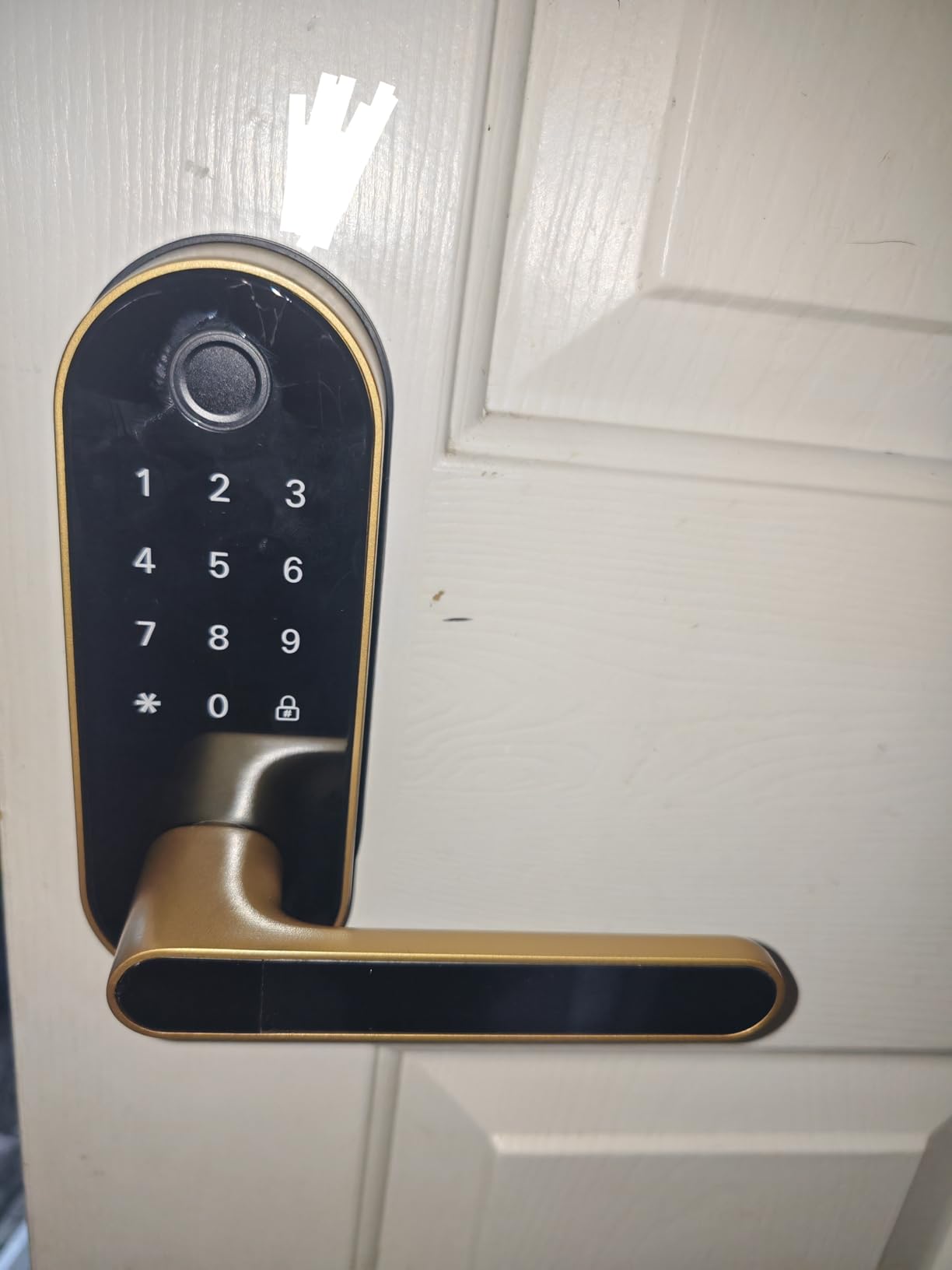
Check your interior clearance before ordering
The most common install surprise with any handle set is the inside of the door. Check that the lever and interior escutcheon clear the frame when the door is open, and that they will not foul a storm door or a screen door if you have one. Because the interior is a lever assembly rather than a compact thumbturn, the clearance requirement is stricter than it is on a deadbolt. Measure the backset and the door thickness before the box arrives, not after.
What you trade away for a handle set
There is no manual interior thumbturn, so locking from inside means reaching for the keypad or the app, which is a step backwards for anyone who wants to leave and slam. App control only functions within a few feet of the door over Bluetooth, by design. Some owners report the latch bolt assembly jamming after extended use, and the app features such as passage mode and privacy mode add a layer of menus that some buyers find more than they wanted.
3. Yamiry YR01 Smart Handle Lock: reversible handle, quick swap
Smart Door Handle Lock with Keypad, Yamiry Fingerprint Knob for Front Door
Bluetooth app in range
6-in-1 unlocking including fob
Reversible handle, no drilling
About 10 minute install
Pros
- Six unlock options from fingerprint to mechanical key
- Reversible handle works on either handing
- About 10 minute drill-free install
- Permanent and temporary passcodes in the app
- Unlock records suit landlords and property managers
Cons
- Alexa voice unlock needs a separately sold gateway
- Handles can hit tight door clearances
- Code changes through the app need the lock nearby
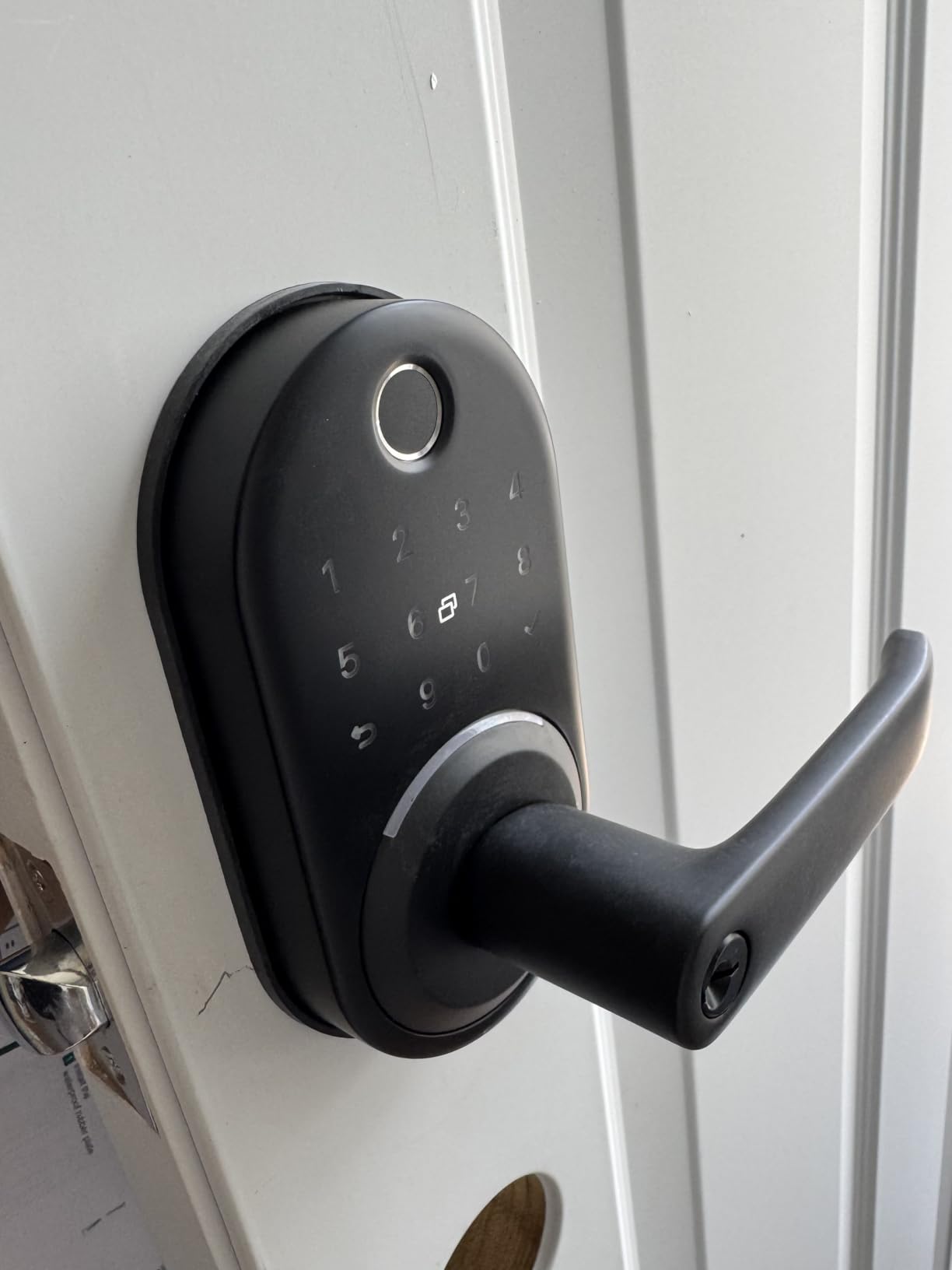
The Yamiry YR01 solves a problem that quietly ruins a lot of hardware swaps: handing. The handle is reversible, so the same unit fits a door where the hinges sit on either side. If you are fitting locks to several doors across a rental and the handing is not consistent, or if you are replacing hardware on a door you cannot easily re-hang, that single design choice removes an entire category of returns.
Entry is six-way: fingerprint, Bluetooth app, passcode, key fob, mechanical key, and Alexa voice unlock. That last one needs a separately sold WiFi gateway, and the manufacturer is clear about it. Everything else, including the fingerprint reader, the keypad, the fobs, and the key, works with no network at all. Two fobs and two mechanical keys are included, along with an adjustable latch.
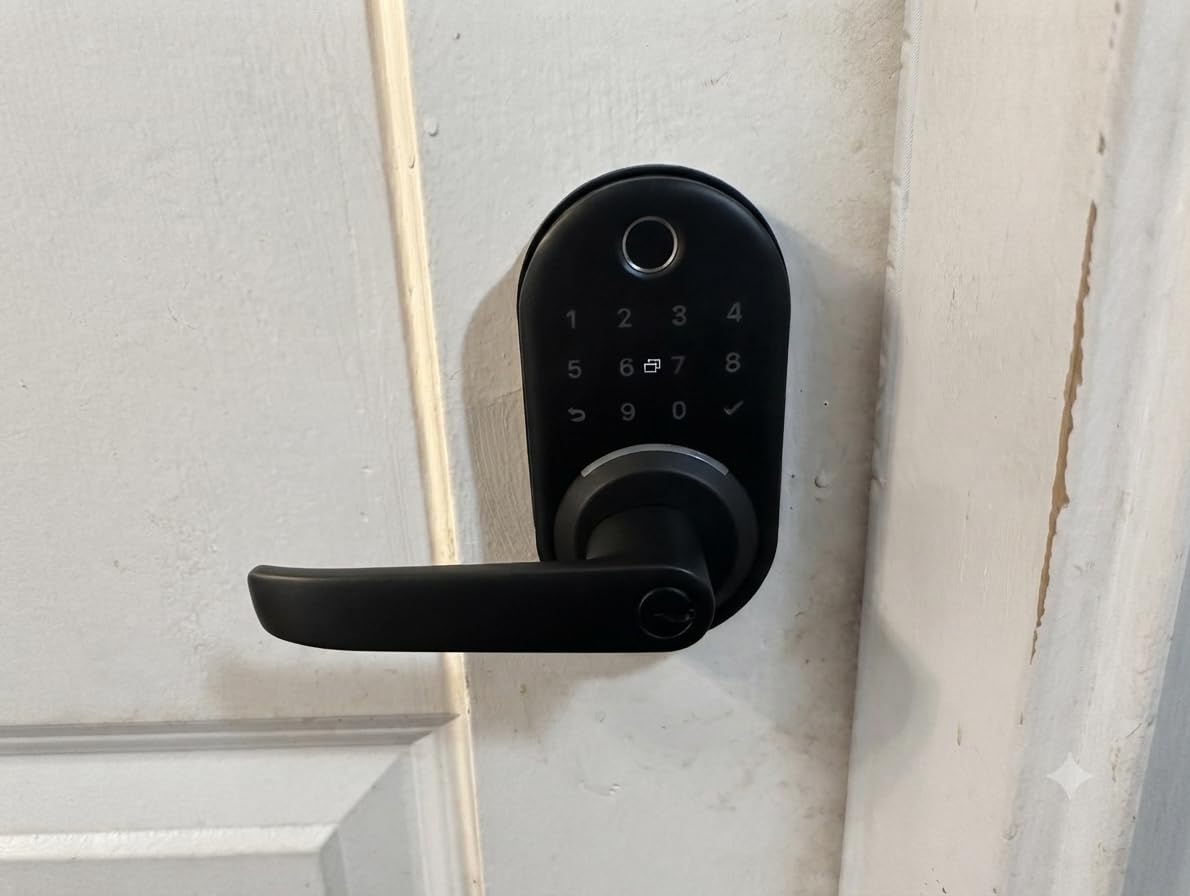
Installation is listed at about ten minutes on most standard American wooden doors with no drilling, which matches what owners report. The app handles permanent and temporary passcodes and keeps an unlock record, and the review data on this product shows a strong concentration of short-term rental and multi-door landlords. That is not a coincidence. Managing four or five doors that you cannot reach quickly is precisely the situation where a no-WiFi lock with local code entry makes sense, because the code still works on a door that has no signal at all.
Build is stainless steel and zinc in matte black, and the listed dimensions are 5.5 by 2.95 by 0.79 inches, so it sits flat against the door rather than standing proud of it.
When this is the right pick for a rental
If you are turning a property between guests, the combination that matters is temporary codes plus a fob plus a mechanical key. The temporary code expires on its own, the fob is handed over and taken back, and the key covers the moment the batteries die. Bluetooth proximity means code changes happen at the door, which suits a host setting a lock up before a guest arrives and a tenant who is not going to install anything.
The clearance catch
Two limitations decide whether this works for you. Alexa voice unlock requires a gateway sold separately, so treat voice as a paid upgrade. And the handle can run into tight clearances depending on the door and the frame, so the same measurement advice applies as with any handle set: open the door fully and check the swing before you commit. App-based code changes also need the lock in Bluetooth range, which is fine on a property visit and a limitation if you hoped to revise codes from the couch.
4. Veise RZ07 Fingerprint Deadbolt: the deepest access management without a hub
Veise RZ07 Fingerprint Smart Door Lock Deadbolt, App Control, Matte Black
Bluetooth plus web portal
50 fingerprints, 250 plus codes
ANSI and BHMA Grade 3, IP55
Up to 12 months battery
Pros
- Seven unlock paths including eKey sharing
- 0.2 second self-learning fingerprint for 50 prints
- App and web portal with no monthly subscription
- Grade 3 certification and IP55 weather resistance
- Customer support widely praised
Cons
- Tinted keypad is hard to read in bright sunlight
- Bluetooth app connection is sometimes flaky
- Battery readout can sit at 100 percent for long stretches
- Finger placement is pickier than a phone sensor
Of the Bluetooth locks here, the Veise RZ07 has the deepest access management, and for anyone running a rental or managing a small property that matters more than fingerprint speed. The app and a separate web portal handle users, eKeys, and access logs, and there is no monthly subscription attached to any of it. The vendor lists support for 250 or more user codes, which is far beyond what a household needs and well matched to a contractor who changes crews every few weeks.
The reader is described as 0.2 second self-learning recognition for up to 50 fingerprints. Seven unlock paths are listed: fingerprint, app, web portal, fob, code, eKey sharing, and a mechanical key. Two keys and two IC cards come in the box. The lock is rated ANSI and BHMA Grade 3 with IP55 weather resistance and a battery claim of up to 12 months.
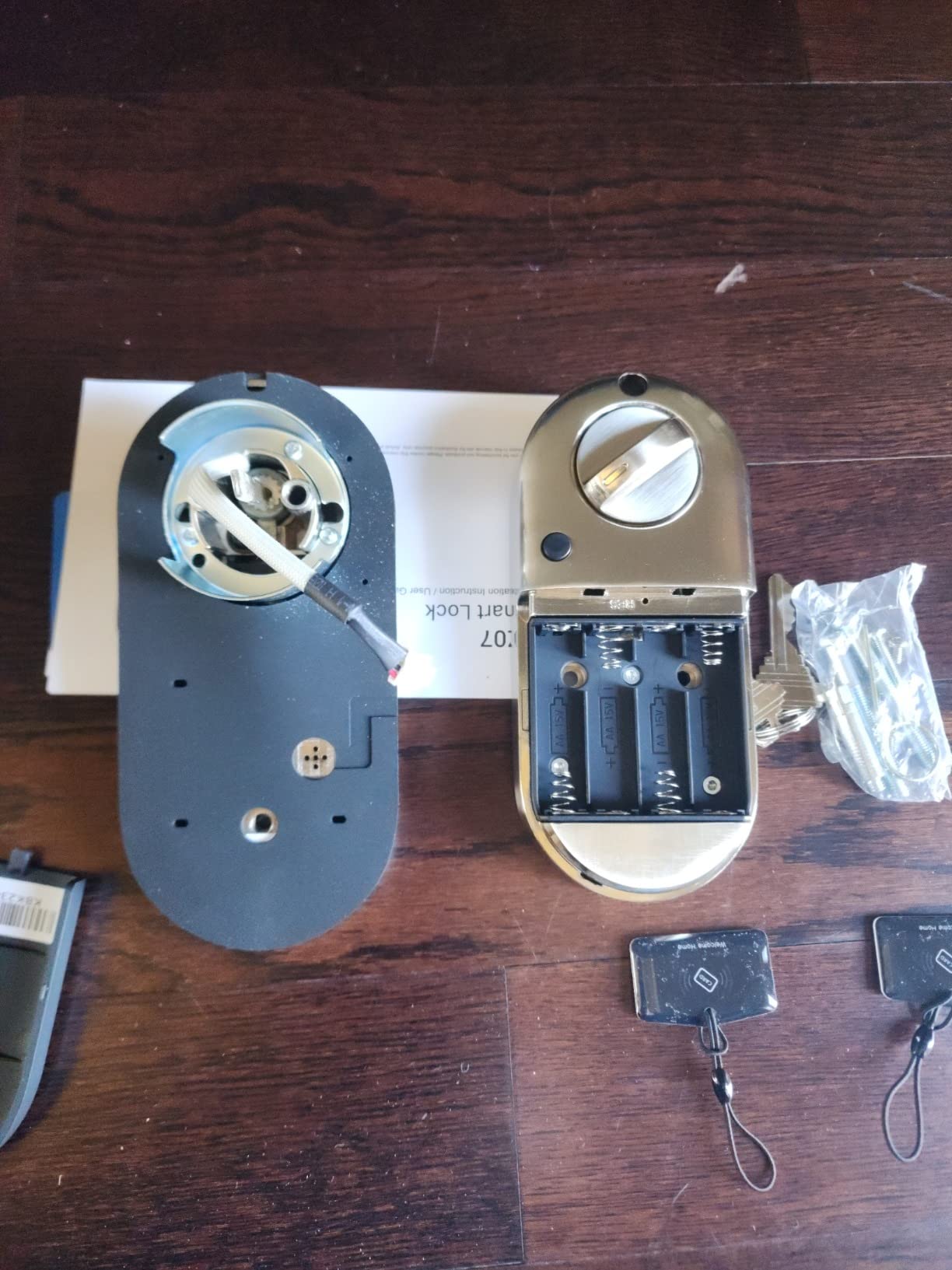
Owner feedback is warm on value, straightforward installation, and the richness of the code management, particularly expiring codes for tradespeople. Support is singled out too, including replacements granted outside the warranty window, which is worth knowing when you are weighing a brand with a shorter hardware track record. The warranty is one year plus a free extension on registration, and the listed dimensions are 6.3 by 2.96 by 1.15 inches.
One structural point for anyone evaluating this for a no-WiFi brief: the listing is explicit that the Veise G2 WiFi gateway is required for remote features and for Alexa and Google. Without it, you are running a Bluetooth lock that works from the app at the door. That is a legitimate no-WiFi setup. It is not a remote unlock.
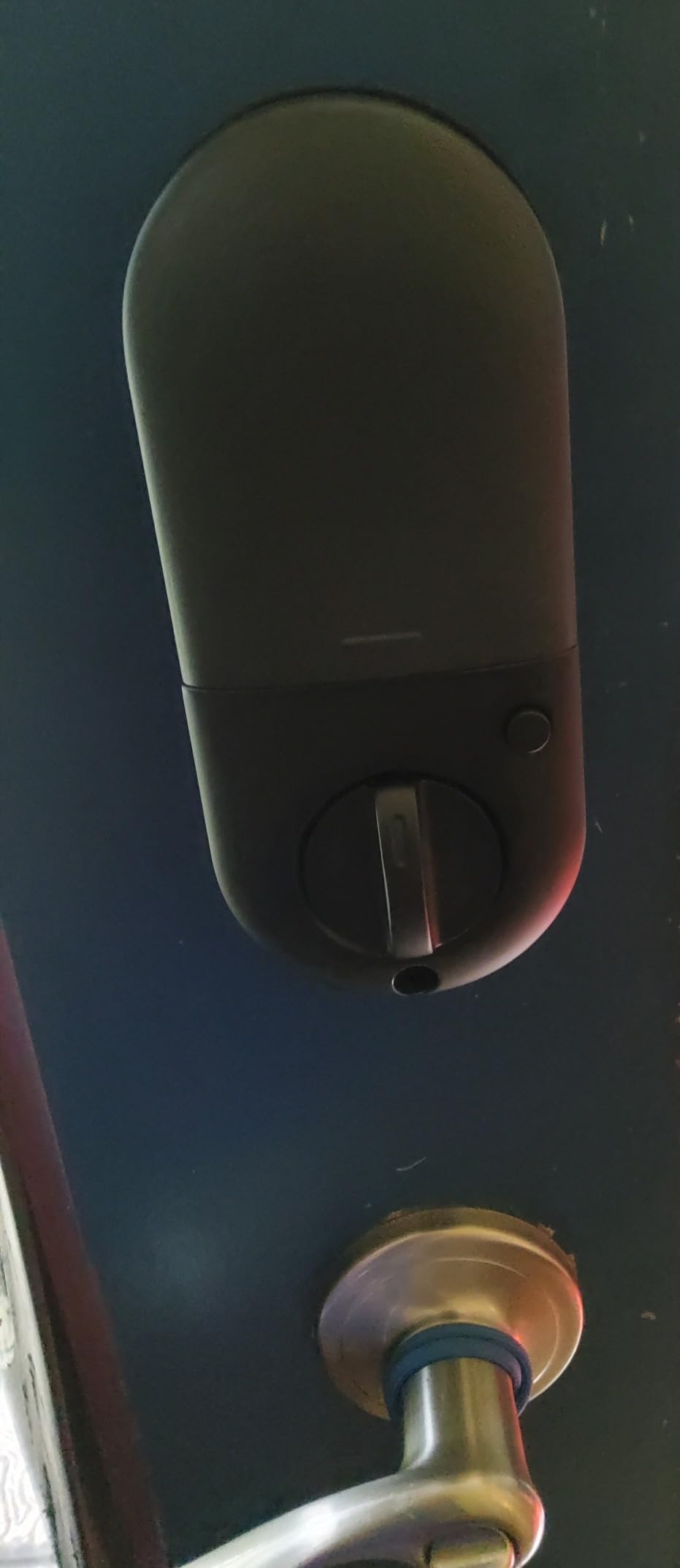
Reading the keypad in real daylight
The single most repeated complaint on this product is the tinted touch keypad, which owners say is hard to wake and hard to read in direct sun. If your door faces south or west with no shade, this is worth thinking about before you buy. You can still use the fingerprint reader or the mechanical key, so it is an inconvenience rather than a blocker, but anyone whose main plan is to type a code at noon will notice it.
App reliability is the thing to watch
Reviewers report that the Bluetooth connection to the app is sometimes flaky and needs retries, and that the battery level readout in the app can sit at 100 percent for long stretches, so do not treat that number as a fuel gauge. The fingerprint scanner is also pickier about finger placement than a phone sensor. A small number of owners report motor failures after long-term use. If you need the keypad in bright sun, or you need the app to be reliable from a driveway, read the alternatives in this list before you commit.
5. Veise KS02A Fingerprint Keypad Deadbolt: the budget offline workhorse
Veise KS02A Fingerprint Door Lock, Keypad Deadbolt, Matte Black
Nonconnected, no app
0.2 second fingerprint for 20 prints
365 day battery on 4 AA
Grade 3, IP54, -31F to 158F
Pros
- Fully standalone with no app or subscription
- 0.2 second self-learning fingerprint
- Anti-peep code disguises the real PIN
- Interior knob operates in about 1 second
- 15 minute install with hand auto-detection
Cons
- Panels must be kept vertical during installation
- No app or remote access of any kind
- Programming is done at the keypad and takes practice
The KS02A is the most straightforward route into a genuinely offline smart lock, and it is the pick I keep coming back to for anyone who has been burned by a network-dependent lock. The connectivity protocol is listed as nonconnected. There is no app to install, no account to create, and no server that can be shut down by a company that loses interest in the product line.
What you get instead is a fast reader. The self-learning chip reads a registered fingerprint in 0.2 seconds for up to 20 prints, and the interior knob locks or unlocks in about a second without touching a phone. There are 20 passcodes plus one-time guest codes that delete themselves after use, and an anti-peeping function that adds extra digits to disguise the real PIN from someone standing behind you at the door.
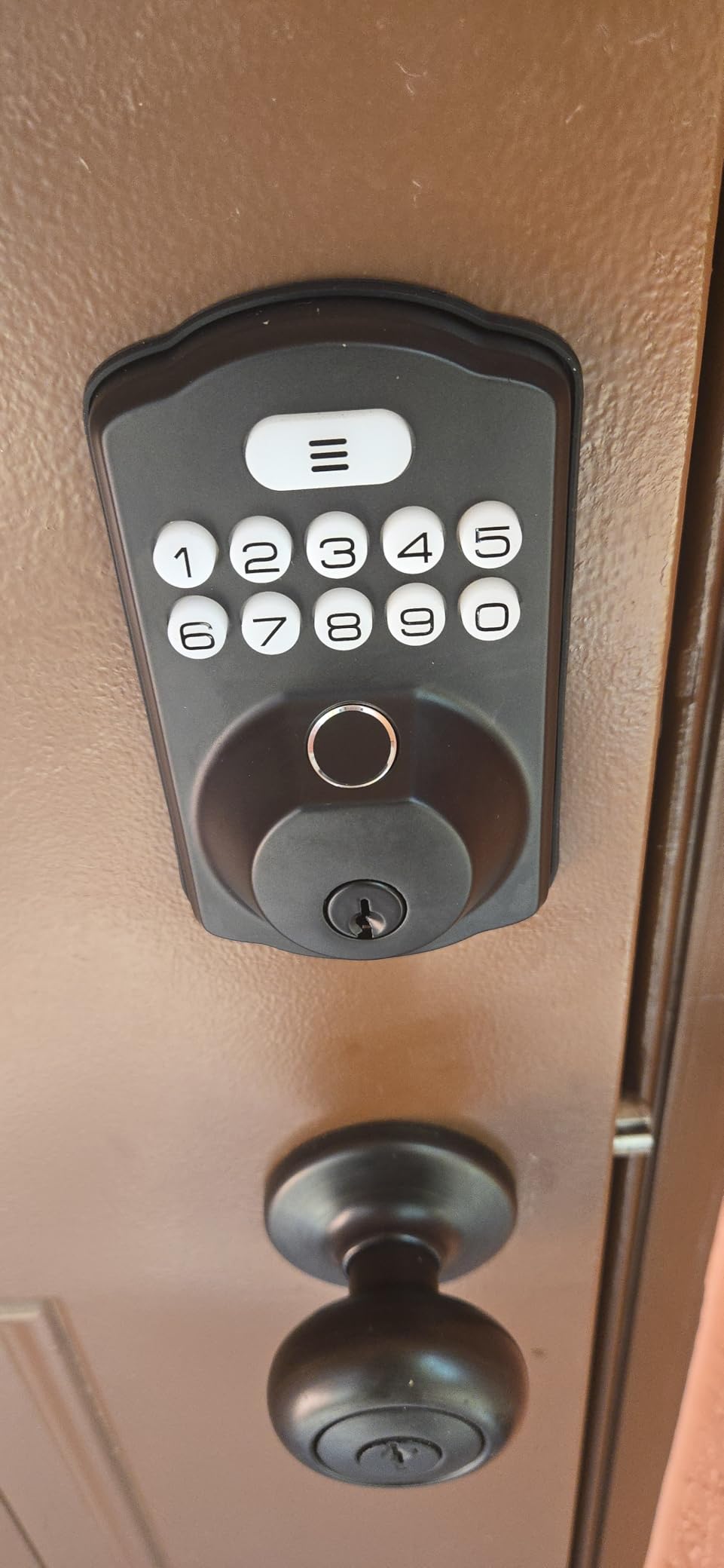
Two backup keys are included. Auto-lock is adjustable from 10 to 99 seconds, one-touch lock is there, and passage mode disables auto-lock entirely for the times when the door is propped and you know it. Battery life is claimed at up to 365 days on four AA cells with a low-battery LED. The certification here is unusually good for the price: ANSI Grade 3, BHMA certified, IP54 waterproof, and an operating range from -31F to 158F, which covers genuinely cold climates.
Buyers frequently describe this as an affordable upgrade from a traditional deadbolt, and the feedback concentrates on accurate fingerprint reads and generous code storage for the money. Fit is a 2-1/8 inch hole with door thickness from 1-3/8 to 2 inches.
Installation technique decides whether auto-lock works
The one installation note that matters: the front and back panels must be kept perfectly vertical. If they are tilted, hand detection and the auto-lock behaviour both misfire, and owners describe having to redo the install. Budget fifteen minutes and a spirit level. The upside of hand auto-detection is that it reads which side of the door you are on, which is a genuine convenience once it is working.
What you give up by skipping the app
There is no app and no remote access, in any tier. Code programming happens on the keypad and takes practice, so set aside ten minutes with the manual before you hand out the first code. The interior knob is fast and manual, which is a real advantage over the Bluetooth locks here. In exchange, you get a lock that has no dependency you did not choose, an IP54 and Grade 3 rating, and a two-year warranty after free registration.
6. Kwikset Aura Bluetooth Keypad Deadbolt: most codes, best certification
Kwikset 99420-003 Aura Bluetooth Programmable Keypad Door Lock Deadbolt Featuring SmartKey Security, Iron Black
Bluetooth, hub optional
Up to 250 scheduled codes
BHMA Grade AAA, 20 minute fire rating
128-bit encryption, SmartKey rekeying
Pros
- Up to 250 programmable codes with optional schedules
- BHMA Grade AAA certification and 20 minute fire rating
- Real backlit keypad buttons rather than a flat touchscreen
- Bluetooth app shows activity and event history in range
- SmartKey rekeying lets you cut new keys in minutes
Cons
- Motor is noticeably loud when operating
- App control only works within Bluetooth range
- Pairing instructions are less intuitive than other brands
- Some locks jam or lose function over time
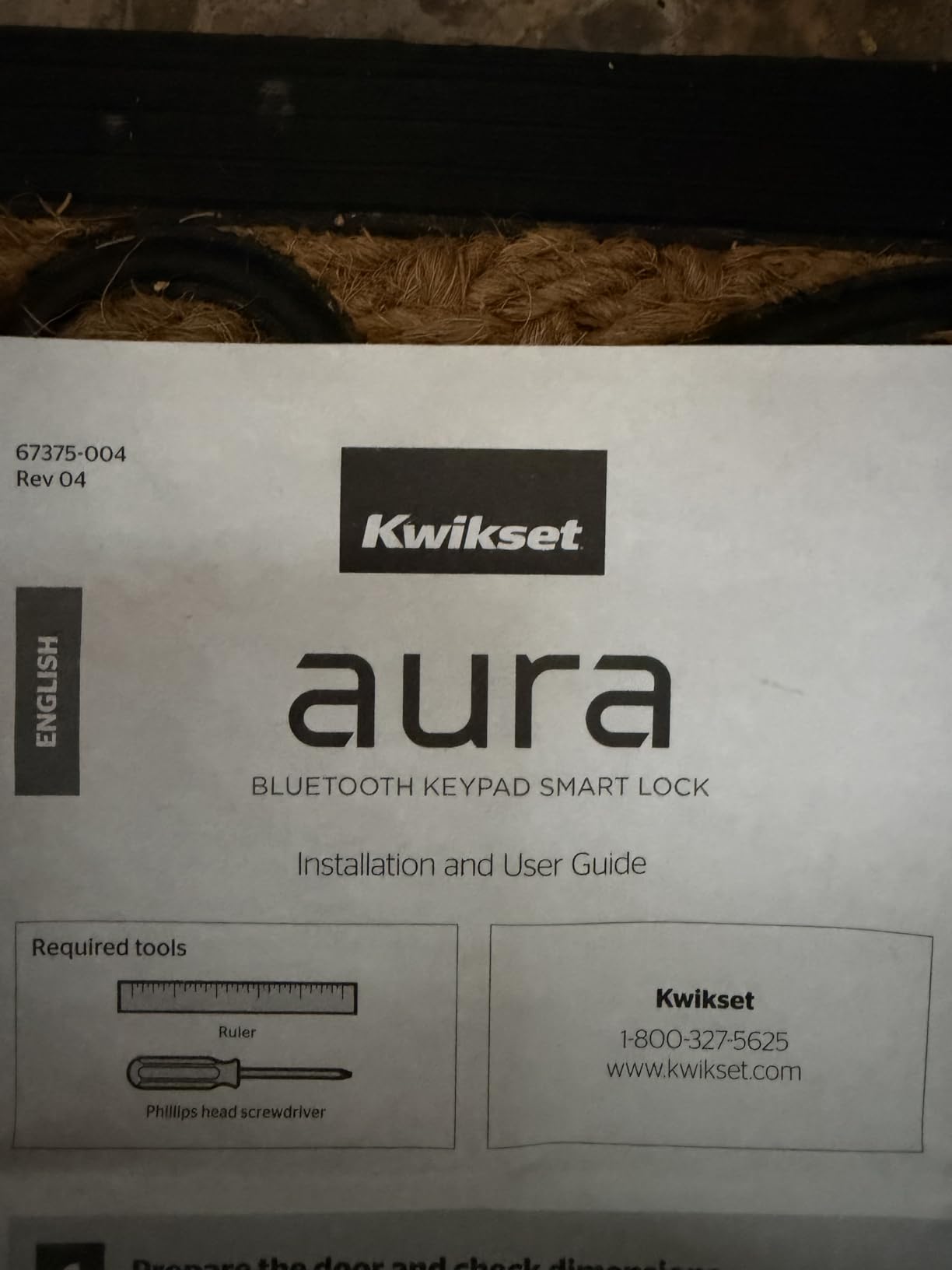
The Kwikset Aura is the certification story in this roundup. It carries BHMA Grade AAA and a 20 minute UL certified fire rating, which is a meaningful step up from the Grade 3 parts elsewhere in this list, and it is the only lock here with a fire rating stated outright. For a door that leads to a stairwell, a garage, or any space where a delayed egress matters, that rating is the reason to look here first.
Code storage is the other headline. Up to 250 programmable access codes with optional day and time schedules means a house with a steady stream of sitters, cleaners, and family members can give each person their own code rather than one shared number. The app shows activity notifications and event history when your phone is within Bluetooth range, and the lock uses full 128-bit encryption.
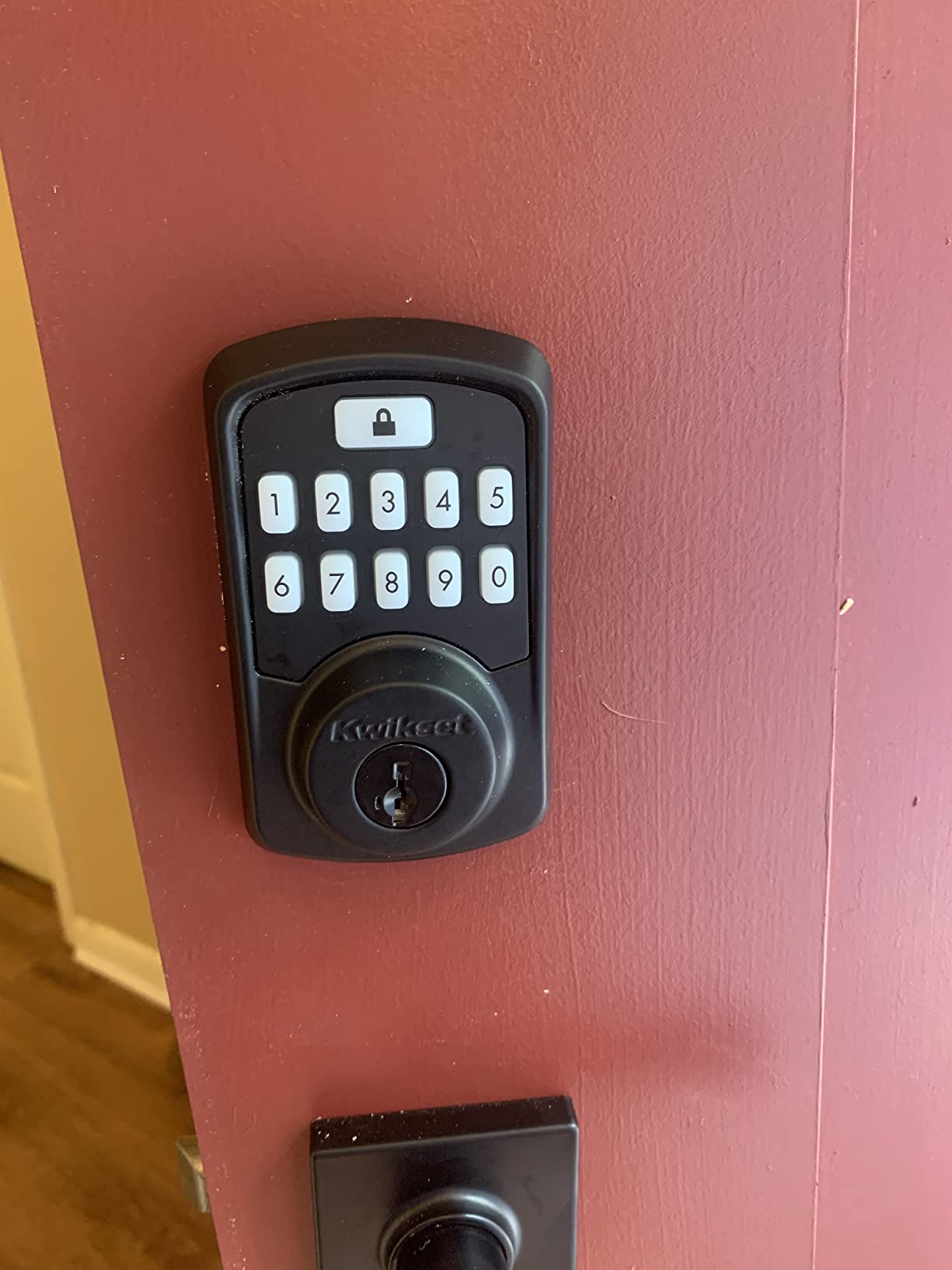
The keypad is a real one: physical buttons that light on press, which is a genuine advantage over a flat touchscreen when you are unlocking with cold or gloved hands or when a toddler is pressing at the same time as you. SmartKey Security means you can rekey the lock to a new Kwikset key in a few minutes without calling a locksmith, so a lost key does not become a full cylinder replacement. A user on r/HomeKit reported installing a Schlage Sense and finding it worked standalone as a Bluetooth lock without needing the hub at all, which is the same pattern that makes the Aura attractive here.
Form factor is a standard deadbolt, weighing 2.3 pounds, which is a substantial feel next to the lighter aluminium units in this list. Kwikset backs the mechanical and finish side with a lifetime warranty and the electronics with one year.
What 250 codes actually gets you
Schedules are the feature people underuse. A code that works only on Tuesday afternoons for the cleaner is more useful than twenty identical codes, because you can delete one person without walking through the whole list. With optional day and time scheduling, the lock handles a recurring household by itself. The event history, visible when you are within Bluetooth range, gives you a record of who came in and when, which is useful for a rental or a shared house.
The loud motor and the in-range limit
Two drawbacks come up repeatedly. The motor is noticeably loud when it operates, more so than the small aluminium deadbolts, which matters on a bedroom or interior door at night. App control only works within Bluetooth range, so codes cannot be managed remotely from off-premises, and that is the boundary of this lock’s offline guarantee: local codes always work, app features need you standing at the door. Pairing instructions are less intuitive than other brands, and some buyers have had units jam or lose function, with mixed support responses.
7. DESLOC B200 Fingerprint Deadbolt: USB-C backup power when the cells die
DESLOC B200 Fingerprint Smart Door Lock, Keyless Entry Deadbolt
Bluetooth in range, gateway optional
Six unlock methods, 50 fingerprints
USB-C emergency power port
12 month battery on 4 AA
Pros
- Six unlock methods from fingerprint to physical key
- Sub 0.3 second self-learning recognition for 50 prints
- USB-C emergency power port for backup entry
- 12 month battery claim with a low-battery indicator
- BHMA Grade 3 compliant and IP54 rated
Cons
- Alexa and Google need the separately sold G2 gateway
- Fingerprint accuracy drops with dry skin
- App management limited to close range without a gateway
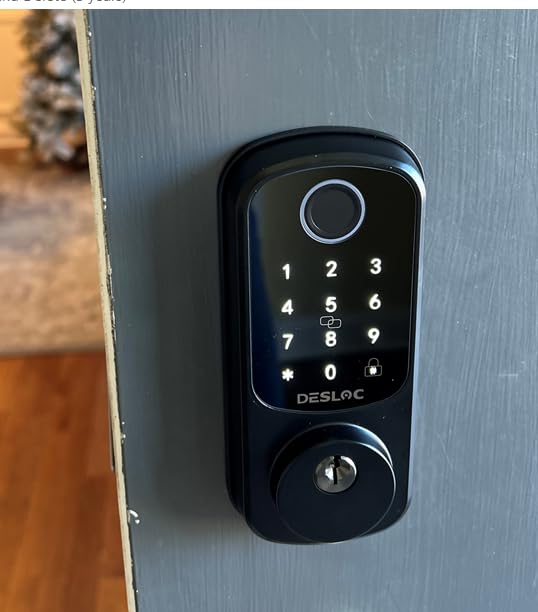
The DESLOC B200 earns its place on one feature that almost nothing else in this list has: a USB-C emergency power port. If the four AA cells die while you are away, you can plug a small battery pack into the outside of the lock and type your code. On a lock with no mechanical key cylinder on the exterior, that port is the difference between a locksmith visit and a thirty-second fix using something already in your bag.
Entry runs six ways: fingerprint, PIN, app, eKeys, fobs, and physical keys. The self-learning AI sensor reads in under 0.3 seconds for up to 50 fingerprints, and the TTLock app manages scheduled and temporary access codes over Bluetooth within range. Battery life is claimed at 12 months on four AA cells with a low-battery indicator, and the lock is BHMA Grade 3 compliant with IP54 water resistance rated from -22F to 158F.
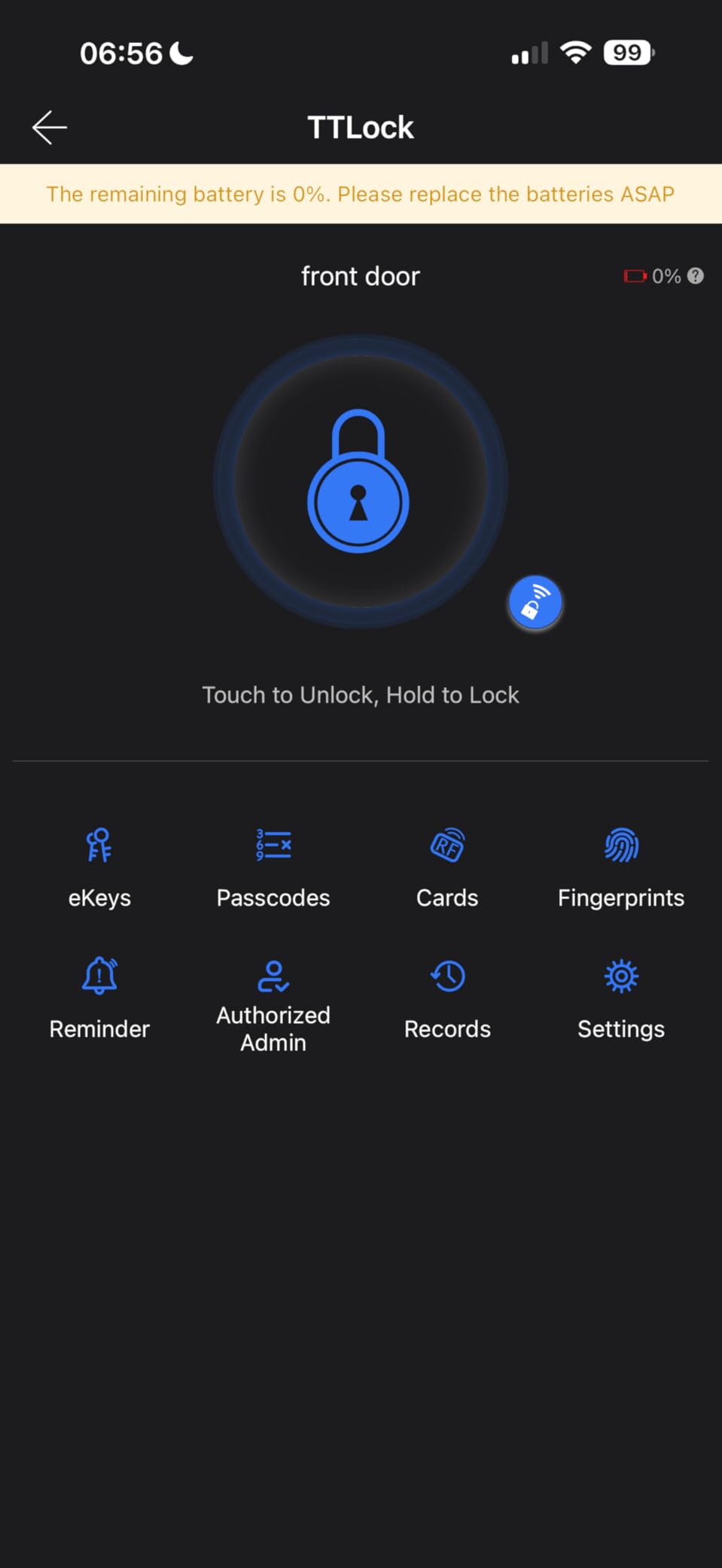
A key fob and two physical keys are included, so you are not dependent on the battery pack being there. Installation is a screwdriver job on most standard US doors. Support is US-based phone support for the life of the product under a 12 month warranty, which is shorter than the two-year cover some of the other picks offer.
Owners value the range of entry methods and the speed of the fingerprint reader, and the feedback notes a genuinely useful tip: registering the same finger from several angles improves reliability, particularly for children and older users whose skin conditions change through the year. That matters on any fingerprint lock, and it matters more on a fast-reading one.
Backup power versus backup key
There are two separate ways this lock can get you in when the batteries are flat, and they cover different failures. A physical key covers a dead battery. The USB-C port covers a dead battery and a missing or lost key at the same time, which is the combination that actually strands people on a rental or a secondary property. It is a small port on the bottom of the exterior escutcheon, easy to miss when you are comparing products, and worth more than it looks.
What the gateway situation means here
Alexa and Google voice control need the separately sold G2 gateway, so budget for that only if you want voice. Without it, the app manages codes at close range over Bluetooth, which is the working definition of a no-WiFi lock. The one recurring sensor complaint is that accuracy drops with dry skin, so register fingers with several angles and expect a retry in deep winter. The rating here, 4.2 across 2381 reviews, sits at the lower end of this list, and the reason is mostly that people expecting remote features find the gateway requirement late.
8. GHome K10PRO Fingerprint Door Knob: interior doors and apartments
GHome Smart Fingerprint Door Lock, 4 in 1 Smart Fingerprint Door Knob with Keypad, App Control, Auto Lock, Biometric Door Knob with Lock for Bedroom, Apartment, Garage, Home & Office
Indoor knob, ambidextrous
Bluetooth app within range
Fingerprints stored locally, no cloud
400mAh rechargeable, 300 plus days
Pros
- Fingerprint data stored locally with no cloud storage
- Rechargeable 400mAh battery avoids disposable cells
- Four unlock methods for 20 fingerprints and 20 passwords
- Auto-locks 5 seconds after unlocking
- Ambidextrous knob fits either handing
Cons
- Listed as indoor use only
- Requires an existing compatible door hole
- Check door dimensions before purchasing
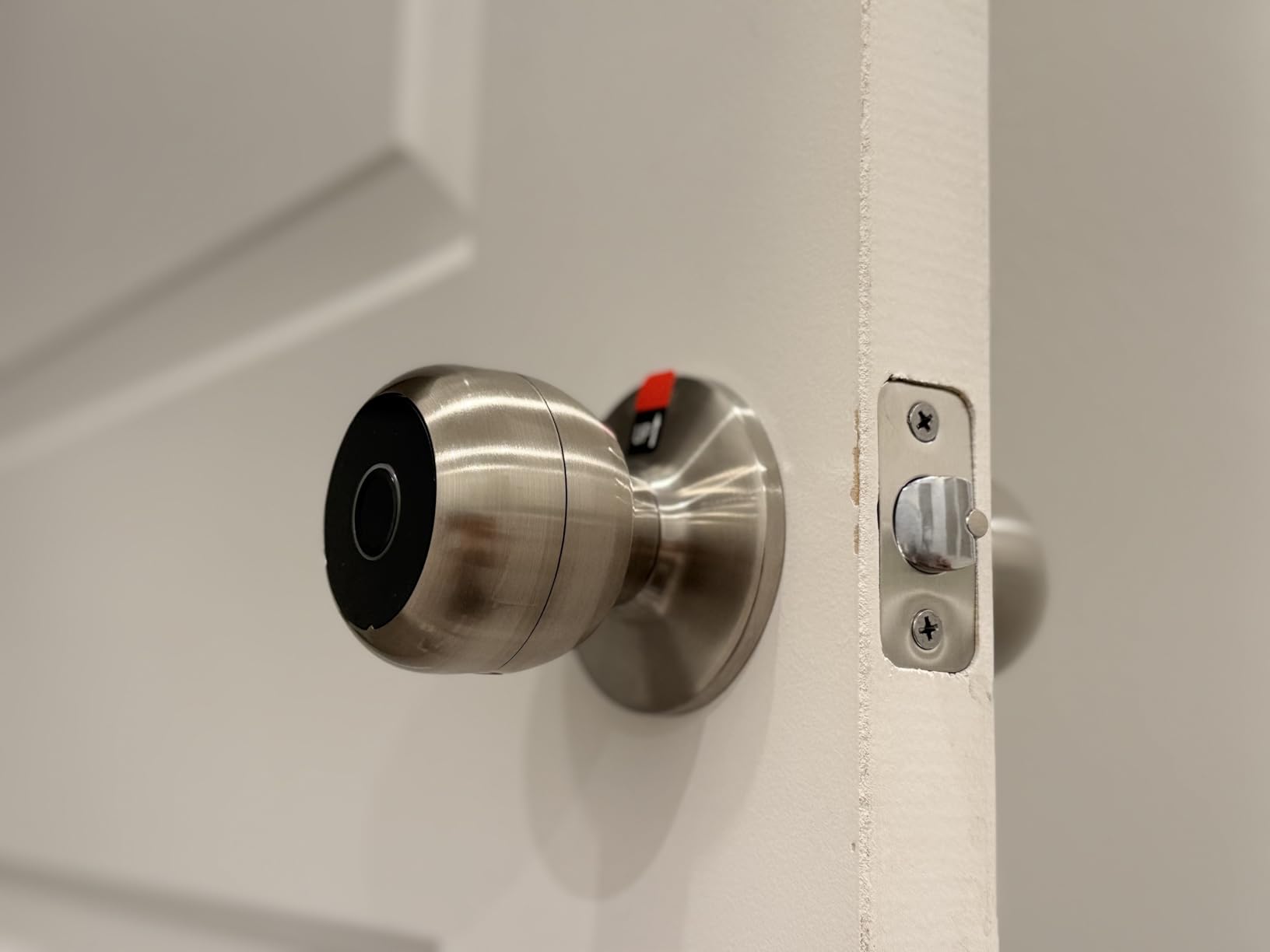
The GHome K10PRO is a knob, not a deadbolt, and that single fact makes it the right pick for a different set of doors entirely. Bedroom doors, apartment interiors, a home office, a garage entry from inside the house. It is listed as indoor use, and putting it on an exposed exterior face would be the wrong call, so treat it as a second-line lock rather than your front door.
Four unlock methods: up to 20 fingerprints, 20 passwords, app control within Bluetooth range, and mechanical keys. The reader recognises in 0.2 seconds with a claimed 99.9 percent accuracy and self-learning AI. The app manages fingerprints, passwords, access logs, silent mode, and passage mode. Auto-lock engages five seconds after you unlock, which is a sensible default for a bedroom door where nobody wants to think about it.
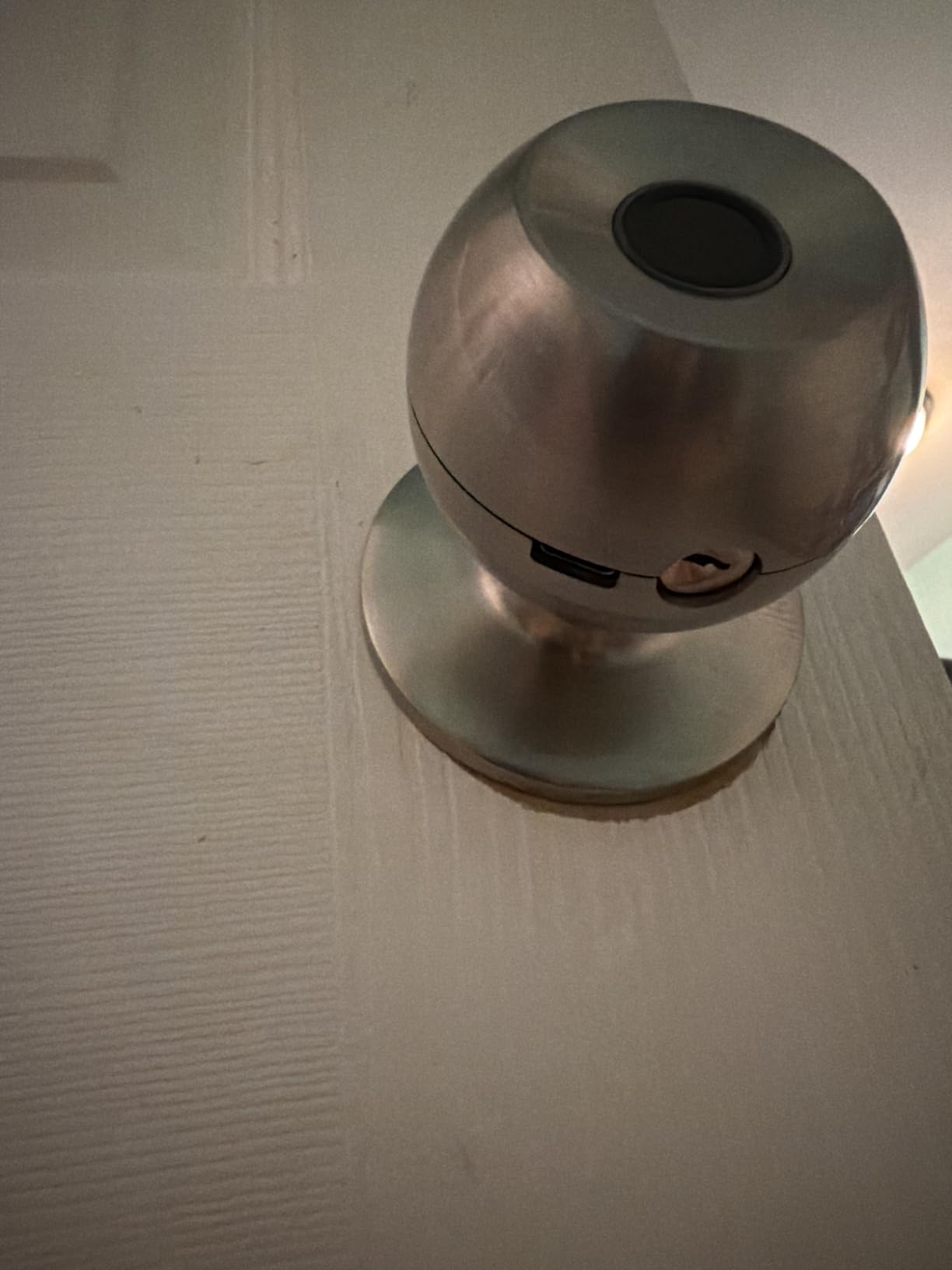
Two details justify a closer look. First, the fingerprint data is stored locally with no cloud storage, so there is no account and no server holding a list of the biometric data of everyone in your household. That is a genuine privacy position, not a marketing line, and it is why this lock shows up in conversations about offline smart home hardware. Second, the power is a 400mAh rechargeable battery giving roughly 10,000 unlocks or 300 plus days per charge, and a 4 to 6 hour recharge. You are not feeding it AA cells twice a year.
The knob is ambidextrous, so handing is not a question. It fits doors from 1-3/8 to 2-1/4 inch thick. The included components are a cover, installation hardware, and a lock with key.
Measuring before you order
This is the lock where the pre-purchase check matters most, and it is the first thing the owner feedback raises. Confirm door thickness falls between 1-3/8 and 2-1/4 inches, and confirm there is an existing hole of a compatible size. Unlike a deadbolt swap, a knob on a door that has never had one may need drilling. The warning on the listing is worth repeating: check your door dimensions before purchase rather than after delivery.
Where it fits and where it does not
This is a bedroom and interior lock, not a front door lock. The indoor-only rating rules out exposed exterior doors, and the lower security expectation of an interior door is what this hardware is sized for. If you want biometric entry with no cloud and no disposable batteries, this is the only product in the list that does both. If you want the same privacy properties on your actual front door, look at the TEEHO TE002 or the Veise KS02A instead, both of which are rated for exterior exposure.
9. Schlage BE365 Keypad Deadbolt: the name that outlives the network
Schlage Electronic Keypad Deadbolt Lock, Camelot Trim, Satin Nickel
Fully standalone, no radio
Up to 19 user codes
Grade 2 AAA rated
One 9V battery for up to 2 years
Pros
- Grade 2 AAA security rating for residential and light commercial use
- Up to 19 user codes with 2 pre-programmed in the box
- Up to 2 years of battery life from a single 9V battery
- Screwdriver install with no hardwiring
- Limited lifetime mechanical and finish warranty
Cons
- Programming requires finding a six digit programming code
- No Bluetooth or app connectivity at all
- Fit must be verified against backset and cross bore
There is an argument for the least clever lock on this page. The Schlage BE365 has no radio of any kind. It is a keypad deadbolt from a brand with a long mechanical track record, and the 6736 reviews behind it span years rather than months, which tells you something about how many people have fitted one and then stopped thinking about it.
Battery life is the standout number. A single 9V battery, which is included in the box, is rated for up to two years, and there is a low-battery indicator. Nothing in this roundup approaches that. Two codes are pre-programmed out of the box, so it works the moment you fit it, and you can add up to 19 assignable user codes. The rating is Grade 2 AAA, suitable for residential and light commercial doors. Operating range is wide: minus 35C to 66C outside the escutcheon.
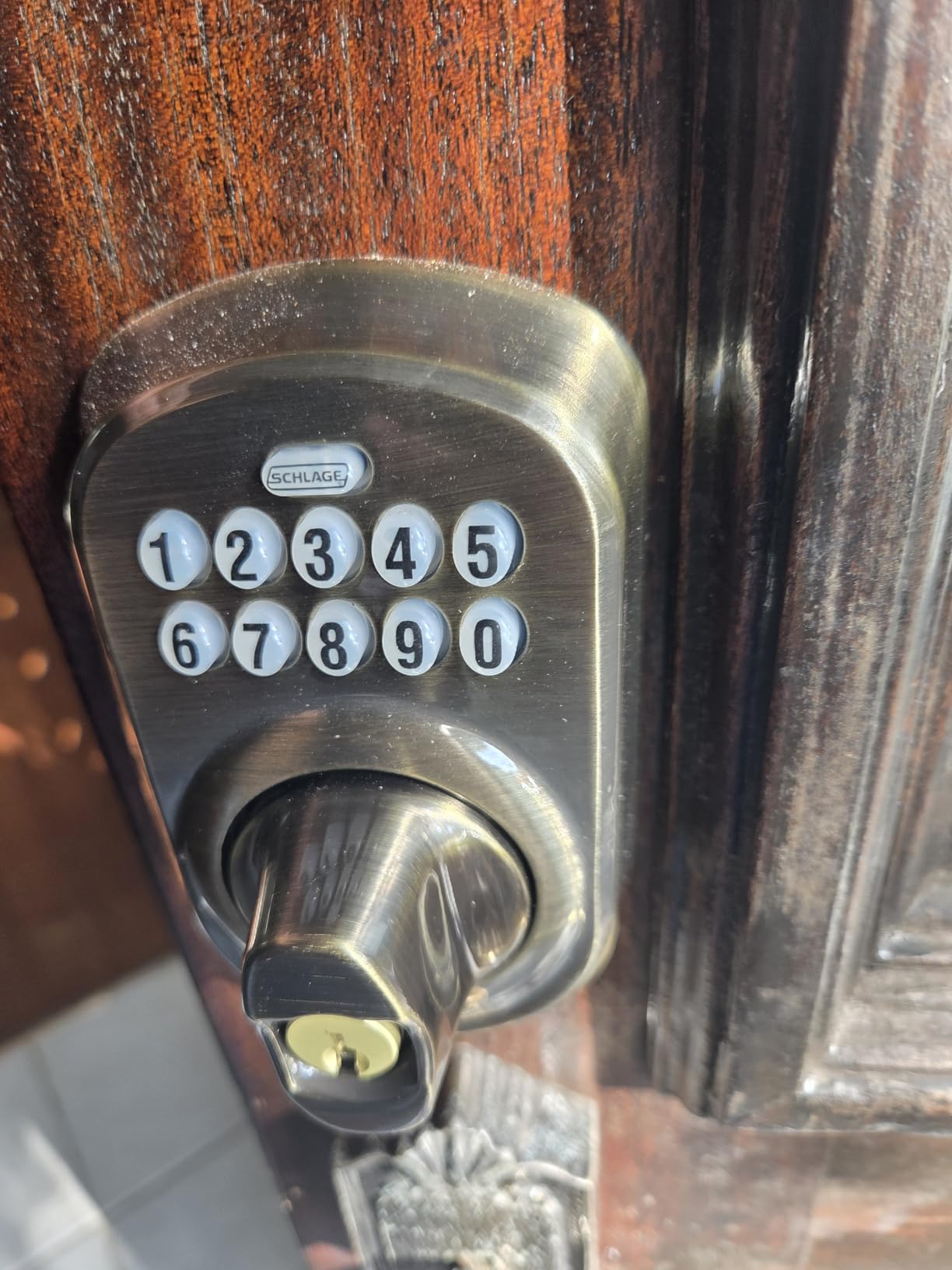
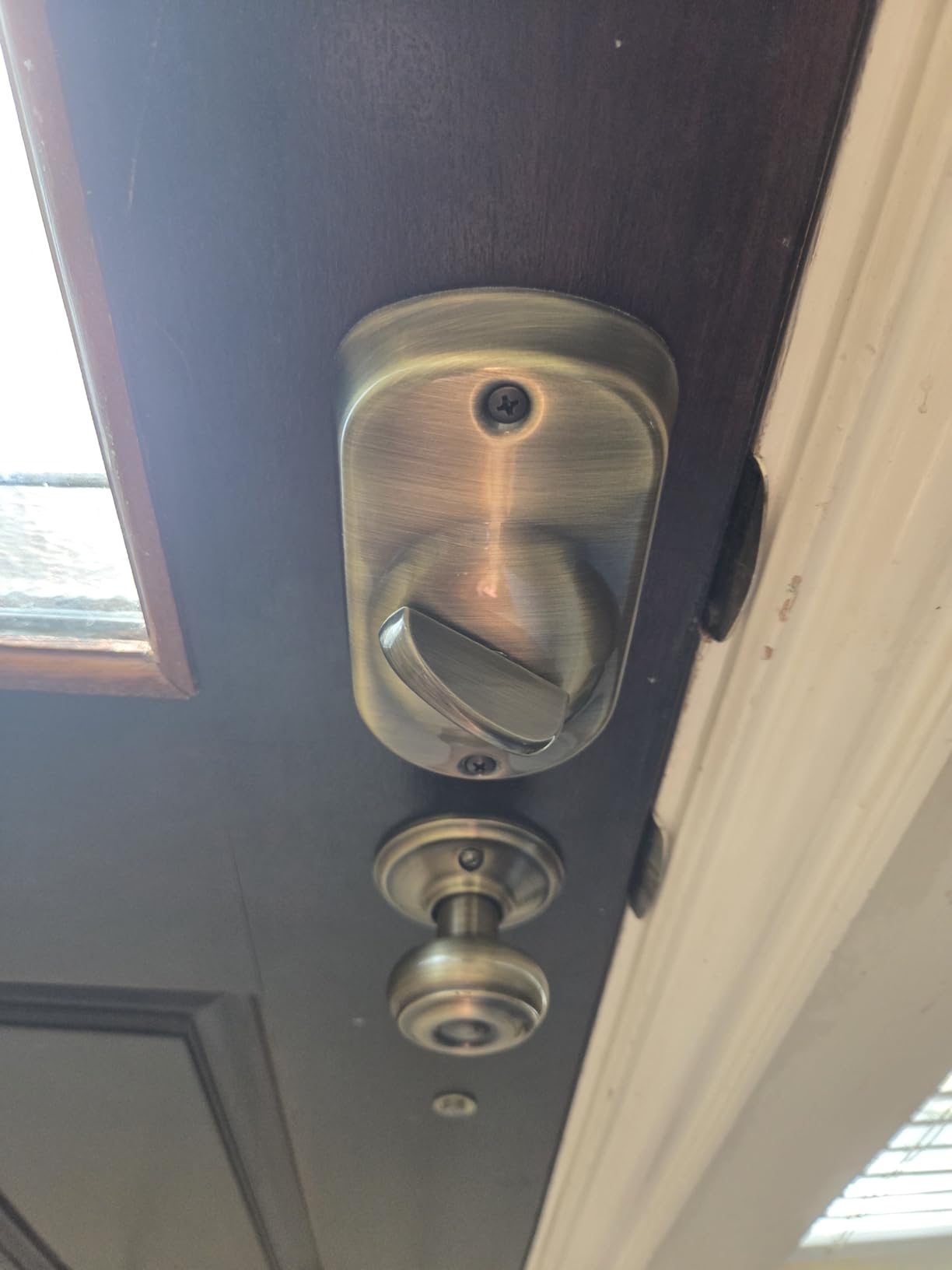
The keypad uses silicone-coated illuminated numbers, which stay readable in the dark and do not wear out the way printed digits do. Installation is a screwdriver with no hardwiring, and the interior thumbturn locks and unlocks from inside like a normal deadbolt, which matters more with this lock than with the Bluetooth models because you will never be reaching for an app. The warranty is a limited lifetime mechanical and finish warranty with three years on the electronics.
Owners consistently describe it as dependable, easy to fit for anyone who has replaced a deadbolt before, and long-lasting on battery. For a back door, a garage entry, or a rental where you want something that will still work in five years, which is worth a great deal.
The battery advantage in plain terms
Two years on one 9V battery changes the maintenance conversation completely. The AA-powered locks in this list expect a change roughly annually, and a lock that dies unnoticed is a lock that locks a household out. This one gives you a low-battery indicator with a very long runway behind it, which means the warning arrives with plenty of margin. If you are fitting a lock on a door you will not visit often, such as a second property or a garage side door, that margin is the feature.
What the old-school interface costs you
There is no Bluetooth and no app, which is the point and also the limitation. You cannot see who came in, you cannot hand out a code from away, and you cannot get a notification. Programming a new code requires finding and entering a six-digit programming code, which is a small ritual and the thing new owners mention most. Fit must be checked against your backset, cross bore, and door thickness before purchase, as with any deadbolt.
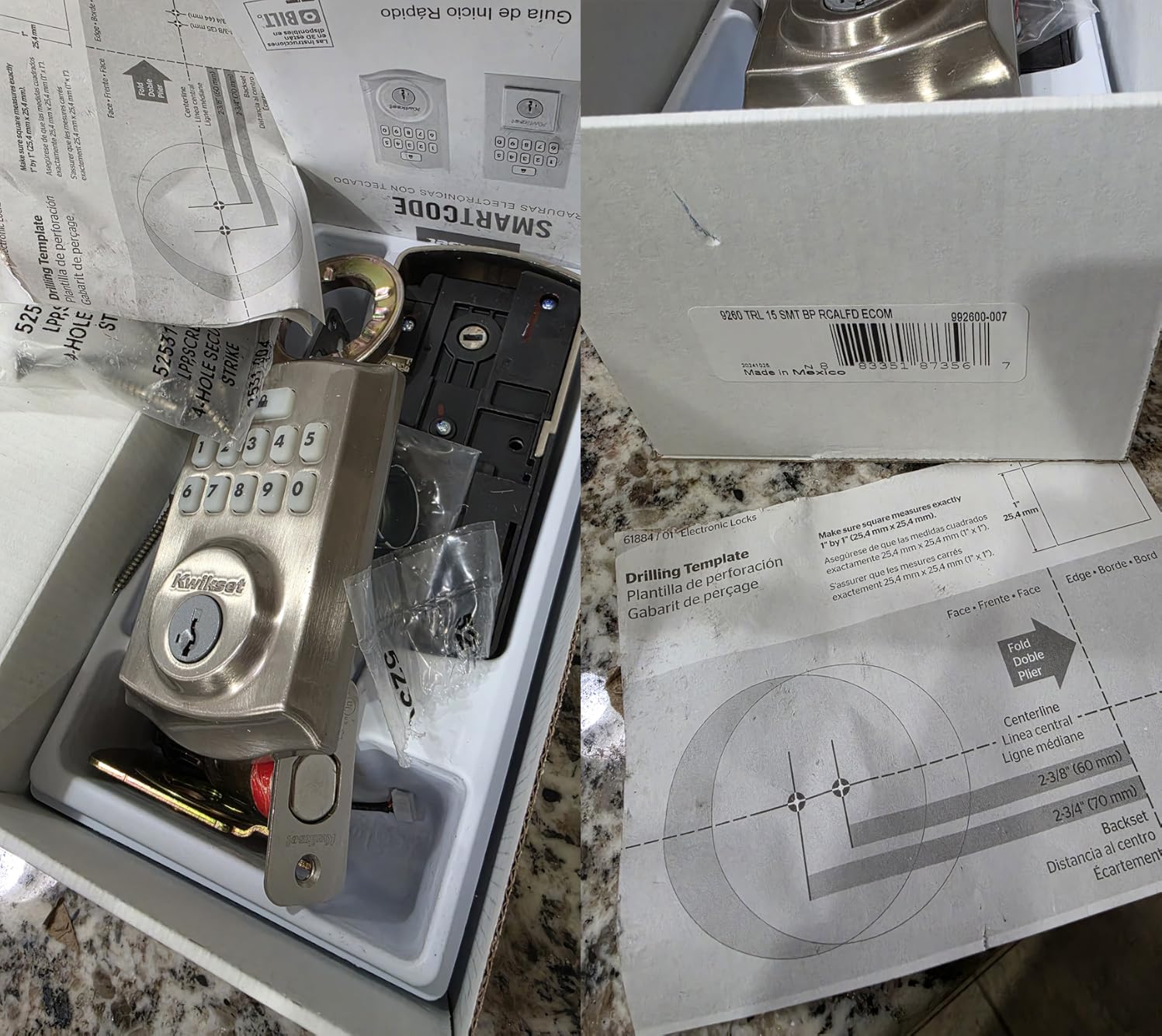
10. Kwikset SmartCode 260 Keypad Deadbolt: grade 2 security, no app
Kwikset SmartCode 260 Keyless Entry Electronic Keypad Deadbolt Door Lock
Fully standalone, no app
Grade 2 BHMA certified
Up to 50 codes plus 10 one-time
12 month battery on 4 AA
Pros
- Grade 2 BHMA certification
- stronger than typical Grade 3 sets
- Up to 50 user codes and 10 one-time codes
- Auto-lock configurable from 30 seconds to 10 minutes
- Intrusion alert locks the keypad after 3 wrong entries
- SmartKey rekeying and Microban treated surfaces
Cons
- Written instructions are hard to follow
- Re-handing is not documented and can leave the lock reversed
- Some locks bind internally and need disassembly
- Vacation mode disables the keypad entirely
The SmartCode 260 is the pick for someone who wants a known brand, a stronger security grade than the budget parts, and no app at all. It is BHMA Grade 2 certified, which the manufacturer states is up to 2.5 times stronger than a typical Grade 3 set, and it carries a Kwikset limited lifetime mechanical and finish warranty with one year on electronics.
Code capacity is the quiet strength: up to 50 user codes plus 10 one-time codes and a separate programming code. Auto-lock intervals are configurable at 30 seconds, 1, 3, 5, or 10 minutes, which gives you much finer control than the 10-to-99-second window on the cheaper standalone locks. Intrusion alert disables the keypad for one minute after three wrong entries, and vacation mode turns the keypad off entirely for extended absences. Battery life is 12 months on four AA cells.
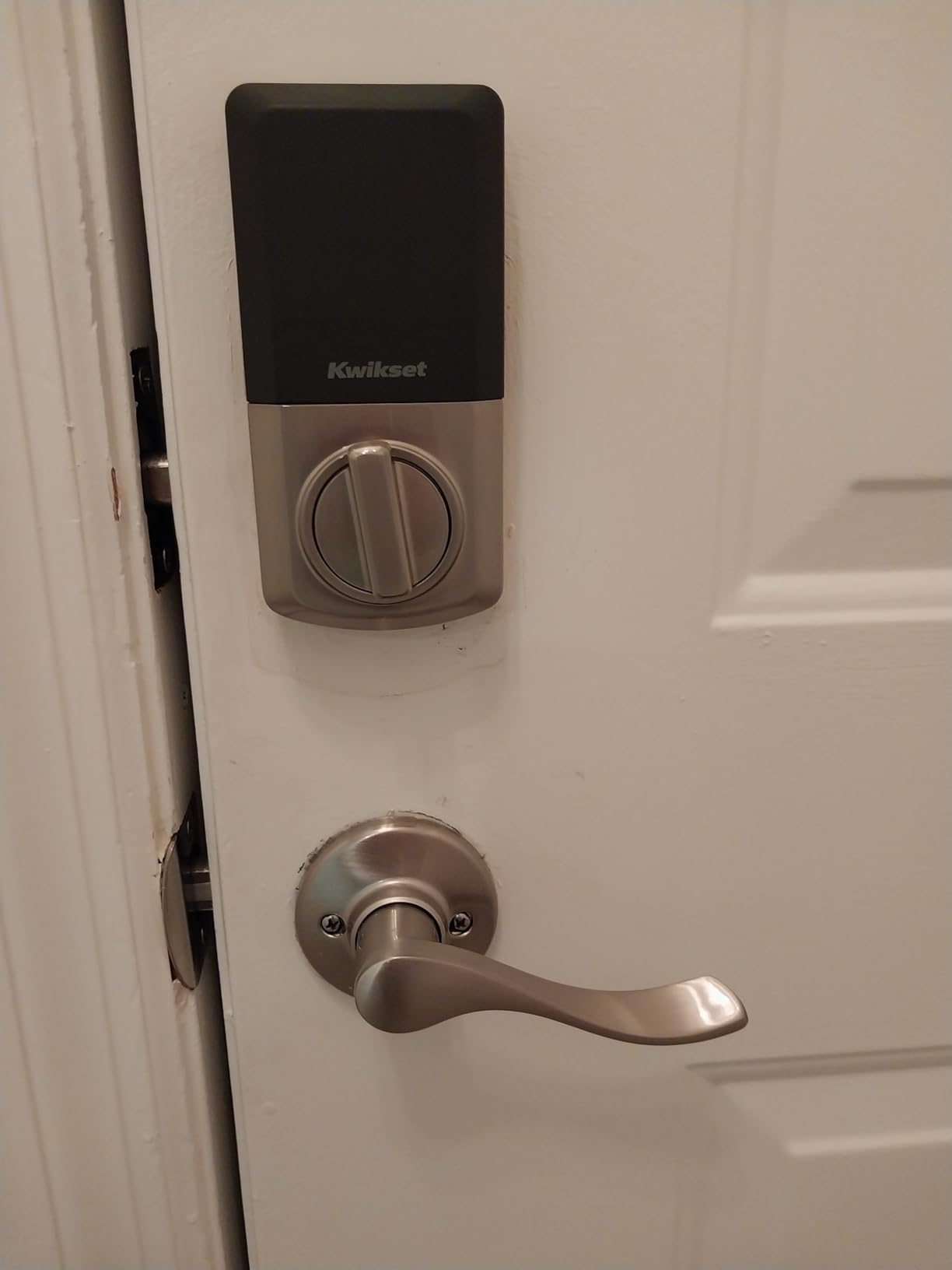
Two Kwikset keys are included in the box, SmartKey rekeying lets you cut new keys without a locksmith, and the keypad and hardware are Microban treated. Installation is a screwdriver, and the listing includes BILT 3D interactive installation guidance, which is more useful than the written booklet. Owners rate it as strong value with solid Grade 2 security for the money, and they like the code count and the adjustable auto-lock.
It is also the only lock here with a 10-minute auto-lock option, which is a real convenience on a door where you are unloading the car or walking a dog and want the door secured on a timer rather than immediately.
Check your handing before you install
The most discussed issue on this product is documentation, not hardware. Re-handing the lock is not explained, and several reviewers fitted the wrong handing and ended up with a lock that is electronically reversed, so the door locks when you pull rather than push. Determine your handing before the box arrives, set the lock accordingly, and if you have to change it later, expect a strip-down rather than a switch. Watch the BILT 3D installation guidance rather than relying on the printed instructions, which owners find hard to follow.
Two real drawbacks beyond the paperwork
A small number of owners report units binding internally every few weeks and needing disassembly to clear, so treat it as a minority failure rather than a defining trait. Vacation mode also disables the keypad completely, which means during that window your entry options are the mechanical key, any already-programmed code from outside, or a locksmith. Keep a key with someone trusted before you turn it on. The written instructions are the weakest part of an otherwise solid, well-certified offline lock.
What Breaks When the Internet Goes Out
Let us separate three failures that people run together. A power outage is almost never a lock problem, because every lock in this list is battery powered. A dead battery is a lock problem, but a solvable one: nine of these ten ship with a mechanical key or an interior knob, and the DESLOC B200 adds a USB-C emergency port. A dead internet connection is where the design choices diverge, and this is the whole reason to read a no-WiFi roundup carefully.
A user on r/Locksmith described the scenario that drives the whole query: they came home from a holiday and found their internet line had been cut with a tool, and that it did not look accidental. In that situation, a WiFi lock does not fail loudly. The keypad still works, which is the part that matters, and everything else quietly stops. Remote unlock is gone, app control is gone, notifications are gone, and if you need to let a contractor in while you are three states away, you need someone local with a key.
Here is what survives on each architecture. On a fully standalone lock, every feature survives, because there is nothing to lose. On a Bluetooth-range lock, keypad, fingerprint, fob, and physical key all survive; only the app features die, and those were never part of getting you in. On a hub protocol lock, the lock keeps talking to its hub and automations keep running, because the hub is local even when the uplink is not. What dies is anything routed through the internet: voice assistants, push notifications, and remote unlock if your hub itself depends on a cloud connection.
That last point is the one that trips people up, and it is worth being blunt: a hub is only an offline advantage if the hub runs locally. Users on r/smarthome ask exactly this question, whether manufacturers rely on a cloud for their products or whether any use local networks so things still work without the internet. The answer is that it depends entirely on the automation platform you choose and how you configure it, not on the lock. If you want genuine local operation, verify that your hub can run its automations without an internet uplink before you buy a tier-three lock.
One more failure mode worth knowing, from the other direction. Users running Z-Wave meshes report locks that raise spurious security or status warnings when the mesh rebuilds its routes, which is a symptom of the network rather than a break-in. On the standalone and Bluetooth locks in this list, that entire class of false alarm simply does not exist.
Are No-WiFi Smart Locks More Secure
Not automatically, but they do remove the two most common attack surfaces, and it is worth being precise about which two.
The first is the cloud. A lock whose administration runs through a manufacturer’s servers depends on that company still existing, on its uptime, and on its security practices. Users are right to be uneasy about that dependency, and a local-first lock simply does not have it. The GHome K10PRO in this list goes further than most and stores fingerprint data locally with no cloud storage at all.
The second is the network itself. A WiFi lock is a computer on your doorstep, reachable from every other device on that network. Removing the radio removes that surface entirely, which is the strongest argument for the standalone tier if your threat model involves a home network that other people can reach.
What does not go away is the physical side. A lock with a BHMA Grade 3 or Grade AAA rating is certified against brute force and picking, and every lock in this list is rated. A keypad that lights up on a wrong-code attempt, disables itself after three failures, or supports an anti-peeping code protects the codes themselves. Several locks here also carry anti-drill features. Read the grade, not the branding.
Two practical steps beat any amount of theory. Change the factory default, whether that is the six-digit programming code on a keypad lock or the default admin pairing on an app-based one. And keep a mechanical key somewhere other than the front door, because the most common cause of being locked out of a smart lock is not a hacker, it is four AA batteries and a house nobody lives in nine months of the year.
How to Choose a Smart Lock Without WiFi
Start with the tier, not the feature list. If your requirement is absolute, that entry must work when the internet is physically cut, you want a fully standalone keypad lock. Nothing in tiers two or three can promise that if a hub or a phone is part of the path. If your requirement is that the door opens reliably in daily use without a router reboot breaking your routine, Bluetooth in range is plenty and buys you an access log. If you run Home Assistant, SmartThings, or HomeKit and want automations, you are in tier three territory.
Understand the gateway versus hub distinction. These two words get used interchangeably and they are not the same thing. A gateway is a bridge that exists to put a Bluetooth lock on your WiFi network so it can be reached from the internet. It is what the Veise RZ07 and the DESLOC B200 need for voice assistants and remote unlock, and it is sold separately. A hub is the local radio that speaks Z-Wave, Zigbee, or Thread. It is not a path to the internet, which is exactly why hub-protocol locks are more resilient than WiFi locks when your router reboots at midnight.
If you are shopping tier three, know the protocols. Z-Wave is long-established on the US smart-home scene, low power, and mesh-based, with a very large lock ecosystem. Zigbee is also low power and mesh-based and common in hubs. Matter over Thread is the newest of the three and the one most likely to be supported long term, because it runs on Thread rather than a vendor-specific stack; the Kwikset Aura Reach is a lock in this category that community users point to for Matter over Thread with Bluetooth and a physical key. Apple Home Key support is a separate axis entirely, and we cover the locks that carry it in our Apple Home Key roundup. Honest downside of all three: a mesh can be less stable than a single point-to-point radio, and locks have been known to report spurious status states when a mesh rebuilds its routes.
Budget for what you give up. The honest list: no remote unlock unless you add a gateway or a locally-run hub, no push notifications about who came in, no way to add a code while you are away, and in the standalone tier, no app at all and no activity log beyond what the lock itself remembers. For plenty of households that is a fair trade, and for a rental or a second home it is often the correct one.
Match the lock to the door before the brand. Check the cross bore, which is commonly 2-1/8 inch, the door thickness, which on most of these runs from 1-3/8 to 2-1/4 inch, the handing, and whether you can get to both faces of the door with the door open. Handle sets need more interior clearance than deadbolts, which is the install surprise we see most often in this category. If you are a renter, confirm that a reversible handle is acceptable to your landlord, and check whether batteries are included, because a surprising number of these listings do not include them.
Read the battery claim against its context. The Schlage BE365 runs up to two years on one 9V battery. The GHome K10PRO runs 300 plus days on a rechargeable cell. The AA-powered locks here claim up to a year, and fingerprint readers draw more power than bare keypads, so treat that figure as good rather than guaranteed. Whichever you pick, a lock that gives you a low-battery warning with weeks of margin behind it is a lock you will not be locked out by.
If the Bluetooth app will not connect, work through this. First, confirm you are standing within range, because Bluetooth-range locks deliberately stop working a few feet from the door. Second, check that Bluetooth is enabled on the phone and that the app has location permission, which most of these apps require. Third, power cycle the lock by removing the batteries for a minute. Fourth, forget the lock in your phone’s Bluetooth settings and pair it again from the app rather than from the settings menu. Fifth, confirm the lock is not in vacation or privacy mode, which disables the keypad and the app together. If it still fails, the pattern in the reviews of the Veise RZ07 suggests retrying the connection a few times, since the connection drops reported there are intermittent rather than permanent.
Match the pick to the household. A family front door with kids and a dog is well served by the TEEHO TE002, which needs no supervision from anyone. A rental or an Airbnb is better on the Veise RZ07, where expiring codes and an unlock log do the work you cannot be present for; our guide to the best keypad locks for Airbnb hosts covers that scenario in more depth. A bedroom or interior door is the GHome K10PRO. An elderly parent or a household where a child needs to get in alone points at a fingerprint lock with a low-friction reader, the Yamiry or the DESLOC, and at registering several fingers from multiple angles. A home automation user is in tier three. A privacy-focused household with no interest in cloud accounts starts with the Schlage BE365 or the Veise KS02A and never makes an account at all.
Frequently Asked Questions
Can smart locks work without Wi-Fi?
Yes. An electronic lock only needs WiFi for optional features like remote unlock, push notifications, and voice control. Entry itself runs on a typed code, a fingerprint reader, a physical key, or a Bluetooth connection to your phone at the door. Locks described as nonconnected have no radio at all, and Bluetooth-range locks still open from the keypad and key with the network down.
Is there a smart lock that doesn’t require Wi-Fi?
Several, and the strictest versions have no radio in them at all. The TEEHO TE002 and the Veise KS02A are listed as nonconnected: fingerprint reader, keypad, mechanical key, no app, no hub, no account. The Schlage BE365 and the Kwikset SmartCode 260 are the same idea in keypad form. If you also want a phone app for logs and codes, the Bluetooth-range locks in this roundup still open from code and key with the internet cut.
Do smart locks work if Wi-Fi is off?
It depends on the architecture, and the difference matters. Fully standalone locks lose nothing, because there is nothing to lose. Bluetooth-range locks keep every way of getting in and lose only app features. Hub-protocol locks keep talking to a local hub and their automations keep running, provided that hub runs locally. A WiFi lock keeps its keypad and key but loses remote unlock, notifications, and any cloud-managed function.
Do I need a hub for a smart lock without WiFi?
No, not to get in. The ten locks in this roundup all open from a code, fingerprint, fob, or physical key without any hub. A hub or gateway is only needed for remote features, and those are sold separately. The Veise RZ07 and the DESLOC B200 list Alexa and Google support that requires the Veise G2 gateway. If you want automations, you need a hub for the protocol your lock speaks, not for basic entry.
What is the main difference between Z-Wave and Wi-Fi locks?
A Z-Wave lock talks to a hub over a low-power radio mesh, and that hub handles the traffic locally, so the lock keeps working when your internet is down. A WiFi lock puts itself directly on your wireless network and depends on that network and on cloud servers for its remote features. The practical trade is resilience and power consumption against ecosystem flexibility, since WiFi locks are easier to set up and more widely supported.
Will a Schlage smart lock work without Wi-Fi?
It depends which Schlage. The Schlage BE365 in this roundup has no radio at all, so it works with no network, no app, and no hub, and runs up to two years on one 9V battery. The Schlage Sense line is Bluetooth first and can be used as a standalone Bluetooth lock, with a hub added for remote access. The Schlage Encode line has built-in WiFi and expects a network connection.
How hackable are smart locks?
The realistic risks are physical, not cinematic. Check the ANSI and BHMA grade rather than the brand, use a keypad that disables itself after repeated wrong entries, and change any factory programming or admin code. Going offline removes the cloud account and your home network as attack surfaces, and locks that store fingerprint data locally with no cloud storage remove one more. Keeping a backup key somewhere other than the door is worth more than any setting.
The Bottom Line
The TEEHO TE002 is our pick for the best smart locks without WiFi. It has no radio at all, four ways in including a fingerprint reader that reads in 0.3 seconds, BHMA Grade 3 certification, and a battery claim measured in a year rather than weeks. Nothing in that sentence depends on a server, a router, or a subscription.
Pick the Veise KS02A if you want the same offline behaviour for less, or the Schlage BE365 if a Grade 2 AAA rating and two years on one 9V battery matter more than biometrics. For a lever handle set, look at the samtechT S. For a rental where you cannot be at the door, the RZ07 give you the deepest access log without a monthly fee. And if you already run a home hub, the smart locks without WiFi conversation really means Z-Wave, Zigbee, or Matter over Thread, a category we have explained here but not ranked, because we could not verify current products in it to the standard we hold the ten above.
Whichever one you choose, measure the door before you order, keep a physical key somewhere sensible, and treat the low-battery warning as a deadline rather than a suggestion. Our related guide to the best smart doorbell that works without a subscription covers the other device most people try to make work offline.