
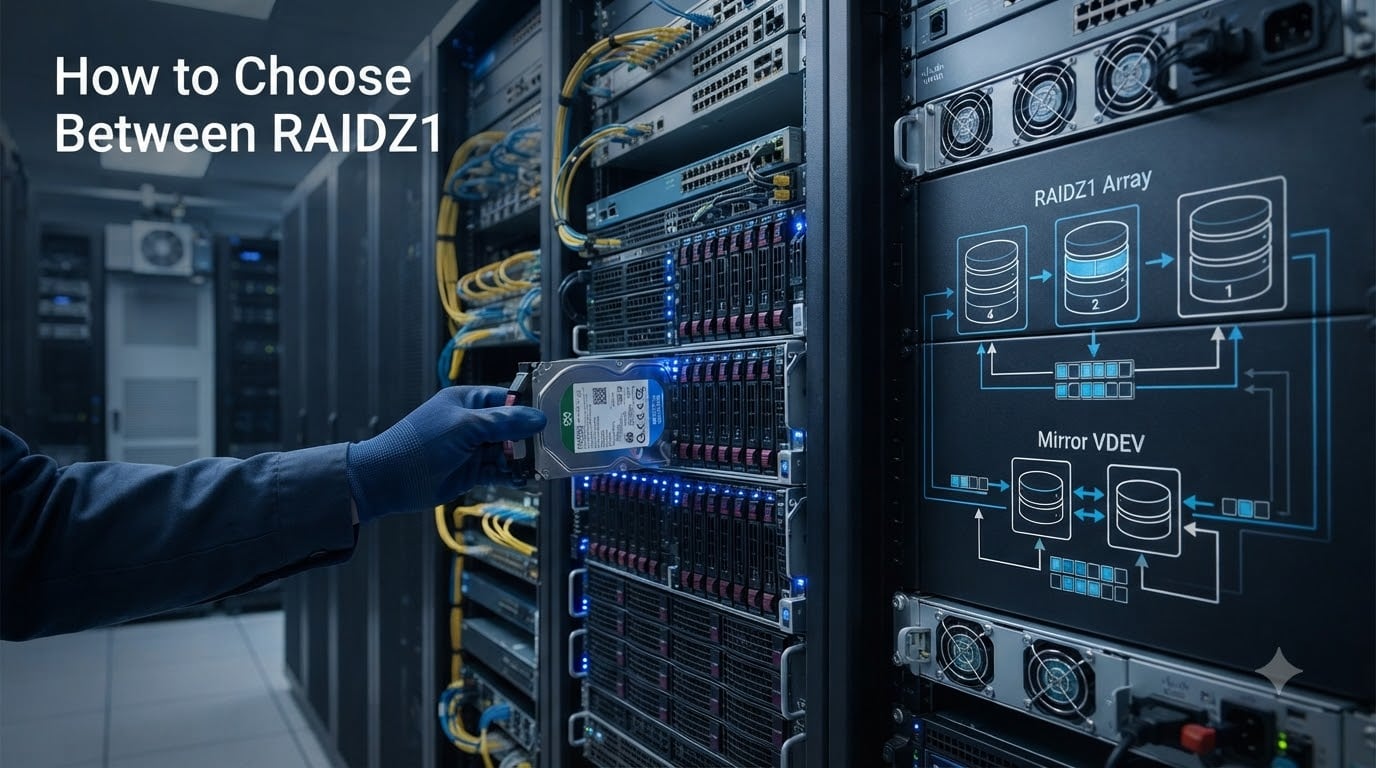
When you build a ZFS pool, the very first decision you make will follow you for the life of that storage array. You have to choose how your data is distributed across drives, and that choice determines your usable capacity, your read and write speed, and how many drives you can lose before data is gone forever.
That decision almost always comes down to one question: RAIDZ or mirrors? And if you pick RAIDZ, which level do you need?
In this guide, I will walk you through how to choose between RAIDZ1, RAIDZ2, RAIDZ3, and mirrors when building a ZFS pool. I have spent years reading forum threads from r/zfs, Lawrence Systems, and Practical ZFS, and the same patterns keep coming up. People pick the wrong configuration, discover the trade-offs too late, and end up rebuilding their entire pool.
By the end of this article, you will understand exactly how each configuration works, how much usable space you actually get, how fast each one performs, and which one fits your specific workload. No fluff, just the decision framework you need.
One critical note before we start. The ZFS RAIDZ vs mirror decision is not about which is objectively better. It is about which trade-offs match your situation. Let me break them down so you can decide with confidence.
Table of Contents
ZFS VDEV Basics: The Foundation
Before comparing RAIDZ levels, you need to understand what a vdev is. Every ZFS pool is built from one or more virtual devices, called vdevs. A vdev is a group of drives working together with a specific redundancy scheme.
Think of a pool as a container and vdevs as the building blocks inside it. ZFS stripes data across all the vdevs in your pool. If a single vdev fails, meaning enough drives in that vdev die that the redundancy is exhausted, the entire pool is lost.
This means your redundancy decision happens at the vdev level. A pool made of three 2-way mirror vdevs can survive one drive failure in each mirror, potentially up to three total. A pool with a single RAIDZ2 vdev can survive any two drive failures within that group.
Here is the catch that trips up most beginners. Once you create a vdev, you cannot change its type. You cannot convert a RAIDZ1 vdev to RAIDZ2 later. You cannot change a mirror into RAIDZ3. You would have to destroy the pool, rebuild with the new layout, and restore from backup. So getting this right the first time matters enormously.
What Is RAIDZ1? Single Parity Explained
RAIDZ1 is ZFS’s equivalent of RAID 5. It uses a single parity block per stripe, which means it can survive exactly one drive failure within the vdev.
If you build a RAIDZ1 vdev with four 4TB drives, you get three drives worth of usable capacity, so roughly 12TB. The fourth drive’s worth of space is consumed by parity calculations.
RAIDZ1 made sense in the era of small drives. When a 1TB or 2TB drive failed, resilvering (the rebuild process) took a few hours, and the statistical risk of a second failure during that window was low.
With modern 8TB, 12TB, or 18TB drives, RAIDZ1 is a serious liability. During a resilver, every remaining drive must be read end to end. On large drives, that process can take days. The stress of a full-drive read frequently triggers a second failure, and with RAIDZ1, a second failure means total data loss.
The ZFS community consensus is clear. Avoid RAIDZ1 for any drive larger than 4TB unless the data is trivially replaceable or backed up elsewhere.
What Is RAIDZ2? Dual Parity for Most Users
RAIDZ2 is ZFS’s equivalent of RAID 6. It uses two parity blocks per stripe, allowing the vdev to survive any two simultaneous drive failures.
A RAIDZ2 vdev with six 4TB drives gives you four drives of usable space, or roughly 16TB. Two drives worth of capacity goes to parity.
RAIDZ2 is the sweet spot for most storage builds. The dual parity gives you a critical safety margin during resilvers. If one drive fails and you start rebuilding, you still have one more parity drive protecting you. That second layer of protection is what makes RAIDZ2 suitable for the large drives common in 2026 home servers and enterprise arrays.
For archives, media storage, backups, and general-purpose NAS workloads, RAIDZ2 is almost always the right answer. You give up some capacity compared to RAIDZ1, but the data safety improvement is dramatic.
If I had to recommend one RAIDZ level without knowing anything else about your setup, it would be RAIDZ2.
What Is RAIDZ3? Triple Parity for Critical Data
RAIDZ3 is the most redundant RAIDZ level, using three parity blocks per stripe. A RAIDZ3 vdev can survive any three drive failures simultaneously.
A RAIDZ3 vdev with eight 4TB drives yields five drives of usable capacity, roughly 20TB. Three drives are consumed by parity overhead.
RAIDZ3 exists for situations where data loss is catastrophic and drive counts are high. Large archive arrays with 11 or more drives, especially using high-capacity HDDs, benefit from RAIDZ3 because the probability of multiple failures during an extended resilver increases with both drive count and drive size.
The trade-off is capacity. RAIDZ3 eats more space than any other option, and write performance can be slower due to the triple parity calculation overhead.
For a home NAS with six to eight drives, RAIDZ3 is usually overkill. RAIDZ2 provides sufficient protection. But if you are building a 12-drive array with 16TB helium drives for an irreplaceable media archive, RAIDZ3 is worth the capacity cost.
What Is a ZFS Mirror? Striped Mirrors Explained
A ZFS mirror is exactly what it sounds like. Two or more drives store identical copies of the same data. The most common configuration is a 2-way mirror with two drives, but ZFS also supports 3-way mirrors with three copies.
When you need more capacity, you add more mirror vdevs. ZFS stripes data across them. For example, a pool with four drives can be built as two 2-way mirror vdevs. You get 50% usable capacity, but each mirror vdev can survive one drive failure independently.
Mirrors have one major advantage over every RAIDZ level: raw random I/O performance. Each mirror vdev behaves like a single drive for IOPS purposes, and ZFS distributes reads across all mirror vdevs in the pool. A pool with four mirror vdevs delivers roughly four times the read IOPS of a single drive.
RAIDZ, by contrast, typically performs at the speed of the slowest drive in the vdev for random workloads. For sequential reads and writes, RAIDZ does well. But for random read/write workloads like virtual machines and databases, mirrors win decisively.
Mirrors are also the easiest configuration to expand. You can add a new mirror vdev to an existing pool at any time. You can also replace both drives in a mirror with larger drives and get the larger capacity automatically. This flexibility is why experienced ZFS users lean toward mirrors for builds that might grow over time.
How to Choose Between RAIDZ1, RAIDZ2, RAIDZ3, and Mirrors: Quick Comparison
Here is the direct comparison you need to make your initial assessment. Each configuration trades capacity, performance, and fault tolerance differently.
RAIDZ1: Survives 1 drive failure. Good usable capacity. Slow random IOPS. High risk with large drives. Best for replaceable data on small drives only.
RAIDZ2: Survives 2 drive failures. Moderate capacity overhead. Good sequential performance. The recommended default for most NAS builds with 6 or more drives.
RAIDZ3: Survives 3 drive failures. Heaviest capacity overhead. Best for large archive arrays with many high-capacity drives where data loss is unacceptable.
Mirror (2-way): Survives 1 failure per mirror vdev. 50% capacity. Best random IOPS by far. Easiest to expand. Ideal for VMs, databases, and small pools that may grow.
Mirror (3-way): Survives 2 failures per mirror vdev. Only 33% capacity. Used when you need mirror-level performance with extra redundancy, typically in smaller critical pools.
The performance triangle in ZFS is simple. You optimize for capacity, performance, or fault tolerance. No single configuration gives you all three.
Capacity Calculations: How Much Usable Space You Get
Let me walk through real calculations so you can see exactly what each configuration delivers. I will use a common starting point: six 4TB drives.
RAIDZ1 with 6 drives: 5 data drives plus 1 parity. Usable capacity is 5 x 4TB = 20TB raw. After ZFS overhead and base-2 vs base-10 conversion, expect roughly 18TB usable.
RAIDZ2 with 6 drives: 4 data drives plus 2 parity. Usable capacity is 4 x 4TB = 16TB raw. Expect roughly 14.5TB usable.
RAIDZ3 with 6 drives: 3 data drives plus 3 parity. Usable capacity is 3 x 4TB = 12TB raw. Expect roughly 10.8TB usable. With only 6 drives, RAIDZ3 wastes half your space, which is why it is better suited for larger arrays.
Striped mirrors with 6 drives (3 mirror vdevs): 3 data copies. Usable capacity is 3 x 4TB = 12TB raw. Expect roughly 10.8TB usable. Same capacity as RAIDZ3 here, but with far better random IOPS performance.
Important: Always format capacity calculations conservatively. ZFS reserves roughly 1/64th of pool space for internal metadata. Drives advertised as 4TB show up as roughly 3.64TB in ZFS because manufacturers use decimal units while computers use binary.
Performance: RAIDZ vs Mirrors for IOPS
Performance is where the RAIDZ vs mirror debate gets heated. The confusion comes from mixing up sequential throughput with random IOPS.
For sequential workloads like large file transfers, video streaming, and backups, RAIDZ performs well. A well-tuned RAIDZ2 vdev can saturate a gigabit network link without breaking a sweat. For sequential reads especially, RAIDZ is efficient.
For random workloads, the story changes completely. Every RAIDZ level suffers from a phenomenon called read-modify-write for small random writes. When ZFS writes a small block, it must read the entire stripe, recalculate parity, and write everything back. This kills random write IOPS.
Mirrors do not have this problem. A mirror vdev can write to both drives independently for reads, and writes go to both drives simultaneously. For random IOPS, each mirror vdev performs like a single fast drive, and a pool with multiple mirror vdevs scales linearly.
The practical takeaway from forum experience: if you are running VMs from ZFS, hosting a database, or doing anything with heavy random I/O, use mirrors. If you are storing large files, streaming media, or using the array as a backup target, RAIDZ2 works great.
You can partially mitigate RAIDZ write amplification by matching your recordsize to your workload. Databases benefit from an 8K or 16K recordsize. Large file storage works well with the default 128K. But even with tuning, mirrors still outperform RAIDZ for random IOPS.
Resilver Times and Rebuild Risk
When a drive fails in a ZFS pool, the rebuild process is called resilvering. ZFS reconstructs the missing data onto a replacement drive by reading from the surviving drives and recalculating the missing blocks.
Resilver time scales with the amount of data stored and the drive size. On a RAIDZ2 vdev with 12TB drives, a resilver can take 24 to 48 hours or more. During that time, every surviving drive is under heavy read load.
This is the core argument against RAIDZ1 with large drives. If one drive fails and you start resilvering, you have zero parity left. A single read error or second failure during that window destroys the pool. With large drives, the resilver window is long enough that the risk is real.
Mirror resilvers are dramatically faster. To rebuild a mirror, ZFS only needs to copy data from one surviving drive to the replacement. There is no parity calculation involved. A mirror resilver might take a few hours instead of days.
RAIDZ2 and RAIDZ3 provide protection during resilver because you still have surviving parity. RAIDZ2 can lose one more drive during the rebuild and still recover. That is why RAIDZ2 is the minimum recommendation for any drive 8TB or larger.
VDEV Width Recommendations for RAIDZ
This is one of the most misunderstood topics in ZFS, and it directly affects your usable capacity. RAIDZ writes data in stripes, and each stripe includes parity blocks. The number of data blocks in a stripe must divide evenly to avoid wasting space.
Because of how ZFS handles variable stripe widths and padding, certain vdev widths waste less space than others. The community has identified specific “magic numbers” of drives that minimize wasted space.
For RAIDZ1: Use 3, 5, or 9 drives. These widths align well with ZFS block allocation and minimize padding overhead.
For RAIDZ2: Use 4, 6, or 10 drives. A 6-drive RAIDZ2 vdev is one of the most efficient and popular configurations for home and small business NAS builds.
For RAIDZ3: Use 5, 7, or 11 drives. These widths give you triple parity with minimal wasted space.
The general rule is 2^n + p, where n is the power of two and p is the number of parity drives. For RAIDZ2 (p=2), that gives 4, 6, 10, 18. For RAIDZ3 (p=3), that gives 5, 7, 11, 19.
If you choose a width that does not match these recommendations, you will not lose data, but you may lose several percent of your usable capacity to padding overhead. For large arrays, that can mean terabytes of wasted space.
Decision Guide: Which Configuration Should You Choose?
Now for the practical decision framework. I am going to match common scenarios to the right configuration based on forum consensus and real-world experience.
Home NAS with 4 to 6 drives storing media and files: RAIDZ2 with 4 or 6 drives. You get good capacity, strong data protection, and decent sequential performance for streaming. This is the most popular recommendation on r/zfs and Practical ZFS for a reason.
Home NAS with 3 drives: RAIDZ1 is the only option if you want more than 50% capacity, but consider mirrors instead. A single 3-way mirror gives you 33% capacity but survives two failures. Or use RAIDZ1 and accept the risk, keeping solid backups.
VM storage or virtualization host: Striped mirrors, no question. The random IOPS performance of mirrors is essential for running multiple VMs. Two or three mirror vdevs will dramatically outperform any RAIDZ configuration for this workload.
Database server: Mirrors with a tuned recordsize (8K or 16K). Databases need low-latency random reads and writes. Mirrors deliver, and they resilver fast when a drive fails.
Archive or backup target with 8+ drives: RAIDZ2 or RAIDZ3 depending on how many drives and how critical the data is. For 6 to 10 drives, RAIDZ2. For 11 or more drives with irreplaceable data, RAIDZ3. Archives are mostly sequential access, so RAIDZ performance is perfectly adequate.
Budget-conscious build where capacity matters most: RAIDZ2 with the right vdev width. You get the most usable space per dollar while maintaining two-drive failure tolerance. Avoid the temptation of RAIDZ1 unless the drives are small and the data is replaceable.
Boot drive for TrueNAS or similar: A simple 2-way mirror of small SSDs. Boot pools do not need large capacity or RAIDZ complexity. Two mirrored SSDs provide redundancy and fast boot times.
Budget-to-RAID-level mapping: If budget limits you to 4 drives, RAIDZ2 gives you 50% capacity with dual parity. If you can afford 6 drives, RAIDZ2 with the magic width of 6 gives excellent efficiency. If you can afford 8 or more drives, consider RAIDZ3 for archives or more mirror vdevs for performance workloads.
One more consideration from the forums: use an HBA (Host Bus Adapter) in IT mode, not a hardware RAID controller. ZFS needs direct access to individual drives to manage checksums, self-healing, and SMART data. Hardware RAID controllers hide drive-level errors from ZFS and can silently corrupt your data. An LSI HBA flashed to IT firmware is the community standard recommendation.
Expansion: Can You Grow Your Pool Later?
Pool expansion is where mirrors have historically dominated, but the landscape is changing.
With mirrors, expansion is trivial. You add a new mirror vdev to the pool at any time, and ZFS immediately begins using it. No data migration needed. You can also replace both drives in a mirror with larger drives one at a time, and once both are replaced, the pool automatically gains the larger capacity.
RAIDZ has traditionally been harder to expand. You could replace every drive in a RAIDZ vdev with larger drives one at a time, waiting for each resilver, and after the last one the vdev would grow. This is slow and tedious.
As of OpenZFS 2.2 (released late 2023), a new feature called RAIDZ expansion was introduced. This allows you to add a single drive to an existing RAIDZ vdev. The new drive is used as additional capacity, and parity is recalculated in the background. This is a significant improvement, though it does come with a performance penalty during the expansion process.
However, RAIDZ expansion still does not let you change the RAIDZ level. You cannot add parity. If you built RAIDZ1 and want RAIDZ2, you still need to rebuild the pool.
The takeaway: if you expect to expand your storage incrementally over time, mirrors remain the most flexible option. RAIDZ expansion helps, but mirrors still win for growth scenarios.
Frequently Asked Questions
What is the difference between RAIDZ1 and RAIDZ2?
RAIDZ1 uses one parity block and survives a single drive failure, while RAIDZ2 uses two parity blocks and survives two simultaneous drive failures. RAIDZ1 gives more usable capacity but RAIDZ2 is far safer, especially with drives larger than 4TB where resilver times increase the risk of a second failure during rebuild.
What are the different RAIDZ levels in ZFS?
ZFS offers three RAIDZ levels: RAIDZ1 (single parity, survives 1 failure), RAIDZ2 (dual parity, survives 2 failures), and RAIDZ3 (triple parity, survives 3 failures). ZFS also supports mirror vdevs with 2 or more identical drive copies. Each level trades capacity for fault tolerance differently.
Is ZFS RAID 1 the same as a mirror?
Yes, ZFS mirror is the equivalent of RAID 1. A ZFS mirror vdev stores identical copies of data on two or more drives. When you stripe multiple mirror vdevs together in a pool, the result is similar to RAID 10, combining mirroring for redundancy with striping for performance.
What are the differences between ZFS RAID1 and RAIDZ1?
ZFS mirror (RAID 1 equivalent) duplicates data across drives, giving 50% capacity with fast random IOPS and quick resilvers. RAIDZ1 uses distributed parity like RAID 5, giving more usable capacity but slower random performance and longer rebuild times. Mirrors survive one failure per mirror vdev, while RAIDZ1 survives one failure across the entire vdev.
Can I add drives to an existing RAIDZ vdev?
As of OpenZFS 2.2, you can add a single drive at a time to an existing RAIDZ vdev using the raidz expansion feature. The pool gains capacity after a background redistribution. However, you cannot change the RAIDZ level or add parity drives. You can always add entirely new vdevs to a pool regardless of RAIDZ version.
How many drives do I need for RAIDZ2?
RAIDZ2 requires a minimum of 4 drives (2 data plus 2 parity). The most efficient vdev widths for RAIDZ2 are 4, 6, or 10 drives, which minimize wasted space from ZFS padding overhead. A 6-drive RAIDZ2 vdev is the most popular configuration for home and small business NAS builds.
Is RAIDZ or mirror better for a home NAS?
For a home NAS storing media, backups, and files with 6 or more drives, RAIDZ2 is usually the best choice because it offers good capacity with dual parity protection. For 4 drives or fewer, or if you run VMs and databases, striped mirrors provide better performance and easier expansion. RAIDZ2 wins on capacity, mirrors win on performance and flexibility.
How long does a resilver take on large drives?
Resilver time depends on data volume and drive speed. With 12TB or larger HDDs in a RAIDZ vdev, expect 24 to 48 hours or more for a full resilver. Mirror resilvers are much faster, typically a few hours, because ZFS simply copies data without recalculating parity. Long resilver windows are the main reason RAIDZ1 is discouraged for large drives.
Conclusion
Knowing how to choose between RAIDZ1, RAIDZ2, RAIDZ3, and mirrors when building a ZFS pool comes down to three questions: How much usable capacity do you need, what kind of performance does your workload demand, and how many drives can you afford to lose?
For most people building a home or small business NAS in 2026, RAIDZ2 with a proper vdev width like 6 drives is the best all-around choice. It balances capacity, safety, and performance for typical file storage workloads.
If you run virtual machines or databases, choose striped mirrors. The random IOPS advantage is decisive, and the expansion flexibility means your pool can grow as your needs do.
Avoid RAIDZ1 with any drive over 4TB. The resilver risk with modern high-capacity drives is too high. Save RAIDZ3 for large archive arrays where triple parity justifies the capacity cost.
And remember the golden rule echoed across every ZFS forum: RAID is not a backup. No matter which configuration you choose, maintain a separate backup of any data you cannot afford to lose. ZFS redundancy protects against hardware failure, not against deletion, corruption from bugs, or catastrophic events.
Choose your configuration carefully, use the magic vdev widths, run an HBA in IT mode, schedule regular scrubs, and keep your backups current. Your future self will thank you for getting it right the first time.