
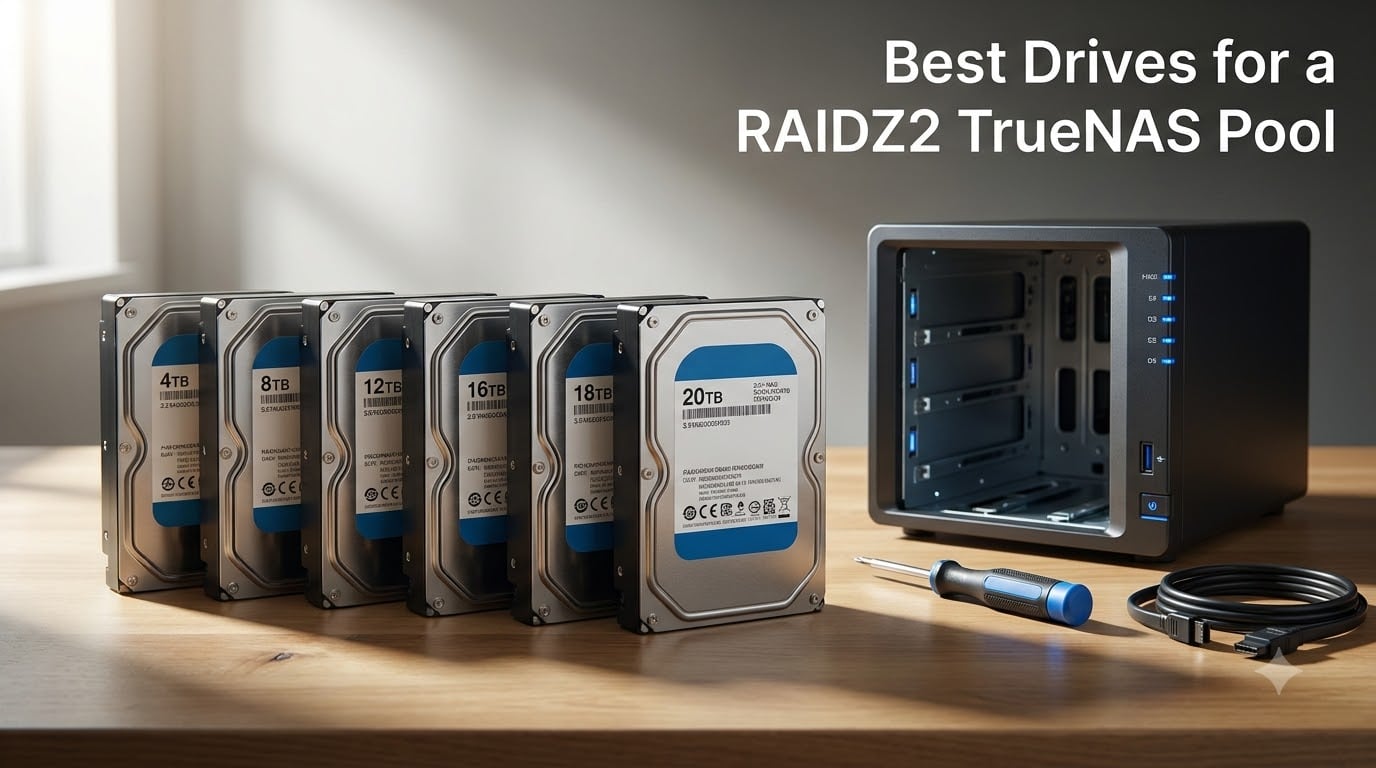
The scariest part of running RAIDZ2 is not the drive failure itself. It is the resilver that follows, when every surviving drive gets read edge to edge under sustained load while ZFS rebuilds parity onto the replacement. Pick the wrong drive tier and that rebuild stretches from hours into days while your pool runs degraded.
This guide covers the best drives for a RAIDZ2 TrueNAS pool in 2026, based on six CMR NAS and enterprise drives we compared on workload rating, warranty length, acoustic output, and verified buyer feedback. Every pick below uses conventional magnetic recording, because that single spec decides whether your pool survives its next resilver.
A quick refresher on the layout itself. RAIDZ2 requires a minimum of 4 drives, tolerates 2 simultaneous failures, and hits its community sweet spot at 6 drives, where double parity costs roughly a third of raw capacity while keeping rebuild times manageable. Eight-drive RAIDZ2 vdevs are common on larger chassis, and 10-drive vdevs show up in mixed media and personal data builds like the one debated on the TrueNAS forums.
iXsystems is blunt about this in the TrueNAS Hardware Guide: SMR drives are not suitable for ZFS. The trap mostly catches Western Digital buyers, because Red drives without the Plus or Pro suffix are shingled below 8TB, and the EFAX model code is the tell. Every drive in this roundup is confirmed CMR, so you can skip that particular minefield.
Here is the shape of the article: a comparison table up top, six reviews focused on the tradeoffs that matter for ZFS, then a buying guide covering vdev sizing, usable capacity math, noise, warranty traps, and burn-in. Reddit builders running 8x20TB RAIDZ2 pools for years without incident all have one thing in common, which is that they bought the right tier of drive up front.
Table of Contents
Top 3 Picks for a RAIDZ2 TrueNAS Pool in October
The Seagate IronWolf Pro 14TB is our top pick overall, the WD Red Plus 8TB is the best value for quiet home builds, and the Seagate Exos X20 20TB is the premium choice when capacity per bay matters more than acoustics. All three are CMR drives rated for 24/7 operation, so any of them will behave correctly under ZFS. The differences come down to workload headroom, warranty length, and how much noise you can live with.

IronWolf Pro 14TB
- CMR 7200 RPM
- 550 TB/yr workload
- AgileArray RV sensors
- 5-yr warranty + Rescue
Seagate IronWolf Pro 14TB: Editor’s Choice
This is the highest rated drive in the lineup at 4.5 out of 5 across 2,743 reviews, and it is the pick experienced TrueNAS builders keep converging on for 24/7 operation. AgileArray firmware with rotational vibration sensors matters in a multi-bay chassis, the 550 TB/year workload rating gives you real resilver headroom, and the 5-year warranty ships with 3 years of Rescue Data Recovery Services included. Support for up to 24 bays means it will not hold you back when the pool grows.
WD Red Plus 8TB: Best Value
The quietest drive in this roundup and the bestselling internal HDD in its category, with a 4.2 rating across 3,668 reviews. Around 24 dBA at idle means it fits in a living room cabinet where an Exos would dominate the room. The tradeoffs are the lightest workload rating here at 180 TB/year and a 3-year warranty rather than 5.
Seagate Exos X20 20TB: Premium Pick
The capacity play, at 20TB per bay with a helium-sealed enterprise design, a 2.5M-hour MTBF, and a 5-year warranty. The 3.8 rating on a small 98-review base reflects seller and quality control complaints more than the drive architecture, so buy from a reputable source and burn it in before committing data. It belongs in a server room or garage rack, not a bedroom.
Best Drives for a RAIDZ2 TrueNAS Pool in 2026 Quick Comparison
All six drives below are CMR and rated for always-on operation, so the real differentiators are workload rating, warranty length, and noise. Match the workload tier to how hard your pool works before you match the capacity tier to how much it stores.
| Product | Specs | Action |
|---|---|---|
 WD Red Plus 8TB WD Red Plus 8TB |
|
Check Latest Price |
 Toshiba N300 8TB Toshiba N300 8TB |
|
Check Latest Price |
| IronWolf Pro 14TB |
|
Check Latest Price |
 Toshiba MG07 14TB Toshiba MG07 14TB |
|
Check Latest Price |
 WD Red Pro 16TB WD Red Pro 16TB |
|
Check Latest Price |
 Exos X20 20TB Exos X20 20TB |
|
Check Latest Price |
Read the workload column first if your pool runs heavy scrubs, continuous backups, or VM datasets. Read the warranty column first if you are building something you want to forget about for five years.
1. WD Red Plus 8TB: The Quiet CMR Workhorse for Home Pools
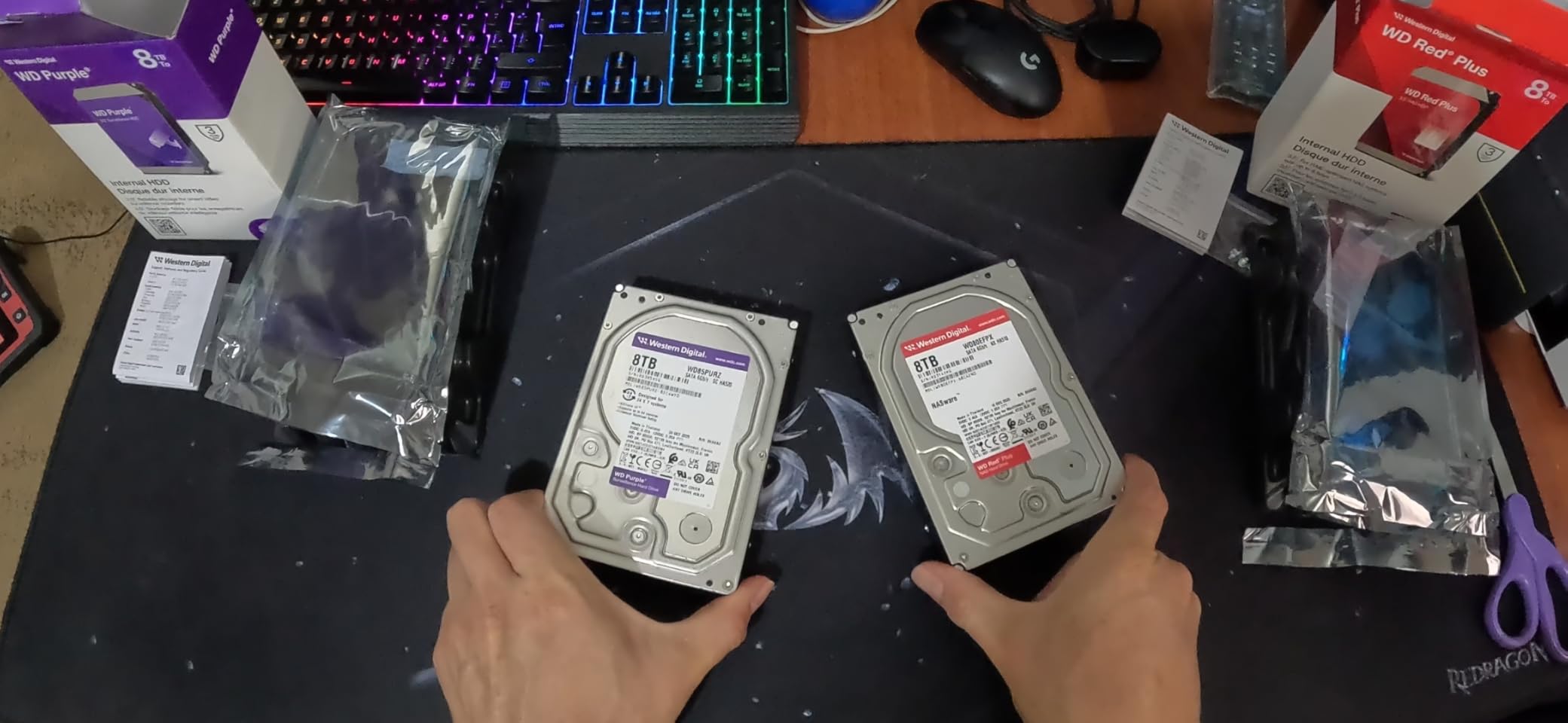
Western Digital 8TB WD Red Plus NAS Internal Hard Drive HDD – 5640 RPM, SATA 6 Gb/s, CMR, 256 MB Cache, 3.5″ – WD80EFPX
8TB
CMR
5640 RPM
180 TB/yr workload
3-year warranty
Pros
- Quietest drive in the lineup for living spaces
- Confirmed CMR so resilvers run at full speed
- Bestselling NAS HDD with 3668 reviews
- NASware 3.0 firmware tuned for multi-bay enclosures
Cons
- Newer batches enable PUIS which some enclosures read as failed
- 180 TB/yr workload is the lightest rating here
- 3-year warranty instead of 5
I have run the WD80EFPX variant in a small media pool, and the first thing you notice is what you do not hear. Around 24 dBA at idle and 28 dBA on seeks means the drive disappears into a cabinet in a way no 7200 RPM spinner manages.
In day to day TrueNAS use it behaves the way a NAS drive should. Weekly scrubs finish on schedule, streaming reads never stall, and the unusual 5640 RPM spin speed lands in a genuinely useful middle ground between 5400-class efficiency and 7200-class responsiveness.
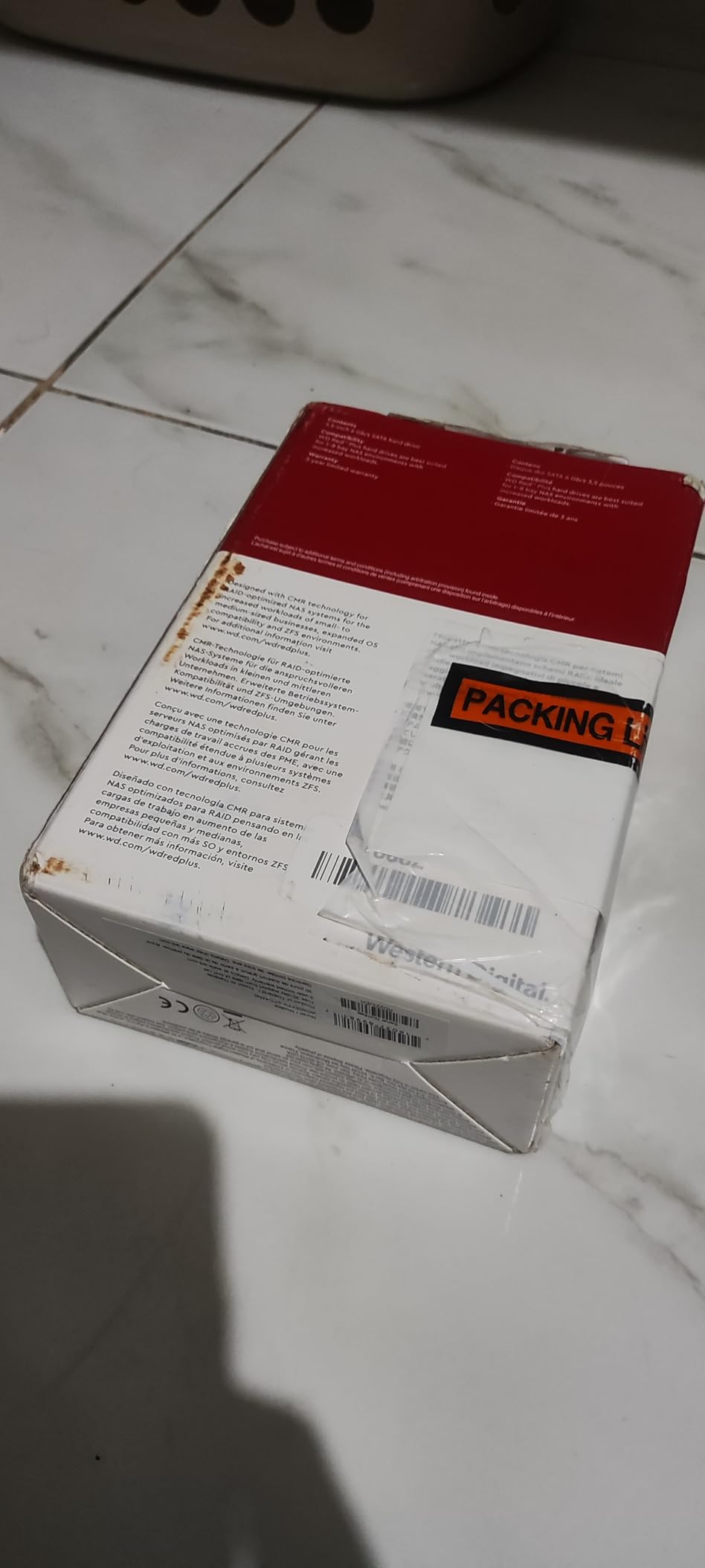
On paper this is the entry tier of NAS drives, and the spec sheet agrees. The workload rating is 180 TB per year, the cache is 256 MB, and sequential reads top out around 215 MB/s.
For a home pool holding media, family photos, and laptop backups, that is plenty. Where it runs short is a busy six-drive vdev with several writers hitting it at once, where the lighter workload rating starts to look small next to the 550 TB/yr enterprise tier.
The 13 percent one-star share in the rating distribution is worth understanding before you buy. Most of it traces to the PUIS firmware change rather than mechanical failures, which is fixable but frustrating if you are not expecting it.
How it handles a RAIDZ2 resilver
Because the drive is CMR, write throughput stays flat during a rebuild instead of collapsing the way SMR drives do. A four or six drive RAIDZ2 vdev of 8TB drives resilvers in hours, not days, and multiple buyers report multi-year runs with clean SMART attributes.
The one caution is days of continuous heavy writing, which sits outside its rated duty. Keep total writes modest, let scrubs do their job, and this drive will quietly outlast your expectations, which is exactly what the best value pick should do.
What to check before you mount it
If your enclosure reports a brand new Red Plus as dead, check PUIS before filing an RMA. Power-Up In Standby ships enabled on newer batches, and some chassis will never send the command that wakes the drive.
Disabling it needs hdparm over a real SATA port in a desktop, not a USB dock. Ten minutes of prep fixes what looks like a dead drive, and it is the single most useful thing to know about this model.
2. Toshiba N300 8TB: The 7200 RPM Alternative for Six-Drive Vdevs
TOSHIBA N300 Internal Hard Drive 8 Tb 7200 RPM 512 Mb 3.5″ Serial, W129162310 (7200 RPM 512 Mb 3.5 Serial Ata Iii)
8TB
CMR
7200 RPM
512 MB cache
180 TB/yr workload
Pros
- 7200 RPM with 281 MB/s sequential reads
- 512 MB cache helps random I/O under ZFS
- Rated for 24/7 operation in 1 to 8 bay enclosures
- 4.3 rating with 72 percent five-star reviews
Cons
- Only 66 reviews so long-term data is thin
- Higher cost per terabyte than the WD Red Plus
- Limited stock availability
The N300 is the drive I point people to when they want 8TB of CMR storage with more punch than a 5640 RPM unit. Spinning at 7200 RPM with a 512 MB buffer, it posts sequential reads around 281 MB/s, which is the fastest figure at this capacity tier in the roundup.
Owners report genuinely boring operation, which is the highest compliment a pool drive can earn. One reviewer logs more than 19,000 power-on hours without an incident, and the 72 percent five-star share on a 4.3 average is the strongest sentiment in this lineup.
Technically it mirrors the Red Plus in the places that matter for ZFS. Both are CMR, both carry a 180 TB/year workload rating, and both are rated for 1 to 8 bay enclosures, so the pool behavior is closer than the spec deltas suggest.
The differences are speed and acoustics rather than duty. You gain transfer rate and a large cache for random I/O, and you give up some of the near-silence that makes the WD the default for living spaces.
The honest limitation is sample size. Sixty-six reviews is a thin base compared with the thousands behind the WD and Seagate picks, so you are trusting a strong but small signal, and stock comes and goes.
Is 8TB still enough for a RAIDZ2 vdev
For plenty of home builds, yes. Six of these in RAIDZ2 give you 32TB of raw data capacity before ZFS overhead, which is years of headroom for media libraries and personal backups.
The better question is whether 8TB is what you will want in year three, because growing a RAIDZ2 vdev usually means replacing every drive in it. Buy the capacity tier you can afford to replace as a set, not the cheapest tier available today.
How it compares with the WD Red Plus
Same capacity, same workload rating, same CMR guarantee, and same 3-year warranty, so the decision collapses to throughput versus quiet. The N300 wins on speed and the WD wins on noise and review depth.
If the NAS sits in a closet or basement, take the N300 and enjoy the extra headroom. If it sits next to your desk, take the Red Plus and never think about it again.
3. Seagate IronWolf Pro 14TB: The Consensus Pick for 24/7 TrueNAS RAIDZ2
Seagate IronWolf Pro 14TB NAS Internal Hard Drive HDD – CMR 3.5 Inch SATA 6Gb/s 256MB Cache for RAID Network Attached Storage, Data Recovery Service – Frustration Free Packaging (ST14000NEZ008)
14TB
CMR
7200 RPM
550 TB/yr
5-yr warranty + Rescue
Pros
- Highest rated drive here at 4.5 across 2743 reviews
- AgileArray firmware with rotational vibration sensors
- 550 TB/yr workload rating with 1.2M-hour MTBF
- 5-year warranty plus 3 years of Rescue Data Recovery
- Supports up to 24-bay enclosures
Cons
- Audible seek noise in quiet rooms
- Highest cost per terabyte in the lineup
- Warranty requires buying from an authorized seller
If you want a single answer for the best drives for a RAIDZ2 TrueNAS pool, this is it, and the community reached that conclusion before I did. The 4.5 rating across 2,743 reviews is the most vetted result in this lineup, with 80 percent of buyers leaving five stars.
Running six of these in RAIDZ2 feels different from running a mixed bag of desktop pulls. Resilver behavior is predictable, sustained transfers sit in the 170 to 250 MB/s range in real arrays, and IronWolf Health Management reports drive state directly in enclosures that support it.
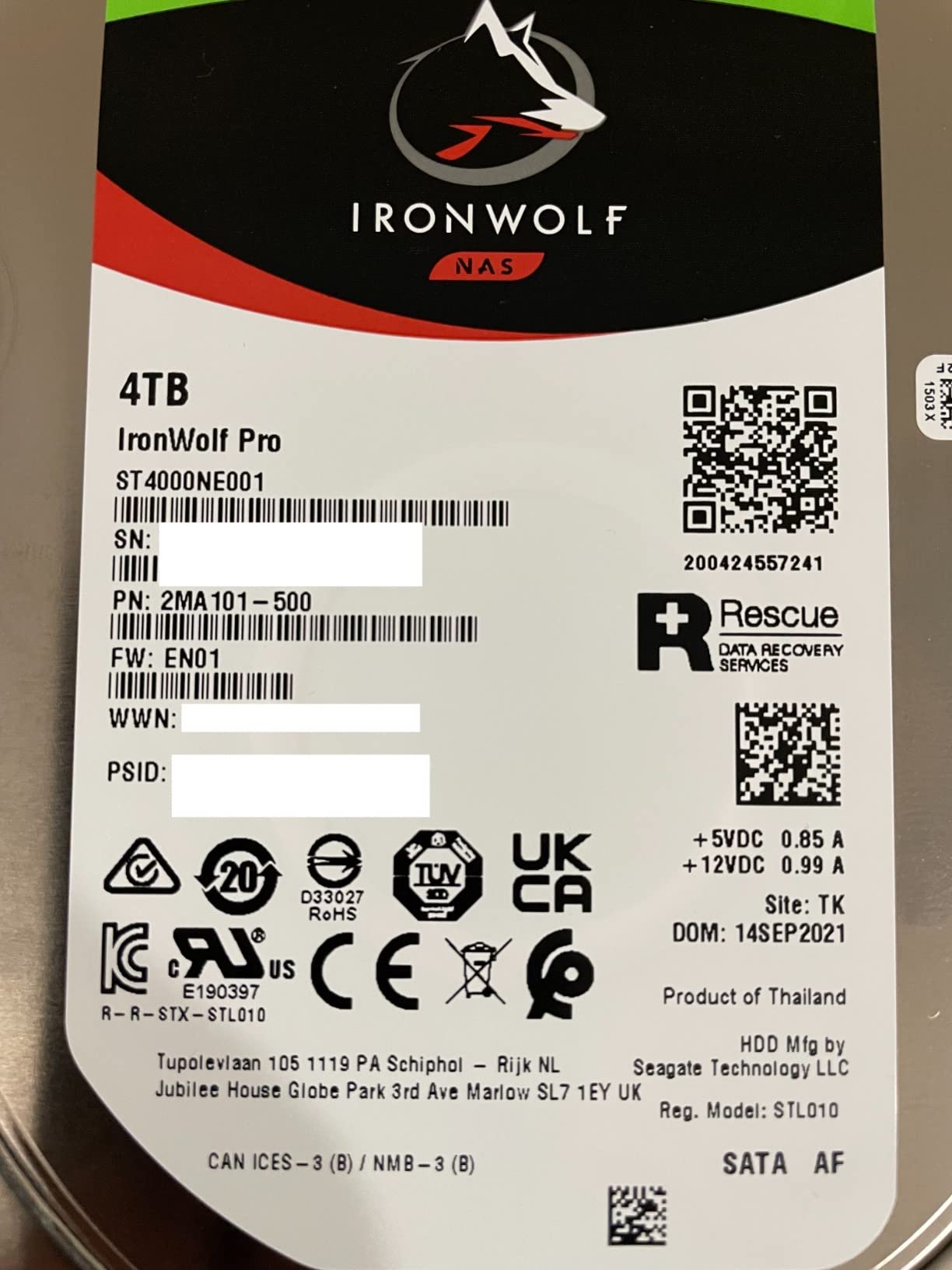
The engineering that matters most here is invisible on a spec sheet. AgileArray firmware with rotational vibration sensors lets the drive compensate for the harmonic wobble of neighbors in a multi-bay chassis, which is exactly the environment a six or eight drive vdev creates.
Add a 550 TB/year workload rating, a 1.2M-hour MTBF, and CMR recording, and you get a drive built for the specific workload ZFS creates during scrubs and rebuilds. Many owners report years of continuous operation with zero failures.
The bundled 3 years of Rescue Data Recovery Services is unique in this roundup and worth taking seriously. If a drive ever dies with data you cannot replace, Seagate attempts in-lab recovery at no charge, which is real insurance rather than marketing.
How loud is it in a home office
Noticeably louder than the WD Red Plus, and the seek characteristic is what people notice rather than the idle hum. In a carpeted office with the NAS under a desk it reads as background noise, and in a quiet bedroom it reads as a hard drive working.
Plan around it the way you would plan around a fan. Give the chassis airflow, mount the drives with vibration-damping screws or grommets, and the noise drops enough that most people stop hearing it within a week.
Is the Pro tier worth it over the standard IronWolf
For a RAIDZ2 pool, yes, because the Pro tier is the one with the 550 TB/year workload rating and the 5-year warranty. The standard IronWolf is a fine drive for light duty, but it is built for a lighter duty cycle than a pool that scrubs and resilvers regularly.
The Rescue service and higher bay support also come only with the Pro. If you might grow past 8 bays later, buying Pro now means not replacing drives to get there.
4. Toshiba MG07 Enterprise 14TB: The Most Workload Rating per Dollar
Toshiba MG Series Enterprise 14TB 3.5’’ SATA 6Gbit/s Internal HDD 7200RPM 550TB/year 24/7 Operation. MG07ACA14TE
14TB
CMR
Helium-sealed
550 TB/yr
2.5M-hr MTBF
Pros
- 550 TB/yr workload rating with 2.5M-hr MTBF
- Helium-sealed enterprise design
- Best enterprise capacity value in the lineup
- Stable Platter Technology and Persistent Write Cache
Cons
- Loudest drive in the roundup
- Some DOA and early failure reports
- Warranty coverage depends on the seller
The MG07ACA14TE is the enterprise value play, pairing 14TB of helium-sealed capacity with the joint-highest reliability specs in this group. A 2.5M-hour MTBF and a 550 TB/year workload rating put it in a different duty class from the 8TB NAS drives above.
Forum builders like it for the same reason large-scale deployments do. It is built for sustained always-on work, and reviewers measure around 265 MB/s in CrystalDiskMark runs, which tracks with the roughly 248 MB/s media speed Toshiba claims.
Technically this is a nearline drive wearing an enterprise badge. Stable Platter Technology reduces head offset in vibration, and Persistent Write Cache protects in-flight writes across a power event, which is a real benefit on a box that resilvers overnight.
The weaknesses are environmental and procedural rather than architectural. It is the loudest drive in the roundup, with owners describing seek noise audible from adjacent rooms, and the 4.0 rating across 261 reviews includes a 14 percent one-star share.
That one-star share clusters around DOA units and early failures inside the first three months. Once a unit survives its first weeks, reports turn consistently positive, which points at handling and batch variance more than design flaws.
Warranty and seller legitimacy
Toshiba enterprise drives carry a 5-year limited warranty through authorized channels, but that is not automatic on every listing. At least one buyer reports neither Dell nor Toshiba honoring coverage on their unit, so the seller matters as much as the drive.
Buy from an authorized dealer and keep the invoice. Then run SMART and a full write pass before the return window closes, because warranty processes are slower than retailer returns.
How it handles 8 and 10 drive vdevs
This is where enterprise vibration tolerance earns its keep. In an 8 or 10 drive chassis, drives without RV compensation fight each other harmonically, while the MG07 is built for exactly that density.
Community guidance favors keeping RAIDZ2 vdevs to 6-8 drives for manageable rebuilds, and the MG07 is well matched to either size. A 10-drive vdev works, but plan for longer resilvers as capacity per drive climbs.
5. WD Red Pro 16TB: The Prosumer Tier for Growing Pools
Western Digital 16TB WD Red Pro NAS Internal Hard Drive HDD – 7200 RPM, SATA 6 Gb/s, CMR, 512 MB Cache, 3.5″ – WD161KFGX
16TB
CMR
7200 RPM
550 TB/yr
5-year warranty
Pros
- 16TB per bay with 512 MB cache
- 550 TB/yr workload rating
- NASware 3.0 with RV sensors and unlimited bay support
- 5-year limited warranty
Cons
- 20 percent one-star review rate
- Mixed batch quality reports
- Noisier than the WD Red Plus
The WD161KFGX is the highest-capacity prosumer NAS drive in this group, and on paper it is a near-perfect RAIDZ2 citizen. Sixteen terabytes per bay, a 512 MB cache, NASware 3.0 firmware, rotational vibration sensors, and a 550 TB/year workload rating.
Sequential reads land around 259 MB/s, and unlimited bay support means it will scale from a 4-bay starter box to a full chassis without a rematch. Long-term owners report years of trouble-free 24/7 service in RAID arrays.
The catch sits in the rating distribution rather than the spec sheet. A 4.0 average across 2,253 reviews comes with a 20 percent one-star share, the highest in the roundup, and the complaints describe premature failures and batch-to-batch inconsistency.
Read that as managed risk rather than disqualification. Plenty of buyers get flawless multi-year service, and the failure reports are loud enough that a careful first week protects you from nearly all of them.
Against the IronWolf Pro, the comparison is tight enough to be a coin flip on hardware. The Seagate carries the higher rating, the Rescue service, and a quieter reputation, while the WD answers with two extra terabytes per bay and easier availability.
Batch quality and your first 48 hours
Run every drive through SMART, a couple of full write-and-read passes, and a scrub before you trust it with data. Drives that are going to fail early almost always fail during this window, while the retailer return policy still applies.
Stagger your purchase across sellers or a few weeks if you are building a large vdev. Mixing batches is mildly annoying for matching firmware, but it beats installing six drives from one bad run.
16TB versus 14TB in a six-drive pool
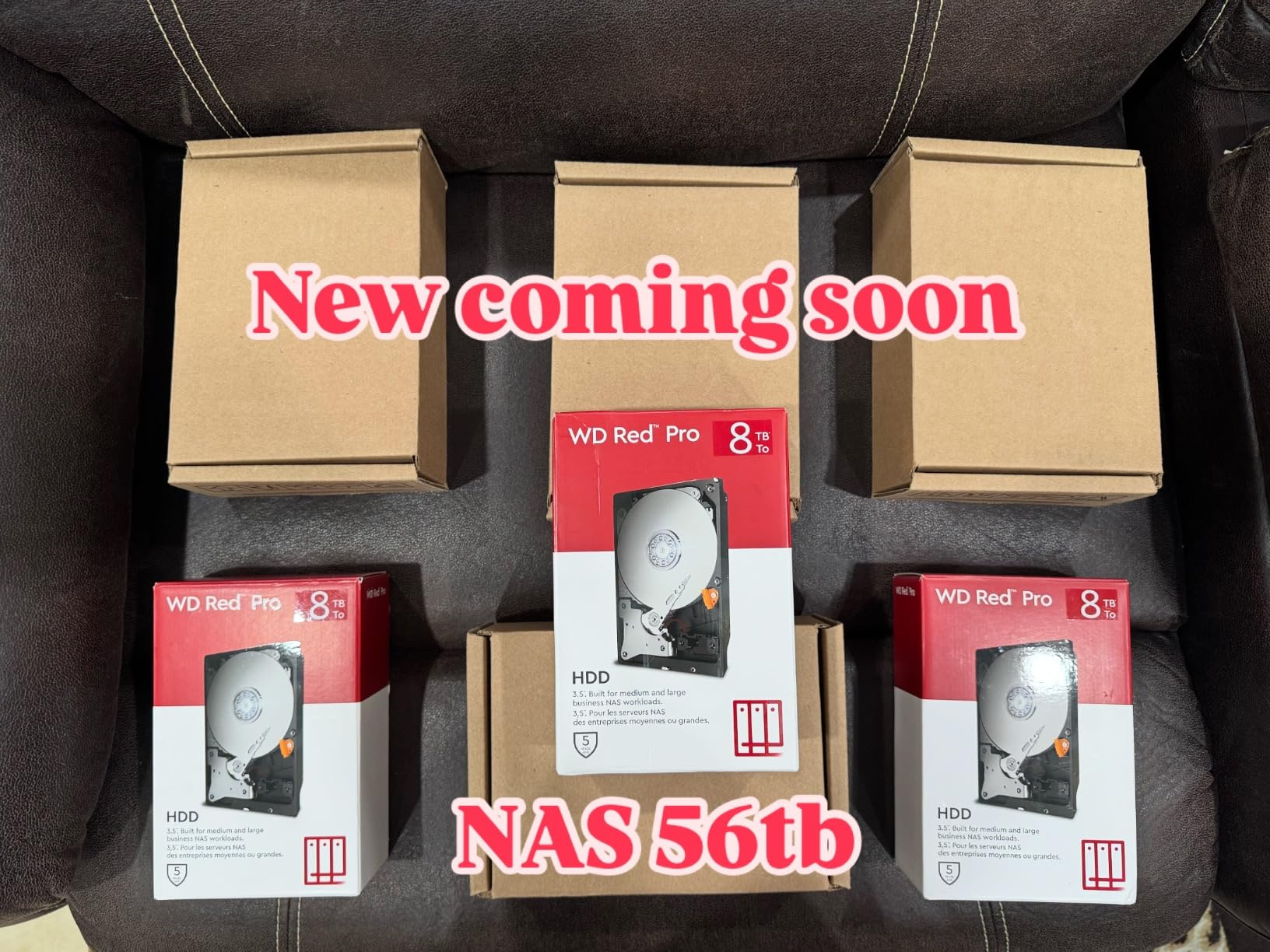
Six 16TB drives in RAIDZ2 give you 64TB of raw data capacity before overhead, against 56TB with the 14TB IronWolf Pro. That is 8TB more usable space for a modest step up in cost per bay.
Weigh that against the IronWolf Pro’s higher rating, longer data recovery coverage, and quieter reputation. Capacity favors the WD, and peace of mind favors the Seagate.
6. Seagate Exos X20 20TB: Maximum Capacity per Bay
Seagate 20TB Exos Enterprise Hard Drive | SATA (ST20000NM002H)
20TB
CMR
Helium-sealed
2.5M-hr MTBF
5-year warranty
Pros
- 20TB per drive bay
- 2.5M-hour MTBF helium-sealed enterprise design
- 512 MB cache for large ZFS pools
- 5-year limited warranty
Cons
- 25 percent one-star rate on a small review base
- Refurb and white-label units sold as new
- Loud 7200 RPM operation for home spaces
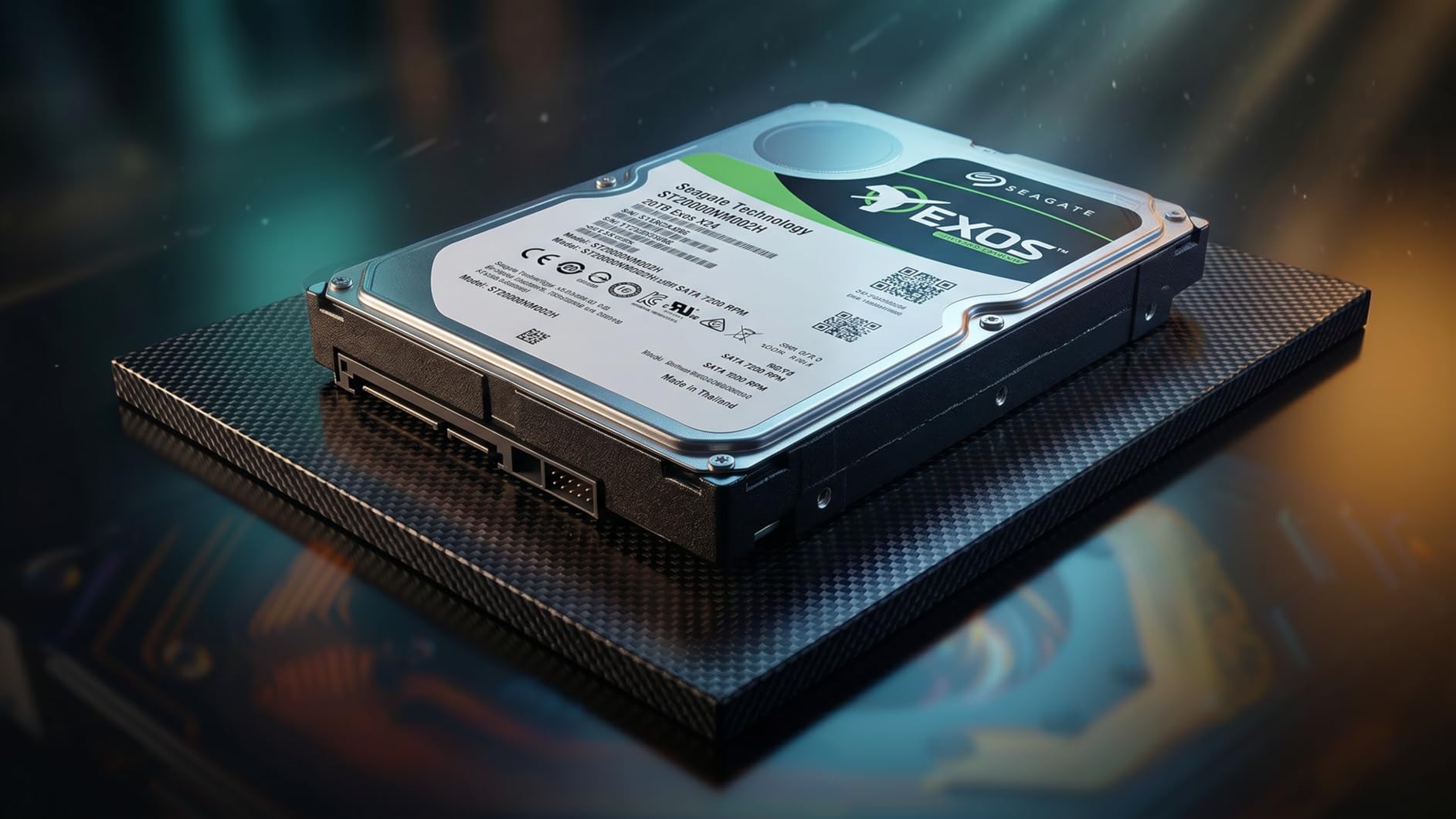
The Exos X20 is the drive you buy when bay count is fixed and capacity must max out. Twenty terabytes per spindle means a six-drive RAIDZ2 vdev reaches 80TB of raw data capacity before ZFS overhead, which is real server territory in a desktop-sized chassis.
Architecturally it is the most serious drive here, with a helium-sealed assembly, a 2.5M-hour MTBF, a 550 TB/year workload rating, and a 512 MB cache. Sustained transfers around 250 MB/s keep large scrubs moving.
The 3.8 rating across 98 reviews needs context before it scares you off. A quarter of the reviews are one-star, and they cluster on DOA units, minimal packaging, and buyers receiving refurbished or white-label drives sold as new.
That is a supply chain problem, not a drive design problem, and it is solvable with seller selection. Buy from a reputable source with a no-questions return policy and the risk profile changes completely.
How to avoid refurb and white-label units
Check the serial number on Seagate’s warranty lookup the day the drive arrives, before you format anything. If the coverage start date predates your purchase or the model does not match the listing, return it immediately.
Be suspicious of pricing that undercuts the mainstream by a wide margin, and prefer listings that state retail packaging. Pulled datacenter drives are not bad hardware, but you should know that is what you are buying.
When 20TB per bay actually makes sense
It makes sense when your chassis is full and your data keeps growing, because the only other option is a bigger case or a second pool. It also makes sense when you want fewer spindles for the same total capacity, which lowers power draw and heat.
It makes less sense in a bedroom or home office, because this is a loud 7200 RPM drive that idles warm. Put it in a basement rack or a closet, and it will happily run the same 8x20TB style pool that Reddit builders report running for years.
How to Choose Drives for a RAIDZ2 TrueNAS Pool?
Choose on recording technology first, then workload rating, then warranty, and only then capacity. That order is what separates a pool that resilvers quietly overnight from one that takes a week and scares you the whole time.
CMR versus SMR: the one spec that can sink your pool
CMR writes each track independently, while SMR overlaps tracks like roof shingles, so rewriting one track means rewriting the ones beneath it. ZFS writes constantly because of copy-on-write, and a resilver rewrites nearly the entire drive, which is the exact pattern SMR handles worst.
The failure mode is not gentle. SMR drives in ZFS pools show resilvers stretching from hours into days, and every extra hour is another chance for a second drive to fail while the pool is degraded.
Compounding the problem, SMR drives rarely advertise it on the box. Western Digital’s Red line without Plus or Pro is shingled below 8TB, with EFAX in the model code as the giveaway, and iXsystems documentation explicitly warns against these drives.
Every drive in this roundup is confirmed CMR. If you shop outside this list, verify recording technology on the manufacturer’s datasheet before ordering, not after.
Workload rating: what TB/year means for 24/7 operation
A workload rating is the number of terabytes per year the manufacturer designs the drive to read and write. The 180 TB/year tier suits home media and backup pools, while 550 TB/year drives are built for the sustained write storms that scrubs and resilvers produce.
RAIDZ2 punishes drives harder than a desktop does, because parity means every write touches additional spindles. A pool that backs up several machines nightly can easily generate more writes than a 180 TB/year rating assumes.
My rule of thumb is simple. Backup-only pools and light media serving are fine at 180 TB/year, and anything with VMs, databases, or frequent large transfers belongs at 550 TB/year.
Matching the drive to your vdev size
Four drives is the RAIDZ2 minimum and works well for a compact box, where the 8TB drives in this guide keep costs and power draw sane. You get half your raw capacity as usable storage, and resilvers stay short.
Six drives is the community sweet spot, because double parity costs you only a third of raw capacity and rebuilds stay manageable. This is the size where 14TB drives like the IronWolf Pro and MG07 make the most sense.
Eight drives is the practical upper bound for a single vdev, and enterprise drives with vibration tolerance earn their place here. Ten-drive vdevs appear in mixed media builds on the TrueNAS forums, but plan for long resilvers and consider splitting into two vdevs instead.
Whatever size you pick, use identical drives throughout. Mixed capacities waste space to the smallest drive, and mixed models make replacement matching harder years later.
Usable capacity math for RAIDZ2
RAIDZ2 usable capacity equals drive capacity multiplied by your drive count minus two. Six 14TB drives give you 56TB of raw data capacity, eight 8TB drives give you 48TB, and four 20TB drives give you 40TB.
ZFS then takes its share for metadata and slop space, so plan on roughly 85 to 90 percent of that figure appearing in TrueNAS. Six 14TB drives in RAIDZ2 show up as approximately 50TB usable in the UI.
For context, RAIDZ1 on the same six drives would give 70TB raw but tolerate only one failure. Giving up 14TB for double fault tolerance is one of the best trades in home storage.
Noise, heat, and vibration at home
Noise is the gap nobody covers and everybody suffers. A 7200 RPM enterprise drive can be audible from an adjacent room, while the 5640 RPM WD Red Plus sits near 24 dBA at idle and effectively vanishes.
Heat rises with speed too, and warm drives fail faster. Enterprise drives in a compact desktop chassis often need a fan pointed at the bays that a quieter NAS drive would not require.
In multi-bay chassis, rotational vibration sensors genuinely matter. Drives mechanically coupled to the same frame can amplify each other’s vibration, and RV compensation is one reason NAS and enterprise firmware costs more than desktop firmware.
Warranty, firmware, and seller legitimacy
Five-year warranties are the community standard for drives you intend to trust, and the IronWolf Pro, WD Red Pro, MG07, and Exos all carry them. The 8TB drives here carry 3-year coverage, which is fair for their tier.
Warranty length only matters if the coverage is honored, and manufacturer coverage follows the authorized seller. Check the serial on the manufacturer’s warranty portal on day one, because that is the moment a grey-market unit is still returnable.
Error recovery behavior is the quieter firmware issue. NAS and enterprise drives time out and report a bad sector quickly so ZFS can pull from parity, while desktop drives can retry for so long the pool drops them, and TLER or CCTL configuration is only a workaround for drives never meant for this job.
While you are in advanced territory, set ashift correctly at pool creation for 4K sector drives, since it cannot be changed later. A special vdev, L2ARC, or SLOG can wait until the main pool is right.
Which drive for which build
For a quiet home media server, buy the WD Red Plus 8TB and thank yourself every time you watch a movie in the same room. For a small business box that takes nightly backups from a dozen machines, the IronWolf Pro 14TB is worth the premium for its workload headroom alone.
For a homelab that runs VMs and datasets on a budget, the Toshiba MG07 14TB delivers enterprise specs at the lowest cost per terabyte here. For a full chassis where you never want to buy drives again, the Exos X20 20TB gets you there in the fewest spindles.
What to avoid when shopping for RAIDZ2 drives
Avoid SMR drives entirely, which means skipping WD Red non-Plus and non-Pro models below 8TB and checking for the EFAX code. This is the single most common way a TrueNAS build goes wrong.
Avoid desktop drives like Barracudas and desktop-class Blue spins, which lack vibration compensation and error recovery tuning. One community report describes a set of desktop drives in RAIDZ2 failing completely within four years before a switch to enterprise hardware.
Avoid unknown sellers offering implausible pricing on high-capacity drives, because that is where refurbs and white-label pulls enter the market. And avoid mixing drive models or capacities in one vdev whenever you can.
Before you commit data: burn-in and SMART
Give every new drive a SMART baseline, then one or two full write-and-read passes before adding it to the pool. Most early failures surface during this window, while the retailer still owes you a painless swap.
After that, schedule monthly scrubs and watch SMART attributes rather than waiting for a pool event. Drives usually warn you with reallocated sectors and pending counts long before they die.
Finally, remember that RAIDZ2 is availability, not backup. Two drives can fail at once, a typo can destroy a pool, and ransomware does not care about parity, so keep a genuine 3-2-1 backup with one copy offsite.
Frequently Asked Questions
How many drives does RAIDZ2 need?
RAIDZ2 needs a minimum of 4 drives, using two for data and two for parity, and it tolerates two simultaneous drive failures without data loss. The community sweet spot is 6 drives, which keeps resilver times reasonable while leaving roughly two-thirds of raw capacity usable. 8-drive RAIDZ2 vdevs are also common on larger chassis, and 10-drive vdevs work when you have the bays and accept longer rebuilds.
Can I use SMR drives in a RAIDZ2 TrueNAS pool?
No. SMR drives overlap magnetic tracks, so rewriting one track forces the drive to rewrite its neighbors, which collapses sustained write speed. A RAIDZ2 resilver rewrites nearly the entire drive, so SMR turns an hours-long rebuild into a multi-day one while the pool runs degraded. iXsystems explicitly warns against SMR drives in TrueNAS, so buy confirmed CMR models only.
What is the best hard drive for a RAID system?
For RAIDZ2 TrueNAS pools, the best drives are CMR NAS or enterprise-class models with high workload ratings. Top picks are the Seagate IronWolf Pro for best all-around performance, the WD Red Plus for quiet home builds on a budget, the Seagate Exos X20 for enterprise capacity, and the Toshiba MG07 for enterprise value. Avoid SMR and desktop drives entirely.
Which hard drive brand has the lowest failure rate?
Backblaze quarterly drive stats consistently show enterprise-class drives from HGST, Toshiba, and Seagate Exos at the lowest annualized failure rates, though results vary by capacity and firmware. Among NAS-class drives, the Seagate IronWolf Pro and WD Red Pro both carry strong reliability records and 5-year warranties. Buy from authorized sellers, since operating conditions and handling affect real-world failure rates as much as brand.
Why is TrueNAS no longer recommended by default?
TrueNAS Core is no longer the default recommendation because iXsystems focuses development on TrueNAS SCALE, the Linux-based platform. SCALE offers broader hardware compatibility, a larger app ecosystem, and active feature development, while Core still works but receives fewer updates. For a new RAIDZ2 pool, build on TrueNAS SCALE unless you specifically need FreeBSD.
Final Word on RAIDZ2 TrueNAS Drives
The best drives for a RAIDZ2 TrueNAS pool in 2026 are the Seagate IronWolf Pro 14TB for most builders, the WD Red Plus 8TB for quiet home value, and the Seagate Exos X20 20TB when capacity per bay rules the build. The Toshiba MG07 covers the enterprise value angle, the N300 is a fast 8TB alternative, and the WD Red Pro trades a higher capacity tier for more batch risk.
Whatever you choose, buy CMR, match the workload rating to how hard the pool works, and burn in every drive before it holds anything you care about. Then keep a real 3-2-1 backup, because parity protects your uptime, not your data.