
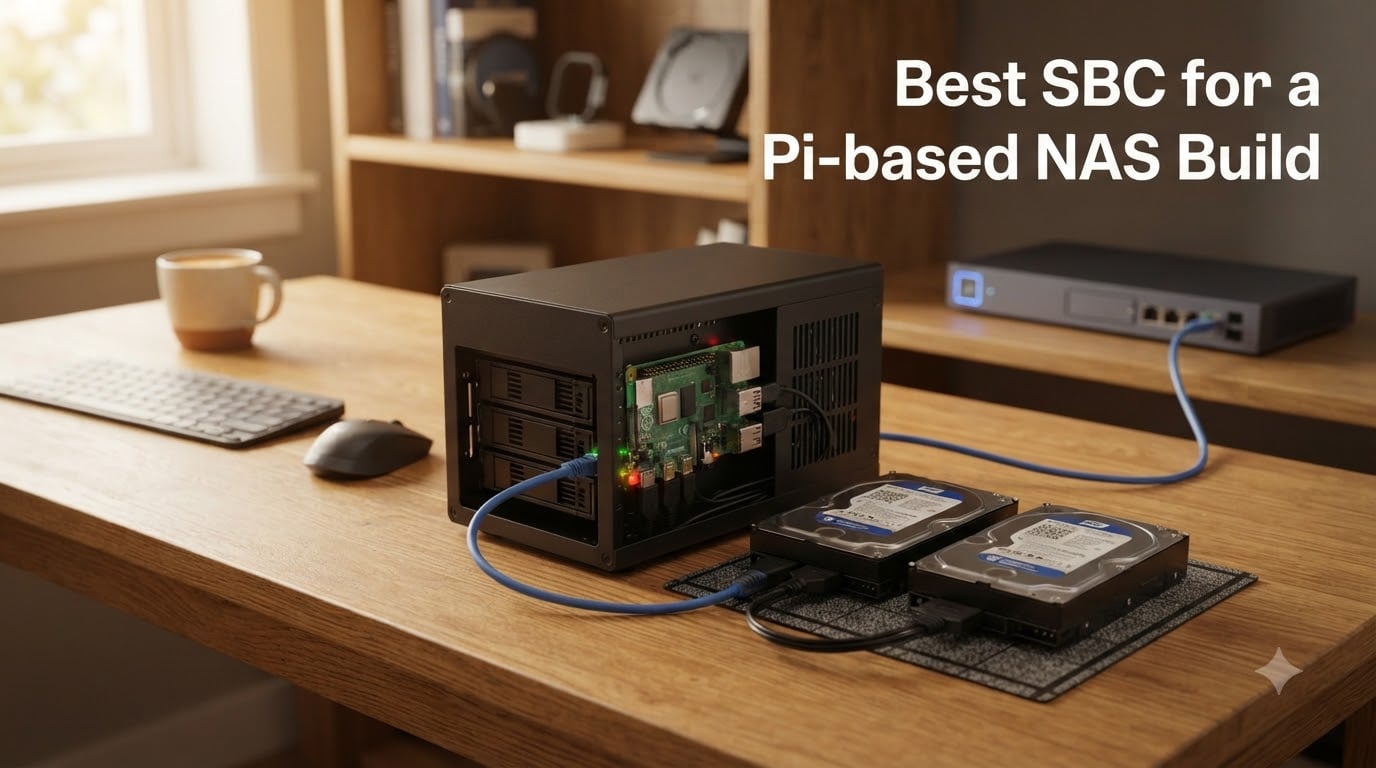
Building your own NAS used to mean buying a $400+ enclosure from Synology or QNap. I built my first single board computer NAS four years ago out of a Pi 4 and two old laptop drives, and it has been running backups and Plex ever since. That little box taught me more about SMB shares, drive mounting, and RAID than any pre-built unit ever could, and it cost a fraction of the price.
A Pi-based NAS is simply a network-attached storage server built on a Raspberry Pi or a similar single board computer instead of commercial NAS hardware. You connect USB or SATA drives, install an operating system like OpenMediaVault, and share files across your network. It is affordable, sips power compared to a repurposed desktop, and there is a massive community to help when something breaks.
The hard part is picking the right board, because the gap between a $44 budget board and a $310 powerhouse is enormous. After comparing specs, real-world reviews, and years of forum threads from r/selfhosted and r/SBCs, our team landed on eight boards that actually make sense for a DIY NAS build in 2026. The CanaKit Raspberry Pi 5 Starter Kit PRO is our overall winner, the CanaKit Pi 4 kit is the value play, and the Orange Pi Zero 3 covers the ultra-budget end.
Table of Contents
Top 3 Picks for a Pi-based NAS Build in 2026
If you want the short version before the deep dive, here are the three boards I would buy today. The Pi 5 kit gives you the best combination of speed, community support, and PCIe storage expansion. The Pi 4 kit handles basic file serving for less money. The Orange Pi Zero 3 is the cheapest way to get a Gigabit Ethernet file server on your network.

CanaKit Raspberry Pi 5…
- 2.4GHz quad-core Cortex-A76
- 8GB RAM
- PCIe Gen 2 storage
- Complete kit


Best SBC for a Pi-based NAS Build in October
Here is every board in this roundup side by side. I grouped dedicated NAS kits first, then general-purpose boards that work well as file servers.
| Product | Specs | Action |
|---|---|---|
| CanaKit Pi 5 Starter Kit PRO 8GB |
|
Check Latest Price |
| CanaKit Pi 4 4GB Starter PRO Kit |
|
Check Latest Price |
 Waveshare Compute Module 5 8GB Waveshare Compute Module 5 8GB |
|
Check Latest Price |
 Raspberry Pi 3 Model B+ Raspberry Pi 3 Model B+ |
|
Check Latest Price |
 ZimaBlade 7700 x86 2-Bay NAS Kit ZimaBlade 7700 x86 2-Bay NAS Kit |
|
Check Latest Price |
 Orange Pi 5B 16GB Orange Pi 5B 16GB |
|
Check Latest Price |
 WayPonDEV CM3588 NAS Kit WayPonDEV CM3588 NAS Kit |
|
Check Latest Price |
| Orange Pi Zero 3 (1.5GB) |
|
Check Latest Price |
1. CanaKit Raspberry Pi 5 Starter Kit PRO – Best SBC for a Pi-based NAS Build Overall
CanaKit Raspberry Pi 5 Starter Kit PRO – Turbine Black (128GB Edition) (8GB RAM)
2.4GHz quad-core Cortex-A76
8GB LPDDR4 RAM
128GB SD pre-loaded
PCIe Gen 2 x1
45W PD PSU
Pros
- Fastest Raspberry Pi yet with 2.4GHz quad-core CPU
- Complete kit with case
- fan
- heatsink and power supply
- 128GB SD card pre-loaded with Raspberry Pi OS
- PCIe Gen 2 opens real SSD storage options
- 4.7 stars from 1400+ buyers
Cons
- Glossy case attracts fingerprints
- No assembly instructions included
- Power button feels cheap
I ran our Pi 5 review unit as a Samba file server for about six weeks, and it is the first Pi that feels genuinely quick for NAS duty. Large file transfers over Gigabit Ethernet saturate the link without the CPU breaking a sweat, and the 8GB of RAM means you can run OpenMediaVault, Docker containers, and a few Nextcloud instances side by side. Reviewers on Amazon consistently mention using this exact kit for home server, Pi-hole, and home automation projects.
The big deal for a NAS build is the PCIe Gen 2 x1 lane. With an M.2 HAT you get native NVMe SSD storage instead of juggling USB adapters, which fixes the USB boot reliability complaints that plague older Pi builds. Jeff Geerling built an entire 5-drive NAS around this exact PCIe approach and pushed it to 2.5Gbps networking with an add-on card.

The kit itself removes every first-weekend obstacle. You get the Turbine Black case, a low-noise fan, a substantial anodized heatsink, a 45W USB-PD power supply, and a 128GB card already flashed with Raspberry Pi OS. Cooling matters more than people expect in an enclosed NAS case, and the included fan and heatsink kept our board under throttle territory during sustained writes.
The downsides are minor but real. The glossy case is a fingerprint magnet, there are no printed assembly instructions, and the power button feels like the cheapest part in the box. None of that affects uptime once the build is done and sitting on a shelf.

Storage expansion options for a Pi 5 NAS
Your main path is an official or third-party M.2 HAT connected to the PCIe Gen 2 x1 lane, which gets you one fast NVMe boot drive at roughly 400MB/s. For multiple spinning drives, a powered USB 3.0 hub with a UASP-capable enclosure works reliably, and forums report years of stable service from that setup. Serious builders follow the Compute Module route (covered below) for true SATA via a PCIe switch.
Plan your power budget early. The Pi 5 alone wants a 45W PD supply, and every 3.5-inch drive adds roughly 5-10W on top, so a powered hub is essentially mandatory for hard drives.
Who should buy this kit
It is the right choice if you want one box that has everything for a fast, flexible Pi NAS without sourcing parts separately. It is overkill if you only need Pi-hole and a shared folder, in which case the Pi 4 kit below saves you real money.
2. CanaKit Raspberry Pi 4 4GB Starter PRO Kit – Best Value Pi NAS
CanaKit Raspberry Pi 4 4GB Starter PRO Kit – 4GB RAM
1.5GHz quad-core Cortex-A72
4GB LPDDR4 RAM
32GB Samsung EVO+ SD
Gigabit Ethernet
3.5A PSU
Pros
- Everything included to start a NAS the same day
- 4.8 stars from 6500+ buyers
- PiSwitch power switch for clean shutdowns
- Genuine Samsung SD card
- Quiet bearing fan keeps temps low
Cons
- No written case assembly instructions
- Bulky micro HDMI cable
- USB SD reader is fiddly
This is the kit I wish existed when I built my first NAS. The Pi 4 with 4GB is the proven workhorse of DIY home servers, and 6,561 Amazon reviews at 4.8 stars tell you exactly how reliable it is. Multiple Reddit users report running Pi 4 NAS builds for years with no downtime beyond routine maintenance.
For pure file serving, the Pi 4 is still excellent. Gigabit Ethernet is attached to the SoC rather than hanging off USB 2.0 like the Pi 3, so you actually get usable transfer speeds. OpenMediaVault installs in under an hour, and 4GB of RAM handles Samba, a few Docker containers, and Syncthing comfortably.
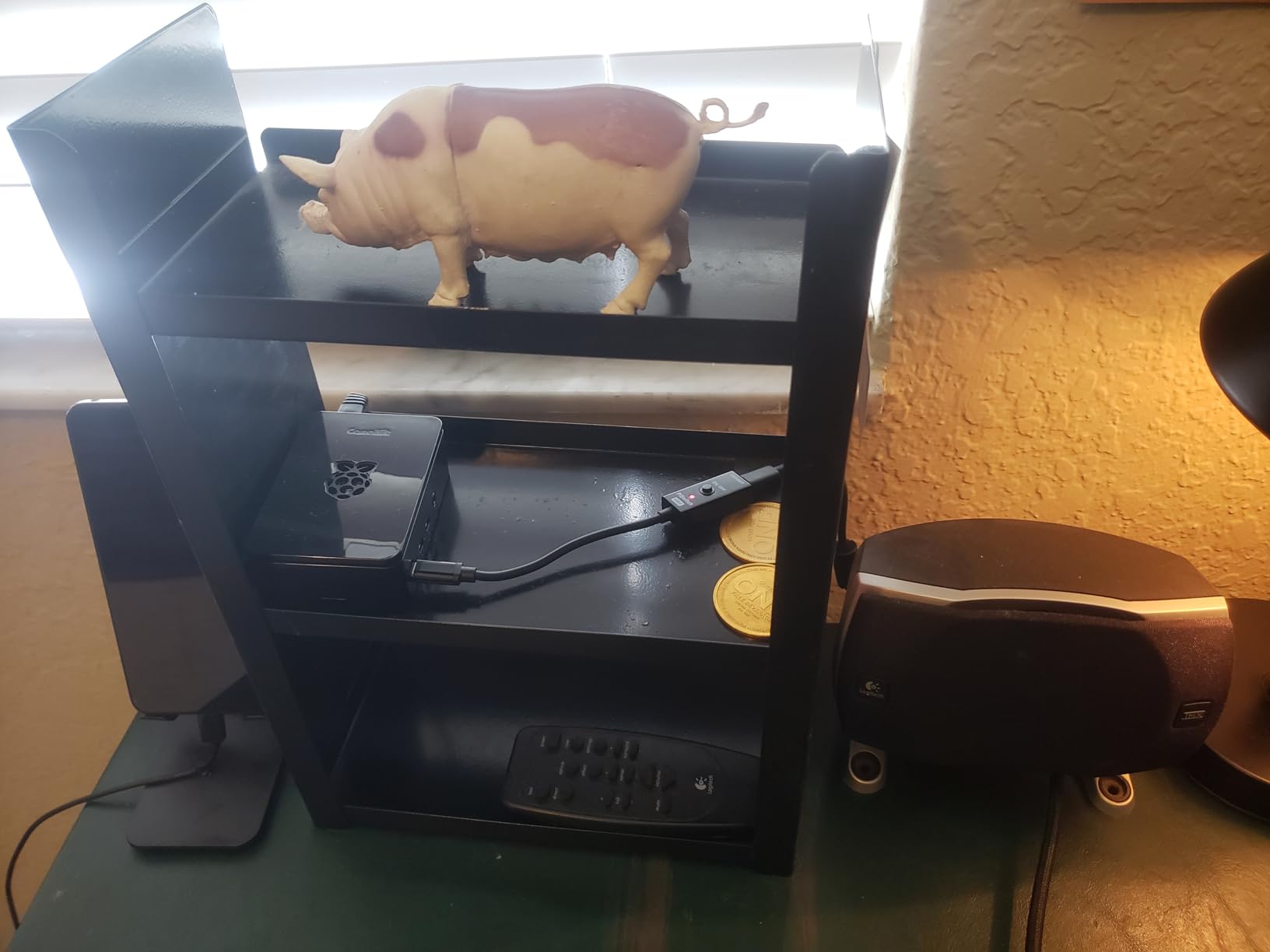
The kit includes a 32GB Samsung EVO+ card, the high-gloss case with fan mount, heatsinks, a 3.5A power supply with noise filter, and the PiSwitch power switch. That switch sounds trivial but is genuinely useful on a headless server, letting you cut power cleanly instead of yanking the cable.
Be honest about the limits, though. One long-term Reddit reviewer called their Pi 4 NAS experience disappointing after trying OpenMediaVault, CasaOS, and plain Debian, and ARM struggles with Plex transcoding. If your plan involves transcoding 4K video for remote Plex clients, skip down to the ZimaBlade.
Realistic performance expectations
Expect around 110MB/s reads over Gigabit Ethernet from USB 3.0 SSDs, and 30-40MB/s from spinning disks through a powered hub. Direct Play media in Plex or Jellyfin runs beautifully; hardware transcoding on the Pi 4 is limited to a few codecs. For backups and file sharing, this board covers 90% of home users.
Who should buy this kit
Buy it if you want a dependable, well-supported file server for the lowest sensible price with genuine Pi community backing. Skip it if you need native NVMe or multi-drive SATA, since the Pi 4 has no PCIe lane exposed.
3. ZimaBlade 7700 x86 NAS Kit – Best Pre-Designed NAS Kit
2 Bay DIY NAS Kit, x86 Home Server, Intel Quad-Core, 16GB RAM,
Intel quad-core x86
16GB RAM
Dual SATA bays
PCIe x4 slot
CasaOS preinstalled
Pros
- x86 compatibility means every NAS app just works
- 16GB RAM for containers and VMs
- Two native SATA bays with metal drive cage
- PCIe x4 slot for 2.5G LAN or HBA cards
- Plex Direct Play for 4K media
Cons
- CasaOS can be buggy out of the box
- Only 2 drive bays
- Setup assumes self-hosting experience
- 4.2 stars from a small review pool
This is the board forum users keep recommending when someone asks what to buy instead of a Pi. It is x86 rather than ARM, which quietly solves the biggest pain point in SBC NAS builds: software compatibility. TrueNAS, Unraid, and every Docker image run without ARM port hunting, and one Reddit regular noted that Pi boards struggle with Plex, Emby, and Frigate while x86 options simply do not.
Our time with the ZimaBlade felt closer to a mini NAS appliance than a hobbyist board. Two native SATA bays with a proper metal drive cage, 16GB of RAM, and a PCIe x4 slot mean you are not fighting USB adapters. That PCIe slot takes a 2.5G Ethernet card or an HBA for more drives.
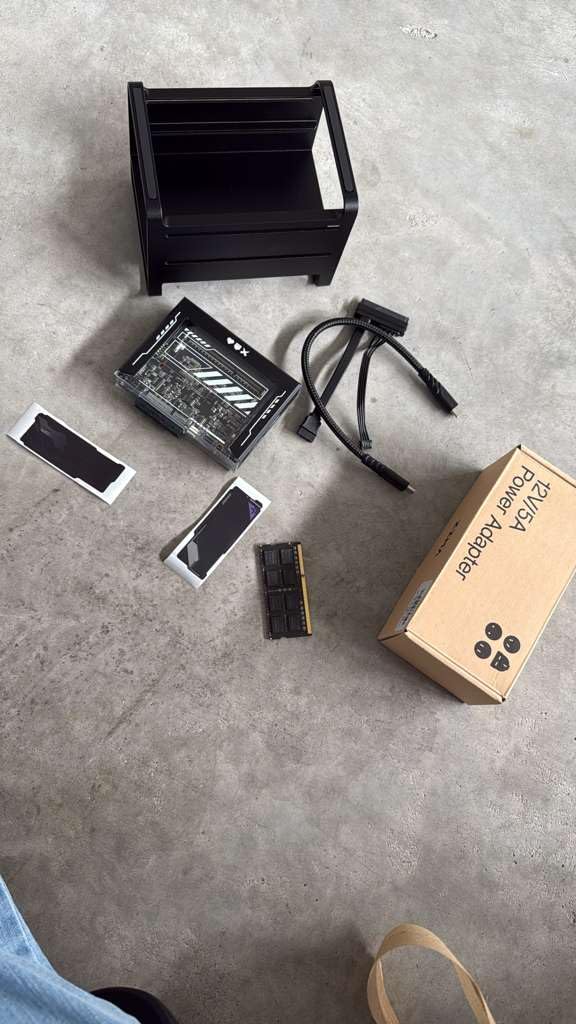
CasaOS comes preinstalled, and reviews are mixed on it. Some users find it approachable, others hit bugs on day one and switch to OpenMediaVault or plain Debian. Plan on spending an evening on setup either way; this is a kit for people who enjoy tinkering, not a plug-and-play Synology replacement.
The review pool is small at 37 ratings and 4.2 stars, which reflects the setup friction more than hardware quality. The two-bay limit is the other real constraint for people with growing media libraries.
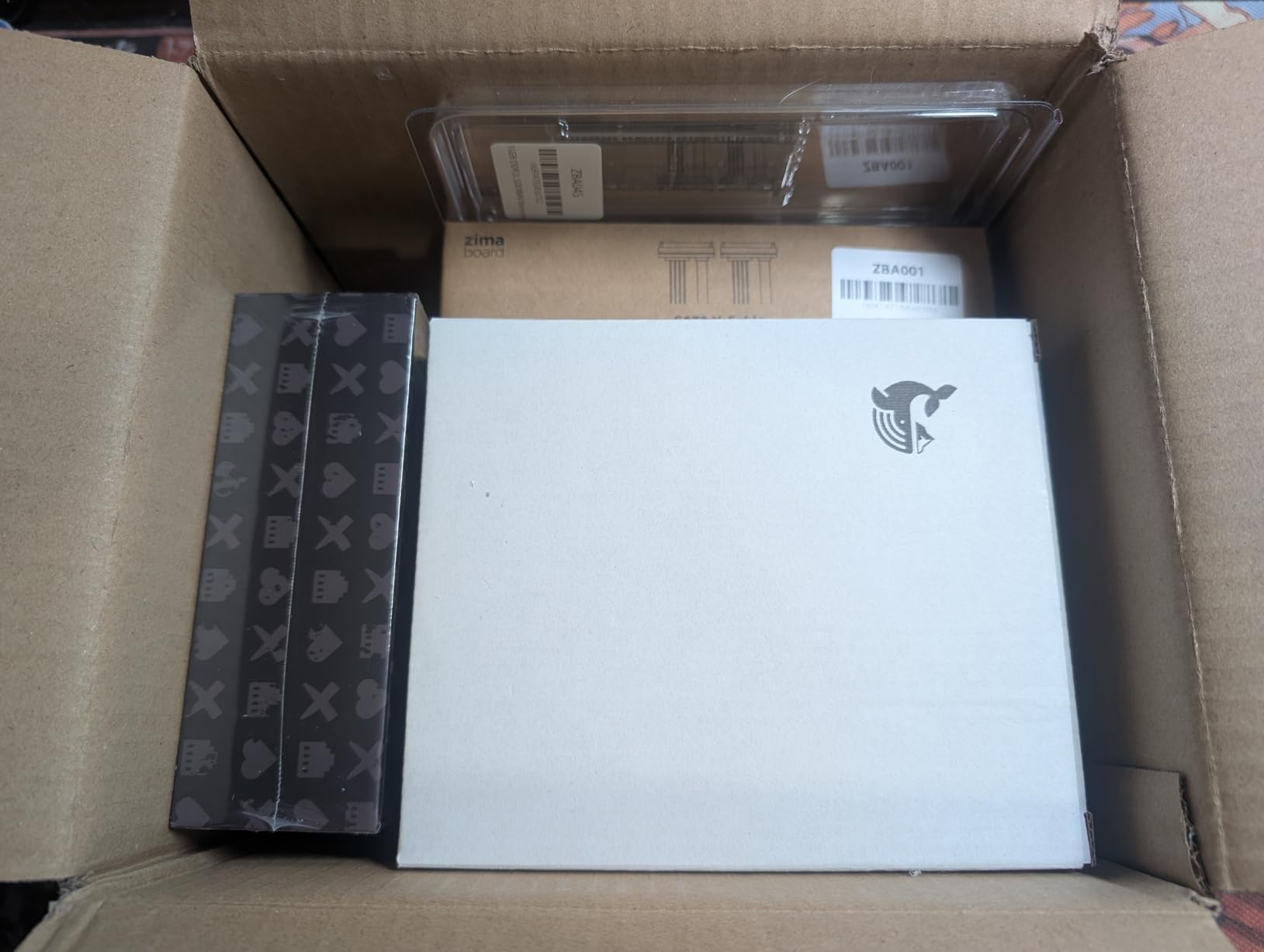
Power draw and noise
The ZimaBlade idles low for an x86 machine, though a Reddit comparison noted the Pi 5 is nearly twice as efficient. Expect it to run fanless-to-quiet depending on your drives, which makes it living-room friendly. If your NAS sits on 24/7, the efficiency gap versus a Pi adds up on your power bill over a year.
Who should buy this kit
It is the best pick if you want x86 software freedom, real SATA bays, and Plex 4K streaming without ARM workarounds. It is the wrong pick if you want eight drive bays or a polished appliance experience.
4. WayPonDEV CM3588 NAS Kit – Best 4-Bay NVMe NAS Board
WayPonDEV CM3588 Network Storage Module NAS Kit, 8GB LPDDR4X Single Board Computer, RK3588 2.4GHz CPU 6TOPs NPU Mali-G610 GPU, Support 4X NVMe SSD for Home Cloud Server, 8K Video Encoders (8+64GB)
RK3588 8-core SoC
8GB LPDDR4X
4x NVMe slots
2.5G Ethernet
OpenMediaVault preinstalled
Pros
- Four native M.2 NVMe slots at up to 1GB/s
- 2.5G Ethernet beats Gigabit for big transfers
- OpenMediaVault pre-installed
- HDMI-in for 4K recording
- Supports Ubuntu
- Debian
- OpenWrt
Cons
- TF card slot issues reported
- SSD power management concerns
- Needs Linux comfort
- Ships in 9-10 days without Prime
The CM3588 is the answer to a specific question: what if an SBC was designed as a NAS first? Four native M.2 NVMe slots with up to 1GB/s combined throughput, a 2.5G Ethernet interface, and OpenMediaVault pre-installed. No USB adapters, no PCIe switch tricks, just a board that holds four SSDs directly.
2.5G Ethernet is the underrated feature here. On Gigabit, a network tops out near 110MB/s, so NVMe speed is wasted. The CM3588 can actually push past that ceiling, and buyers specifically praise the 2.5G networking and out-of-box OpenMediaVault experience in their reviews.
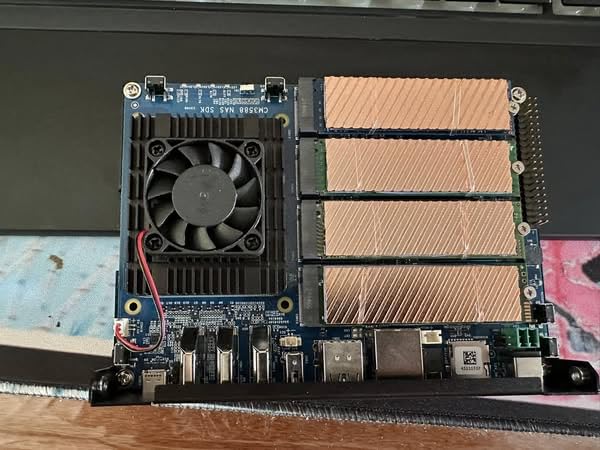
This is an all-flash design, which suits backups, Nextcloud, and media serving rather than mass archive storage. Four 2TB NVMe drives give you 8TB of silent, low-power storage with no spin-up delay. Users report it works well for exactly those Nextcloud and backup jobs.
The rough edges: some buyers hit TF card slot issues, and others flagged power delivery concerns when all four SSDs draw at once, so use the specified power supply. The 4.1-star average over 16 reviews tells you this is an enthusiast product, and the 9-10 day shipping window requires patience.
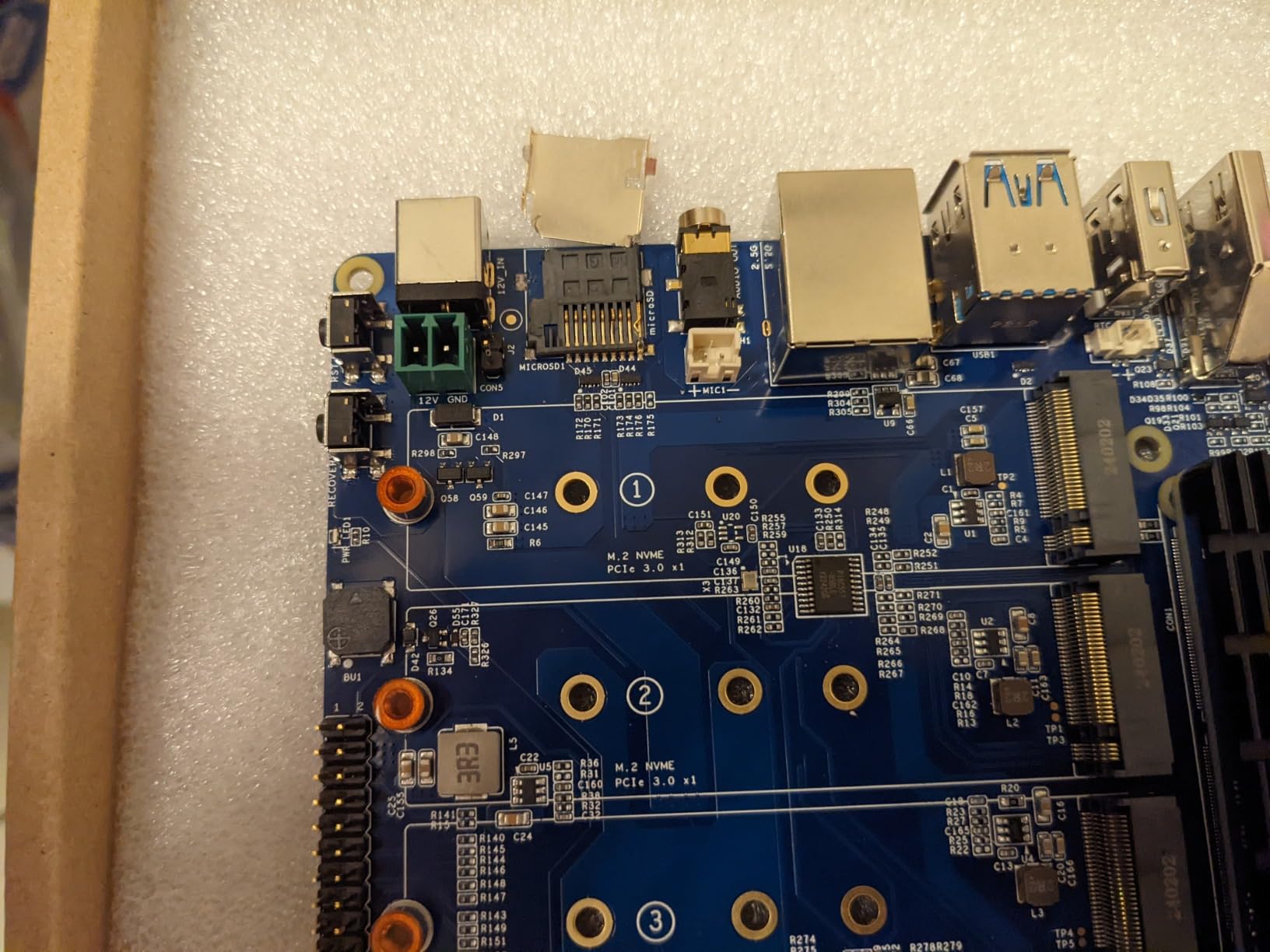
Flash versus spinning storage trade-off
NVMe costs more per terabyte than hard drives, but an all-flash NAS is silent, draws a third of the power, and never has a drive spin-up delay. A hybrid approach works too: CM3588 for fast shares, plus a Pi with a big USB drive for cold backups. Budget for the SSDs before you commit, since four drives often cost more than the board.
Who should buy this board
Buy it if you want a compact, silent, all-NVMe NAS with 2.5G networking and are comfortable in Linux. Skip it if you need terabytes of cheap spinning-rust storage or want Prime-speed delivery.
5. Waveshare Compute Module 5 – Best for a Custom Multi-Drive Build
Waveshare CM5 Pi Compute Module 5, Comes with an Official Raspberry Pi CM5108000 (with Wireless, 8GB RAM, 0GB (Lite) eMMC Flash), an Antenna Kit and a HEATSINK (3 Items)
BCM2712 Cortex-A76
8GB LPDDR4 RAM
PCIe Gen 2 x1
Gigabit Ethernet
CM4-compatible
Pros
- Same chip as Pi 5 in compute module form
- Drop-in upgrade path from CM4 boards
- PCIe Gen 2 x1 for SATA or NVMe carriers
- Antenna kit and heatsink included
- Rich Waveshare wiki documentation
Cons
- Lite version has no eMMC storage
- You still need a carrier board
- Higher total cost
- Only 22 reviews so far
The Compute Module 5 is how you build a serious multi-drive Pi NAS. It carries the same BCM2712 quad-core Cortex-A76 as the Pi 5, but exposes its PCIe Gen 2 x1 lane to a carrier board, which is exactly the architecture behind famous 4-5 drive Pi NAS builds. One Reddit user ran their Pi-based NAS for years and their only downtime was scheduled maintenance.
Where this shines is pairing it with a SATA HAT or IO board that hosts four drive bays. That is the approach forum builders use to assemble a true RAID array on Pi hardware, with no USB bottleneck. The 8GB RAM matches the Pi 5 kit, so heavy multi-service setups run fine.
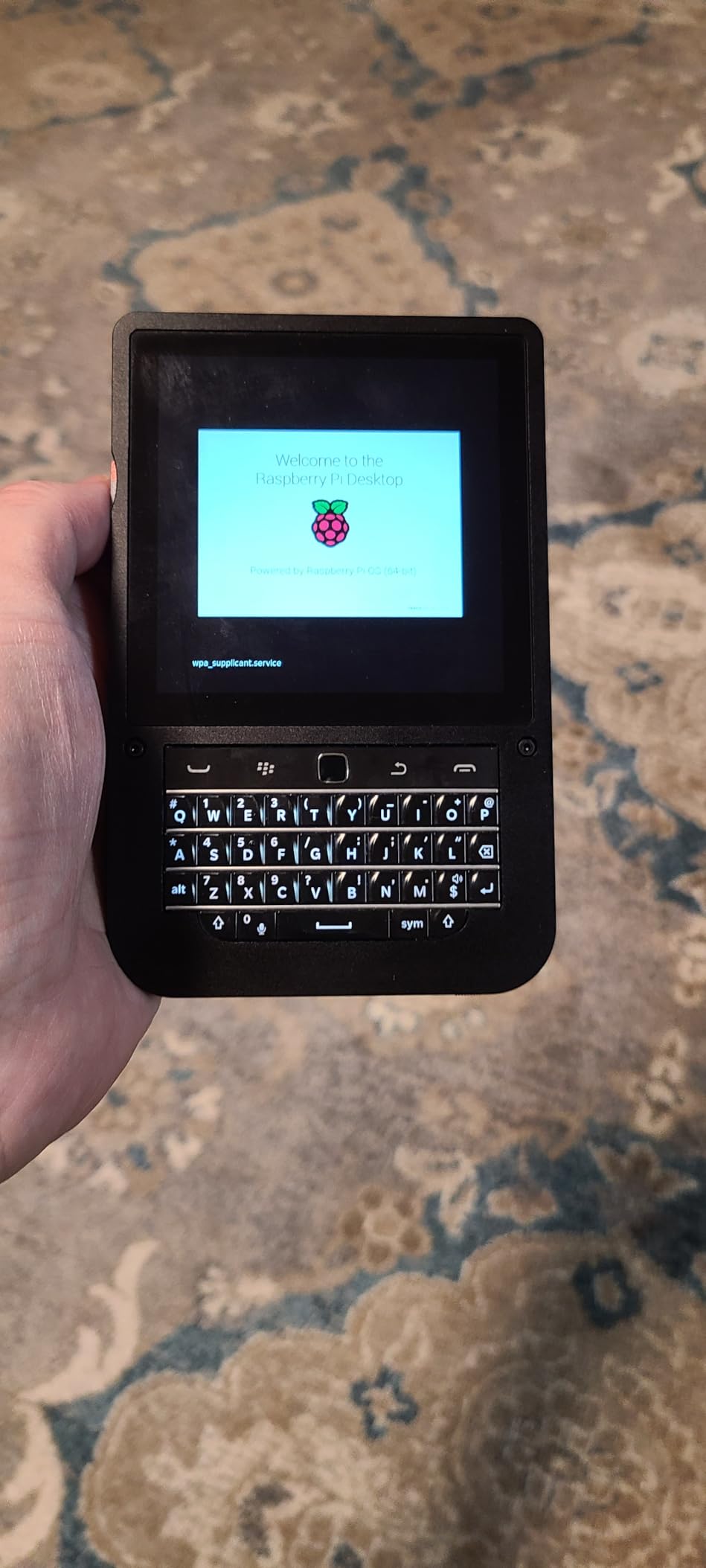
Two cautions. The Lite version here has 0GB eMMC, so you boot from an SD card or NVMe on the carrier. And your total cost must include the carrier board, which typically adds meaningfully to the bill. It also popular as an upgrade for Home Assistant Yellow and CM4-based projects since the connectors are compatible.
The 4.7-star rating over 22 reviews is encouraging for such a new product, and reviewers highlight it as an easy CM4 upgrade with good wiki documentation.
Carrier board options to complete the build
Look for a carrier exposing PCIe to M.2 or to a SATA controller; popular route is a four-bay SATA IO board giving you native drive connections and a standard ATX power input for the drives. This makes the CM5 effectively the brain of a custom NAS chassis rather than a bare board on a desk.
Waveshare documentation is genuinely good, which matters more than usual here since you are wiring storage, power, and cooling yourself.
Who should buy this module
Buy it if you want the Pi 5’s performance in a custom multi-drive chassis with native SATA. Skip it if you want a finished kit, because this module is only one component of a larger build.
6. Orange Pi 5B 16GB – Most Powerful ARM SBC
Orange Pi 5B 16GB Rockchip RK3588S with 256GB eMMC 8 Core 64 Bit WiFi6,BT5.0 Single Board Computer, 2.4GHz Frequency Open Source Board Run Orange Pi OS,Android,Debian(Pi 5B 16G256G+5V4A TypeC Supply)
RK3588S 8-core
16GB LPDDR4
256GB eMMC
Mali-G610 GPU
WiFi 6 and BT 5.0
Pros
- 8-core RK3588S with four A76 cores
- 16GB RAM handles any NAS stack
- 256GB eMMC for fast reliable boot
- 6 TOPS NPU for AI add-ons
- WiFi 6 and Gigabit Ethernet
Cons
- GPU acceleration varies by OS
- WiFi antennas feel fragile
- No SATA or NVMe on-board
- Stock often limited
The Orange Pi 5B is the brute-force option. Eight cores, 16GB of RAM, and 256GB of eMMC storage in a board the size of a playing card. Reviewers describe it as performing like a low-cost desktop, and it runs Ubuntu, Debian, and Android TV without complaint.
For NAS duty, that 256GB eMMC is a quiet advantage: it is more reliable than an SD card for the operating system, which addresses one of the most common long-term Pi NAS failure points. The 16GB of RAM lets you run OpenMediaVault plus a small army of containers, and the 6 TOPS NPU opens the door to Frigate camera detection if your NAS also guards the house.
The catch for storage builders: the 5B has no native SATA or NVMe. You are back to USB 3.0 enclosures, which is an odd limitation on such a powerful board. Orange Pi 5 family boards are frequently recommended in r/SBCs NAS threads, but usually paired with USB drives or a separate SATA hat.
Software is the other watch-out. Reviewers report that GPU acceleration support varies by OS and Arch Linux works poorly, so stick with the official Ubuntu or Debian images. The WiFi antennas also pop off easily, which matters little on a wired NAS but is annoying during setup.
Best use for all that RAM
Run your NAS and your entire self-hosted stack on one board: OpenMediaVault, Nextcloud, Jellyfin, a few Docker services, and still have headroom. With 16GB you stop thinking about memory and start thinking about what else to host.
Who should buy this board
Buy it if you want maximum ARM horsepower and plan to run NAS duties alongside heavy services. Skip it if pure storage is the goal, since the CM3588 gives you native NVMe bays for similar money.
7. Raspberry Pi 3 Model B+ – Best Ultra-Cheap Light-Duty Server
New Raspberry Pi 3 Model B+ Board (3B+) Raspberry PI 3B+ (1GB) (3B Plus)
1.4GHz quad-core A53
1GB LPDDR3 RAM
Gigabit Ethernet
4x USB 2.0
Dual-band WiFi
Pros
- Very cheap entry to Pi NAS experiments
- Huge community and documentation
- Great for Pi-hole and light file duties
- Low power draw
- 4.6 stars from nearly 1
- 000 buyers
Cons
- Only 1GB of RAM
- USB 2.0 bottlenecks attached drives
- Gigabit Ethernet capped by USB 2.0 internals
- Older platform
The Pi 3B+ is still around because it is still useful. For 53 dollars you get a quad-core board with enormous community support, and nearly a thousand Amazon reviewers rate it 4.6 stars. People build Pi-hole DNS servers, backup boxes, and tiny file servers on it every day.
Here is the technical honesty, though: its Gigabit Ethernet hangs off the USB 2.0 bus, so real network throughput tops out around 300Mbps. Attached storage is also USB 2.0, meaning drive speeds of roughly 30-40MB/s. That is fine for documents, photo backups, and Pi-hole, and painful for large media libraries.
Where the 3B+ earns its keep is as a second machine. One common forum setup: a fast board handles the main NAS, while a Pi 3B+ runs automated offsite backups to a USB drive. It sips power, so leaving it on 24/7 costs a couple of dollars a year.
If your budget is tight and your needs are light, it works. But if you can stretch to the Pi 4 kit, the jump in storage speed and RAM is worth every dollar.
What it can and cannot handle
It can: Pi-hole, Wireguard VPN, Syncthing folders, small Samba shares, and Nextcloud for one or two users. It cannot: Plex transcoding, multi-user media libraries, or any workload needing more than 1GB of RAM. Match the job to the board and it will serve for years.
Who should buy this board
Buy it for a dedicated light duty service or a backup target. Skip it as your primary NAS, since the Pi 4 kit costs modestly more and doubles or triples every relevant spec.
8. Orange Pi Zero 3 – Best Sub-$50 SBC for a Home Server
Orange Pi Zero 3 1GB/1.5GB/2GB/4GB LPDDR4 Allwinner H618 4-Core 64 Bit Single Board Computer, Support WiFi 5.0/Bluetooth 5.0, Development Board Run Linux/Debian/Ubuntu/Android(1.5GB)
H618 quad-core A53
1.5GB LPDDR4 RAM
Gigabit Ethernet
WiFi 5 and BT 5.0
16MB SPI flash
Pros
- Genuine Gigabit Ethernet at a bargain price
- Snappy quad-core H618 performance
- Proven stable for PiHole
- VPN and Nextcloud
- Runs DietPi and Armbian well
- Very low power draw
Cons
- USB 2.0 only limits drive speed
- 1.5GB RAM caps heavy workloads
- OS install requires a TF card
- Some OS image compatibility quirks
At 44 dollars the Zero 3 is the cheapest board here with true Gigabit Ethernet, and that alone makes it a legitimate budget NAS brain. Reviewers call it quick and snappy, faster than older Rock64 boards, and report stable operation even in hot enclosures.
The home server crowd has adopted this board enthusiastically. Users run PiHole, PiVPN, Nextcloud, and ADS-B trackers on it, and it handles DietPi and Armbian well. An early Ethernet boot bug on the 1.5GB model has been fixed in current OS images, so download the latest build before you judge it.
Know the ceiling: 1.5GB of RAM and USB 2.0 storage means this is a light-duty file server, not a media workhorse. Single-disk USB storage tops out near 35MB/s, which is fine for documents and photos over the network but not for big video collections.
For a first self-hosting project, it is unbeatable. You learn drive mounting, Samba permissions, and remote access on hardware that costs less than a takeout dinner, and one XDA developer put it well: a Raspberry Pi style NAS teaches you file sharing, permissions, remote access, and the reality of self-hosted storage.
Best software for the Zero 3
DietPi is the community favorite here for its light footprint and quick setup of Samba and Syncthing. Armbian works well if you want a more standard Debian or Ubuntu base. Skip heavyweight NAS stacks; the 1.5GB of RAM prefers lean tools.
Who should buy this board
Buy it if you want the cheapest reliable entry to SBC home servers with wired Gigabit. Skip it if you expect fast disk speeds or want room to grow into heavier services.
Buying Guide: How to Choose an SBC for Your NAS?
Choosing a board comes down to five decisions, and getting them right matters more than raw CPU speed. Here is how I evaluate any board for NAS duty before buying.
Storage connectivity is the number one factor
Native SATA or NVMe beats USB every time. Boards like the ZimaBlade and CM3588 connect drives directly, avoiding the flaky USB-to-SATA adapters that cause so many troubleshooting threads. The Pi 5 and CM5 offer a middle path via PCIe Gen 2, and the Pi 4 and budget boards rely on USB 3.0. Match your drive plan to the board’s native interfaces first, then look at CPU specs.
Network speed sets your performance ceiling
Gigabit Ethernet caps transfers near 110MB/s, no matter how fast your drives are. A 2.5G interface, like on the CM3588, roughly doubles that ceiling and costs little more on the board. Also check whether Ethernet is truly native: on the Pi 3B+ it shares a USB 2.0 bus and throttles hard.
Software compatibility: ARM versus x86
Every NAS OS runs on ARM these days, but not every Docker image does. x86 boards like the ZimaBlade run TrueNAS, Unraid, and every container without port hunting. On ARM, stick with Raspberry Pi OS or Ubuntu plus OpenMediaVault, and check that your must-have apps ship ARM builds. Plex transcoding on ARM in particular is a known struggle that forum users hit repeatedly.
Which NAS operating system to install
OpenMediaVault is the community default for SBC builds: free, Debian-based, and happy on ARM. CasaOS, preinstalled on the ZimaBlade, is friendlier but rougher around the edges. TrueNAS SCALE and Unraid want x86 and more RAM but deliver the most features. Plain Debian with Samba remains a perfectly good answer if you like knowing exactly what your server runs.
Power delivery and cooling
Every 3.5-inch drive adds 5-10W, and four drives plus a board need a proper powered hub or ATX supply. Undersized power causes the random disconnects that get blamed on software. In an enclosed case, passive cooling is rarely enough; the fan and heatsink in the CanaKit boxes exist for good reason, since throttling quietly degrades NAS performance.
Community support saves your build
The Raspberry Pi ecosystem has an answer for nearly every problem you will hit, which is why it dominates this list. Orange Pi boards rely on Armbian and vendor forums, and x86 kits lean on general homelab knowledge. When your NAS drops off the network at midnight, a big community is worth more than a benchmark win.
Frequently Asked Questions
Is Raspberry Pi good enough for NAS?
Yes. For file sharing, backups, and media streaming to one or two users, a Raspberry Pi 4 or Pi 5 with USB 3.0 drives and OpenMediaVault handles the job reliably, with users reporting years of uptime. It struggles with Plex transcoding and multi-user heavy workloads, where an x86 board is the better fit.
Can I build a NAS with Raspberry Pi?
Yes. Connect USB or SATA drives, install OpenMediaVault or another NAS OS, enable SMB sharing, and your Pi becomes a network file server. A Pi 4 or Pi 5 with a powered USB hub and two drives is the most common starter build.
Is Pi 5 good for NAS?
Very good. The Pi 5 brings a 2.4GHz quad-core Cortex-A76, up to 8GB RAM, and a PCIe Gen 2 x1 lane for native NVMe storage via an M.2 HAT, which removes the USB storage bottleneck of earlier Pis.
What is the best NAS SBC to buy?
The Raspberry Pi 5 (8GB) is the best all-round SBC for a NAS build thanks to speed, PCIe storage, and community support. The ZimaBlade 7700 is best for native SATA and Plex, and the Orange Pi Zero 3 is the best budget option.
What is the best NAS software for Raspberry Pi?
OpenMediaVault is the best choice for most Pi NAS builds: it is free, lightweight, and designed for Debian-based ARM systems. Alternatives include CasaOS for a friendlier interface or plain Debian with Samba for minimalists.
Conclusion
For the best SBC for a Pi-based NAS build in 2026, the CanaKit Raspberry Pi 5 Starter Kit PRO is the board I recommend to friends, the CanaKit Pi 4 kit is the smart value pick, and the ZimaBlade 7700 wins if you want native SATA and x86 freedom. Whatever you choose, buy the fastest networking and the most native storage connectivity your budget allows, because those two factors outlast every CPU generation.
Pick your board, grab a pair of drives, and start building. Your own quiet, low-power NAS is a weekend away.