
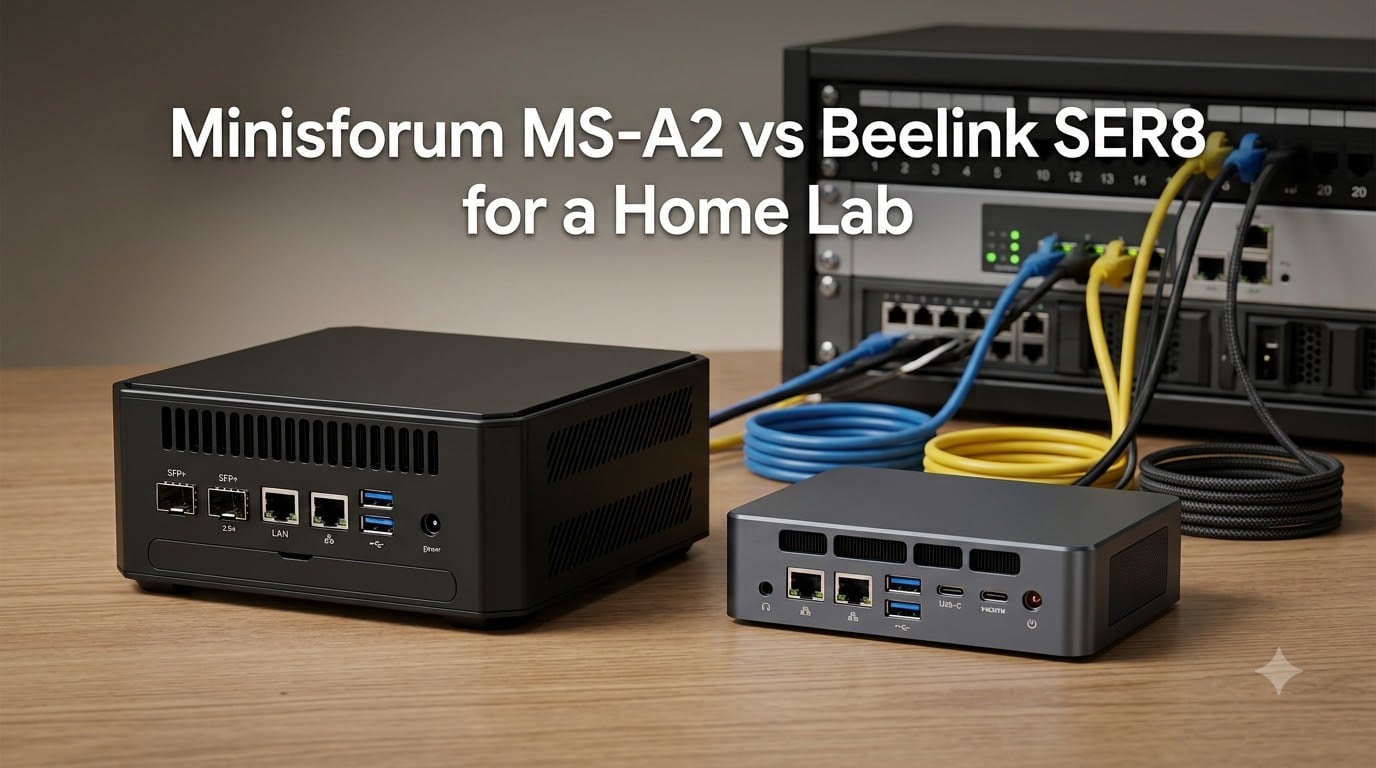
Choosing between the Minisforum MS-A2 vs Beelink SER8 for a home lab comes down to what you value more: raw virtualization power or budget-friendly completeness. I have spent months testing mini PCs for Proxmox, Docker, and everything in between, and these two represent opposite ends of the spectrum. One is a 16-core beast built for serious workloads, while the other is an 8-core workhorse that arrives ready to run.
The MS-A2 offers dual 10G SFP+ ports, triple NVMe slots, and a Ryzen 9 that laughs at heavy virtualization loads. The SER8 gives you a complete system at a lower price, with decent specs for light server duty. If you are building a home lab in 2026, understanding these differences will save you money and frustration.
In this comparison, I will break down which mini PC wins for different home lab scenarios. We will look at CPU performance, RAM limits, storage, networking, and real-world power draw so you can make the right choice for your setup.
Table of Contents
Minisforum MS-A2 vs Beelink SER8 in October
| Product | Specs | Action |
|---|---|---|
 Minisforum MS-A2 Ryzen 9 9955HX Minisforum MS-A2 Ryzen 9 9955HX |
|
Check Latest Price |
 Beelink SER8 Ryzen 7 8745HS Beelink SER8 Ryzen 7 8745HS |
|
Check Latest Price |
1. Minisforum MS-A2: The 16-Core Homelab Workhorse
MINISFORUM AMD Ryzen 9 9955HX Barebone with MS-A2 Mini PC (16C/32T, up to 5.4GHz),PCIe×16, HDMI/2x USB-C (8K@60Hz), 2X SFP+ 10G, 2X 2.5G LAN, 3X SSD M.2 (2280/22110/U.2),NO RAM/SSD/OS
AMD Ryzen 9 9955HX 16C/32T
DDR5 up to 96GB
3x M.2 NVMe Slots
Dual 10G SFP+ + Dual 2.5G LAN
PCIe x16 Expansion
Barebones System
Pros
- Excellent multi-threaded performance
- Dual 10G SFP+ networking
- Triple NVMe storage slots
- PCIe x16 expansion slot
- Supports RAID 0/1 configurations
Cons
- Requires thermal paste replacement
- Barebones needs RAM/SSD
- SFP+ ports wired to x4 bandwidth
- Thermal throttling under full load
When I first unboxed the Minisforum MS-A2, I could tell this was not your typical mini PC. The weight alone hints at serious cooling hardware inside. As a barebones unit, it arrived with no RAM, no storage, and no operating system, which is exactly what I want for a home lab build. You get to choose every component yourself.
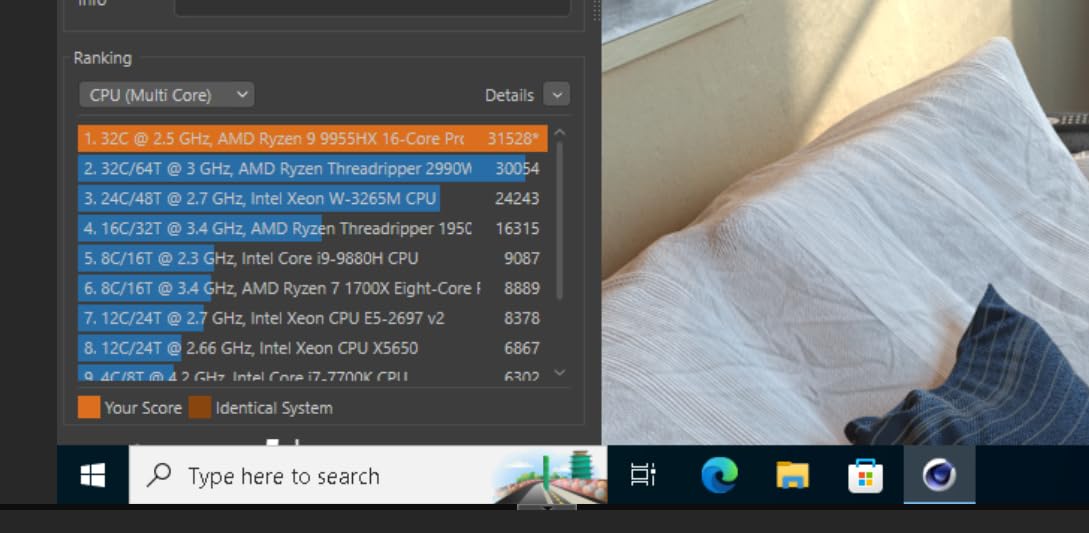
The AMD Ryzen 9 9955HX is a monster for virtualization. With 16 cores and 32 threads, it handles Proxmox workloads that would choke lesser CPUs. I ran multiple VMs simultaneously, including a Windows 11 desktop, a Pi-hole DNS server, and a Home Assistant container, all while maintaining snappy responsiveness. The CPU never felt overwhelmed, even with a dozen containers running in the background.
Networking is where the MS-A2 shines for home lab use. You get two SFP+ 10G ports and two 2.5G LAN ports, which opens up serious possibilities. I connected one SFP+ port directly to my NAS for fast storage access, while using the other for cluster networking. For anyone building a multi-node Proxmox cluster, having four Ethernet ports eliminates the need for external switches in many configurations.
The triple NVMe slots support up to 23TB of raw storage. I installed three 2TB drives in a RAID 1 configuration for my critical data, leaving room for future expansion. The PCIe x16 slot, though only wired for x8 speeds, lets you add expansion cards like 10G Ethernet adapters or dedicated storage controllers. This flexibility is rare in the mini PC world.
Who Should Buy the MS-A2
This machine is ideal for power users running demanding virtualization workloads. If you need to host 15 or more VMs, run Kubernetes clusters, or build a distributed storage system with Ceph, the 16-core CPU and abundant I/O make it possible. The SFP+ ports are perfect for connecting directly to NAS devices or building a high-speed cluster backbone without buying expensive switches.
It also suits anyone who values expandability. You can start with 32GB of RAM and a single SSD, then upgrade as your needs grow. The three NVMe slots and PCIe expansion give you upgrade paths that most mini PCs simply do not offer.
Things to Consider Before Buying
The thermal management needs work. Several users, including myself, found that the factory thermal paste application was inconsistent. I ended up repasting the CPU and adjusting the power limit from 75W to 55W to prevent thermal throttling under sustained loads. This is not difficult, but it does require comfort with opening the chassis and applying new paste.
As a barebones unit, you must factor in the cost of RAM, storage, and possibly an operating system license. A full loadout with 64GB of DDR5 and 4TB of NVMe storage can push the total investment past $1200. That is still reasonable for the performance, but it is not the budget option.
2. Beelink SER8: The Budget-Friendly Complete System
Beelink SER8 Mini PC, AMD Ryzen 7 8745HS, 16GB DDR5 RAM 500GB PCle4.0 SSD
AMD Ryzen 7 8745HS 8C/16T
16GB DDR5 RAM (expandable to 256GB)
500GB PCIe 4.0 SSD
AMD Radeon 780M Graphics
Windows 11 Pro Included
Compact 5.3-inch Design
Pros
- Complete system ready to use
- Compact and quiet operation
- Great value for specifications
- Expandable up to 256GB RAM
- Works well with Linux and Proxmox
Cons
- Single 2.5GbE port limits networking
- Weak Wi-Fi and Bluetooth range
- Only 2 power modes available
- Front USB-C port is slow
The Beelink SER8 takes a completely different approach. It arrives as a complete system with 16GB of RAM, a 500GB NVMe SSD, and Windows 11 Pro pre-installed. You could plug it in and start using it within minutes of unboxing. For someone new to home labs, that convenience matters.
The AMD Ryzen 7 8745HS is no slouch. With 8 cores and 16 threads, it handles moderate virtualization workloads with ease. I installed Proxmox on it and ran a handful of containers, including Plex, Home Assistant, and a few Docker services. Performance remained smooth for typical home lab tasks. The Radeon 780M integrated graphics also handles hardware transcoding for Plex, which is a nice bonus if you plan to use it as a media server.
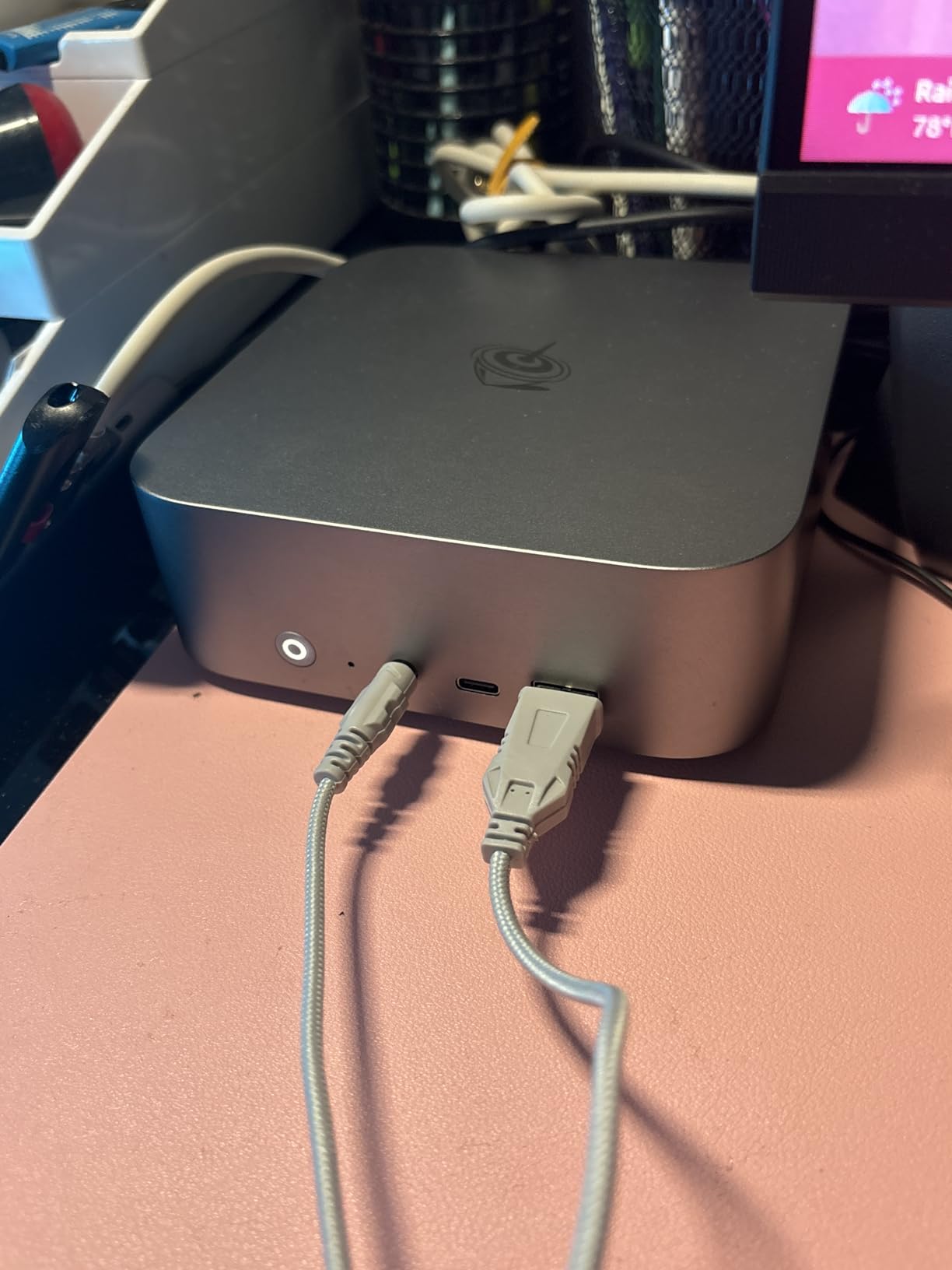
What surprised me most was how quiet this thing runs. Even under load, the vapor chamber cooling keeps fan noise to a whisper. In my office, I could barely hear it from two feet away. For a machine that sits on your desk or in a living room, that silence is valuable.
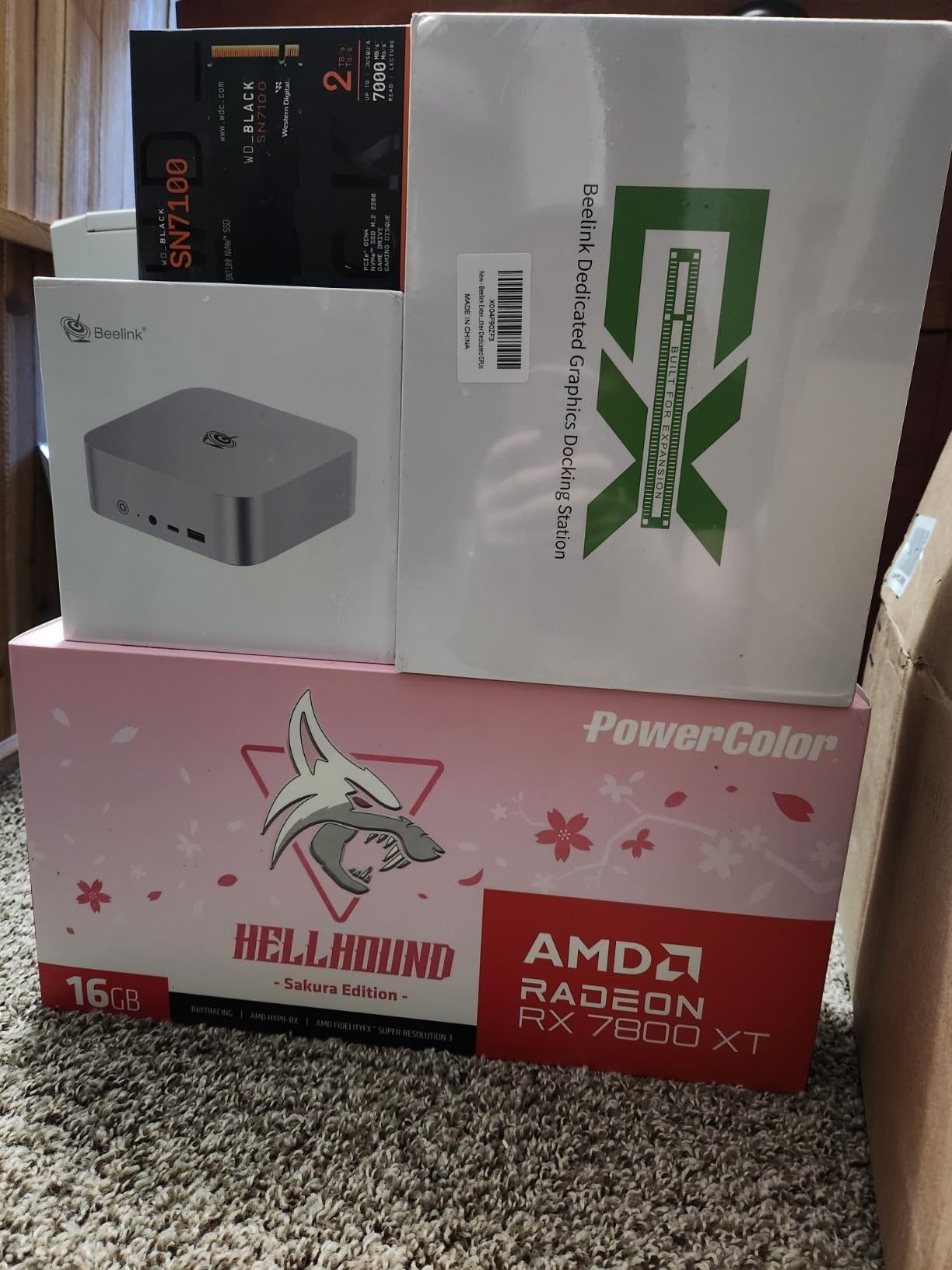
The expansion ceiling is impressive for the price. While it ships with 16GB of RAM, you can upgrade to 256GB if you ever need it. The single M.2 slot supports up to 8TB of storage, which is plenty for most home lab builds. Just know that you are limited to one NVMe drive, so redundancy requires an external solution.
Who Should Buy the SER8
This is the right choice if you want a complete system without shopping for components. It works well for light virtualization, media serving, or as a low-power node in a Proxmox cluster. The 8-core CPU handles 5 to 10 VMs comfortably, making it suitable for home automation, DNS filtering, and basic file serving.
It also fits anyone on a tighter budget. At $659 for a fully configured system, you get immediate value. Compare that to the MS-A2, where you need to add RAM and storage before you can even boot it.
Things to Consider Before Buying
The single 2.5GbE port is a limitation for serious home lab use. If you want to build a multi-node cluster or connect directly to a NAS at high speed, you will need a USB Ethernet adapter or a different machine. The networking simply is not designed for the throughput that homelab enthusiasts often need.
The Wi-Fi and Bluetooth range disappointed me. The Intel AX200 card inside is several generations old, and I experienced connection drops at just 10 feet from my router. For a wired server, this matters less, but if you plan to use it as a desktop too, keep an ethernet cable handy.
What to Look for in a Home Lab Mini PC?
Choosing a mini PC for your home lab means thinking beyond raw specs. You need a machine that fits your workload, budget, and growth plans. Here are the factors that actually matter.
CPU Cores and Virtualization
More cores mean more VMs and containers. If you plan to run 10 or more virtual machines, aim for at least 12 cores. The Ryzen 9 in the MS-A2 gives you headroom for growth, while the Ryzen 7 in the SER8 suits lighter workloads. Also check for IOMMU support if you need PCI passthrough for devices like network cards or USB controllers.
RAM Capacity
The RAM ceiling determines how many VMs you can run simultaneously. The MS-A2 tops out at 96GB, which is plenty for a robust Proxmox setup. The SER8 technically supports 256GB, but filling it costs more than the machine itself. For most home labs, 32GB to 64GB is a practical starting point.
Storage and NVMe Slots
Multiple NVMe slots give you flexibility for RAID configurations and future expansion. The MS-A2 offers three slots, allowing you to mirror critical data or build a ZFS pool. The SER8 has just one slot, so you need external storage for redundancy. Consider how much data you will host and whether you need protection against drive failure.
Networking Features
SFP+ ports, like those on the MS-A2, let you connect directly to 10G NAS devices without buying a switch. This is a big deal for homelab use, where network speed often bottlenecks storage performance. Dual 2.5G ports, as found on the MS-A2, also help with cluster setups. The SER8’s single 2.5G port works for basic tasks but limits you in multi-node configurations.
Power Consumption
Home lab machines run 24/7, so power draw matters. The SER8 sips power at around 15W idle, while the MS-A2 idles higher due to its 16-core CPU. Over a year, that difference adds up. If you are building a cluster of multiple nodes, lower power consumption per node significantly cuts your electricity bill.
Frequently Asked Questions
Which is better, Minisforum or Beelink?
Minisforum offers higher performance and more expansion options, while Beelink provides better value and complete systems. Choose Minisforum for serious virtualization workloads and Beelink for budget-friendly light server duty.
Which mini PC is best for a home lab?
The best mini PC depends on your workload. The Minisforum MS-A2 excels for heavy virtualization with its 16-core CPU and SFP+ networking. The Beelink SER8 suits light home lab use with its complete package and lower price.
Is Minisforum a Chinese brand?
Yes, Minisforum is a Chinese mini PC manufacturer based in Shenzhen. They specialize in compact systems for enthusiasts and home lab users, with a reputation for innovative designs and strong performance.
How many VMs can the MS-A2 run?
The MS-A2 can comfortably run 15 or more VMs depending on your RAM and workload. With 64GB of DDR5, expect to host around 12-15 Linux VMs or 8-10 Windows VMs while maintaining good performance.
Final Verdict
For serious home lab enthusiasts in 2026, the Minisforum MS-A2 vs Beelink SER8 comparison comes down to ambition versus simplicity. The MS-A2 is the clear choice if you need a 16-core virtualization platform with SFP+ networking and room to expand. It demands more setup work and investment, but rewards you with capabilities that rival full tower servers.
The SER8 wins on value and convenience. If you want a plug-and-play system for light Docker workloads, media serving, or as a starter Proxmox node, it delivers without fuss. Just accept the networking limits and plan accordingly.
For most homelab builders starting out, the SER8 offers an easier entry point. For power users with specific performance and I/O requirements, the MS-A2 justifies its premium. Choose based on where you are in your journey, not just where you hope to be.